 Minecraft Modpack Hosting
Minecraft Seaopolis 2 Server Hosting
Seaopolis 2 · Seaopolis 2 set up automatically, unlimited slots, DDoS protection and locations worldwide — play your ocean base with friends.
 Google
Or try 3 days from €0.81Pick the 3-day term at checkout · renews every 3 days · cancel anytime


Plans and pricing

Game server package
ZAP Spawn
- 2 GB RAM
- 2 CPU
- 15 GB NVMe
- Unlimited Slots

Game server package
ZAP Scout
- 4 GB RAM
- 2 CPU
- 30 GB NVMe
- Unlimited Slots

Game server package
ZAP Ranger
- 6 GB RAM
- 3 CPU
- 35 GB NVMe
- Unlimited Slots

Game server package
ZAP Raid
- 8 GB RAM
- 4 CPU
- 50 GB NVMe
- Unlimited Slots

Game server package
ZAP Guild
- 10 GB RAM
- 4 CPU
- 60 GB NVMe
- Unlimited Slots

Game server package
ZAP Vanguard
- 12 GB RAM
- 5 CPU
- 75 GB NVMe
- Unlimited Slots

Game server package
ZAP Legion
- 16 GB RAM
- 6 CPU
- 100 GB NVMe
- Unlimited Slots

Game server package
ZAP Bastion
- 24 GB RAM
- 8 CPU
- 150 GB NVMe
- Unlimited Slots

Game server package
ZAP Nexus
- 32 GB RAM
- 10 CPU
- 200 GB NVMe
- Unlimited Slots
Packages 1–3 of 9
 minecraft
Configure it yourself
Your server. Your power.
No package fits? Choose your RAM, CPU and storage—you only pay for the package you put together.
Powerful CPUs
100 Gbit/s host network
DDoS protection
Modpack preinstalled
Cancel anytime
 Visa
 Mastercard
 American Express
 PayPal
 Google Pay
 Apple Pay
 Klarna
 Amazon Pay


About Seaopolis 2
What is a Seaopolis 2 server?
Seaopolis 2 is an ocean-based survival questing modpack for Minecraft Java Edition: you start out on the open sea with very little, pull resources from the water, grow a small platform into a full base and work through a quest book that unlocks new tech and automation step by step. It is its own CurseForge pack, separate from Seaopolis: Submerged 2. On a Minecraft Seaopolis 2 server your whole crew shares one ocean, one base and one questing journey, and the world keeps running when the host logs off.
With your own server you decide who joins, which settings apply and how far your group pushes automation. The Seaopolis 2 modpack is set up automatically when you order, player slots are unlimited, and you pick the location closest to your crew from our locations worldwide — many North American groups start with Ashburn, Dallas or Los Angeles.

Core Features
Everything your Seaopolis 2 server needs.
Start questing fast, keep your ocean base safe and scale resources as your automation grows.
Seaopolis 2 preinstalled
Your ocean world is ready to join without hunting down server files yourself.
Unlimited player slots
Bring the whole crew — RAM and CPU set the limit, not a slot package.
Online in 60 seconds
Your server is online within 60 seconds; the first start with the modpack takes a little longer.
Upgrade as your base grows
Add RAM and CPU when automation and quest progress push your server harder.
Bring your existing world
Move your current Seaopolis 2 save over and keep questing where you stopped.
Backups for your base
With ZapX Pass, roll back after a failed automation setup or a risky experiment.
Only for Minecraft
Your Minecraft, your way
Swap modpacks, manage your players, build mods with ZapX Maker and list your server straight from the panel.


Minecraft
Your next modpack with one click
Install complete packs from Feed the Beast or Technic straight from the panel.
- CurseForge
- Modrinth
- Feed the Beast
- +1
Manage players without commands
Manage your whitelist and operator levels in the panel without console commands.
Turn your mod idea into a build
Describe your mod and, with ZapX Pass, ZapX Maker builds and deploys it to your server.
- ZapX Maker
Put your server on the ZapX list
Publish your server on the public ZapX list with votes and live status from the panel.
Locations worldwide
Your server. Your location.
8 data centers worldwide — choose the location closest to your community.
Europe


Americas


Asia-Pacific


Reviews
What customers say about ZAP-Hosting
Real feedback on support and setup.

very reliable service, simple to understand, and for a great price. really a no brainer

 ZAP-HostingReply
Zap has been a great experience for myself thus far. Easy interface to learn and it makes sense. Having all the tools I need to run my server with short and informative documentation that helped me tremendously. As a adamant gamer, zap has made having my own server fun, easy, and affordable. Thank you Zap!
 ZAP-HostingReply


I have used ZAP-Hosting for VPS services. The ordering process is straightforward, and the support team responds to customer inquiries. I hope to continue using their services and have a smooth experience in the future.
 ZAP-HostingReply

FAQ
Frequently asked questions about Seaopolis 2
Answers to the most important questions before you start.
What is Seaopolis 2 and how is it different from Seaopolis: Submerged 2?
Seaopolis 2 is an ocean-based survival questing modpack for Minecraft Java Edition by benbenlaw. Seaopolis: Submerged 2 is a separate CurseForge project with its own files and versions. This server runs Seaopolis 2 — if your group plays Submerged 2 or the original Seaopolis, pick the matching modpack page so client and server use the same pack.
- Seaopolis 2: its own CurseForge pack
- Submerged 2: a separate modpack
- Client and server need the same pack
How much does Seaopolis 2 server hosting cost?
Current prices load live from the shop.
The shop shows the current starting price live. What you pay depends on the package, term and location you choose, while player slots stay unlimited on every package. Terms are 3, 30, 90 or 180 days or one year; you can cancel anytime, effective at the end of the term.
- Unlimited player slots on every package
- DDoS protection included
- Cancel anytime
How much RAM does a Seaopolis 2 server need?
It depends on how many players join and how much automation your base runs. A small crew in the early game needs less than a busy server with large automated setups. Start with a package that fits your group today and add resources later — your world stays on the server. As a guideline: about 5 GB for 2 players, 8 GB for around 10 players. Seaopolis 2 runs on Minecraft 1.19.2 with Forge.
- Small crew, early game: smaller package
- More players or automation: more RAM
- Upgrade as your base grows
How do I install Seaopolis 2 on my ZAP-Hosting server?
You don't have to do it by hand: when you order through this page, the latest release of Seaopolis 2 is installed automatically with a matching server type. Once setup finishes, start the server in the panel and connect with the IP and port shown there. Your friends install the same Seaopolis 2 version in their launcher, for example CurseForge. Mods and modpacks in the Help Center
- Modpack set up automatically on order
- Connection details in the panel
- Friends use the same pack version
How many players can join my Seaopolis 2 server?
There is no fixed slot limit — every package comes with unlimited player slots. How many people can quest together smoothly depends on the RAM and CPU of your package and how much your base automates. Use a whitelist to keep the server to your crew.
- Unlimited slots on every package
- Performance scales with RAM and CPU
- Whitelist for private crews
Can Bedrock players join a Seaopolis 2 server?
No. Seaopolis 2 is a modpack for Minecraft Java Edition, so every player needs Java Edition with the same Seaopolis 2 version as the server, for example installed through the CurseForge launcher. Bedrock clients on console or mobile can't load the mods. How to connect in the Help Center
- Java Edition required
- Same modpack version as the server
- Install it via a launcher like CurseForge
Which server locations can I choose for Seaopolis 2?
You choose from our locations worldwide when you order — pick the one closest to you and your friends for the smoothest connection. Many North American groups start with Ashburn, Dallas or Los Angeles. DDoS protection is included at every location.
- Locations worldwide
- Pick the one closest to your crew
- DDoS protection at every location
Can I upgrade my server or switch to another modpack later?
Yes. When your base and automation grow, you can move to a package with more RAM and CPU. You can also switch to another modpack or vanilla Minecraft in the panel — your Seaopolis 2 world stays in its own data folder, and you can switch back. Upgrading your server in the Help Center
- Upgrade RAM and CPU anytime
- Switch modpacks in the panel
- Your previous world stays in its own folder
Still have questions?
Contact SupportZapX Panel
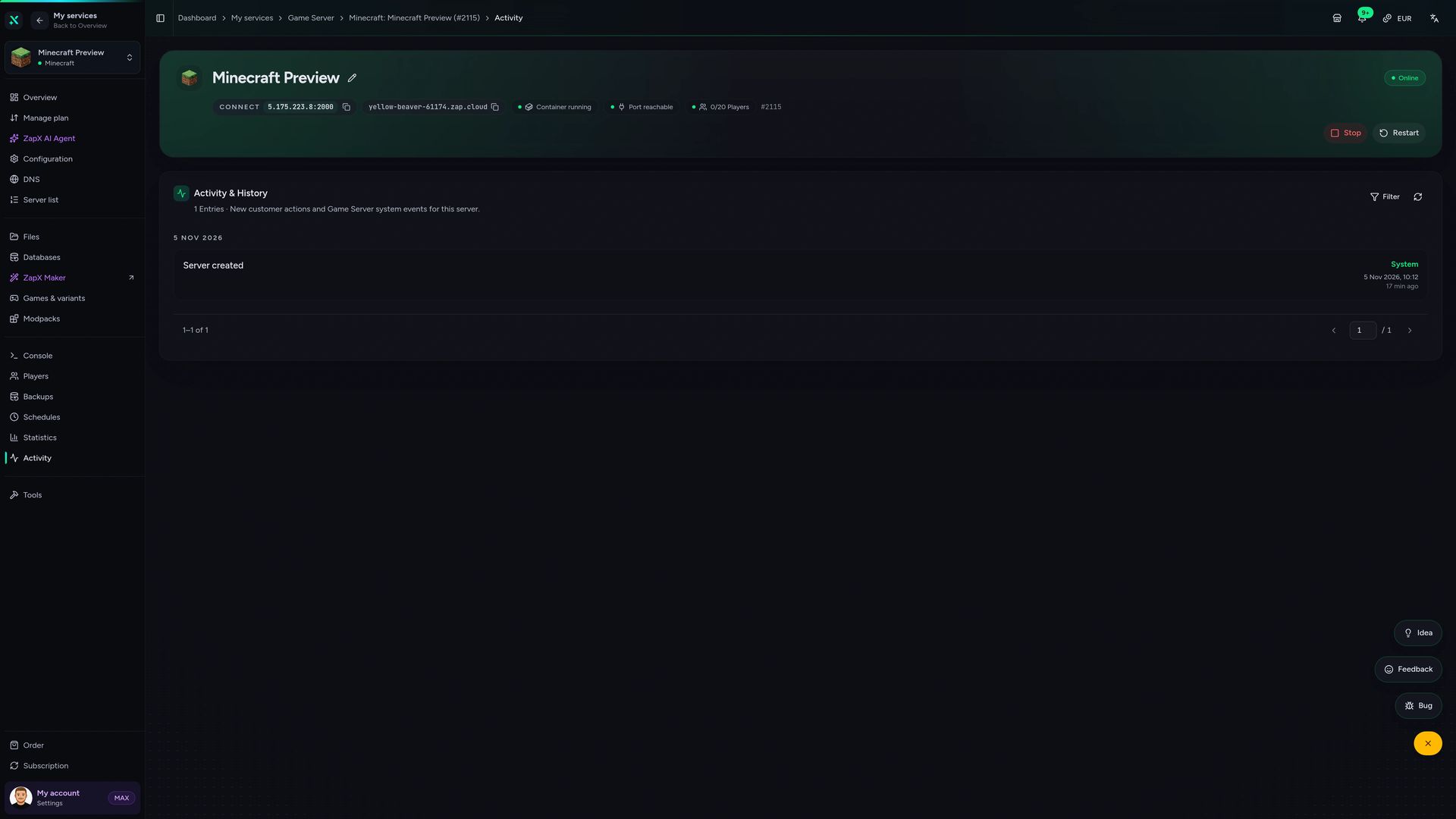
Your Seaopolis 2 server in the panel.
Activity, Backups, console and statistics in one view, built for running your Minecraft modpack server day to day.
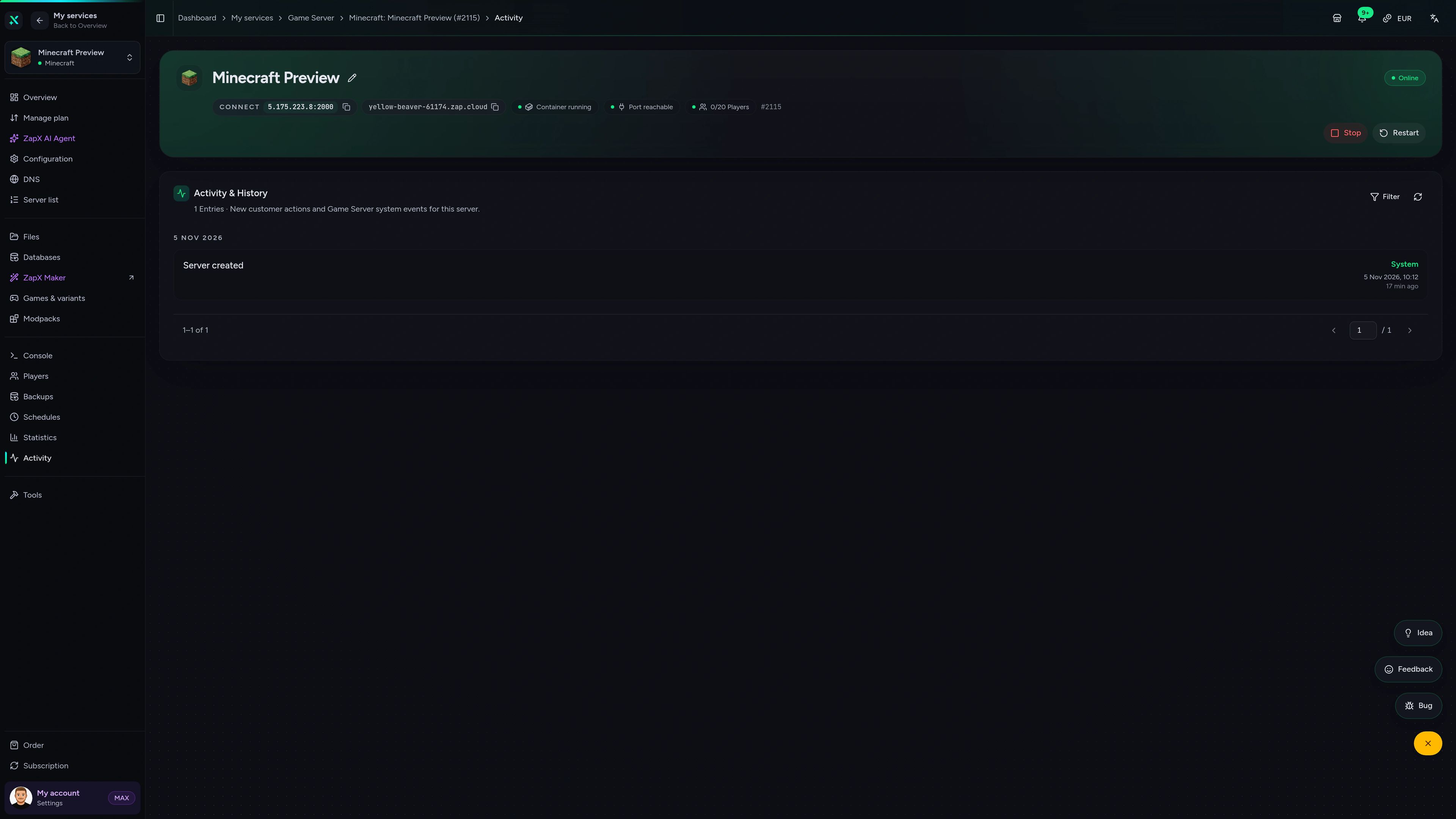
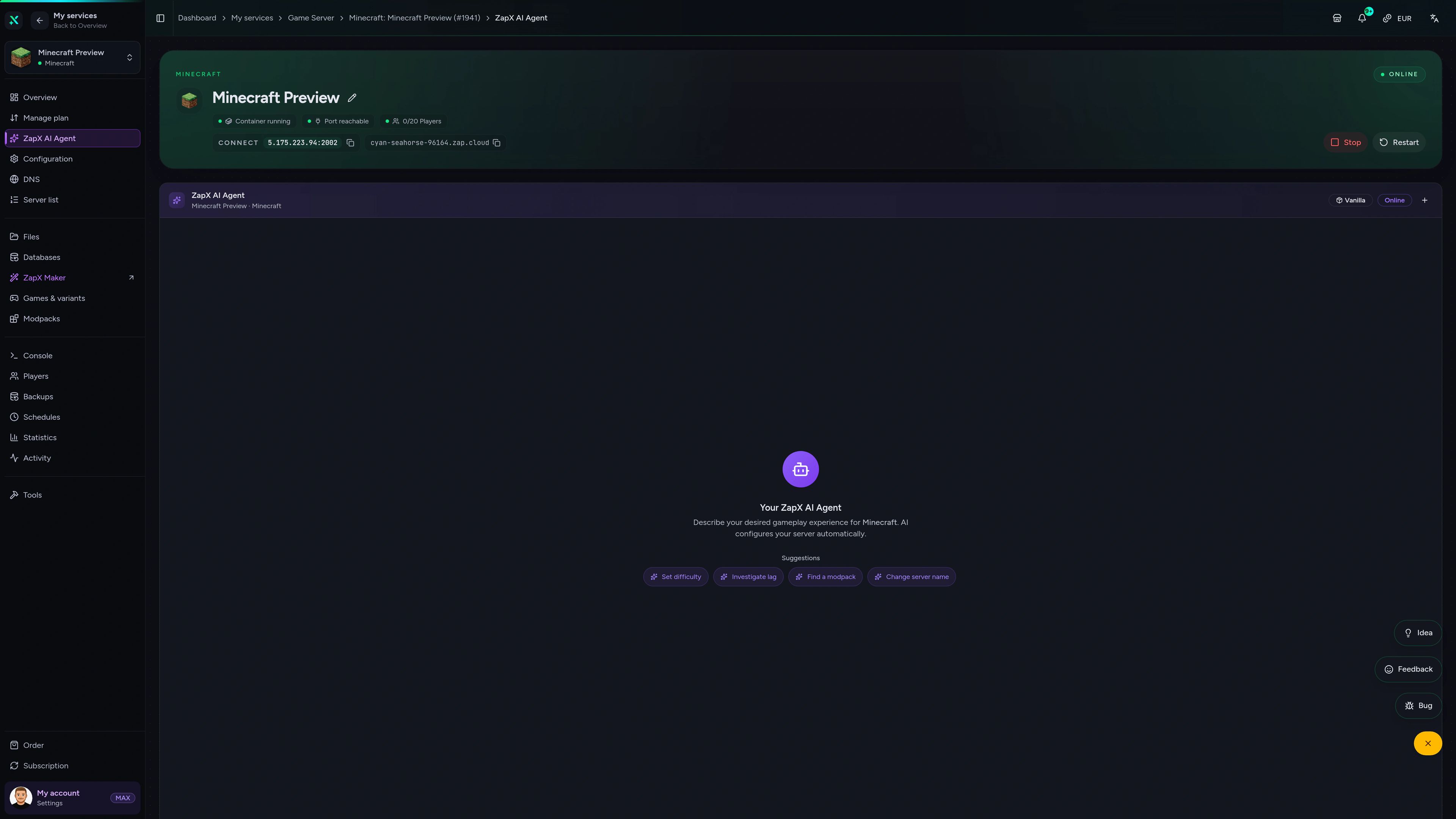
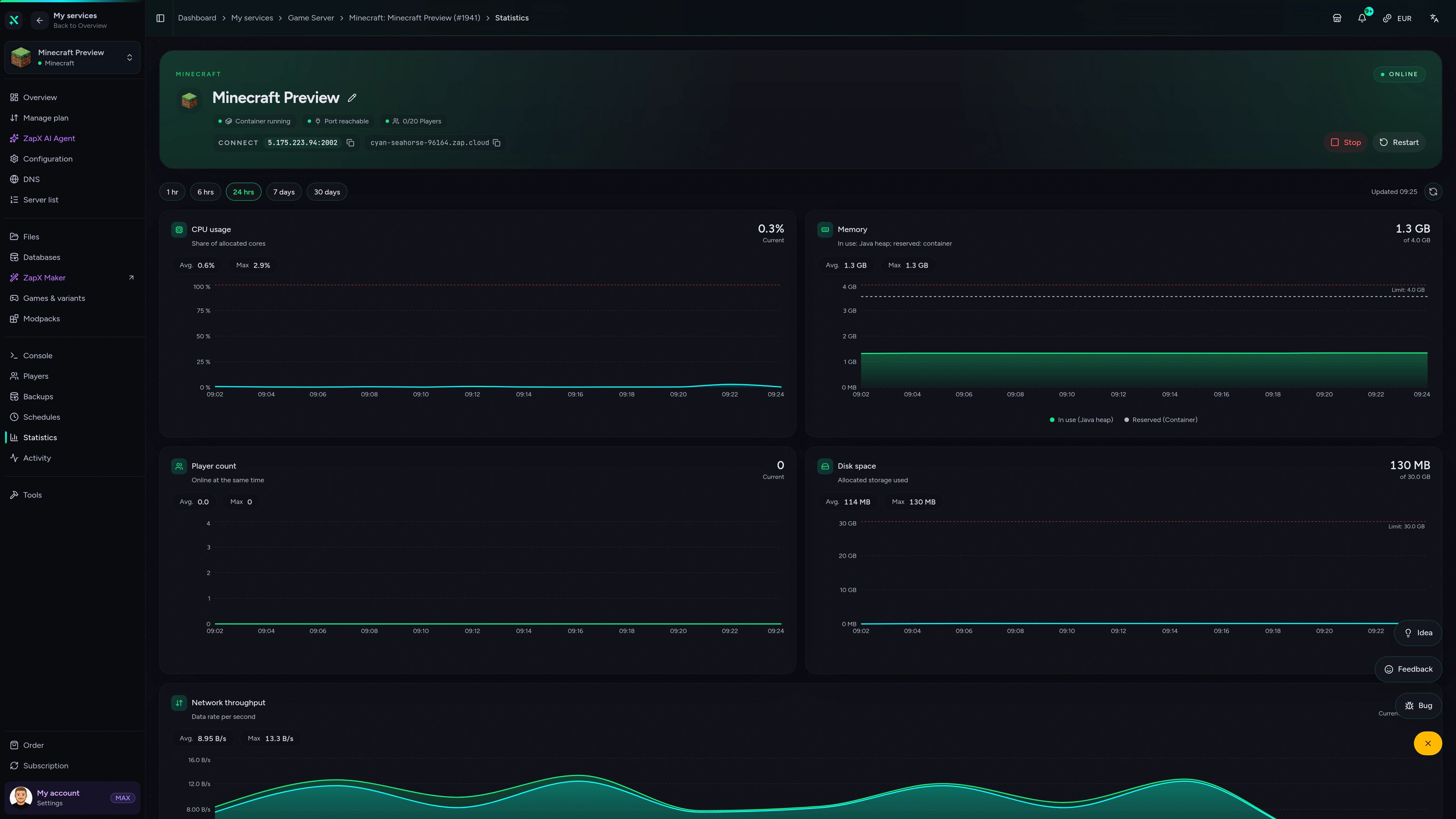
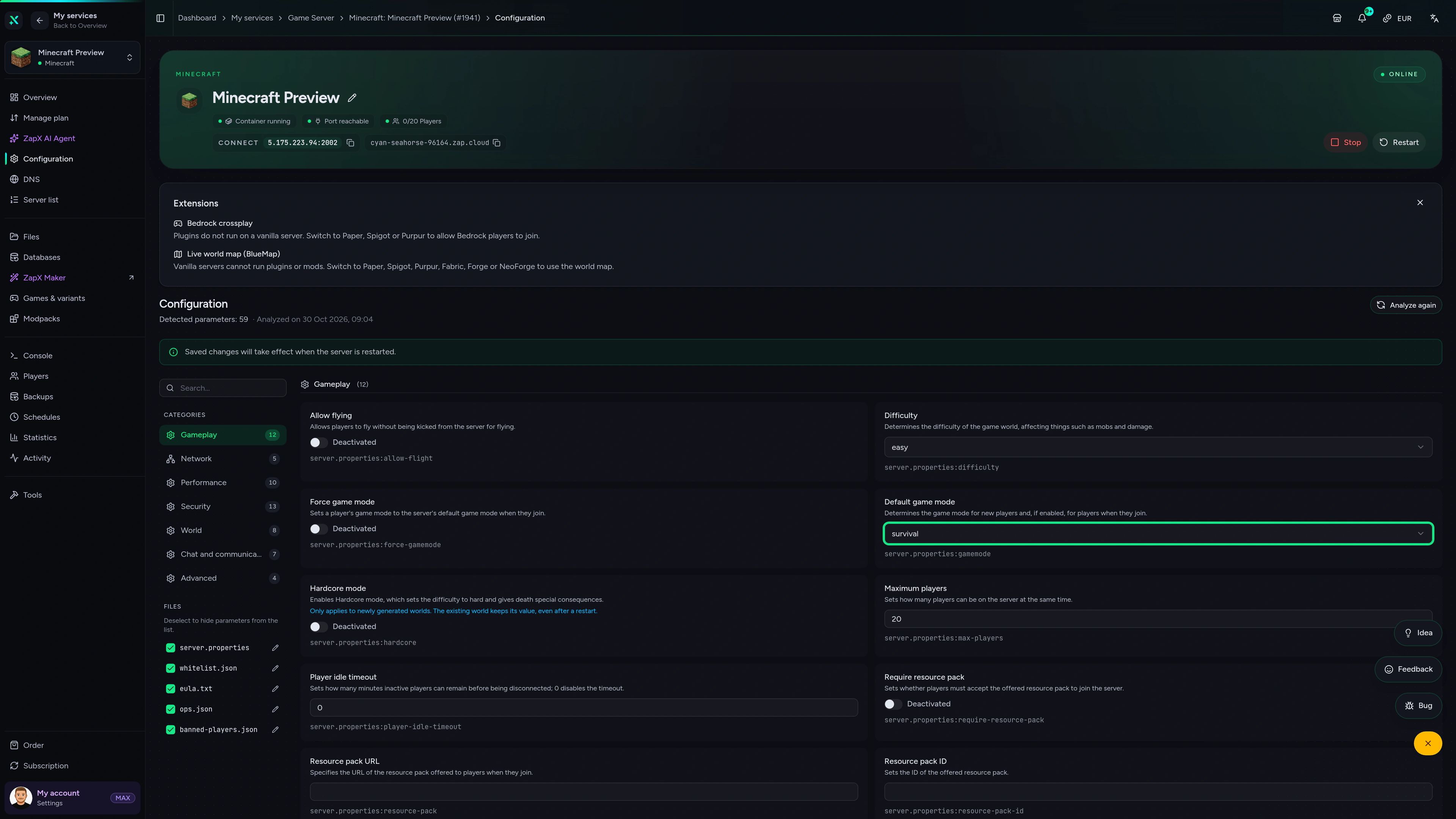
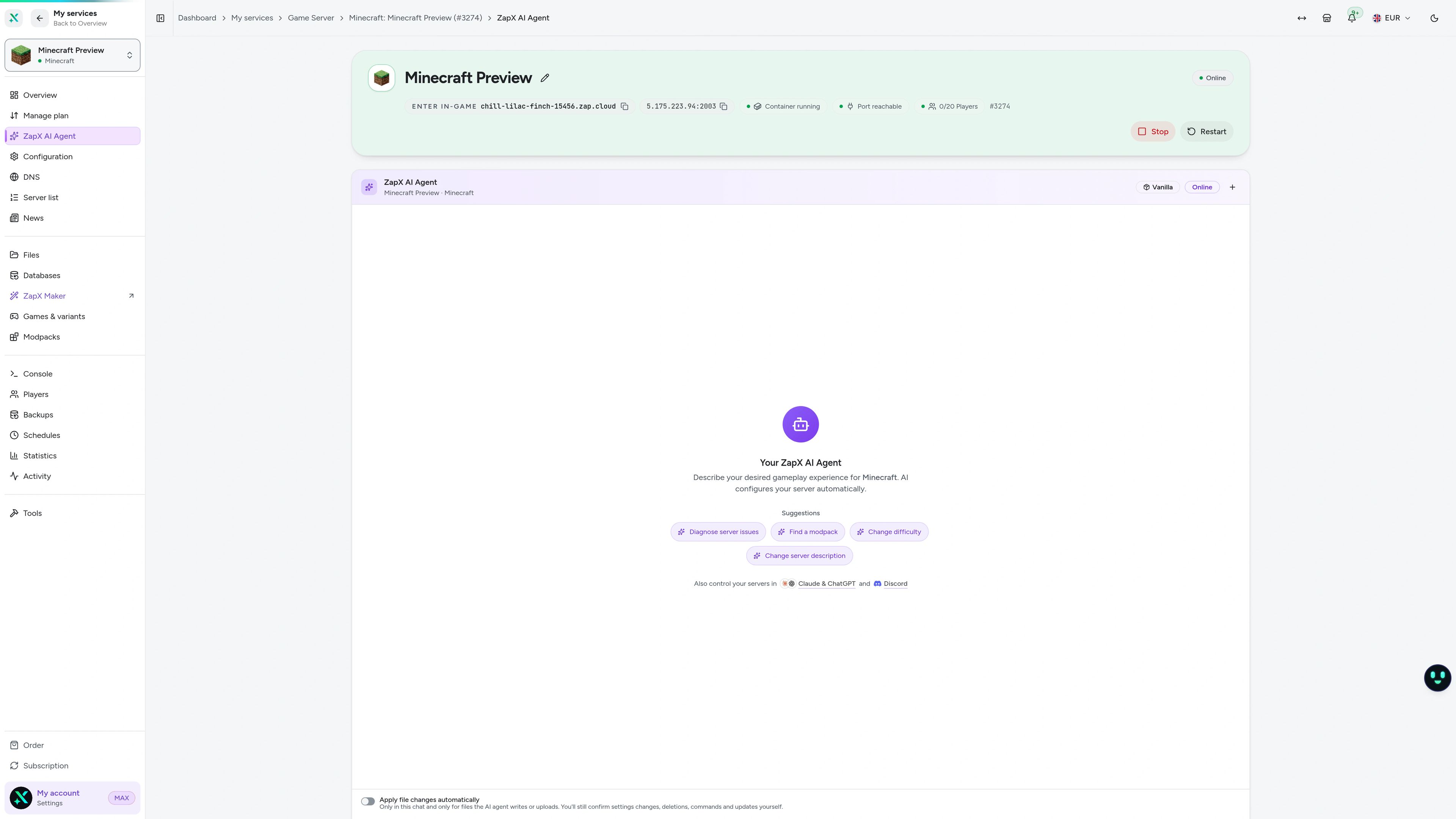
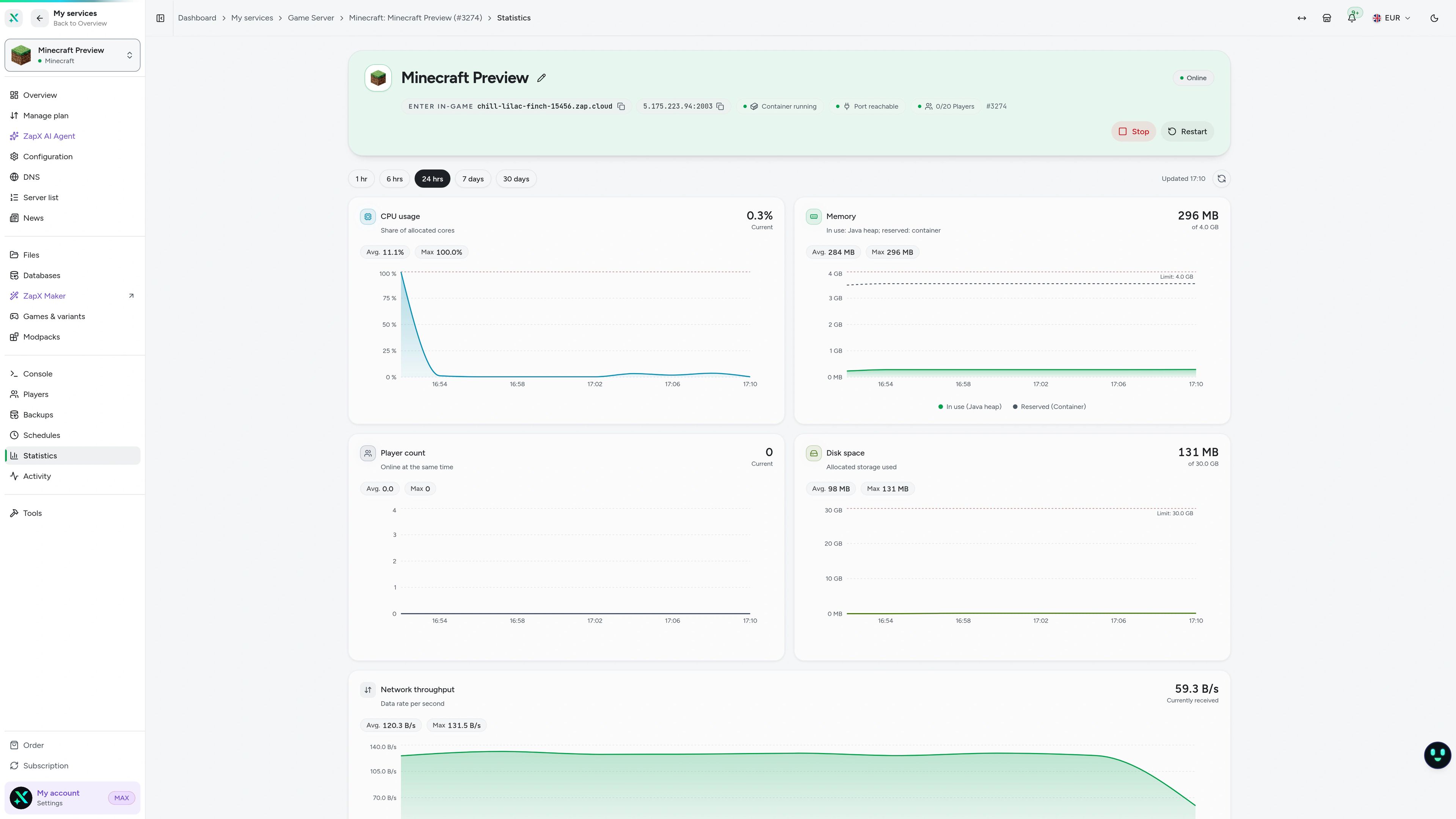
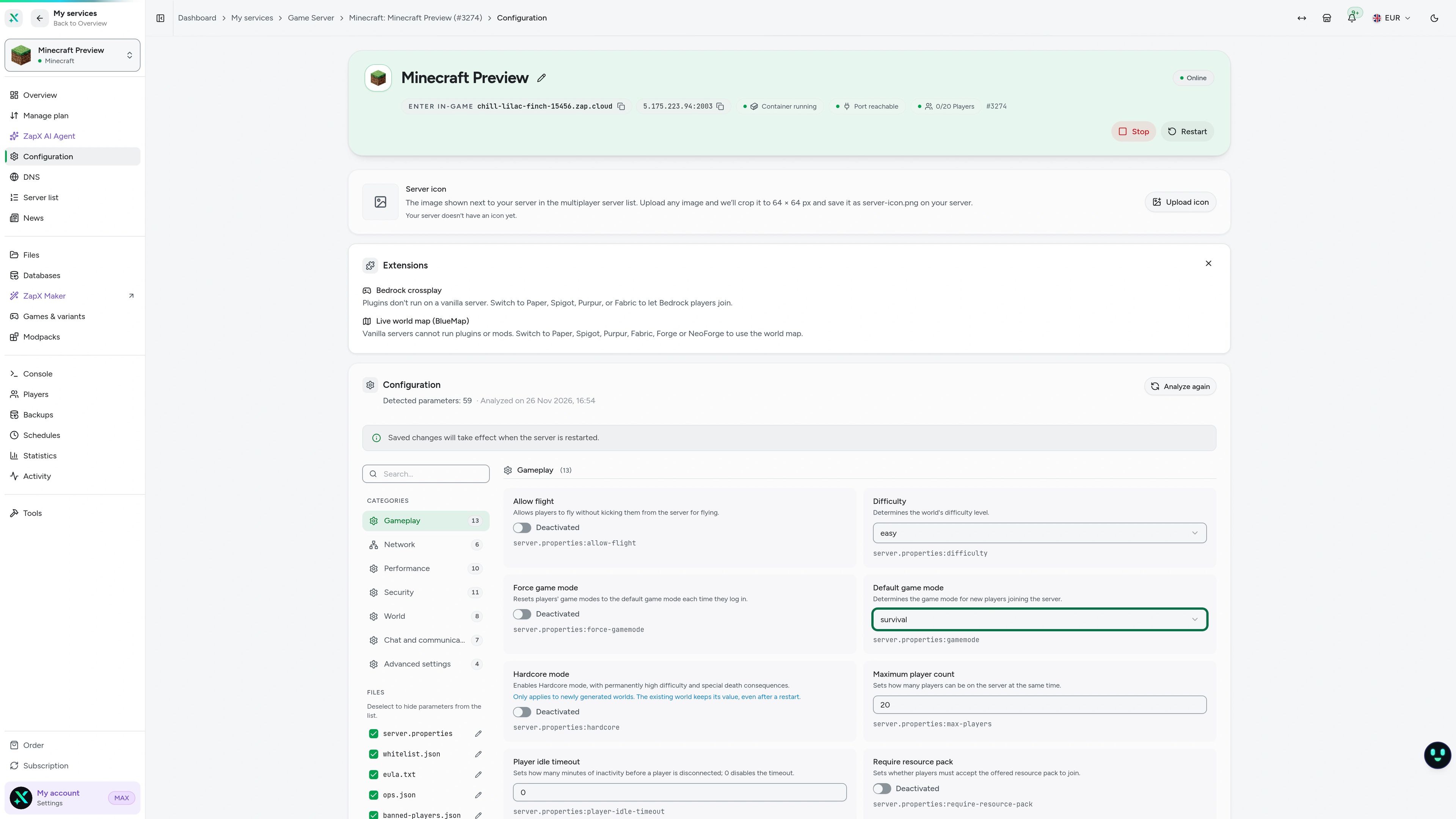
Minecraft Game Server – Activity
Activity of the Minecraft game server in the ZapX customer panel.
Manage your Seaopolis 2 server with ChatGPT or Claude.
Connect ZAP-Hosting to Claude or ChatGPT via MCP and manage your Seaopolis 2 server right in the chat.
Works with
- ChatGPT
- Claude
- Claude Code
- Cursor
- Gemini
What should I do for your server?
Ask anything …
The AI only makes changes after you approve them.
Connect in two steps

Step 1
Connect ZapX
Opens Claude with the connector already filled in. Confirm it there and sign in with your ZAP-Hosting account.
Step 2
Start a chat
Opens a new chat with this text:
I want to rent a Minecraft server at ZAP-Hosting. Use the ZapX connector by ZAP-Hosting: ask me about player count, version and mods, recommend the right package with its price and then order it with me.
The text then sits in the message box – you still press send there.
Without a ZapX Pass you get status, start/stop and, except in ChatGPT, advice and ordering. Files, console and Backups come with a ZapX Pass. Your account is created when you connect.
Stuck somewhere in the ocean? Ask the ZapX AI Agent.
Join errors, lag from automation or a wrong spawn? The ZapX AI Agent reads your logs with you and explains what to check next.
The ZapX AI Agent is part of ZapX Pass. It explains logs, settings and next steps — you stay in control of every change.
Discover ZapX PassZapX AI Agent
panel.zap-hosting.com
Performance check
Measured values for our Minecraft servers next to typical market figures, so you can see what your modpack runs on.
High-performance VPS, CPU model depends on the location
Typical VPS plans without a published host CPU
confirmed 2026-07-01
Use Cases
What your crew does on a Seaopolis 2 server
From co-op questing to private crew servers — Seaopolis 2 runs on your own server with unlimited slots and the modpack set up automatically.
Ready to set sail?
Start your ocean base with Seaopolis 2.
Mobile AppComing soon
Your ocean base, in your pocket.
Check status, restart after a crash and keep key actions within reach, even while your crew is already questing.
Discord management
Manage servers directly in Discord.
Check status, start, stop, and restart via slash command — without leaving your community Discord.


Impressionen
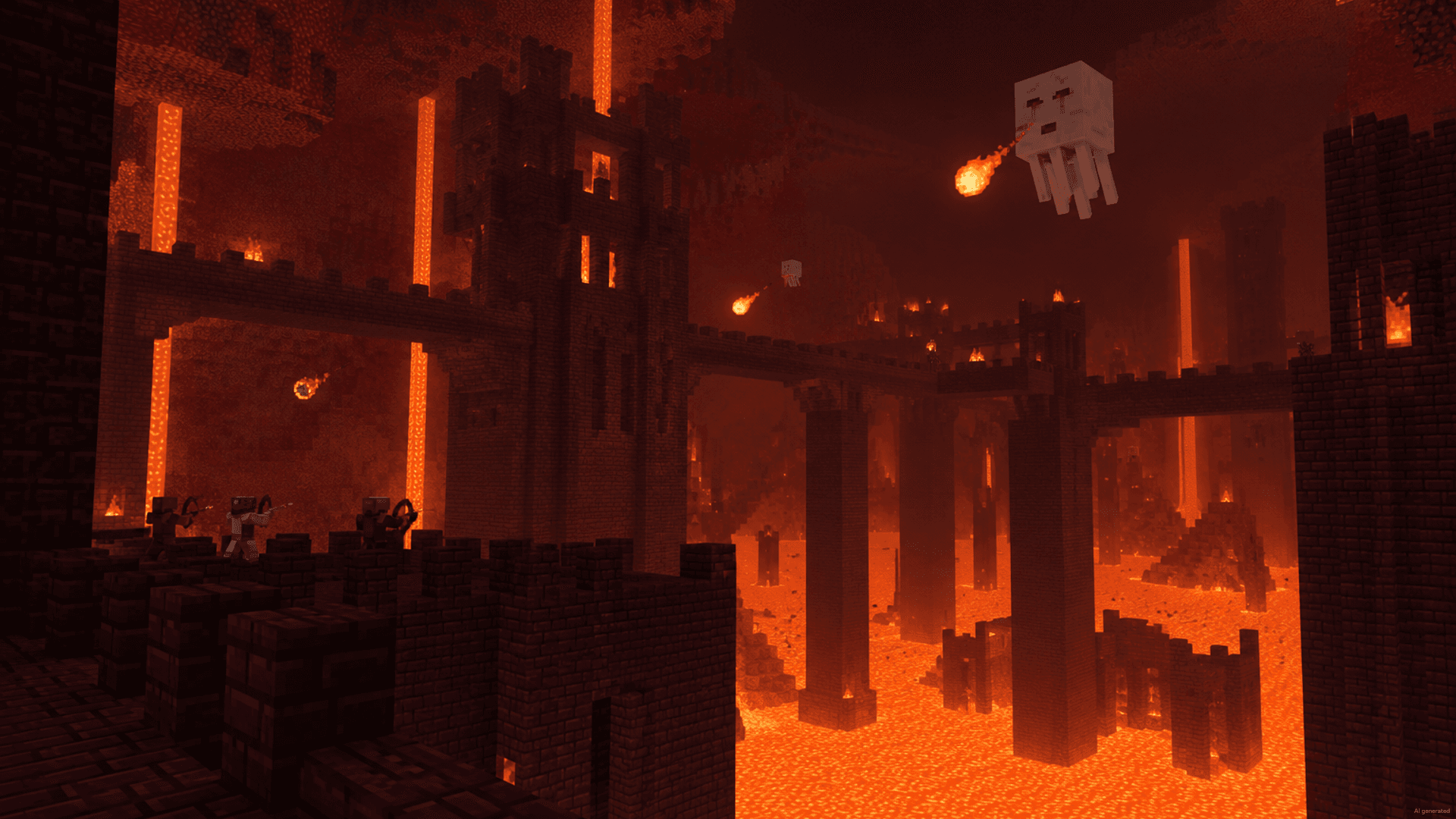
Minecraft Screenshots
A glimpse into the game world—its atmosphere, exploration, and the moments your community will experience on the server.
Minecraft
38 free tools—right in your browser, no sign-up required.
- Server Configuration Generator
- Bedrock Server Configuration Generator
- Server Status
- Log Analyzer
- RAM calculator
- ZapX Plugin Maker
+32 more
- ZapX Mod Maker
- Startup script and command generator
- Circle Generator
- Pixel Art Generator
- Map Art Generator
- Seed Generator
- Seed Map
- Slime Chunk Finder
- Stronghold Finder
- Ore Finder
- Enchantment Calculator
- XP Calculator
- Banner generator
- Give Command Generator
- Custom Heads Generator
- DNS/SRV record generator
- Nether Portal Calculator
- Color Codes
- MOTD Generator
- Server Icon Maker
- Potion Chart
- Skin Editor
- Image to Minecraft Skin Converter
- Skin Viewer
- Armor Trim Generator
- Skin Downloader
- UUID Lookup
- Crafting Recipes
- Villager Trades
- Mob list
- Texture Pack Maker
- Command Generator
Server variants
More game variants
AT Launcher Server Hosting
VanillaCurse/Twitch Launcher server hosting
CurseForge Modpack (Benutzerdefiniert)Minecraft SpongeForge server hosting
SpongeForgeMinecraft: Magma server hosting - game information
Arclight (NeoForge)Minecraft: Sponge Vanilla server hosting
SpongeVanilla
Also available
We also offer the following Modpacks.
Popular Minecraft Modpacks — ATM, RLCraft, Pixelmon, and more. See prices in the configurator.

Modpack
All the Mods 10 - ATM10
ATM10 · Tech
Ready in ~2 min
Modpack
Better MC [FORGE] BMC4
BMC4 · Vanilla+
Ready in ~2 min
Modpack
RLCraft
RLCraft · Hardcore
Ready in ~2 min
Also available
Popular Minecraft Modpacks — ATM, RLCraft, Pixelmon, and more. See prices in the configurator.
118,114
Available modpacks




Benefit
Instant setup
Modrinth & CurseForge packs with instant setup in the Minecraft configurator.
Choose a pack and get started in 60 seconds.
Ready to quest with your crew?
Order now and Seaopolis 2 is set up automatically — unlimited slots, DDoS protection and locations worldwide included.
No setup. No risk. Online in seconds.