
Gameserver plan
ZAP Raid
€18.99/ 30 days
- 8 GB RAM
- 4 CPU
- 50 GB NVMe
- Unlimited Slots
 Satisfactory dedicated server hosting
Keep your factory running when you log off: unlimited slots, scalable RAM/CPU, DDoS protection and locations worldwide.
Packages 1–3 of 6
 satisfactory
Configure yourself
No package fits? Choose your RAM, CPU and storage—you only pay for the performance your community actually needs.
Powerful CPUs
100 Gbit/s host network
DDoS protection
Backup manager
Cancel anytime
 Visa
 Mastercard
 American Express
 PayPal
 Google Pay
 Apple Pay
 Klarna
 Amazon Pay
About the game
Satisfactory is a first-person factory-building game: you land on an alien planet, tap resource nodes and grow a handful of miners into sprawling production lines with conveyor belts, trains and drones. In co-op it gets even better, because your whole group builds one shared factory together. A Satisfactory dedicated server keeps that world online on its own, so friends can join any time, even when the original host is offline.
With your own Satisfactory server hosting package you decide how the world runs: pick one of nine RAM/CPU packages with unlimited player slots, choose a location close to your group, upload an existing save and protect the session with a password. Backups, file access and server settings live in one panel, so your evenings go into optimizing ratios instead of forwarding ports on a home PC.
Locations worldwide
8 data centers worldwide — choose the location closest to your community.


ZapX Panel
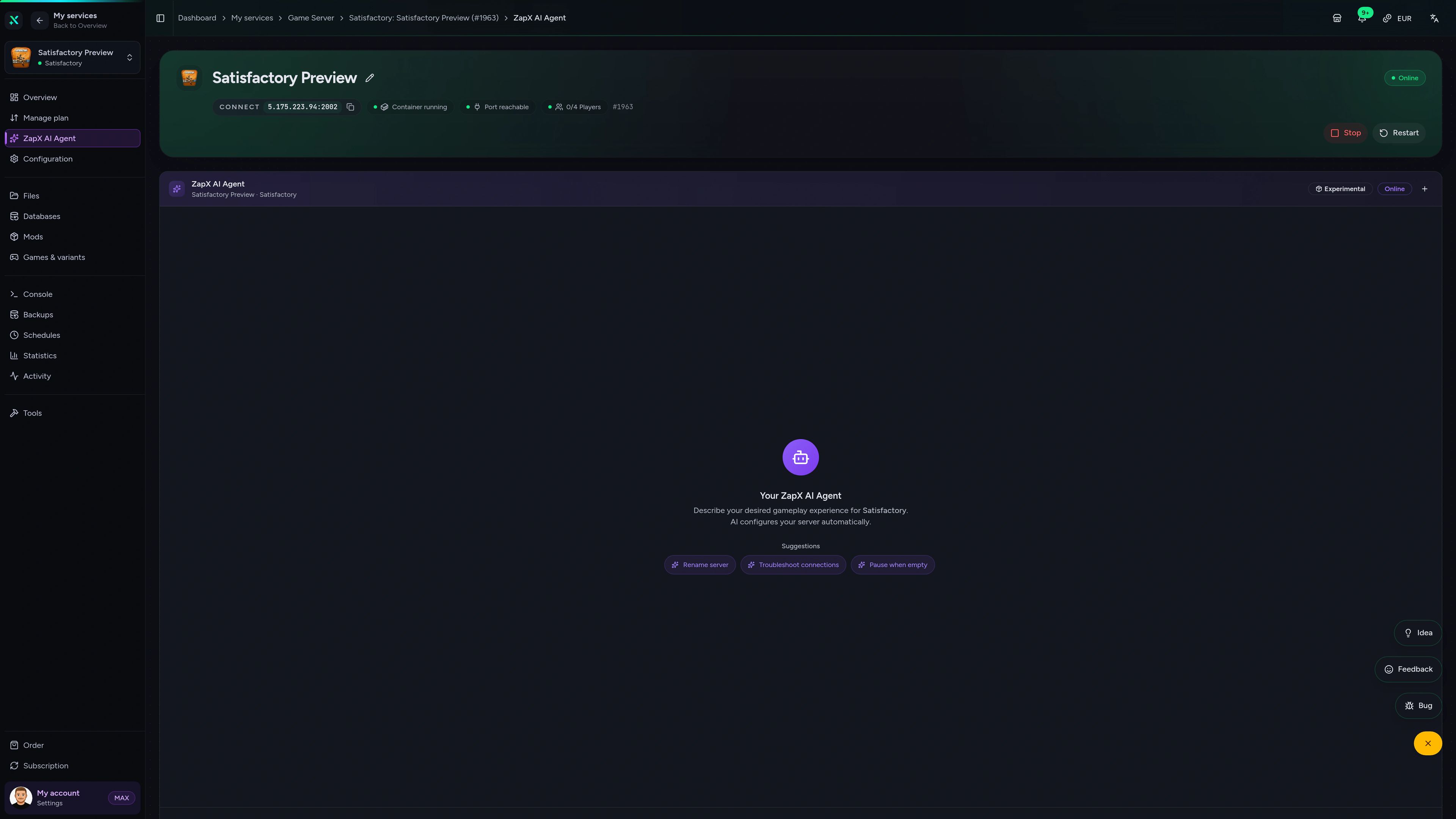
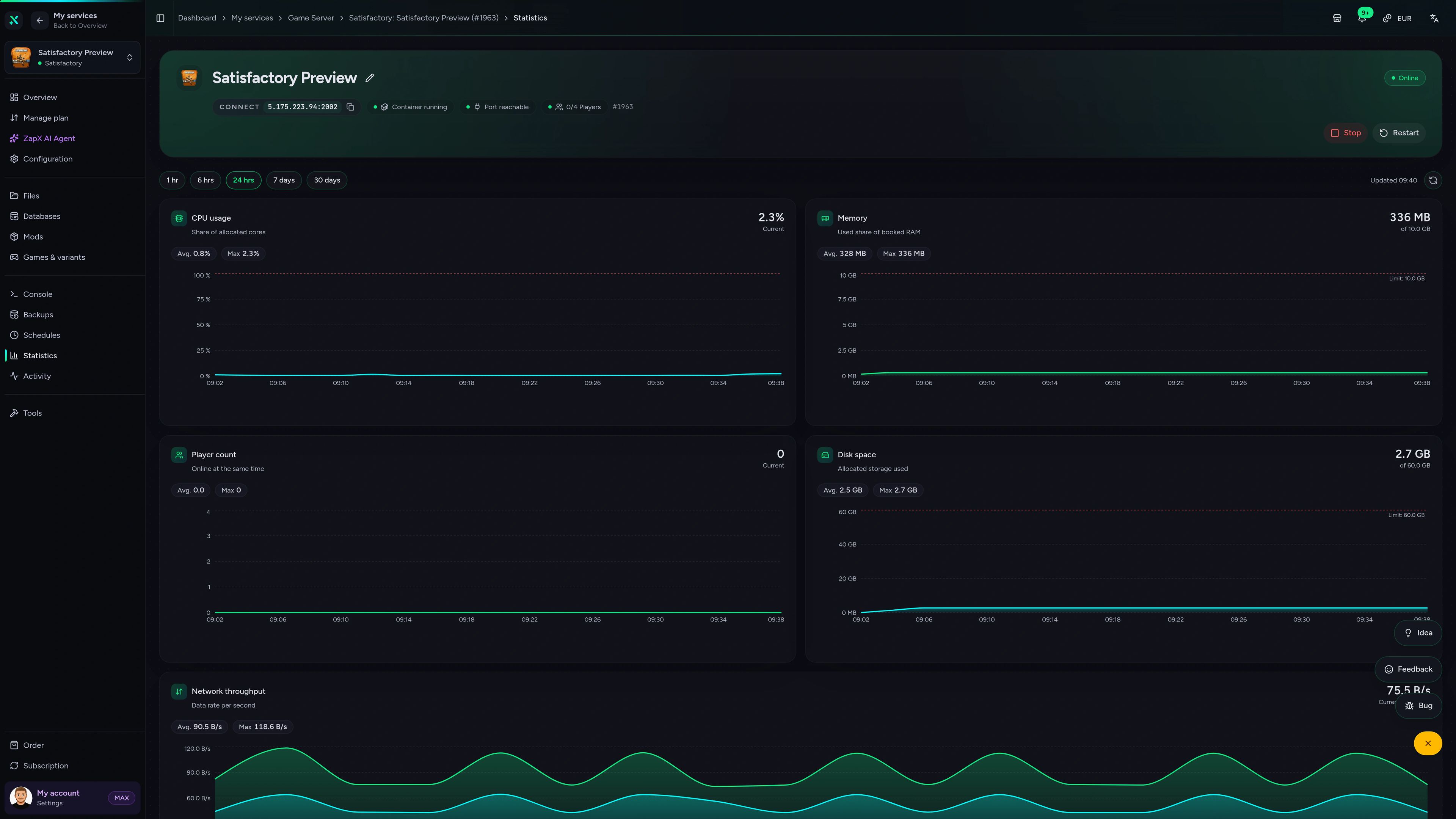
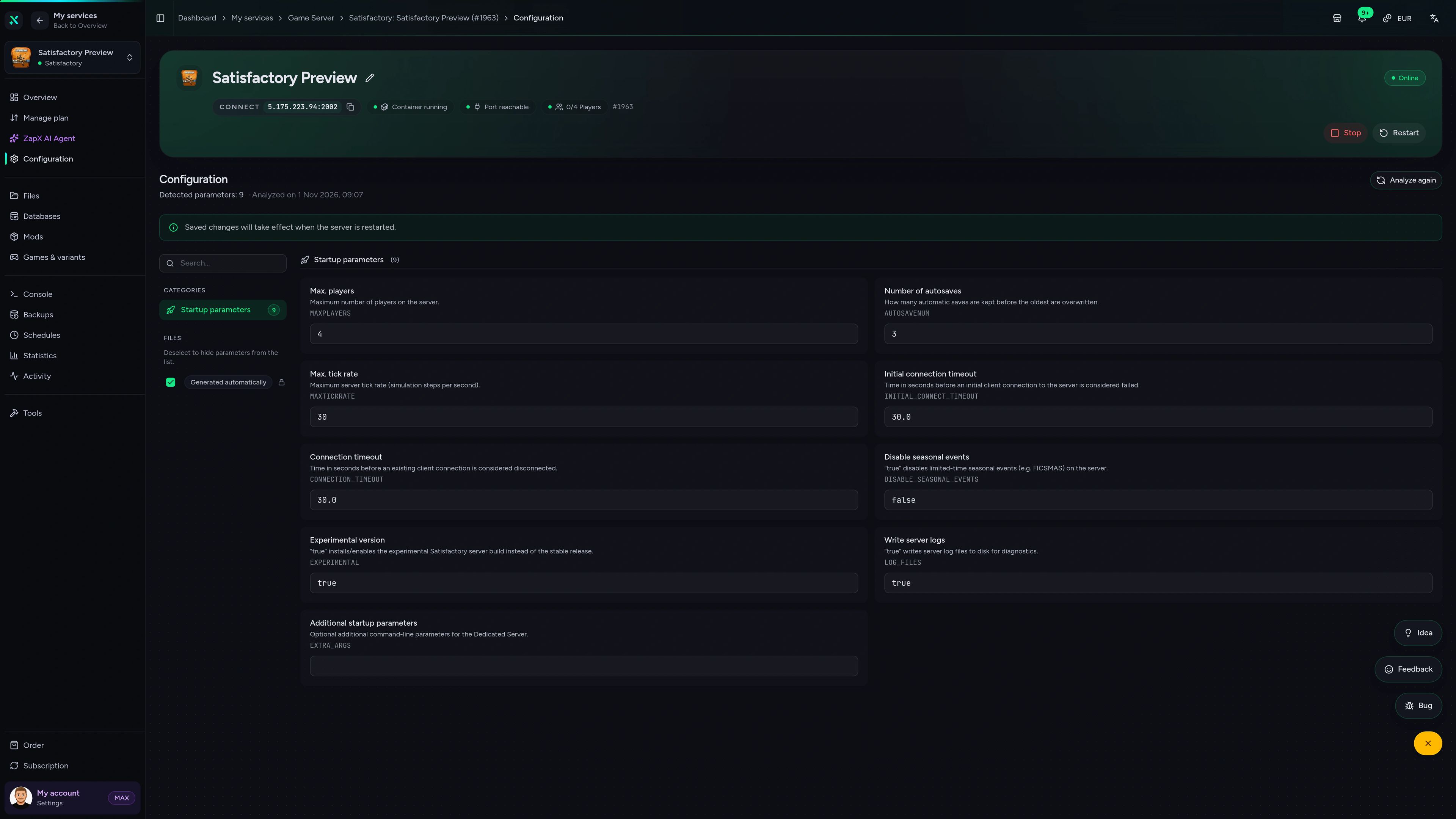
Statistics, Backups, files, schedules and settings for your factory server, all in one place, in any browser.
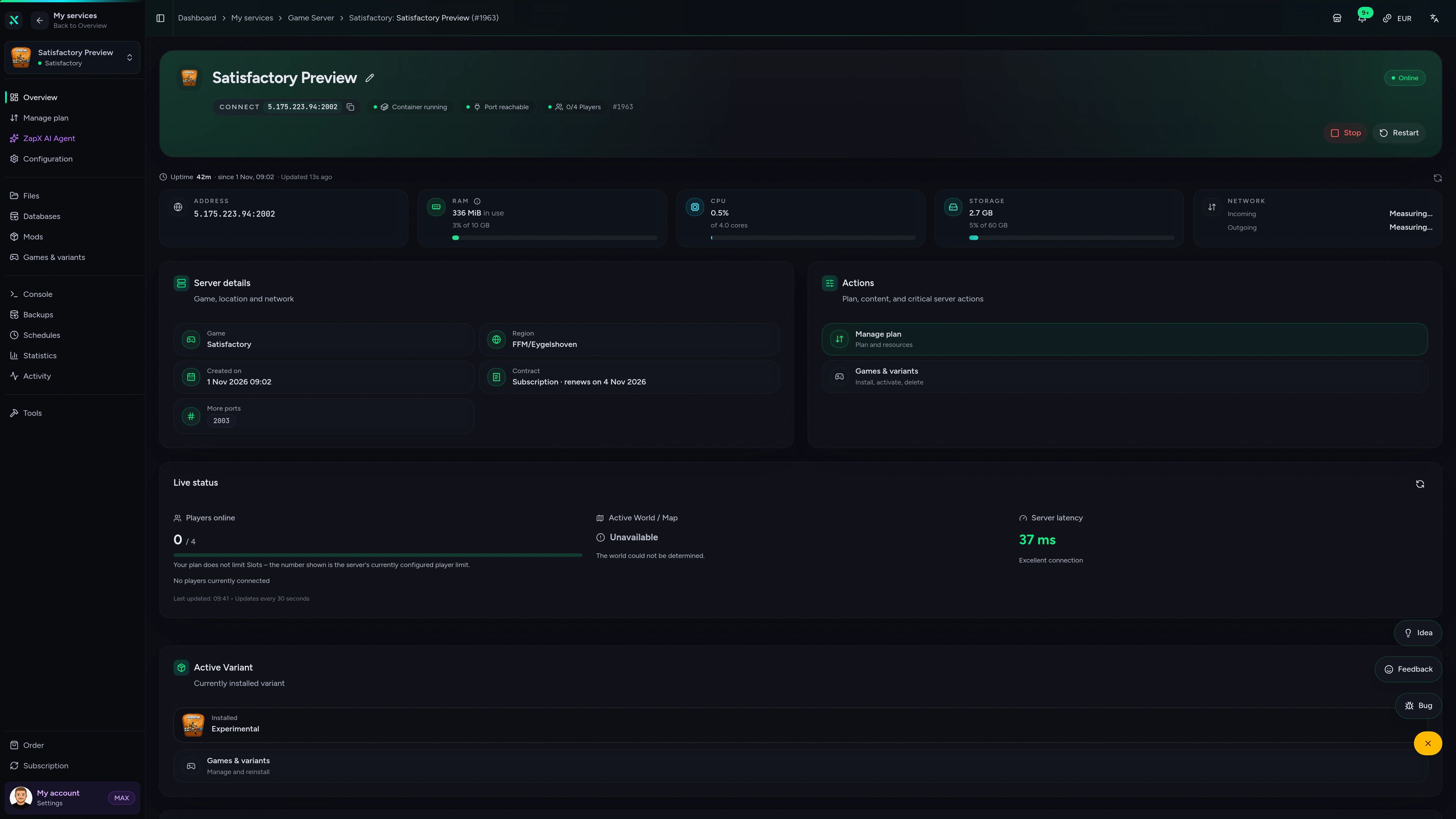
Satisfactory Game Server – Overview
Overview of the Satisfactory game server in the ZapX customer panel.
Benchmark
Measured values for provisioning, performance and network compared with the typical market, so you can judge before you build.
High-performance VPS, CPU model depends on the location
Typical VPS plans without a published host CPU
confirmed 2026-07-01
Use cases
Whether you run a relaxed co-op factory, a modded mega-base or a long-term blueprint project, your server stays online for the whole group.
Ready to build?
Keep your factory running while you're offline.
Impressionen
A glimpse into the game world—its atmosphere, exploration, and the moments your community will experience on the server.
Pick a RAM/CPU package, choose a location worldwide and invite your crew. Your server is online in under 60 seconds.
No setup. No risk. Online in seconds.
Features
From the first Space Elevator phase to late-game mega-bases: the tools your co-op group needs to keep building together.
Invite your whole co-op crew. Packages scale by RAM and CPU, never by slots.
Mega-bases and train networks stay smooth on powerful server CPUs with ample RAM.
Your Satisfactory server is ready to join 60 seconds after you order.
With the ZapX Pass, roll back a failed rebuild or update with Backups you restore straight from the panel.
Upload your local save and pick up your factory exactly where your group left off.
Set passwords, auto-pause and restart times without editing config files by hand.
Only for Satisfactory
Find mods on ficsit.app and add them to your server in one click, all from within your panel.
Satisfactory
Find your next mod on ficsit.app, install it in one click and remove it from the panel.
Reviews
Real feedback on support and setup.
FAQ
Answers to the most important questions before you start.
The price depends on the RAM/CPU package, term and location you choose. Every package includes unlimited player slots, DDoS protection and full panel access, so you never pay per player. Current prices for all packages are shown in the configurator, and you can cancel anytime.
Size for your factory, not your player count. Our guidance starts at 8 GB RAM, with 16 GB recommended for a full co-op group. Late-game saves with long train networks, drones and thousands of machines need extra RAM and CPU headroom. Watch the live statistics in the panel and add more resources when usage climbs.
Yes, the dedicated server software is free and runs on your own PC. The catch: that PC has to stay on around the clock, you handle port forwarding, updates and Backups yourself, and your home upload speed limits everyone else. Hosted Satisfactory server hosting keeps the factory online on its own, with DDoS protection, Backups and a panel for settings, and no hardware running at home.
In Satisfactory, open the Server Manager from the main menu, add a server and enter the IP and port shown in your panel. The first player claims the server, names it and sets an admin password. After that, friends add the same address in their own Server Manager and join the session. Fix common join problems
Choose from locations worldwide and pick the one closest to most of your players, because latency depends mainly on distance. Many North American groups start with Ashburn, Dallas or Los Angeles. Groups spread across continents usually pick the location that sits between their players.
Yes. With the ZapX Pass, you can use the panel's Backup manager to create Backups of your Satisfactory server, restore them if an update or a risky rebuild goes wrong, and download a Backup to keep an extra copy offline. The game also keeps its own autosaves, so your factory has two safety nets.
Yes. Take the save file from your local game, upload it through the in-game Server Manager or the file access in your panel, and load it as the active session. Your factory and progress move over in one go, so an established group can switch from a host-and-play session to a dedicated server without starting over. How to manage savegames
Yes. Mods built on the Satisfactory Mod Loader can be installed on your server through file access. Make sure every player runs the same mod versions, and check compatibility after major game updates. With the ZapX Pass, create a Backup before installing so your factory stays safe if a mod misbehaves. Read the mod install guide
Any more questions?
Contact SupportThe ZapX AI Agent knows your server's context and helps with Satisfactory settings, logs, saves and join problems, right in the panel instead of in forum threads.
The ZapX AI Agent is part of the ZapX Pass and can apply changes after you confirm, or you can apply them yourself. Every change to your server stays in your hands.
Explore ZapX PassZapX AI Agent
panel.zap-hosting.com
ZapX appComing soon
Check status, restart your Satisfactory server and keep an eye on resources from your phone.
Discord management
Check status, start, stop, and restart via slash command — without leaving your community Discord.
2 free tools—right in your browser, no sign-up required.
Also available
Switch between your games anytime for free—Minecraft, FiveM, Rust, and more.

Survival & Creative
Vanilla, Modded & Modpacks
Ready in ~2 min

Roleplay
Roleplay server in seconds
One-click installation

Survival
Wipe-ready gameserver
Automatic setup
Also available
Switch between your games anytime for free—Minecraft, FiveM, Rust, and more.
89
Available games
Benefit
We don't artificially limit player Slots. Hardware determines capacity.
Scale based on Mods, scripts, and player load instead of paying for a fixed number of Slots.