
Gameserver plan
ZAP Spawn
€5.99/ 30 days
- 2 GB RAM
- 2 CPU
- 15 GB NVMe
- Unlimited Slots
 Proxy for Minecraft networks
BungeeCord · Link Paper and Spigot servers into one network behind a DDoS-protected proxy, online in 60 seconds at locations worldwide.
Gameserver plan
Gameserver plan
Gameserver plan
Gameserver plan
Gameserver plan
Gameserver plan
Gameserver plan
Gameserver plan
Gameserver plan
Packages 1–3 of 9
 minecraft
Configure yourself
No package fits? Choose your RAM, CPU and storage—you only pay for the performance your community actually needs.
Powerful CPUs
100 Gbit/s host network
DDoS protection
Plugin browser
Cancel anytime
 Visa
 Mastercard
 American Express
 PayPal
 Google Pay
 Apple Pay
 Klarna
 Amazon Pay
About the proxy
BungeeCord is a proxy for Minecraft: Java Edition that ties several servers – a lobby, survival, SkyBlock or minigames – into one network. Players connect to a single address and jump between worlds with /server, without leaving the game. The proxy runs no world of its own: it routes players, carries network-wide plugins and keeps every backend behind one entry point. With BungeeCord hosting at ZAP-Hosting, that proxy is your own server, set up automatically when you order.
You decide how the network behaves: set fallback servers, forced hosts and priorities in config.yml right in the panel, add proxy plugins for permissions, chat or tab lists, and link Paper or Spigot backends you rent with us or already run elsewhere. Pick the location closest to your players from our worldwide choice and keep proxy and backends side by side.

Locations worldwide
8 data centers worldwide — choose the location closest to your community.


ZapX Panel
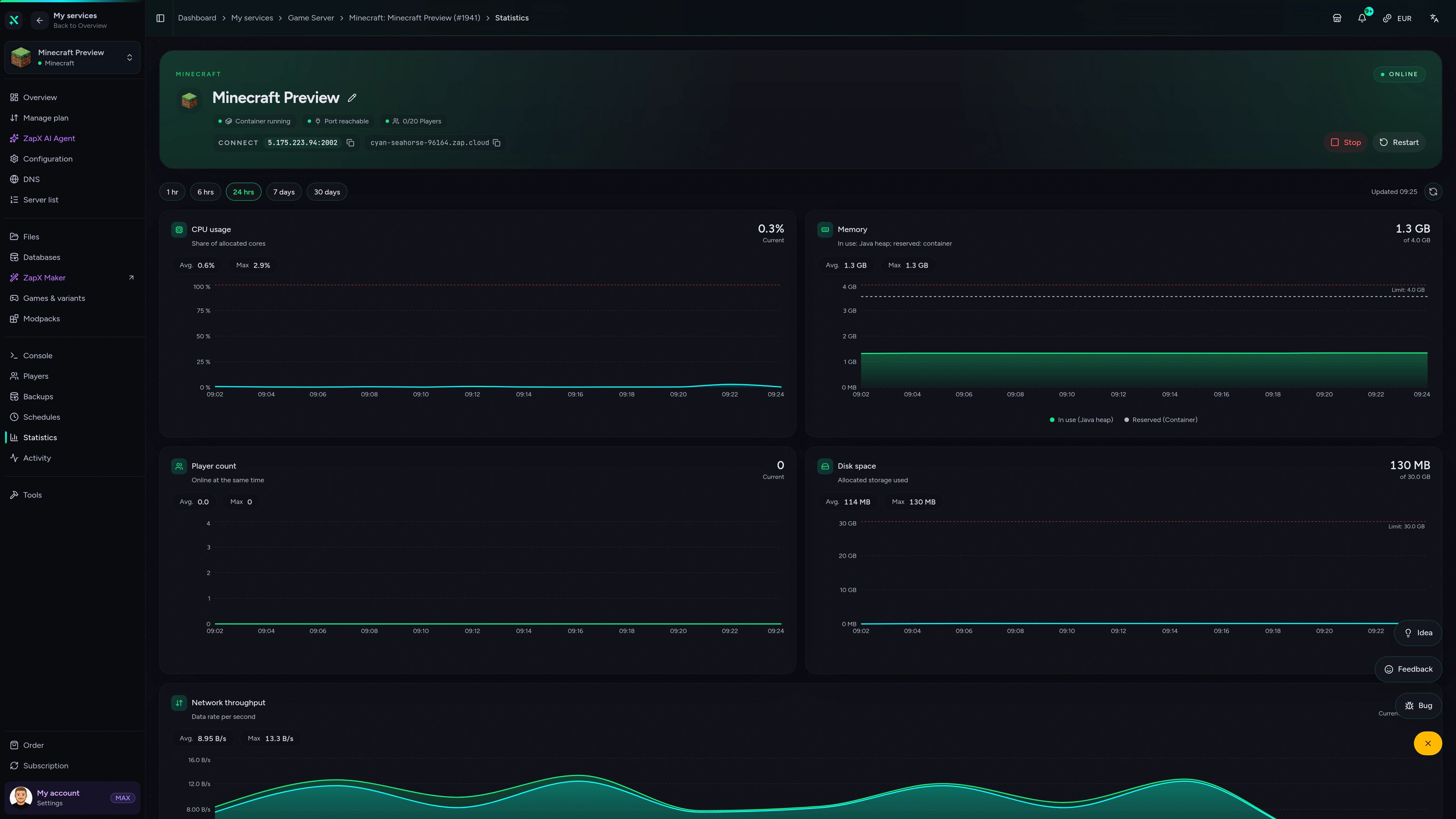
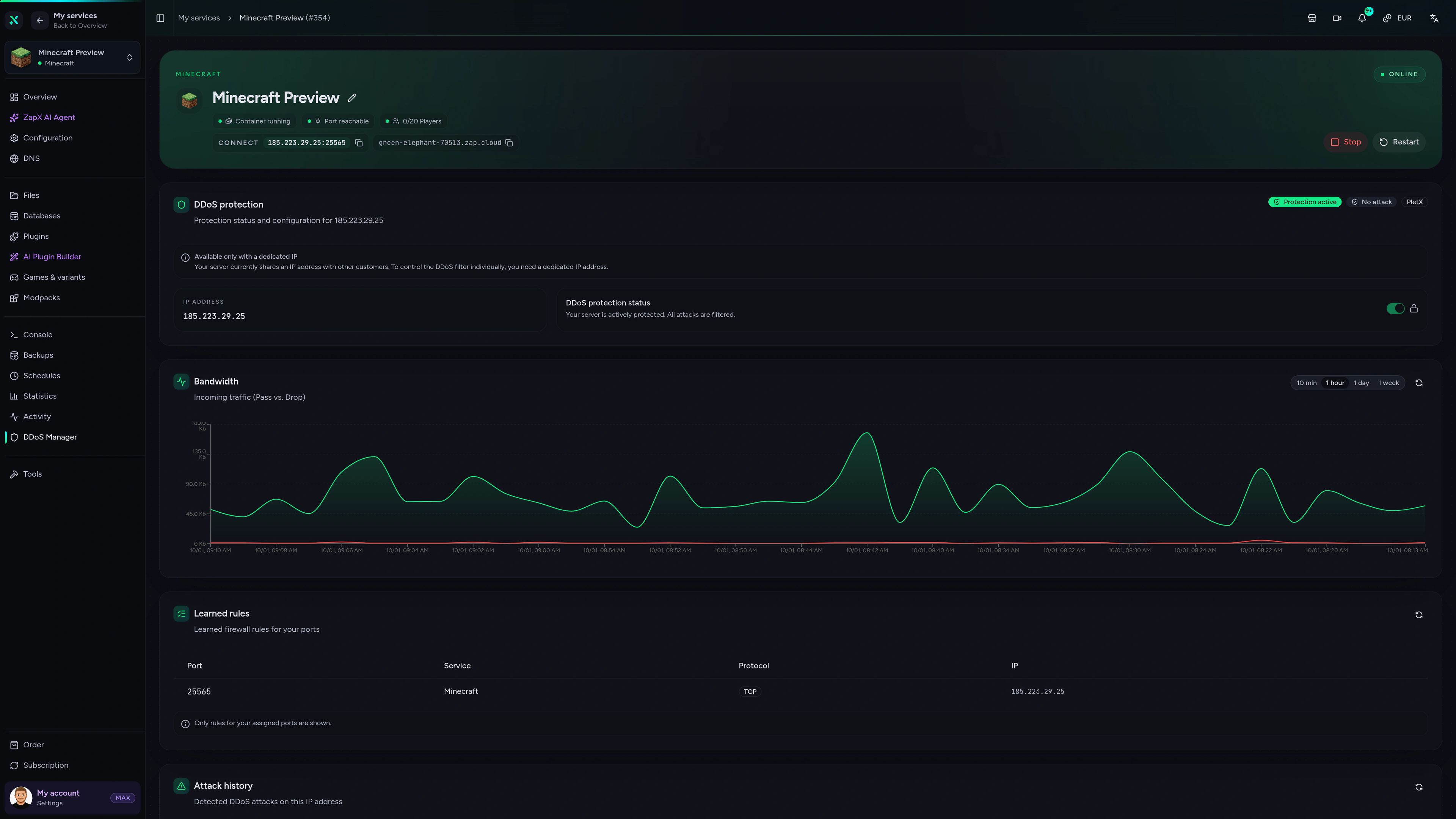
Config, statistics, Backups and DDoS insights for your BungeeCord server in one panel.
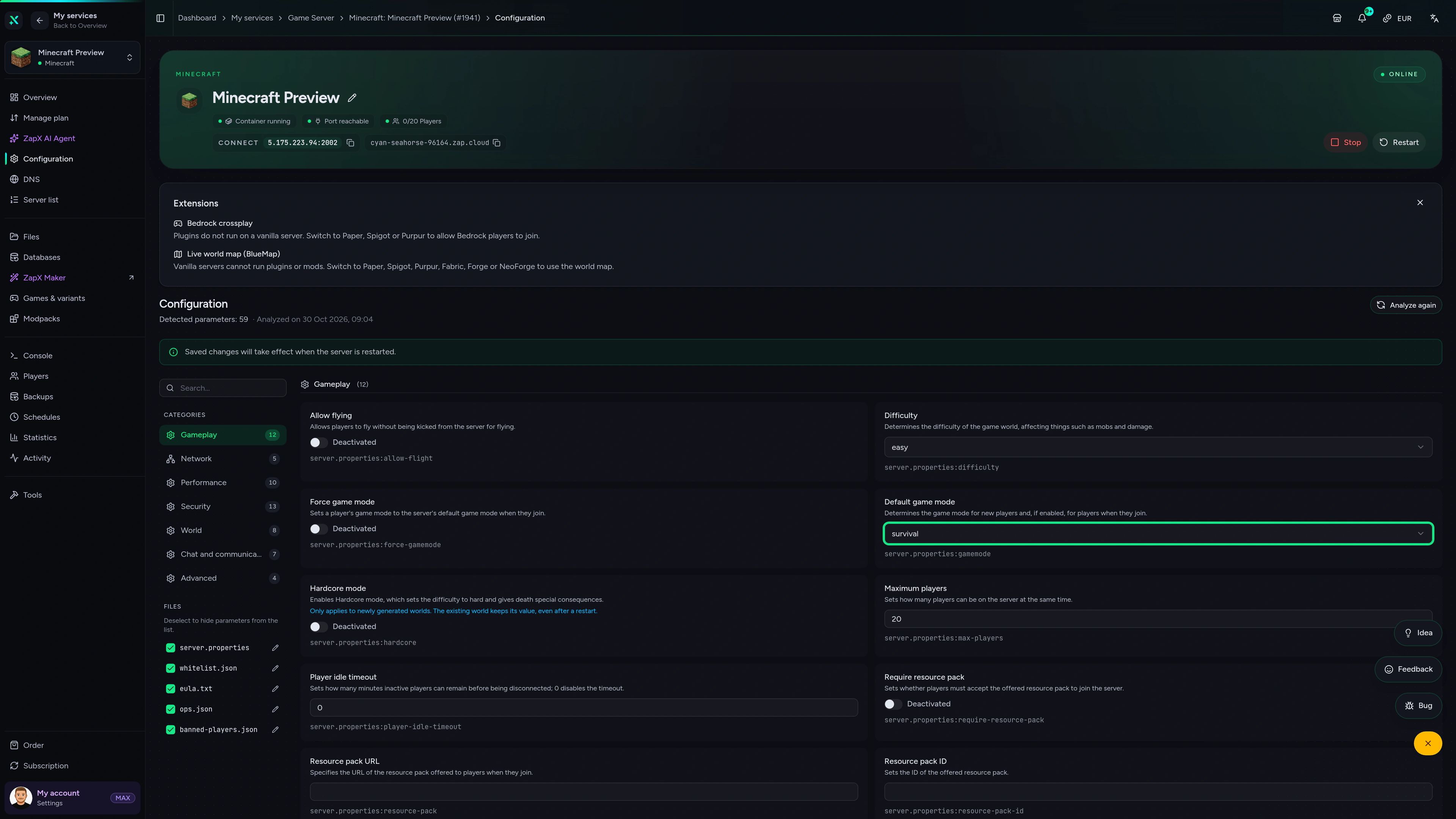
Minecraft Game Server – Configuration
Configuration of the Minecraft game server in the ZapX customer panel.
Performance signal
The benchmark compares network and server response in scenarios close to a real Minecraft network – measured values, not marketing promises.
High-performance VPS, CPU model depends on the location
Typical VPS plans without a published host CPU
confirmed 2026-07-01
Use cases
From a small friends network to a busy minigame hub: one proxy, several Minecraft servers and one address for your players.
Ready to link your servers?
Your network behind one BungeeCord proxy.
Impressionen
A glimpse into the game world—its atmosphere, exploration, and the moments your community will experience on the server.
Build the network
Run Paper or Spigot servers as backends – each one is its own Minecraft server that you link to the BungeeCord proxy.
BungeeCord preinstalled, DDoS protection, unlimited player slots and locations worldwide: set up your proxy and link your first backend today.
No setup. No risk. Online in seconds.
Features
Panel tools built for a BungeeCord proxy: plugins, config, console and Backups in one place.
Your proxy goes online in 60 seconds, ready for backend entries in config.yml.
Add permission, chat or tab-list plugins to the proxy straight from the panel.
Change fallback servers, forced hosts and priorities without an FTP client.
Your network grows without slot caps; packages scale by RAM and CPU.
Broadcast to every server or check who is online across the network.
Your player count climbs, your proxy keeps up: increase RAM as needed.
Reviews
Real feedback on support and setup.
FAQ
Answers to the most important questions before you start.
The proxy stays lean – the RAM belongs in your backend servers.
BungeeCord loads no worlds, chunks or entities; it only routes connections and runs proxy plugins. That is why the proxy needs far less memory than the servers behind it. Plan modest RAM for the proxy and put most resources into your hub and game servers. Memory use on the proxy grows with concurrent players and proxy plugins, and you can add more RAM as needed. As a guideline: at least 2 GB, 4 GB recommended. Adding more RAM
At least two: the proxy plus one backend server.
A minimal network is the BungeeCord proxy plus one Minecraft backend. Most networks run a proxy, a hub or lobby server and one or more game servers such as survival, SkyBlock or minigames. Each backend is its own Minecraft server, so you can rent Paper or Spigot servers alongside the proxy and manage all of them in the same panel.
BungeeCord for existing plugin setups, Velocity for many new networks.
BungeeCord has been around the longest and has the largest base of proxy plugins, so it is the natural choice if your network already relies on BungeeCord plugins. Velocity is a newer proxy with modern player forwarding and its own plugin API, which many admins pick for fresh networks. Both are available as Minecraft server types at ZAP-Hosting, so you choose the proxy that fits your plugins.
Usually in under 60 seconds after your order.
BungeeCord is preinstalled as the server type when you order, so the proxy is typically online in under 60 seconds. After that, add your backend servers to config.yml, set a fallback server and connect with the IP and port shown in the panel. Plan a few extra minutes for proxy plugins and backend settings.
Your proxy is the single entry point – if it goes down, the whole network does.
Free offers usually share resources, limit uptime or put servers to sleep when nobody is online. For a proxy that is a real problem: every player enters through it, so any outage takes your entire network offline. A paid BungeeCord server gives you your own RAM and CPU package, DDoS protection, unlimited player slots and a server that stays online. You pick a flexible term and can cancel anytime.
Yes – any Java server you control can become a backend.
Add each backend with its address to the servers section of config.yml. For a secure network, set online-mode to false on the backends, enable ip_forward on the proxy and bungeecord in the backends' spigot.yml, and make sure players can only reach the backends through the proxy, for example with a firewall or BungeeGuard. Our Help Center walks through the config settings. BungeeCord config guide
DDoS protection is included with every BungeeCord server.
Every package includes DDoS protection that filters attack traffic before it reaches your proxy. Because all players join through BungeeCord, protecting the proxy protects the entry point of your whole network. Keep backend addresses private and only allow connections via the proxy so attackers cannot bypass it. How our DDoS protection works
Locations worldwide – choose the one closest to your players.
You pick the location when you order, from data centers worldwide. Choose the one closest to the majority of your community; many North American networks start with Ashburn, Dallas or Los Angeles. Running proxy and backends in the same location keeps the hop between them short.
Any more questions?
Contact SupportAdd ZAP-Hosting as a remote MCP server in Claude, ChatGPT, Cursor or Gemini. Then you can restart your BungeeCord server through chat, read the console, send commands, edit configs or create Backups. You decide what permissions the connection has.
Works with
What should I do for your server?
Ask anything …
The AI only makes changes after you approve them.
ZapX PassIncluded in every Pass tier
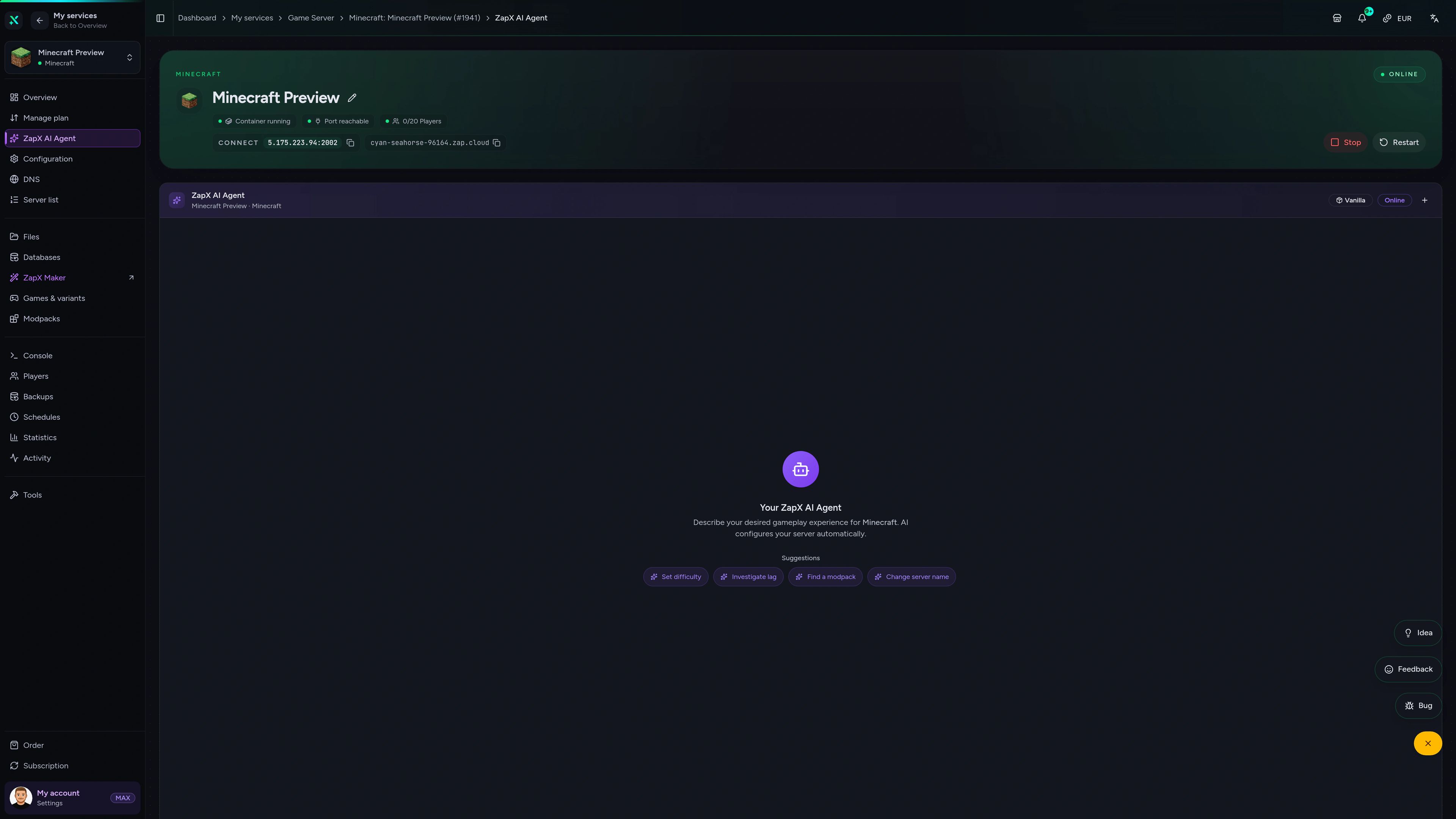
The ZapX AI Agent knows your BungeeCord setup and explains proxy RAM, forwarding settings and fallback servers right in the panel – advice you act on yourself.
The ZapX AI Agent is part of ZapX Pass and helps right in the panel, next to your proxy and backend servers.
See ZapX PassZapX AI Agent
panel.zap-hosting.com
Mobile AppComing soon
Check proxy status, restart it and keep an eye on load from your phone, even while players are hopping between servers.
Discord management
Check status, start, stop, and restart via slash command — without leaving your community Discord.
34 free tools—right in your browser, no sign-up required.
Also available
Popular Minecraft Modpacks — ATM, RLCraft, Pixelmon, and more. See prices in the configurator.

Modpack
ATM10 · Tech
Ready in ~2 min

Modpack
BMC4 · Vanilla+
Ready in ~2 min

Modpack
RLCraft · Hardcore
Ready in ~2 min
Also available
Popular Minecraft Modpacks — ATM, RLCraft, Pixelmon, and more. See prices in the configurator.
117,084
Available modpacks
Benefit
Modrinth & CurseForge packs with instant setup in the Minecraft configurator.
Choose a pack and get started in 60 seconds.
© 2026 ZAP-Hosting GmbH
 Preferred source on Google