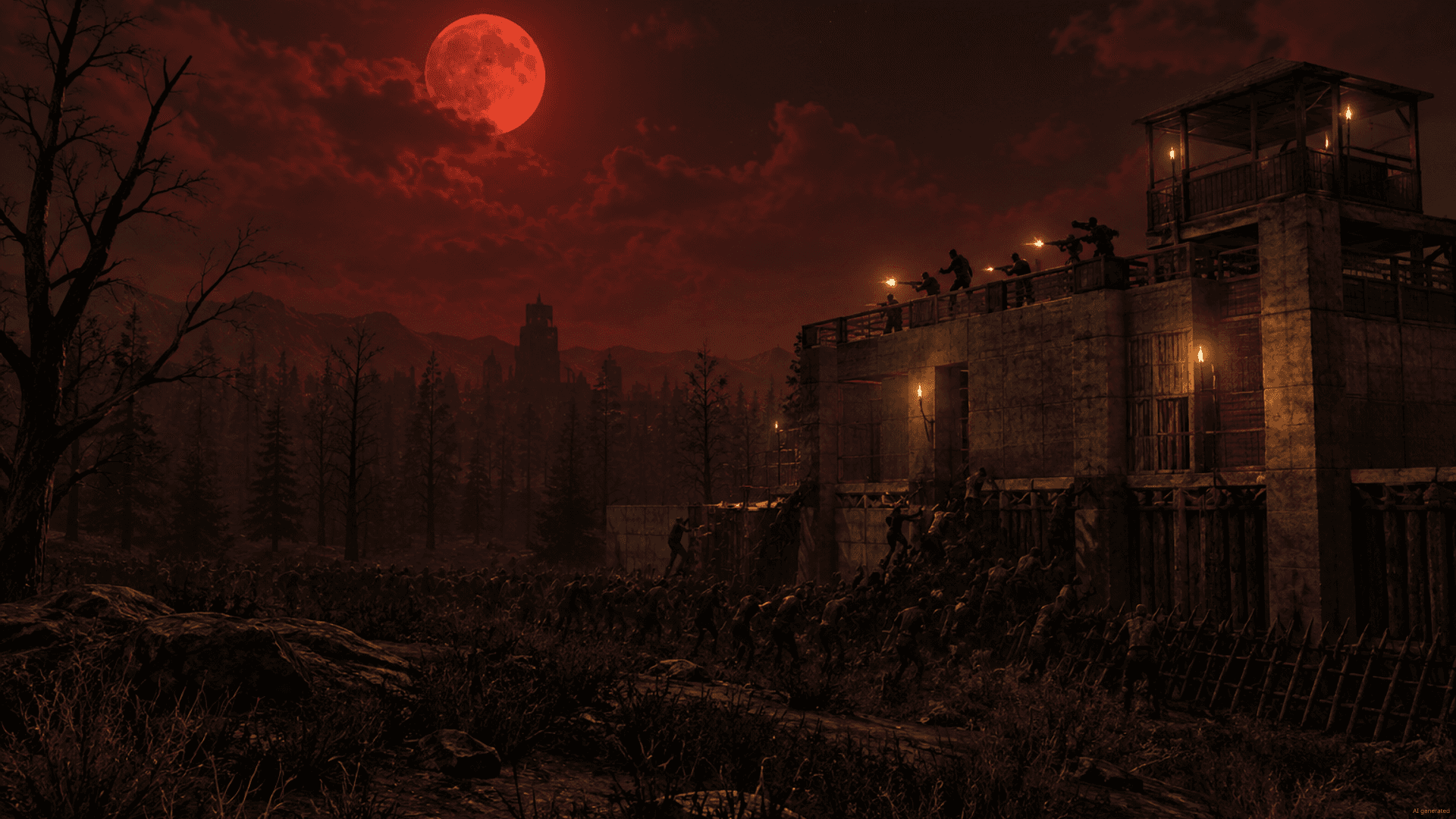
 7D2D server hosting
7 Days to Die Server Hosting
Dedicated 7D2D server hosting with DDoS protection, no player-slot limit and worldwide locations, online in 60 seconds.
 Google
Or try 3 days from €1.35Pick the 3-day term at checkout · renews every 3 days · cancel anytime

Plans and pricing
Packages 1–3 of 8
 7-days-to-die
Configure yourself
Your server. Your power.
No package fits? Choose your RAM, CPU and storage—you only pay for the package you put together.
Powerful CPUs
100 Gbit/s host network
DDoS protection
FTP access
24/7 support
 Visa
 Mastercard
 American Express
 PayPal
 Google Pay
 Apple Pay
 Klarna
 Amazon Pay
About the game
What is a 7 Days to Die server?
7 Days to Die is an open-world survival game that mixes zombie horror, crafting, mining and base building. By day you scavenge towns, loot POIs and level your skills, and every seventh night a blood moon horde storms your base. A 7 Days to Die server keeps that world running 24/7, so your group can build, raid and survive the horde together, even when the original host is offline.
With your own 7D2D server you set the rules: difficulty, day length, loot respawn and blood moon frequency. You can upload an existing world, add server-side mods or overhauls like Darkness Falls via FTP, and lock things down with a password or whitelist. There is no player-slot limit, so friends can join as your group grows, and you pick the location closest to your players.
Features
Everything your survival server needs.
From the first day to horde night 100: the tools your group needs to run a 7 Days to Die world your way.
No player-slot limit
Bring your whole group. Packages scale by RAM and CPU, not slots.
Online within 60 seconds
Your world is ready shortly after ordering because setup runs automatically.
Bring your existing world
Upload a local or older save and pick up right where you left off.
Game rules in the panel
Change difficulty, day length, loot and blood moon settings in your browser.
Live console and RCON
Run admin commands like kick or admin add straight from the panel.
Automatic Backups
With ZapX Pass, roll back after a griefed base or a horde night that went wrong.
Locations worldwide
Your server. Your location.
6 data centers worldwide — choose the location closest to your community.
Europe


America


Reviews
What customers say about ZAP-Hosting
Real feedback on support and setup.
Zap has been a great experience for myself thus far. Easy interface to learn and it makes sense. Having all the tools I need to run my server with short and informative documentation that helped me tremendously. As a adamant gamer, zap has made having my own server fun, easy, and affordable. Thank you Zap!

 ZAP-HostingReply


I have used ZAP-Hosting for VPS services. The ordering process is straightforward, and the support team responds to customer inquiries. I hope to continue using their services and have a smooth experience in the future.
 ZAP-HostingReply


FAQ
Frequently asked questions about 7 Days to Die
Answers to the most important questions before you start.
How much does it cost to host a 7 Days to Die server?
You never pay per player slot; price depends on package, term and location. Pick a package that fits your group, map size and mods. The package cards above show the current starting price live from the shop. Terms are 3, 30, 90, 180 days or 1 year, and Lifetime is available with ZapX Pass.
- No per-slot pricing: every package has unlimited slots
- Terms: 3, 30, 90, 180 days or 1 year
- DDoS protection included in every package
How much RAM does a 7 Days to Die server need?
It depends on player count, world size and mods. A small co-op group on a standard map needs less RAM. Larger Random Gen maps, more players and overhaul mods like Darkness Falls need noticeably more memory. Start with the package that matches your group, then check the RAM graph in the panel after your first blood moon. As a guideline: at least 4 GB, 8 GB recommended.
- More players and zombies use more RAM
- Bigger generated maps raise memory use
- Overhaul mods need the most headroom
How many players can join my 7 Days to Die server?
There is no player-slot limit on our game servers. How many survivors play smoothly depends on your RAM/CPU package and the max player setting in the panel. Your 7 Days to Die server runs 24/7, so friends can keep playing when you're offline.
- Unlimited slots on every package
- Max players set in the panel
- World stays online without the host
How soon will my 7 Days to Die server be online after ordering?
Setup is automatic. After payment, your 7D2D server is installed and usually online within 60 seconds. The panel shows the server IP right away, and you can set the server name, password and world settings before inviting your group. How to connect to your server
- Automatic installation after payment
- Server IP shown right away in the panel
- Name, password and world set in your browser
Can I install mods like Darkness Falls or Undead Legacy?
Yes. You get full file and SFTP access, so you can upload server-side mods and overhauls like Darkness Falls, Undead Legacy or War3zuk to the Mods folder. Every player also has to install the overhaul on their own client, in the same version. Modded servers can't use console crossplay. Mod guide in the Help Center
- Full SFTP access to the Mods folder
- Server-side mods work without client installs
- Overhauls also need the matching client mod
Can I host my own 7 Days to Die server instead of renting one?
You can run the free 7 Days to Die dedicated server tool from Steam on your own PC. That PC has to stay on 24/7, you have to forward ports 26900–26903, and the server shares your home bandwidth. Renting gives you an always-on, DDoS-protected server with Backups and a web panel. We don't offer free hosting, but terms are flexible.
- Self-hosting: your PC must run 24/7
- Port forwarding and home bandwidth required
- Rented: always online, protected and backed up
Where are ZAP-Hosting's 7 Days to Die servers located?
When you order, you choose from locations worldwide. Pick the one closest to your players for the best ping. Many North American groups start with Ashburn, Dallas or Los Angeles, and every location comes with DDoS protection.
- Locations worldwide to choose from
- Pick the site closest to your group
- DDoS protection at every location
Can Xbox or PlayStation players join my server?
Yes. Your server stays PC-hosted, and Xbox and PlayStation players can join once crossplay is enabled in the server settings. For crossplay, the game requires an unmodded server with EAC enabled and sets its own player limits, so decide early whether your world runs mods or crossplay. Crossplay setup guide
- PC-hosted server, console players can join
- Crossplay requires EAC and no mods
- The game sets its own crossplay limits
Still have questions?
Contact SupportZapX Panel
Inside your 7D2D server
Console, settings, Backups, statistics and DDoS manager in one panel. Manage your 7 Days to Die world from any browser.
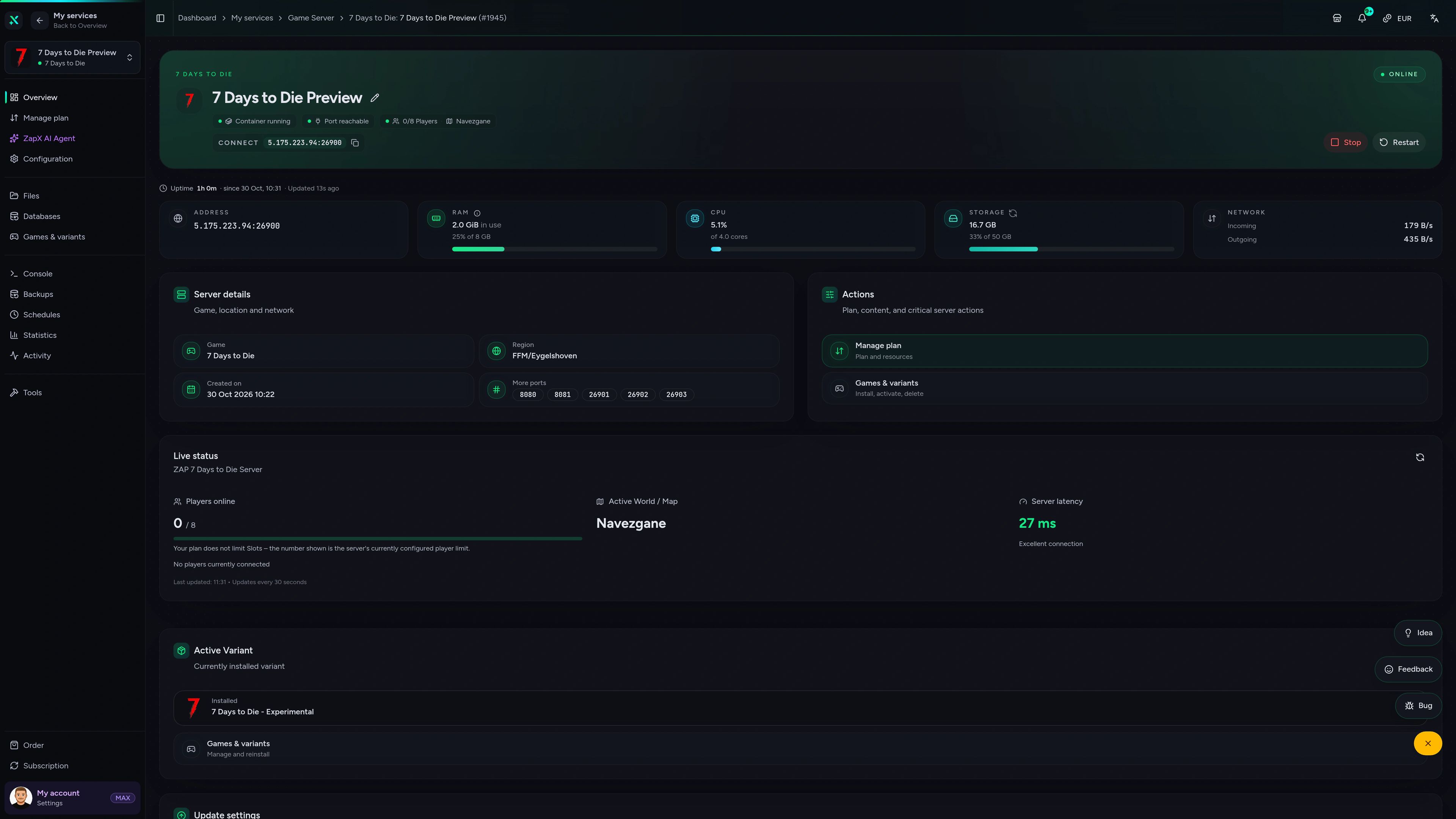
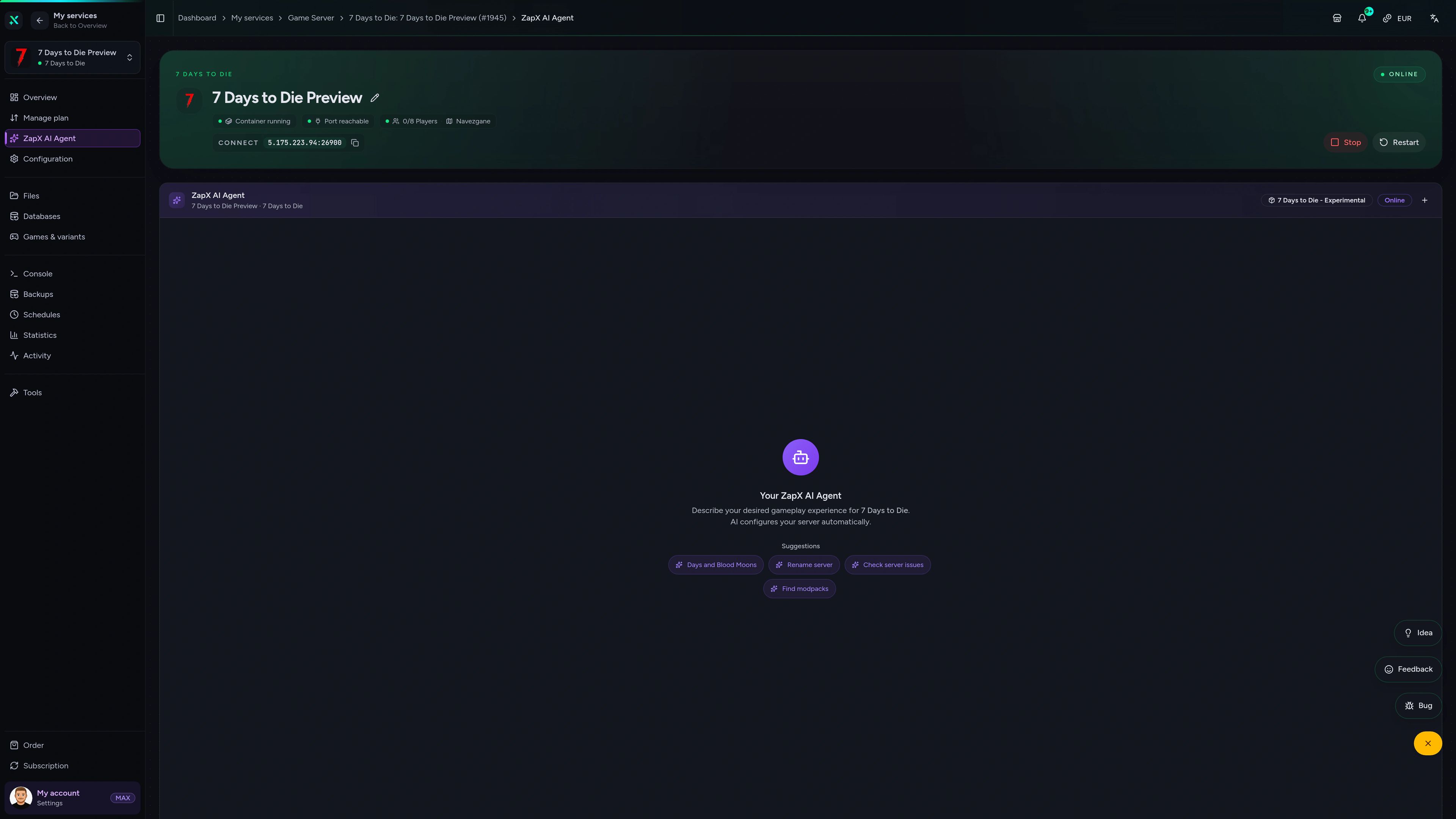
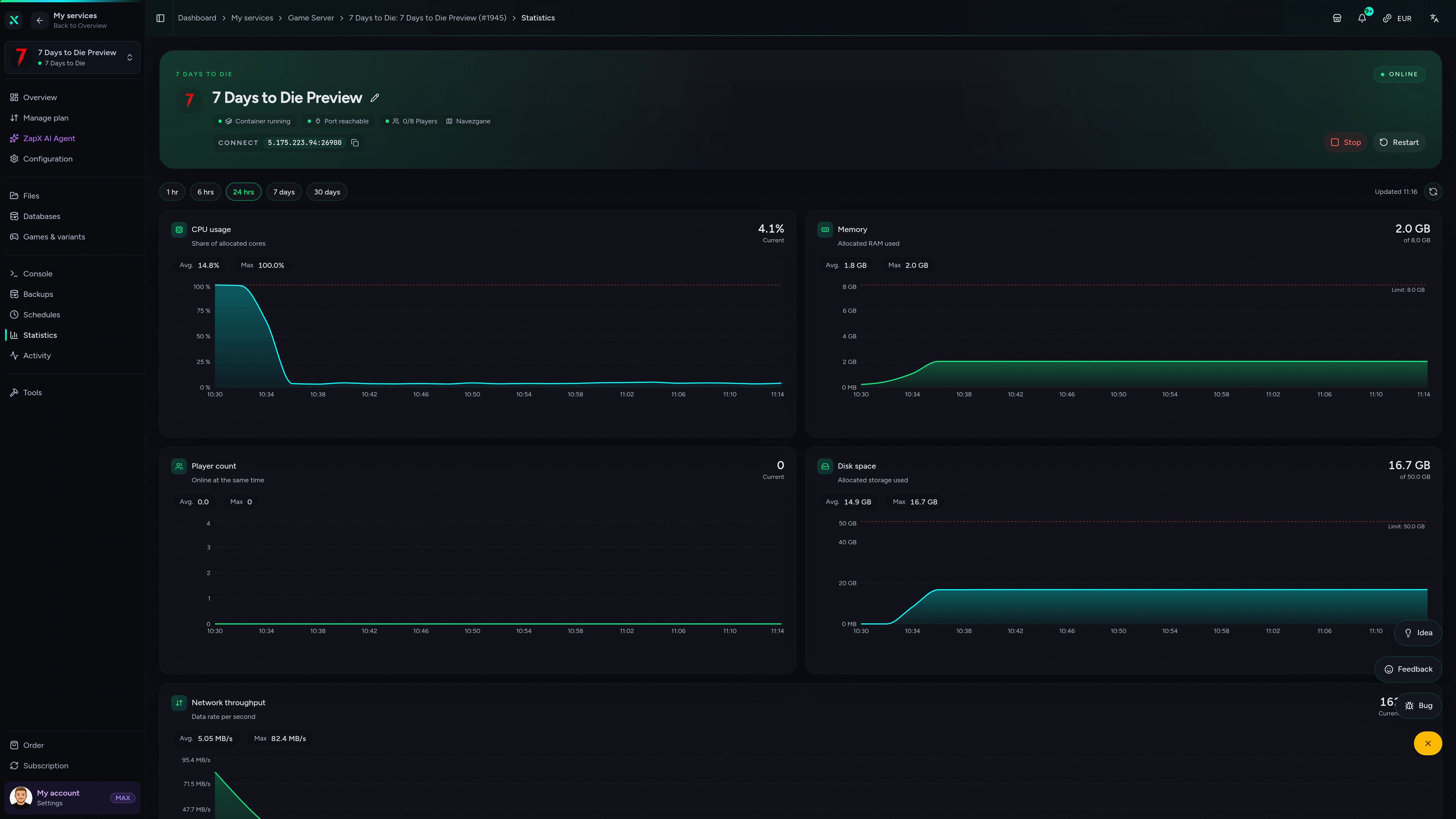
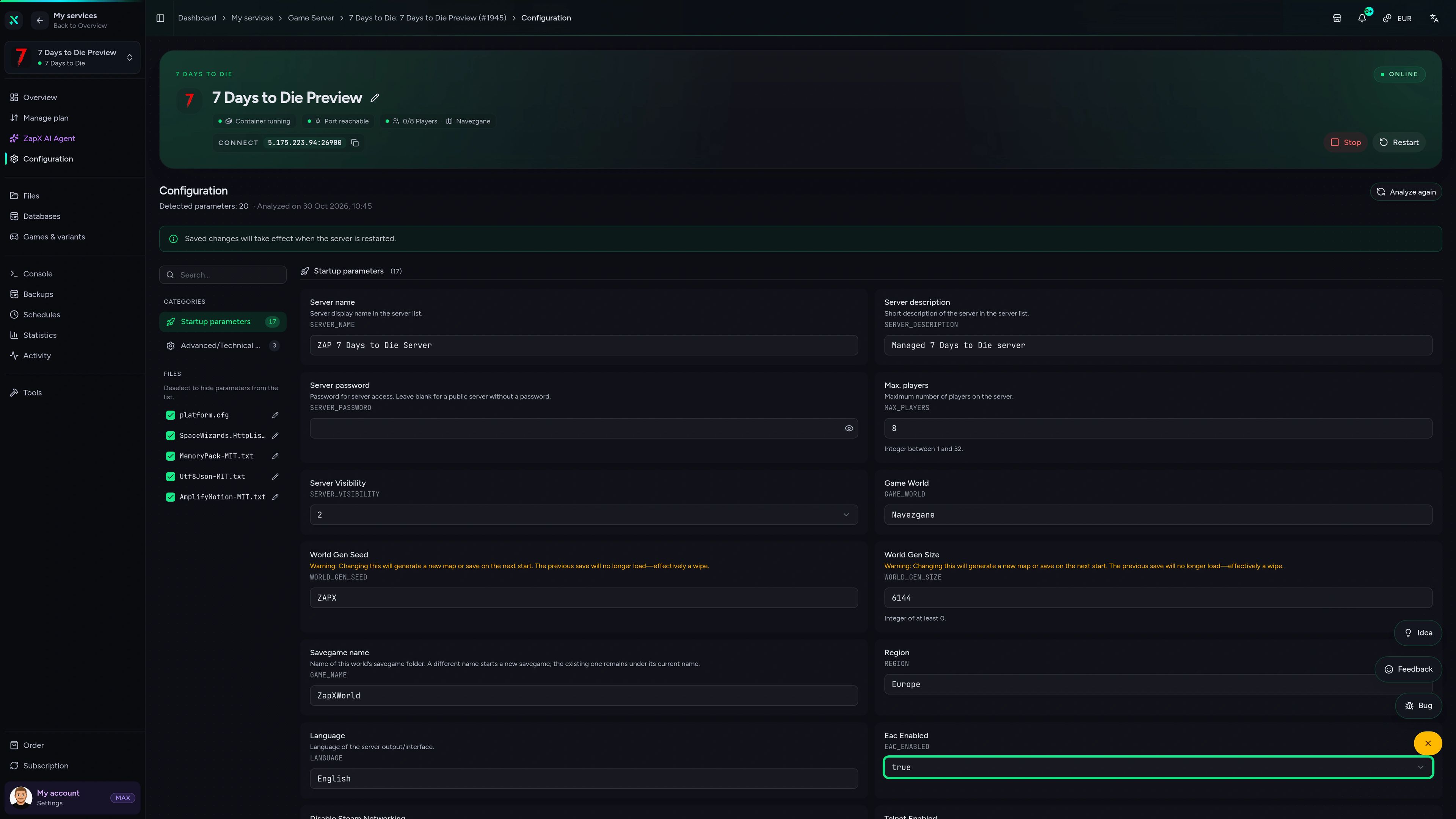
7 Days to Die Game Server – Overview
Overview of the 7 Days to Die game server in the ZapX customer panel.
Questions before horde night? Get clear answers for your 7D2D server
The ZapX AI Agent explains settings, mods and crossplay for 7 Days to Die and suggests safe next steps. You decide what changes on your server.
The ZapX AI Agent is included with ZapX Pass. It gives advice and step-by-step guidance, and you stay in control of every change on your server.
Discover ZapX PassZapX AI Agent
panel.zap-hosting.com
Benchmark
Measured data on how our game servers handle busy horde nights compared with typical hosting setups.
High-performance VPS, CPU model depends on the location
Typical VPS plans without a published host CPU
confirmed 2026-07-01
Use cases
Built for every kind of survival group
Co-op PvE, modded overhauls or a mixed PC and console crew: pick the setup that fits your group. No package has a player-slot limit.
Ready for horde night?
Your 7 Days to Die world, online 24/7.
ZapX appComing soon
Manage your server from your phone.
Restart before blood moon, check RAM and players, or kick a griefer from anywhere with the ZapX app.
Discord management
Manage servers directly in Discord.
Check status, start, stop, and restart via slash command — without leaving your community Discord.


Impressionen
7 Days to Die Screenshots
A glimpse into the game world—its atmosphere, exploration, and the moments your community will experience on the server.
7 Days to Die
3 free tools—right in your browser, no sign-up required.
Server variants
More game variants
7 Days to Die Oxide Server Hosting
Oxide (uMod)
Also available
We also offer the following games.
Switch between your games anytime for free—Minecraft, FiveM, Rust, and more.
Survival & Creative
Minecraft
Vanilla, Modded & Modpacks
Ready in ~2 min

Roleplay
FiveM
Roleplay server in seconds
One-click installation

Survival
Rust
Wipe-ready game server
Automatic setup
Also available
Switch between your games anytime for free—Minecraft, FiveM, Rust, and more.
98
Available games







Benefit
Unlimited Slots
We don't artificially limit player Slots. Hardware determines capacity.
Scale based on Mods, scripts, and player load instead of paying for a fixed number of Slots.
Start your 7 Days to Die server today.
No player-slot limit, DDoS protection and full FTP access, online within 60 seconds. Pick your location and invite your group.
No setup. No risk. Online in seconds.