
Gameserver plan
ZAP Spawn
€5.99/ 30 days
- 2 GB RAM
- 2 CPU
- 15 GB NVMe
- Unlimited Slots
 Minecraft modpack hosting
Direwolf20 1.18 · Direwolf20 1.18 comes preinstalled with your order — unlimited slots, DDoS protection, daily Backups and locations worldwide.
Gameserver plan
Gameserver plan
Gameserver plan
Gameserver plan
Gameserver plan
Gameserver plan
Gameserver plan
Gameserver plan
Gameserver plan
Packages 1–3 of 9
 minecraft
Configure yourself
No package fits? Choose your RAM, CPU and storage—you only pay for the performance your community actually needs.
Powerful CPUs
100 Gbit/s host network
DDoS protection
Daily Backups
Modpack preinstalled
 Visa
 Mastercard
 American Express
 PayPal
 Google Pay
 Apple Pay
 Klarna
 Amazon Pay
About the modpack
FTB Presents Direwolf20 1.18 is a Feed The Beast kitchen-sink modpack curated by modded Minecraft creator Direwolf20. It blends tech, magic, storage and automation mods, so a run grows from a simple starter hut into humming factories, item networks and enchanted gear. It shines in multiplayer: on your own Direwolf20 1.18 server, your group shares one persistent world where bases, machines and automated farms keep running while everyone builds side by side.
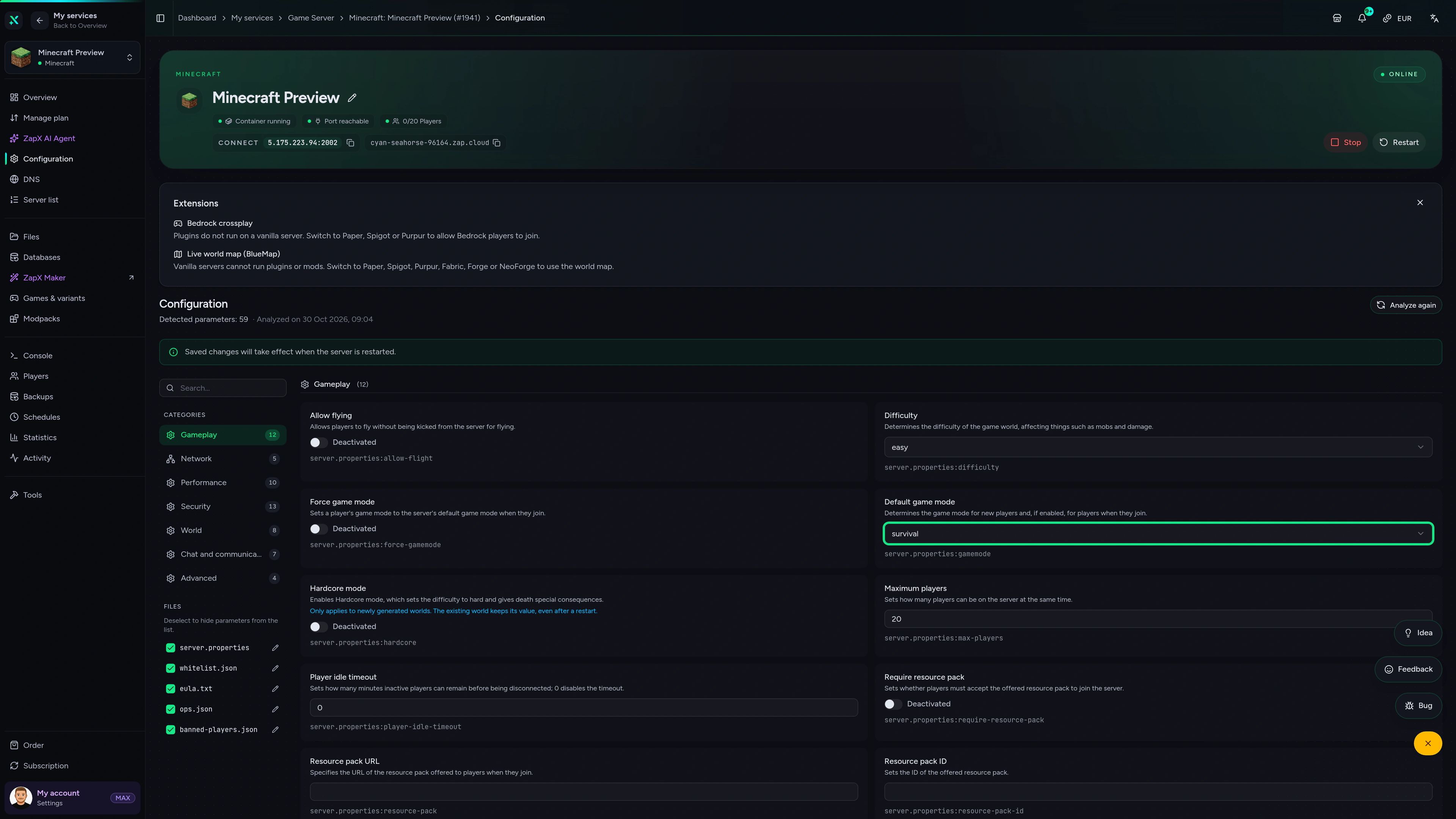
Running your own server means you set the rules: whitelist friends, adjust server settings in the panel, tune configs or add extra mods for your group, and upload an existing world if you are switching hosts. Daily Backups protect long survival bases, and you pick the location closest to your players from data centers worldwide.

Locations worldwide
8 data centers worldwide — choose the location closest to your community.


ZapX Panel
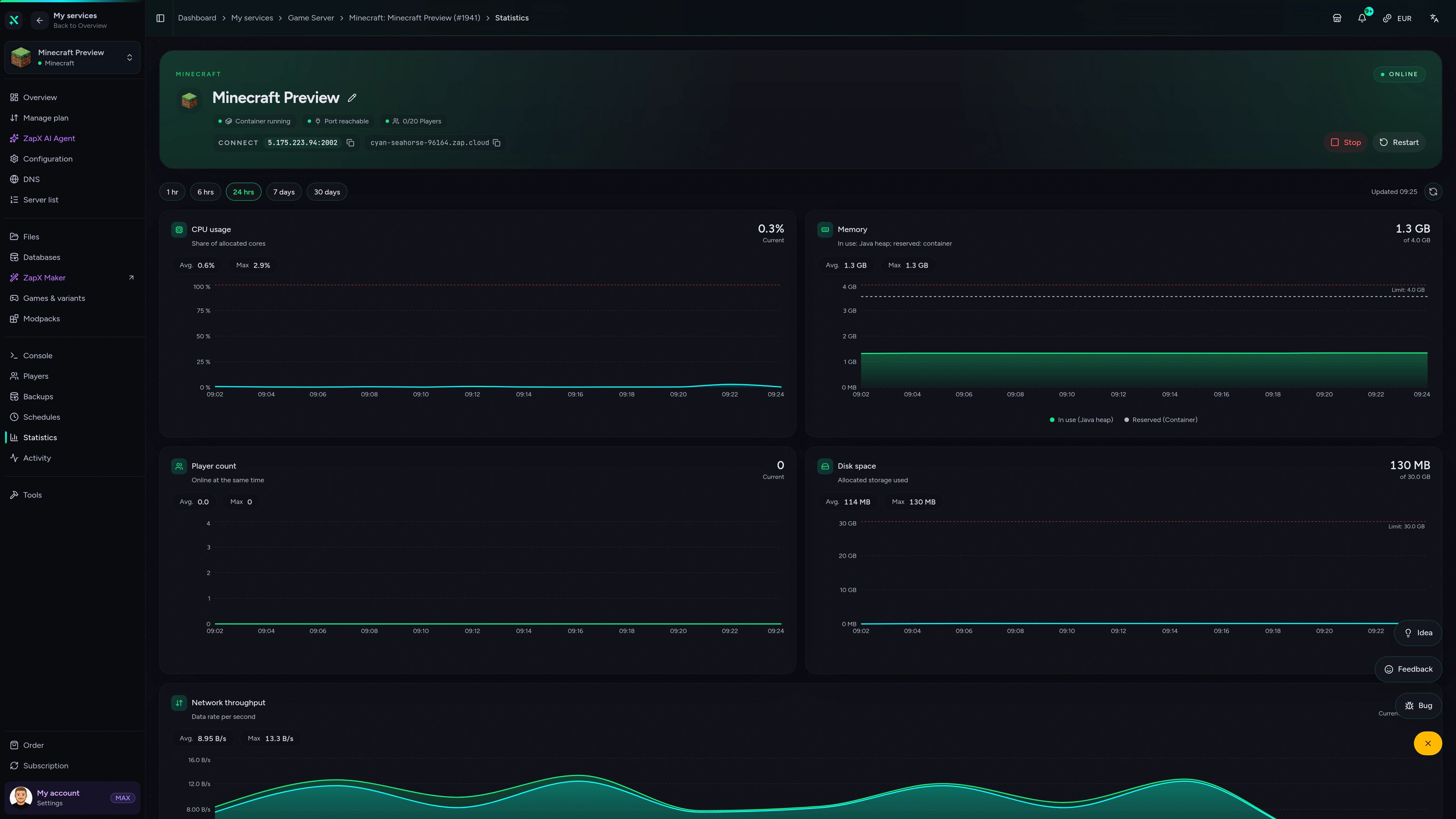
Backups, live stats, configs and DDoS settings for your modded world, all in one place in your browser.
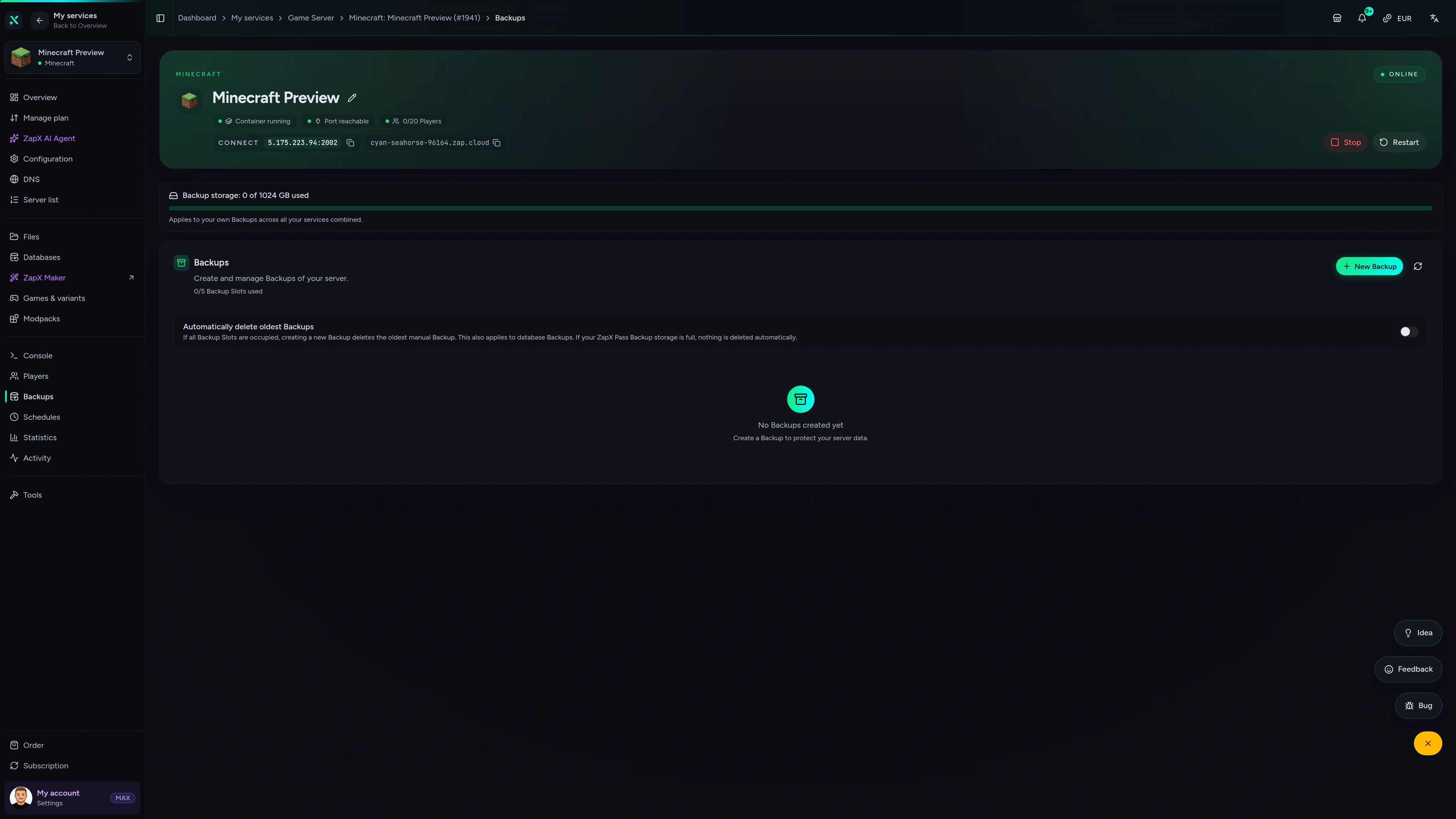
Minecraft Game Server – Backups
Backups of the Minecraft game server in the ZapX customer panel.
Benchmark
See how our gameserver packages for heavy modpacks like Direwolf20 1.18 compare with typical market offers, based on measured values.
High-performance VPS, CPU model depends on the location
Typical VPS plans without a published host CPU
confirmed 2026-07-01
Use cases
From small co-op bases to modded communities: these are the setups Direwolf20 groups run most, all on one server with unlimited slots.
Ready to build?
Start your Direwolf20 world with friends today
Impressionen
A glimpse into the game world—its atmosphere, exploration, and the moments your community will experience on the server.
Modpacks
Discover other FTB and modded Minecraft packs you can host on your server.
Order a package, let the modpack install automatically and invite your group into a shared modded world.
No setup. No risk. Online in seconds.
Features
Modpack preinstalled, room to grow and tools that protect your progress, built for long-running Direwolf20 worlds.
Order and start playing: the modpack is set up for you, no manual file juggling.
Invite your whole group. Capacity scales with RAM, not with slot tiers.
More machines and chunk loaders? Increase RAM whenever you need it.
Long survival bases stay safe. Restore a Backup with the ZapX Pass if an experiment goes wrong.
Keep playing where you left off by uploading your Direwolf20 world.
Your group gets low ping when you pick the data center closest to them.
Only for Minecraft
Manage your players and build custom mods with ZapX Maker straight from the panel, without console commands.
Minecraft
Ban players or edit your whitelist in the panel without typing console commands.
Describe a mod and ZapX Maker (ZapX Pass) builds it and deploys it to your server.
Reviews
Real feedback on support and setup.
FAQ
Answers to the most important questions before you start.
Pick a package and complete your order. The Direwolf20 1.18 modpack is installed automatically during setup. Then start the server in the panel, install the same pack version on your PC with the FTB App and connect using the IP and port shown in the panel. Connection guide in the Help Center
Direwolf20 1.18 is a large kitchen-sink pack, so it needs noticeably more memory than vanilla Minecraft. Solo players and small groups can use the RAM guideline below. Larger communities with many machines, chunk loaders and automated farms should plan for more headroom. Keep an eye on RAM usage in the panel and increase RAM whenever your world grows. As a guideline: about 6 GB for 2 players, 10 GB for around 10 players.
The price depends on the RAM package, term and location you choose. Current prices load live in the pricing section on this page. All packages include unlimited player slots, DDoS protection and daily Backups. Terms are flexible and you can cancel anytime. The cancellation takes effect at the end of your current term.
No package has a slot limit, so you can invite as many friends as you like. How smoothly the world runs with many players depends on your package's RAM and CPU and on how much automation is running. Larger groups should plan for more RAM.
Yes. You can increase RAM in the panel whenever your factories, item networks or player count grow, and your Direwolf20 world stays in place. You can also reduce RAM later if your group gets smaller. Upgrade guide in the Help Center
Yes. Upload your world folder to the server via FTP, set it as the active world and restart. Make sure the world was created with the same Direwolf20 1.18 pack so all modded blocks and items load correctly. Learn how in the Help Center
Pick the data center closest to most of your players. ZAP-Hosting offers locations worldwide, and choosing a nearby one keeps ping low for your group. Many North American groups start with Dallas, Ashburn or Los Angeles, while groups elsewhere choose the location nearest to them.
Yes. You can add, remove or update mods and edit configs in the server files. Keep your players' clients in sync, because everyone needs the same mod list and pack version as the server to connect. With ZapX Pass, back up before bigger changes so you can roll back if something breaks. Mod guide in the Help Center
Any more questions?
Contact SupportAdd ZAP-Hosting as a remote MCP server in Claude, ChatGPT, Cursor or Gemini. Then you can restart your Direwolf20 1.18 server through chat, read the console, send commands, edit configs or create Backups. You decide what permissions the connection has.
Works with
What should I do for your server?
Ask anything …
The AI only makes changes after you approve them.
ZapX PassIncluded in every Pass tier
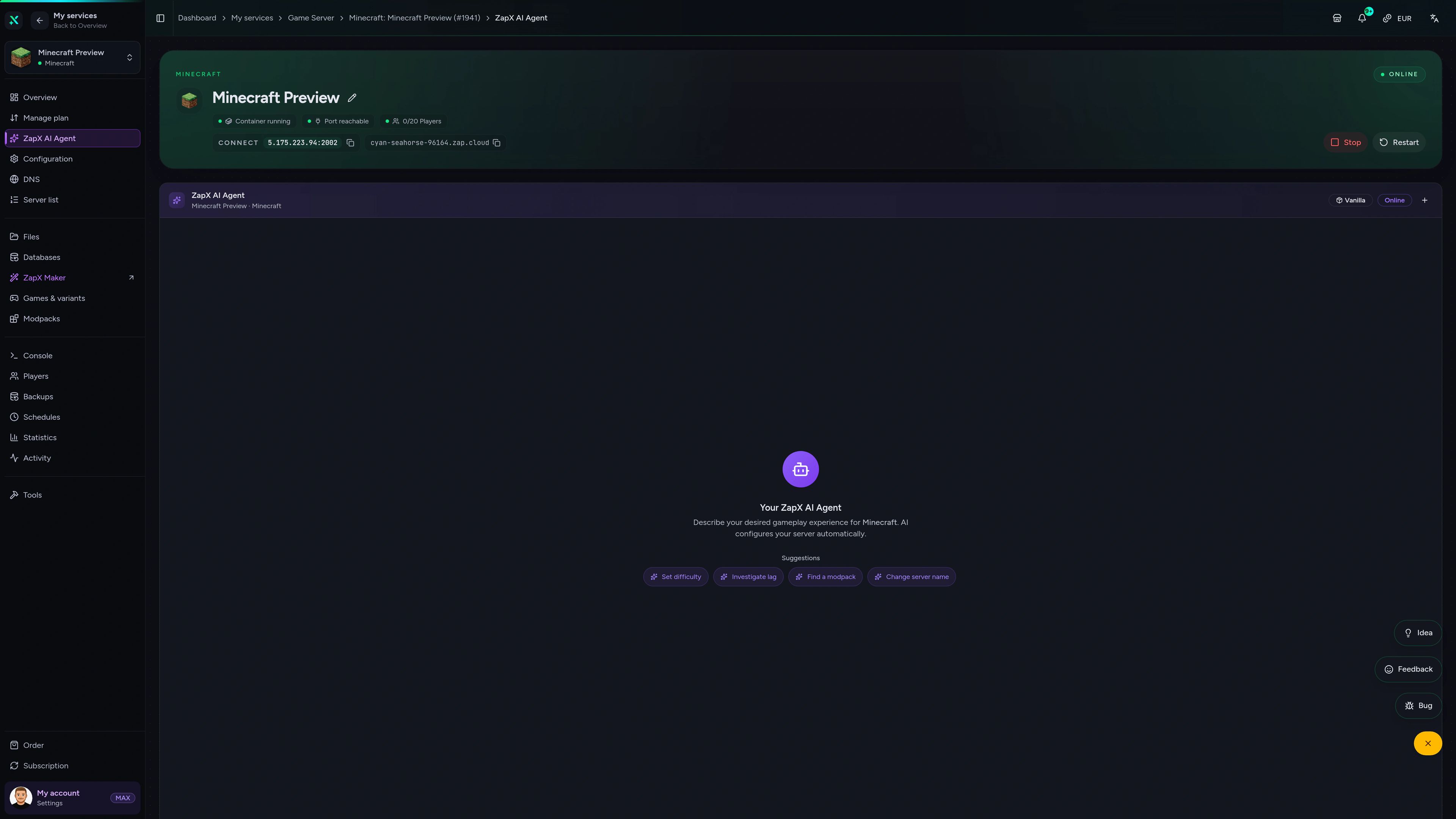
The ZapX AI Agent knows your server context and explains Direwolf20 crash logs, mod conflicts and RAM usage right in the panel, so you skip the long forum threads.
The ZapX AI Agent is part of ZapX Pass and works account-wide across every supported service.
View ZapX PassZapX AI Agent
panel.zap-hosting.com
ZapX AppComing soon
Keep an eye on your modded world from your phone, wherever you are.
Discord management
Check status, start, stop, and restart via slash command — without leaving your community Discord.
34 free tools—right in your browser, no sign-up required.
Also available
Popular Minecraft Modpacks — ATM, RLCraft, Pixelmon, and more. See prices in the configurator.

Modpack
ATM10 · Tech
Ready in ~2 min
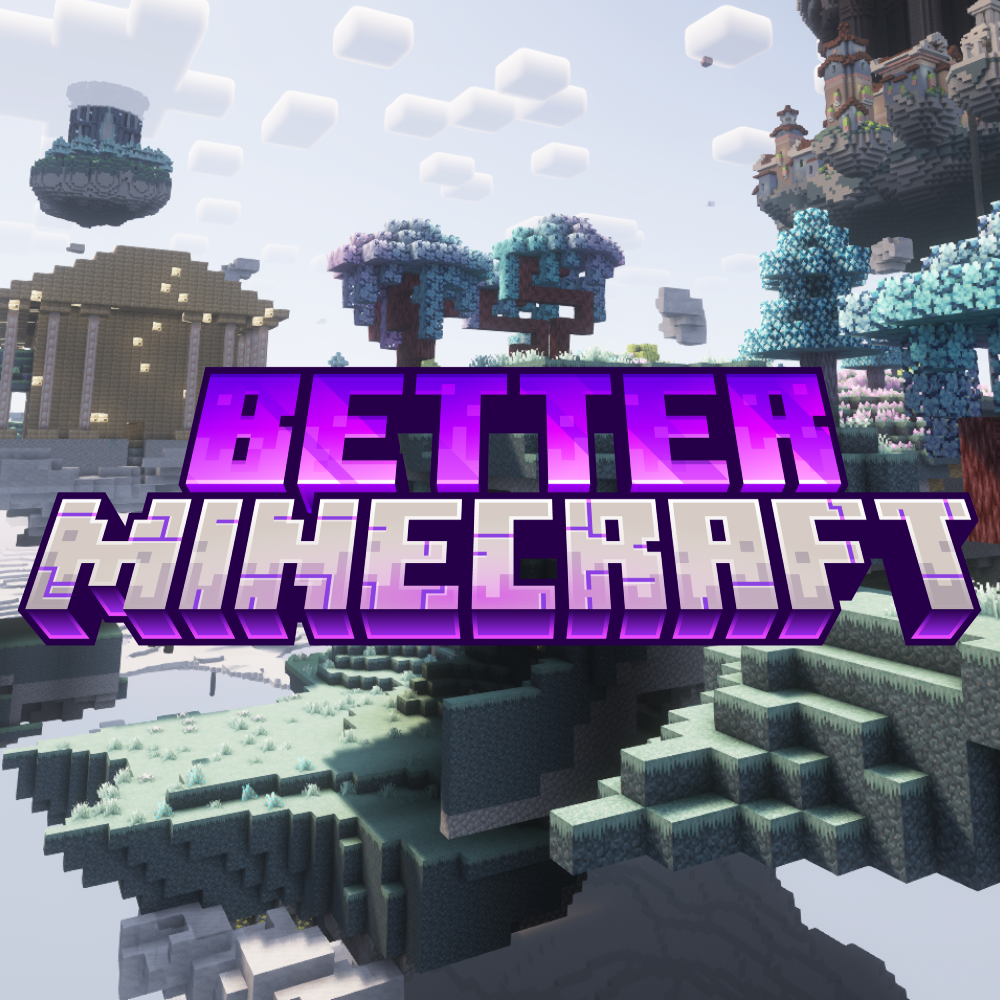
Modpack
BMC4 · Vanilla+
Ready in ~2 min

Modpack
RLCraft · Hardcore
Ready in ~2 min
Also available
Popular Minecraft Modpacks — ATM, RLCraft, Pixelmon, and more. See prices in the configurator.
117,180
Available modpacks
Benefit
Modrinth & CurseForge packs with instant setup in the Minecraft configurator.
Choose a pack and get started in 60 seconds.
© 2026 ZAP-Hosting GmbH
 Preferred source on Google