 Overhaul mod server for 7 Days to Die
7 Days to Die: Darkness Falls Server Hosting
Darkness Falls preinstalled on a matching game build, with unlimited player slots, DDoS protection and worldwide locations.

Plans and pricing
Packages 1–3 of 6
 7-days-to-die-darkness-falls
Configure yourself
Your server. Your power.
No package fits? Choose your RAM, CPU and storage—you only pay for the performance your community actually needs.
Powerful CPUs
100 Gbit/s host network
DDoS protection
Daily Backup
Instant setup
 Visa
 Mastercard
 American Express
 PayPal
 Google Pay
 Apple Pay
 Klarna
 Amazon Pay
About the overhaul
What is a Darkness Falls server?
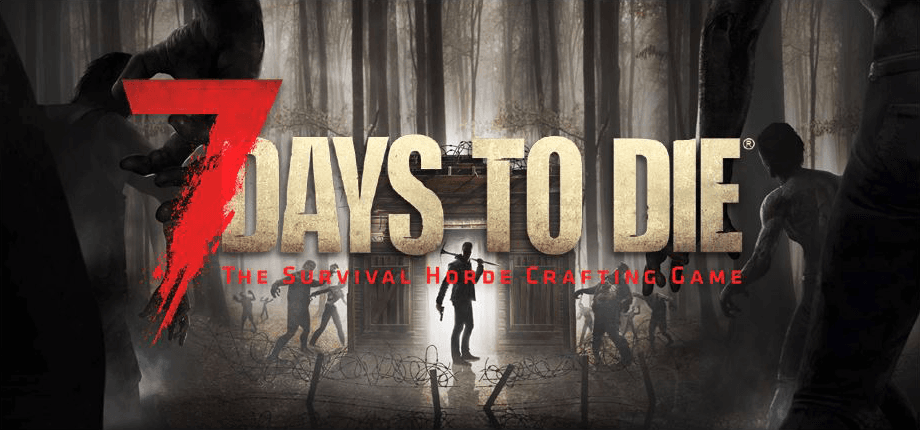
Darkness Falls is a total overhaul for 7 Days to Die. New classes, tougher zombie types, reworked crafting and much nastier blood moon hordes turn the survival game into a longer and harder campaign. A Darkness Falls server keeps that world running around the clock, so your group shares one map where bases, loot and progress stay in place even after everyone logs off.
On your own server, you set the world, difficulty and password. Unlimited player slots let you invite as many survivors as you like, and you can restart the server or change settings right from the ZapX panel. The overhaul is installed on a matching game build, so your friends only need the same client version and EAC turned off to join.
Features
Everything your Darkness Falls server needs.
From automatic overhaul setup to the live console: the tools you need to run a modded 7 Days to Die world without manual uploads.
Darkness Falls installed for you
No manual upload and no SteamCMD: the overhaul comes set up on a matching game build.
Unlimited player slots
Bring your whole group. Packages scale by RAM and CPU, never by slot count.
Live load during blood moons
Watch CPU and RAM live in the panel while the horde hits your base.
World and rules in the browser
Set the server name, password, world and difficulty in the ZapX config without editing files.
Daily Backup included
Your world is backed up every day. Your own Backups and restores come with ZapX Pass.
Live console in the panel
Run commands like saveworld before a restart and follow the server output live.
Locations worldwide
Your server. Your location.
8 data centers worldwide — choose the location closest to your community.
Europe


America


Asia-Pacific


Reviews
What customers say about ZAP-Hosting
Real feedback on support and setup.

Zap has been great for our server.
Zap has been great for our server.
 ZAP-HostingReply


FAQ
Frequently asked questions about 7 Days to Die: Darkness Falls
Answers to the most important questions before you start.
What is a Darkness Falls server?
A Darkness Falls server is a 7 Days to Die dedicated server that runs the Darkness Falls overhaul mod around the clock. It needs the game build that matches the mod, EAC turned off and enough RAM for the heavier overhaul. At ZAP-Hosting, the mod is installed automatically, every package has unlimited player slots and a daily automatic Backup is included.
- Overhaul installed automatically
- Unlimited player slots
- Daily auto Backup included
Is Darkness Falls already installed when I order?
Yes. Darkness Falls is installed automatically when your server is set up, on a game build that matches the mod. You don't upload files by hand or run SteamCMD. Afterwards, you set the server name, password, world and difficulty in the ZapX config, and you can add your own mods through file access. Read the server configuration guide
- No manual upload
- Config in the browser
Which package should I choose for Darkness Falls?
All packages include unlimited player slots and differ in RAM and CPU. Darkness Falls is heavier than vanilla 7 Days to Die, so world size and group size decide what you need. Small groups on a smaller world often need less RAM. Large worlds and busy servers need more RAM headroom. You can add more RAM later.
- Larger maps need more RAM
- Upgrade later when your group grows
Which game version do my players need, and why is EAC off?
Every player needs the PC version of 7 Days to Die on the same game build as the server, with Darkness Falls installed on their own client. The overhaul changes game code, so EasyAntiCheat stays off on the server and players start the game without EAC. A mismatched build is the most common reason a join fails. Xbox and PS5 players can't join because the mod only runs on PC. Fix common Darkness Falls issues
- Same game build as the server
- Start the game without EAC
- PC players only
How many players can join my Darkness Falls server?
Every package comes with unlimited player slots, so you never pay per slot. How many survivors can play smoothly at the same time depends on RAM, CPU and world size, not on a slot limit. Your friends join on PC with the IP and port shown in the panel. See how players connect
- No slot limit
- Connection details in the panel
How quickly can we start playing?
Your server is usually online about 60 seconds after payment, with Darkness Falls already set up. On the first start, generating a new world takes a little longer depending on the map size. Then you share the connection details with your group and start your first night.
- Online in 60 seconds
- Cancel anytime
Which server locations can I choose?
You choose from locations worldwide when you order. Pick the one closest to most of your players. North American groups often start with Ashburn, Dallas or Los Angeles. DDoS protection is included at every location.
- Locations worldwide
- DDoS protection included
Can I back up my world before a Darkness Falls update?
A daily automatic Backup is included with every server. With ZapX Pass, you can create your own Backups (for example, right before a Darkness Falls update) and restore earlier states yourself. From ZapX Pass Pro, you can also schedule automatic Backups.
- Daily auto Backup included
- Own Backups & restore with ZapX Pass
- Backup schedules from ZapX Pass Pro
Any more questions?
Contact SupportPanel preview
Your Darkness Falls server in the ZapX panel
The console, config, files, statistics and Backups are all in one panel. The ZapX AI Agent tab is available with ZapX Pass.
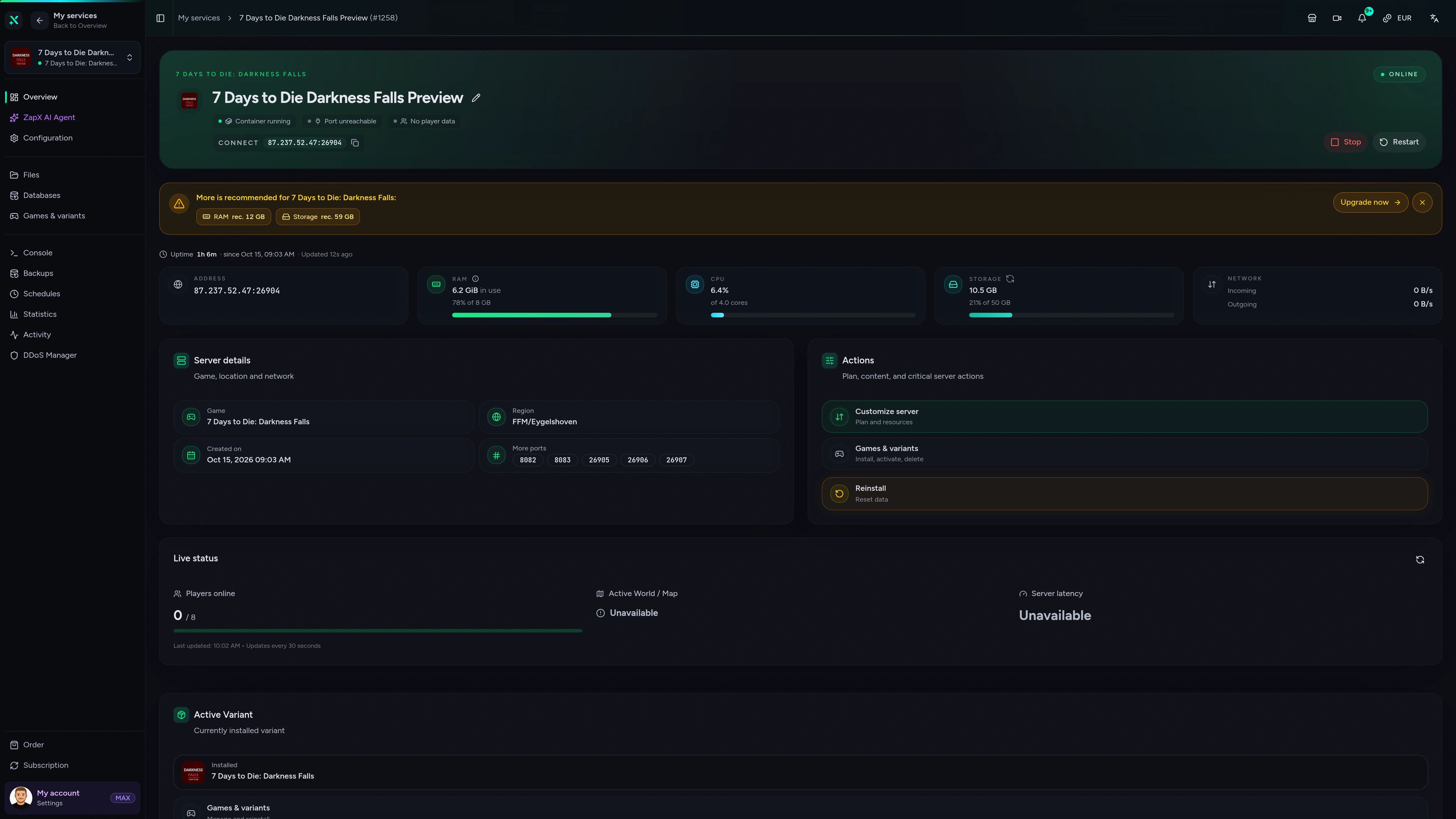
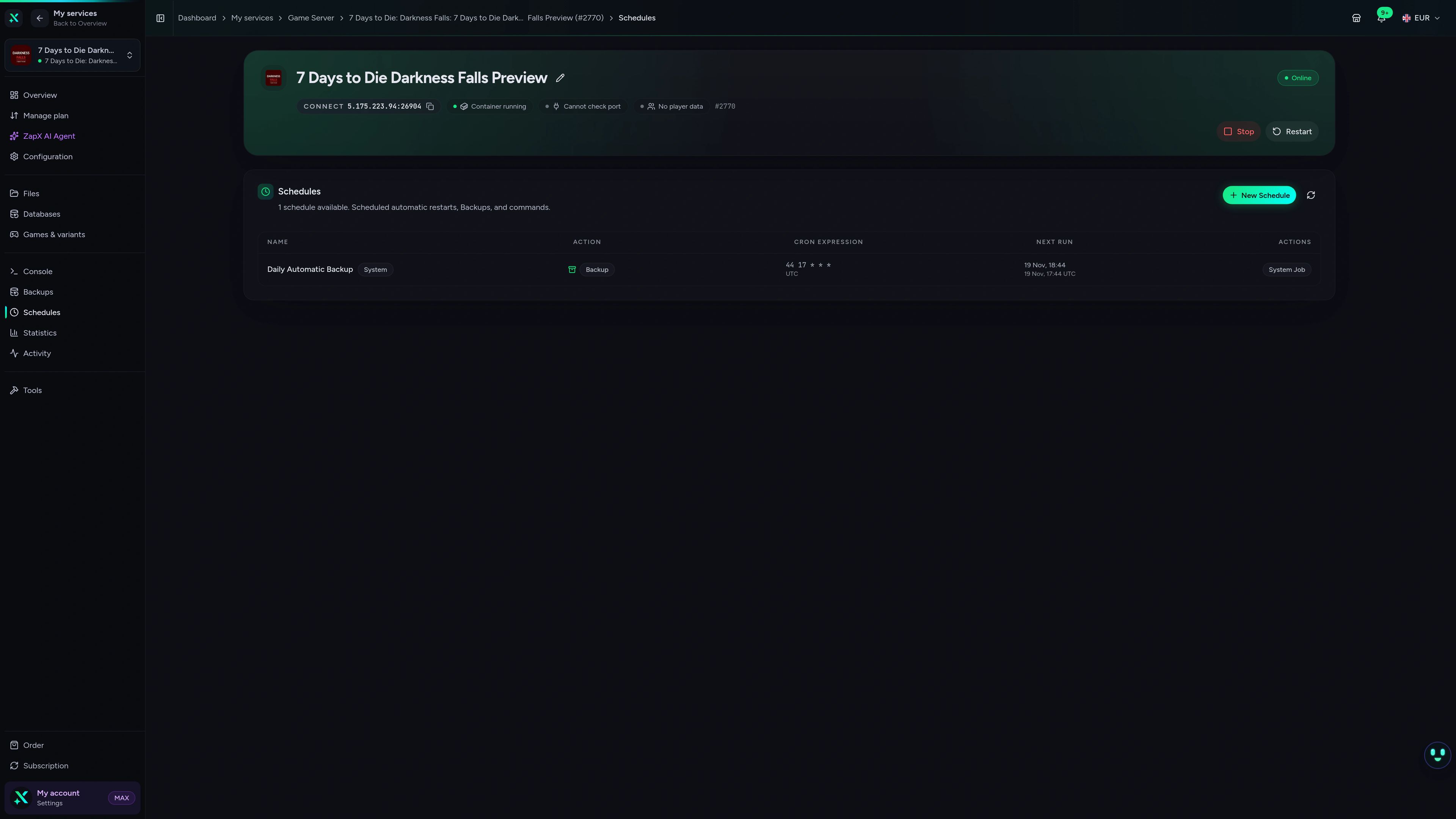
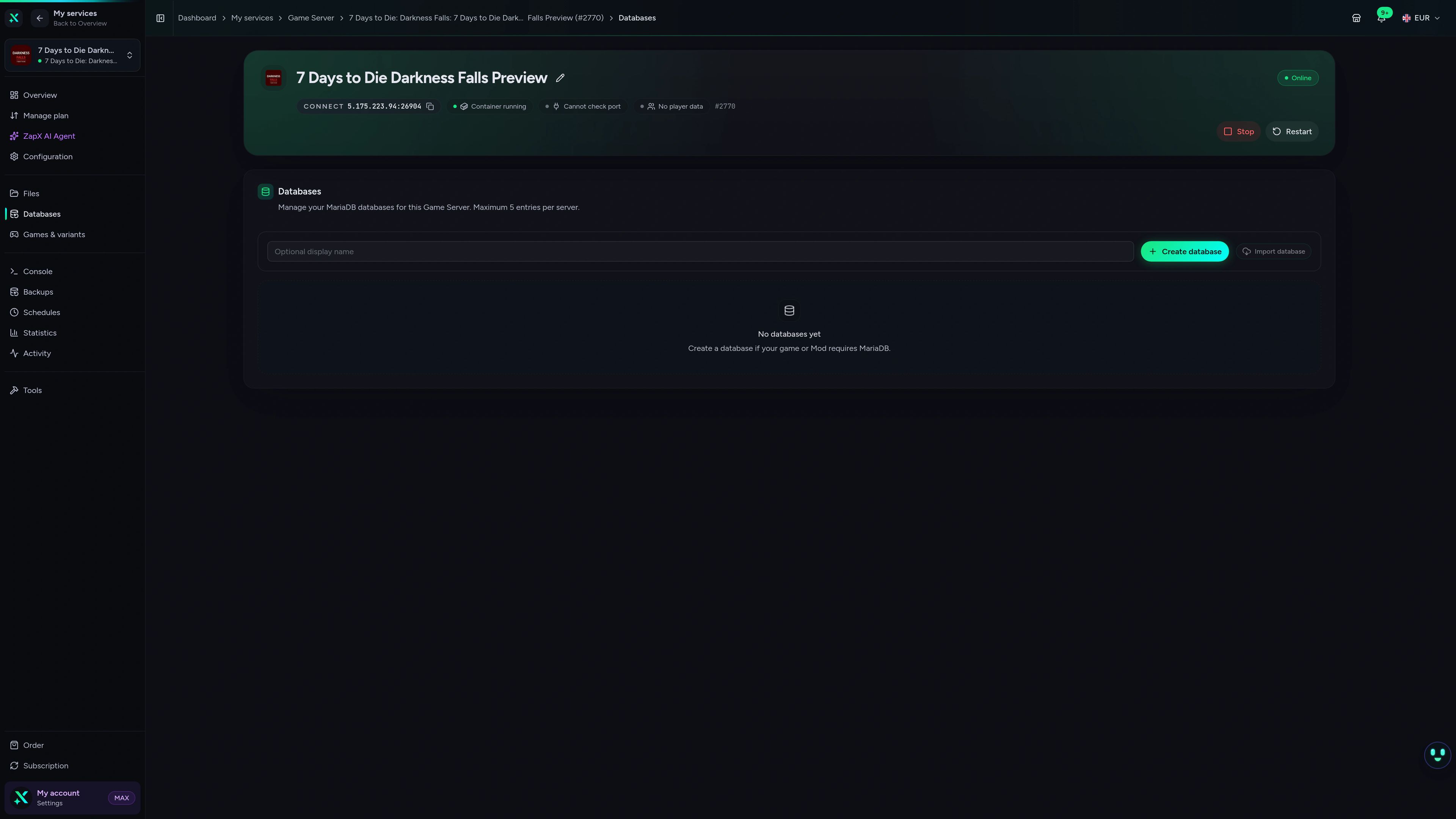
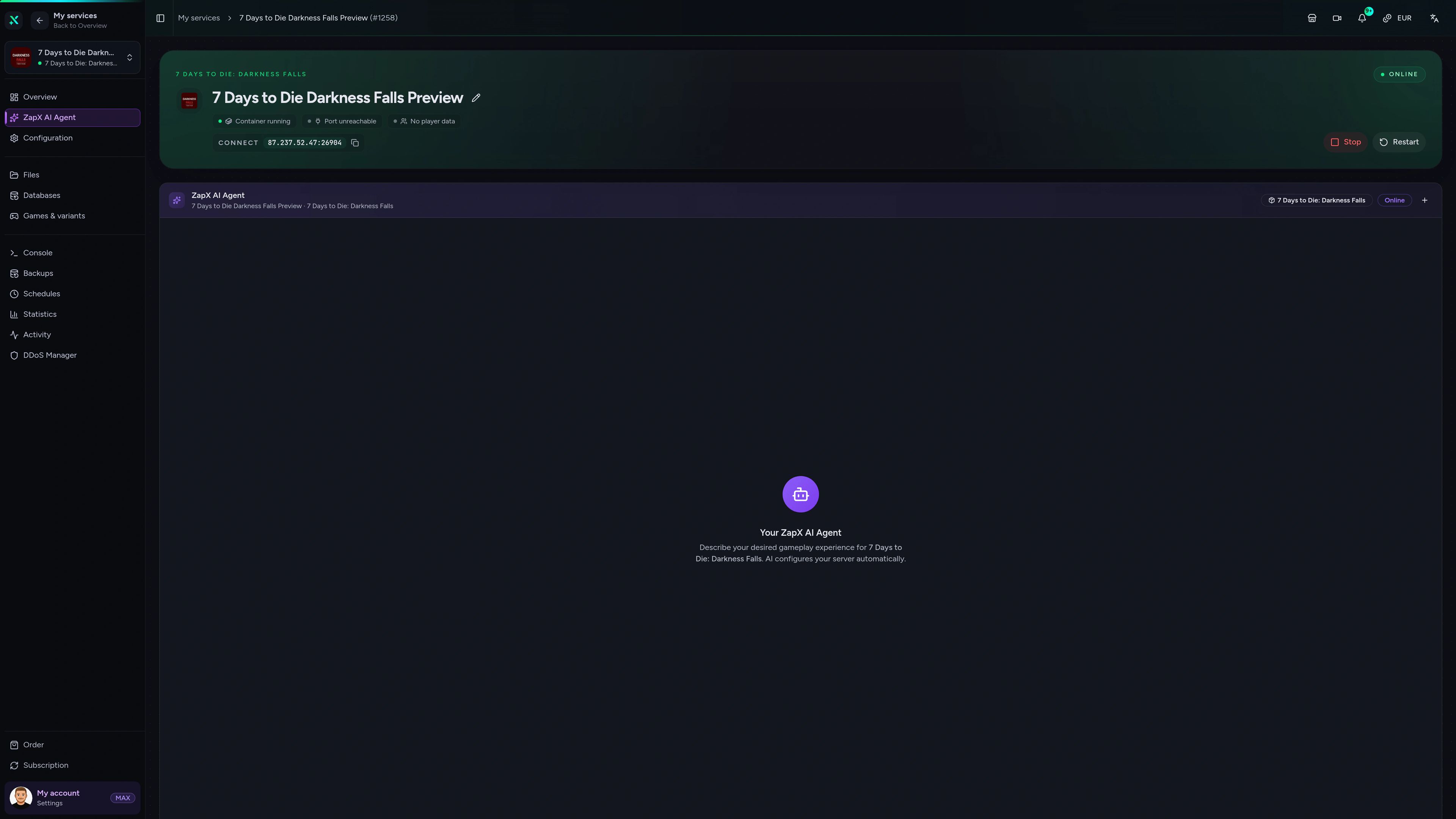
7 Days to Die: Darkness Falls Game Server – Overview
7 Days to Die: Darkness Falls game server overview view in the ZAPX dashboard.
Ask the ZapX AI Agent about your Darkness Falls server
Ask about version errors, EAC, world settings or logs. The ZapX AI Agent explains and suggests next steps, and runs them if you confirm in the chat.
The ZapX AI Agent comes with ZapX Pass with AI access and is not part of the server package itself.
Explore ZapX PassZapX AI Agent
panel.zap-hosting.com
Benchmark
See how a ZAP-Hosting Darkness Falls server compares with a typical 7 Days to Die host, based on our own measurements.
High-performance VPS, CPU model depends on the location
Typical VPS plans without a published host CPU
confirmed 2026-07-01
Use cases
How groups play Darkness Falls
From co-op horde nights to modded worlds with your own modlets: your Darkness Falls server adapts to how your group survives.
Ready for the next blood moon?
Start your Darkness Falls server in 60 seconds
MobileComing soon
Manage your server from your phone
Restart before the next blood moon or check on your world while you're away, with the ZapX panel on any device.
Discord management
Manage servers directly in Discord.
Check status, start, stop, and restart via slash command — without leaving your community Discord.


Impressionen
7 Days to Die: Darkness Falls Screenshots
A glimpse into the game world—its atmosphere, exploration, and the moments your community will experience on the server.
7 Days to Die
3 free tools—right in your browser, no sign-up required.
Also available
We also offer the following games.
Switch between your games anytime for free—Minecraft, FiveM, Rust, and more.

Survival & Creative
Minecraft
Vanilla, Modded & Modpacks
Ready in ~2 min

Roleplay
FiveM
Roleplay server in seconds
One-click installation

Survival
Rust
Wipe-ready gameserver
Automatic setup
Also available
Switch between your games anytime for free—Minecraft, FiveM, Rust, and more.
98
Available games











Benefit
Unlimited Slots
We don't artificially limit player Slots. Hardware determines capacity.
Scale based on Mods, scripts, and player load instead of paying for a fixed number of Slots.
Survive the next blood moon on your own server
Darkness Falls is installed automatically, with unlimited player slots and locations worldwide. Pick a package and invite your group.
No setup. No risk. Online in seconds.