 Project Zomboid server hosting
Project Zomboid Server hosting
Instant setup, Workshop mod support, DDoS protection, FTP access, and worldwide locations for 24/7 survival worlds.
Or try 3 days from €1.35Pick the 3-day term at checkout · renews every 3 days · cancel anytime

Plans and pricing
Packages 1–3 of 8
 project-zomboid
Configure yourself
Your server. Your power.
No package fits? Choose your RAM, CPU and storage—you only pay for the package you put together.
Powerful CPUs
100 Gbit/s host network
DDoS protection
FTP access
Mod support
 Visa
 Mastercard
 American Express
 PayPal
 Google Pay
 Apple Pay
 Klarna
 Amazon Pay
About the server
What is a Project Zomboid server?
Project Zomboid is an open-world zombie survival sandbox set in a quarantined Knox County, Kentucky. You scavenge houses, craft, farm, barricade safehouses, and try to keep your group alive for as long as you can, solo or in multiplayer. Your own server turns that into a persistent shared world that keeps running when the player who started it logs off, so everyone can play on their own schedule.
With your own server, you set the rules for your group: zombie population, loot rarity, XP multipliers, whitelist access, and which Steam Workshop mods load. Upload an existing save over FTP, run a vanilla friend world or a Build 42 community, and manage everything from the browser while player slots stay unlimited.
Managed instead of DIY
Project Zomboid hosting for persistent groups.
Built for always-online worlds, mod growth, and clean scaling instead of host-PC babysitting.
Unlimited player slots
Invite your whole group: capacity follows RAM and CPU, not slot caps.
Fast server setup
Your world is live 60 seconds after checkout, ready for the first loot run.
Mods and Steam Workshop
Your group plays with its favorite Workshop mods and map add-ons.
FTP and save transfer
Keep your existing world by uploading the save over FTP.
Sandbox settings panel
Tune zombie count, loot rarity, and XP rates right in your browser.
Live server console
Broadcast messages, save the world, or kick players without joining.
Only for Project Zomboid
Your next addition, just an ID or link away
You can add individual Steam Workshop items to your server by ID or link directly from the panel.
Project Zomboid
Add content by ID or link
The panel downloads your chosen Steam Workshop item and applies it to your server.
- Steam Workshop
Locations worldwide
Your server. Your location.
8 data centers worldwide — choose the location closest to your community.
Europe


America


Asia-Pacific


Reviews
What customers say about ZAP-Hosting
Real feedback on support and setup.
Great Service & User Experience
I had applied for partnership at ZAPX and the process and user panel is absolutely fire and very much friendly. Apart from that i have been using their VPS machine for quite a while and it has been great with almost no downtime.

 ZAP-HostingReply

great prices, good specs
the interface was great, migration was flawless and the interface is very user friendly. support team was very helpful aswell
 ZAP-HostingReply
I've been with them for a few years
I've been with them for a few years, and they're one of the best. The lifetime servers have really helped me, and now they've added auto-backup. 10/10!
 ZAP-HostingReply

FAQ
Frequently asked questions about Project Zomboid
Answers to the most important questions before you start.
How much RAM do I need for a Project Zomboid server?
Plan by world load, not by slots.
Memory use depends on how much of the world is loaded at once: active map areas, zombie population, vehicles, base size, and Workshop mods. A small vanilla group can start lean, while Build 42 worlds and modded community servers need more headroom from day one. Treat player count as one factor, not the whole sizing rule, and watch RAM usage in the panel as the world ages. As a guideline: at least 4 GB, 8 GB recommended.
- Vanilla groups can start lean
- Mods and vehicles raise RAM use
- Build 42 worlds benefit from more headroom
Which Project Zomboid hosting package should I start with?
Size by world load, then scale up.
Start with the package that fits your world, not just your group size. A vanilla friend group can begin lighter, while Build 42, larger bases, many vehicles, long uptime, and Steam Workshop mods need more RAM and CPU headroom. Player slots stay unlimited on every package, and moving up later is easier than rebuilding the server, so pick a sensible start and scale when the world gets heavier.
- Vanilla groups can start lighter
- Mods and Build 42 need more headroom
- Slots stay unlimited on every package
Can I keep my Project Zomboid world online 24/7?
Yes, that is the main reason to host it.
Yes. Hosted Project Zomboid servers stay available even when the original host player is offline, which makes them a better fit for groups that play at different times or want a persistent world that keeps going between sessions.
- No host PC has to stay online
- Players can join on their own schedule
- Better for long-running multiplayer worlds
Does Project Zomboid hosting support mods and Steam Workshop content?
Yes, modded servers are a common use case.
Yes. Managed hosting is well suited for modded Project Zomboid servers, including Steam Workshop content and custom file changes. The important part is leaving enough RAM and CPU headroom for the extra load and testing updates carefully when you change a bigger mod stack. How to install mods
- Steam Workshop friendly
- Good fit for modded communities
- Leave resource headroom for bigger stacks
Can I upload my existing save or transfer a world?
Yes, move your world instead of starting over.
Yes. If you already have a local save or a world from another provider, you can transfer it to hosted Project Zomboid server hosting with file access. Upload the save data and verify the same mods and build version are active before players rejoin. Managing savegames in the Help Center
- Upload existing world data
- Transfer the save via SFTP
- Match the build and mod setup first
Can I upgrade my Project Zomboid server later?
Yes, start smaller and grow when needed.
Yes. That is useful when you expect a fresh world to start light but know that larger bases, more survivors, events, or a heavier mod list may push resource usage up later. Upgrading later is usually cleaner than overbuying too early or rebuilding the server from scratch. Upgrades explained in the Help Center
- Useful for growing communities
- Add headroom when the world gets heavier
- Avoid paying for maximum size on day one
Which location should I choose for Project Zomboid server hosting?
Pick the region closest to your core players.
Choose the data center nearest to most of your players. Locations are available worldwide, and many groups in North America start with Ashburn, Dallas, or Los Angeles, but the rule is always the same: use the location closest to the people who join most often.
- Choose by player proximity
- Worldwide locations are available
- Ashburn, Dallas, or Los Angeles are common US starts
Do I need a dedicated server for Project Zomboid?
Usually not for normal group hosting.
Not in most cases. A dedicated Project Zomboid setup makes sense only when you need much more control or far more overhead than a standard managed game server package. For most private groups, modded worlds, and growing communities, managed Project Zomboid server hosting is the simpler and more practical choice.
- Managed hosting fits most groups
- Dedicated is for much heavier needs
- Start simpler unless you truly need full server control
Any more questions?
Contact SupportZapX Panel
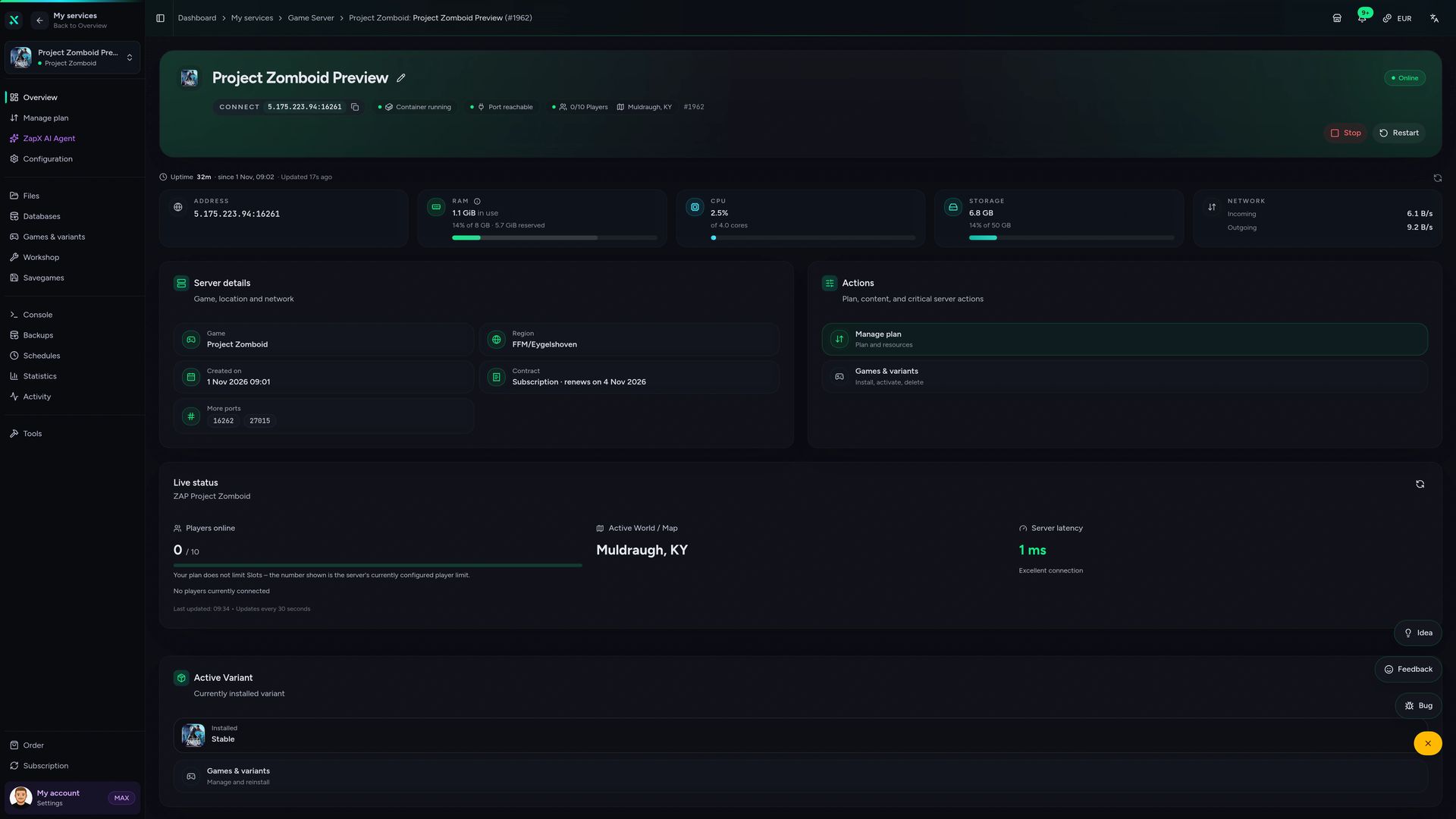
Manage saves, files, and protection from one panel.
Use one place for config changes, file access, world transfers, DDoS status, and quick checks before a modded server goes live.
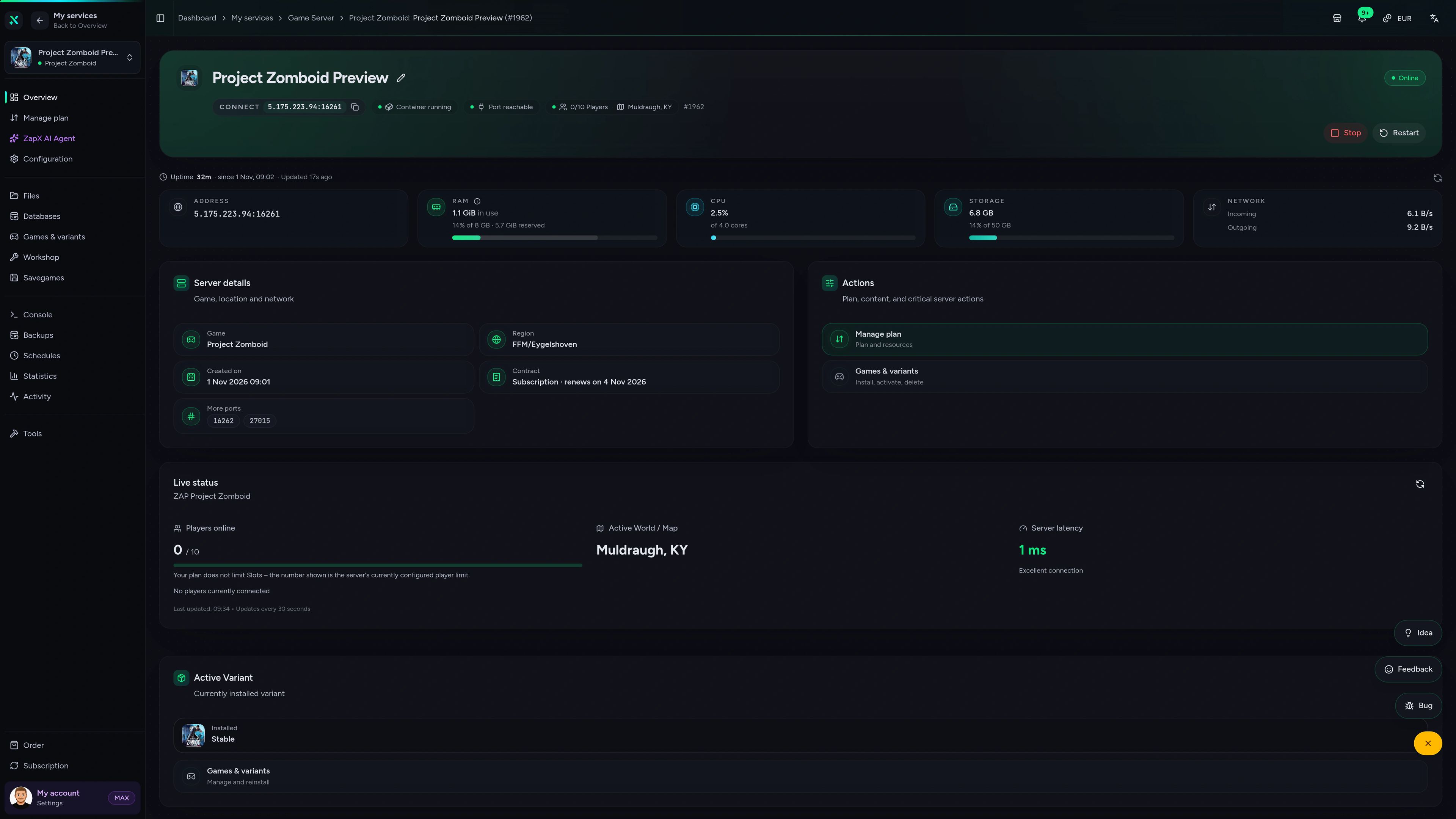
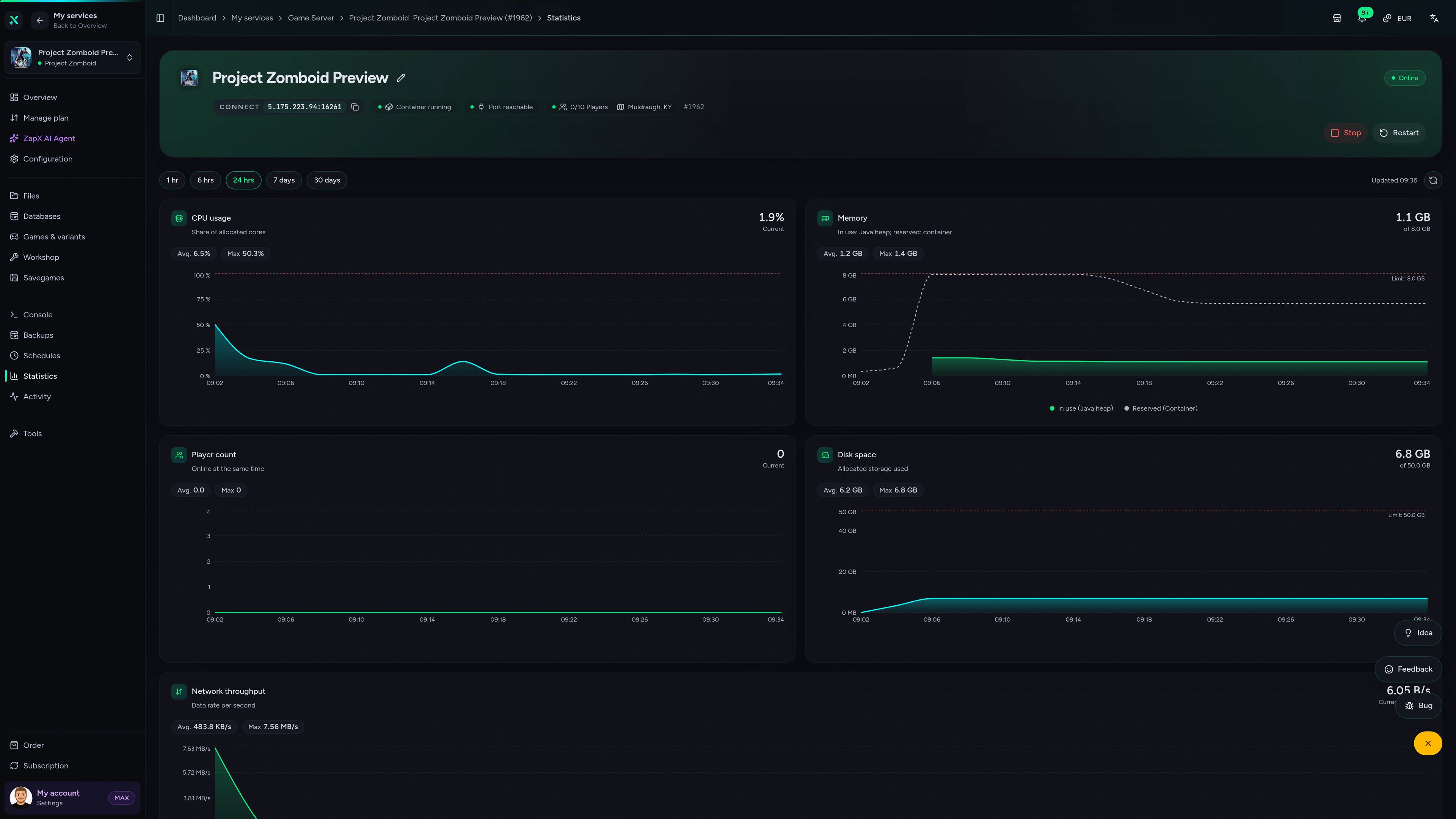
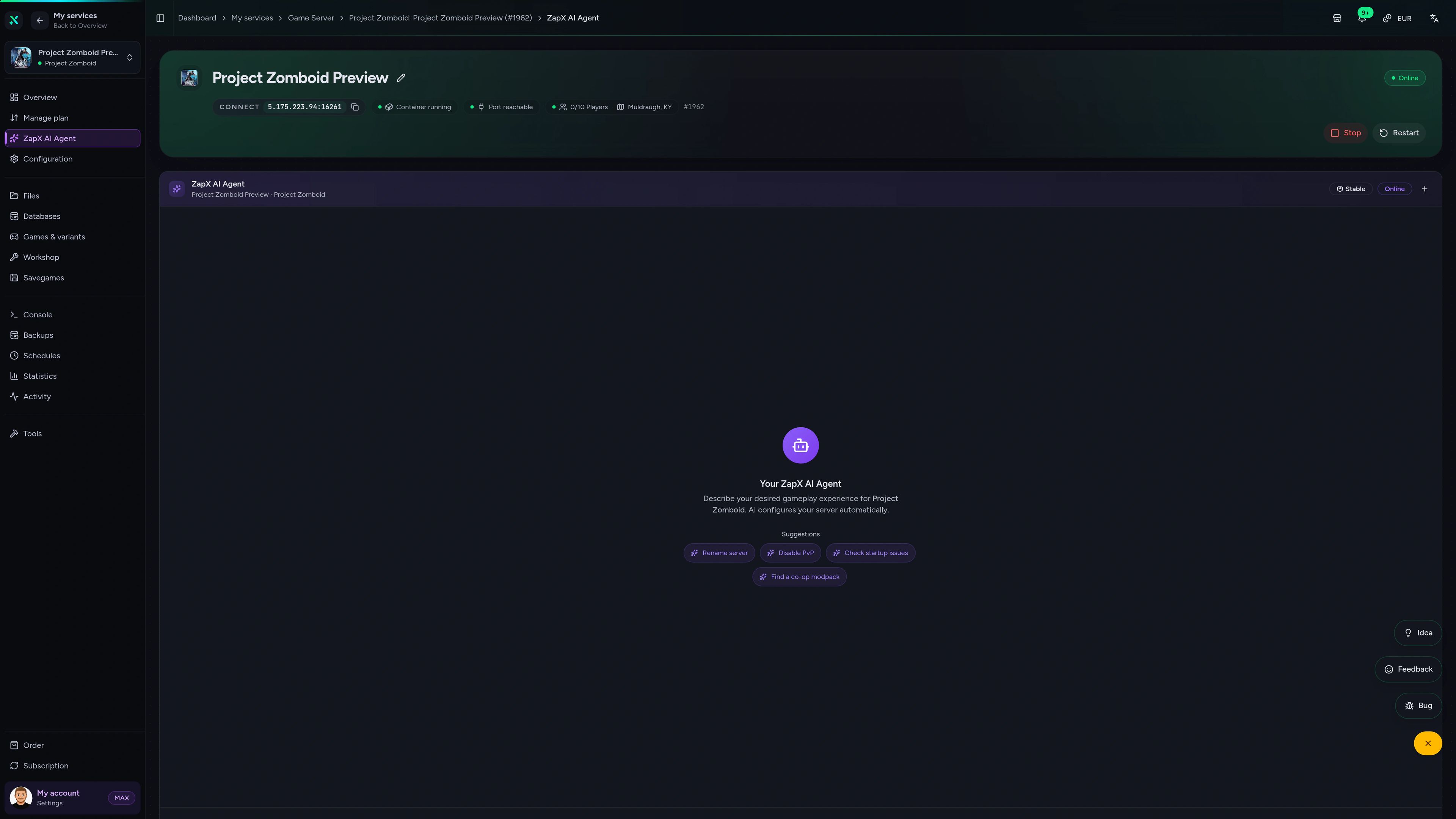
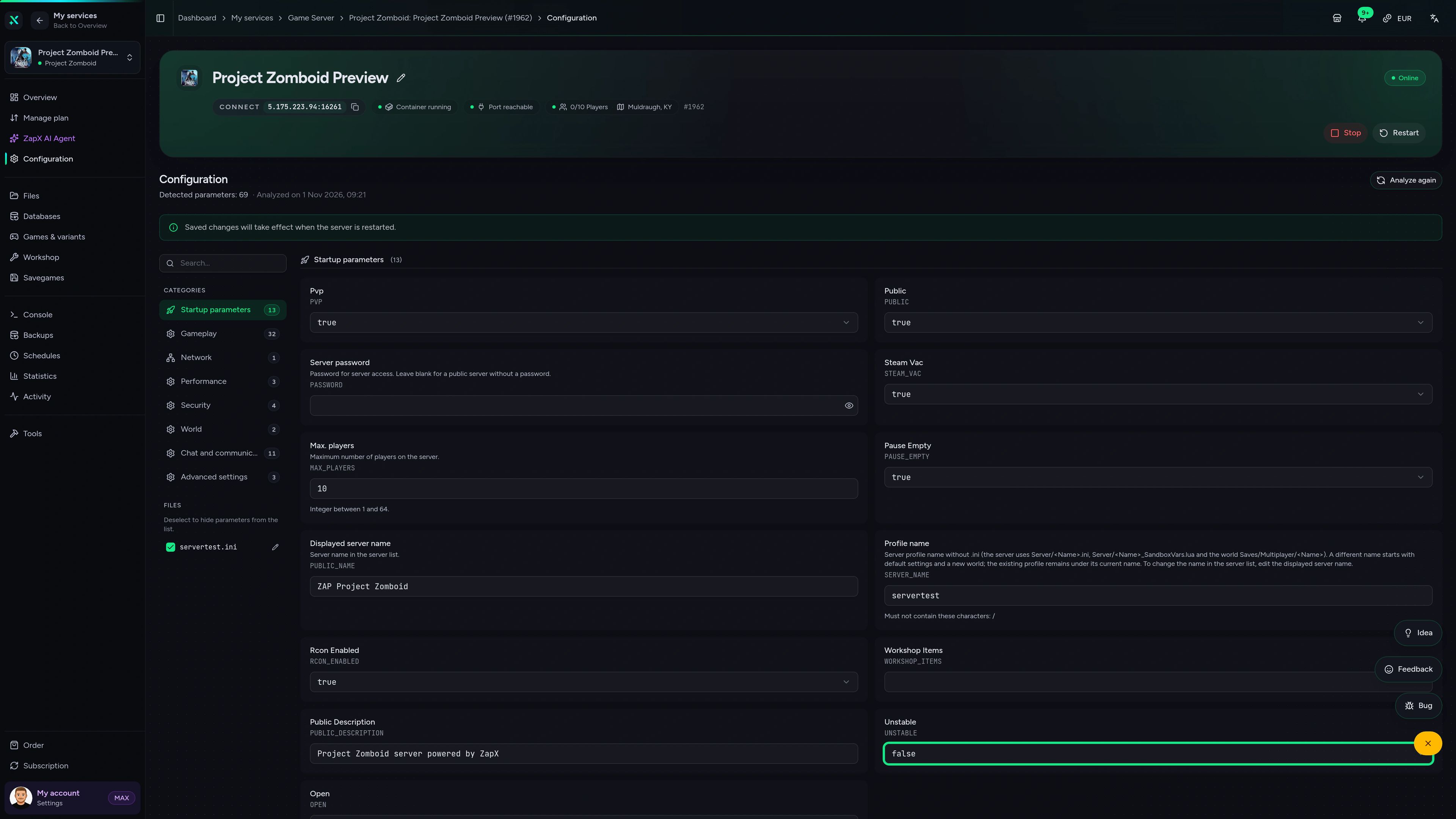
Project Zomboid Game Server – Overview
Overview of the Project Zomboid game server in the ZapX customer panel.
Ask your Project Zomboid server before you change it.
Get guided next steps for RAM sizing, mod stacks, Build 42 changes, save uploads, and safer world management.
Available with ZapX Pass when you want guided, game-specific next steps inside the panel.
See ZapX PassZapX AI Agent
panel.zap-hosting.com
Measured experience
For Project Zomboid, the useful comparison is how clearly a host handles persistent uptime, mod growth, and resource pressure as a world gets busier.
High-performance VPS, CPU model depends on the location
Typical VPS plans without a published host CPU
confirmed 2026-07-01
Built for real servers
Hosting for persistent survival worlds.
From private co-op saves to Build 42 communities, these are the Project Zomboid scenarios where always-online uptime, file access, and scalable resources matter most.
Ready to host?
Start your 24/7 world and scale later.
Mobile controlComing soon
Keep an eye on your world on mobile.
Check status, open the panel, and stay closer to your Project Zomboid world when you are away from your desk.
Discord management
Manage servers directly in Discord.
Check status, start, stop, and restart via slash command — without leaving your community Discord.


Impressionen
Project Zomboid Screenshots
A glimpse into the game world—its atmosphere, exploration, and the moments your community will experience on the server.
Project Zomboid
3 free tools—right in your browser, no sign-up required.
Also available
We also offer the following games.
Switch between your games anytime for free—Minecraft, FiveM, Rust, and more.

Survival & Creative
Minecraft
Vanilla, Modded & Modpacks
Ready in ~2 min

Roleplay
FiveM
Roleplay server in seconds
One-click installation

Survival
Rust
Wipe-ready gameserver
Automatic setup
Also available
Switch between your games anytime for free—Minecraft, FiveM, Rust, and more.
98
Available games











Benefit
Unlimited Slots
We don't artificially limit player Slots. Hardware determines capacity.
Scale based on Mods, scripts, and player load instead of paying for a fixed number of Slots.
Start a world your group can trust every night.
Choose Project Zomboid server hosting for a 24/7 world with mod support, file access, DDoS protection, and room to grow when your community gets heavier.
No setup. No risk. Online in seconds.