
 Demolition derby dedicated server
Wreckfest 2 Server Hosting
Your own DDoS-protected Wreckfest 2 server with unlimited slots, online in under 60 seconds at locations worldwide.
Or try 3 days from €1.35Pick the 3-day term at checkout · renews every 3 days · cancel anytime

Plans and pricing
Packages 1–3 of 8
 racing-sims-wreckfest-2
Configure yourself
Your server. Your power.
No package fits? Choose your RAM, CPU and storage—you only pay for the package you put together.
Powerful CPUs
100 Gbit/s host network
DDoS protection
Instant setup
Cancel anytime
 Visa
 Mastercard
 American Express
 PayPal
 Google Pay
 Apple Pay
 Klarna
 Amazon Pay
About the game
What is a Wreckfest 2 server?
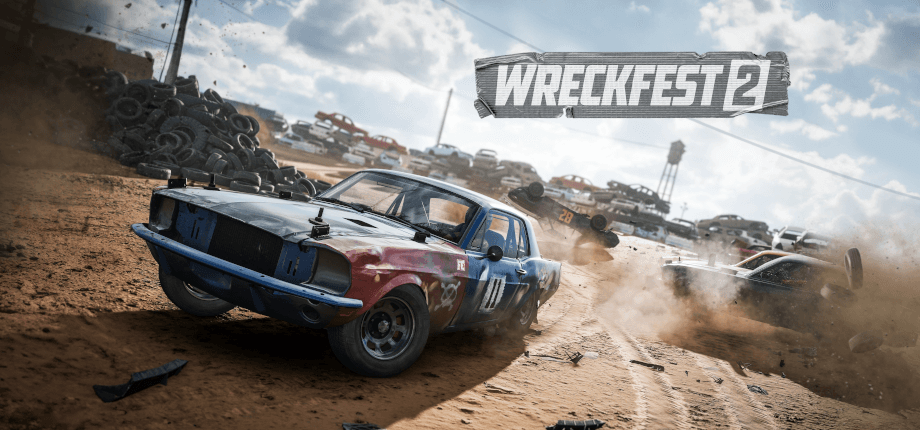
Wreckfest 2 is Bugbear's sequel to the demolition-derby racer Wreckfest: full-contact races, banger ovals and derby arenas where every hit bends metal and the last car still rolling takes the win. It shines online with a regular crew, and your own Wreckfest 2 dedicated server gives that crew a lobby that stays open 24/7 – with your settings, your password and no host PC that has to keep running.
With your own server you skip port forwarding and router setup: friends connect with the IP and port shown in the panel, you adjust server settings in the browser, keep Backups of your configs and choose the location closest to your drivers – with unlimited player slots on every package. Racing the first game instead? Our Wreckfest server hosting covers the original.
Features
Everything your derby server needs.
Unlimited slots, quick setup and full control in the browser – the tools your Wreckfest 2 lobby needs from the first race on.
Unlimited slots for the whole grid
Invite every driver in your crew – no slot tiers, you size RAM and CPU instead.
Online in under 60 seconds
Your derby lobby is ready right after checkout, no manual install needed.
Server settings in the browser
Change server name and password in the panel without editing files by hand.
Backups of your server settings
Roll back to an earlier state with ZapX Pass when a settings change goes wrong.
Locations worldwide
Race where your crew is – pick the data center closest to your drivers.
Scheduled restarts
Plan a restart before your race night so the lobby starts fresh, set up once in the panel.
Locations worldwide
Your server. Your location.
8 data centers worldwide — choose the location closest to your community.
Europe


America


Asia-Pacific


Reviews
What customers say about ZAP-Hosting
Real feedback on support and setup.

Great Service & User Experience
I had applied for partnership at ZAPX and the process and user panel is absolutely fire and very much friendly. Apart from that i have been using their VPS machine for quite a while and it has been great with almost no downtime.

 ZAP-HostingReply

great prices, good specs
the interface was great, migration was flawless and the interface is very user friendly. support team was very helpful aswell
 ZAP-HostingReply
I've been with them for a few years
I've been with them for a few years, and they're one of the best. The lifetime servers have really helped me, and now they've added auto-backup. 10/10!
 ZAP-HostingReply

FAQ
Frequently asked questions about Wreckfest 2
Answers to the most important questions before you start.
How much does a Wreckfest 2 server cost?
The price depends on the package, term and location you choose, not on player slots – every package includes unlimited slots. You'll find the current prices for all packages in the configurator above, together with terms of 3, 30, 90 or 180 days or one year. Lifetime with ZapX Pass is available as a buy-once option.
- Priced by package
- Unlimited slots in every package
- Terms: 3, 30, 90, 180 days or one year
How do I host a Wreckfest 2 server?
Pick a package, choose a location and complete checkout – your Wreckfest 2 server is set up automatically and online in under 60 seconds. Compared with running the dedicated server on your own PC, you skip port forwarding and router setup, the server stays online 24/7 even when your PC is off, and DDoS protection is included. Tour the Wreckfest 2 panel
- No port forwarding needed
- Online 24/7 without your PC
- DDoS protection included
How many players can join my Wreckfest 2 server?
We don't limit player slots on Wreckfest 2 – every package includes unlimited slots. How many drivers line up in one race is defined by the game's own lobby settings. Your package only decides how much RAM and CPU the server has for full grids and busy derbies.
- Unlimited slots on every package
- Race size follows the game's lobby settings
- Scale by RAM and CPU
How much RAM does a Wreckfest 2 server need?
For a private session with friends, less RAM and CPU are usually needed. Plan more RAM and CPU for full grids, frequent pile-ups or a public community lobby running around the clock. Live statistics in the panel show the actual load, and you can add resources if the server reaches its limits. As a guideline: at least 3 GB, 4 GB recommended.
- Small crew: less RAM and CPU needed
- Full grids and public lobbies: more RAM and CPU
- Check live statistics before upgrading
Which server locations can I choose for Wreckfest 2?
You choose from data center locations worldwide when you order – pick the one closest to most of your drivers. Many North American groups start with Ashburn, Dallas or Los Angeles. The full list of available locations is shown in the configurator.
- Locations worldwide
- Choose the location closest to your players
- Full list in the configurator
Can I pay once instead of renting?
Yes. Besides rental terms of 3, 30, 90 or 180 days or one year, you can buy your Wreckfest 2 server as a Lifetime server with ZapX Pass: buy once instead of renting and keep racing while your ZapX Pass is active. Rental servers can be canceled anytime; the cancellation takes effect at the end of the current term. Rent or Lifetime explained
- Terms: 3, 30, 90, 180 days or one year
- Lifetime: buy once with ZapX Pass
- Cancel anytime
How do my friends join my Wreckfest 2 server?
Share your server name or the connection details shown in your panel – your friends connect with that IP and port. If you've set a password, they'll need it to join. The connection guide walks everyone through it step by step. Read the connection guide
- Connection details in the panel
- Optional password for private lobbies
Is my Wreckfest 2 server protected against DDoS attacks?
Yes. Every Wreckfest 2 server includes DDoS protection at no extra cost. Attack traffic is filtered before it reaches your server. You can follow attack events in the DDoS overview of your panel.
- DDoS protection included
- No extra cost
- Attack overview in the panel
Still have questions?
Contact SupportZapX Panel
Your Wreckfest 2 panel
Config, live statistics, schedules and the ZapX AI Agent – everything for your Wreckfest 2 server in one place.
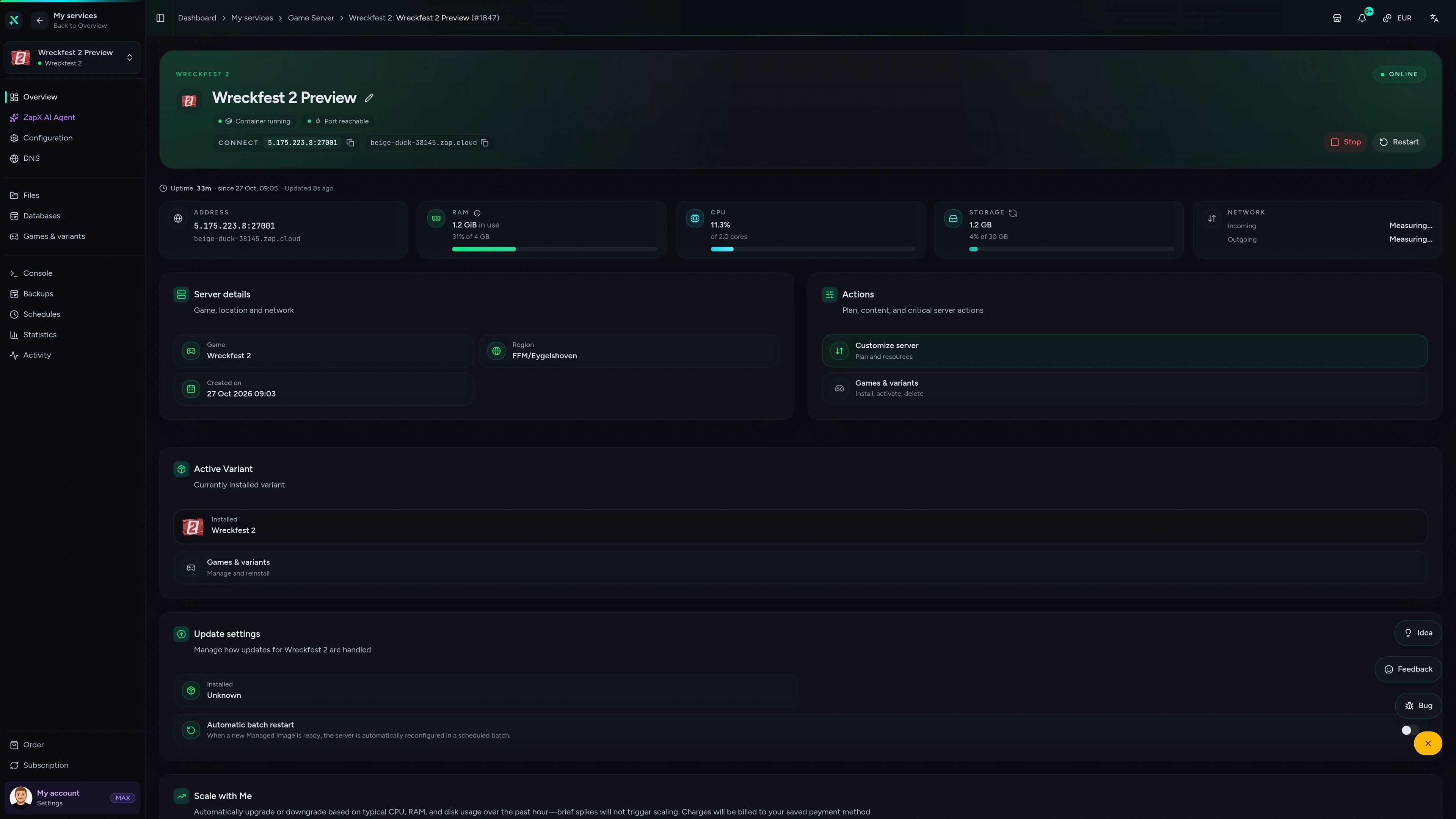
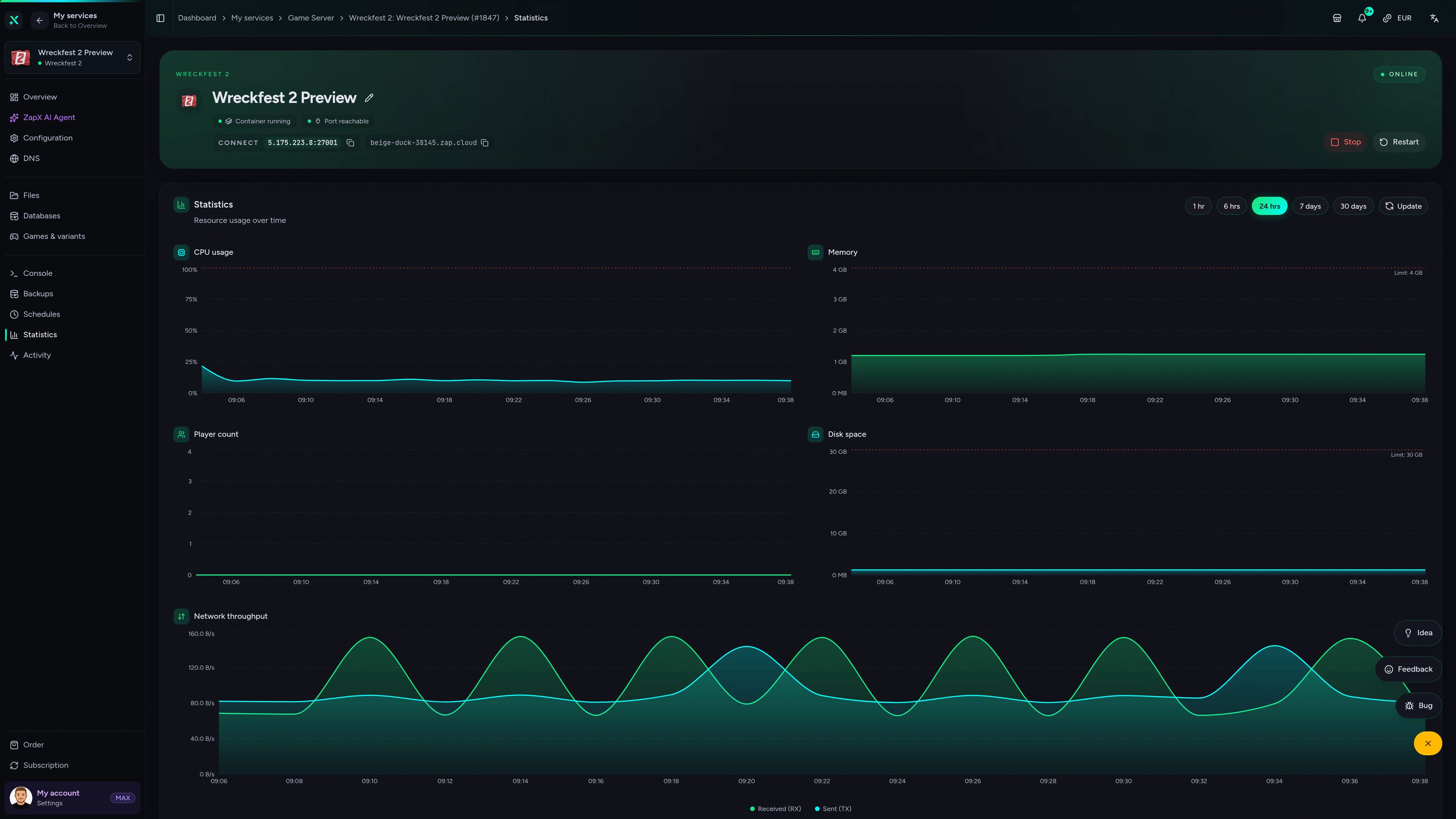
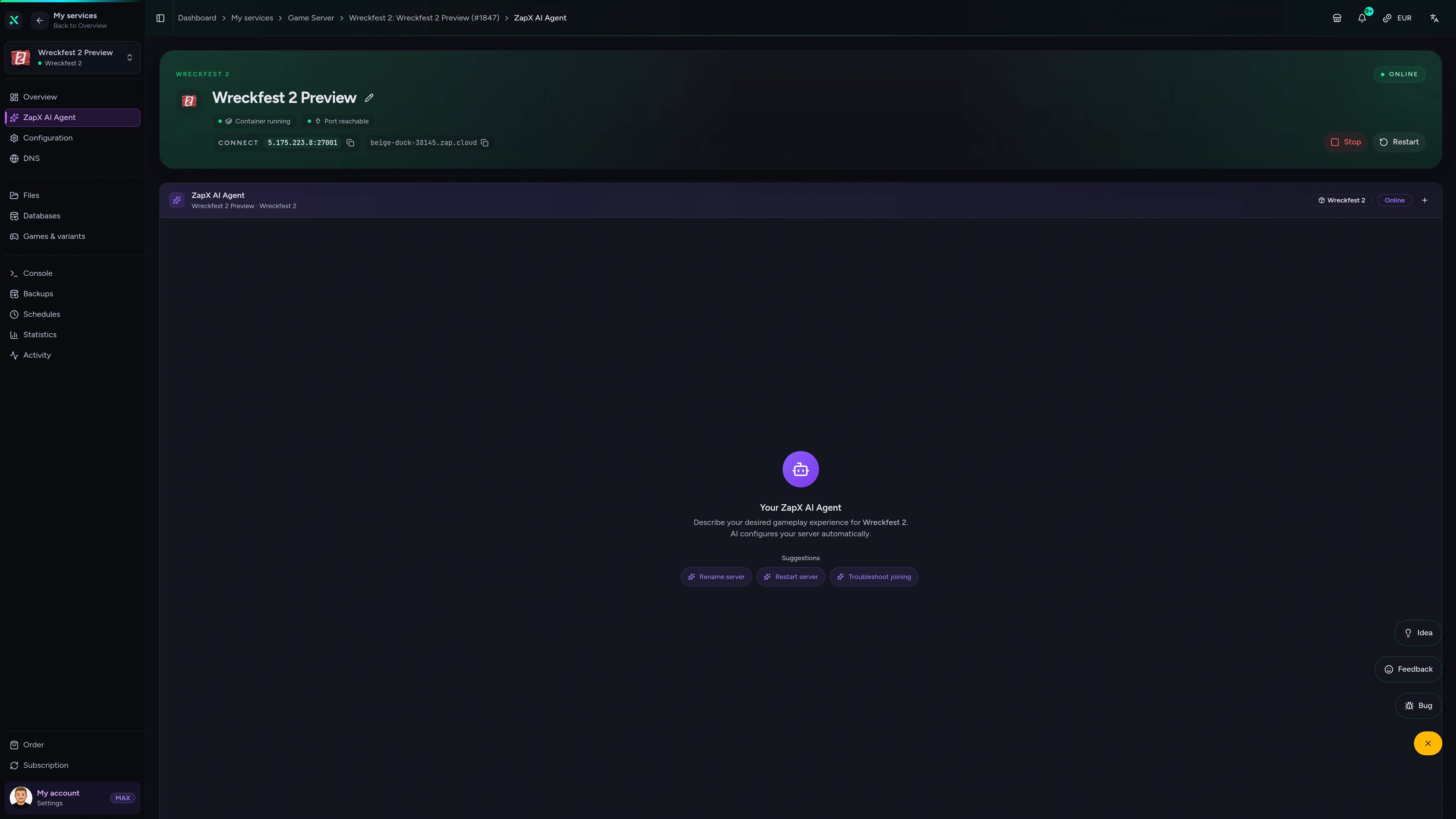
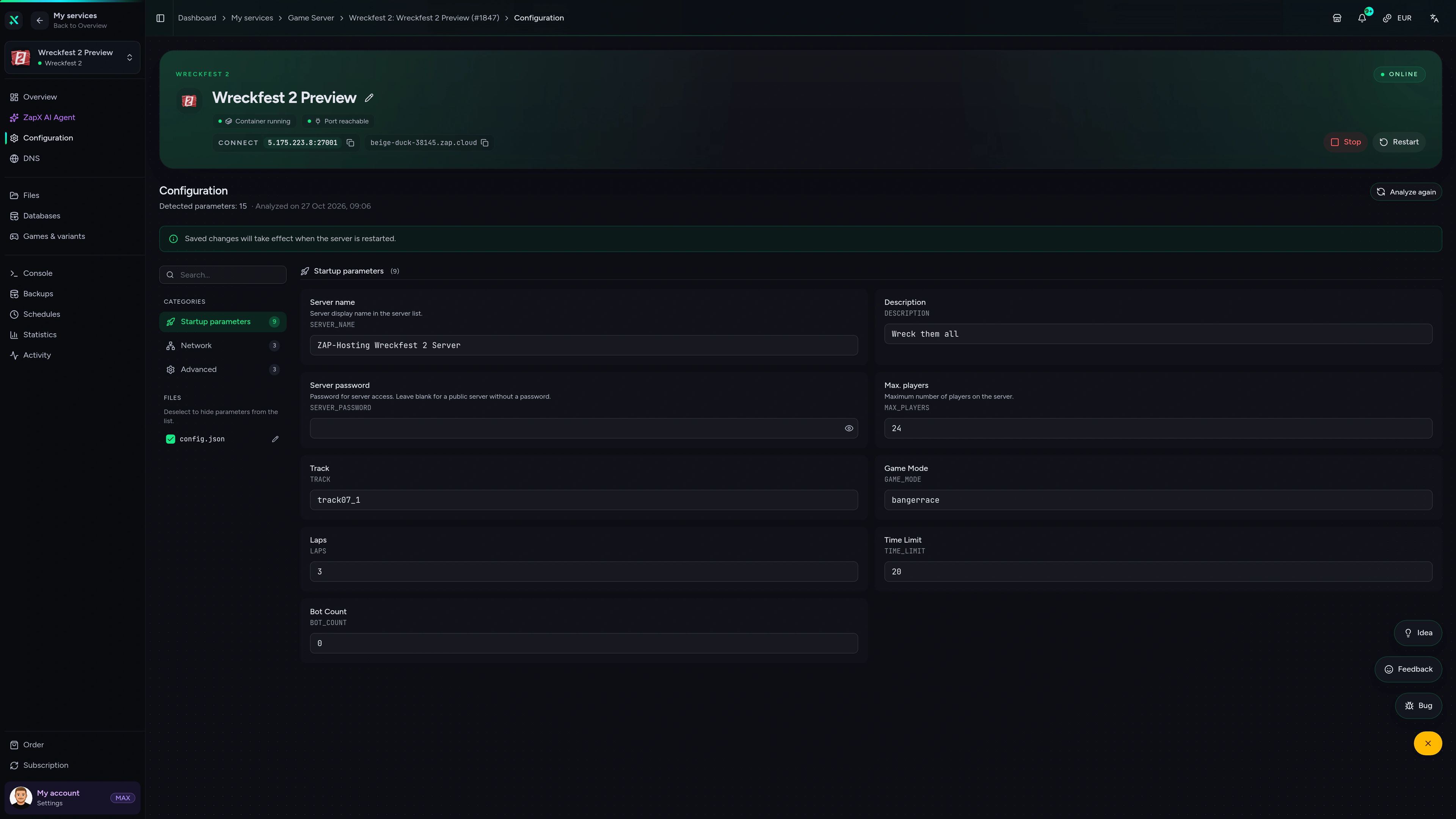
Wreckfest 2 Game Server – Overview
Overview of the Wreckfest 2 game server in the ZapX customer panel.
Ask the ZapX AI Agent about your Wreckfest 2 server
Stuck on a connection issue or unsure which package fits your grid? The ZapX AI Agent explains logs, settings and next steps for your Wreckfest 2 server.
The ZapX AI Agent is part of ZapX Pass. It explains, suggests and guides – you stay in control of every change on your server.
Discover ZapX PassZapX AI Agent
panel.zap-hosting.com
Benchmark
Measured values from our infrastructure, set against what a typical game server host offers for racing lobbies.
High-performance VPS, CPU model depends on the location
Typical VPS plans without a published host CPU
confirmed 2026-07-01
Use cases
Built for every kind of Wreckfest 2 lobby
From a password-locked lobby for your friends to weekly derby nights – unlimited slots and DDoS protection on every package keep the grid open for everyone you invite.
Ready to wreck?
Start your Wreckfest 2 server in under 60 seconds
Mobile appComing soon
Your derby server in your pocket
Restart the server between heats or check the load during a derby night – the mobile app keeps your Wreckfest 2 server within reach.
Discord management
Manage servers directly in Discord.
Check status, start, stop, and restart via slash command — without leaving your community Discord.


Impressionen
Wreckfest 2 Screenshots
A glimpse into the game world—its atmosphere, exploration, and the moments your community will experience on the server.
All free tools
Each category has its own page with all tools for that game or topic.
306 tools in 88 categories — 100% free
Also available
We also offer the following games.
Switch between your games anytime for free—Minecraft, FiveM, Rust, and more.
Survival & Creative
Minecraft
Vanilla, Modded & Modpacks
Ready in ~2 min

Roleplay
FiveM
Roleplay server in seconds
One-click installation

Survival
Rust
Wipe-ready game server
Automatic setup
Also available
Switch between your games anytime for free—Minecraft, FiveM, Rust, and more.
98
Available games







Benefit
Unlimited Slots
We don't artificially limit player Slots. Hardware determines capacity.
Scale based on Mods, scripts, and player load instead of paying for a fixed number of Slots.
Line up your own Wreckfest 2 server
Pick a package, choose a location worldwide and start your first demolition derby in under 60 seconds. Cancel anytime.
No setup. No risk. Online in seconds.