
 Windrose Dedicated Server Hosting
Windrose Server Hosting
Bring your crew aboard: unlimited slots, DDoS protection and locations worldwide, online in 60 seconds with flexible billing.
 Google
Or try 3 days from €1.35Pick the 3-day term at checkout · renews every 3 days · cancel anytime

Plans and pricing
Packages 1–3 of 8
 windrose
Configure yourself
Your server. Your power.
No package fits? Choose your RAM, CPU and storage—you only pay for the package you put together.
Powerful CPUs
100 Gbit/s host network
DDoS protection
World upload
Flexible billing
 Visa
 Mastercard
 American Express
 PayPal
 Google Pay
 Apple Pay
 Klarna
 Amazon Pay
About the game
What is a Windrose server?
Windrose is a pirate survival game set in the Age of Piracy. You gather resources, craft gear, build a base and your own ship, then set sail to explore islands and fight at sea, alone or in co-op with your crew. A dedicated Windrose server keeps that shared world running around the clock, so your crew can drop in and keep building even when the original host is offline.
With your own server, you decide how the voyage runs. Upload the co-op world you already started, set a password, tweak world modifiers like combat and co-op scaling, and share the invite code with your crew. Files, console, statistics and scheduled restarts all live in the ZapX panel, and you pick a location close to where most of your crew plays.

Features
Everything your Windrose crew needs
From world upload to world modifiers: the tools that keep your shared pirate world online and under your control.
Unlimited slots, your RAM decides
Your whole crew fits aboard: pick RAM and CPU, never a slot tier.
Bring your existing co-op world
Keep your progress by uploading the Windrose save you started locally.
World modifiers in the panel
Tune combat, co-op scaling and difficulty in the browser config editor.
Online in 60 seconds
Your crew sets sail fast: the server is ready 60 seconds after checkout.
Password-protected crew access
Only invited crewmates board your world, with a password on top.
Locations worldwide
Your crew plays close to home: pick the location nearest to most players.
Locations worldwide
Your server. Your location.
6 data centers worldwide — choose the location closest to your community.
Europe


America


Reviews
What customers say about ZAP-Hosting
Real feedback on support and setup.
Zap has been a great experience for myself thus far. Easy interface to learn and it makes sense. Having all the tools I need to run my server with short and informative documentation that helped me tremendously. As a adamant gamer, zap has made having my own server fun, easy, and affordable. Thank you Zap!

 ZAP-HostingReply


I have used ZAP-Hosting for VPS services. The ordering process is straightforward, and the support team responds to customer inquiries. I hope to continue using their services and have a smooth experience in the future.
 ZAP-HostingReply


FAQ
Frequently asked questions about Windrose
Answers to the most important questions before you start.
How much does a Windrose server cost?
Windrose server packages start at €7.49 per month. The final price depends on the package, the billing period you pick and the location. The shop always shows live prices, and every package includes unlimited slots and DDoS protection.
- Unlimited slots in every package
- Price depends on package, term and location
- Live prices in the shop
How many players can join my Windrose server?
There are no slot tiers: every package has unlimited slots. The practical limit comes from Windrose itself, as the developers recommend crews of up to 8 players per world, and from the RAM you choose. Pick your package by crew size.
How much RAM does a Windrose server need?
It depends on crew size and how long your world has been running. As a guideline, plan at least 4 GB of RAM; 8 GB is recommended. Big bases and fleets need more headroom, and the live statistics in the panel show when your world is getting tight.
Can I transfer my existing Windrose world to my server?
Yes. You can upload the co-op world you started locally and keep your progress. Stop the server, upload your world save through the file manager, then select it as the active world. You can also keep several worlds and switch between them. How to manage worlds
How do my friends join my Windrose server?
You can join your Windrose server using an invite code. Once your server is running, share its invite code with your crew, and they enter it in the game to join. Add a password if you want to keep your world private. Connecting to your server
How fast is my Windrose server online?
Setup is automated, so your Windrose server is ready to play within 60 seconds of checkout. Then you upload a world or start fresh, adjust settings and share the invite code with your crew.
Which server location should I choose for Windrose?
Pick the location closest to most of your crew, since distance shapes your ping. ZAP-Hosting offers locations worldwide, and many North American crews start with Ashburn, Dallas or Los Angeles. You choose the location when you order.
Which billing periods are available, and is there a Lifetime option?
You choose 3, 30, 90 or 180 days or a year and can cancel anytime; cancellation takes effect at the end of the term. With ZapX Pass, Windrose is also available as a Lifetime server: buy once instead of renting and keep sailing while your ZapX Pass is active.
Still have questions?
Contact SupportZapX Panel
Your Windrose server in the ZapX panel
Statistics, config editor, files, console and schedules: everything your crew's world needs in one place.
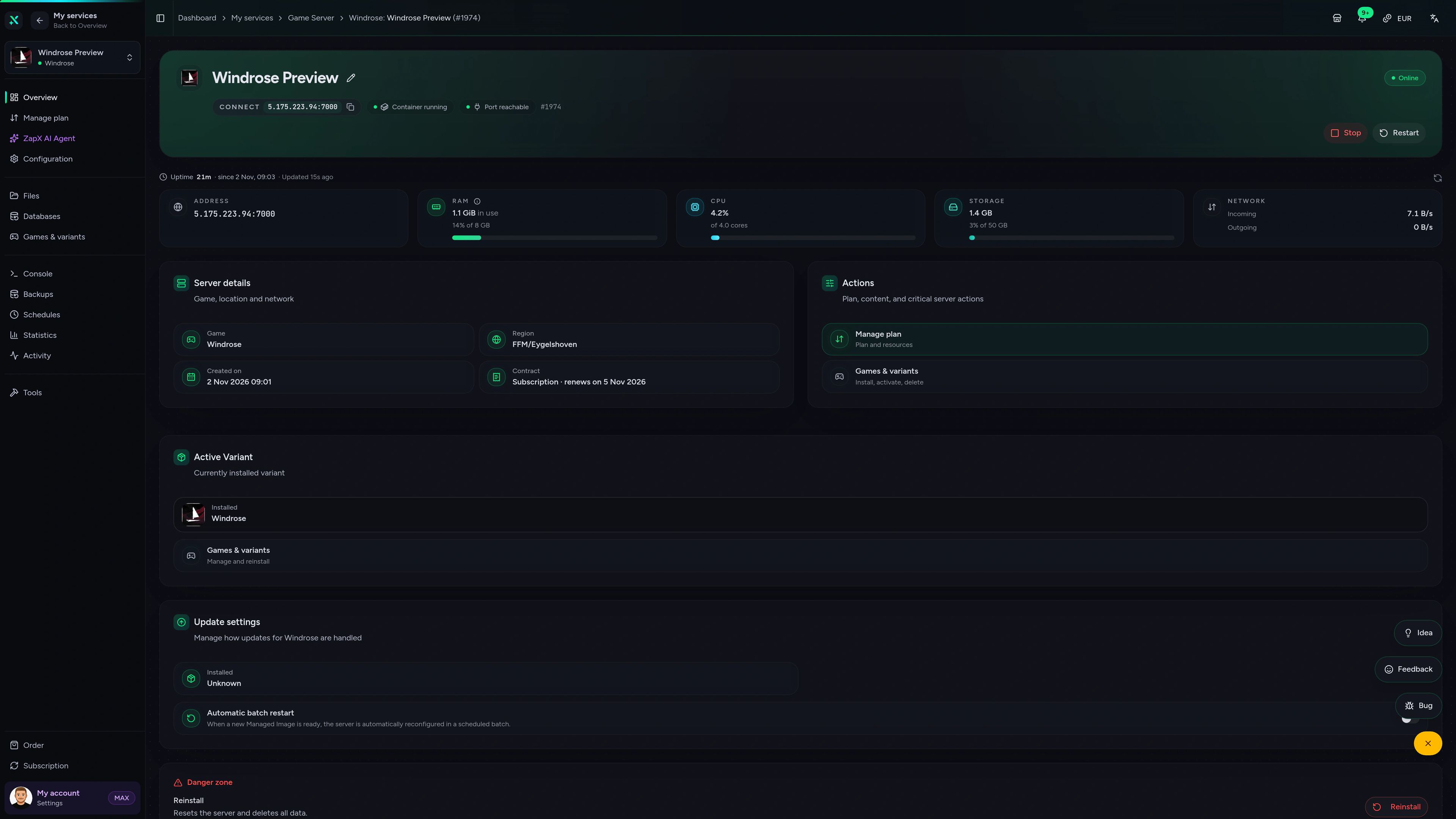
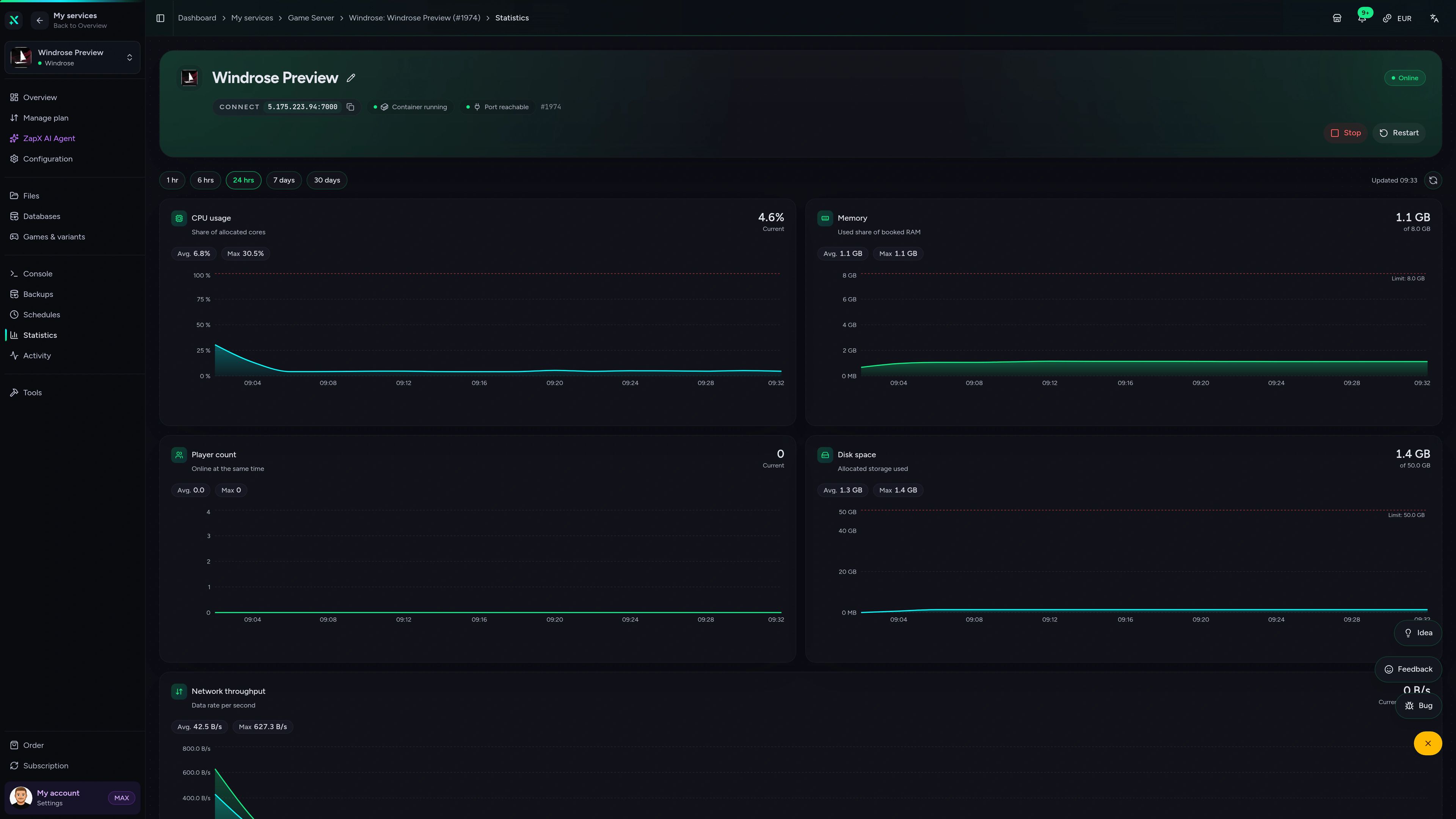
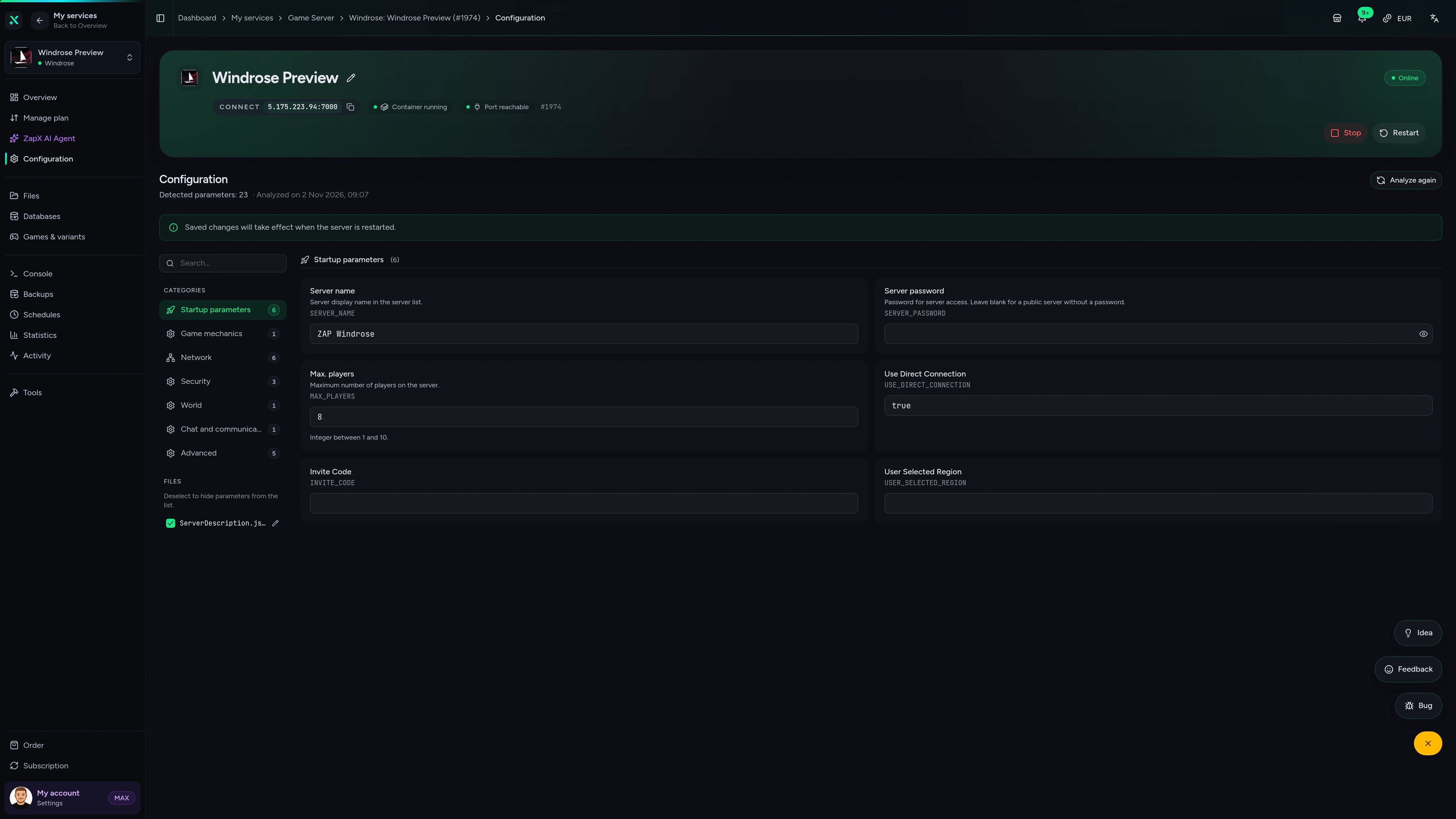
Windrose Game Server – Overview
Overview of the Windrose game server in the ZapX customer panel.
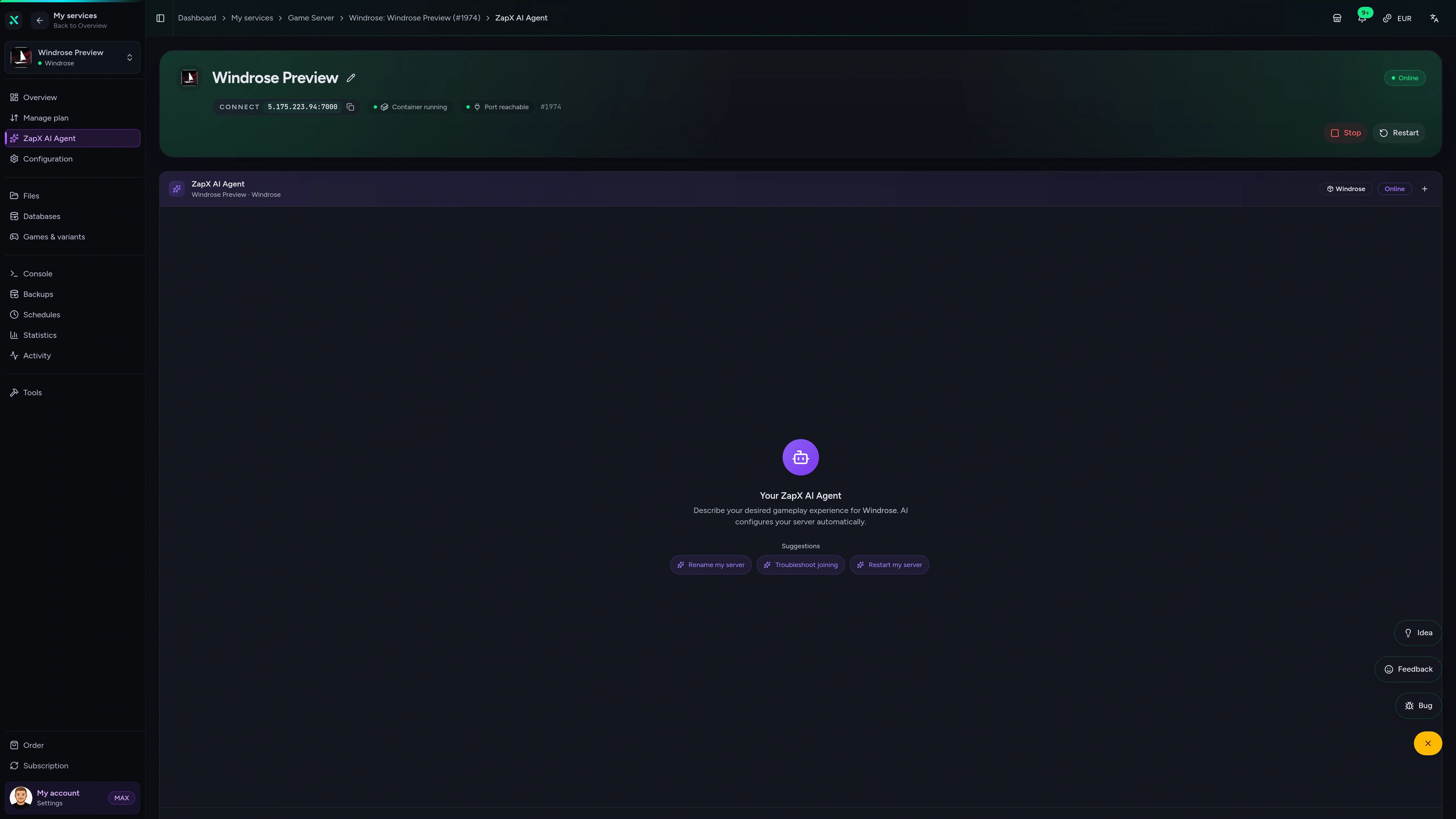
Your Windrose server questions, answered in the panel
The ZapX AI Agent explains settings, reads errors with you and suggests safe next steps. You stay in control of every change.
The ZapX AI Agent is part of ZapX Pass and gives advice. The ZapX AI Agent can apply changes after you confirm, or you can apply them yourself.
Discover ZapX PassZapX AI Agent
panel.zap-hosting.com
Benchmark
Measured performance and network values, side by side with what typical Windrose hosts offer.
High-performance VPS, CPU model depends on the location
Typical VPS plans without a published host CPU
confirmed 2026-07-01
Use cases
How crews sail with their own Windrose server
From a small co-op crew to a growing pirate community: one always-online world with unlimited slots, where RAM, not slot tiers, sets the pace.
Ready to set sail?
Your crew's world, online around the clock
Mobile appComing soon
Your Windrose server in your pocket
Check status and restart your server from your phone while your crew is out at sea.
Discord management
Manage servers directly in Discord.
Check status, start, stop, and restart via slash command — without leaving your community Discord.


Impressionen
Windrose Screenshots
A glimpse into the game world—its atmosphere, exploration, and the moments your community will experience on the server.
Windrose
1 free tool – right in your browser, no sign-up needed.
Also available
We also offer the following games.
Switch between your games anytime for free—Minecraft, FiveM, Rust, and more.

Survival & Creative
Minecraft
Vanilla, Modded & Modpacks
Ready in ~2 min

Roleplay
FiveM
Roleplay server in seconds
One-click installation

Survival
Rust
Wipe-ready game server
Automatic setup
Also available
Switch between your games anytime for free—Minecraft, FiveM, Rust, and more.
98
Available games












Benefit
Unlimited Slots
We don't artificially limit player Slots. Hardware determines capacity.
Scale based on Mods, scripts, and player load instead of paying for a fixed number of Slots.
Ready to launch your Windrose server?
Unlimited slots, DDoS protection and locations worldwide. Your crew's world is online in 60 seconds.
No setup. No risk. Online in seconds.