
 Zombie survival server hosting
Vein Server Hosting
Your Vein world stays online 24/7 and is ready in 60 seconds, with unlimited player slots and locations worldwide.

Plans and pricing
Packages 1–3 of 7
 vein
Configure yourself
Your server. Your power.
No package fits? Choose your RAM, CPU and storage—you only pay for the performance your community actually needs.
Powerful CPUs
100 Gbit/s host network
DDoS protection
Savegame upload
Flexible terms
 Visa
 Mastercard
 American Express
 PayPal
 Google Pay
 Apple Pay
 Klarna
 Amazon Pay
About the game
What is a Vein server?
VEIN is a zombie survival game set in a detailed, persistent post-apocalyptic town: you scavenge houses, manage hunger, thirst and temperature, repair cars and fortify a base while the infected roam outside. It is still in Early Access and plays best with friends, because a shared world remembers every looted building, every base and every vehicle. A Vein dedicated server is that shared world, running on its own so your group can drop in whenever they want.
With Vein server hosting your world stays online 24/7, even when your own PC is off. You pick the package for your group instead of paying per player slot, set the server name, password and admins in the panel, upload an existing savegame and choose the location closest to your friends from data centers worldwide. No SteamCMD install, no port forwarding and no Game.ini guesswork.

Everything included
Everything your Vein world needs.
Unlimited slots, savegame upload, Backups and panel settings come with every Vein package.
Unlimited player slots
Invite the whole group: you never pay per player slot; prices depend on package, term and location.
Online within 60 seconds
Your Vein world is live shortly after ordering, without SteamCMD or port forwarding.
Resources for a persistent world
Bases, loot and infected keep running smoothly when RAM and CPU match your group.
Bring your savegame
Continue an existing Vein world by uploading its savegame to your server.
Backups of your world
With ZapX Pass, roll back after a bad night or a broken update with saved world Backups.
Settings in the panel
Change server name, password, public listing and anti-cheat in the browser, not in Game.ini.
Locations worldwide
Your server. Your location.
8 data centers worldwide — choose the location closest to your community.
Europe


America


Asia-Pacific


Reviews
What customers say about ZAP-Hosting
Real feedback on support and setup.
great prices, good specs
the interface was great, migration was flawless and the interface is very user friendly. support team was very helpful aswell

 ZAP-HostingReply
I've been with them for a few years
I've been with them for a few years, and they're one of the best. The lifetime servers have really helped me, and now they've added auto-backup. 10/10!
 ZAP-HostingReply


FAQ
Frequently asked questions about Vein
Answers to the most important questions before you start.
How much does a Vein server cost?
Price by package, term and location, never per player.
The price depends on the package you pick, the term and the location, not on how many friends join. Current prices for every package are shown live in the pricing section above and in the shop. Terms are flexible, so you can start small for a few weekend sessions and adjust later.
- Price set by package, term and location
- Unlimited player slots included
- Flexible terms
How many players can join my Vein server?
Every package comes with unlimited player slots.
There is no slot cap from our side. How many survivors play smoothly at once depends on the RAM and CPU you choose and on the limits the game itself sets during Early Access. A small co-op group needs fewer resources; bigger communities with many bases should plan more resources.
- No slot cap
- Performance scales with RAM and CPU
- Same price for 2 or 20 friends
How much RAM does a Vein server need?
Around 12 GB is a solid baseline for a stable world.
VEIN simulates a persistent town with loot, vehicles and infected, so the dedicated server is memory-hungry. We recommend about 12 GB RAM as a baseline for a stable world, with 6 GB as the minimum. Larger groups and long-running worlds with many bases benefit from more. The panel shows live RAM usage, so you can see when an upgrade makes sense. How upgrades work
- About 12 GB as a baseline
- More for big groups and old worlds
- Live RAM usage in the panel
How do my friends join my Vein server?
Share the address and password from your panel.
Once your server is online, the panel shows its address. Set a password there, share both with your group and everyone can join from inside the game. If a friend can't connect, check that the server has finished starting and that the password matches. Fix common Vein issues
- Online within 60 seconds
- Address shown in the panel
- Password set in the panel
Should I rent a Vein server or host a dedicated server myself?
Self-hosting works, but your PC has to run 24/7.
You can run the free Vein dedicated server yourself via SteamCMD. Then you forward the game ports on your router, edit Game.ini by hand and keep a PC with enough RAM running around the clock. A rented server stays online when your PC is off, comes with DDoS protection and lets you change settings in the panel. Tour the Vein panel
- No SteamCMD or port forwarding
- Online while your PC is off
- Settings in the browser
Is my Vein server protected against DDoS attacks?
Yes, DDoS protection is included on every package.
Every Vein server runs behind our DDoS protection at no extra cost. Attack traffic is filtered automatically, so your group's session isn't cut short by someone flooding the connection. More about our DDoS protection
- Included at no extra cost
- Active on every package
- Filters attacks automatically
Which server location should I choose?
Pick the location closest to most of your players.
We run data centers worldwide, and you choose the location when ordering. Latency depends on distance, so pick the one closest to where most of your group plays. Many groups in North America start with Ashburn, Dallas or Los Angeles; players elsewhere pick the location nearest to them.
- Locations worldwide
- Choose when ordering
- Closest location to your group
Can I upload or back up my Vein savegame?
Yes, bring your world along and keep Backups with ZapX Pass.
If you already started a world in a local session or on another server, you can upload the savegame to your Vein server and continue where you left off. Backups of your world can be created in the panel with ZapX Pass, so a bad raid or a broken update doesn't cost you your base. How to manage Vein savegames
- Upload existing worlds
- Backups in the panel
- Restore with ZapX Pass
Any more questions?
Contact SupportZapX Panel
Your Vein server in one panel.
Start and restart your Vein server, watch RAM usage, manage files and Backups (with ZapX Pass) and ask the ZapX AI Agent, all in your browser.
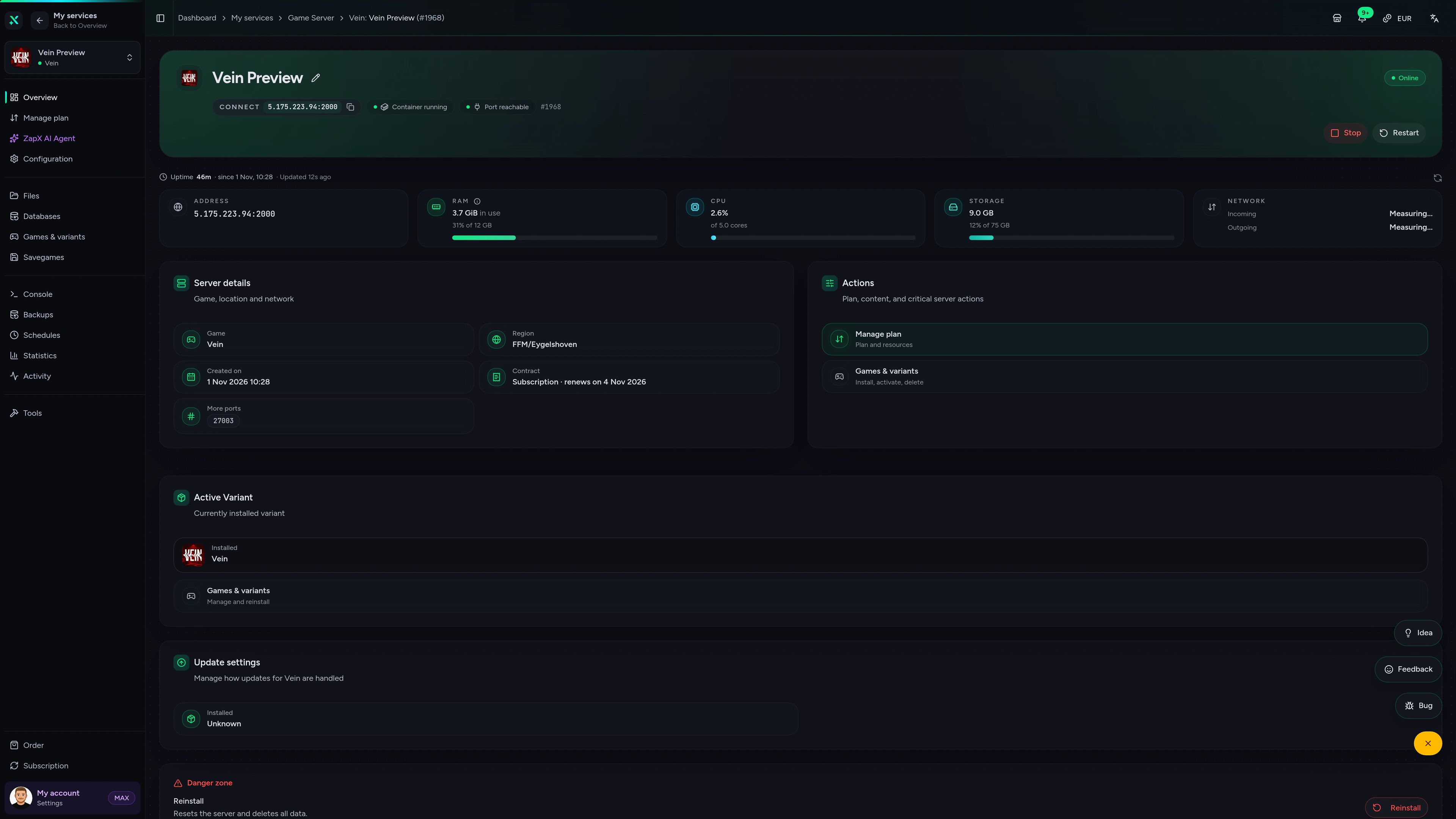
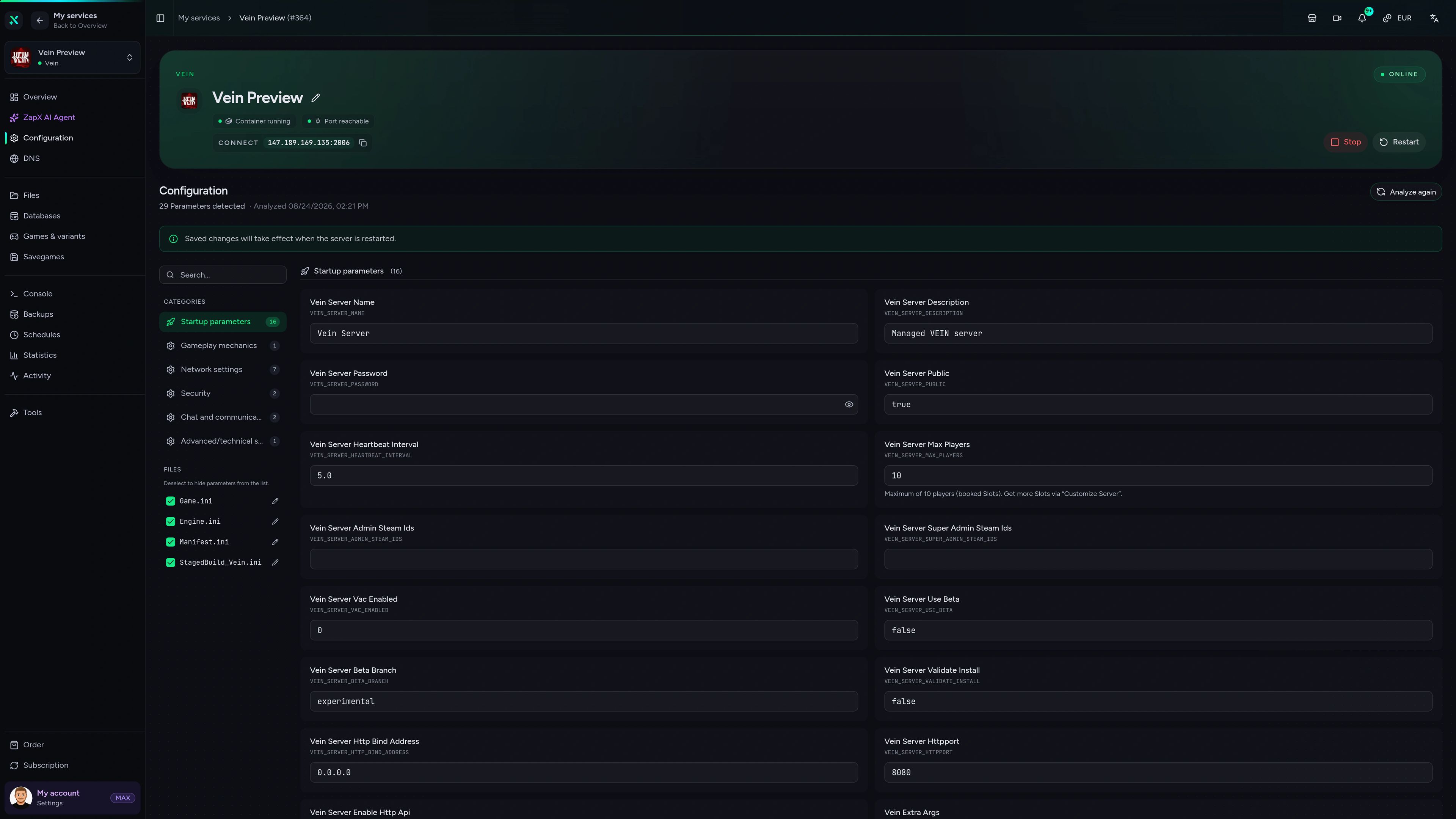
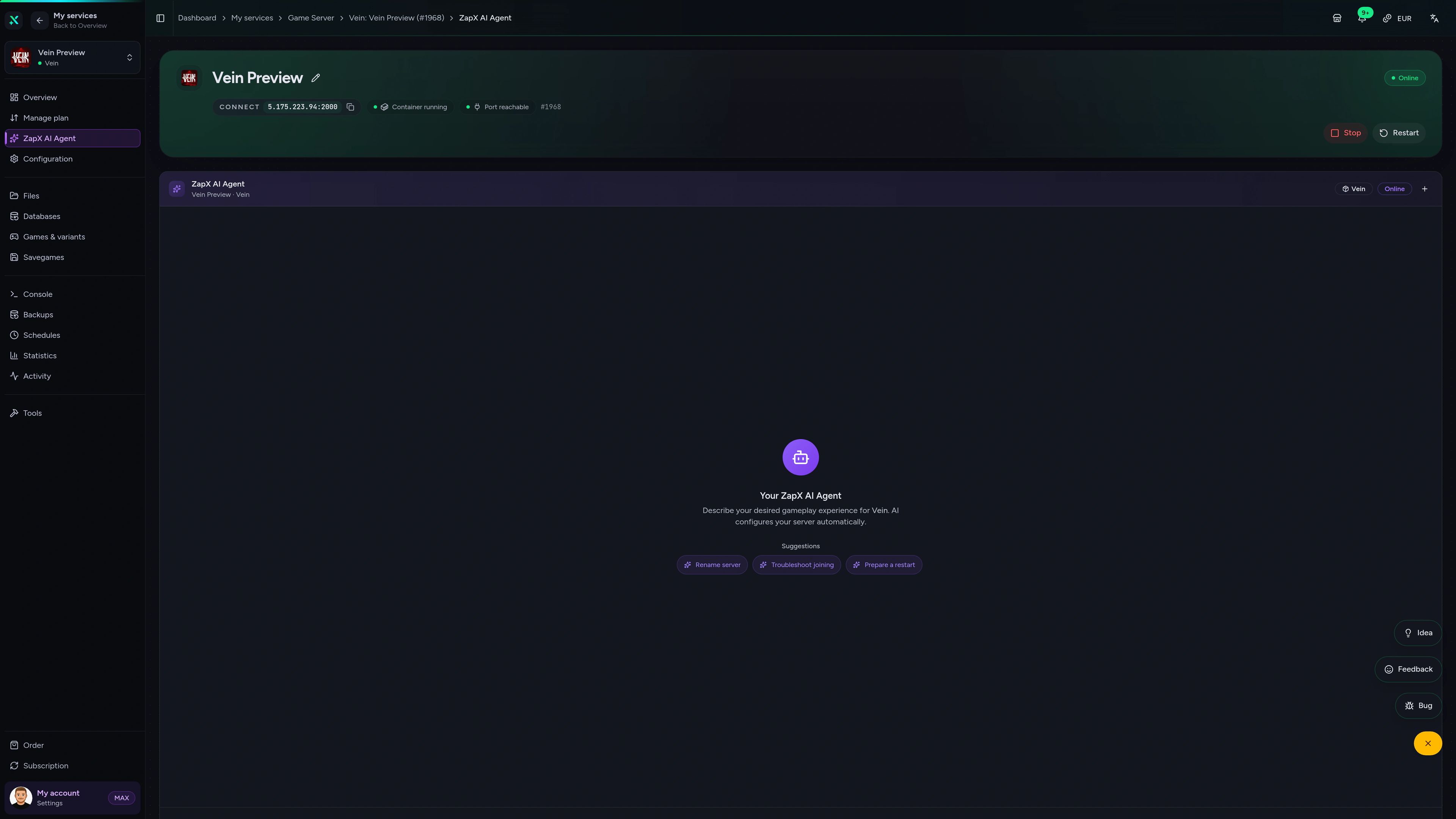
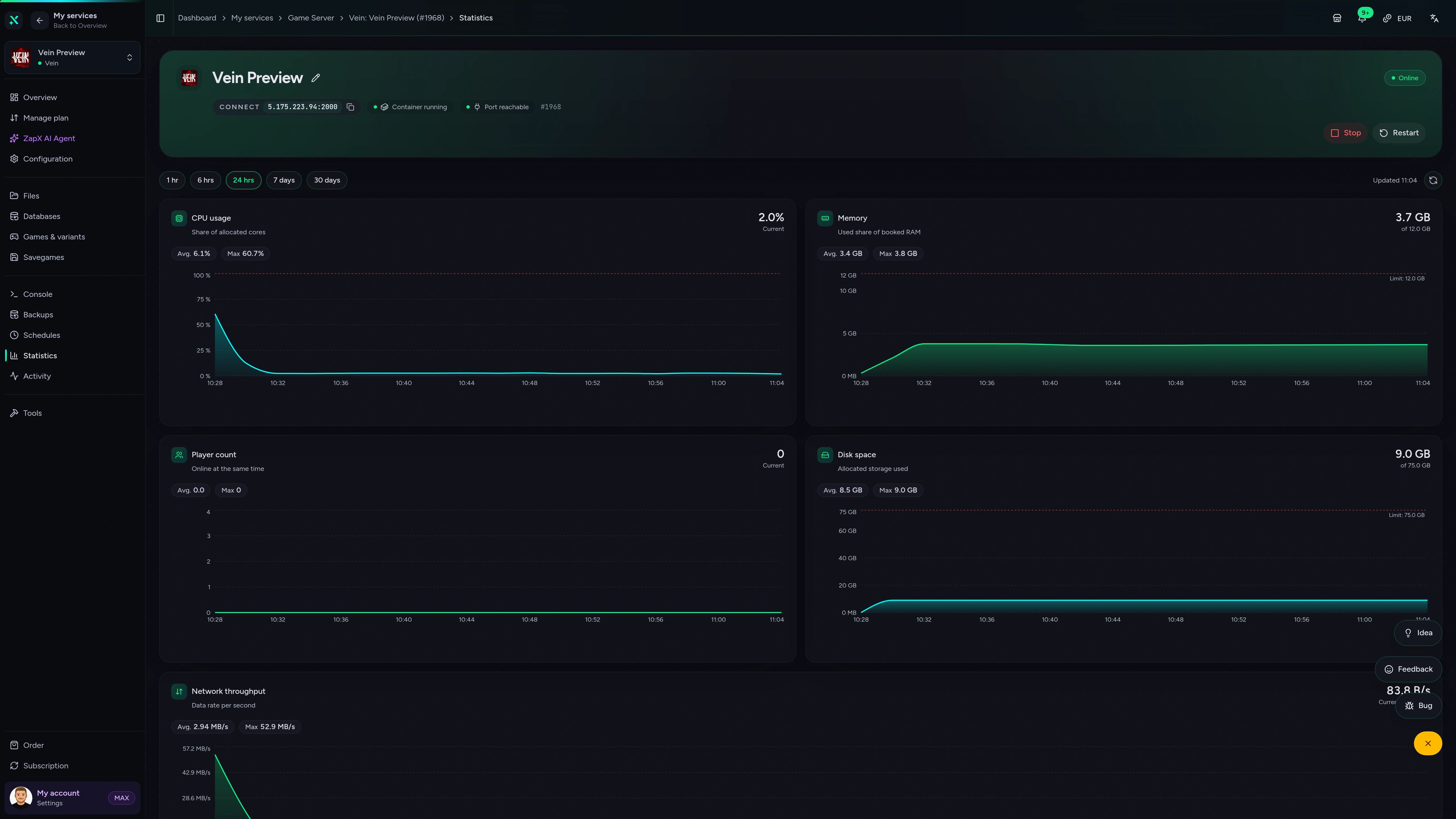
Vein Game Server – Overview
Overview of the Vein game server in the ZapX customer panel.
Ask about your Vein server. Get a clear next step.
The ZapX AI Agent knows your Vein server's context and explains settings, log entries and RAM usage right in the panel, so you know what to do next.
The ZapX AI Agent is part of ZapX Pass and applies account-wide to all supported services.
See ZapX PassZapX AI Agent
panel.zap-hosting.com
Benchmark
Comparable numbers from our own infrastructure, with methodology and measurement date and no made-up competitor figures.
High-performance VPS, CPU model depends on the location
Typical VPS plans without a published host CPU
confirmed 2026-07-01
Typical Vein setups
What groups use their Vein server for.
From a weekend co-op crew to a long-running survival world: these setups show when unlimited slots, Backups and panel settings matter most.
Start your world
Your friends are waiting — go live today.
Mobile AppComing soon
Your Vein server. In your pocket.
Manage your Vein server from anywhere with the ZapX app: check status, restart after an update, read the logs.
Discord management
Manage servers directly in Discord.
Check status, start, stop, and restart via slash command — without leaving your community Discord.


Impressionen
Vein Screenshots
A glimpse into the game world—its atmosphere, exploration, and the moments your community will experience on the server.
Vein
1 free tool – right in your browser, no sign-up needed.
Also available
We also offer the following games.
Switch between your games anytime for free—Minecraft, FiveM, Rust, and more.

Survival & Creative
Minecraft
Vanilla, Modded & Modpacks
Ready in ~2 min

Roleplay
FiveM
Roleplay server in seconds
One-click installation

Survival
Rust
Wipe-ready gameserver
Automatic setup
Also available
Switch between your games anytime for free—Minecraft, FiveM, Rust, and more.
98
Available games












Benefit
Unlimited Slots
We don't artificially limit player Slots. Hardware determines capacity.
Scale based on Mods, scripts, and player load instead of paying for a fixed number of Slots.
Your Vein world is waiting.
Start your Vein server now: unlimited player slots, DDoS protection and your world online within 60 seconds.
No setup. No risk. Online in seconds.