 Modded Terraria, online 24/7
Terraria tModLoader Server hosting.
Run Calamity, Thorium and your favorite mods 24/7 with unlimited player slots, scalable RAM and locations worldwide.
Or try 3 days from €0.81Pick the 3-day term at checkout · renews every 3 days · cancel anytime

Plans and pricing
Packages 1–3 of 9
 terraria-tmodloader
Configure yourself
Your server. Your power.
No package fits? Choose your RAM, CPU and storage—you only pay for the package you put together.
Powerful CPUs
100 Gbit/s host network
DDoS protection
FTP access
24/7 support
 Visa
 Mastercard
 American Express
 PayPal
 Google Pay
 Apple Pay
 Klarna
 Amazon Pay
About tModLoader
What is a tModLoader server?
tModLoader is the free modding platform for Terraria on Steam. It turns the 2D sandbox of digging, building, exploring and boss fights into a new adventure, whether that means Calamity's extra bosses and biomes, Thorium's new classes or a handful of quality-of-life tweaks. Terraria tModLoader server hosting gives that modded world its own 24/7 server with unlimited player slots, so your group can jump in anytime without one friend's PC running Host & Play.
Because you control the server, you decide what your playthrough looks like: upload your mods and enabled.json via file manager or FTP, bring an existing world along, set difficulty and the server password in the panel, and pick the location closest to your players. Restarts, Backups and the live console stay one click away, even in the middle of a boss rush.
Features
Modded Terraria server hosting for Calamity, Thorium & more
Everything your modded playthrough needs, from unlimited slots and world uploads to RAM that grows with your mod list.
Unlimited player slots
Bring the whole friend group or Discord; packages scale by RAM, never by player count.
Upload your existing world
Keep your progress: upload your .wld and .twld files and continue where you left off.
RAM that grows with your mod list
Added Calamity or Thorium later? Move to more RAM without starting a new world.
Server settings in the panel
Set difficulty, password and world size in your browser instead of editing config files.
Online in about 60 seconds
Your tModLoader server is ready for your group about a minute after you order.
Locations worldwide
Pick the data center closest to your group for smooth co-op boss fights.
Locations worldwide
Your server. Your location.
8 data centers worldwide — choose the location closest to your community.
Europe


America


Asia-Pacific


Reviews
What customers say about ZAP-Hosting
Real feedback on support and setup.
great prices, good specs
the interface was great, migration was flawless and the interface is very user friendly. support team was very helpful aswell

 ZAP-HostingReply
I've been with them for a few years
I've been with them for a few years, and they're one of the best. The lifetime servers have really helped me, and now they've added auto-backup. 10/10!
 ZAP-HostingReply


FAQ
Frequently asked questions about tModLoader
Answers to the most important questions before you start.
How much does a tModLoader server cost?
The price depends on the package, rental term and location you pick. Current rates load live in the package overview on this page. Every package includes unlimited player slots and DDoS protection, so you never pay per player.
- Priced by package, rental term and location, never per slot
- Unlimited player slots on every package
- Cancel anytime
How much RAM do I need for a modded Terraria server?
It depends on your mod list and world size. A few quality-of-life mods need relatively little RAM. Big content mods like Calamity or Thorium load far more assets and usually need noticeably more RAM. Watch the RAM graph in your panel, and if usage stays near the limit, increase RAM and keep your world. As a guideline: at least 2 GB, 6 GB recommended.
- Small QoL mod lists: start with a smaller package
- Calamity or Thorium: plan for more headroom
- Several content mods together: allow plenty of RAM
How many players can join my tModLoader server?
Every package comes with unlimited player slots. The real limit is how much RAM and CPU your mods and world need, so a bigger group on a heavy modpack calls for more resources. You can set a max player count or a server password whenever you like.
How do I install mods like Calamity on my server?
Upload the .tmod files to the server's Mods folder with the file manager or SFTP, list them in enabled.json and restart. The server and your players must run the same mod versions. When friends join, tModLoader can download any mods they're missing. Step-by-step mod guide
- Upload .tmod files via file manager or SFTP
- Enable the mods in enabled.json
- Keep mod versions identical for everyone
Can I upload my existing tModLoader world?
Yes. Copy the .wld file and its matching .twld file from your local tModLoader Worlds folder, upload both to your server and set the world as active. The .twld file holds your modded data, so keep the pair together and run the same mods as before. Read the savegame guide
Can I host a tModLoader server for free?
Yes, with Host & Play inside tModLoader. However, your world is only online while your PC is running, you need port 7777 and port forwarding, and everyone depends on the host. A dedicated tModLoader server stays online 24/7 with its own IP and DDoS protection, and it puts no load on your gaming PC.
- Host & Play: only online while your PC runs
- Dedicated server: online 24/7, no port forwarding
Which server location should I choose?
Choose the location closest to most of your players, because distance has the biggest effect on latency. ZAP-Hosting offers locations worldwide, including FFM/Eygelshoven, London, Singapore and Sydney. Many North American groups start with Ashburn, Dallas or Los Angeles.
Is my tModLoader server protected against DDoS attacks?
Yes. DDoS protection is included with every tModLoader server at no extra cost. It filters attack traffic before it reaches your world, so your boss fights keep running. You can see past incidents in the DDoS Manager in your panel.
Any more questions?
Contact SupportPanel
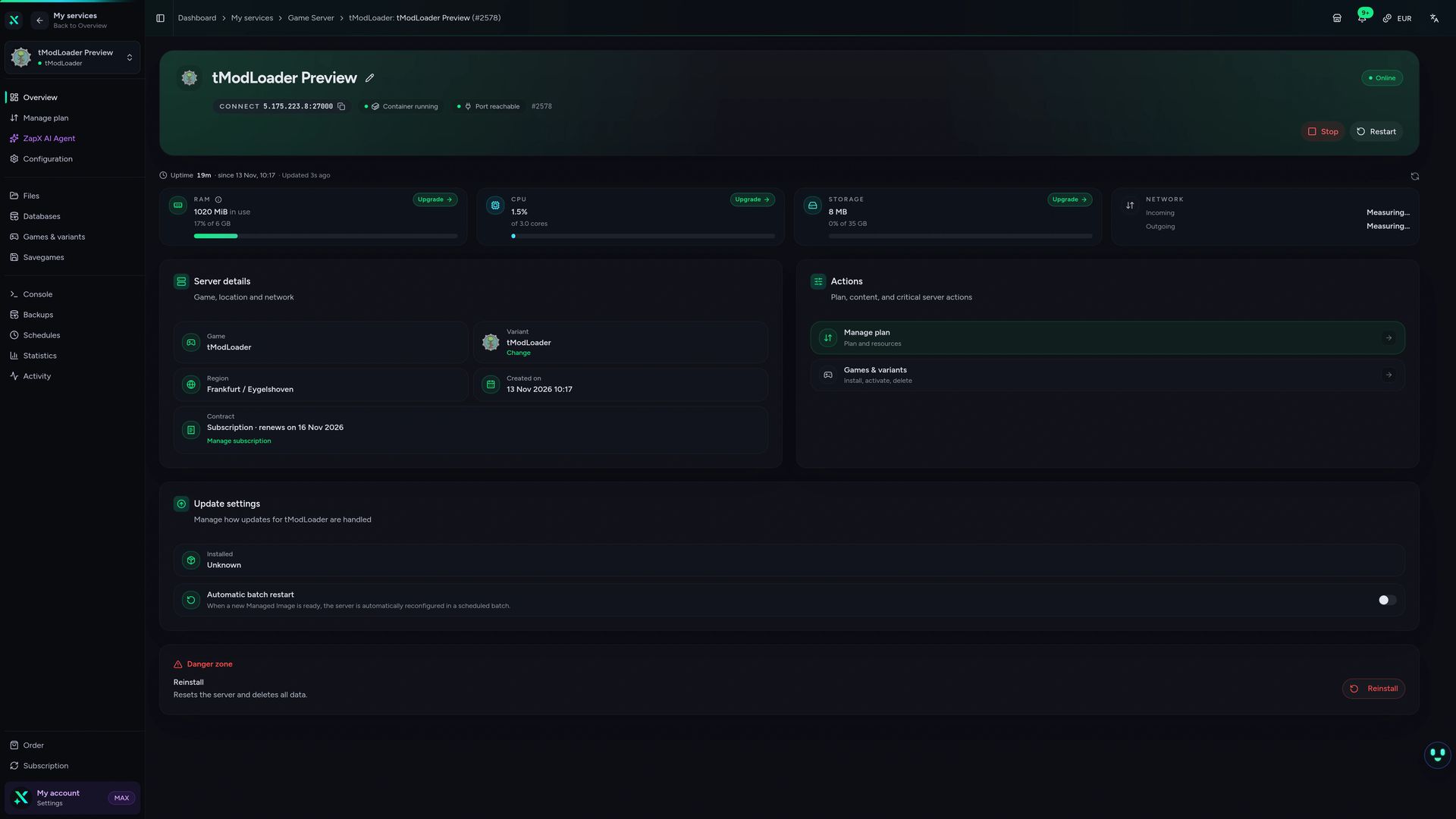
Everything in one place.
Console, files, savegames, schedules and live statistics for your tModLoader server, all in the ZapX panel.
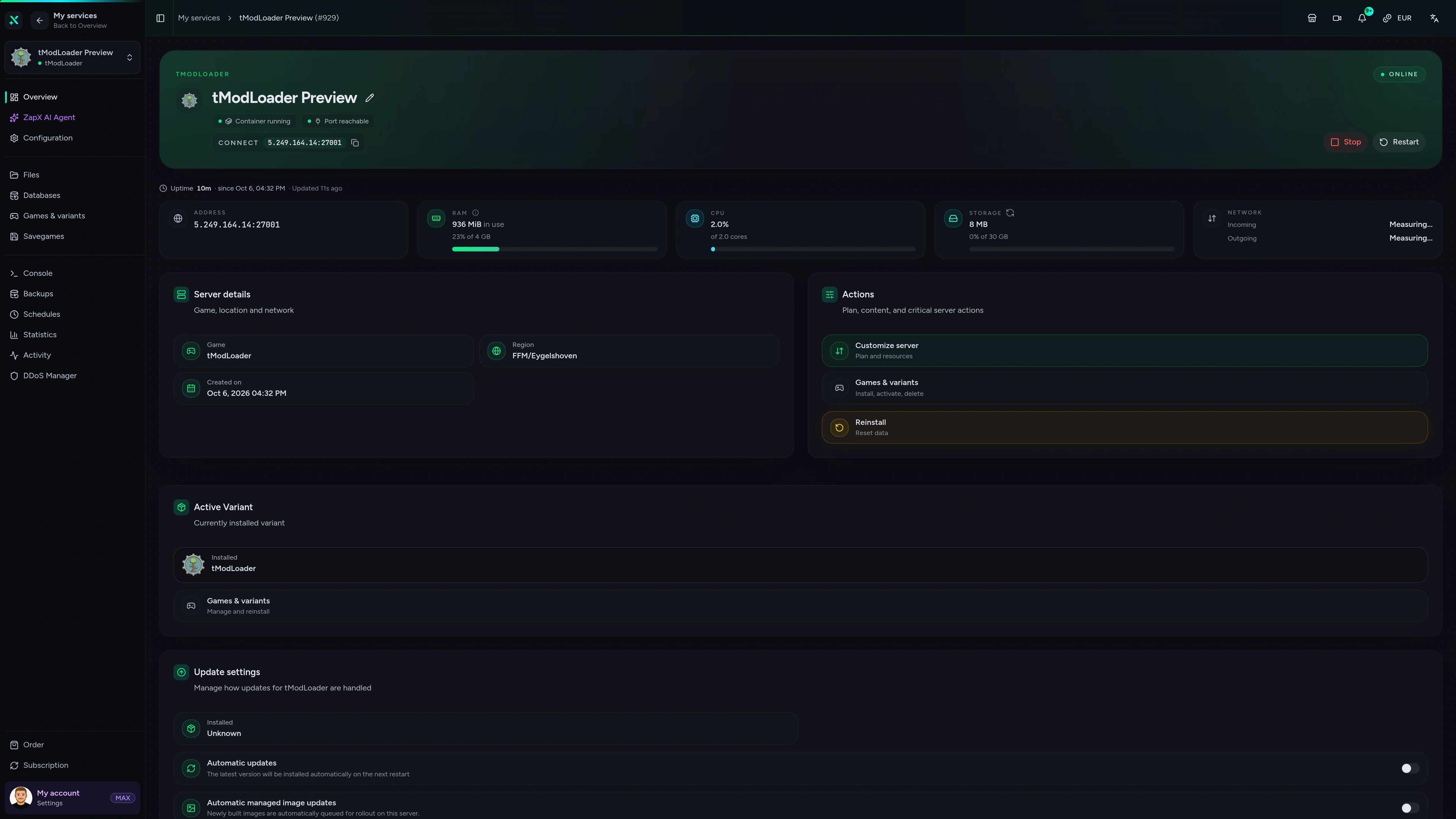
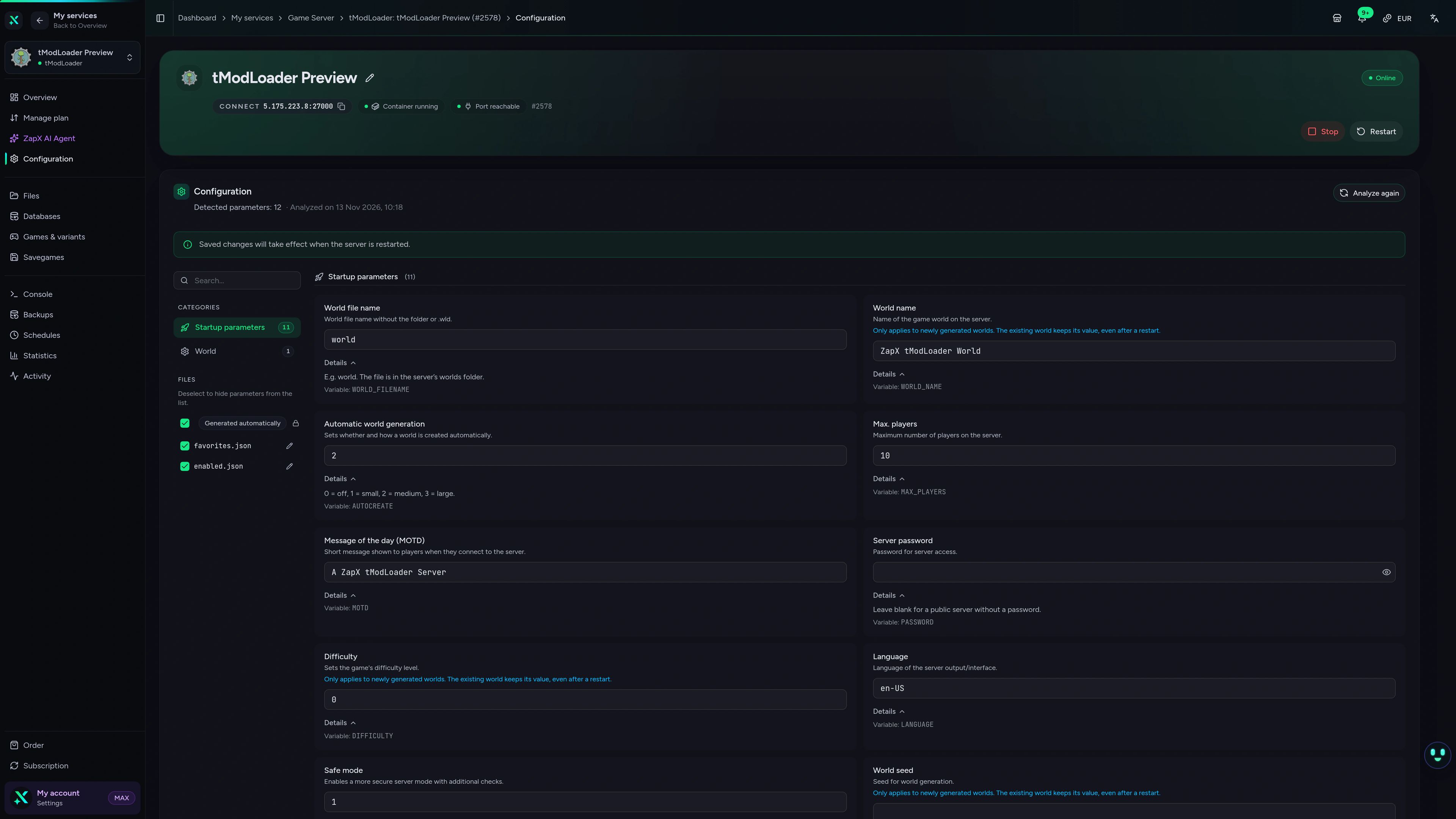
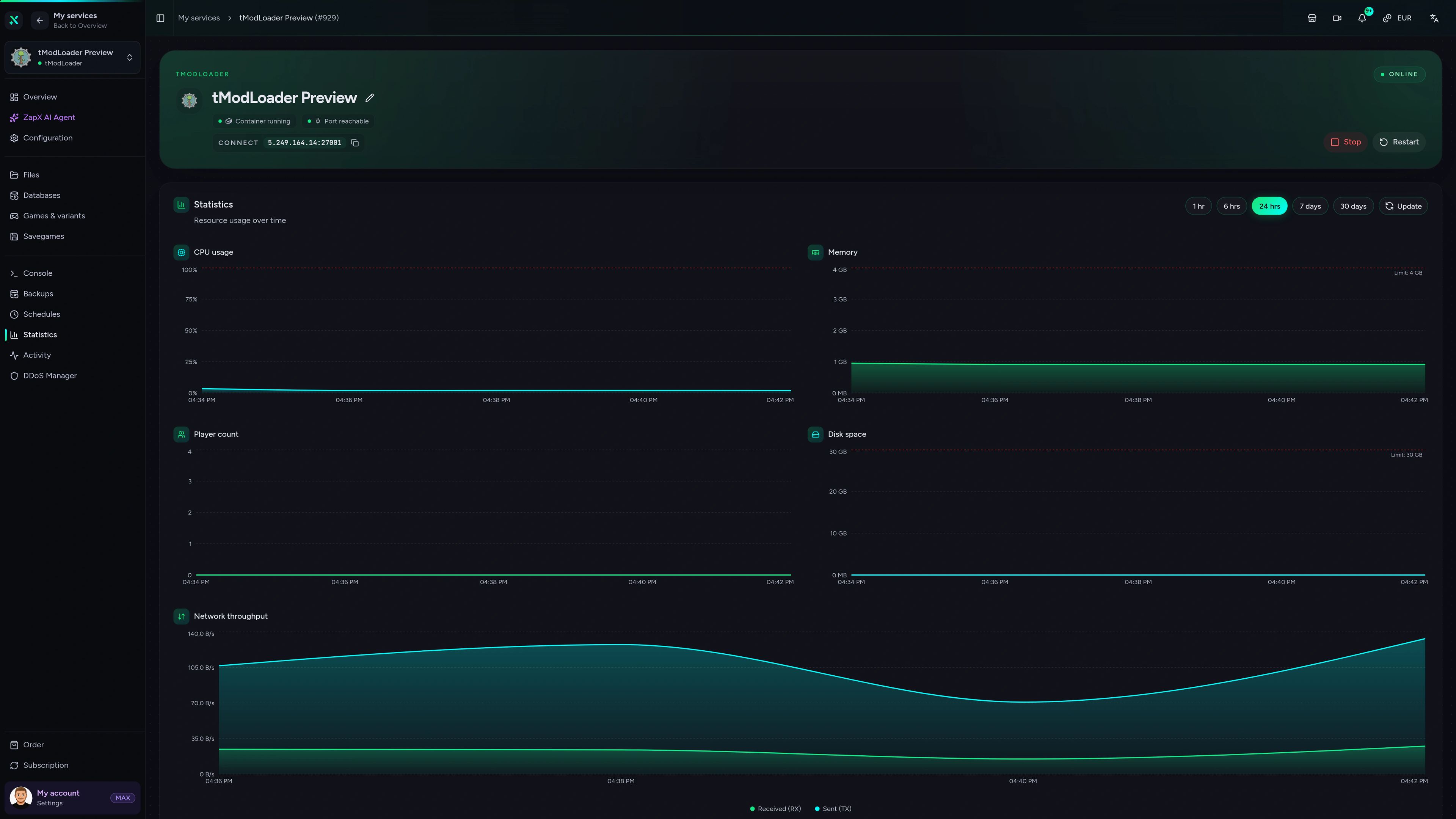
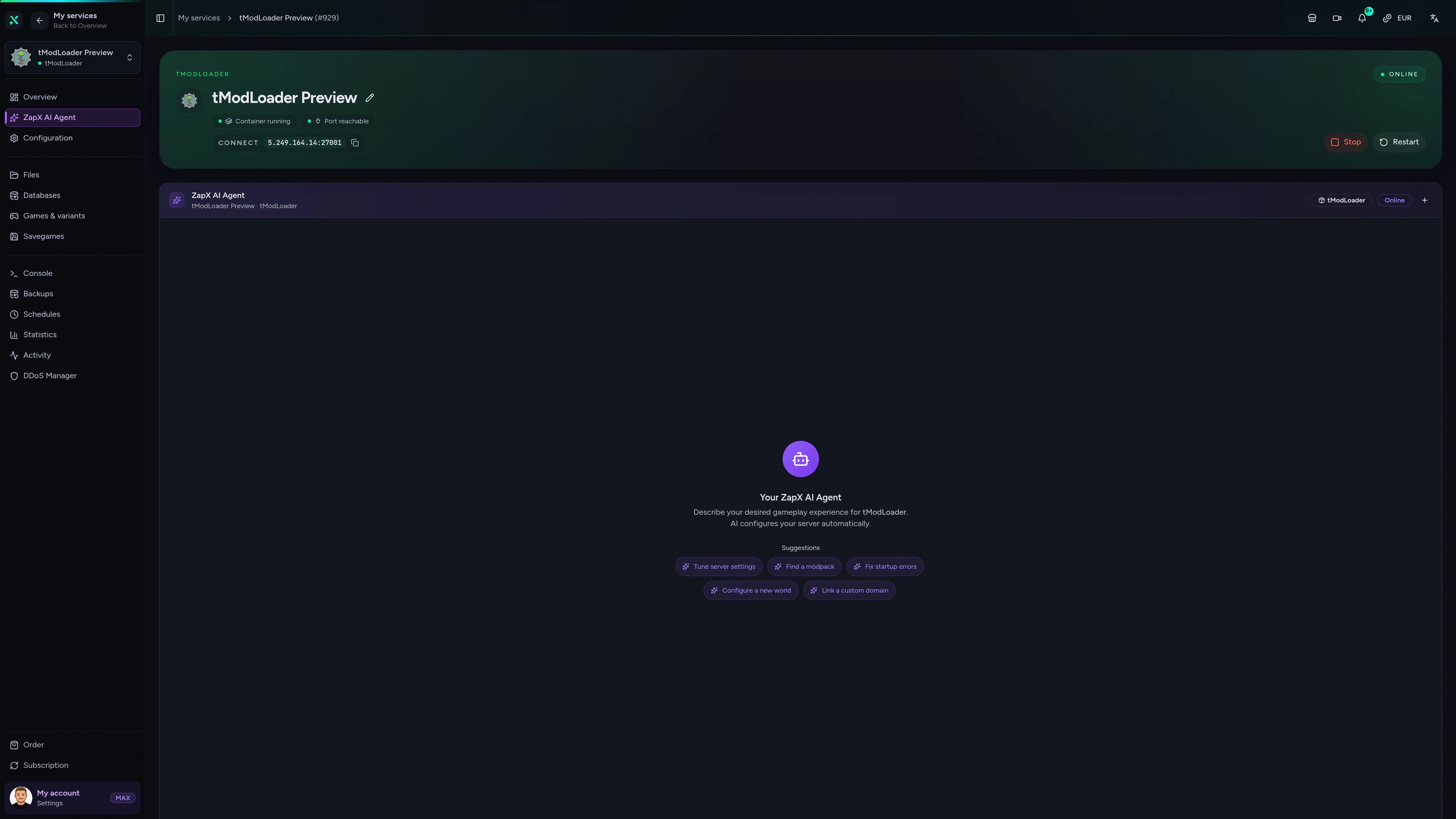
tModLoader Game Server – Overview
Overview of the tModLoader game server in the ZapX customer panel.
Mod conflict or crash on startup? Ask the ZapX AI Agent.
The ZapX AI Agent knows your tModLoader server's context. It explains logs, mod settings and RAM questions right in the panel, so you spend less time in forum threads.
The ZapX AI Agent is part of ZapX Pass and applies account-wide to all supported services.
See ZapX PassZapX AI Agent
panel.zap-hosting.com
Benchmark
Comparable numbers from our own infrastructure, with methodology and measurement date and no made-up competitor figures.
High-performance VPS, CPU model depends on the location
Typical VPS plans without a published host CPU
confirmed 2026-07-01
Use cases
What your group builds with tModLoader.
From Calamity marathons to Discord community worlds: one server with unlimited player slots and room for the mods your group loves.
Ready for your modded run?
Your modded world, online in 60 seconds.
Mobile appComing soon
Your modded world, in your pocket.
Check on your tModLoader server and react quickly with the ZapX app, even when you're away from your PC.
Discord management
Manage servers directly in Discord.
Check status, start, stop, and restart via slash command — without leaving your community Discord.


Impressionen
tModLoader Screenshots
A glimpse into the game world—its atmosphere, exploration, and the moments your community will experience on the server.
Terraria
3 free tools—right in your browser, no sign-up required.
Also available
We also offer the following games.
Switch between your games anytime for free—Minecraft, FiveM, Rust, and more.

Survival & Creative
Minecraft
Vanilla, Modded & Modpacks
Ready in ~2 min

Roleplay
FiveM
Roleplay server in seconds
One-click installation

Survival
Rust
Wipe-ready gameserver
Automatic setup
Also available
Switch between your games anytime for free—Minecraft, FiveM, Rust, and more.
98
Available games












Benefit
Unlimited Slots
We don't artificially limit player Slots. Hardware determines capacity.
Scale based on Mods, scripts, and player load instead of paying for a fixed number of Slots.
Your tModLoader server is waiting.
Start your modded Terraria server now with unlimited player slots and DDoS protection, online in about 60 seconds.
No setup. No risk. Online in seconds.