 ATLauncher Modpack Hosting
ATLauncher Server Hosting.
ATLauncher · Run your ATLauncher modpack 24/7 on Forge or Fabric, upload mods via FTP, pick from locations worldwide and cancel anytime.
Or try 3 days from €0.81Pick the 3-day term at checkout · renews every 3 days · cancel anytime


Plans and pricing


Gameserver plan
ZAP Spawn
- 2 GB RAM
- 2 CPU
- 15 GB NVMe
- Unlimited Slots


Gameserver plan
ZAP Scout
- 4 GB RAM
- 2 CPU
- 30 GB NVMe
- Unlimited Slots

Gameserver plan
ZAP Ranger
- 6 GB RAM
- 3 CPU
- 35 GB NVMe
- Unlimited Slots
Gameserver plan
ZAP Raid
- 8 GB RAM
- 4 CPU
- 50 GB NVMe
- Unlimited Slots

Gameserver plan
ZAP Guild
- 10 GB RAM
- 4 CPU
- 60 GB NVMe
- Unlimited Slots


Gameserver plan
ZAP Vanguard
- 12 GB RAM
- 5 CPU
- 75 GB NVMe
- Unlimited Slots


Gameserver plan
ZAP Legion
- 16 GB RAM
- 6 CPU
- 100 GB NVMe
- Unlimited Slots


Gameserver plan
ZAP Bastion
- 24 GB RAM
- 8 CPU
- 150 GB NVMe
- Unlimited Slots


Gameserver plan
ZAP Nexus
- 32 GB RAM
- 10 CPU
- 200 GB NVMe
- Unlimited Slots
Packages 1–3 of 9
 minecraft
Configure yourself
Your server. Your power.
No package fits? Choose your RAM, CPU and storage—you only pay for the package you put together.
Powerful CPUs
100 Gbit/s host network
DDoS protection
Forge & Fabric
FTP access
 Visa
 Mastercard
 American Express
 PayPal
 Google Pay
 Apple Pay
 Klarna
 Amazon Pay
About ATLauncher
What is an ATLauncher server?
ATLauncher is a desktop launcher for modded Minecraft: Java Edition that installs complete modpacks with the right Minecraft version and mod loader in one go. Playing a pack together means one shared world where you automate factories, research magic, explore new dimensions and work through quest books as a team. An ATLauncher server is the multiplayer side of that: a Minecraft Java server running the same pack, so your whole group plays in one persistent world.
With your own hosted server, the pack stays online 24/7 without your PC running: you choose Forge or Fabric to match the pack's loader and Minecraft version, upload its mods and configs via FTP and let friends join from ATLauncher with the server IP. Slots are unlimited, so the group size is up to you, and with ZapX Pass you can back up before every pack update and roll back if needed.

Core Features
Everything your ATLauncher server needs.
Match the pack's loader, upload your files and scale RAM as your modded world grows.
Unlimited slots for your group
Invite everyone who plays the pack; RAM and CPU set the limit, not a slot count.
RAM for heavy modpacks
Big packs get the memory they need; follow RAM and CPU usage live in the panel.
Backups with ZapX Pass before pack updates
With ZapX Pass, roll the world back if a new pack version or config change breaks something.
Bring your existing world
Upload the world from your local ATLauncher instance via FTP and keep playing.
Online in 60 seconds
Start setting up your pack right after ordering; Vanilla comes preinstalled.
Locations worldwide
Pick the data center closest to your players for a steady connection.
Only for Minecraft
Panel tools for modded Minecraft
Switch loaders, add mods, manage players, map your world or build custom mods right in the panel.


Minecraft
Extra mods from Modrinth & CurseForge
Add or remove single mods with one click, no manual FTP upload for every jar.
- Modrinth
- CurseForge
Live world map with BlueMap
Set up a BlueMap web map of your world with one click on Forge or Fabric.
- BlueMap
Player management without commands
Kick, ban, set operator levels and edit the whitelist from the panel.
ZapX Maker for custom mods
Describe a mod in plain language; ZapX Maker builds and deploys it with ZapX Pass.
- ZapX Maker
Forge, Fabric or NeoForge per server
Switch the server software to the loader your ATLauncher pack uses, right in the panel.
- Forge
- Fabric
- Quilt
- +14
Locations worldwide
Your server. Your location.
8 data centers worldwide — choose the location closest to your community.
Europe


America


Asia-Pacific


Reviews
What customers say about ZAP-Hosting
Real feedback on support and setup.
Great Service & User Experience
I had applied for partnership at ZAPX and the process and user panel is absolutely fire and very much friendly. Apart from that i have been using their VPS machine for quite a while and it has been great with almost no downtime.

 ZAP-HostingReply

great prices, good specs
the interface was great, migration was flawless and the interface is very user friendly. support team was very helpful aswell
 ZAP-HostingReply
I've been with them for a few years
I've been with them for a few years, and they're one of the best. The lifetime servers have really helped me, and now they've added auto-backup. 10/10!
 ZAP-HostingReply

FAQ
Frequently asked questions about ATLauncher
Answers to the most important questions before you start.
How do I host an ATLauncher modpack server?
Order a server, match the loader, upload the pack, start.
Your server starts with Vanilla preinstalled. In the panel, switch the server software to Forge or Fabric with the same Minecraft version your ATLauncher pack uses. Then upload the pack's server files or its mods and config folders via SFTP and start the server. Use the pack's server files when the author provides them, since client-only mods can stop a server from booting. Read the mod and modpack guide
- Match loader and version
- Upload mods and configs via SFTP
- Start and check the console
Can I play ATLauncher modpacks with friends on a hosted server?
Yes, and nobody has to keep a PC running.
The hosted server stays online around the clock, unlike a server started on your own PC. Every player installs the same pack and pack version in ATLauncher, launches it and adds your server in the multiplayer menu with the IP and port shown in the panel. How to connect to your server
- Same pack version for everyone
- Connection details in the panel
- Online 24/7
How much RAM does an ATLauncher modpack server need?
At least 2 GB, 4 GB recommended; heavy packs need more.
RAM depends on the pack's mod count, world size and how much automation your group builds. The minimum is 2 GB and 4 GB is recommended; large tech or kitchen-sink packs need more than that. Watch RAM and CPU usage in the panel and add RAM when the pack grows.
- Minimum: 2 GB RAM
- Recommended: 4 GB RAM
- Add RAM as the world grows
Is the minimum RAM enough for a modpack?
For a small vanilla world, often yes; for modpacks, it gets tight.
For a small vanilla world, yes. Modpacks load dozens or hundreds of mods plus more chunks and entities, so an ATLauncher pack needs clearly more. Watch RAM usage in the panel.
How many players can join my ATLauncher server?
Slots are unlimited on every package.
There is no fixed player cap and no slot-based pricing. The practical limit is the RAM and CPU of your package, because every extra player loads more chunks and machines. For a bigger group on a heavy pack, plan for more RAM.
How much does an ATLauncher server cost?
Packages scale by RAM; current prices are shown live in the shop.
The price depends on your package, term and location. Every package includes unlimited slots, DDoS protection and full SFTP access, and you can cancel anytime, effective at the end of the term. Current prices are shown live in the pricing section and in the shop.
- Priced by package, not by slots
- Cancel anytime
Where are the servers located?
Locations worldwide; pick the one closest to your players.
You choose the location when you order. Pick the data center nearest to where most of your group plays: many North American groups start with Ashburn, Dallas or Los Angeles, and players elsewhere choose the one closest to them.
- Worldwide location choice
- Decide based on your players
Are Backups and DDoS protection included?
Yes, both are part of every package.
Automatic Backups save your world and configs. With ZapX Pass, you can restore a working state if a pack update or config change goes wrong, and you can also create a manual Backup before every update. DDoS protection is included and helps keep your server reachable during attacks. Learn more about Backups
- Backup with ZapX Pass before every pack update
- Restore with ZapX Pass
Any more questions?
Contact SupportZapX Panel
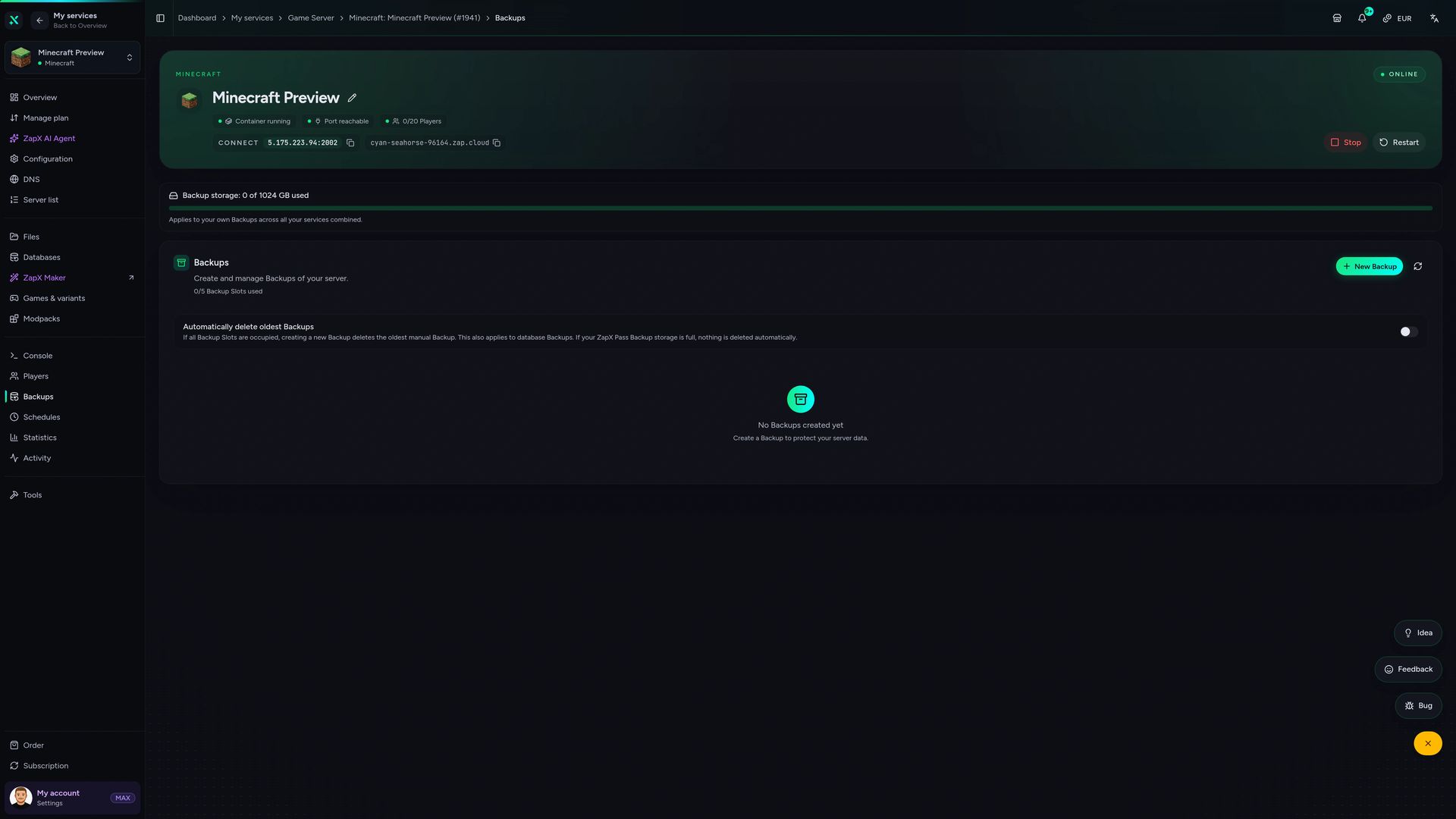
Your ATLauncher server in the panel.
Backups, console, files and live statistics in one view, built for running a modpack server day to day.
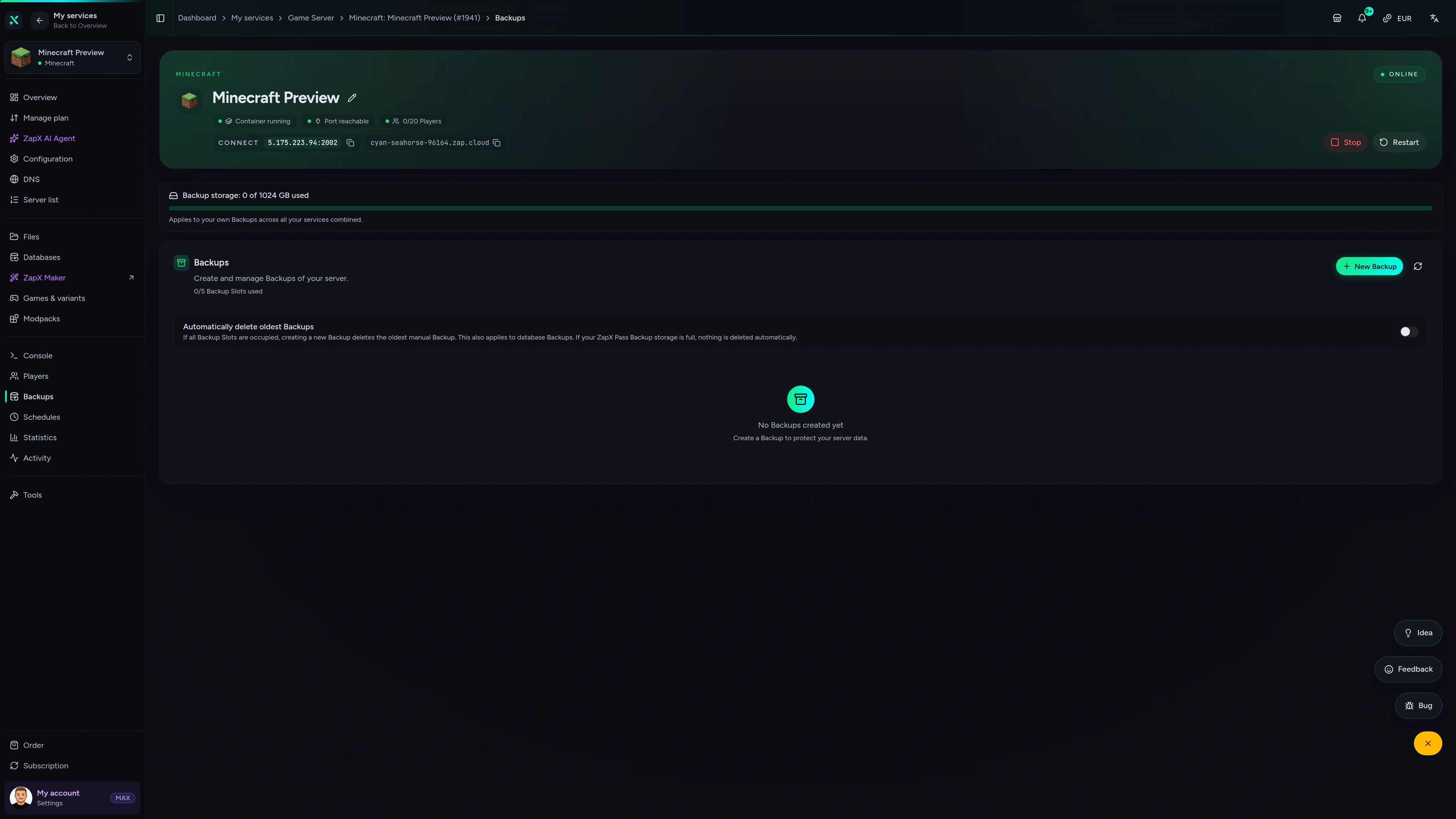
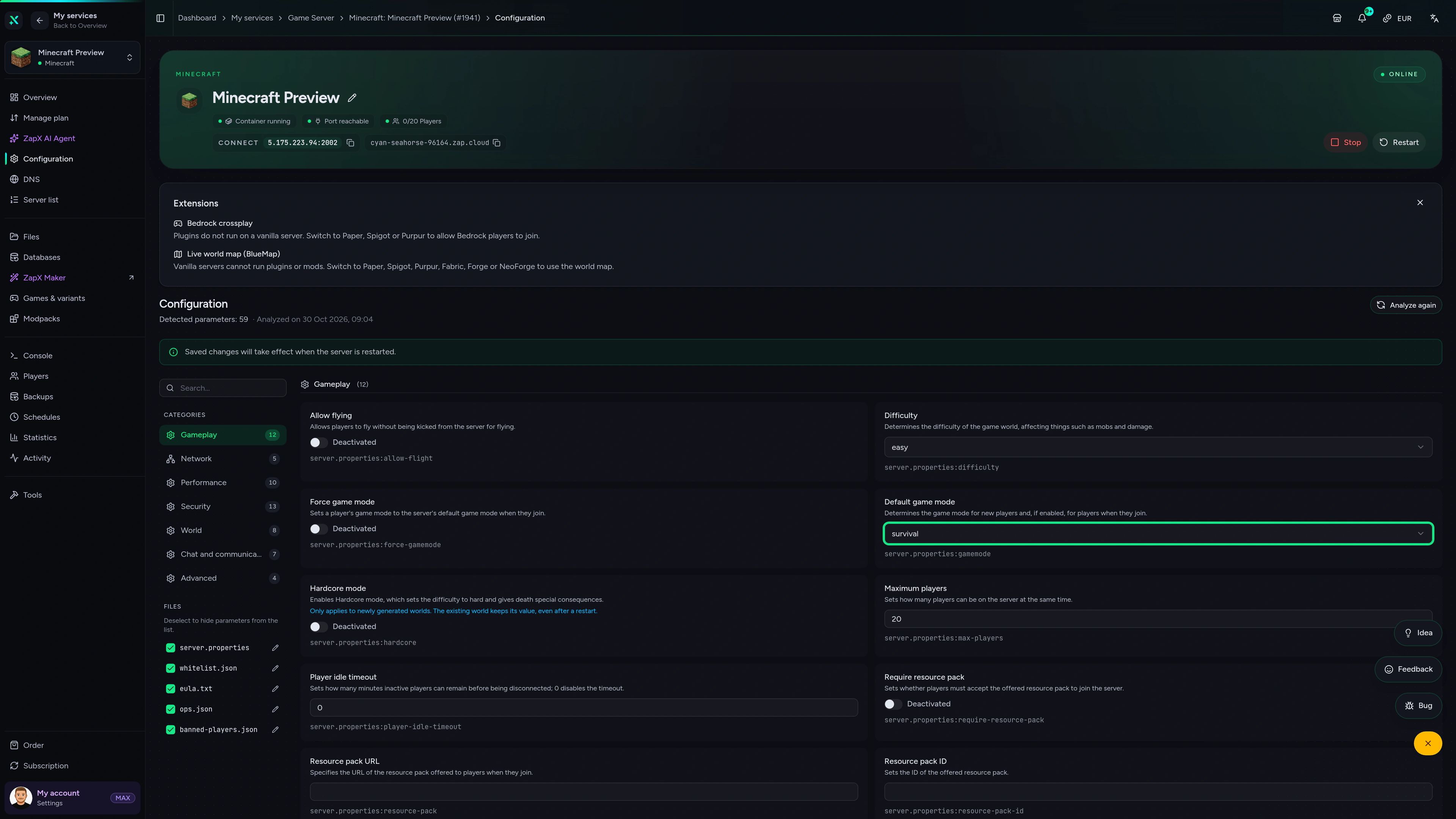
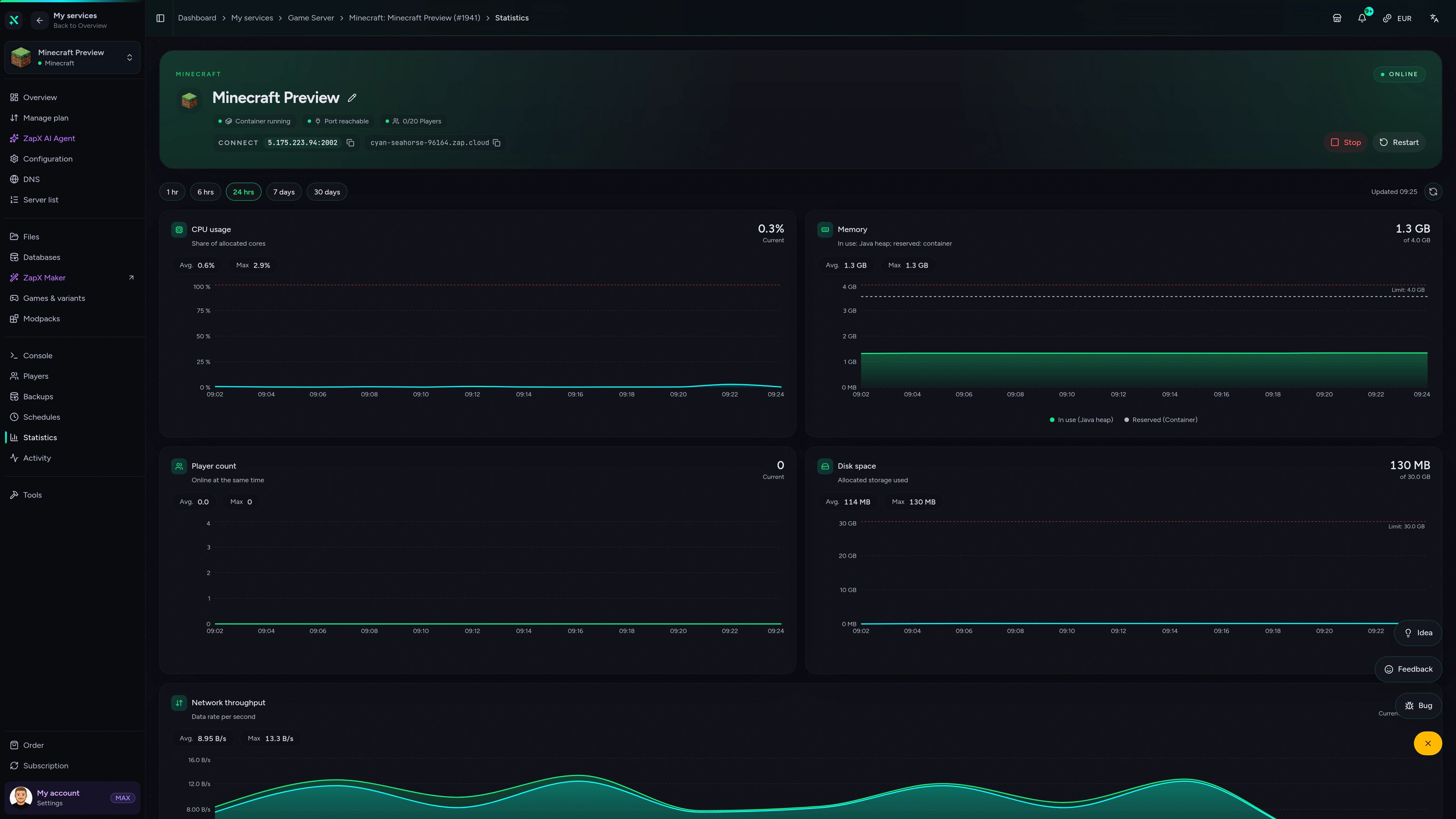
Minecraft Game Server – Backups
Backups of the Minecraft game server in the ZapX customer panel.
Manage your ATLauncher server with ChatGPT or Claude.
Connect ZAP-Hosting to Claude or ChatGPT via MCP and manage your ATLauncher server right in the chat.
Works with
- ChatGPT
- Claude
- Claude Code
- Cursor
- Gemini
What should I do for your server?
Ask anything …
The AI only makes changes after you approve them.
Connect in two steps

Step 1
Connect ZapX
Opens Claude with the connector already filled in. Confirm it there and sign in with your ZAP account.
Step 2
Start a chat
Opens a new chat with this text:
I want to rent a Minecraft server at ZAP-Hosting. Use the ZapX connector by ZAP-Hosting: ask me about player count, version and mods, recommend the right package with its price and then order it with me.
The text then sits in the message box – you still press send there.
Without a Pass you get status, start/stop and, except in ChatGPT, advice and ordering. Files, console and Backups come with a ZapX Pass. Your account is created when you connect.
Ask about your modpack. Get a clear next step.
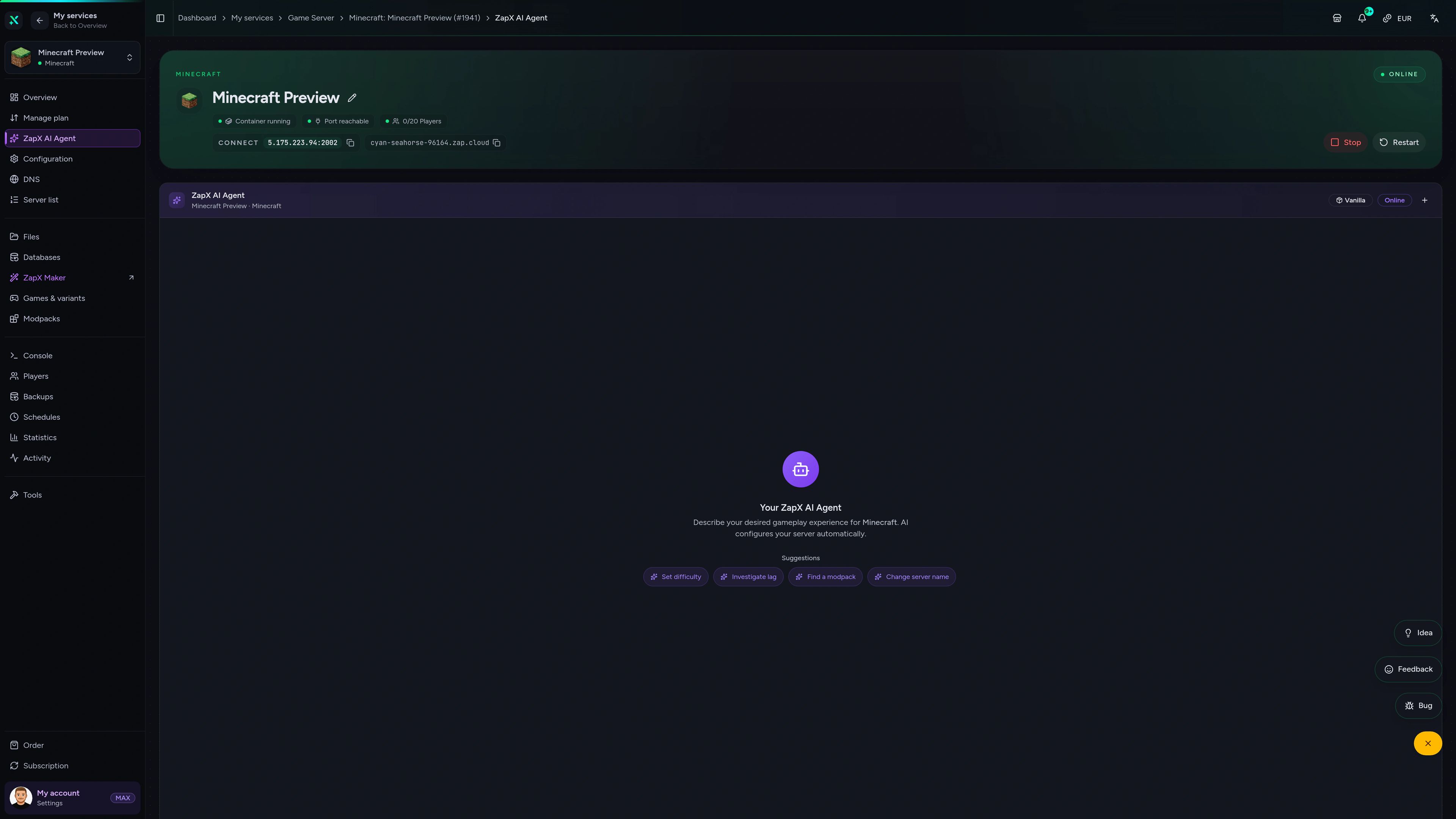
The ZapX AI Agent knows your Minecraft server's context and explains crash logs, loader versions, RAM sizing and safe update steps for your ATLauncher pack, right in the panel.
The ZapX AI Agent is part of ZapX Pass and sits in your panel next to your Minecraft servers.
See ZapX PassZapX AI Agent
panel.zap-hosting.com
Performance Signal
The benchmark compares network and server response in scenarios close to real Minecraft play, measured rather than promised.
High-performance VPS, CPU model depends on the location
Typical VPS plans without a published host CPU
confirmed 2026-07-01
ATLauncher Use Cases
What kind of pack will your group play?
Tech, magic, adventure or a long-running world with friends: start with the pack, then size RAM and choose a location near your players.
Ready for your pack?
Your ATLauncher pack, online 24/7.
Mobile AppComing soon
Your pack server in your pocket.
Check whether the pack has finished booting, restart after a config change and keep an eye on your server while friends are already playing.
Discord management
Manage servers directly in Discord.
Check status, start, stop, and restart via slash command — without leaving your community Discord.


Impressions
Minecraft Impressions
A look into the world your group explores together: caves, mobs, sunsets and the End.
Minecraft
35 free tools—right in your browser, no sign-up required.
Server variants
More game variants
Curse/Twitch Launcher server hosting
CurseForge Modpack (Benutzerdefiniert)Minecraft SpongeForge server hosting
SpongeForgeMinecraft: Magma server hosting - game information
Arclight (NeoForge)Minecraft: Sponge Vanilla server hosting
SpongeVanilla
Also available
We also offer the following Modpacks.
Popular Minecraft Modpacks — ATM, RLCraft, Pixelmon, and more. See prices in the configurator.

Modpack
All the Mods 10 - ATM10
ATM10 · Tech
Ready in ~2 min
Modpack
Better MC [FORGE] BMC4
BMC4 · Vanilla+
Ready in ~2 min
Modpack
RLCraft
RLCraft · Hardcore
Ready in ~2 min
Also available
Popular Minecraft Modpacks — ATM, RLCraft, Pixelmon, and more. See prices in the configurator.
117,687
Available modpacks





Benefit
Instant setup
Modrinth & CurseForge packs with instant setup in the Minecraft configurator.
Choose a pack and get started in 60 seconds.
Bring your ATLauncher pack online today.
Pick Forge or Fabric, upload your mods and configs via FTP and invite friends to a world that runs 24/7. Unlimited slots, DDoS protection, cancel anytime.
No setup. No risk. Online in seconds.