
 Rust Carbon server hosting
Rust Carbon Server hosting.
Carbon · Carbon ready to use, most Oxide plugins supported, unlimited slots, DDoS protection and locations worldwide. Online in 60 seconds.

Plans and pricing
Gameserver plan
ZAP Ranger
- 6 GB RAM
- 3 CPU
- 35 GB NVMe
- Unlimited Slots
Gameserver plan
ZAP Raid
- 8 GB RAM
- 4 CPU
- 50 GB NVMe
- Unlimited Slots
Gameserver plan
ZAP Guild
- 10 GB RAM
- 4 CPU
- 60 GB NVMe
- Unlimited Slots

Gameserver plan
ZAP Vanguard
- 12 GB RAM
- 5 CPU
- 75 GB NVMe
- Unlimited Slots
Gameserver plan
ZAP Legion
- 16 GB RAM
- 6 CPU
- 100 GB NVMe
- Unlimited Slots

Gameserver plan
ZAP Bastion
- 24 GB RAM
- 8 CPU
- 150 GB NVMe
- Unlimited Slots

Gameserver plan
ZAP Nexus
- 32 GB RAM
- 10 CPU
- 200 GB NVMe
- Unlimited Slots
Packages 1–3 of 7
 rust
Configure yourself
Your server. Your power.
No package fits? Choose your RAM, CPU and storage—you only pay for the performance your community actually needs.
Powerful CPUs
100 Gbit/s host network
DDoS protection
Carbon ready
24/7 support
 Visa
 Mastercard
 American Express
 PayPal
 Google Pay
 Apple Pay
 Klarna
 Amazon Pay
About Rust Carbon
What is a Rust Carbon server?
Rust is a multiplayer survival game: you spawn on an island with a rock and a torch, gather resources, build and raid bases, and fight or team up with other players until the next wipe resets the map. Carbon is a modding framework for Rust servers that loads plugins for kits, shops, events and admin tools, updates itself on server boot and adds an in-game admin panel. A Rust Carbon server is your own Rust server with Carbon already set up.
With your own Carbon server you decide how Rust plays: set your wipe day, load a custom map or seed, and run most of your Oxide/uMod plugins through Carbon's compatibility layer. Manage the server through RCON, the panel or the Rust+ companion app, welcome as many players as your hardware handles with unlimited slots, and keep raids fair with DDoS mitigation on every server.
Features
Everything your Carbon server needs.
Plugin support, wipe control, custom maps and admin tools for running a modded Rust server your way.
Carbon ready from the first boot
Plugins load as soon as your server starts, with Carbon already set up.
Runs most Oxide/uMod plugins
Bring your plugin stack: Carbon's compatibility layer loads most Oxide plugins.
Unlimited player slots
Grow from a small clan to a full pop server without paying per slot.
Wipe day on your schedule
Wipe map and blueprints when your community expects it; Carbon updates on boot.
Custom maps and seeds
Players explore the seed, map size or custom map you choose.
RCON and live console
Run admin commands and broadcasts live, from the panel or your RCON tool.
Only for Rust
Your next wipe, your rules
Choose what resets for your next Rust wipe and check the exact files affected, right in the panel.
Rust
Choose exactly what gets wiped
Review the exact file list before wiping your map, blueprints or both from the panel.
Locations worldwide
Your server. Your location.
8 data centers worldwide — choose the location closest to your community.
Europe


America


Asia-Pacific


Reviews
What customers say about ZAP-Hosting
Real feedback on support and setup.




FAQ
Frequently asked questions about Carbon
Answers to the most important questions before you start.
What is a Rust Carbon server?
A Rust Carbon server is a Rust game server running Carbon, a modding framework and drop-in alternative to Oxide. Carbon updates itself when the server boots, hooks plugins in dynamically and adds an in-game admin panel and profiler. Your server comes with Carbon set up, unlimited player slots and DDoS protection, so you can start adding plugins right away.
Can I use my existing Oxide/uMod plugins on a Carbon server?
In most cases, yes. Carbon includes a compatibility layer that loads Oxide/uMod plugins without changes, so popular plugins for kits, shops, teleports or admin tools usually work as they are. Some niche plugins can behave differently, so test new ones with a Backup made using ZapX Pass. Learn more in the Help Center
- Upload plugins into the carbon/plugins folder
- Configs and data live in carbon/configs and carbon/data
- Back up with ZapX Pass before plugin tests
Carbon vs Oxide: which framework should I choose for my Rust server?
Carbon is the better fit for plugin-heavy or high-population servers: it focuses on performance, updates itself on boot and gives you an in-game admin panel and profiler. Oxide is the long-standing default and suits servers built around very old plugin stacks. If you prefer Oxide, our standard Rust server hosting is the right starting point.
How much does it cost to host a Rust Carbon server?
The price depends on the package (RAM and CPU), term and location, not on player slots: every Rust Carbon plan includes unlimited slots. The pricing section shows the current live prices from our shop. You choose the term that suits you, can upgrade when your plugin load grows and can cancel anytime; the cancellation takes effect at the end of the current term.
How much RAM does a modded Rust Carbon server need?
It depends on map size, player count and how many plugins you run. A small group on a standard map with a handful of plugins needs far less than a busy server with a large map and dozens of plugins. Start with a package that fits today, watch the live statistics in the panel and move to more RAM or CPU when usage stays high at peak times. As a guideline: at least 6 GB, 10 GB recommended.
- Bigger maps need more RAM
- Every plugin adds memory and CPU load
- Wipe-day peaks show your real needs
How fast is my Rust Carbon server online after ordering?
Usually within 60 seconds. After you order, the server is installed automatically with Carbon set up, and you find the IP and port right in the panel. You can then upload plugins, set your seed or custom map and invite your players.
Can I switch my existing Oxide server to Carbon?
Yes. Back up your current server with ZapX Pass first, then copy over your save and map files and move your Oxide plugins into the carbon/plugins folder. Carbon picks up most Oxide plugins through its compatibility layer. Check the configs after the first boot and test any plugin that behaves differently before your next wipe.
- Back up with ZapX Pass before migrating
- Plugins go into carbon/plugins
- Review configs after the first boot
Which server locations can I choose for my Rust Carbon server?
You choose from locations worldwide when you order. Pick the data center closest to most of your players for the best ping. Many North American communities start with Ashburn, Dallas or Los Angeles, while groups elsewhere choose a location near them. Latency depends on that choice, not on the package.
Any more questions?
Contact SupportZapX Panel
Your Rust server panel
Console, files, Backups, schedules and live statistics for your Rust Carbon server in one place.
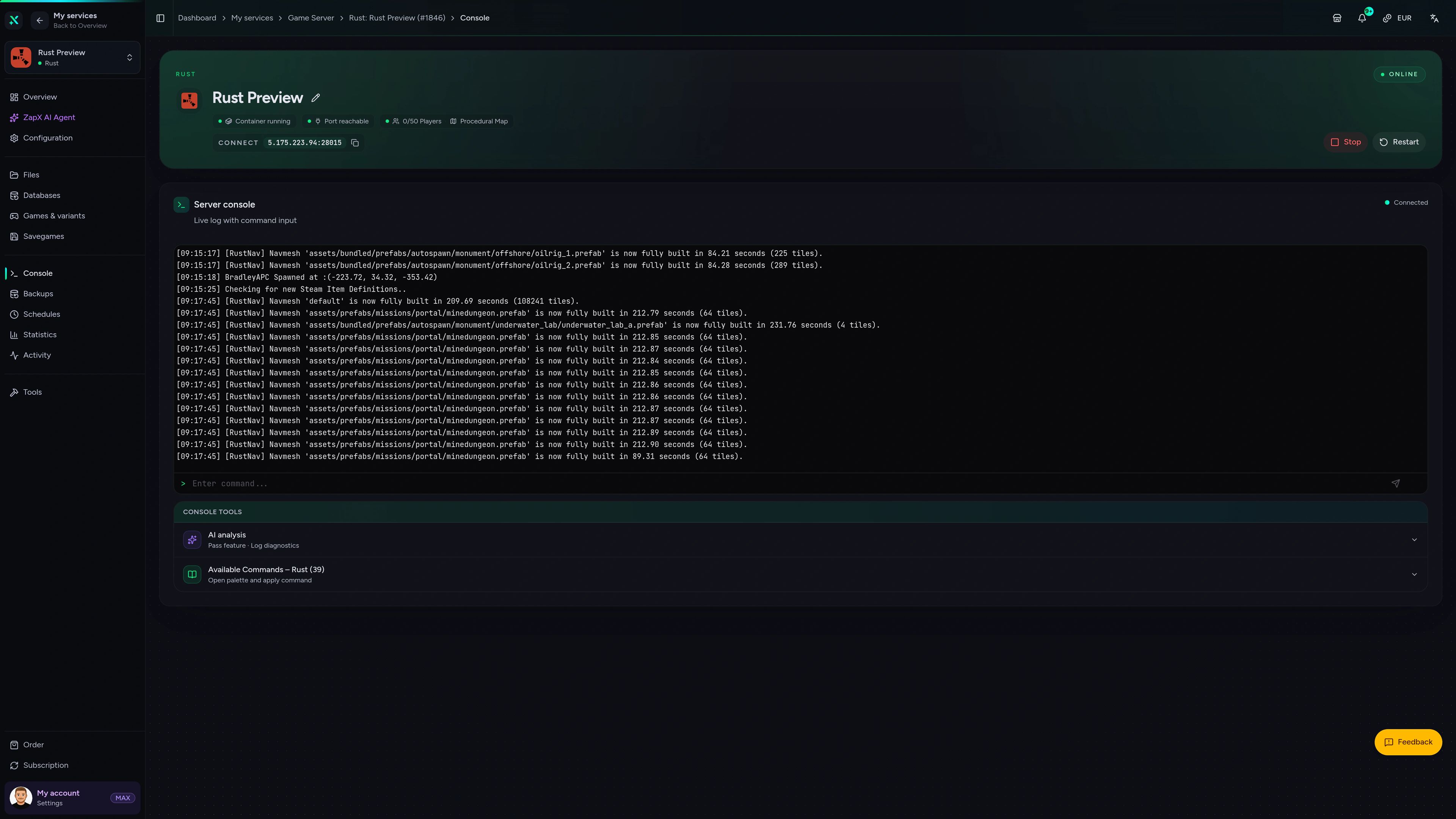
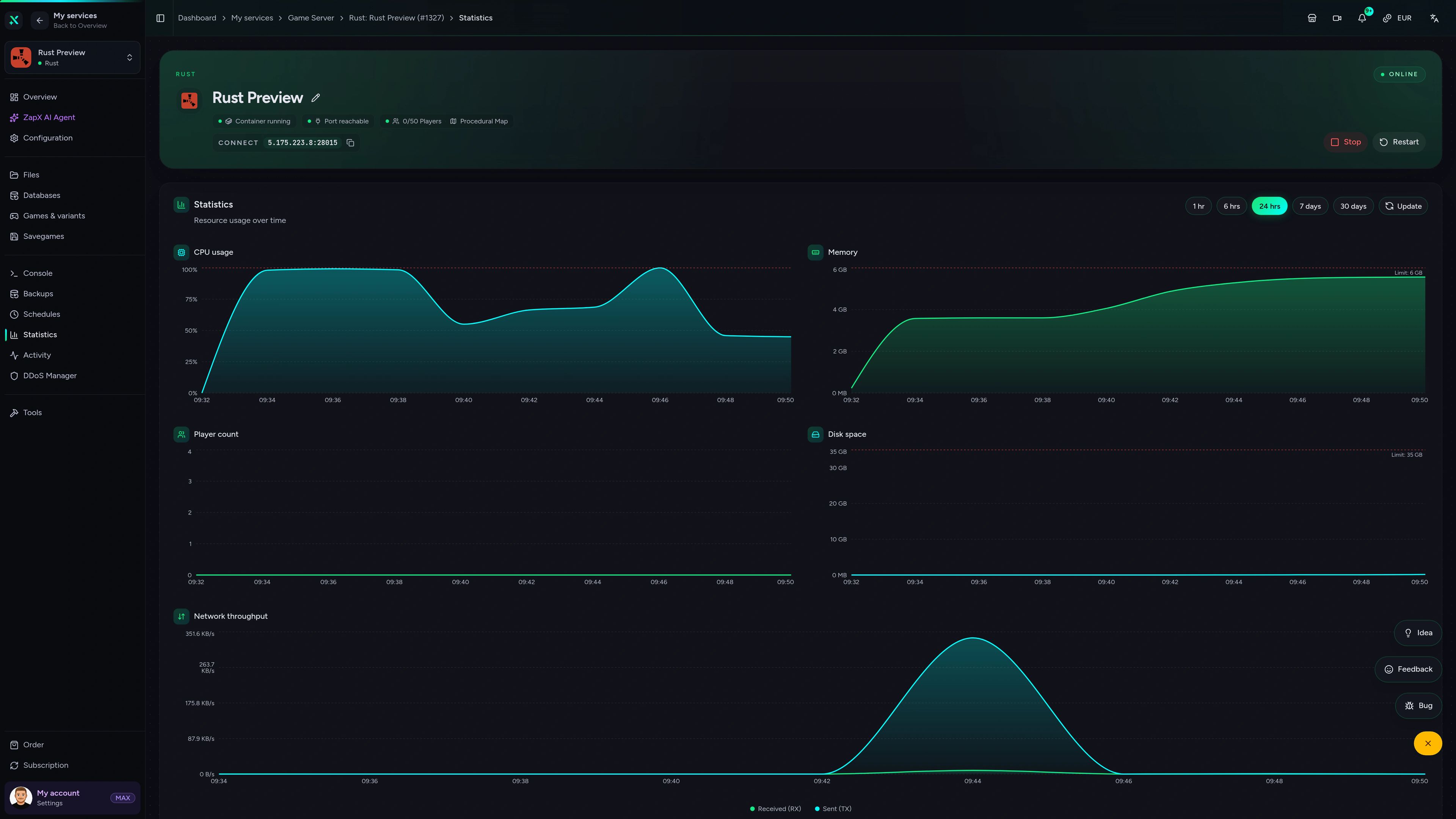
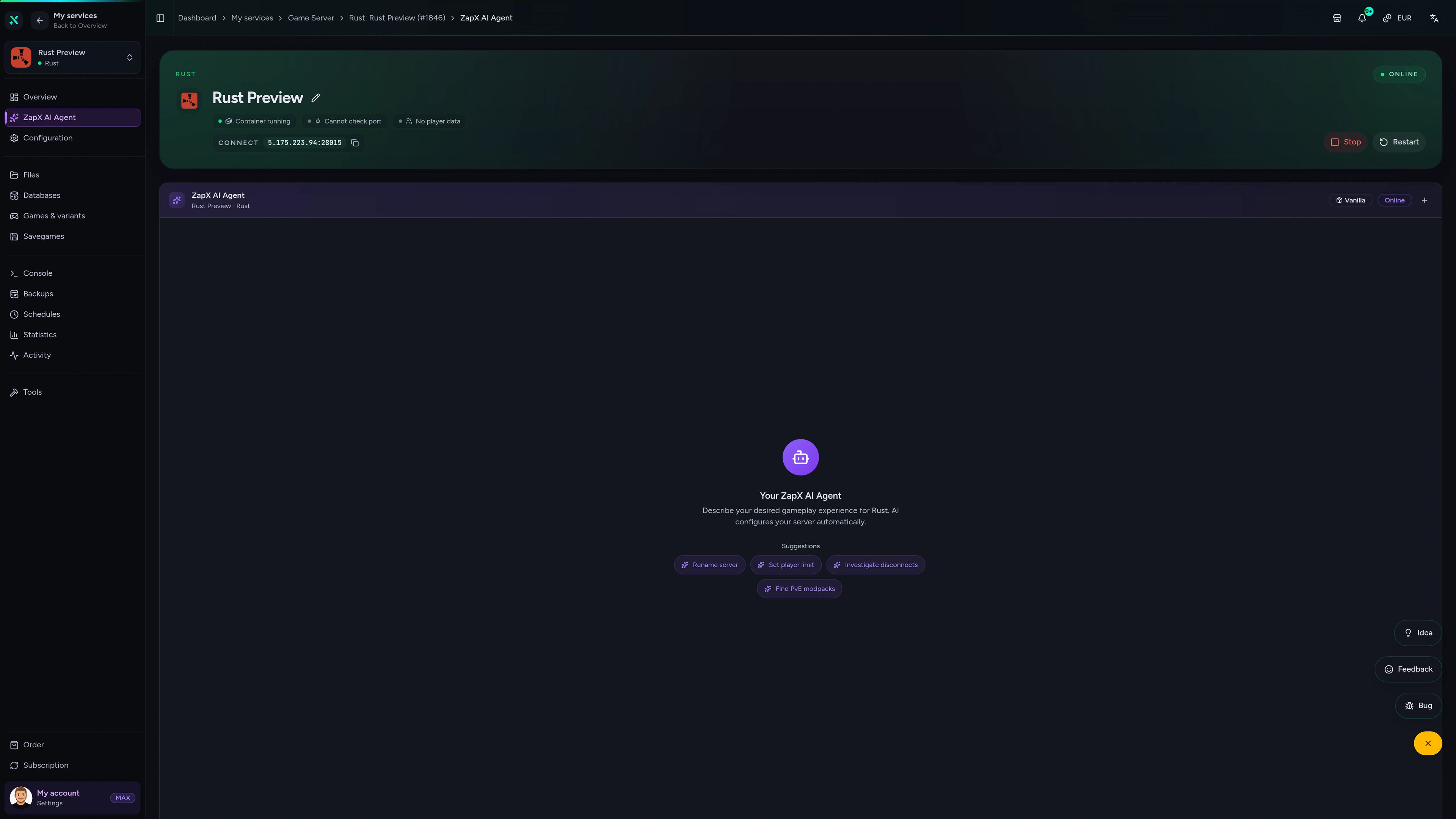
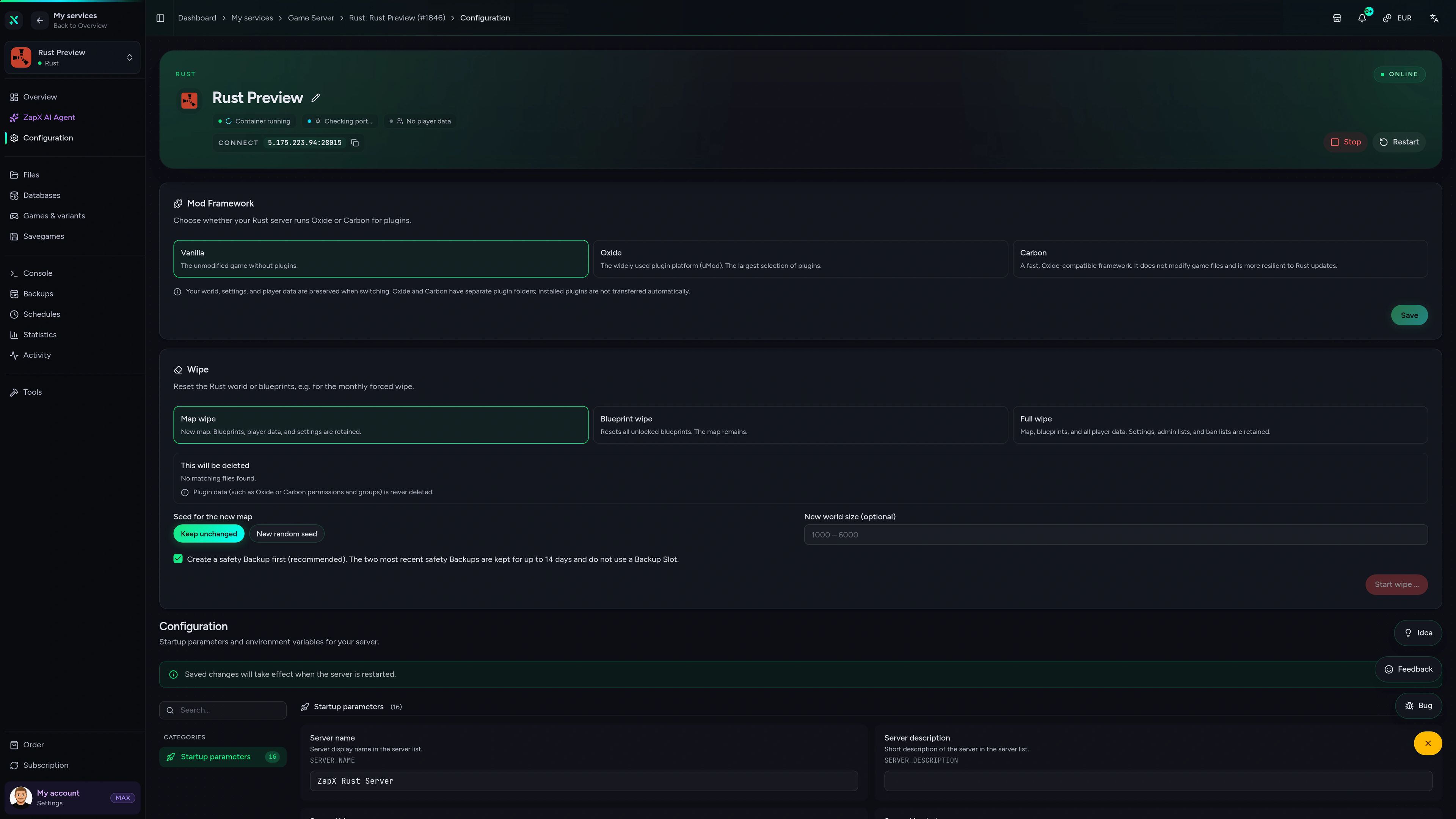
Rust Game Server – Console
Console of the Rust game server in the ZapX customer panel.
Get answers for your Rust Carbon server
Ask about plugin errors, wipe prep or performance and get clear next steps for your Carbon server, right in the panel.
The ZapX AI Agent is part of ZapX Pass and works across all your supported services.
View ZapX PassZapX AI Agent
panel.zap-hosting.com
Performance
Measured values for our Rust servers compared with typical hosts, so you can judge performance before your next wipe day.
High-performance VPS, CPU model depends on the location
Typical VPS plans without a published host CPU
confirmed 2026-07-01
Use cases
What will you run on your Carbon server?
From plugin-heavy modded servers to vanilla+ PvP wipes: Carbon handles the plugins, and you shape the rules for your community.
Ready for wipe day?
Start your Carbon server in 60 seconds.
Mobile appComing soon
Manage your Carbon server on the go
Check status, restart before wipe and watch resources from your phone, wherever you are.
Discord management
Manage servers directly in Discord.
Check status, start, stop, and restart via slash command — without leaving your community Discord.


Impressionen
Rust Screenshots
A glimpse into the game world—its atmosphere, exploration, and the moments your community will experience on the server.
Rust
3 free tools—right in your browser, no sign-up required.
Also available
We also offer the following games.
Switch between your games anytime for free—Minecraft, FiveM, Rust, and more.

Survival & Creative
Minecraft
Vanilla, Modded & Modpacks
Ready in ~2 min

Roleplay
FiveM
Roleplay server in seconds
One-click installation

Co-op
Valheim
Co-op Viking hosting
One-click installation
Also available
Switch between your games anytime for free—Minecraft, FiveM, Rust, and more.
96
Available games












Benefit
Unlimited Slots
We don't artificially limit player Slots. Hardware determines capacity.
Scale based on Mods, scripts, and player load instead of paying for a fixed number of Slots.
Host your Rust Carbon server
Carbon ready to use, most Oxide plugins supported, unlimited slots and DDoS protection. Your server is online in 60 seconds.
No setup. No risk. Online in seconds.