
 Rust
Rust crafting calculator: crafting, Research, and recycling costs per item
With the Rust crafting calculator, choose one of 35 items to instantly see crafting costs and Workbench level, one-time Research cost in Scrap, and recycling yield. The item calculator also breaks down all intermediate products into raw materials and shows the net balance from crafting and recycling. Free, with no sign-up required, right in your browser.
Built by Moritz
Costs worked out? Craft it on your own Rust server.
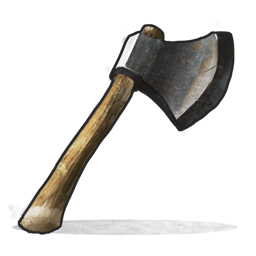 BeilToolWorkbench 1
 100Holz
 75Metallfragmente
per item
 30 Scraponce at the Research Table
The recipe already consists only of raw materials; there is nothing else to break down.
50Holz37MetallfragmenteDefault Recycler (unpowered)
HolzMetallfragmentePer item, regardless of quantity. Negative = loss compared to the raw materials used (normal for the recycler). Positive = you get back more than you used for this resource.
Currently 35 selected items (not the full Rust catalog). Values researched against rusthelp.com, as of 2026-09-16.
Features
What the Rust item calculator shows for each item
View crafting costs, research cost in scrap, and recycling yield side by side, along with the resource breakdown and net balance.
Crafting costs and workbench level
The recipe materials, scaled to your quantity. The badge shows which Workbench level (1–3) you need. If a recipe produces multiple units per craft, such as 10 Gun Powder, the calculator rounds up to whole crafting operations.
Research cost in Scrap
The one-time Scrap cost to research the blueprint at a Research Table, such as 30 Scrap for the Hatchet or 120 for C4. If an item needs no research because it's a default recipe or starting item, a note appears instead.
Broken down into raw materials
The calculator breaks down intermediate products such as Explosives, Gun Powder, and Metal Springs into raw materials, so you can see everything you need to farm. Uncraftable components, such as Tech Trash or weapon bodies, are listed separately below.
Recycling yield
What the standard Recycler without power returns for your quantity. This also applies to loot components such as Rifle Bodies or Tech Trash that you can't craft.
Net balance from crafting and recycling
Craft an item and immediately recycle it, calculated per item: see how much of each resource you lose or get back. A negative value is normal.
Recently viewed items
Items you've viewed appear in the “Recently viewed” row. Click one to switch to it.
The calculator currently covers 35 selected items, not the full Rust catalog. All values were checked against rusthelp.com as of 2026-09-16.
Guide
How to use the Rust crafting calculator
From finding an item to deciding whether crafting and recycling it is worth it: six steps.
- 1
Step 1
Select item
Search the item list for an item, such as C4, or choose it from its category. The list ranges from raw materials to weapons, explosives, and building materials.
- 2
Step 2
Enter quantity
Under “Quantity,” enter how many you want to craft or recycle, from 1 to 1000.
- 3
Step 3
View crafting costs and workbench requirements
“Crafting costs” shows the materials for your quantity. The badge beside it shows the required Workbench level.
- 4
Step 4
Check Research costs
The Research row shows the one-time Scrap cost to research the blueprint at a Research Table, or explains why no research is needed.
- 5
Step 5
View raw materials
“Broken down into raw materials” shows the total you need to farm, including all intermediate products. Components you can only get from loot or the Recycler are listed separately.
- 6
Step 6
Compare recycling yield and net balance
Compare the recycling yield with the net balance before taking items to the Recycler: it shows what remains per item after crafting and recycling.
More tools
More Rust tools for your next session
Base Calculator
Recreate your own base in the builder and instantly see raid costs, decay time, and upkeep requirements.
Built by Moritz
Server Configuration Generator
Describe your server.cfg settings to the ZapX AI Agent in your own words, or set each option manually—with a live preview for your rented Rust server.
Built by Florian Galz
FAQ
Frequently asked questions about Rust item calculator
Crafting costs, research, recycling, net balance, and how current the values are—quick answers.
Select the Assault Rifle (AK) in the calculator. Its recipe requires 50 High Quality Metal, 200 Wood, 1 Rifle Body, and 4 Metal Springs, crafted at a Level 3 Workbench. Researching the blueprint costs 120 Scrap once at a Research Table. Broken down into raw materials, that's 58 High Quality Metal, 200 Wood, and 200 Scrap, plus the Rifle Body, which you can only get from loot or the Recycler.
The Research row shows the one-time Scrap cost to research the blueprint at a Research Table, such as 30 Scrap for the Hatchet, 60 for the Thompson, and 120 for C4. If an item needs no research because it's a default recipe like Gun Powder or a starting item like the Hammer, a note appears instead. Raw materials and uncraftable components have no research cost.
The recycling yield shows what the standard Recycler without power returns for your quantity. One C4, for example, yields 10 Explosives, 2 Cloth, and 1 Tech Trash. The calculator deliberately uses only this Recycler as its reference: other Recycler variants or different server settings may yield different amounts.
The net balance shows crafting costs versus recycling yield per item, regardless of the selected quantity. A negative value means a loss, which is normal. For a Hatchet, you lose 50 wood and 38 metal fragments per item. Uncraftable loot items have no net balance; their recycling yield is pure gain.
Under “Quantity,” enter a value from 1 to 1000. If a recipe produces multiple units per craft, crafting costs are rounded up to whole crafting operations: 25 Gun Powder requires 3 crafts, or 90 Charcoal and 60 Sulfur. “Broken down into raw materials” breaks down all intermediate products proportionally and lists uncraftable components such as Tech Trash separately.
The “Workbench 1” to “Workbench 3” badge next to crafting costs shows the required level—for example, Workbench 1 for the Hatchet and Workbench 3 for the AK and C4. In Rust, you need a workbench of that level within range to craft the item. Items without a badge do not need a workbench.
Currently 35 selected items across six categories: resources, components, tools, weapons such as the Thompson and AK, explosives such as the Beancan Grenade, Satchel Charge, and C4, and building materials such as the Armored Door, Tool Cupboard, and Large Furnace. This is not the full Rust catalog. All values were researched against rusthelp.com as of 2026-09-16. Major Rust updates may change balance values.
The calculator is free to use without signing up, and there's nothing to install. It runs directly in your browser. It stores the “Recently viewed” row and collapsed categories only locally in your browser.
Any more questions?
Contact SupportHost your own Rust server in 60 seconds
DDoS protection, Mod support (Oxide/Carbon), and full admin control included — your server runs while you plan your items.
No setup. No risk. Online in seconds.
Looking for more tools? View All Rust Tools
 Preferred source on Google









