
 Racing sim game server for PC/Steam
Project CARS 1 Server Hosting
Run private races and league nights on your own DDoS-protected server: unlimited slots, automated setup and locations worldwide.

Plans and pricing
Packages 1–3 of 9
 racing-sims-pcars-1
Configure yourself
Your server. Your power.
No package fits? Choose your RAM, CPU and storage—you only pay for the performance your community actually needs.
Powerful CPUs
100 Gbit/s host network
DDoS protection
Automated setup
Flexible term
 Visa
 Mastercard
 American Express
 PayPal
 Google Pay
 Apple Pay
 Klarna
 Amazon Pay
About the server
What is a Project CARS server?
Project CARS (2015) is Slightly Mad Studios' racing simulation for PC. You get GT, prototype, open-wheel and karting grids on real-world circuits, dynamic weather, day-night cycles and a detailed tyre and setup model. Online, it comes alive in lobbies with your own group, from hotlap evenings to full practice, qualifying and race weekends. A dedicated Project CARS server stays online around the clock, so no driver has to host from their own PC.
Your own server puts your group in control of who races. You can lock league nights behind a password, let the session host pick track, cars and weather in-game, and know the lobby stays up for the whole grid. The game is no longer sold, but anyone who already owns it on Steam can keep running private races with a server of their own. This page is for the original Project CARS. Project CARS 2 has its own server.

Features
Everything your race nights need.
A dedicated Project CARS server for private sessions, league events and hotlap evenings, run from a single panel.
Unlimited driver slots
Fill the grid your league needs. There are no slot tiers, only the game's own session limit.
Ready within 60 seconds
Automated setup means your first practice session can start 60 seconds after you order.
Private, password-protected races
A server password and join lists keep league nights for invited drivers only.
Server settings in your browser
Change the server name, password and driver limit in the panel without editing files by hand.
Backups for your setup
If a change breaks race night, with ZapX Pass, roll back to a server configuration that worked.
Locations worldwide
Pick the data center nearest your drivers so the server is close to the whole grid.
Only for PCars 1
The game's web interface, one click away
You can open PCars 1's own web interface with a single click straight from your server panel.
PCars 1
Open the game's own web interface
Open the web configuration tool straight from your panel with one click.
Locations worldwide
Your server. Your location.
8 data centers worldwide — choose the location closest to your community.
Europe


America


Asia-Pacific


Reviews
What customers say about ZAP-Hosting
Real feedback on support and setup.




FAQ
Frequently asked questions about PCars 1
Answers to the most important questions before you start.
What do I need to rent a Project CARS 1 server?
Every driver needs the PC/Steam version of Project CARS (2015). Choose a package based on RAM and CPU, and automated setup puts your server online within 60 seconds. Then you join from the in-game lobby and set up your first session. How to connect to your server
- Your own Steam copy of Project CARS
- A package that fits your grid size
- Server ready 60 seconds after you order
Is this server for Project CARS 1 or Project CARS 2?
This server is for the original Project CARS on PC/Steam. Project CARS 2 is a separate game, and it has its own server page. Console players on Xbox or PlayStation can't join a PC dedicated server, so every driver on your grid needs the PC version.
- Project CARS 1 (2015) for PC/Steam
- For Project CARS 2, set up your own server on a VPS
- Xbox and PlayStation versions can't connect
Can I still race Project CARS 1 online with my own server?
Yes, if you own the game. Your dedicated server hosts private sessions for your group, so you don't depend on one driver's PC staying on. A server password keeps league races and team practice private.
- Private sessions for your own group
- A password keeps random drivers out
- Online 24/7 without a home PC running
How many drivers can join my Project CARS server?
We don't limit slots: every package includes unlimited slots. The game's own session limit still applies. For large grids, choose a package with more RAM and CPU so the server handles a full field comfortably.
- Unlimited slots on every package
- The game's session limit still applies
- Bigger grids benefit from more CPU
Which package should I choose for my Project CARS server?
Packages differ by RAM and CPU, not by slots. For a friend group or a small league, plan resources around your grid. Watch the load in the panel on race night and add resources if it stays high. The product advisor in the shop can help you choose. Upgrading and downgrading explained
- Packages are based on RAM and CPU
- Upgrade or downgrade at any time
- Live prices shown in the shop
Which server locations can I choose?
You can pick from locations worldwide. Choose the one closest to most of your drivers. For North American groups, Ashburn, Dallas or Los Angeles are often a good place to start. Availability varies by product and location, and the shop shows what you can book.
- Locations worldwide to choose from
- Pick the region closest to your drivers
- Availability shown live in the shop
How does billing work and can I cancel?
You choose 3, 30, 90 or 180 days or a year at checkout and can cancel anytime. Cancellation takes effect at the end of the term, and you can adjust resources when your league changes. If you would rather pay once, you can buy Lifetime with ZapX Pass where it is available.
- Flexible term chosen at checkout
- Cancel anytime
- Lifetime option with ZapX Pass
Why rent a server instead of hosting Project CARS for free at home?
Self-hosting costs nothing, but your PC has to stay on and needs enough upload bandwidth. The community mentions around 5 Mbps for 10–12 drivers. You also have to set up port forwarding, and your home connection is exposed. A hosted server runs 24/7 in a data center with DDoS protection. How our DDoS protection works
- No home PC has to run all night
- No port forwarding on your router
- DDoS protection included
Any more questions?
Contact SupportZapX Panel
Your Project CARS server in the ZapX Panel
Check status and load, edit server settings, open the console and manage Backups with ZapX Pass in one place in your browser.
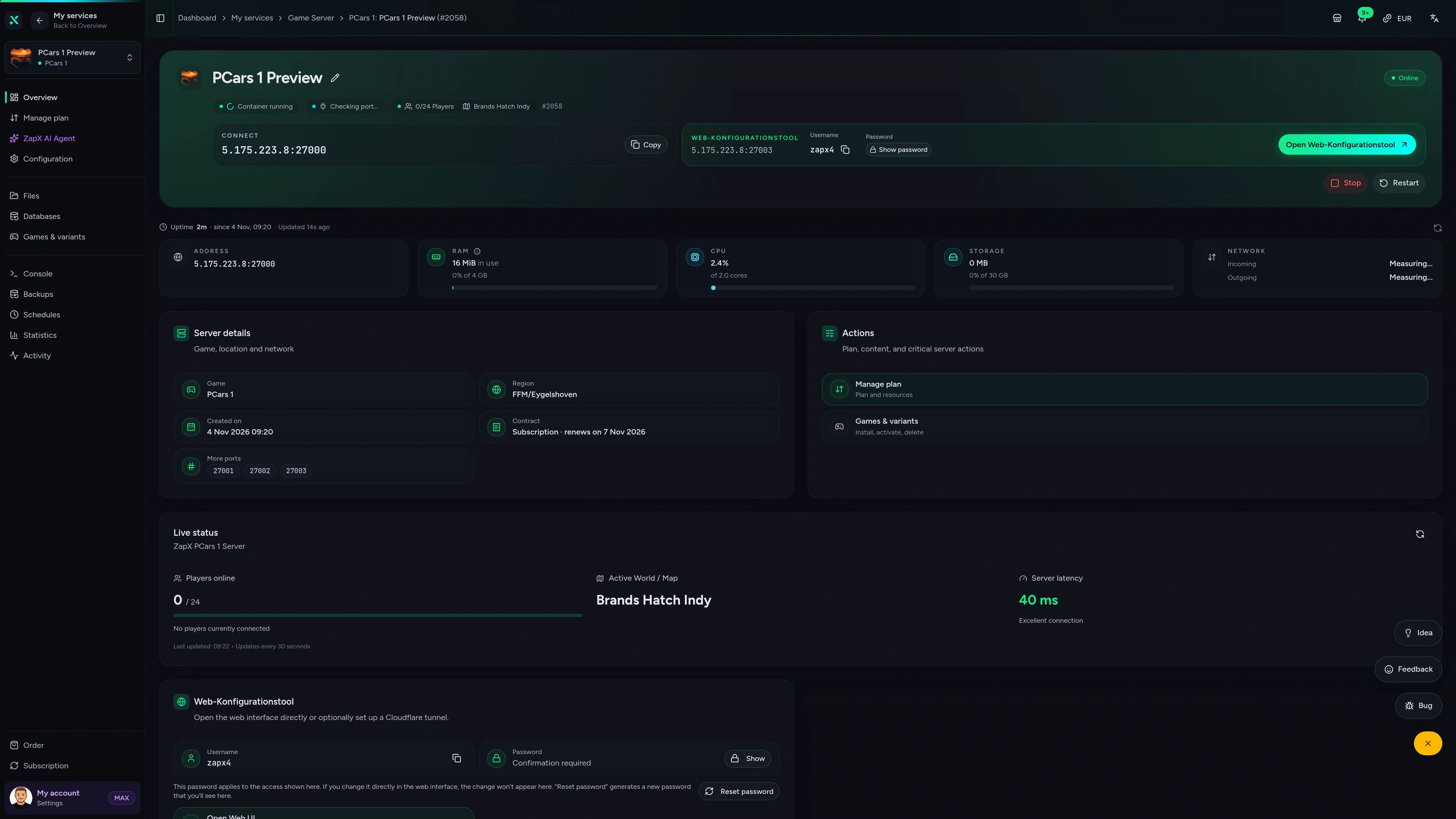
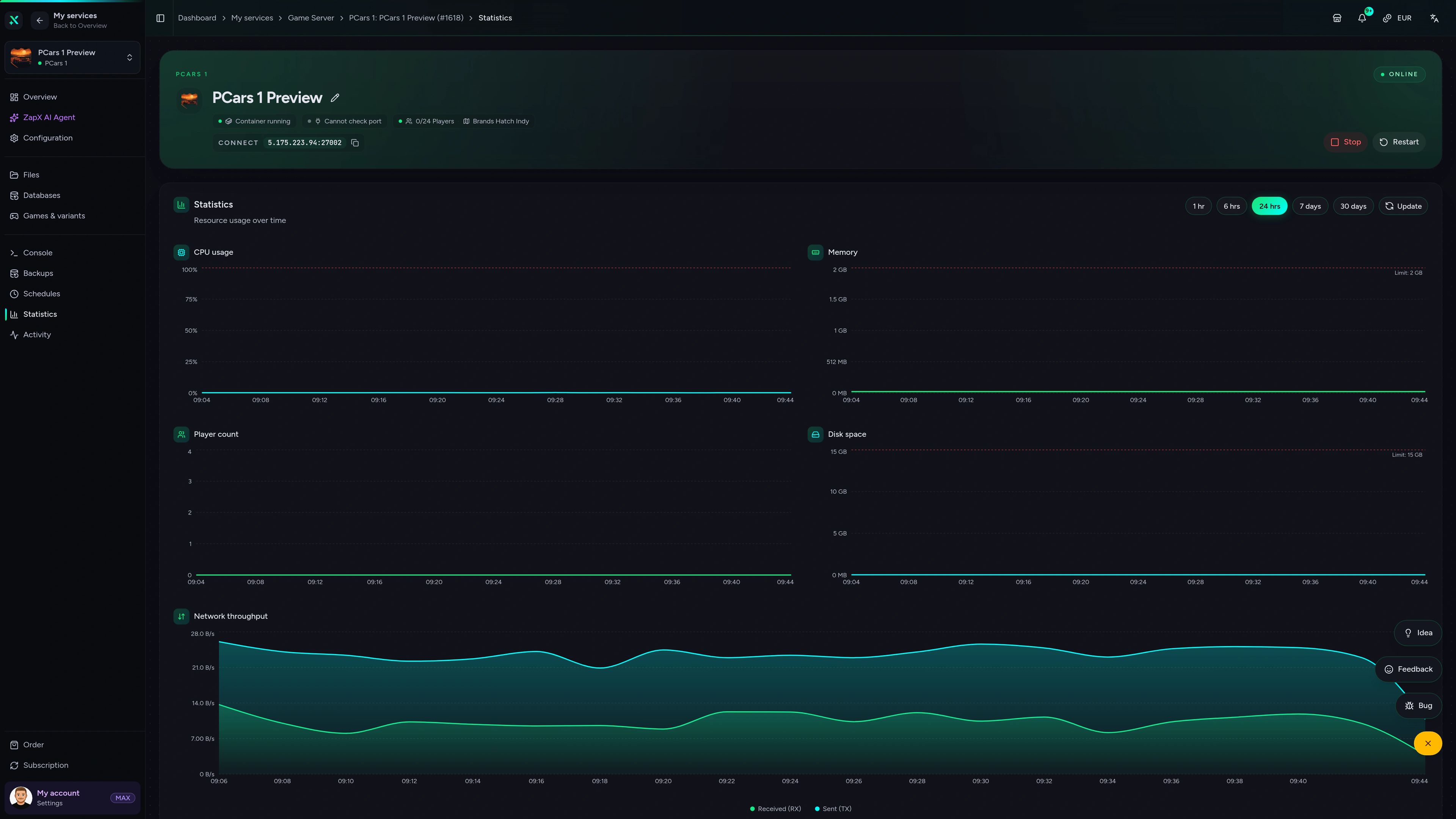
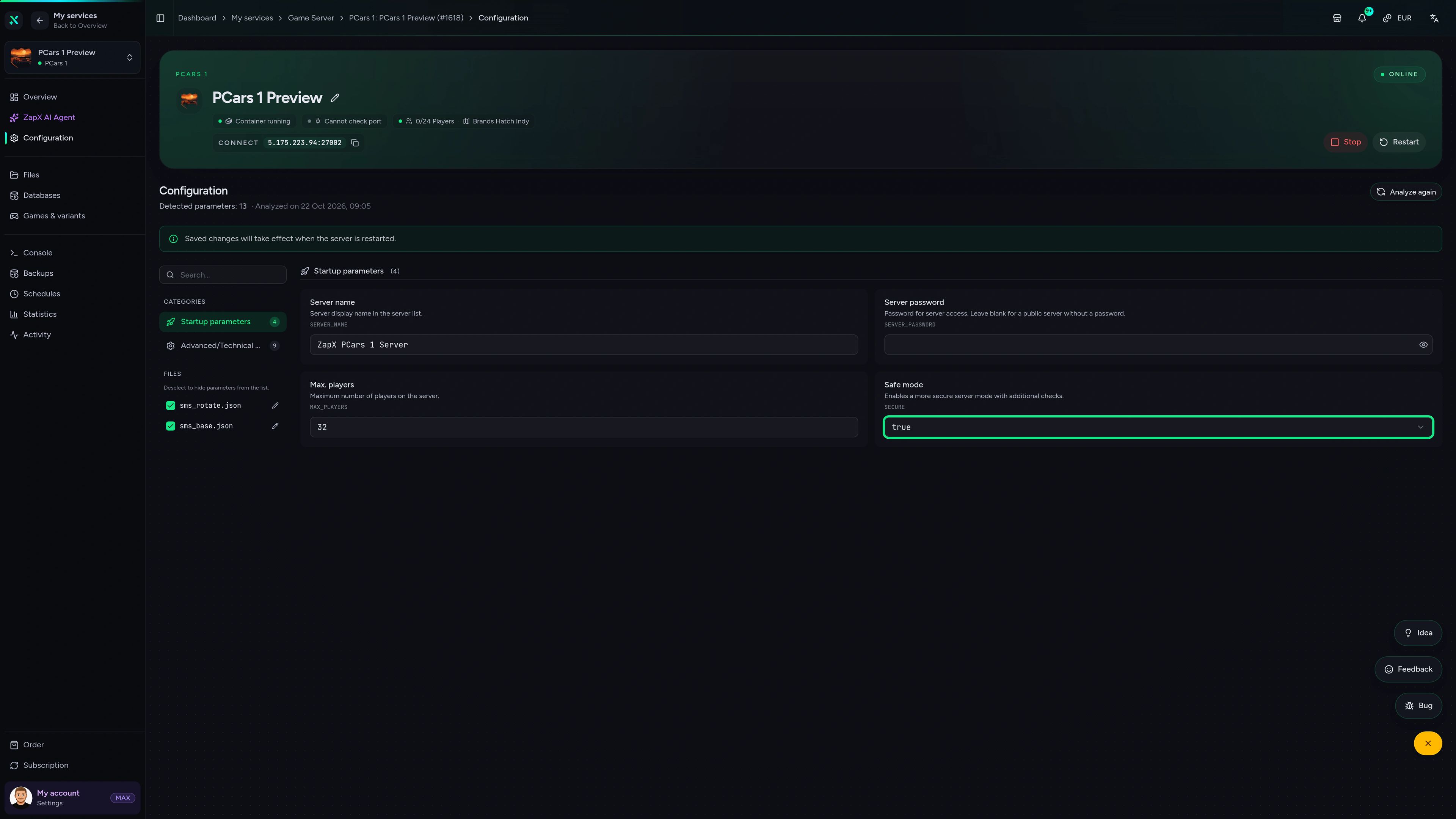
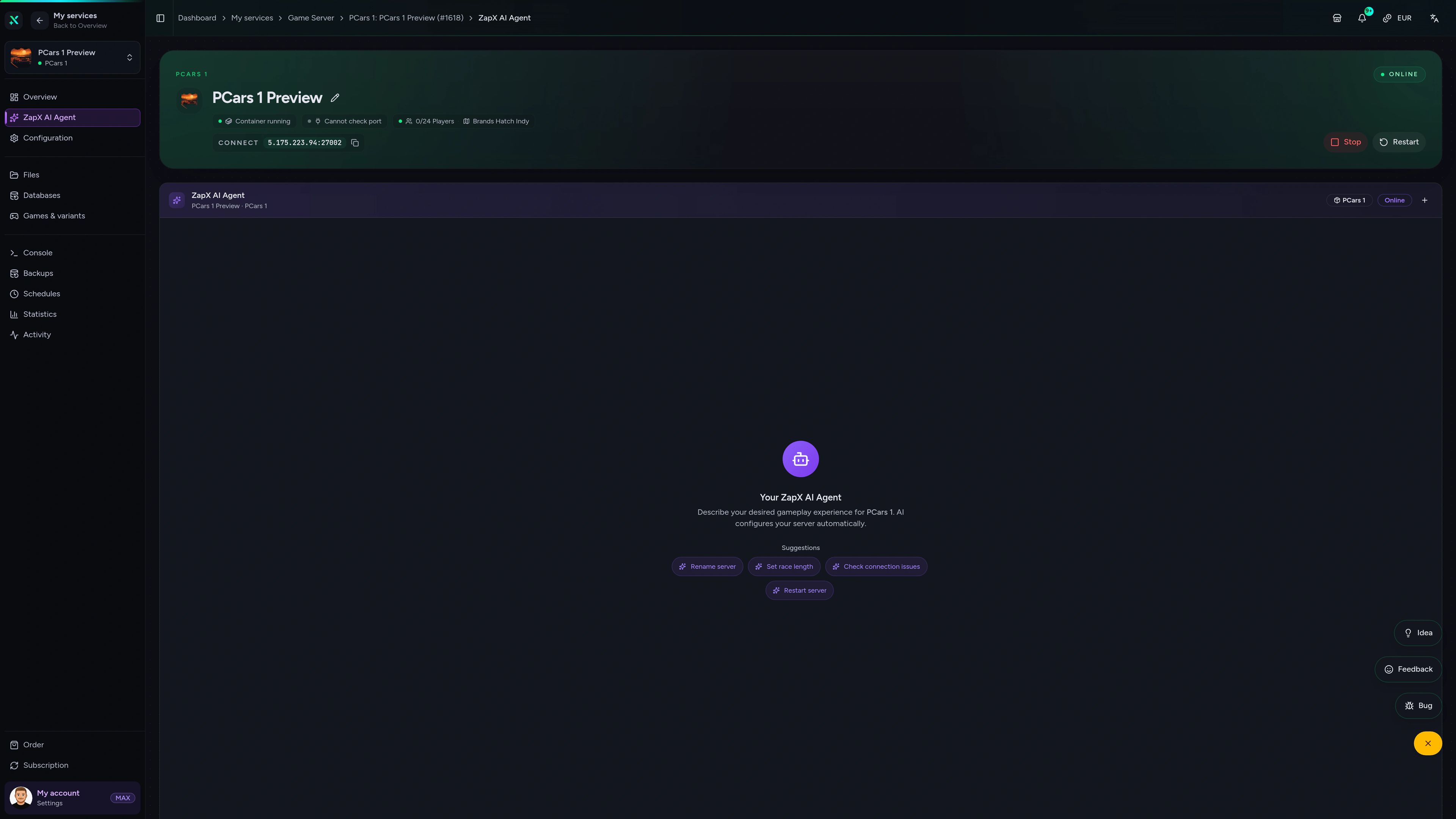
PCars 1
PCars 1 - overview
Stuck before race night? Ask the ZapX AI Agent.
The ZapX AI Agent explains Project CARS server settings, reads logs with you and suggests the next safe step. You stay in control of every change.
The ZapX AI Agent is part of ZapX Pass. It explains settings, logs and next steps, and you decide what to change on your server.
Explore ZapX PassZapX AI Agent
panel.zap-hosting.com
Benchmark
Measured values from our game server platform next to typical market offers, so you can judge performance before race night.
High-performance VPS, CPU model depends on the location
Typical VPS plans without a published host CPU
confirmed 2026-07-01
Use cases
What your Project CARS server is built for
League evenings, private race weekends, hotlap sessions or a fixed lobby for your racing club. Your own server keeps the grid together.
Ready for the green flag?
Your grid, your rules: race on your server.
Mobile appComing soon
Check your server from the pit wall.
The ZapX app keeps your Project CARS server close at hand, from the grid or on the go.
Discord management
Manage servers directly in Discord.
Check status, start, stop, and restart via slash command — without leaving your community Discord.


Impressionen
PCars 1 Screenshots
A glimpse into the game world—its atmosphere, exploration, and the moments your community will experience on the server.
All free tools
Each category has its own page with all tools for that game or topic.
306 tools in 88 categories — 100% free
Also available
We also offer the following games.
Switch between your games anytime for free—Minecraft, FiveM, Rust, and more.

Survival & Creative
Minecraft
Vanilla, Modded & Modpacks
Ready in ~2 min

Roleplay
FiveM
Roleplay server in seconds
One-click installation

Survival
Rust
Wipe-ready gameserver
Automatic setup
Also available
Switch between your games anytime for free—Minecraft, FiveM, Rust, and more.
96
Available games












Benefit
Unlimited Slots
We don't artificially limit player Slots. Hardware determines capacity.
Scale based on Mods, scripts, and player load instead of paying for a fixed number of Slots.
Start your next race weekend on your own server.
Order your Project CARS server, invite your drivers and host the first session within 60 seconds. Unlimited slots and DDoS protection are included.
No setup. No risk. Online in seconds.