
 Tactical FPS Game Server
Operation: Harsh Doorstop Server Hosting
Online in 60 seconds with DDoS protection, worldwide locations and full control over admins, maps and your join password.
Or try 3 days from €1.35Pick the 3-day term at checkout · renews every 3 days · cancel anytime

Plans and pricing
Packages 1–3 of 8
 operation-harsh-doorstop
Configure yourself
Your server. Your power.
No package fits? Choose your RAM, CPU and storage—you only pay for the package you put together.
Powerful CPUs
100 Gbit/s host network
DDoS protection
Daily Backup
Cancel anytime
 Visa
 Mastercard
 American Express
 PayPal
 Google Pay
 Apple Pay
 Klarna
 Amazon Pay
About the game
Why run your own Operation: Harsh Doorstop server?
Operation: Harsh Doorstop is a free-to-play tactical shooter by Team Bloodlust, built on Unreal Engine 4 around infantry and vehicle combat. Squads push objectives on maps like Risala, Khafji, Montecassino or Omaha Beach, where communication and teamwork matter more than fast reflexes. With your own server you decide which maps and modes run, who holds admin rights and whether the lobby is public or private for your squad.
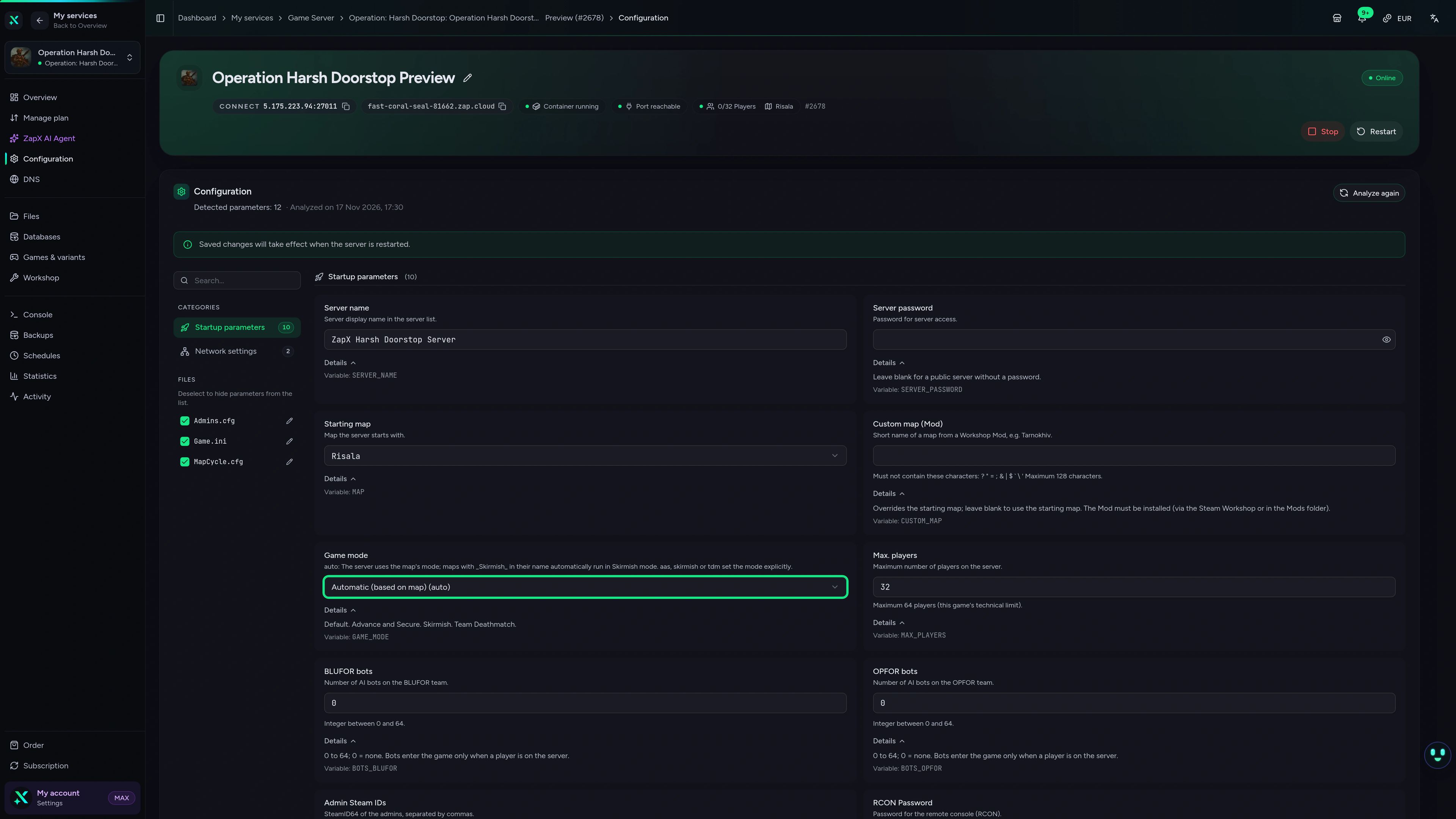
You set the server name, start map and game mode in the panel, line up the rotation in MapCycle.cfg and give admins their rights via SteamID64. A join password keeps training nights private, AI bots fill BLUFOR and OPFOR, and Workshop items load on the next start. The server stays online around the clock without a PC at home, and a daily Backup keeps your configs safe.

Features
Everything your squad's server needs.
From start map and game mode to the last admin entry: you control your server in the panel, and it runs around the clock.
Unlimited slots in every package
Your whole unit fits: the price depends on the package you choose, not on player count.
Online in 60 seconds
Place your order and your server is online in 60 seconds, ready for your first op.
Start map, mode and rotation
Open on Risala in Advance and Secure, Skirmish or Team Deathmatch and set the rotation in MapCycle.cfg.
Private server for your squad
Keep training sessions closed: a join password lets only your squad in.
AI bots and settings in the panel
Fill BLUFOR and OPFOR with AI bots and set name, mode and RCON password in the panel.
Daily Backup included
Your configs are saved daily; restore earlier states yourself with the ZapX Pass.
Made for this game
Steam Workshop in the panel
Add Workshop items by ID or link; the server downloads them on its next start and players get them on join.
Operation: Harsh Doorstop
Steam Workshop by ID or link
Add up to 20 single items by ID or link and run mod maps via their own panel field.
- Steam Workshop
Locations worldwide
Your server. Your location.
8 data centers worldwide — choose the location closest to your community.
Europe


America


Asia-Pacific


Reviews
What customers say about ZAP-Hosting
Real feedback on support and setup.
great prices, good specs
the interface was great, migration was flawless and the interface is very user friendly. support team was very helpful aswell

 ZAP-HostingReply
I've been with them for a few years
I've been with them for a few years, and they're one of the best. The lifetime servers have really helped me, and now they've added auto-backup. 10/10!
 ZAP-HostingReply


FAQ
Frequently asked questions about Operation: Harsh Doorstop
Answers to the most important questions before you start.
How do I get my own Operation: Harsh Doorstop server?
Pick a package and a location in the shop and complete your order: the server is online in 60 seconds. In the panel you set the server name, start map and join password. Players find your server by its name in the in-game server list. Add your admins by their SteamID64 in the panel or in Admins.cfg.
- Online in 60 seconds
- Join via the in-game server list
- Admins via SteamID64
Can I host an Operation: Harsh Doorstop server for free?
The dedicated server tool on Steam is free, but self-hosting means your own PC runs 24/7 and your home connection carries the traffic. A hosted server runs around the clock in a data center with DDoS protection and a daily Backup of your configs. It is online in 60 seconds and you manage it in the panel.
- No home PC running 24/7
- Online around the clock
- DDoS protection and a daily Backup
How much does an Operation: Harsh Doorstop server cost?
Your Operation: Harsh Doorstop server is available from €7.49 per month. The price depends on the package you choose, not on the number of players, and a longer term lowers the monthly price. Cancel anytime; the cancellation takes effect at the end of your term. With the ZapX Pass you can also buy the server once as Lifetime instead of renting it. How cancellation works
- Unlimited slots in every package
- Cancel anytime
- Lifetime with ZapX Pass
How much RAM does an Operation: Harsh Doorstop server need?
At least 3 GB, 6 GB recommended
Plan at least 3 GB of RAM; 6 GB is recommended for regular matches with your community. With more players or extra Workshop mods, plan more RAM. You can adjust RAM, CPU and storage later without moving your server.
- Minimum: 3 GB RAM
- Recommended: 6 GB RAM
- RAM, CPU and storage adjustable later
How many players can join my Operation: Harsh Doorstop server?
Every package comes with unlimited slots, so you never pay per player. You set the maximum player count in the panel, within the limit the game itself supports. AI bots for BLUFOR and OPFOR are set per team and become active as soon as a player is on the server. For bigger lobbies or extra mods, plan more RAM; the RAM question explains how much.
- Unlimited slots in every package
- Max player count set in the panel
- AI bots per team for BLUFOR and OPFOR
Can I install mods on my Operation: Harsh Doorstop server?
Yes. In the Workshop tab of the panel you add up to 20 Workshop items one by one, each by its ID or link. The server downloads them on its next start, which adds some time to that start, and players get the mods automatically when they join. Maps from a mod run via their own field in the panel. With many mods, plan more RAM; you can raise it later.
- Up to 20 items by Workshop ID or link
- Downloaded on the next server start
- Players get mods automatically on join
Is my Operation: Harsh Doorstop server protected against DDoS attacks?
Yes. DDoS protection is included with every game server at no extra cost. It filters attack traffic before it reaches your server, so your matches keep running even when someone targets your server. Learn more in the Help Center
- Included in every package
- Always active
- No extra cost
Which server locations can I choose?
When you order, you choose from locations worldwide. Pick the one closest to your players for low ping; for North American squads, Ashburn, Dallas or Los Angeles are often a good start. At some locations a regional surcharge applies, which you see before you order.
- Locations worldwide
- Pick the location closest to your players
- Location chosen at checkout
Any more questions?
Contact SupportZapX Panel
Your server in the ZapX panel
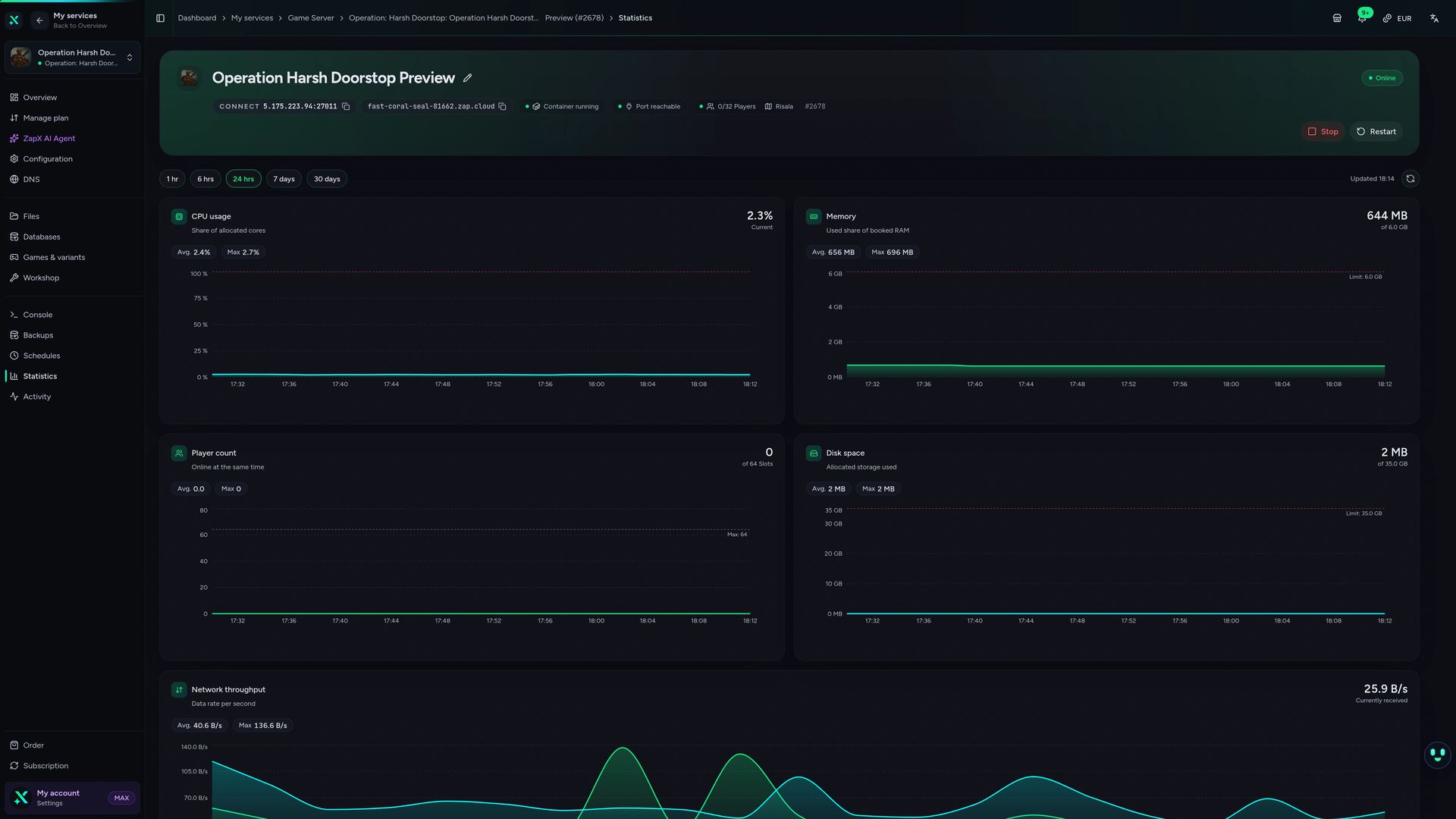
Edit Admins.cfg and MapCycle.cfg, check resources and restart your Operation: Harsh Doorstop server from one place in the panel.
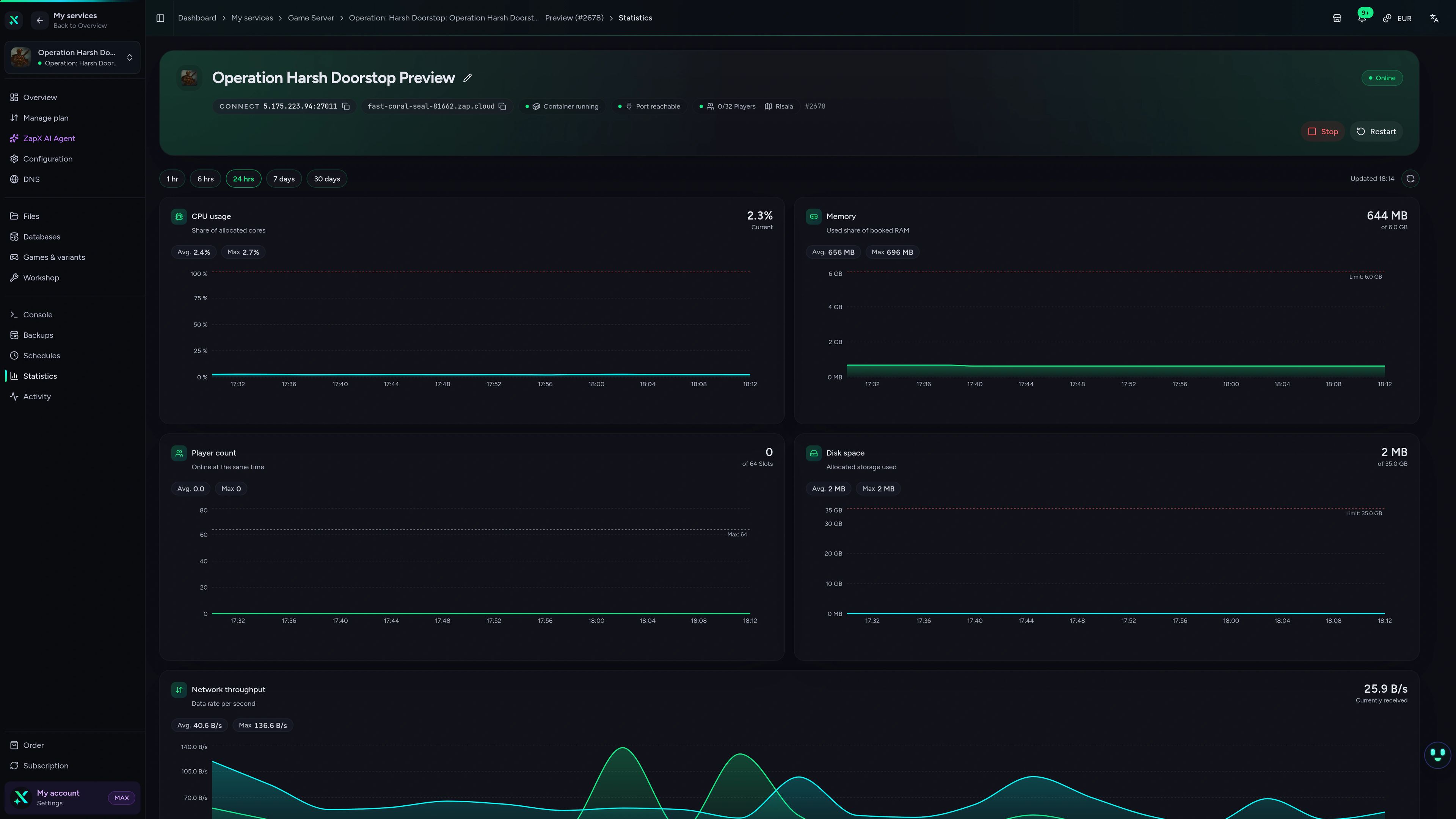
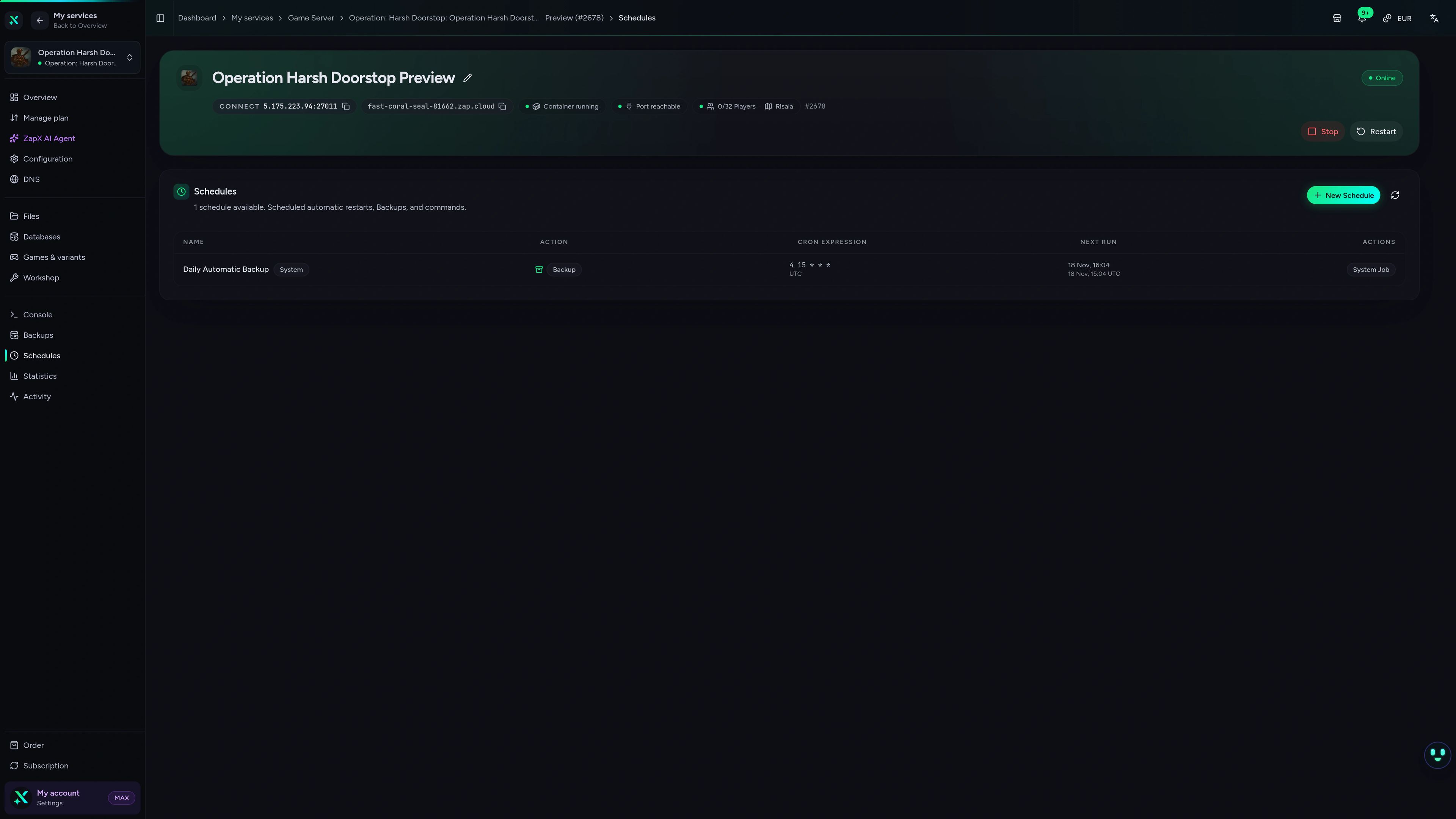
Operation: Harsh Doorstop Game Server – Statistics
Operation: Harsh Doorstop game server statistics view in the ZapX dashboard.
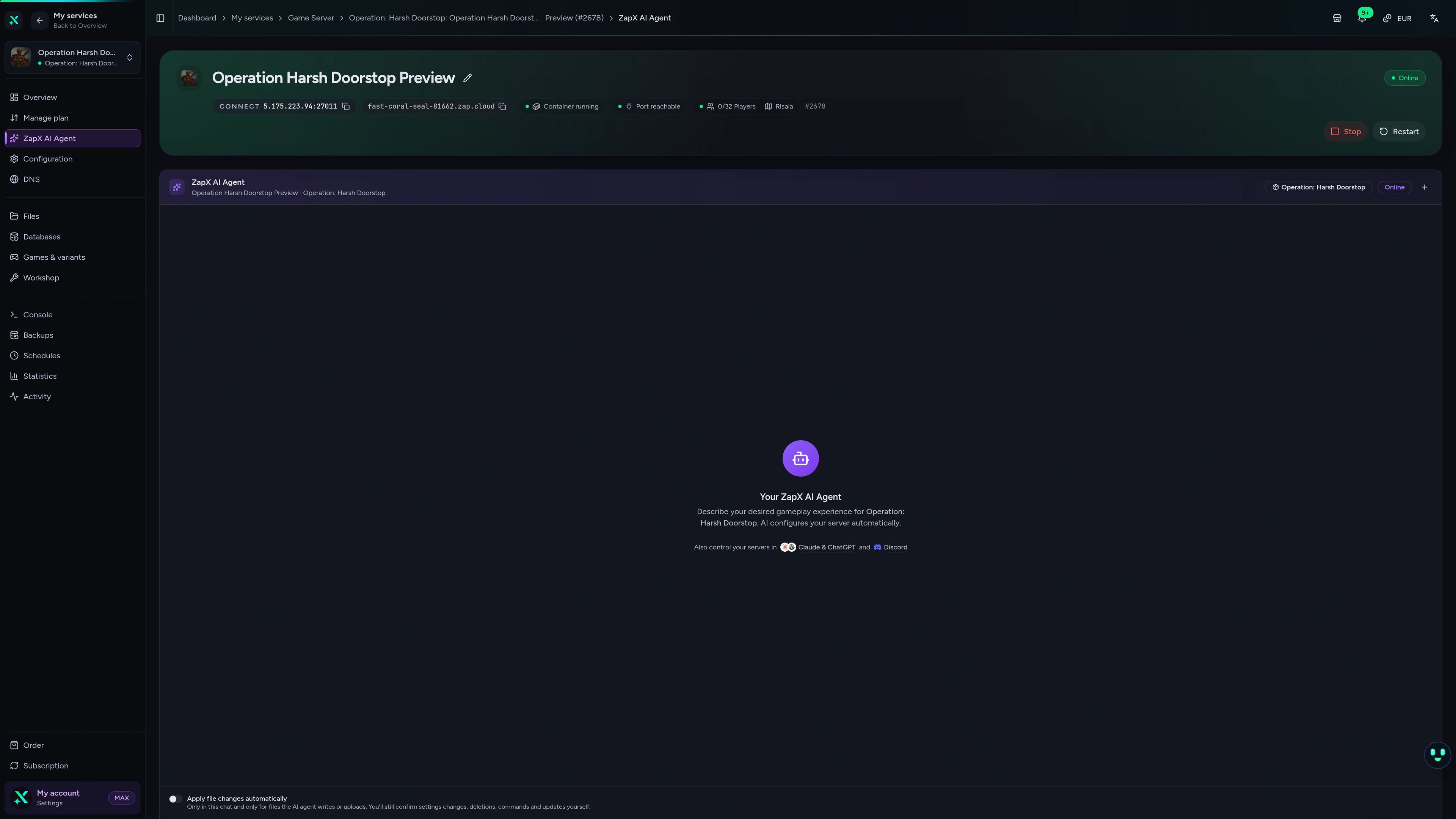
Ask the ZapX AI Agent about your server
The ZapX AI Agent explains configs, reads your logs and suggests the next step. On request it runs steps after you confirm in the chat, or you do them by hand.
The ZapX AI Agent is part of the ZapX Pass. You choose in the chat whether it runs a step after your confirmation or you make the change by hand.
Discover the ZapX PassZapX AI Agent
panel.zap-hosting.com
Performance
We measure the performance of our game servers and compare it with typical market values, so you see how your Operation: Harsh Doorstop server holds up.
High-performance VPS, CPU model depends on the location
Typical VPS plans without a published host CPU
confirmed 2026-07-01
Use cases
Built for how your unit plays
From milsim training nights to clan matches and modded ops: your server follows your rules, your maps and your admins, without a PC running at home.
Ready for the next op?
Your maps, your admins, your server.
ZapX appComing soon
Your server in your pocket
With the ZapX app you check the status of your Operation: Harsh Doorstop server and restart it from your phone, wherever you are.
Discord management
Manage servers directly in Discord.
Check status, start, stop, and restart via slash command — without leaving your community Discord.


Impressionen
Operation: Harsh Doorstop Screenshots
A glimpse into the game world—its atmosphere, exploration, and the moments your community will experience on the server.
Operation: Harsh Doorstop
1 free tool – right in your browser, no sign-up needed.
Also available
We also offer the following games.
Switch between your games anytime for free—Minecraft, FiveM, Rust, and more.

Survival & Creative
Minecraft
Vanilla, Modded & Modpacks
Ready in ~2 min

Roleplay
FiveM
Roleplay server in seconds
One-click installation

Survival
Rust
Wipe-ready gameserver
Automatic setup
Also available
Switch between your games anytime for free—Minecraft, FiveM, Rust, and more.
98
Available games












Benefit
Unlimited Slots
We don't artificially limit player Slots. Hardware determines capacity.
Scale based on Mods, scripts, and player load instead of paying for a fixed number of Slots.
Ready to deploy your server?
Order your Operation: Harsh Doorstop server, set your start map and admins and invite your squad. Online in 60 seconds, Cancel anytime.
No setup. No risk. Online in seconds.