 Co-op survival server hosting
Don't Starve Together Server hosting.
Your Constant, online 24/7: unlimited slots, Workshop mods and DDoS protection, ready in about 60 seconds at locations worldwide.
 Google
Or try 3 days from €0.81Pick the 3-day term at checkout · renews every 3 days · cancel anytime

Plans and pricing
Packages 1–3 of 9
 dont-starve-together
Configure yourself
Your server. Your power.
No package fits? Choose your RAM, CPU and storage—you only pay for the package you put together.
Powerful CPUs
100 Gbit/s host network
DDoS protection
Live console
Worldwide locations
 Visa
 Mastercard
 American Express
 PayPal
 Google Pay
 Apple Pay
 Klarna
 Amazon Pay
About the game
What is a DST server?
Don't Starve Together is Klei Entertainment's co-op survival game: you and your friends are dropped into the Constant, a hand-drawn wilderness where you gather, craft, build a base and fight hunger, sanity and the seasons, plus bosses like Deerclops and Bee Queen. Every season brings new threats, from Bearger in autumn to Dragonfly in her desert. With Don't Starve Together server hosting, your group gets its own world that stays online 24/7, even after the person who used to host has logged off.
On your own DST dedicated server you skip SteamCMD and UDP port 10999 forwarding: the world keeps running while your PC is off, slots are unlimited so you can grow past the in-game limit of 6, and a whitelist keeps strangers out. Add Steam Workshop mods, switch on the caves in the panel, type admin commands into the live console and choose the location closest to your group from locations worldwide.
Everything included
Everything your DST world needs.
Unlimited slots, whitelist, live console and Backups come with every package — no add-ons to unlock.
World rules in the panel
Change game mode, PvP, password, player cap and caves right in your browser.
Unlimited slots past 6 players
Bring the whole group — your RAM package, not a slot count, sets the limit.
Whitelist & private worlds
Only invited friends get in, with password, whitelist and admin list support.
Live console for admin commands
Save, announce or roll back with ZapX Pass right from the panel — no remote desktop needed.
Backups for long-running worlds
Restore a world save with the ZapX Pass when one bad night threatens hundreds of days of progress.
Ready in about 60 seconds
Your server sets itself up after ordering — no SteamCMD, no port forwarding.
Locations worldwide
Your server. Your location.
5 data centers worldwide — choose the location closest to your community.
Europe

America


Reviews
What customers say about ZAP-Hosting
Real feedback on support and setup.
Zap has been a great experience for myself thus far. Easy interface to learn and it makes sense. Having all the tools I need to run my server with short and informative documentation that helped me tremendously. As a adamant gamer, zap has made having my own server fun, easy, and affordable. Thank you Zap!

 ZAP-HostingReply


I have used ZAP-Hosting for VPS services. The ordering process is straightforward, and the support team responds to customer inquiries. I hope to continue using their services and have a smooth experience in the future.
 ZAP-HostingReply


FAQ
Frequently asked questions about Don't Starve Together
Answers to the most important questions before you start.
How much does a Don't Starve Together server cost?
Price by package, term and location, never per player slot.
The price depends on package, term and location; current prices load live in the package section above. Every package includes unlimited player slots, DDoS protection and the full panel, so you never pay per player. Small friend groups need fewer resources; more mods or more survivors need more RAM, which you can add later. Choose 3, 30, 90 or 180 days or a year; cancel anytime, effective at term end.
- No per-slot pricing
- Live prices in the shop
- Flexible terms
How much RAM does a Don't Starve Together server need?
It depends on players, mods, caves and world age.
There's no one-size-fits-all answer: RAM use grows with the number of players, how many Workshop mods you run and how big your base gets over hundreds of days. Caves add a second world that runs alongside the forest, so plan for more memory when you switch them on. Watch real usage in the panel statistics. As a guideline: at least 2 GB, and 4 GB recommended with caves.
- Live RAM stats in the panel
- Mods add to RAM use
- Caves: 4 GB RAM recommended
Does my Don't Starve Together server keep running when we all log off?
Yes — your world runs 24/7, even when nobody is online.
Unlike hosting in-game, a rented server doesn't depend on anyone's PC. The world stays online around the clock, so friends in other time zones can hop in whenever they like. If you'd rather freeze time while nobody plays, DST's pause-when-empty setting stops the clock until the first survivor returns.
- No host PC needed
- Online 24/7
- Optional pause when empty
Can I use Steam Workshop mods on my Don't Starve Together server?
Yes — server-side Workshop mods run on your forest world.
Yes. Add the Workshop IDs of your mods to dedicated_server_mods_setup.lua, then enable and configure them in modoverrides.lua. The server downloads them at start and keeps them in a persistent mods folder. World generation settings for your forest world go into worldgenoverride.lua.
- Workshop IDs in mods setup
- Enable in modoverrides.lua
- Persistent mods folder
How do I get more than 6 players on my DST server?
Raise the player cap — every package has unlimited slots.
In-game hosting caps you at 6 survivors by default. On your own server, slots are unlimited: set the maximum player count in your server settings and invite the whole group. How many players run smoothly depends on your RAM package, especially with many mods enabled, so keep an eye on the statistics as your group grows.
- Unlimited slots on every package
- Max players in server settings
- Performance scales with RAM
Can I make my Don't Starve Together server private?
Yes — use a server password, a whitelist or both.
Set a password so only people you share it with can join, or go further with a whitelist that reserves spots for specific Klei user IDs. Admins are set via the admin list, and troublemakers can be blocked. The Help Center explains the whitelist setup in detail. See the whitelist guide
- Server password
- Whitelist by Klei ID
- Admin list & blocklist
Can PlayStation or Xbox players join a rented DST server?
No — DST dedicated servers are for the PC version only.
Klei only supports dedicated servers for Don't Starve Together on PC, so console players on PlayStation or Xbox can't connect to a rented server. Your PC friends join through the in-game server browser or by direct connect, and our connection guide shows both ways. How to connect to your server
- PC version only
- Join via server browser
- Or connect directly
Can I add caves to my Don't Starve Together server?
Yes — switch caves on in the panel, no second server needed.
Yes. Turn on the caves option in your server settings in the panel. The caves then run as a second shard on the same server, so you don't need a second server, and the extra port is created automatically. The change takes effect the next time your server starts. Because two worlds run at once, we recommend more RAM with caves. Read the caves guide
- Toggle caves in the panel
- Same server, active from the next start
- More RAM recommended with caves
Still have questions?
Contact SupportZapX Panel
Your DST server, all in one panel.
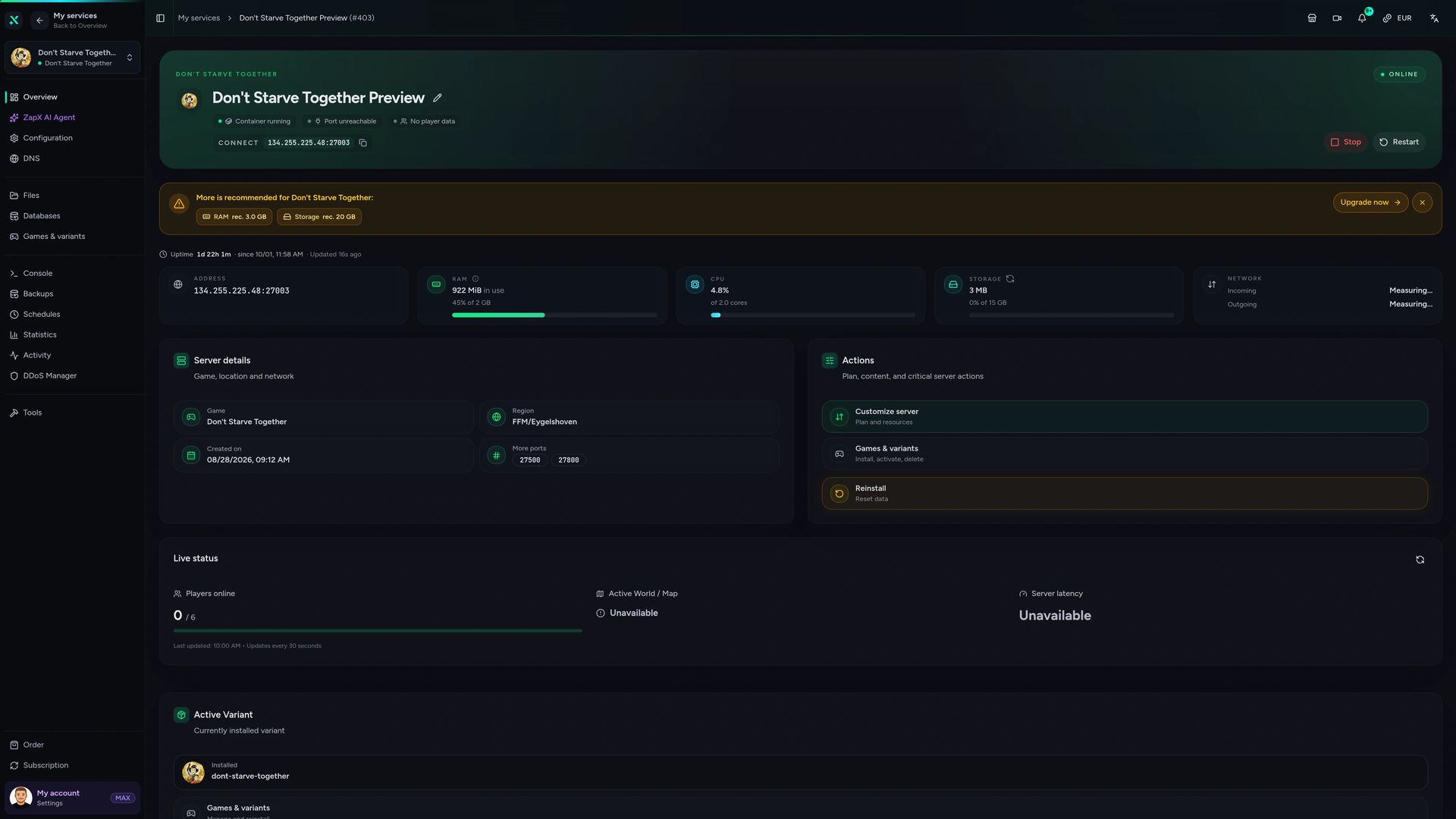
Check RAM use, read the console, edit cluster settings and restore Backups with the ZapX Pass in one panel — the ZapX AI Agent explains anything that's unclear.
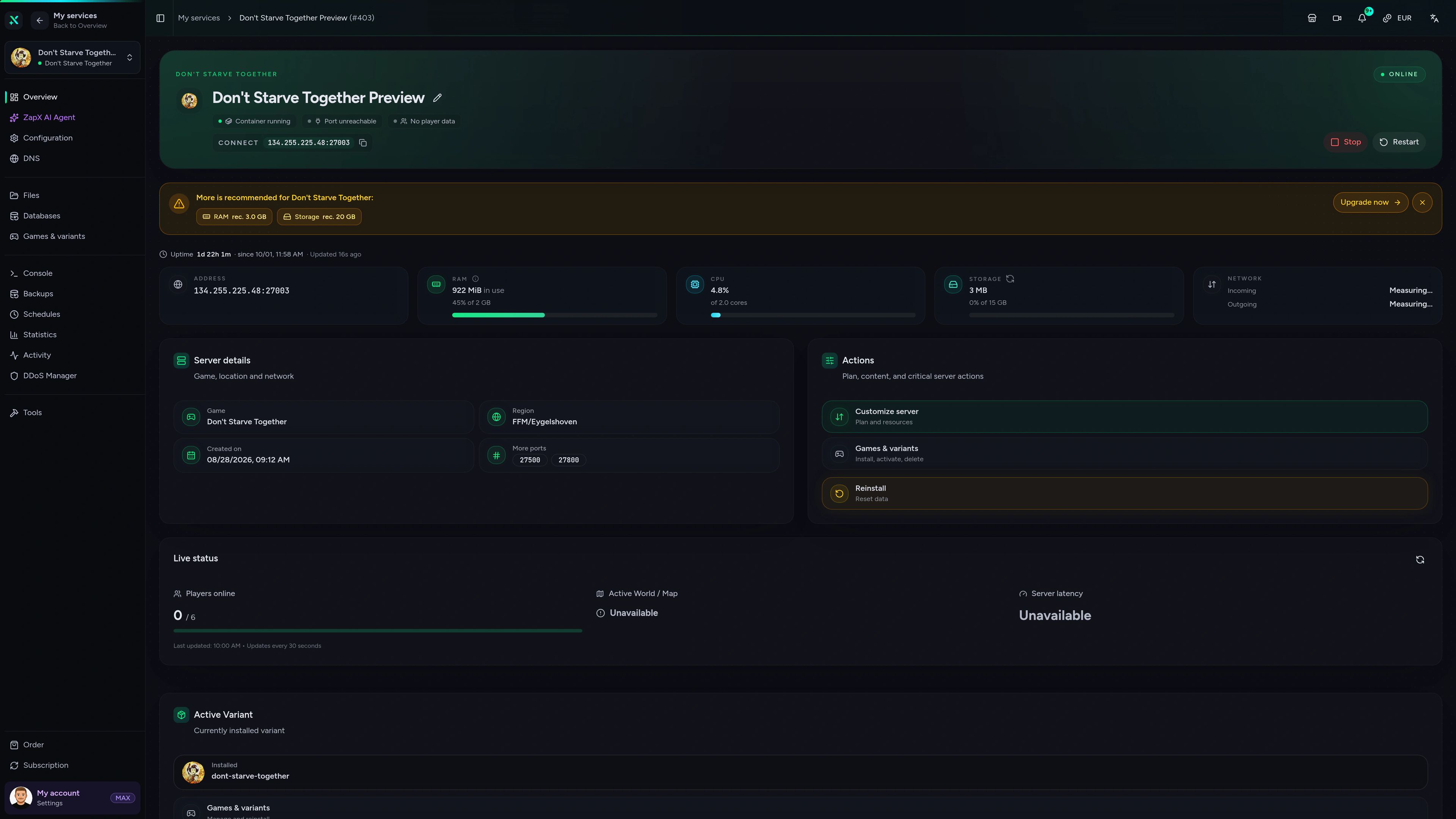
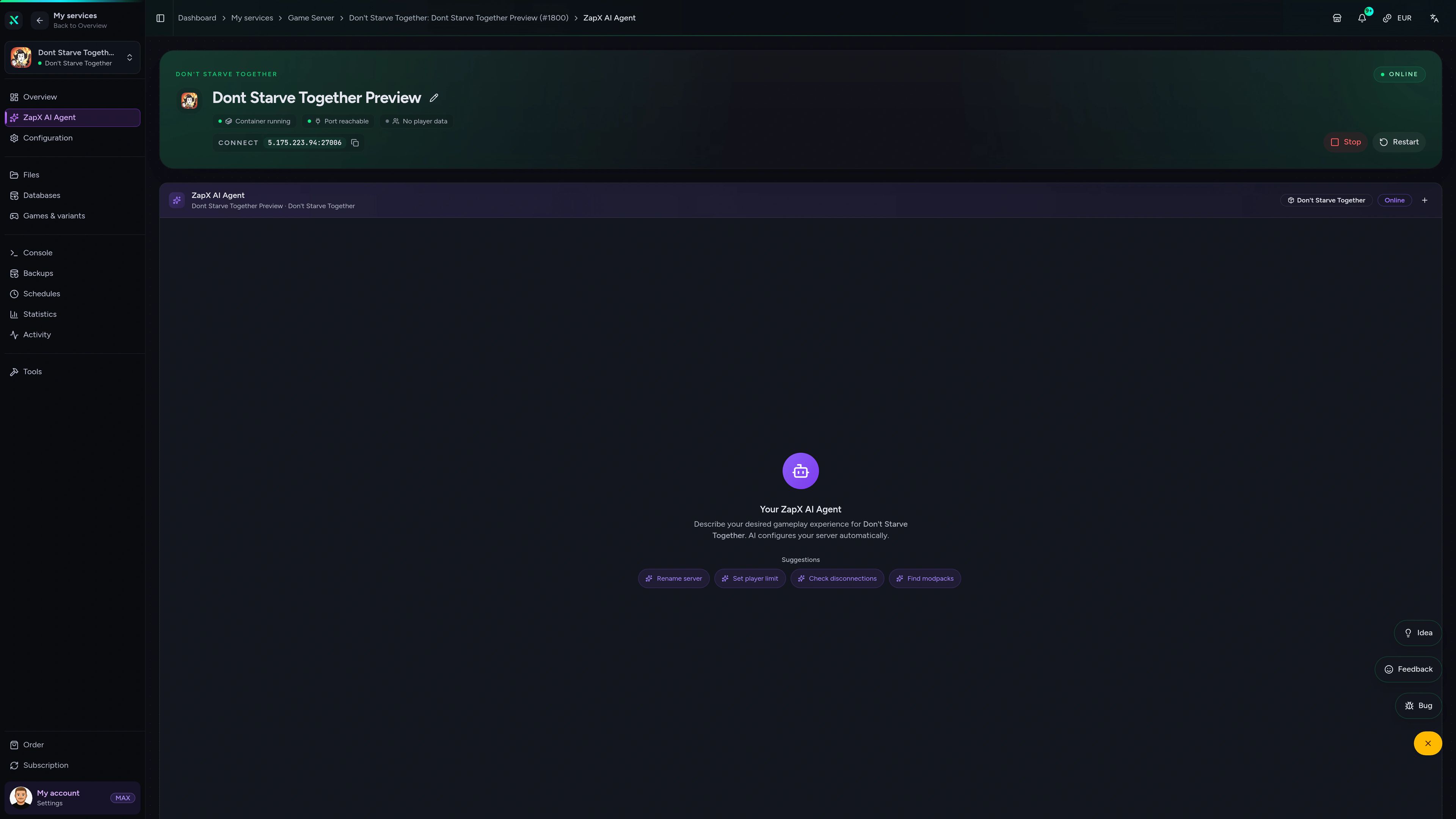
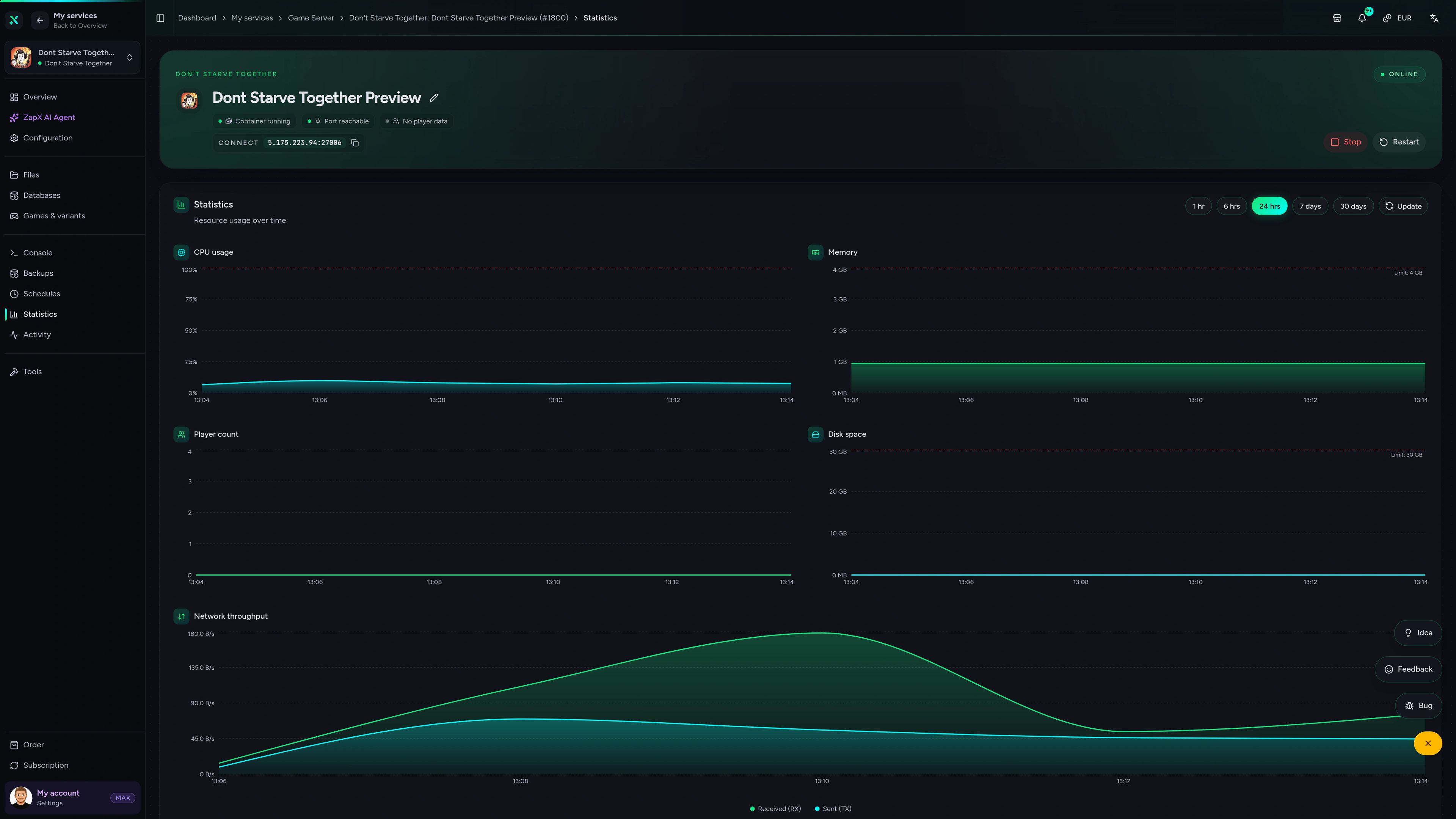
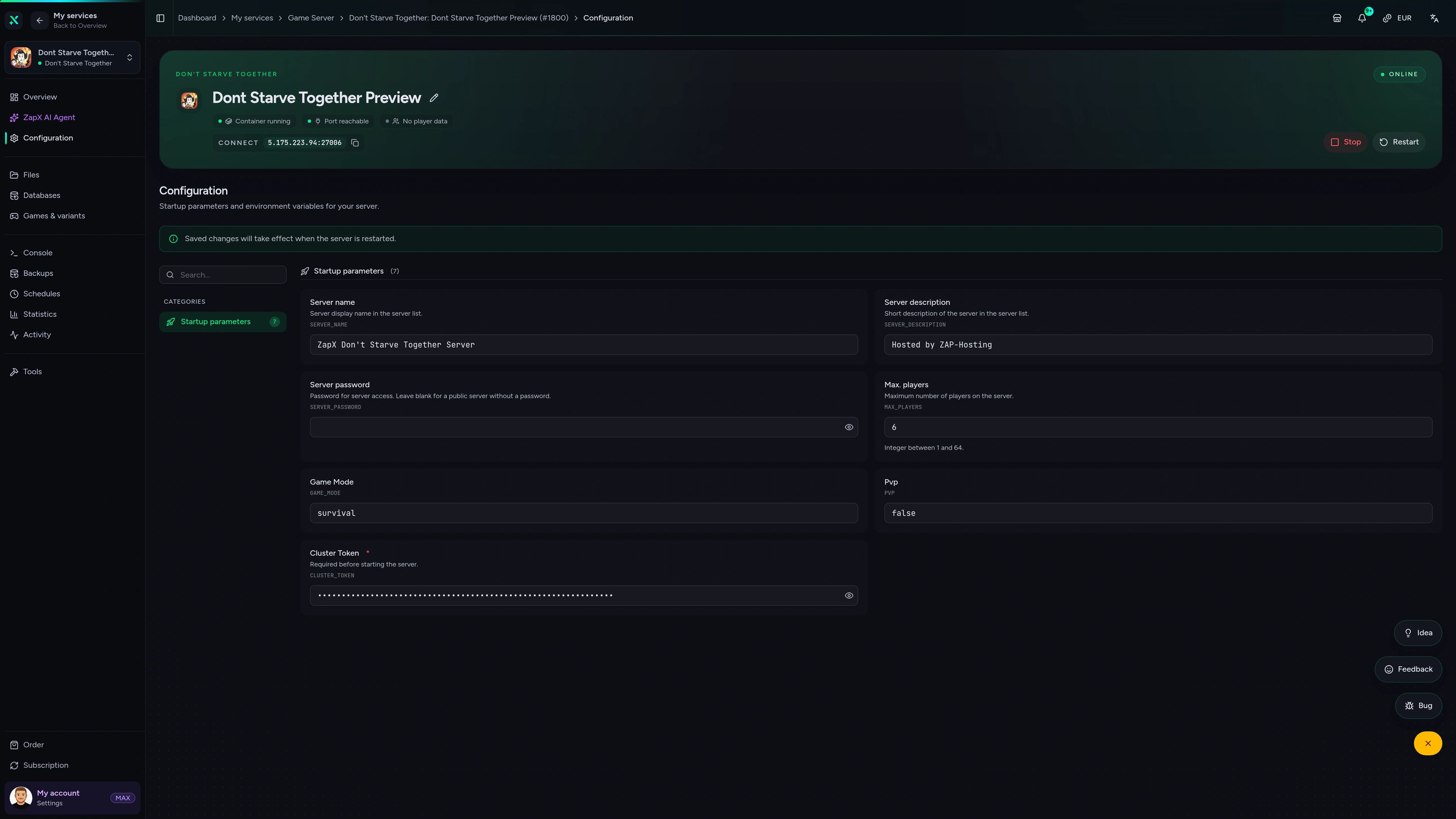
Don't Starve Together Game Server – Overview
Overview of the Don't Starve Together game server in the ZapX customer panel.
Ask about your DST server. Get a clear answer.
The ZapX AI Agent knows your server's context and helps with Workshop mods, player caps, whitelists and log errors — it explains the next step, you stay in control.
The ZapX AI Agent is part of ZapX Pass and works account-wide across all supported services.
View ZapX PassZapX AI Agent
panel.zap-hosting.com
Benchmark
Comparable figures from our own infrastructure, with method and measurement date — no made-up competitor numbers.
High-performance VPS, CPU model depends on the location
Typical VPS plans without a published host CPU
confirmed 2026-07-01
Typical DST setups
How groups use their DST server.
From a private friends-only world to a full endless run through the seasons: these setups show when unlimited slots, whitelists or Backups matter most.
Get started
Start your DST world in about 60 seconds.
Mobile appComing soon
Your DST server. In your pocket.
Manage your Don't Starve Together server from anywhere with the ZapX app — check status, restart after an update and read logs on the go.
Discord management
Manage servers directly in Discord.
Check status, start, stop, and restart via slash command — without leaving your community Discord.


Impressionen
Don't Starve Together Screenshots
A glimpse into the game world—its atmosphere, exploration, and the moments your community will experience on the server.
Don't Starve Together
1 free tool – right in your browser, no sign-up needed.
Also available
We also offer the following games.
Switch between your games anytime for free—Minecraft, FiveM, Rust, and more.

Survival & Creative
Minecraft
Vanilla, Modded & Modpacks
Ready in ~2 min

Roleplay
FiveM
Roleplay server in seconds
One-click installation

Survival
Rust
Wipe-ready game server
Automatic setup
Also available
Switch between your games anytime for free—Minecraft, FiveM, Rust, and more.
98
Available games












Benefit
Unlimited Slots
We don't artificially limit player Slots. Hardware determines capacity.
Scale based on Mods, scripts, and player load instead of paying for a fixed number of Slots.
Your DST world is waiting.
Start your Don't Starve Together server now — unlimited slots, Workshop mods and online in about 60 seconds.
No setup. No risk. Online in seconds.