Wondering how to make a Minecraft mod without learning Java or setting up a development environment? With the ZapX Mod Maker, describe your idea in plain language and get a ready-to-use .jar file. In this guide, we’ll walk you through a real example: a leather backpack and feather wings that are visible on the player.
- Choose a loader and Minecraft version, then describe what you want.
- Have the mod built and download the
.jar. - Test the mod on your own server with friends.
You’ll find the details for each step, including an example with screenshots, below.
Traditionally, you program a mod in Java. You’ll need a suitable JDK, a mod loader (Fabric, Forge, or NeoForge), the Gradle build system, and a development environment such as IntelliJ IDEA. The Fabric documentation, for example, explains how to set up a project. After that, you register items in code, create textures and recipes, build the mod, and start the client to test it.
There are also tools like MCreator that let you assemble mods visually. This is a different approach: you work in a dedicated program and put the content together yourself. The prompt-based approach we’re showing here skips the setup and coding completely.
The ZapX Mod Maker works in three simple steps. Choose a loader (Fabric, Forge, or NeoForge) and a Minecraft version. Then describe the mod in plain language. The Maker writes the code, builds it, and gives you a .jar.
You can try the Maker without an account. The public preview allows 3 free prompts every 24 hours. The full Maker is included in the Plus, Pro, and Max tiers of the ZapX Pass: you can save projects, continue working on them, and deploy the mod directly to your own ZAP server.
New since the November 23, 2026 release: Items in the armor slot, such as backpacks, bags, wings, or custom armor, get their own appearance on the player in Maker mods. To do this, the Maker creates a 64x32 texture (equipment layer) and the necessary files. Previously, these items were invisible on the player or looked like vanilla armor.
There are three things to know:
- Version: The custom look works only from Minecraft 1.21.2 onward.
- Appearance: It’s a flat texture layer on the body, not a 3D model.
- Scope: It applies to mods only, not server plugins.
A backpack with a custom look isn’t a solid shape, but a layer on the player’s back. It looks good enough, but shouldn’t be confused with a 3D model.
The following example comes from the actual Maker: Fabric loader, Minecraft 1.21.11. Here’s the complete prompt:
A leather backpack worn in the chestplate slot and visible on the player's back, with straps at the front. Also feather wings that are worn in the chest slot and visible on the back. Both with custom textures and crafting recipes.
In a single response and without asking any follow-up questions, the Maker built the Leather and Feathers mod:
- Leather backpack: It goes in the chest slot and has its own custom look. According to the Maker, it’s a flat layer on the back with no storage, so it’s purely cosmetic and has no inventory.
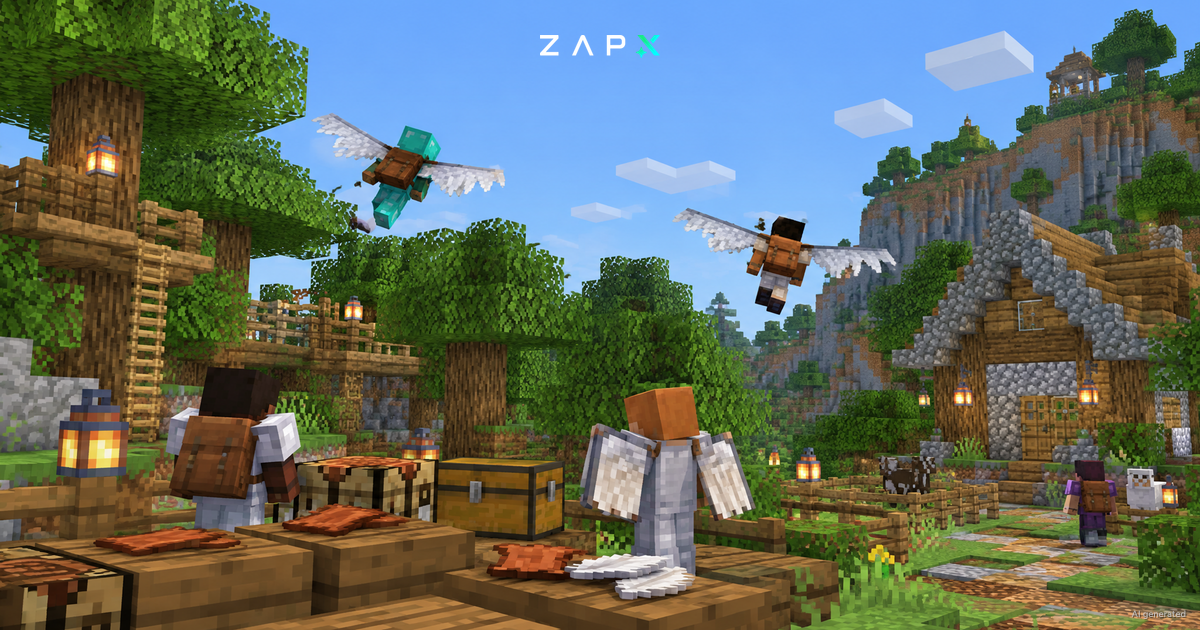
- Feather wings: They also go in the chest slot, use the Elytra layer, and allow you to glide like an Elytra.
- Recipes: Both are shapeless. The backpack requires 7 leather and 1 chest, while the feather wings require 6 feathers, 2 sticks, and 1 string.
- In-game: Use
/give @s lederflug:rucksackand/give @s lederflug:federfluegelto get the items directly.
The Maker itself points out that you’re responsible for testing the mod in-game. Here’s the result, first before and then after, viewed from behind:
Before, without the item; after, with the leather backpack. All screenshots are from the actual Minecraft client with the unchanged .jar from the Maker.
The backpack straps sit on the front of the chest:
Here’s what the feather wings look like when worn and while gliding:
First worn, then spread while gliding, both from the Leather and Feathers mod.
New since November 23, 2026: If a big request (“everything at once”) can’t be completed in a single run, the Maker continues building the remaining parts in up to three automatic follow-up steps. Each follow-up step summarizes what was added and what’s still missing. If a follow-up step has nothing new to build, the chain ends.
The usual limits apply. In the public preview, each follow-up step uses one of your free prompts. If you don’t have any left, nothing starts, and you’ll need to write “continue with …” yourself. So it isn’t unlimited.
Our backpack example didn’t need a follow-up step because everything fit into one run.
- Open the ZapX Mod Maker.
- Choose the loader and Minecraft version that you’ll also use on your server and in your client.
- Describe the mod, including the slot, appearance, recipe, and version.
- Read the Maker’s response and check what it built and what it deliberately left open.
- Download the
.jar. - Test the mod in-game and get the items with
/give.
The prompt determines how closely the result matches your idea. The more precisely you specify the slot, appearance, recipe, and version, the less the Maker has to guess.
Make me a cool backpack.
This leaves out the slot, appearance, recipe, and version. The Maker has to decide everything for itself.
Fabric, Minecraft 1.21.11: A brown leather backpack worn in the chestplate slot and visible on the back. Custom texture, shapeless crafting recipe made from leather and a chest.
This prompt specifies the loader, version, slot, appearance, and recipe.
If you want both a backpack and wings, request them together in one prompt, like in the example above. If it doesn’t all fit into one turn, the Maker keeps building automatically. Once your free prompts are used up, write “continue with …” yourself later.
To test with friends, you’ll need a Minecraft server running Fabric (or the appropriate loader) and the same Minecraft version as the mod. Put the .jar in the server’s mods folder. Then restart the server and get the items with /give. You can find a server with mod support at ZAP-Hosting Minecraft servers.
Unlike plugins, mods with custom items and textures must be installed in every player’s own client. With Fabric, that includes the Fabric API. Without the mod, a player won’t be able to join or see the custom look.
Make sure your friends have the same .jar, and tell them which loader and Minecraft version to use.
Create a backup before using the mod on a live server. A new mod can change your world and items, so testing on a copy is the safest option.
Plugins (Paper, Spigot, Bukkit) run on the server only. Players don’t need to install anything, but custom looks aren’t available. For that, there’s the ZapX Plugin Maker. You can find an overview of all Makers at ZapX Maker.
Can I create a Minecraft mod without programming skills?
Yes. With the ZapX Mod Maker, you describe the mod in plain language, and the Maker writes the code and builds the .jar. You’ll need to test it and put it on the server yourself.
Can AI tools like ChatGPT create Minecraft mods?
Chatbots can provide code, but you’ll still need to build, package, and test it yourself. The ZapX Mod Maker builds the .jar directly.
Which Minecraft version is required for the custom look?
Minecraft 1.21.2 or later. In older versions, these items won’t appear with their own custom look on the player.
Is the custom look a 3D model?
No. It’s a flat texture layer on the body. It looks like a layer on the back, but doesn’t have its own 3D shape.
Do my friends need to install the mod?
Yes. For mods with custom items and textures, each player needs the mod in their own client. Fabric users also need the Fabric API. Otherwise, they won’t be able to join or see the custom look.
Can I try the Maker for free?
Yes. The public preview works without an account and allows 3 free prompts every 24 hours. Saving projects, continuing to work on them, and deploying them are part of the full Maker in the ZapX Pass.
If you want to create a Minecraft mod, you no longer need to take a Java course for simple ideas like a backpack or wings. A precise prompt, the right version, and a test on your server are all it takes. Just remember that your friends will need to install the mod too.