 ZapX Maker for Minecraft
Minecraft Plugin Generator. No code.
Describe in your own words what your plugin should do. The AI writes the Java code for Paper, Spigot or Bukkit, and you download the finished .jar for your server.
 Google
Built by Luca Stanek


Plugin built? Run it on your own Minecraft server.
- 1SoftwareStep 1 of 3
- 2
- 3
Which server software do you use?
What is ZapX Maker?
Your AI developer for Minecraft plugins
Making your own plugin used to mean learning Java, setting up a development environment, coding against the server API, and compiling it yourself. ZapX Maker handles all that. You say what should happen on your server, and the AI writes the code and gives you a ready-to-use .jar.
€0
No sign-up, no credit card
In chat
Make changes easily
Paper · Spigot · Bukkit
All common versions
.jar
Automatically compiled and checked
Why ZapX Maker
From a sentence to a plugin, without writing a line of Java
You describe it, the AI asks follow-up questions
Describe what your plugin should do in your own words. If a detail such as the version is missing, the AI asks before writing code.
No build setup needed
The AI writes the Java code for Paper, Spigot or Bukkit. It compiles automatically, without JDK, Gradle or Maven on your computer.
Into the plugins folder
Restart the server, and you’re done. Your players don’t need to install anything.
Features
What your plugin can do
Custom commands
/home set base
Event reactions
Join → “Welcome!”
Scoreboards & boss bars
Kills: 12 · Time: 4:59
Economy & placeholders
Vault · PlaceholderAPI
Kits & rewards
/kit starter
All common versions
Paper · Spigot · Bukkit
… and so much more
Difference
Why not just use ChatGPT?
A general-purpose chatbot can write Java code for you too. What comes next is up to you.
Guide
How to create a Minecraft plugin with the generator
From idea to working plugin, without writing Java yourself.
- 1
Choose server software
Paper, Spigot or Bukkit.
✓ Paper
- 2
Choose version
All supported Minecraft versions.
1.21.11
- 3
Describe your idea
In your own words or with an idea chip.
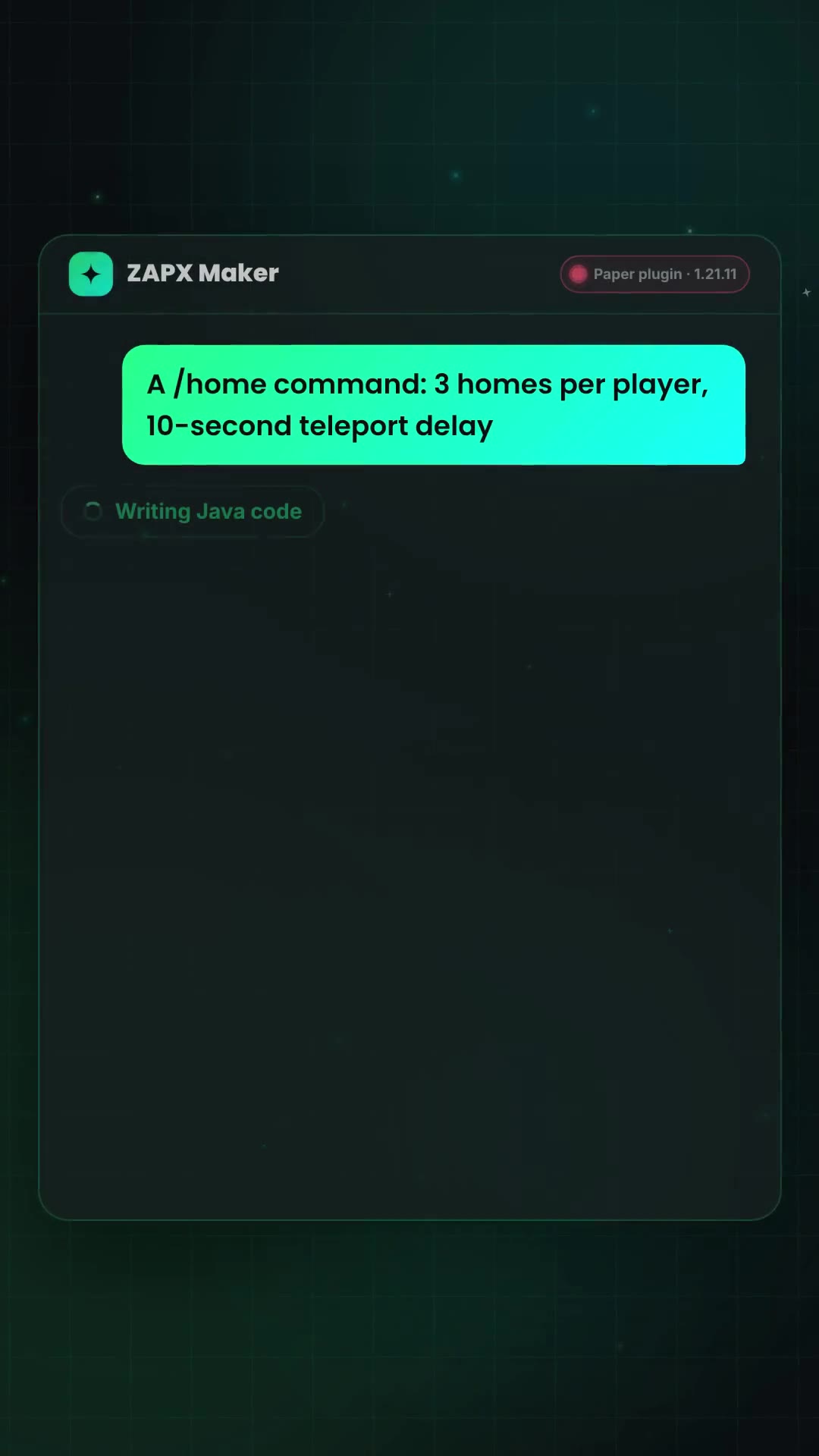
“/home with 3 points”
- 4
Generate and build
The AI writes the code; the build produces the .jar.
plugin.jar ✓
- 5
Add to the server
Put it in the plugins folder and restart the server.
plugins/
Plugin or Mod?
What do you actually need?
The choice depends on your server software — you can generate both here.
Plugin
Paper · Spigot · Bukkit
- Runs only on the server
- Players don't need to install anything
- Ideal for commands, rules, and server features
Mod
Fabric · NeoForge · Forge
- Installed on the server and usually on the player's device
- Can modify game mechanics more deeply
- Ideal for Modpacks and survival customizations
Want to keep working on your plugin? The full ZapX Maker in the Dashboard.
With ZapX Pass, you can save your projects, keep building them anytime and deploy them to your Minecraft server with one click.
ZapX Maker is included with ZapX Pass Plus and above, right in the panel alongside your Minecraft servers.
View ZapX PassZapX Maker
panel.zap-hosting.com
After downloading
More Minecraft tools for your plugin
Server Configuration Generator
Describe your server.properties in your own words using the ZapX AI Agent or set each option manually — with a live preview to copy or download.
Built by Florian Galz
Log Analyzer
Paste a crash report or log to get automatically detected causes and suggested fixes, plus a shareable link.
Built by Luca Stanek
RAM calculator
How much RAM your Minecraft server or Modpack needs—a clearly labeled estimate based on server variant and player count, using ZAP-Hosting server usage data when enough is available.
Built by Luca Stanek
ZapX Mod Maker
Describe your Mod in your own words — AI writes the Java code for Fabric, NeoForge, or Forge and builds the finished .jar. Try it for free.
Built by Luca Stanek
Startup script and command generator
Create a Java startup command or startup script for your Minecraft server—with RAM and Aikar's Flags.
Built by Luca Stanek
Color Codes
All 16 color codes and 6 formatting codes, with chat, MOTD, and MiniMessage syntax and HEX values in one reference.
Built by Rugile Rutkauskaite
Was this tool helpful?
Your feedback helps us prioritize and improve content.
FAQ
Frequently asked questions about the Minecraft Plugin Generator
Quick answers about pricing, server software, installation, and the generator's limitations.
Is the Minecraft Plugin Generator free to use without signing up?
Yes. You don't need an account or a credit card. Just describe your plugin and get started. Saved projects and one-click deployment are available in the full builder with ZapX Pass.
Do I need to know how to code to create a Minecraft plugin?
No. You describe your plugin in your own words, and the AI writes the complete Java code and asks follow-up questions if information is missing. Compilation is automatic, and you can download a finished .jar at the end.
Which server software is supported?
Paper, Spigot, and Bukkit—server software for Minecraft Java Edition. Bedrock servers are not supported. Paper is selected by default, but a Paper plugin will not run on a server using only Spigot or Bukkit. Choose the software your server runs.
What can an AI-generated Minecraft plugin do?
For example, it can add custom commands with arguments, cooldowns, and permissions; respond to events such as joining, chat, combat, breaking blocks, and building; display scoreboards, boss bars, and titles; handle economy features through Vault and placeholders through PlaceholderAPI; and implement teleports, kits, rewards, protection rules, and moderation rules.
How is this different from plugin code generated by ChatGPT?
A general-purpose chatbot can write Java code for you too, but you then have to compile and package it as a .jar yourself. Here, the code is compiled automatically after generation, and you can download the finished .jar directly.
Is the generated code secure and error-free?
No one can guarantee that. The code is automatically compiled before you can download it, so syntax errors show up immediately. Only testing it on a server will show whether the plugin behaves as you want in-game. As with any AI-generated code, test it on a test server first.
How do I install the finished plugin?
Download the .jar, place it in your server's plugins folder, and restart the server. Players do not need to install anything because plugins run only on the server.
What happens to my input and the generated code?
Your preview is tied to your browser and is not publicly accessible. For permanently saved, private projects, use the full Builder with ZapX Pass.
Still have questions?
Contact Support
Run it on your own Minecraft server
Paper, Spigot or Bukkit, online instantly. Cancel anytime.
No setup. No risk. Online in 60 seconds.
Plugins, mods, FiveM resources, and Discord bots in one place: Everything about ZapX Maker
Looking for more tools? View all Minecraft tools