TL;DR: You can't play GTA 6 on PC natively. Grand Theft Auto VI came out on November 19, 2026 for PS5 and Xbox Series X|S only, and Rockstar has not announced a PC version. If you own one of those consoles and the game, Remote Play streams it to a Windows PC, and from a PS5 also to a Mac. Xbox Cloud Gaming carries GTA VI, but only on Xbox consoles. Every “GTA 6 PC download” is fake.
This guide sticks to what Rockstar, Sony and Microsoft confirm on their own pages. Anything that hasn't been announced is called out as such.
No. Rockstar's official GTA VI page lists exactly two platforms: PlayStation 5 and Xbox Series X|S. That means you can't buy a PC copy anywhere, and there is no PC release date either.
We follow the PC date separately in GTA 6 PC, RP and servers: what's confirmed at launch. This article answers a different question: what can you legally do with a PC screen today?
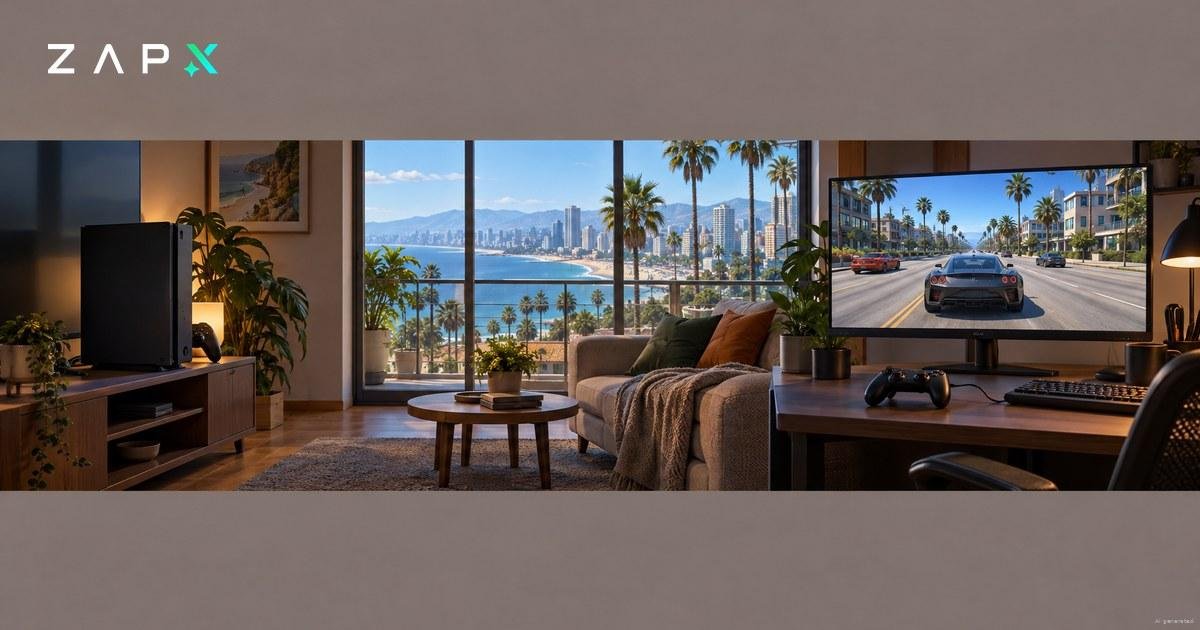
With Remote Play, the game doesn't run on your computer. Your console runs GTA VI and streams the picture to your PC, and your controller inputs travel back the other way. In its pre-load post from November 10, 2026, Rockstar confirmed that GTA VI will “fully support Remote Play on PlayStation and XBOX”. Its support FAQ on GTA VI platforms says the same for PlayStation and Xbox consoles.
If you run game servers, you already know how this works. The console is the host, the PC is the client, and the upload speed of the connection your console uses decides how smooth the stream looks. A speed test on your PC only shows you half of the picture.
Sony's PS Remote Play app runs on Windows and macOS. On the PlayStation Store, GTA VI is listed as “Remote Play supported”.
- Install the app: get PS Remote Play for your PC or Mac from Sony's Remote Play page.
- Enable Remote Play on the PS5: Settings > System > Remote Play > Enable Remote Play.
- Let the PS5 wake up remotely: in Settings, open System and then Power Saving. In the menu for rest mode (labelled “Features Available in Rest Mode”), switch on both “Stay Connected to the Internet” and “Enable Turning on PS5 from Network”.
- Connect your controller: plug a DualSense, DualSense Edge or DUALSHOCK 4 into the computer with a USB cable.
- Sign in and play: use the same PlayStation account as on your console, then start GTA VI from the app.
On Xbox, you start remote play on your PC at xbox.com/remoteplay. Microsoft's remote play page lists Windows 10/11, version 22H2 or newer, a Microsoft account with an Xbox profile and an Xbox console with remote features turned on.
The host has to be an Xbox Series X|S. Remote play itself also works from an Xbox One, but Xbox's GTA VI page states that the game doesn't run natively on Xbox One. So an Xbox One can't stream GTA VI from its own drive.
The figures come from Sony's and Microsoft's official pages as of November 21, 2026.
| PS5 to PC or Mac (PS Remote Play) | Xbox to PC (xbox.com/remoteplay) | |
|---|---|---|
| Console at home | PS5 with GTA VI | Xbox Series X or Series S with GTA VI, remote features turned on |
| Windows PC | Windows 10 (64-bit) or 11, 7th-gen Intel Core or newer, 2 GB RAM, 100 MB free space, 1024 × 768 display, USB port, sound card | Windows 10/11, version 22H2 or newer |
| Mac | macOS Big Sur to Tahoe, 2 GB RAM, 40 MB free space | Not listed |
| Internet | At least 5 Mbps upload and download, 15 Mbps for best performance | At least 10 Mbps download, 5 GHz Wi-Fi or mobile data |
| Controller | DualSense, DualSense Edge or DUALSHOCK 4 via USB | Compatible controller |
| Account | Same PlayStation account as on the console | Microsoft account with Xbox profile |
These requirements are for the streaming app. They are not GTA 6 PC system requirements, because those don't exist without a PC version.
Not based on anything announced so far. Xbox Cloud Gaming has carried GTA VI since launch, and streaming started at 1am ET on November 19, according to Xbox Wire. Xbox and Rockstar only name Xbox Series X|S and Xbox One consoles for it, and the Xbox Store listing shows the cloud option as “Cloud Gaming on XBOX Consoles”. Neither mentions Windows PCs, browsers, phones or TVs for GTA VI.
How the console version works:
- Graphics: cloud streams use Xbox Series S graphics settings.
- You must own the game: GTA VI is not part of Game Pass. You buy it separately.
- Cloud playtime: Game Pass members use their monthly cloud playtime. Without Game Pass, you can buy playtime in the Xbox Store (in supported markets since November 11, 2026) or play with ads.
This makes the cloud useful for Xbox One owners rather than PC players. PlayStation cloud streaming hasn't been announced for GTA VI by Rockstar or Sony, and the PlayStation Store lists Remote Play for the game, but no cloud streaming. On PlayStation, Remote Play from your own PS5 is the confirmed route.
Xbox Wire also says GTA V and Red Dead Redemption 2 are coming to Xbox Cloud Gaming “in the coming months”.
There is nothing to download. No PC build of GTA VI has been released, so a GTA 6 PC download, crack, repack or “demo” can't be the real game. What these files often do contain is malware.
Malwarebytes documented one such campaign on August 24, 2026. Sites posing as Rockstar offered a GTA 6 demo behind a “Play Now” button. The file, gta6_installer.exe, was only 1.1 MB and carried the Vidar infostealer. Vidar collects saved browser passwords, cookies and logged-in sessions. With a stolen session, an attacker can get into an account without knowing your password, and sometimes past two-factor authentication too.
Red flags to watch for:
- Any PC offer for GTA VI: downloads, keys, cracks, betas or demos. The game only exists for PS5 and Xbox Series X|S.
- Tiny files: a modern open-world game doesn't fit into a few megabytes.
- Lookalike sites and ads: check the address bar. Official places to get the game are rockstargames.com, the PlayStation Store and the Xbox Store.
Act quickly, and do the account steps on a different, clean device:
- Scan the PC with a trusted security tool and remove anything it finds.
- Change passwords from another device. Start with your email account, then Rockstar, PlayStation, Xbox and any other gaming accounts.
- Sign out of all sessions wherever a service offers it. A new password doesn't always end existing sessions.
- Look for changes such as new mail forwarding rules, recovery addresses or connected apps.
- Turn on two-step verification. Rockstar explains the setup in its support article on 2-step verification.
GTA V. On PC it comes in two editions, Legacy and Enhanced, and both work with FiveM. FiveM is the multiplayer mod framework that Rockstar licenses under its Creator Platform License Agreement, and it's where GTA V roleplay happens. CFX, the team behind FiveM, has been part of Rockstar Games since August 2023.
If you're setting up an RP community, check one detail first. FiveM (Legacy) needs GTA V Legacy, while FiveM for GTAV Enhanced, still in Early Access, needs GTA V Enhanced. Your players need the edition your server runs on, so settle this before you invite anyone.
Nothing has been announced about FiveM, roleplay servers or server software for GTA VI. For a group that plays on PC, a GTA V city is where RP can happen today.
Can you play GTA 6 on PC?
Not natively. GTA VI is only available for PS5 and Xbox Series X|S. If you own one of those consoles and the game, you can stream it to a Windows PC with Remote Play, or to a Mac from a PS5.
Is there an official GTA 6 PC download or pre-order?
No. Rockstar hasn't announced a PC version, so there's nothing official to download or pre-order for PC. Any site offering a GTA 6 PC download is fake and potentially dangerous.
What PC do I need for GTA 6?
There are no official GTA 6 PC system requirements, because there is no PC version. For PS Remote Play, Sony asks for Windows 10 (64-bit) or 11, a 7th-gen Intel Core processor or newer and 2 GB RAM. Xbox remote play needs Windows 10/11, version 22H2 or newer.
Is GTA 6 on Xbox Cloud Gaming or Game Pass?
On consoles, yes: Xbox Cloud Gaming lets you stream GTA VI to an Xbox One or an Xbox Series X|S. It isn't included in Game Pass: you have to buy the game and have cloud playtime. Cloud streaming to PC hasn't been announced.
Which controller works for Remote Play on PC?
For PS Remote Play, Sony lists the DualSense, DualSense Edge and DUALSHOCK 4, connected via USB cable. For Xbox remote play, Microsoft names a compatible controller.
ZAP-Hosting is one of the authorized hosting partners listed on fivem.net. If you want your own GTA V roleplay city while GTA VI stays on consoles, you can rent a FiveM server from us.