 Squad Hosting for Clans & Communities
Squad Server Hosting.
Unlimited slots for full 50 vs 50 matches, DDoS protection, worldwide locations and flexible terms — online in 60 seconds.
 Google
Or try 3 days from €1.35Pick the 3-day term at checkout · renews every 3 days · cancel anytime

Plans and pricing
 squad
Configure yourself
Your server. Your power.
No package fits? Choose your RAM, CPU and storage—you only pay for the package you put together.
Powerful CPUs
100 Gbit/s host network
DDoS protection
Full file access
Flexible terms
 Visa
 Mastercard
 American Express
 PayPal
 Google Pay
 Apple Pay
 Klarna
 Amazon Pay


About the game
What is a Squad server?
Squad is a tactical first-person shooter built on teamwork: up to 100 players fight 50 vs 50 on large maps, with squad leaders, logistics, FOBs and vehicles coordinated over voice comms. Modes like AAS, RAAS, Invasion and Skirmish reward communication over twitch aim. A Squad server is your own dedicated instance of that battlefield, running 24/7 with your rules instead of someone else's.
With your own server you decide which layers rotate, who gets admin rights and reserved slots, and how strict team balance and team-kill rules are — all through Server.cfg and the panel. Every package comes with unlimited slots, DDoS protection and terms from 3 days to 1 year, so you can run a weekly clan event night or a public server that seeds every evening.
Everything included
Everything your Squad server needs.
Unlimited slots, browser-based config, admin control and Backups — built for clans and communities that run 50 vs 50 matches.
Unlimited slots; price: package, term, location
Run full 50 vs 50 matches without slot tiers — you only choose RAM and CPU.
Server.cfg settings in the browser
Change server name, public queue and team balance without digging through files.
Map & layer rotation your way
Your players get the layers they want — set rotation mode and map voting yourself.
Admins, bans and reserved slots
Your clan keeps control: manage admin groups, bans and reserved seats in your config files.
Locations worldwide
Your players get a nearby server — pick the location closest to your community.
More RAM and CPU as you grow
Your server keeps up when the community grows — increase RAM and CPU anytime.
Only for Squad
Steam Workshop built into your panel
Add Steam Workshop content by ID or link in your panel, which downloads and applies it to your server.
Squad
Steam Workshop by ID or link
Get individual items on your server with the panel handling the download and installation.
- Steam Workshop
Locations worldwide
Your server. Your location.
8 data centers worldwide — choose the location closest to your community.
Europe


America


Asia-Pacific


Reviews
What customers say about ZAP-Hosting
Real feedback on support and setup.
very reliable service, simple to understand, and for a great price. really a no brainer

 ZAP-HostingReply
Zap has been a great experience for myself thus far. Easy interface to learn and it makes sense. Having all the tools I need to run my server with short and informative documentation that helped me tremendously. As a adamant gamer, zap has made having my own server fun, easy, and affordable. Thank you Zap!
 ZAP-HostingReply


I have used ZAP-Hosting for VPS services. The ordering process is straightforward, and the support team responds to customer inquiries. I hope to continue using their services and have a smooth experience in the future.
 ZAP-HostingReply


FAQ
Frequently asked questions about Squad
Answers to the most important questions before you start.
How much does it cost to rent a Squad server?
Prices depend on package, term and location, not player slots — live prices are in the shop.
Live prices for every package come straight from the shop, so the pricing section shows what you actually pay. Instead of per-slot tiers, you pick RAM and CPU; every package has unlimited slots. Terms of 3, 30, 90 or 180 days or 1 year are available, with a lower effective price on longer terms, plus Lifetime with ZapX Pass. US locations carry a regional surcharge.
- Live prices from the shop
- No slot-based pricing
- 3 days to 1 year or Lifetime
How much RAM does a Squad server need?
It depends on player count, layers and mods — scale up as you fill the server.
There is no single number: RAM needs grow with your player count, the layers you run and any mods. A small clan training server needs far less than a public server that fills all 100 seats every evening. Start with the package that matches your usual player count, watch RAM and CPU in the panel statistics during a full match, and add resources when you get close to the limit. As a guideline: at least 4 GB, 8 GB recommended.
- Match RAM to your player count
- Check usage in the statistics
- Upgrade when you fill up
How many players can join my Squad server?
Unlimited slots — up to Squad's own 100-player limit.
There are no slot tiers: every Squad package comes with unlimited slots. The practical limit is set by Squad itself, which supports up to 100 players for 50 vs 50 matches, and by the RAM and CPU you choose. In Server.cfg you set MaxPlayers and reserve slots for admins or clan members, so your regulars still get in when the server is full.
- Unlimited slots on every package
- Up to 100 players in Squad
- Reserved slots for your clan
Will my Squad server show up in the in-game server browser?
Visibility is controlled in Server.cfg — licensing is a separate Offworld program.
In Server.cfg you set your server name, and the ShouldAdvertise option controls whether the server is listed in the public in-game browser. Squad also has a server licensing program run by Offworld Industries; licensed servers follow their own rules and requirements, so check Offworld's current terms before you apply. Our Help Center guide explains how you and your players connect. How to connect in the Help Center
- Server name in Server.cfg
- ShouldAdvertise controls listing
- Licensing via Offworld Industries
How fast is my Squad server online after ordering?
Within 60 seconds — setup runs fully automatically.
Setup runs automatically. Choose your package, location and term, complete the payment, and your Squad server is installed and online within 60 seconds. Server address, configuration files, console and statistics are then waiting for you in the ZapX panel. Panel overview in the Help Center
- Automatic installation
- No manual setup needed
- Everything ready in the panel
Can I upgrade my Squad server later?
Yes — move to more RAM and CPU without setting up a new server.
Yes. When your community grows, increase RAM and CPU in the panel instead of setting up a new server. Resource changes stay within your current location, so choose the location carefully at the start. Subscription rentals can also use Scale with Me for automatic resource scaling.
- More RAM and CPU anytime
- Package changes in the panel
- Scale with Me on subscriptions
Which billing periods are available for a Squad server?
3 days to 1 year — or buy once as Lifetime with ZapX Pass.
Choose 3, 30, 90 or 180 days or 1 year — longer terms lower the effective price. With ZapX Pass you can also buy your Squad server once as Lifetime instead of renting it. Payments run through Stripe, with methods such as PayPal, credit card, Apple Pay or Google Pay depending on your country.
- 3, 30, 90, 180 days or 1 year
- Lifetime with ZapX Pass
- Payments through Stripe
Which server locations can I choose for Squad?
Locations worldwide — pick the one closest to your players.
Squad servers are available at locations worldwide — choose the one closest to your players, since a nearby location keeps ping low for your community. Many North American groups start with Ashburn, Dallas or Los Angeles. The configurator shows every location currently available for Squad, so international clans can pick the region where most members play.
- Locations worldwide
- Choose close to your players
- All options in the configurator
Still have questions?
Contact SupportZapX Panel
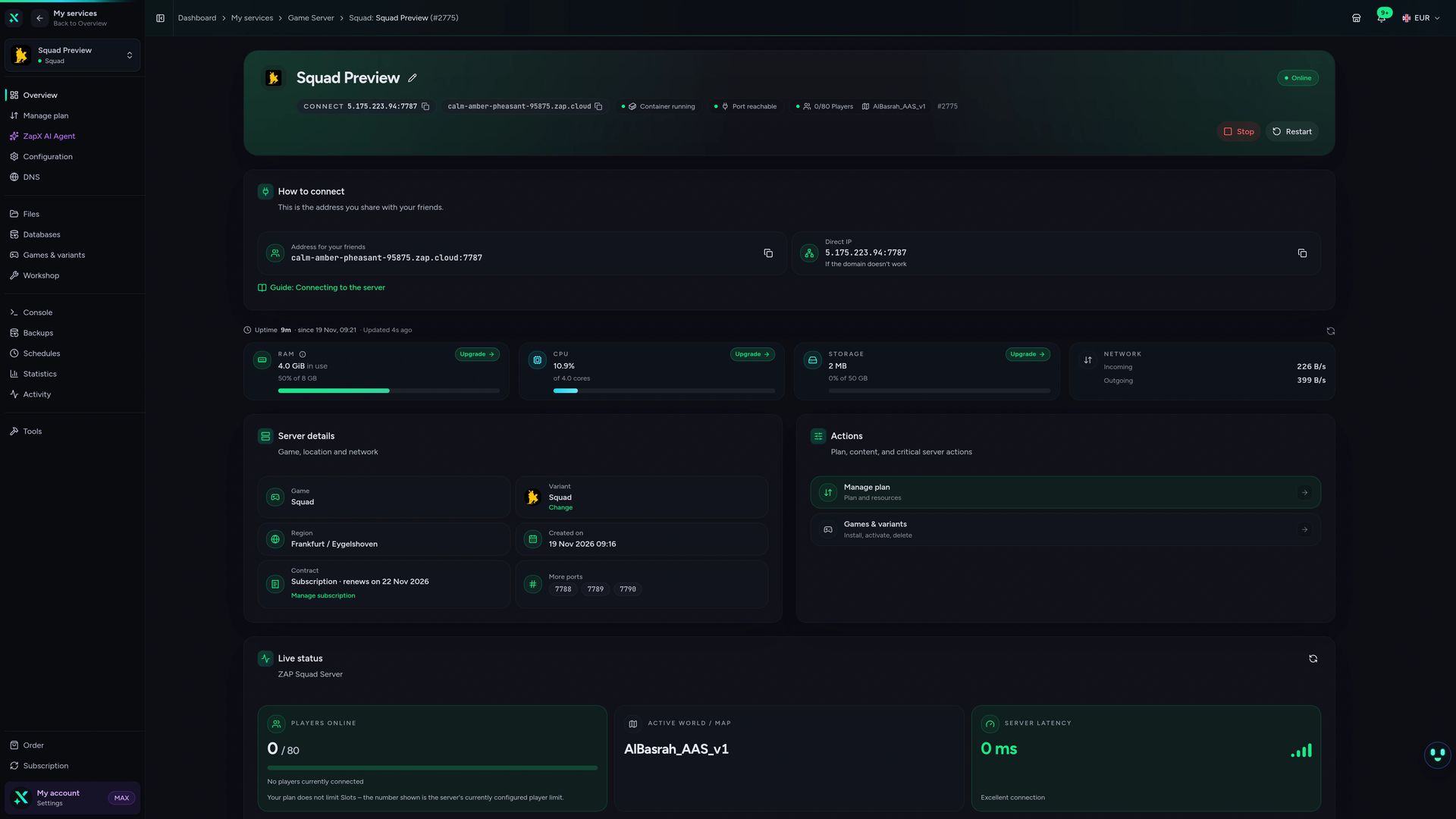
Your Squad server, managed in the browser.
Check statistics, edit Server.cfg, open files and Backups or ask the ZapX AI Agent — all in one panel, no extra tools needed.
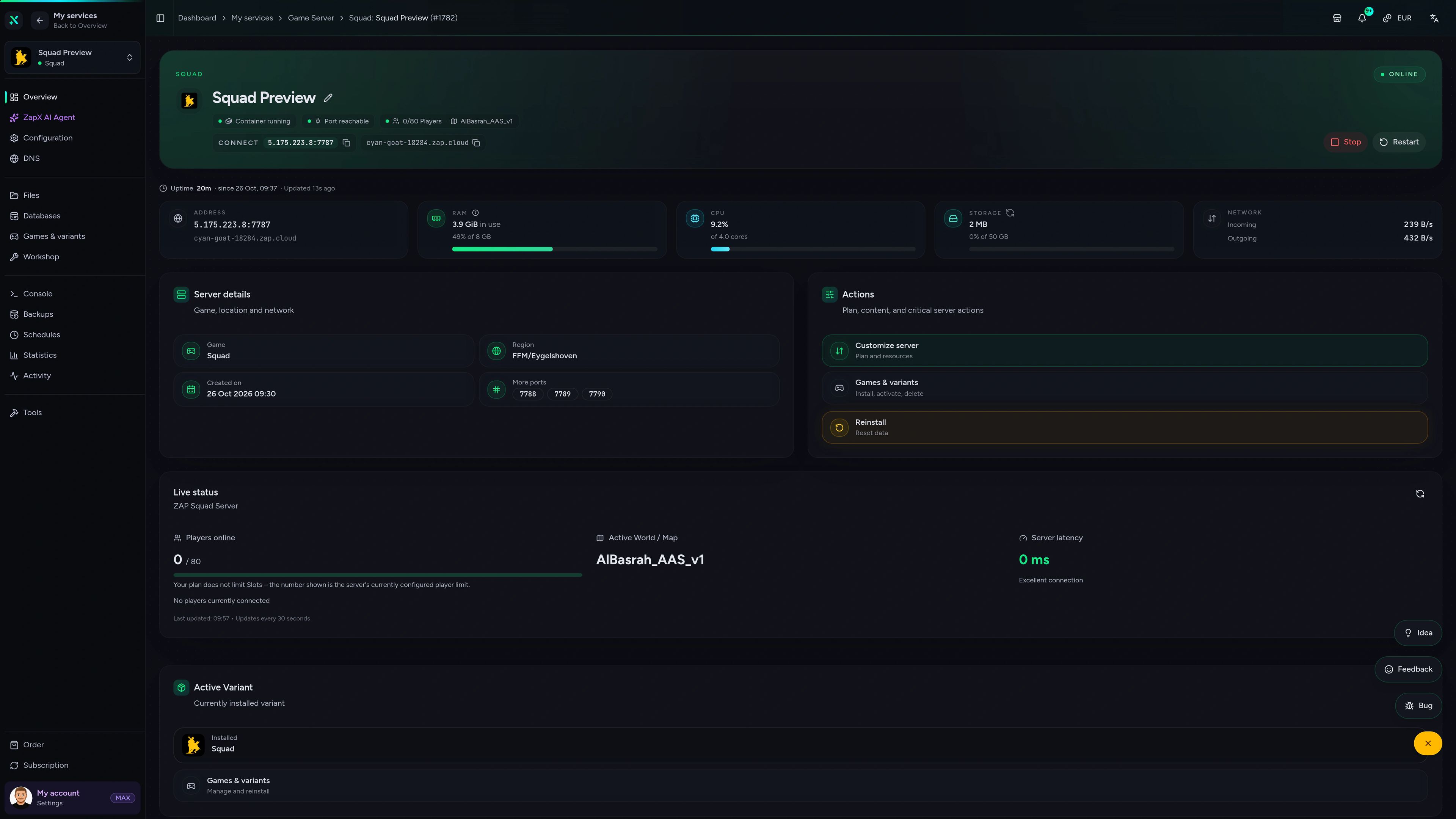
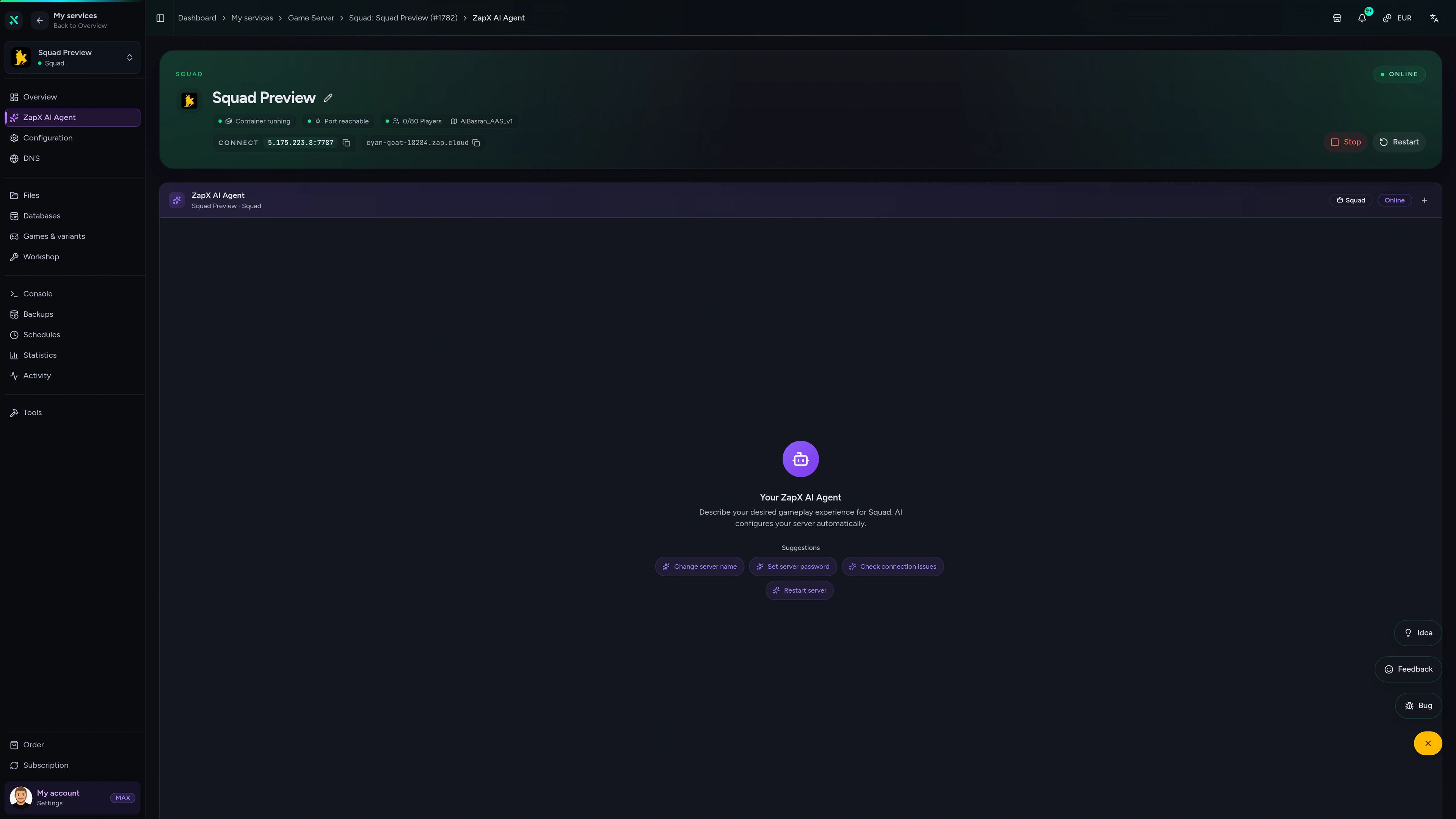
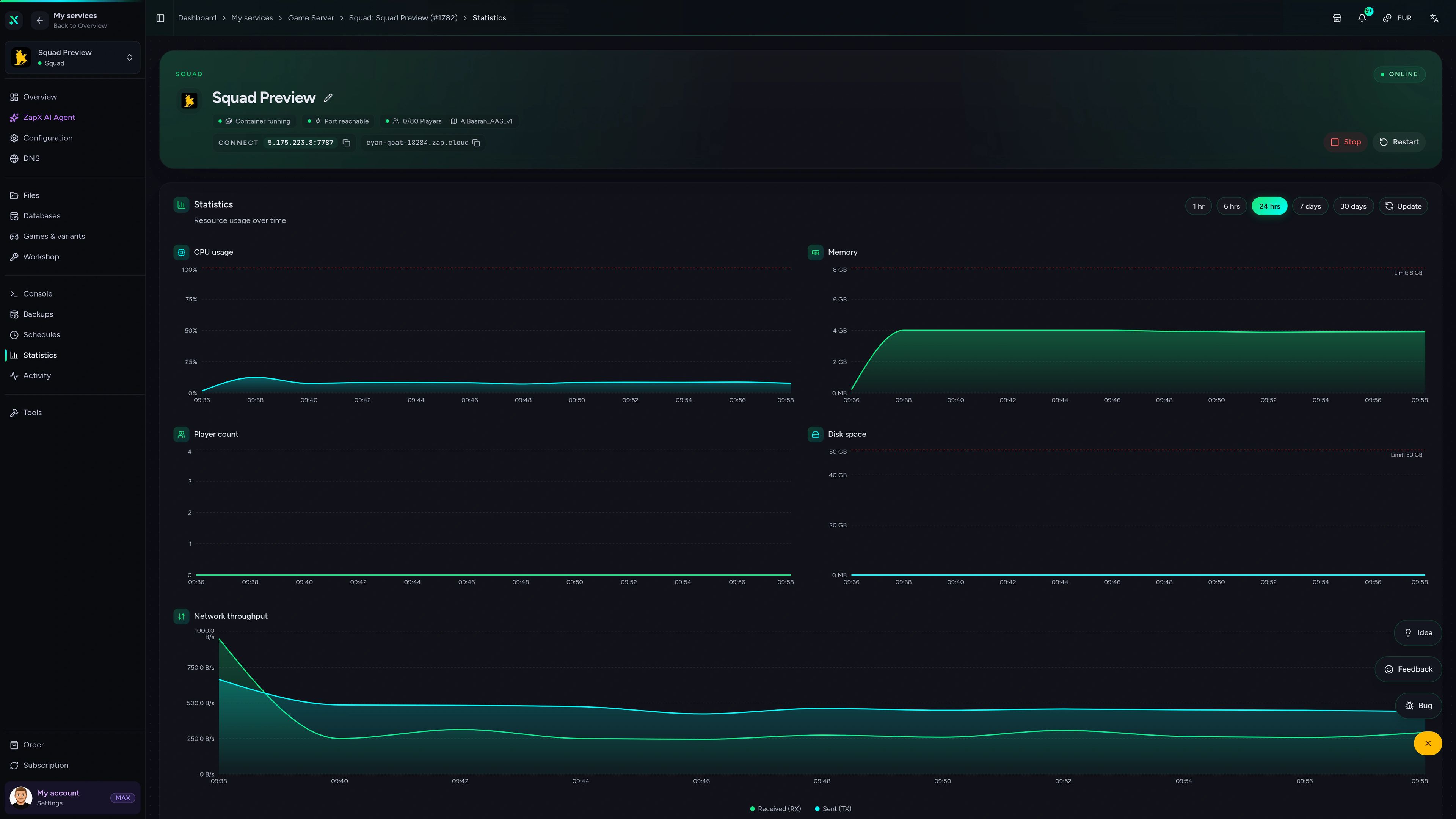
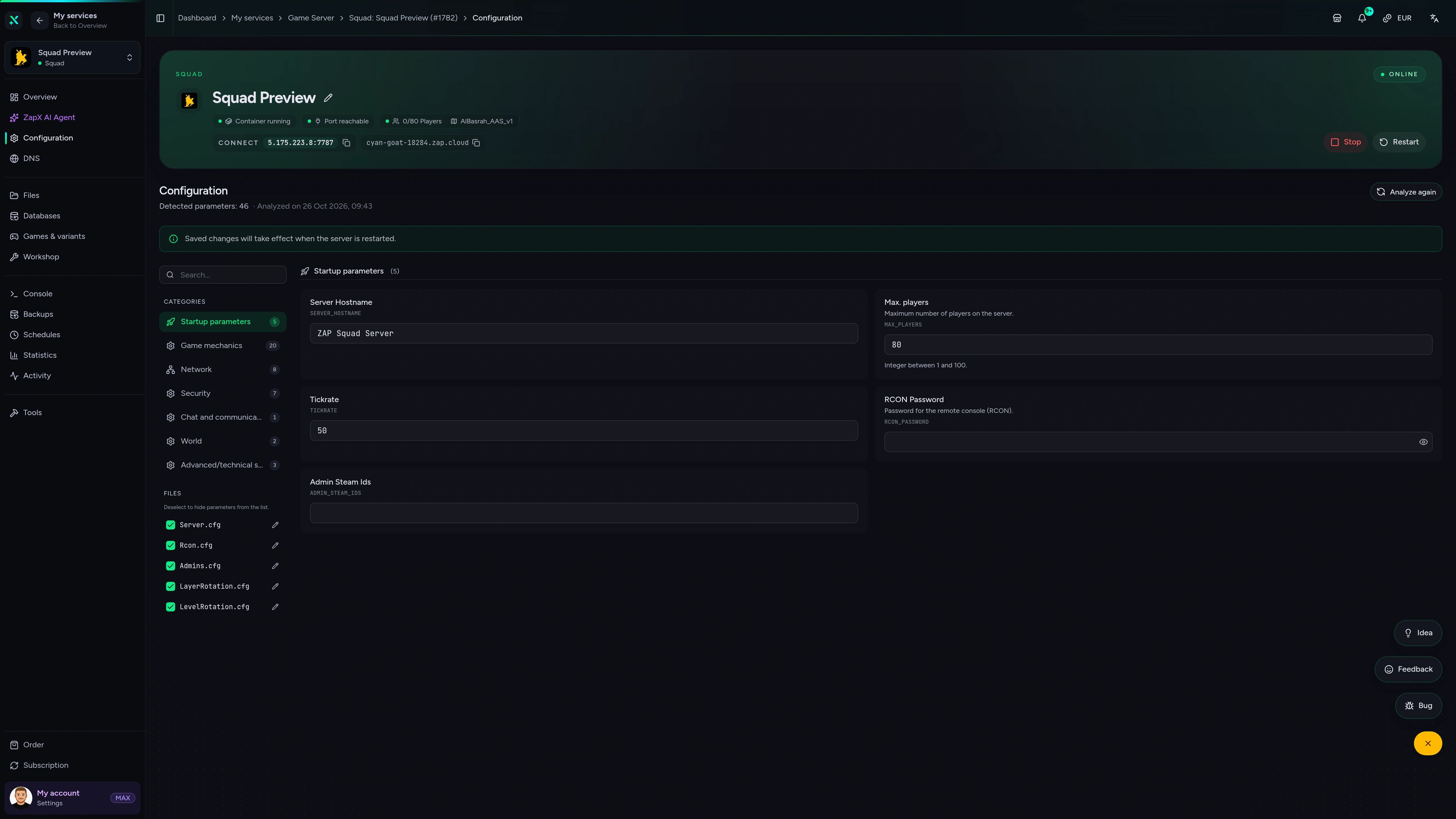
Squad Game Server – Overview
Overview of the Squad game server in the ZapX customer panel.
Ask about your Squad server. Get clear next steps.
The ZapX AI Agent explains Server.cfg options, admin setup and resource usage for your Squad server — right in the panel instead of scattered forum threads.
The ZapX AI Agent is part of ZapX Pass and applies account-wide to all supported services.
See ZapX PassZapX AI Agent
panel.zap-hosting.com
Benchmark
Comparable numbers from our own infrastructure — with methodology and measurement date, no made-up competitor figures.
High-performance VPS, CPU model depends on the location
Typical VPS plans without a published host CPU
confirmed 2026-07-01
Use cases
Built for how your squad plays.
From a public server that seeds every evening to clan scrims and milsim event nights — set it up once, then focus on the match. No slot tiers, just the RAM and CPU you need.
Ready for your first op?
Full 50 vs 50 matches, no slot tiers.
Mobile AppComing soon
Your Squad server. In your pocket.
Keep an eye on your Squad server from anywhere with the ZapX app — check status, restart before an op and see resource usage.
Discord management
Manage servers directly in Discord.
Check status, start, stop, and restart via slash command — without leaving your community Discord.


Impressionen
Squad Screenshots
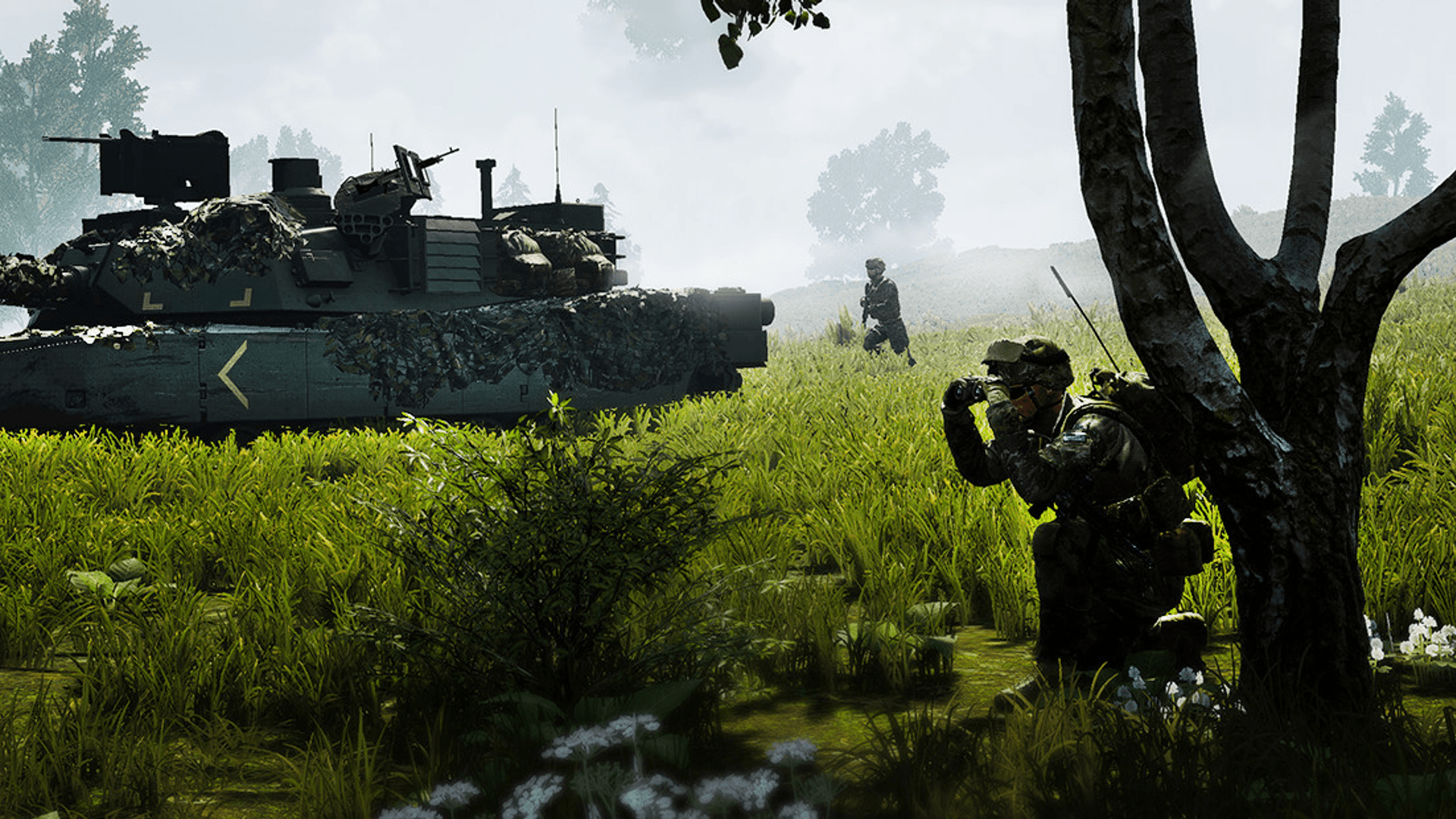
A glimpse into the game world—its atmosphere, exploration, and the moments your community will experience on the server.
Squad
1 free tool – right in your browser, no sign-up needed.
Also available
We also offer the following games.
Switch between your games anytime for free—Minecraft, FiveM, Rust, and more.

Survival & Creative
Minecraft
Vanilla, Modded & Modpacks
Ready in ~2 min

Roleplay
FiveM
Roleplay server in seconds
One-click installation

Survival
Rust
Wipe-ready game server
Automatic setup
Also available
Switch between your games anytime for free—Minecraft, FiveM, Rust, and more.
99
Available games











Benefit
Unlimited Slots
We don't artificially limit player Slots. Hardware determines capacity.
Scale based on Mods, scripts, and player load instead of paying for a fixed number of Slots.
Your Squad server is ready to deploy.
Host your Squad server now — unlimited slots, DDoS protection and locations worldwide, online within 60 seconds.
No setup. No risk. Online in seconds.