 Team Fortress 2 Server Hosting
TF2 Server Hosting.
Team Fortress 2 server hosting 24/7 with unlimited slots, DDoS protection, SourceMod plugins and locations worldwide.
Or try 3 days from €0.81Pick the 3-day term at checkout · renews every 3 days · cancel anytime

Plans and pricing
Packages 1–3 of 9
 team-fortress-2
Configure yourself
Your server. Your power.
No package fits? Choose your RAM, CPU and storage—you only pay for the package you put together.
Powerful CPUs
100 Gbit/s host network
DDoS protection
SourceMod ready
Flexible terms
 Visa
 Mastercard
 American Express
 PayPal
 Google Pay
 Apple Pay
 Klarna
 Amazon Pay
About the server
What is a Team Fortress 2 server?
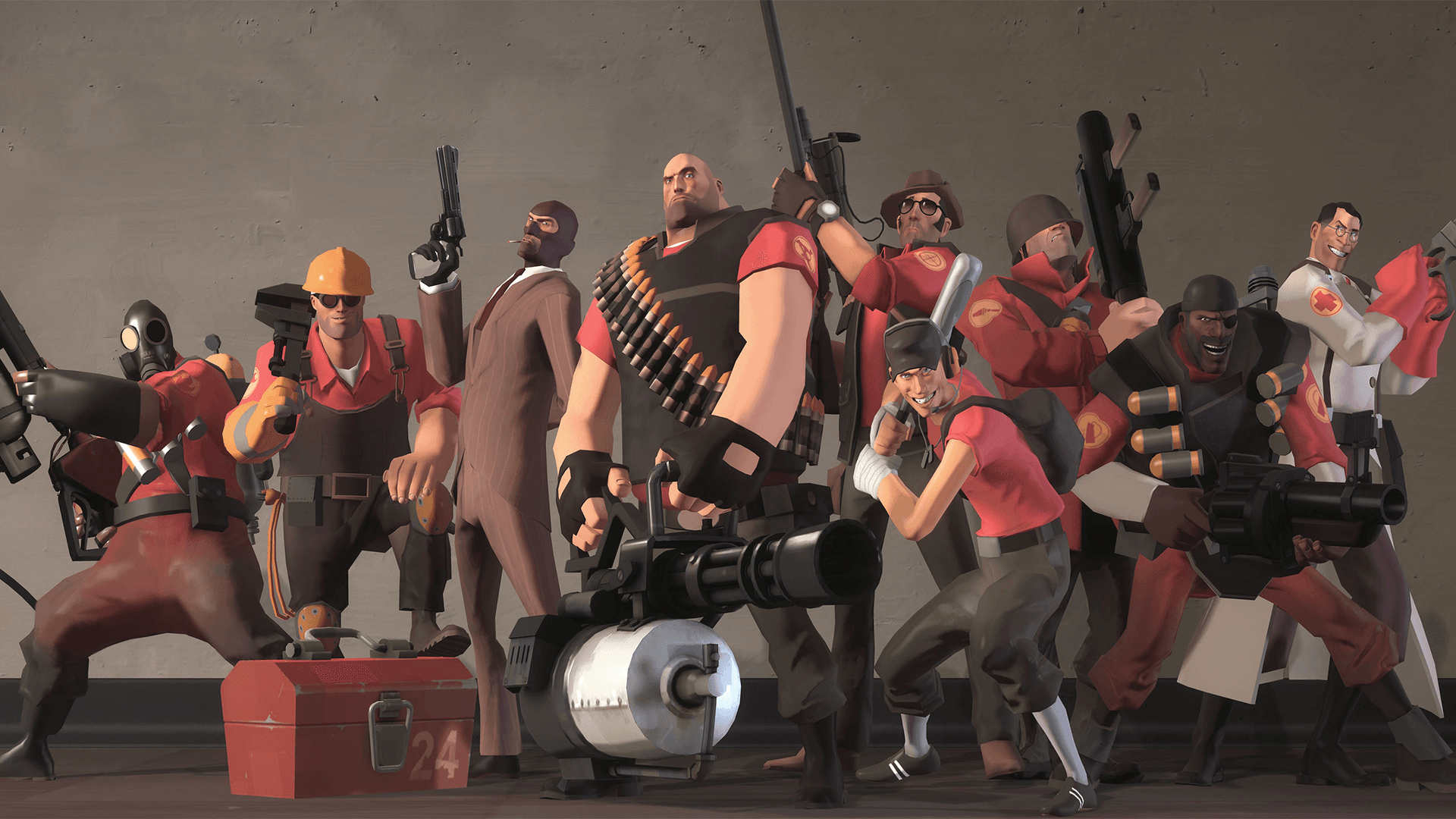
Team Fortress 2 is Valve's class-based team shooter: nine classes, from Scout to Medic, fight over control points, payload carts and intelligence briefcases in fast 12v12 rounds. Community maps and modes like Mann vs. Machine have kept it alive for more than 15 years. With your own TF2 server, you decide the map rotation, the rules, the plugins and who gets to play, instead of depending on whichever public servers happen to be online.
With access to server.cfg and the server files, you can install SourceMod and Metamod plugins, upload custom maps, add a GSLT so players can find your server in the browser, and manage everything live via RCON. Whether you run a moderated community server, a weekly pug night with friends or a 24/7 MvM or MGE server, it stays online even when your own PC is off.
Features
Everything your TF2 server needs.
From the GSLT to the map rotation: the tools TF2 server admins actually use, ready in the panel from day one.
Unlimited player slots
Fill 24-player pubs or bigger community servers without paying per slot.
Online within 60 seconds
Your TF2 server is ready to join 60 seconds after ordering, because setup runs automatically.
GSLT-ready for public listing
Add your Steam Game Server Login Token and players can find your server.
RCON and live console
Change maps, kick players or exec configs live without restarting the server.
Your own map rotation
Run 2Fort, Badwater Basin, Harvest or custom maps in the order your community likes.
Backups for configs and plugins
With ZapX Pass, roll back a broken plugin update or config change in a few clicks.
Locations worldwide
Your server. Your location.
8 data centers worldwide — choose the location closest to your community.
Europe


America


Asia-Pacific


Reviews
What customers say about ZAP-Hosting
Real feedback on support and setup.
Great Service & User Experience
I had applied for partnership at ZAPX and the process and user panel is absolutely fire and very much friendly. Apart from that i have been using their VPS machine for quite a while and it has been great with almost no downtime.

 ZAP-HostingReply

great prices, good specs
the interface was great, migration was flawless and the interface is very user friendly. support team was very helpful aswell
 ZAP-HostingReply
I've been with them for a few years
I've been with them for a few years, and they're one of the best. The lifetime servers have really helped me, and now they've added auto-backup. 10/10!
 ZAP-HostingReply

FAQ
Frequently asked questions about Team Fortress 2
Answers to the most important questions before you start.
How much does it cost to rent a TF2 server?
Price by package, term and location, never per player slot.
TF2 server prices depend on the package you choose, the term and the location, not on player slots. The pricing section above shows the current live price for every package. You also choose your rental period, and you can increase RAM later if your community grows.
- No per-slot pricing
- Live prices in the shop
- Flexible rental periods
How much RAM does a TF2 server need?
About 2 GB covers a vanilla server. Plugins and bots need more.
A vanilla TF2 server with 24 players usually runs well with about 2 GB of RAM. SourceMod plugins, custom maps, higher player counts and Mann vs. Machine with lots of bots all add load, so plan for more RAM and CPU with those setups. You can increase RAM later when you need it.
- Vanilla, 24 players: about 2 GB
- Plugins and custom maps: more RAM
- MvM and bots: more CPU headroom
How many players can join my Team Fortress 2 server?
Every package comes with unlimited slots.
We don't limit slots. You set maxplayers yourself. Most TF2 servers run 24 or 32 players, and the game supports up to 100 players on a community server. For larger player counts, choose a package with more RAM and CPU.
- Unlimited slots on every package
- 24 or 32 players are common
- TF2 supports up to 100 players
How fast is my TF2 server online after ordering?
Usually within 60 seconds, because setup runs automatically.
Once your payment goes through, your TF2 server is installed automatically and is usually ready within 60 seconds. You'll find the IP and port in the panel and can join right away from the TF2 console with the connect command. How to connect to your server
- Automated installation
- IP and port in the panel
- Join via the TF2 console
Do I need a Steam Game Server Login Token (GSLT)?
Yes, if you want a public server that shows up in the server browser.
Valve requires a GSLT for TF2 servers that should appear in the public server browser. A private server where friends join by IP can run without one. You create the token for free in your Steam account with app ID 440 and add it to your server configuration. Create a GSLT step by step
- Free via your Steam account
- Needed for public listing
- One token per server
Can I install SourceMod, plugins and custom maps?
Yes. You can run SourceMod, Metamod:Source and custom maps.
Yes. Install Metamod:Source and SourceMod, then add plugins for modes like trading, MGE or Versus Saxton Hale, or for your own admin tools. Upload custom maps to the maps folder through the file manager or SFTP. TF2 updates can break plugins for a while until their authors release fixes. Install plugins on your server
- Metamod:Source and SourceMod
- Plugins for MGE, VSH and more
- Custom maps via file upload
Which server locations can I choose?
Locations worldwide. Pick the one closest to your players.
You pick a location from our data centers worldwide when you order. Choose the one closest to most of your players for the best ping. North American groups, for example, often start with Ashburn, Dallas or Los Angeles. Availability can vary by location.
- Data centers worldwide
- Choose close to your players
- Availability varies by location
Is my TF2 server protected against DDoS attacks?
Yes. Every package includes DDoS protection.
Every TF2 server includes DDoS protection at no extra cost. Attack traffic is filtered before it reaches your server, which helps keep your rounds going even when someone targets your community.
- Included at no extra cost
- Active on every package
- No setup needed
Any more questions?
Contact SupportZapX Panel
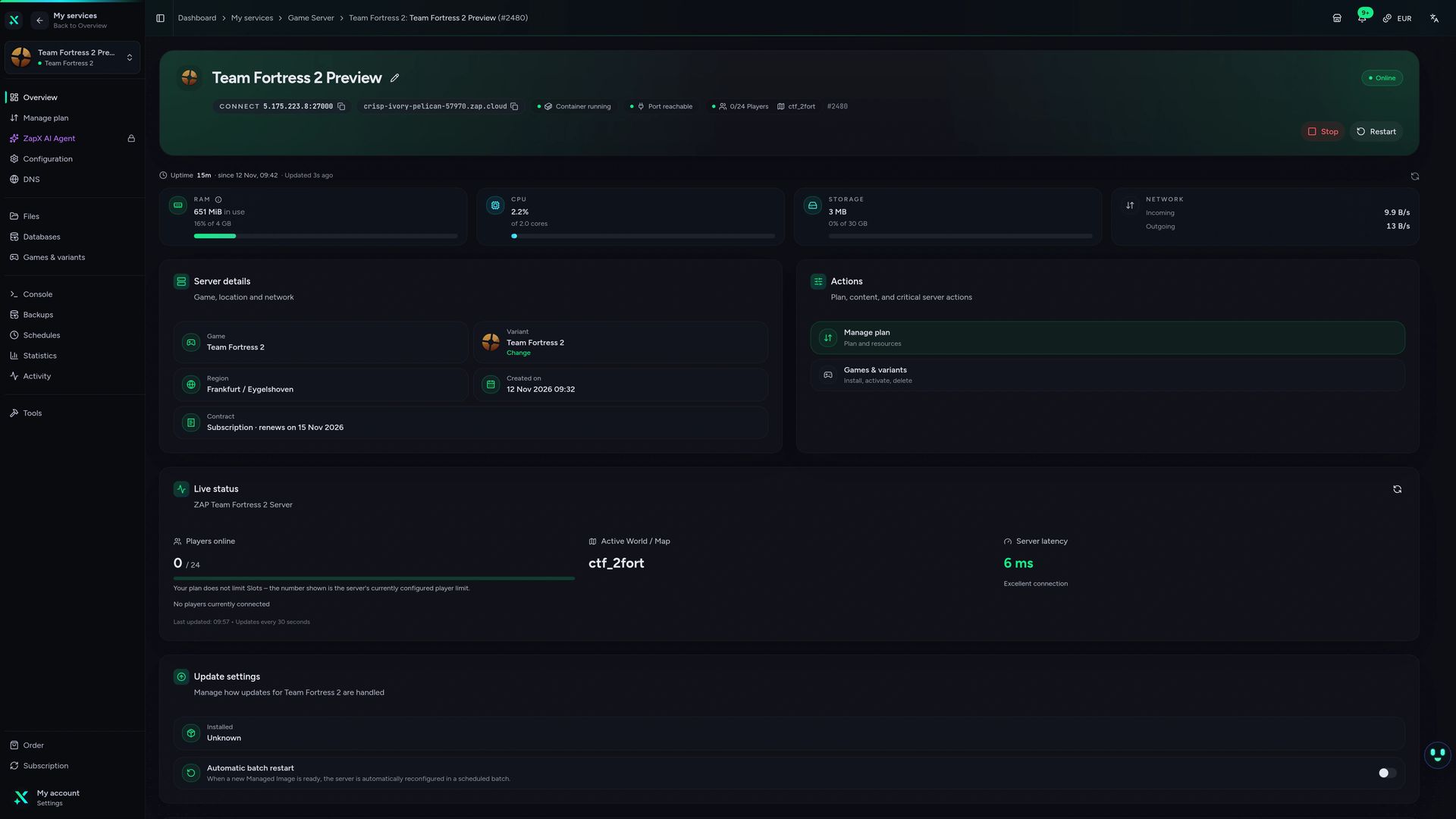
Your TF2 server in the ZapX panel.
Console, config files, Backups and live statistics in one place. Manage maps, plugins and RCON without extra tools.
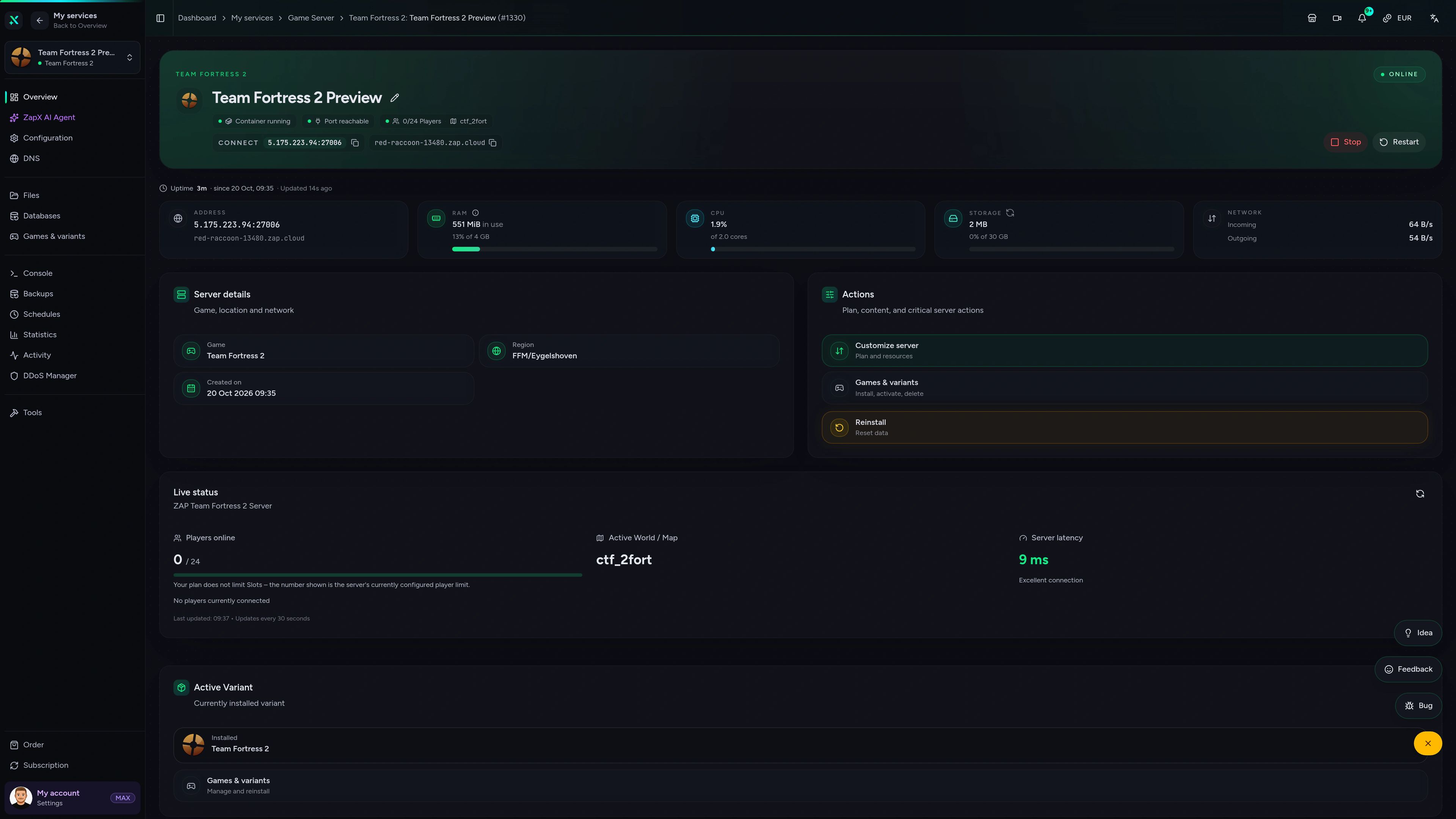
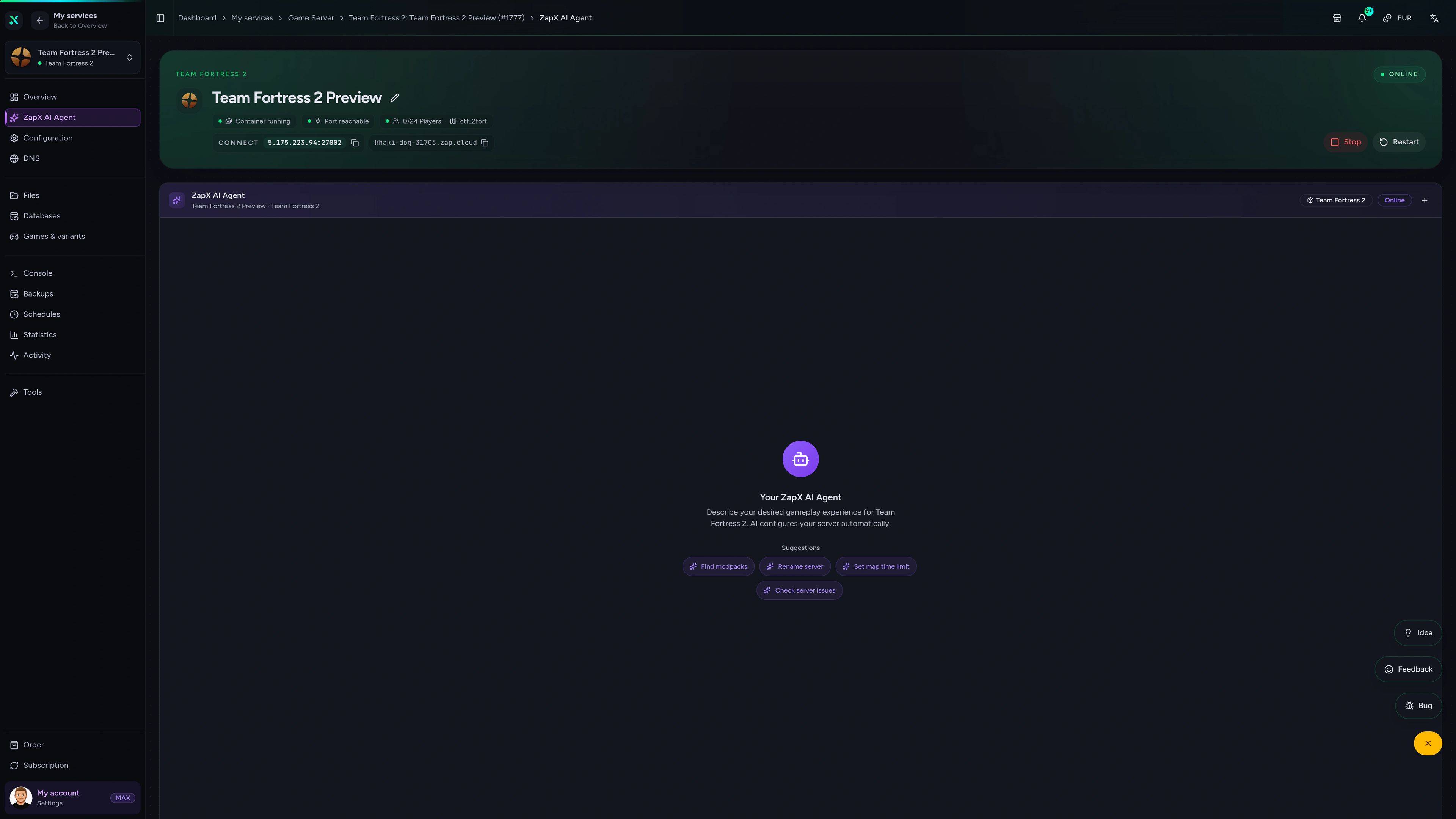
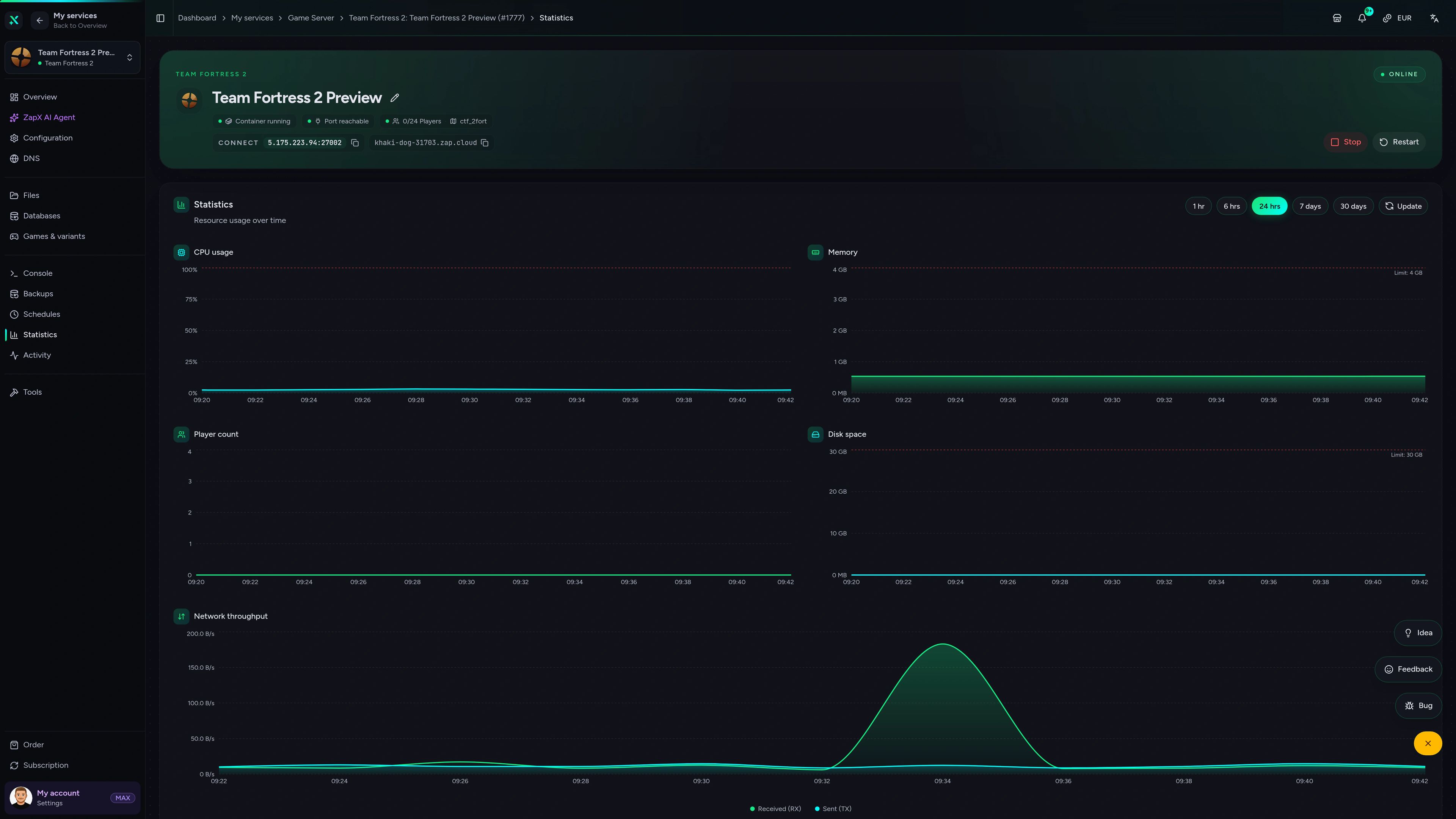
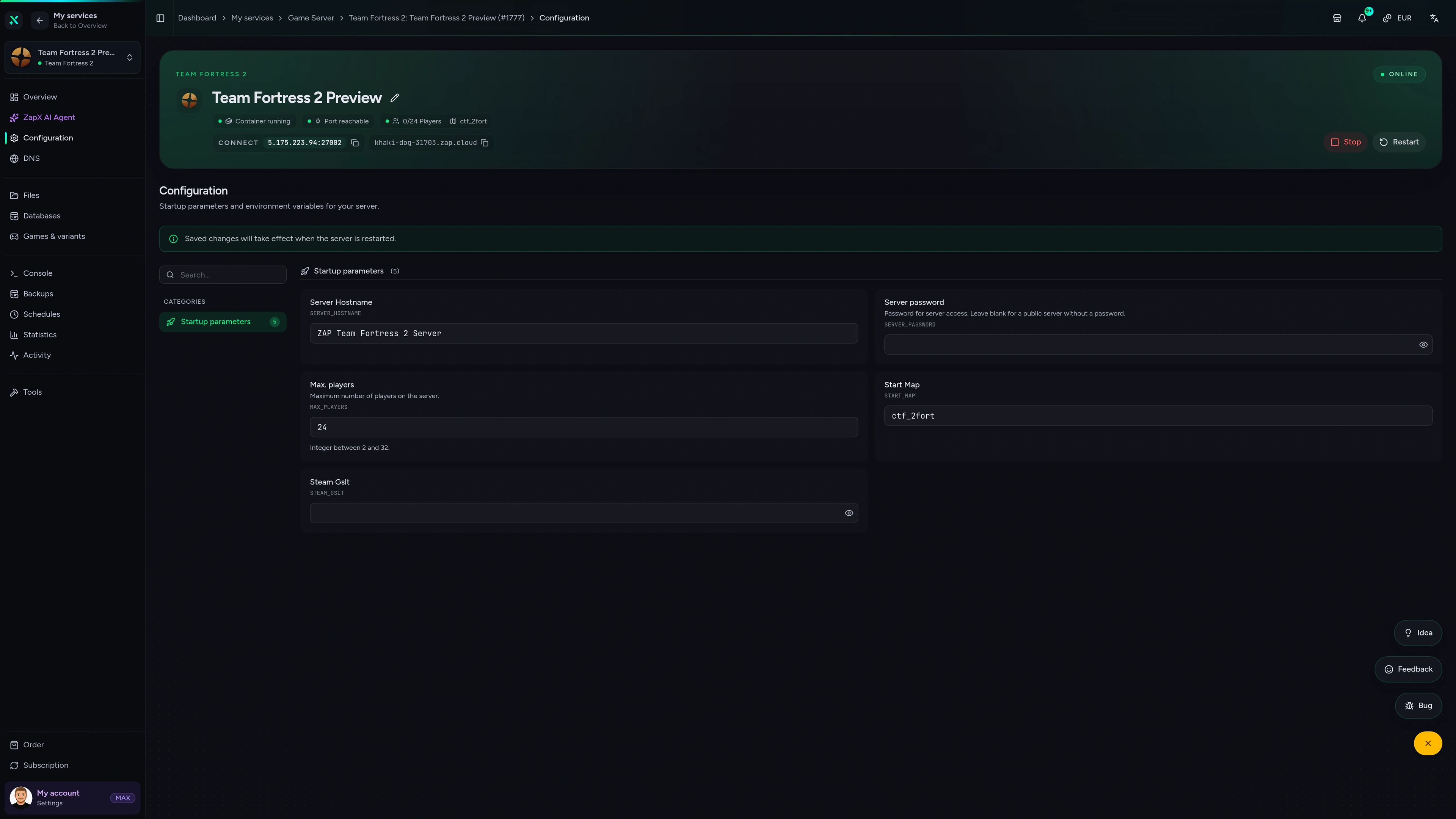
Team Fortress 2 Game Server – Overview
Overview of the Team Fortress 2 game server in the ZapX customer panel.
Ask about your TF2 server. Get a clear next step.
The ZapX AI Agent knows your server's context and explains GSLT issues, server.cfg settings and SourceMod errors right in the panel, so you don't have to dig through forum threads.
The ZapX AI Agent is part of ZapX Pass and works account-wide for all supported services.
See ZapX PassZapX AI Agent
panel.zap-hosting.com
Performance check
Measured values from our infrastructure next to typical market figures, so you can see what your TF2 server gets before you rent it.
High-performance VPS, CPU model depends on the location
Typical VPS plans without a published host CPU
confirmed 2026-07-01
Typical TF2 scenarios
What players run on their TF2 server.
From a moderated community server to MvM nights and 6v6 practice: these are the setups TF2 admins rent a 24/7 server for.
Ready for the next round?
Your TF2 community server, live in 60 seconds.
ZapX AppComing soon
Manage your TF2 server on the go.
Restart after a plugin update or check on your server during an MvM night, right from your phone.
Discord management
Manage servers directly in Discord.
Check status, start, stop, and restart via slash command — without leaving your community Discord.


Impressionen
Team Fortress 2 Screenshots
A glimpse into the game world—its atmosphere, exploration, and the moments your community will experience on the server.
Team Fortress 2
1 free tool – right in your browser, no sign-up needed.
Also available
We also offer the following games.
Switch between your games anytime for free—Minecraft, FiveM, Rust, and more.
Survival & Creative
Minecraft
Vanilla, Modded & Modpacks
Ready in ~2 min

Roleplay
FiveM
Roleplay server in seconds
One-click installation

Survival
Rust
Wipe-ready game server
Automatic setup
Also available
Switch between your games anytime for free—Minecraft, FiveM, Rust, and more.
98
Available games








Benefit
Unlimited Slots
We don't artificially limit player Slots. Hardware determines capacity.
Scale based on Mods, scripts, and player load instead of paying for a fixed number of Slots.
Start your TF2 server today.
Unlimited slots, DDoS protection and SourceMod support, with automated setup that has you online within 60 seconds.
No setup. No risk. Online in seconds.