
VPS plan
ZAP Spark
€7.29/ 30 days
- 4 GB RAM
- 2 CPU
- 60 GB NVMe
- 1 Gbit/s Uplink
You decide which services we may enable for analytics, personalization, and external content.
We use cookies and similar technologies on our website to personalize content, embed external media, and better understand how individual areas are used.
Necessary cookies
These entries support essential functions such as security, stability, and form processing.
Optional sections
Your data may be processed with your consent or on the basis of legitimate interests. In the cookie settings, you can reject or explicitly allow each optional category.
Some services process personal data in third countries. By consenting, you also agree to this transfer. You can find more information in our Privacy Policy.
You can reopen and change your selection at any time. · 1.0.2
 Headless CMS on your own VPS
Deploy Strapi in one click via Coolify on a DDoS-protected KVM VPS, with root access and locations in Europe and America.
Packages 1–3 of 9
StrapiConfigure yourself
No package fits? Choose your CPU, RAM and storage—you only pay for what your project actually needs.
Powerful CPUs
100 Gbit/s host network
Juniper Firewall
DDoS protection
 Visa
 Mastercard
 American Express
 PayPal
 Google Pay
 Apple Pay
 Klarna
 Amazon Pay
What is Strapi hosting?
Strapi gives your editors a clean admin panel to write pages, products or docs, while your Next.js, Nuxt or mobile app pulls the same content through REST or GraphQL. One content model, every channel. Strapi hosting on your own VPS makes that setup yours: install it in one click from the Coolify app marketplace, attach a domain with automatic SSL and redeploy from Git whenever your schema changes.
Self-hosting means your content, database and media files stay on a server you control. With root access you choose PostgreSQL, MySQL or SQLite, run your frontend next to the CMS, restrict the admin panel with firewall rules and update Strapi on your own schedule. SSH, Docker and the Coolify dashboard are the tools for that; you decide how deep you go.

Strapi features
Test GraphQL queries, trigger rebuilds on publish and give every editor the right role, with root access to run the Strapi CLI yourself.
Your CMS runs shortly after checkout: pick Strapi in Coolify, add a domain, deploy.
Test queries on real content before your frontend ships them, via the official plugin.
Editors, authors and admins each see only the content they should touch.
Your site rebuilds or clears its cache automatically when an editor publishes.
Images and files your team uploads stay on your own VPS storage.
Editors locate the right page or product in seconds, even in large collections.
Locations in Europe and America
4 data centers in Europe and America — choose the location closest to your users.

Inside Strapi
Model content in a visual builder, let editors publish through clean forms and deliver everything to your apps via REST or GraphQL.
Strapi
Strapi
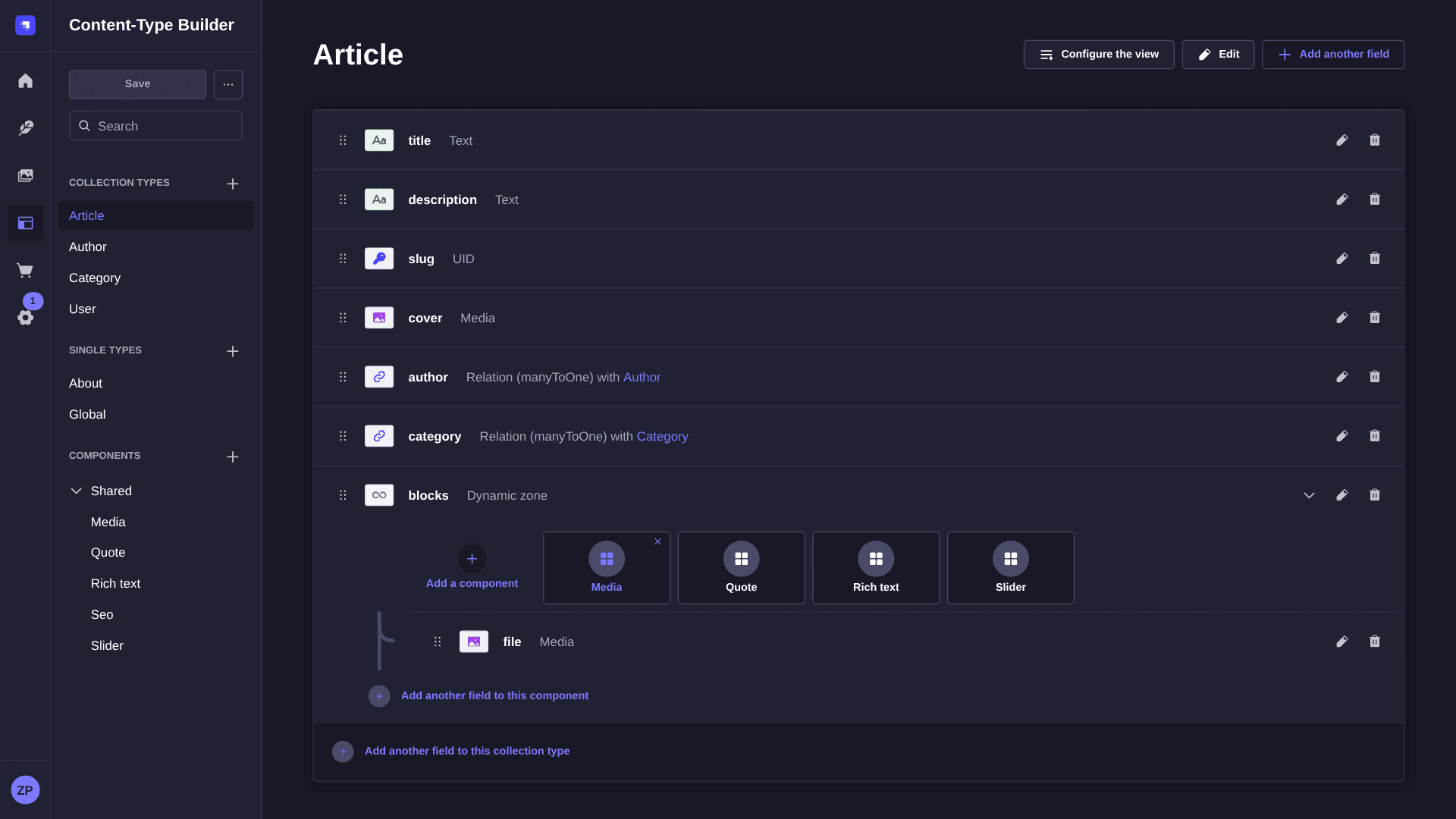
Content-Type Builder
Define collection types, single types and reusable components in a visual builder. Each content type you save gets its own REST endpoint right away, so the schema you click together is the API your frontend consumes.
Get started now
Strapi on your VPS in minutes — no complicated setup.
Backups & snapshots
Snapshots let you roll back quickly. ZapX Pass unlocks Restore, manual Backups, and longer retention for daily Backups.
More control with ZapX Passextra storage, restore, Pass perks, and Lifetime VPS without activity checks
Reviews
Real feedback on support and setup.
FAQ
Answers to the most important questions before you start.
Order a VPS, open One-Click Apps in your dashboard and pick Strapi from the Coolify marketplace. Coolify deploys the Strapi service and gives you a URL for the admin panel, where you create your first admin user. Prefer a manual setup with Docker or Node.js? Full root access via SSH is included. Read the One-Click Apps guide
The Strapi Community Edition is open source under the MIT license, so there is no license fee. You pay only for the VPS package. The prices in the package section above load live from the shop and depend on RAM, CPU, storage, term and the location you choose.
Strapi's documentation lists 2 GB RAM and one CPU core as the minimum, with 4 GB and two cores recommended. Coolify and the database share the same VPS, so plan for at least 4 GB, more if your frontend runs there too. The simplest setup: deploy Strapi via Coolify, use PostgreSQL in production and scale the package up as content and traffic grow.
Strapi Cloud is Strapi's managed hosting: infrastructure, scaling and updates are handled for you on a subscription. A VPS is the self-hosted path: you run the open-source Community Edition, keep the database and media on your own server, add a frontend or other services and pay one server price. Choose Cloud for zero server work, a VPS for full control and data ownership.
Yes. Point an A record for your domain or subdomain to the VPS IP, add it to the Strapi service in Coolify and Coolify requests a Let's Encrypt certificate automatically. Your admin panel and API then run on HTTPS, for example at cms.yourdomain.com/admin. How to set DNS records
You choose the location when you order. VPS locations in Europe and America include FFM/Eygelshoven, Ashburn, Dallas and Los Angeles. Pick the data center closest to your editors and the audience reading your content; many North American projects start with Ashburn or Dallas.
Yes. You can cancel anytime in your dashboard, and the cancellation takes effect at the end of the current term. Terms range from 3 to 365 days, so you can test a Strapi project briefly or run it for a full year.
Back up the database and the uploads folder first, then run Strapi's upgrade tool (npx @strapi/upgrade) or bump the @strapi packages in your project. If you deploy your own repository through Coolify, a Git push triggers the redeploy. Manual VPS Backups and restores in the dashboard are available with a ZapX Pass. Learn more about Backups
Any more questions?
Contact SupportZAPX Dashboard
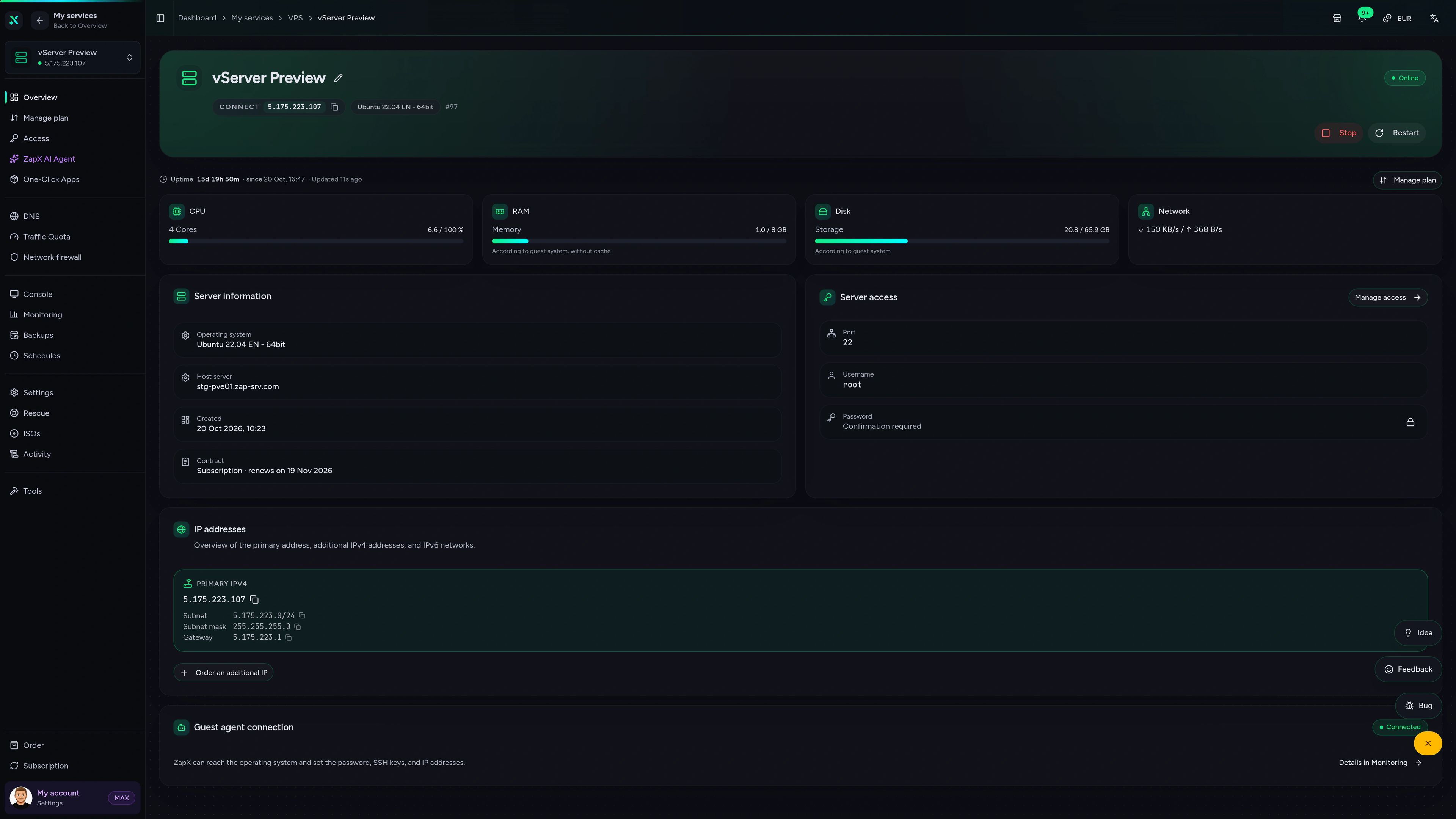
Resource stats, console and DDoS overview for the server running your Strapi CMS.
VPS DDoS Manager tab
VPS DDoS Manager tab
Ask about deploy logs, open ports or memory usage. The ZapX AI Agent explains what it sees and suggests next steps; changes only run after you confirm.
The ZapX AI Agent is included with ZapX Pass. It explains, diagnoses and suggests next steps; changes run only after your approval.
Explore ZapX PassZapX AI Agent
panel.zap-hosting.com
Measured performance
Measured CPU, storage and network values show how fast admin panel builds finish and how quickly your Strapi API answers when the frontend fetches content.
High-performance VPS, CPU model depends on the location
Typical VPS plans without a published host CPU
confirmed 2026-07-01
Use cases
From agency client sites to app backends: here is how teams run Strapi on their own VPS.
Ready to self-host?
Launch your Strapi CMS on your own VPS
ZapX appComing soon
Check whether your CMS server is running, restart it after an update and keep an eye on resources, wherever you are.
Also available
WireGuard, Coolify, monitoring, and more — one-click setup on your VPS.

Private Cloud
NextCloud is a self-hosted, open-source platform that provides file storage, collaboration, and communication tools for seamless data management.
Automatic setup

automation
n8n is an extendable workflow automation tool.
Ready in ~2 min

vpn
The easiest way to run WireGuard VPN + Web-based Admin UI.
Ready in ~2 min

media
Plex organizes video, music and photos from personal media libraries and streams them to smart TVs, streaming boxes and mobile devices.
Ready in ~2 min

Password Security
Vaultwarden is a password manager that allows you to securely store and manage your passwords.
No manual configuration

cms
WordPress is open source software you can use to create a beautiful website, blog, or app.
Ready in ~2 min
Also available
WireGuard, Coolify, monitoring, and more — one-click setup on your VPS.
755
Available apps
Benefit
The app marketplace is included with your VPS — no extra charge per installation.
Choose your apps in the configurator and get started in minutes.
Pick a VPS package, deploy Strapi in one click via Coolify and connect your frontend. Cancel anytime.
No setup. No risk. Online in 60 seconds.
© 2026 ZAP-Hosting GmbH
 Preferred source on Google