
 Self-hosted WhatsApp API
Evolution API VPS hosting.
Your own WhatsApp API with one click in the ZapX panel: root access, PletX DDoS protection, locations in Europe and America.
Or try 3 days from €1.31Pick the 3-day term at checkout · renews every 3 days · cancel anytime

Packages 1–3 of 9
Evolution APIConfigure yourself
Your project. Your setup.
No package fits? Choose your CPU, RAM and storage—you only pay for the package you put together.
Powerful CPUs
1 Gbit/s uplink included
up to 5 Gbit/s as an add-on
100 Gbit/s host network
Juniper Firewall
DDoS protection
 Visa
 Mastercard
 American Express
 PayPal
 Google Pay
 Apple Pay
 Klarna
 Amazon Pay
What is Evolution API?
Evolution API on your own VPS.
Evolution API turns a WhatsApp number into an endpoint your tools can talk to: an n8n workflow sends the order confirmation, Chatwoot collects customer replies in a shared inbox, and your CRM receives every incoming message as a webhook. For self-hosted Evolution API, you install it in the “One-Click Apps” tab of the ZapX panel. It runs on Coolify, while you set your domain under “App actions” → “Custom subdomain” and find the API key under “App environment”.
Because the VPS is yours, you decide what runs next to the API: n8n, Chatwoot, Typebot or your own backend on the same server, talking to each other without a detour over the internet. Full root access lets you change environment variables, run your own Docker Compose setup or inspect containers over SSH whenever the defaults are not enough. Messages, contacts and media stay on a server you control instead of a third-party platform.
Features
What your Evolution API VPS can do.
Bot triggers, real-time webhook events and media messages from one WhatsApp gateway, plus root access whenever you want to go deeper.
One-click install in the panel
Get a running WhatsApp API without wiring Docker, database and cache by hand.
Chatbot triggers
Incoming chats start your bot automatically, by keyword or for every message.
Real-time message events
Your backend hears about new messages and status changes the moment they happen.
One WhatsApp gateway for all tools
Feed chatbots, help desk and automations from the same WhatsApp connection.
Media messages
Images, voice notes and documents travel through the same API calls as text.
Full root access
Change any environment variable or run your own Compose stack over SSH.
Locations in Europe and America
Your server. Your location.
4 data centers in Europe and America — choose the location closest to your users.
Europe

America

Inside Evolution API
What you can do with Evolution API.
Connect WhatsApp numbers, push every message to your webhooks and let n8n or Chatwoot take over. Here is what the API and its manager give you day to day.
Evolution API
Evolution API
API key management
Every request to Evolution API is authenticated. A global API key protects the admin endpoints, and each WhatsApp instance gets its own token, so a client integration only touches the number it belongs to.

Get started now
Evolution API on your VPS in minutes — no complicated setup.
Backups & snapshots
With ZapX Pass, your VPS stays restorable.
ZapX Pass unlocks snapshots for quick rollback, Restore, manual Backups, and longer retention for daily Backups.
Backups with ZapX Pass
SECURED- Manual Backups
- Keep daily Backups longer
Snapshots with ZapX Pass
CAPTURED- Snapshot before deployment
- Jump back immediately
- Snapshot with RAM
More control with ZapX Passextra storage, restore, Pass perks, and Lifetime VPS without activity checks
Reviews
What customers say about ZAP-Hosting
Real feedback on support and setup.
great prices, good specs
the interface was great, migration was flawless and the interface is very user friendly. support team was very helpful aswell

 ZAP-HostingReply
I've been with them for a few years
I've been with them for a few years, and they're one of the best. The lifetime servers have really helped me, and now they've added auto-backup. 10/10!
 ZAP-HostingReply


FAQ
Frequently asked questions about Evolution API
Answers to the most important questions before you start.
What is Evolution API used for?
Evolution API is an open-source REST API that connects WhatsApp numbers to your own software. Your apps send messages with simple HTTP calls, and incoming messages, status updates and connection changes arrive at your webhook. Typical setups link it to n8n, Chatwoot, Typebot or a CRM to automate support, notifications and sales chats.
How do I install Evolution API on a ZAP-Hosting VPS?
Order a VPS, open the VPS tab “One-Click Apps” in the ZapX panel and install Evolution API, or let the ZapX AI Agent of your ZapX Pass do it. The VPS is online in 60 seconds; the deploy via Coolify then adds a little time. The address is on the app card, the API key under the gear icon in “App environment”. With root access you can also run your own Docker setup over SSH. Read the One-Click Apps guide
Which VPS package do I need for Evolution API?
One-Click Apps need at least 2 GB RAM, 2 CPU cores and 30 GB storage, the platform minimum for Coolify and the app. Evolution API also runs a database and a cache, so plan more resources once you connect several WhatsApp numbers, store a lot of media or add n8n or Chatwoot on the same VPS. You can upgrade the package later. How VPS upgrades work
How much does Evolution API hosting cost?
The Evolution API software is open source, so you pay for the VPS only, from €7.29 per month, and ZAP-Hosting charges no per-message or per-number fees. The price depends on the package you choose; a longer term lowers the monthly price. If you use the official Cloud API, Meta bills its message fees directly to you. You can cancel anytime; a cancellation takes effect at the end of the term.
Self-hosted Evolution API or a managed WhatsApp API service?
Your own Evolution API instance keeps messages, contacts and media on your VPS, and you pay a fixed server price instead of usage-based or per-number billing. In return, you take care of updates and operation yourself, with the update check and logs in the ZapX panel. A managed WhatsApp API service runs the infrastructure for you and bills by its own pricing model. It comes down to control versus convenience.
Can I run Evolution API and n8n on the same VPS?
Yes. Install n8n or Chatwoot from the same “One-Click Apps” tab next to Evolution API, then point the Evolution API webhook at your n8n workflow or switch on the Chatwoot integration. Every extra app needs its own share of memory and CPU, so choose a bigger package for a full stack; the minimum values are in the package FAQ, and you can upgrade later.
Should I use Baileys or the official WhatsApp Cloud API?
Evolution API supports both. Baileys connects through the WhatsApp Web protocol after you scan a QR code and is an unofficial connection. The WhatsApp Cloud API is Meta's official route: it needs a Meta business account, uses approved templates to start conversations, and Meta bills its message fees to you. Pick what fits your use case; you are responsible for following WhatsApp's terms.
How do I keep Evolution API up to date?
Open the gear icon of the app in the ZapX panel and check for updates in the “App update” tab; a new version is applied with one click. As a manual alternative, you can redeploy the instance yourself via Coolify. Read the official release notes before major version jumps. A daily Backup is included; with ZapX Pass you can also create your own Backup right before the update and restore it if needed.
Can I run Evolution API under my own domain with HTTPS?
Yes. A subdomain is optional and managed by ZapX: use the platform domain or your own domain in your ZAP account that ZapX manages DNS for. Open the gear icon of the app, tab “App actions” → “Custom subdomain”; ZapX creates the DNS records, and Coolify issues a Let's Encrypt certificate automatically. Without a managed subdomain, the API is only reachable via a default sslip.io URL over HTTP, without a certificate.
- Domain at another DNS provider? Point an A record to your VPS IP; ZapX checks it and fetches the certificate.
- A hostname set directly in Coolify is overwritten when the app is reinstalled.
Which server locations can I choose for Evolution API?
Your VPS runs at locations in Europe and America: Frankfurt / Eygelshoven, Ashburn, Dallas or Los Angeles. Pick the one closest to your users and to the services your API talks to, such as your CRM or n8n instance. Many North American teams start with Ashburn, Dallas or Los Angeles.
Are Backups included with my Evolution API VPS?
Yes. Every VPS gets a daily automatic Backup, with or without ZapX Pass. With any ZapX Pass tier you can see and restore those daily Backups yourself, create your own manual Backups and snapshots, and manage your Backup slots and storage limit. VPS Backups are created and restored directly in the panel. More about VPS Backups
- Daily automatic Backup included
- Own Backups and restoring with ZapX Pass
Is my Evolution API VPS protected against DDoS attacks?
Yes. At every VPS location (Frankfurt / Eygelshoven, Ashburn, Dallas, Los Angeles) PletX filters the server traffic, included with your VPS. Protecting the web-facing API itself, for example with rate limits or a web application firewall in front of your domain, is a separate layer you set up yourself.
Any more questions?
Contact SupportZAPX Dashboard
Your VPS in the ZapX panel
Console, DDoS overview and resource stats for the server behind your Evolution API, all in one panel.
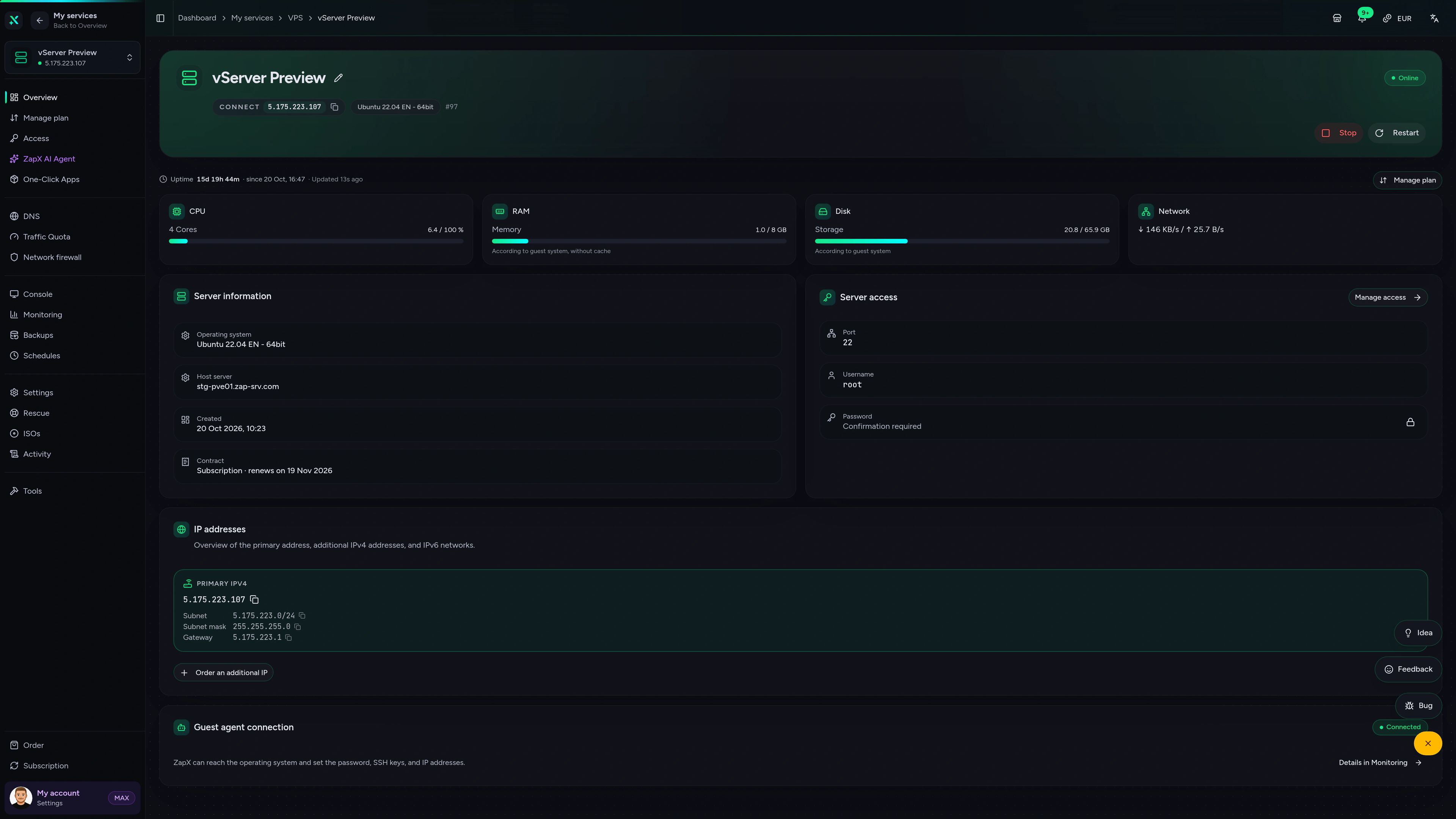
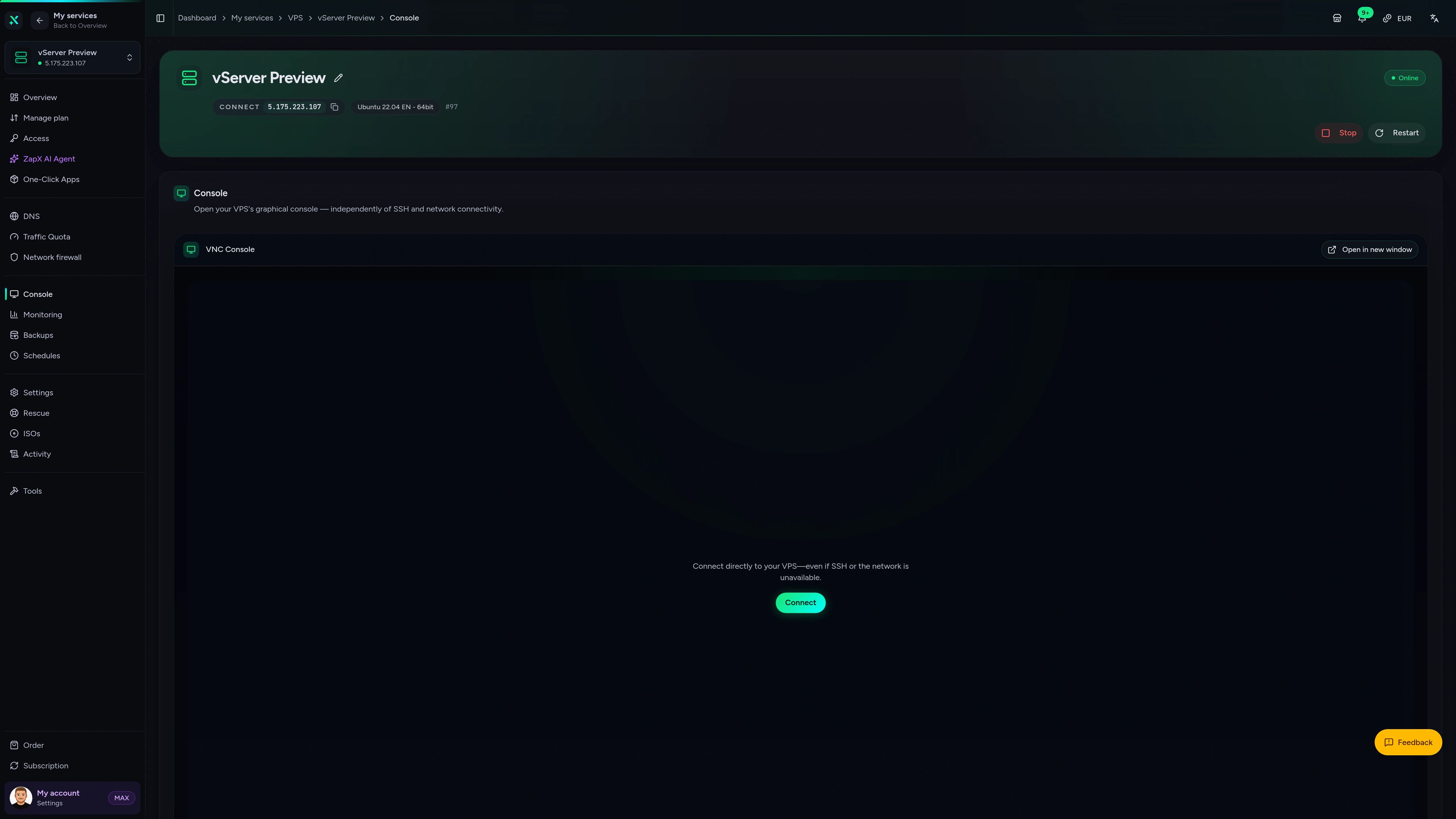
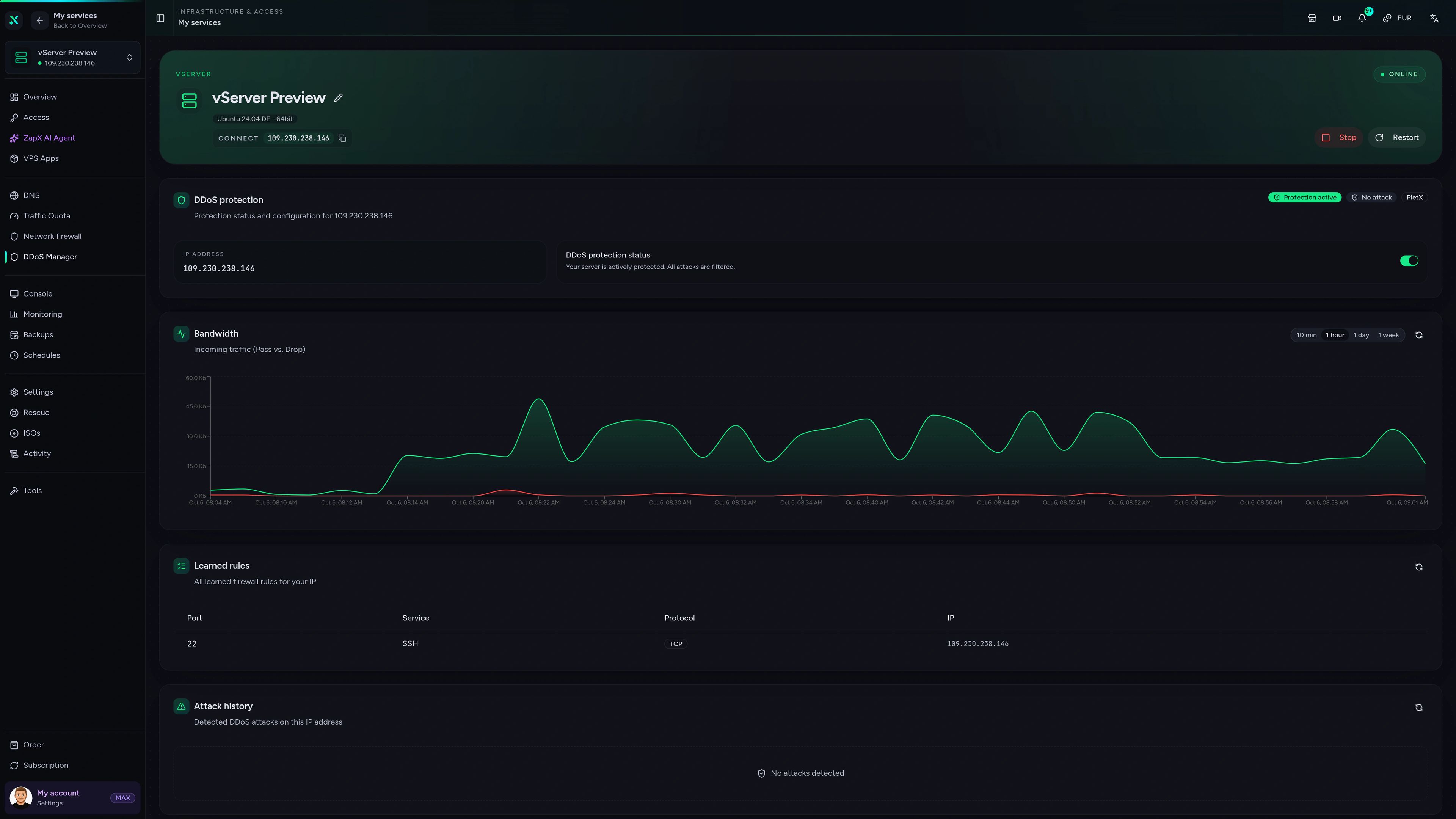
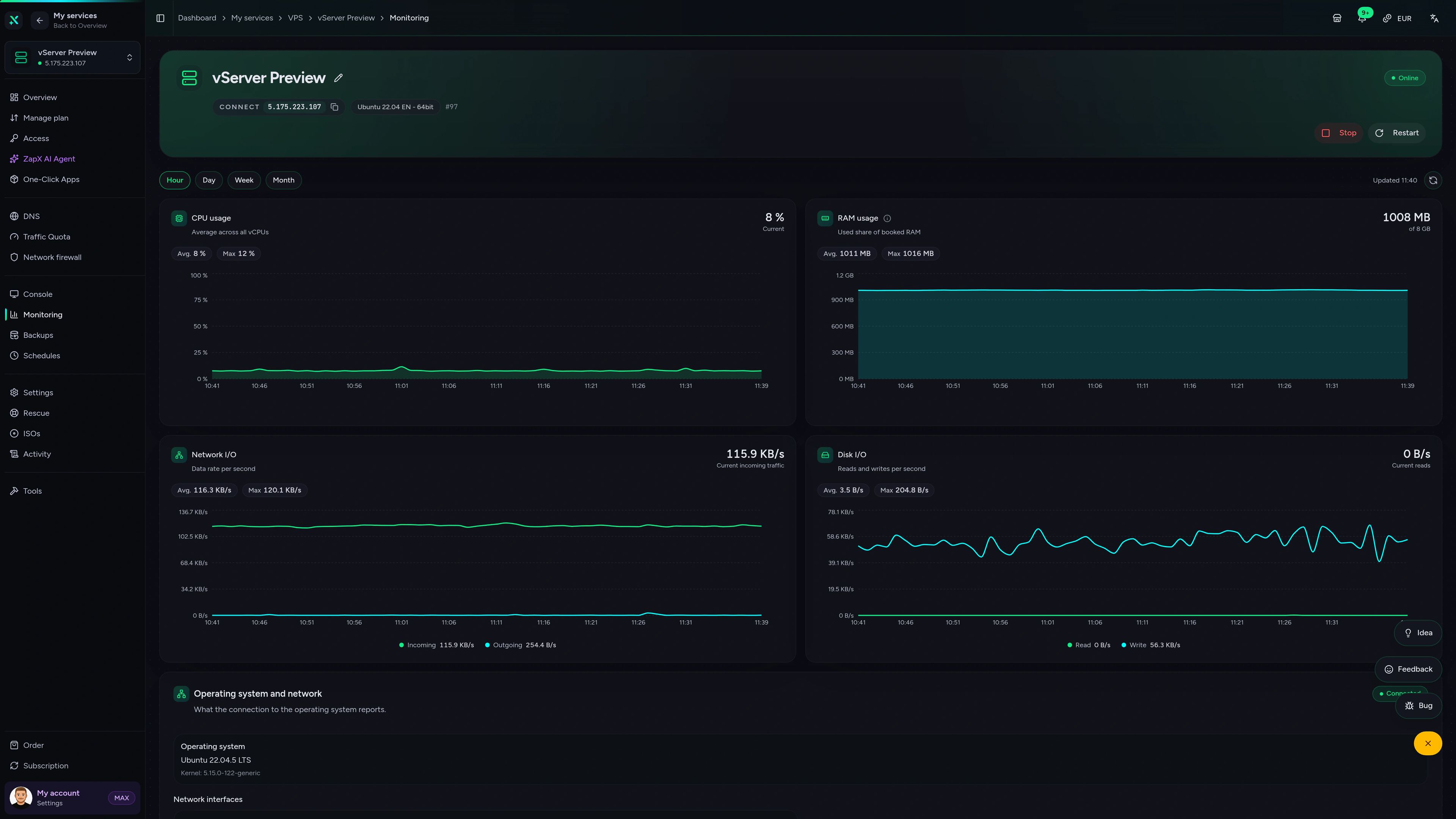
VPS – Overview
CPU, RAM, disk and network usage, server details, root access and IP addresses of your VPS at a glance.
Ask the ZapX AI Agent.
Instance keeps disconnecting or a webhook stays silent? The ZapX AI Agent explains the cause, suggests the fix and runs steps for you once you confirm in the chat.
The ZapX AI Agent is part of the ZapX Pass. It works in the ZapX panel of your VPS and only acts after you confirm in the chat.
Discover ZapX PassZapX AI Agent
panel.zap-hosting.com
Performance
The measured values show the headroom for Evolution API, its database and cache, so several numbers and an n8n workflow run side by side without slowing message delivery.
High-performance VPS, CPU model depends on the location
Typical VPS plans without a published host CPU
confirmed 2026-07-01
Use cases
How teams use Evolution API.
From order updates in n8n to a shared Chatwoot inbox: three ways automation builders, agencies and SaaS teams put their own WhatsApp API to work.
Ready to connect WhatsApp?
Launch your Evolution API VPS today.
ZapX appComing soon
Your VPS in your pocket with the ZapX app.
Check the status of the server behind your Evolution API, restart it and keep an eye on resources from your phone, wherever you are.

Also available
We also offer the following apps.
WireGuard, Coolify, monitoring, and more — one-click setup on your VPS.

Private Cloud
Nextcloud
Nextcloud is a self-hosted, open-source platform that provides file storage, collaboration, and communication tools for seamless data management.
Automatic setup

Automation
n8n
n8n is an extendable workflow automation tool.
Ready in ~2 min

VPN & Network
WireGuard Easy
The easiest way to run WireGuard VPN + Web-based Admin UI.
Ready in ~2 min

Media Server
Plex
Plex organizes video, music and photos from personal media libraries and streams them to smart TVs, streaming boxes and mobile devices.
Ready in ~2 min

Password Security
Vaultwarden
Vaultwarden is a password manager that allows you to securely store and manage your passwords.
No manual configuration

Website & Blog
WordPress with MariaDB
WordPress is open source software you can use to create a beautiful website, blog, or app.
Ready in ~2 min
Also available
WireGuard, Coolify, monitoring, and more — one-click setup on your VPS.
768
Available apps


Benefit
All apps included
The app marketplace is included with your VPS — no extra charge per installation.
Choose your apps in the configurator and get started in minutes.
Start your Evolution API VPS now.
One-click install in the ZapX panel, full root access, PletX DDoS protection and a daily Backup included. Online in 60 seconds, cancel anytime.
No setup. No risk. Online in 60 seconds.