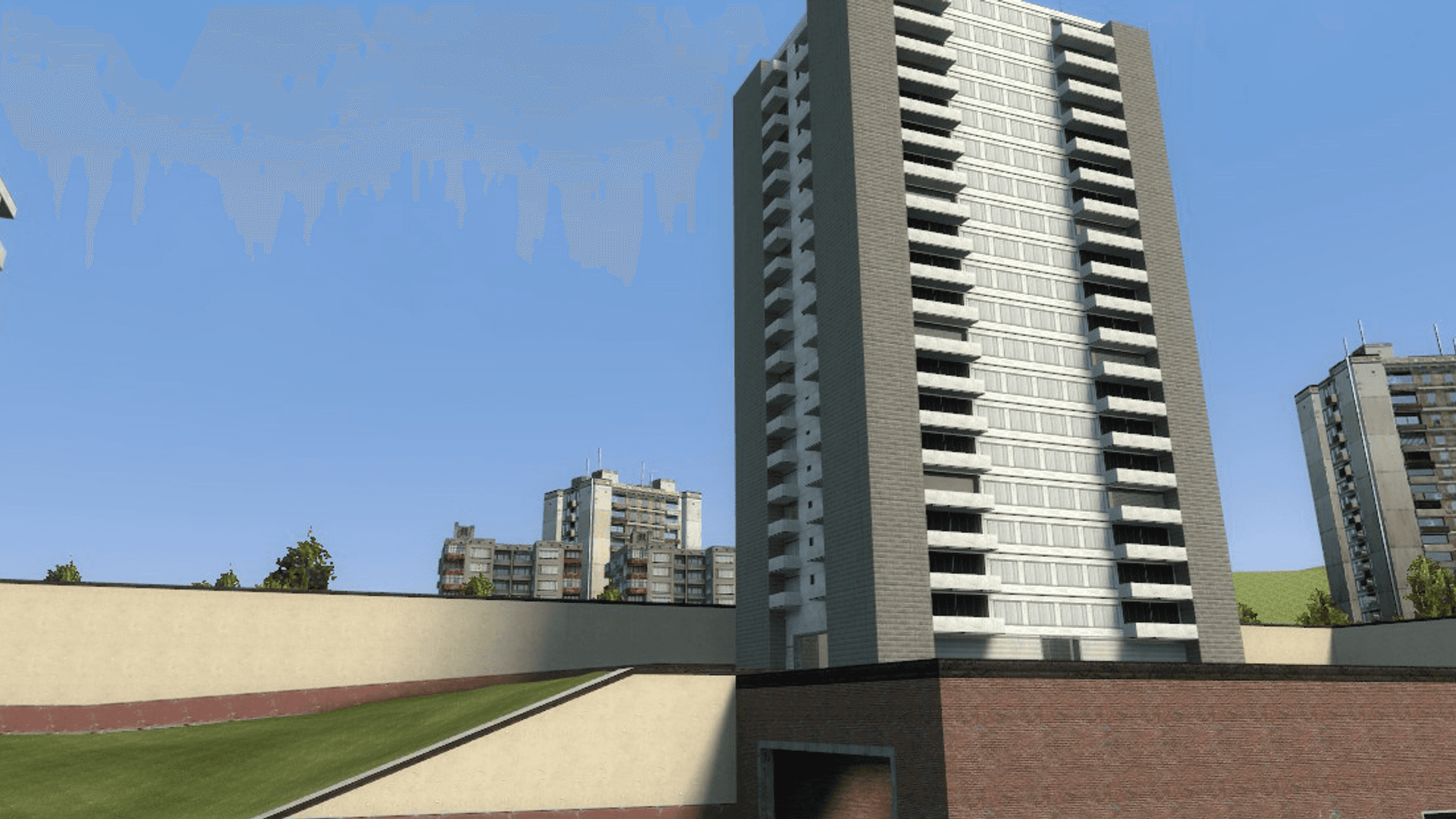
 Managed Garry's Mod Hosting
GMod Server hosting.
Garry's Mod hosting for DarkRP, TTT, and sandbox with Workshop addons, DDoS protection, and locations worldwide.

Plans and pricing

Gameserver plan
ZAP Spawn
Sandbox with a few friends
- 2 GB RAM
- 2 CPU
- 15 GB NVMe
- Unlimited Slots

Gameserver plan
ZAP Scout
TTT rounds for your group
- 4 GB RAM
- 2 CPU
- 30 GB NVMe
- Unlimited Slots
Gameserver plan
ZAP Ranger
DarkRP with Workshop add-ons
- 6 GB RAM
- 3 CPU
- 35 GB NVMe
- Unlimited Slots

Gameserver plan
ZAP Raid
Workshop collections with lots of add-ons
- 8 GB RAM
- 4 CPU
- 50 GB NVMe
- Unlimited Slots

Gameserver plan
ZAP Guild
A big community with lots of add-ons
- 10 GB RAM
- 4 CPU
- 60 GB NVMe
- Unlimited Slots

Gameserver plan
ZAP Vanguard
DarkRP with lots of custom maps
- 12 GB RAM
- 5 CPU
- 75 GB NVMe
- Unlimited Slots

Gameserver plan
ZAP Legion
Big projects with lots of add-ons and maps
- 16 GB RAM
- 6 CPU
- 100 GB NVMe
- Unlimited Slots


Gameserver plan
ZAP Bastion
Plenty of headroom for big communities
- 24 GB RAM
- 8 CPU
- 150 GB NVMe
- Unlimited Slots

Gameserver plan
ZAP Nexus
The most headroom for the biggest projects
- 32 GB RAM
- 10 CPU
- 200 GB NVMe
- Unlimited Slots
Packages 1–3 of 9
 garrys-mod
Configure yourself
Your server. Your power.
No package fits? Choose your RAM, CPU and storage—you only pay for the performance your community actually needs.
Powerful CPUs
100 Gbit/s host network
DDoS protection
Workshop addons
Browser panel
 Visa
 Mastercard
 American Express
 PayPal
 Google Pay
 Apple Pay
 Klarna
 Amazon Pay
About the game
What is a GMod server?
Garry's Mod is Facepunch's physics sandbox on the Source engine: spawn props, weld contraptions with the toolgun, and pose or freeze anything with the physgun. Its community turned it into a platform for whole gamemodes, from DarkRP cities and Trouble in Terrorist Town rounds to Prop Hunt and Murder. A dedicated GMod server keeps that world online around the clock, so your group can join any time without one player hosting from their own PC.
With your own server you decide the gamemode, the Workshop collection, the maps, and admin addons like ULX, and you can swap any of them whenever your community wants something new. Unlimited player slots mean you size RAM and CPU for your addon stack instead of counting seats, while a browser console lets you test risky addon updates and ZapX Pass lets you roll back using Backups if something breaks, without babysitting SteamCMD updates yourself.
Everything Included
Everything your GMod server needs.
Built for sandbox, DarkRP, TTT, and Workshop-heavy communities that want managed hosting instead of SteamCMD chores.
Online in 60 seconds
Your base server is ready to join fast; add gamemode and addons after launch.
Unlimited player slots
Grow your community without slot caps; size by RAM, CPU, and addon load.
DarkRP, TTT, and Prop Hunt
Switch between roleplay, TTT rounds, and event modes your players want.
Workshop collections and addons
Load a Steam Workshop collection and custom addons without manual file juggling.
Backups with ZapX Pass before every big change
Roll back to a clean state with ZapX Pass when an addon update or config edit goes wrong.
Live console in the browser
Change maps, run admin commands, and read startup errors right in the panel.
Only for Garry's Mod
Steam Workshop, straight to your server
Add Steam Workshop items or collections by ID or link; your panel downloads and applies the content.
Garry's Mod
Add content by ID or link
Your panel downloads and applies content using an item or collection ID or link.
- Steam Workshop
Locations worldwide
Your server. Your location.
8 data centers worldwide — choose the location closest to your community.
Europe


America


Asia-Pacific


Reviews
What customers say about ZAP-Hosting
Real feedback on support and setup.




FAQ
Frequently asked questions about Garry's Mod
Answers to the most important questions before you start.
What does GMod server hosting include?
You focus on the mode and community; the host handles the always-on server layer.
Managed GMod server hosting includes the Garry's Mod server itself, a browser-based control panel with console and file access, Workshop and custom addon support, DDoS protection, Backups, and a choice of locations worldwide. You handle the gamemode, collections, and community rules while the host keeps the infrastructure online. See the panel overview
- Unlimited player slots
- Browser-based control
- Locations worldwide
How much RAM do I need for a GMod server?
Size for your gamemode and addon stack, not just the number of players.
RAM needs depend more on gamemode and addon load than on player count alone. A small sandbox or friend server can start lean, DarkRP usually needs more headroom because jobs and persistence add load, and Workshop-heavy servers should leave extra room for joins, map changes, and addon overhead. As a guideline: at least 2 GB, 4 GB recommended.
- Sandbox can start lean
- DarkRP needs headroom
- Workshop-heavy needs extra RAM
Which server location should I choose for my players?
Pick the closest location for most of your community, not just the one nearest to you.
Choose the location closest to most of your community; locations are available worldwide. Many North American groups start with Ashburn, Dallas, or Los Angeles, while communities elsewhere pick the location nearest to them. Latency mostly depends on that distance, so check where your regulars actually play from before you order.
- Locations worldwide
- Pick near most players
- Check where regulars play
Does GMod hosting support DarkRP, TTT, Prop Hunt, and other custom game modes?
GMod hosting is built for more than plain sandbox maps.
Yes. Managed GMod hosting works for popular modes like DarkRP, TTT, Prop Hunt, and general sandbox setups, plus custom communities that rely on their own content stack. The important part is sizing the server around the gamemode and addons you actually run.
- DarkRP ready
- TTT and Prop Hunt
- Custom modes supported
Can I install Steam Workshop addons and custom mods?
Workshop collections and custom files are central to many GMod communities.
Yes. A Steam Workshop collection covers most addons, and custom files let you handle the rest. Managed hosting gives you the always-on base server while you decide which collections, admin addons, maps, and custom files belong on it; FastDL can help first-time players download content faster. Read the Workshop setup guide
- Workshop collections
- Custom files and configs
- FastDL for faster joins
Does GMod hosting include DDoS protection and Backups?
Public communities need both attack protection and a clean rollback path with the ZapX Pass.
Yes. Game-server DDoS protection helps keep public communities reachable, and with ZapX Pass you can create restore points before risky addon or config changes and roll back to a cleaner state if an update breaks something, instead of rebuilding the whole server from scratch. Learn how Backups work
- DDoS protection included
- Restore points with ZapX Pass
- Update rollback with ZapX Pass
How is GMod hosting priced, and is free hosting worth it?
Use live shop pricing and size around mode, addons, and activity instead of slot packages.
GMod server plans are sized by RAM, CPU, and disk rather than player slots, and live plan pricing is shown in the shop. Free hosting can work for a quick test, but public DarkRP, TTT, or sandbox communities usually outgrow it fast because uptime, DDoS protection, Backups, and steady performance matter more than the lowest entry cost.
- Sized by RAM, CPU, and disk
- Live pricing in the shop
- Managed beats free for public use
How fast can I start, and when should I move to a VPS or dedicated server?
Start managed, upgrade resources as you grow, and move up only when you need deeper control.
In most cases, your base GMod server is online in under 60 seconds, then you finish the mode-specific setup such as Workshop content, maps, or admin addons. Managed hosting fits most communities for a long time, and a VPS or dedicated server only makes more sense when you want full operating-system control, extra services, or a more unusual stack around the game server.
- Online in under 60 seconds
- Upgrade RAM and CPU later
- Move up for deeper control
Any more questions?
Contact SupportZapX Panel
Run your GMod community from the browser.
Console, files, Backups, and the ZapX AI Agent in one browser view for the day-to-day work behind a GMod community server.
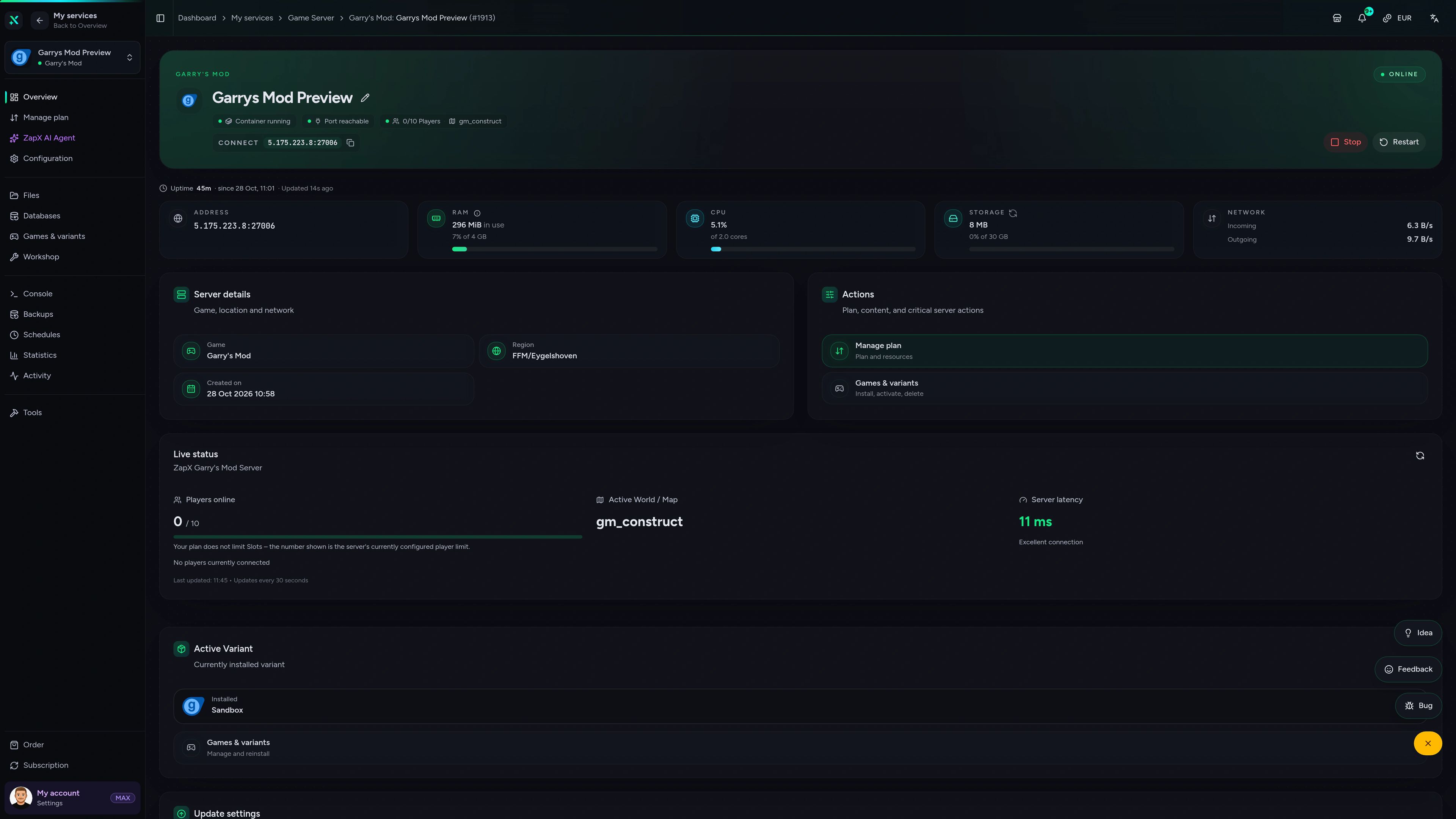
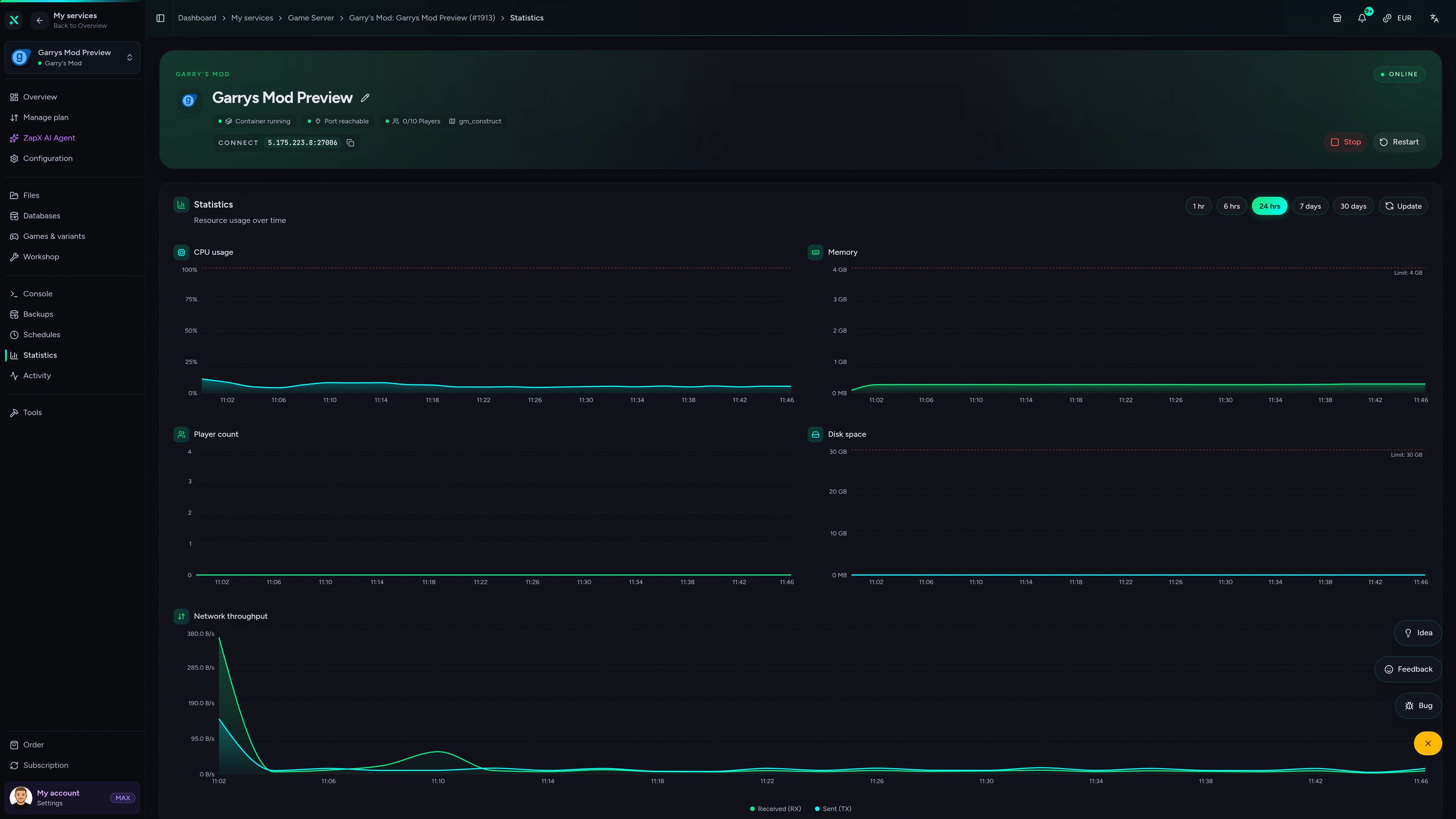
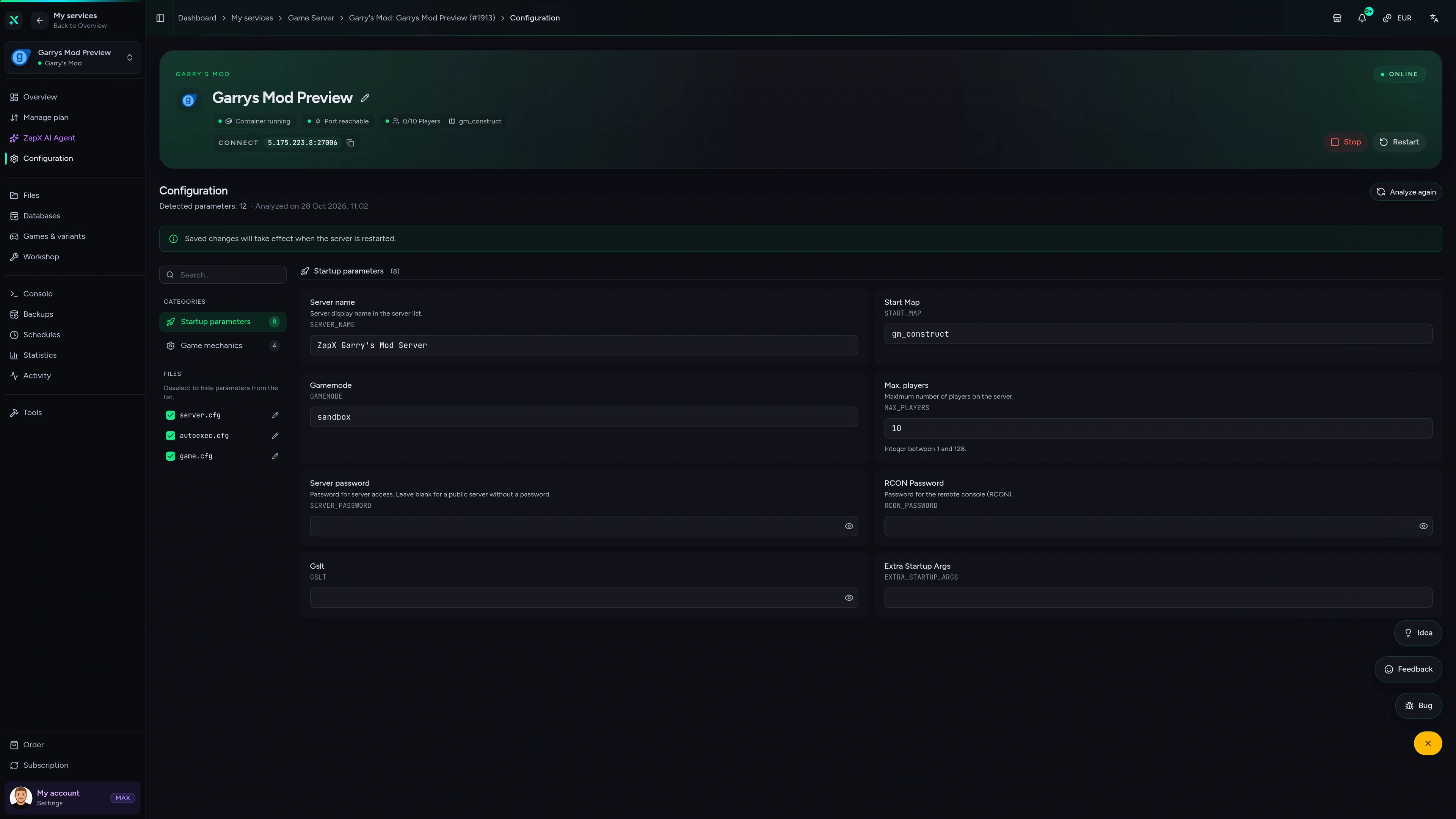
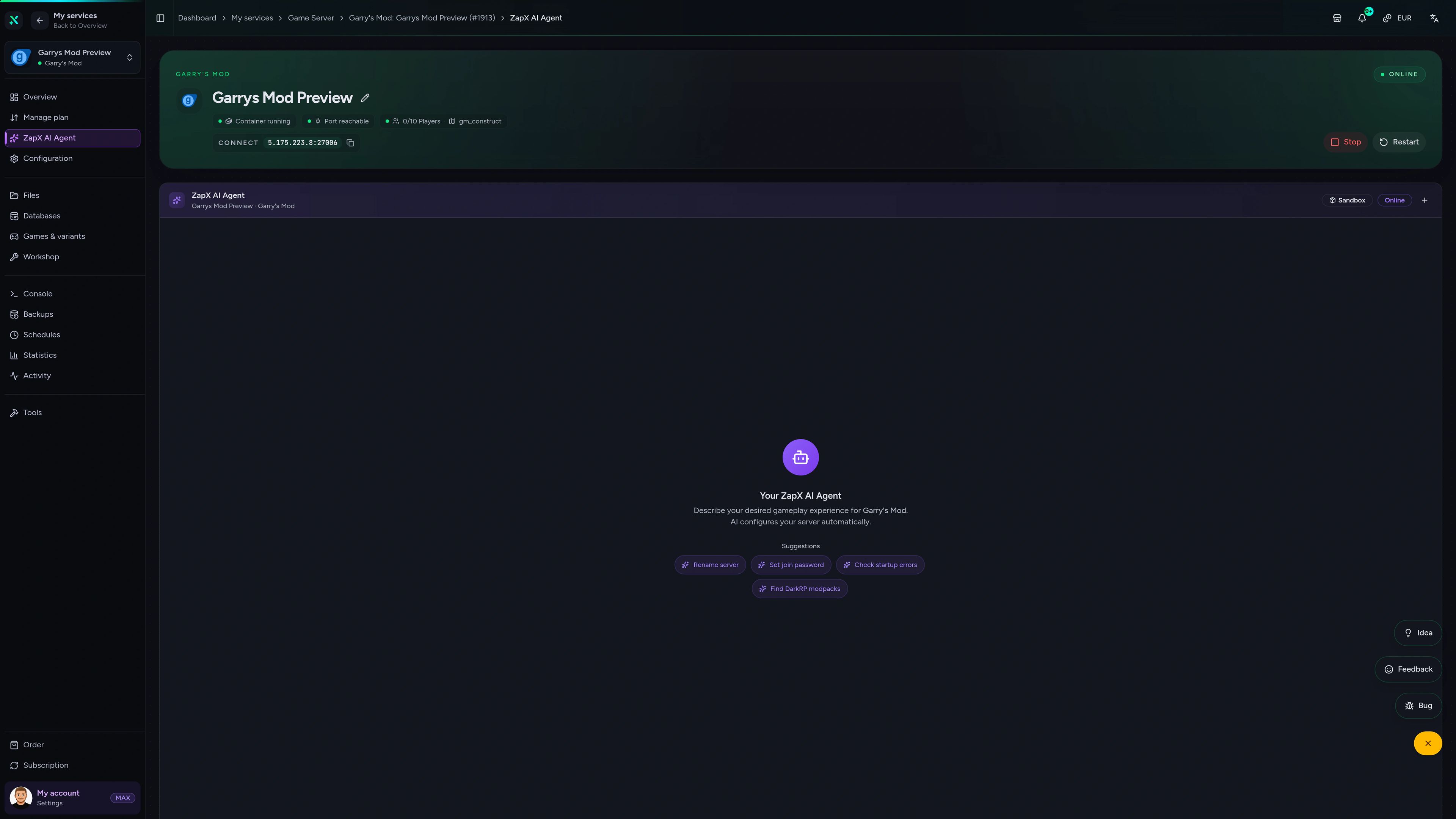
Garry's Mod Game Server – Overview
Overview of the Garry's Mod game server in the ZapX customer panel.
Ask your server. Get practical guidance.
The ZapX AI Agent helps you reason through GMod RAM sizing, Workshop setup, addon conflicts, and startup logs right inside the panel.
With ZapX Pass, keep the same ZapX AI Agent available across supported services when you compare locations, test new addon stacks, or run multiple GMod communities.
See ZapX PassZapX AI Agent
panel.zap-hosting.com
Benchmark
See measured latency and response data instead of generic 'best host' claims.
High-performance VPS, CPU model depends on the location
Typical VPS plans without a published host CPU
confirmed 2026-07-01
Typical GMod Scenarios
Common ways to run a GMod server
Start with the community type first, then choose RAM, addon scope, and location around the way your players actually use Garry's Mod.
Ready to launch?
Skip SteamCMD and launch your GMod community.
Mobile AppComing soon
Manage your GMod server on the go.
Check live status, restart after updates, and keep the key controls close when your community is already online.
Discord management
Manage servers directly in Discord.
Check status, start, stop, and restart via slash command — without leaving your community Discord.


Impressionen
Garry's Mod Screenshots
A glimpse into the game world—its atmosphere, exploration, and the moments your community will experience on the server.
Garry's Mod
1 free tool – right in your browser, no sign-up needed.
Server variants
More game variants
Garry's Mod TTT Server Hosting
Trouble in Terrorist TownGarry's Mod TTT2 Server Hosting
Trouble in Terrorist Town 2
Also available
We also offer the following games.
Switch between your games anytime for free—Minecraft, FiveM, Rust, and more.

Survival & Creative
Minecraft
Vanilla, Modded & Modpacks
Ready in ~2 min

Roleplay
FiveM
Roleplay server in seconds
One-click installation

Survival
Rust
Wipe-ready gameserver
Automatic setup
Also available
Switch between your games anytime for free—Minecraft, FiveM, Rust, and more.
97
Available games












Benefit
Unlimited Slots
We don't artificially limit player Slots. Hardware determines capacity.
Scale based on Mods, scripts, and player load instead of paying for a fixed number of Slots.
Start your GMod server today.
Pick a location near your players, size RAM for your gamemode, and get your Garry's Mod server online in under 60 seconds.
No setup. No risk. Online in seconds.