
 SCUM server hosting
.
Rent SCUM server hosting now with unlimited slots, DDoS protection, and worldwide locations for your players.

Plans and pricing
Packages 1–3 of 6
 scum
Configure yourself
Your server. Your power.
No package fits? Choose your RAM, CPU and storage—you only pay for the performance your community actually needs.
Powerful CPUs
100 Gbit/s host network
DDoS protection
Worldwide locations
24/7 support chat
 Visa
 Mastercard
 American Express
 PayPal
 Google Pay
 Apple Pay
 Klarna
 Amazon Pay
About the server
What is a SCUM server?
SCUM is a hardcore open-world survival game set on a huge island prison: you track hunger, health, and wounds in detail, scavenge loot, craft gear, build bases, and survive puppets, mechs, and other prisoners. Renting your own SCUM server keeps that island persistent for your group, running on your rules and your schedule instead of someone else's.
That control lets you shape the world your players actually want: a slower PvE island for friends, a high-pressure PvP map for squads, or a community server with planned wipes. Your server is set up automatically after ordering, and you configure everything in the web panel.

Hosting features
What your SCUM hosting includes.
SCUM hosting with automatic setup, resource-based scaling, and the control you need to run your island.
Set up automatically after ordering
Your SCUM server is set up automatically after your order, no manual setup.
Unlimited player slots
Grow your squad without slot caps, capacity scales with RAM and CPU.
Worldwide location choice
Players get lower ping when you pick the region closest to them.
Rules in the web panel
Tune server name, password, PvP, and loot values from SCUM's ServerSettings.ini in your browser.
Private or public access
Keep a friends-only island or open it to your community later.
Daily world Backups
Your island progress gets a daily Backup, plus manual Backups from the panel with ZapX Pass.
Locations worldwide
Your server. Your location.
8 data centers worldwide — choose the location closest to your community.
Europe


America


Asia-Pacific


Reviews
What customers say about ZAP-Hosting
Real feedback on support and setup.

Zap has been great for our server.
Zap has been great for our server.
 ZAP-HostingReply


FAQ
Frequently asked questions about SCUM
Answers to the most important questions before you start.
How do I rent a SCUM server at ZAP-Hosting?
Choose a package based on how much RAM and CPU your group needs and complete your order. The server is then installed automatically. After that, you'll find it in the ZapX panel, where you start, configure, and monitor it.
- Choose a package by RAM and CPU
- Order and pay in the shop
- Manage everything in the ZapX panel
How much RAM does a SCUM server need?
RAM needs depend on how much is going on on your island: more simultaneous players, lots of bases and vehicles, and higher loot or puppet settings increase the load. Start with the package that fits your group and switch to more RAM and CPU anytime as your community grows – your world is kept when you upgrade. As a guideline: at least 8 GB, 12 GB recommended.
- Needs grow with players and bases
- More RAM and CPU anytime
- World kept when upgrading
Which rental periods are available, and can I cancel?
You choose a period of 3, 30, 90, 180, or 365 days. You can cancel anytime, effective at the end of the period: the server stays active until the end of the period you've already paid for. With ZapX Pass, the Lifetime option also lets you pay just once.
- 3, 30, 90, 180, or 365 days
- Cancel anytime
- Lifetime with ZapX Pass
Which server location should I choose for my players?
Choose the region closest to most of your players. Many North American groups start with Ashburn or Dallas, but worldwide locations stay available for every community.
- Pick the closest region
- Worldwide locations
- Ashburn or Dallas are common US starts
Is a private SCUM server better than hosting one on my own PC?
Hosting SCUM on your own PC sounds free, but it means keeping that machine running 24/7, opening ports, installing updates by hand, and sharing your own bandwidth. A hosted private SCUM server stays online around the clock, is DDoS-protected, and lets you control who joins with a server password.
- No PC running 24/7
- DDoS protection included
- Friends-only access
How many players can a SCUM server handle?
Capacity depends on the resources you choose and how you configure the world. ZAP uses unlimited slots, so growth is based on RAM, CPU, and storage instead of fixed slot packages.
- Unlimited slots
- Scale by RAM and CPU
- World settings still matter
How do Backups and wipes work on a SCUM server?
Your server gets a daily automatic system Backup, and you can create your own Backups in the panel; how many are kept depends on your ZapX Pass tier. When your community wants a fresh start, you can run a partial, gold, or full wipe instead of replacing the whole server. How SCUM wipes work
- Daily automatic Backup
- Own Backups with ZapX Pass
- Partial, gold, or full wipes
Can I edit SCUM config files, add admins, or upgrade later?
Yes. Gameplay values such as loot, PvP, and day length live in SCUM's ServerSettings.ini, and you can adjust them through the panel. You can also give trusted players admin rights, and move to more RAM and CPU later without starting your SCUM world over. Build your ServerSettings.ini
- Edit ServerSettings.ini values
- Admin rights for your team
- Upgrade resources when needed
Any more questions?
Contact SupportZapX panel
Manage your SCUM server in one panel.
See live stats, adjust key settings, and keep setup tasks in one place.
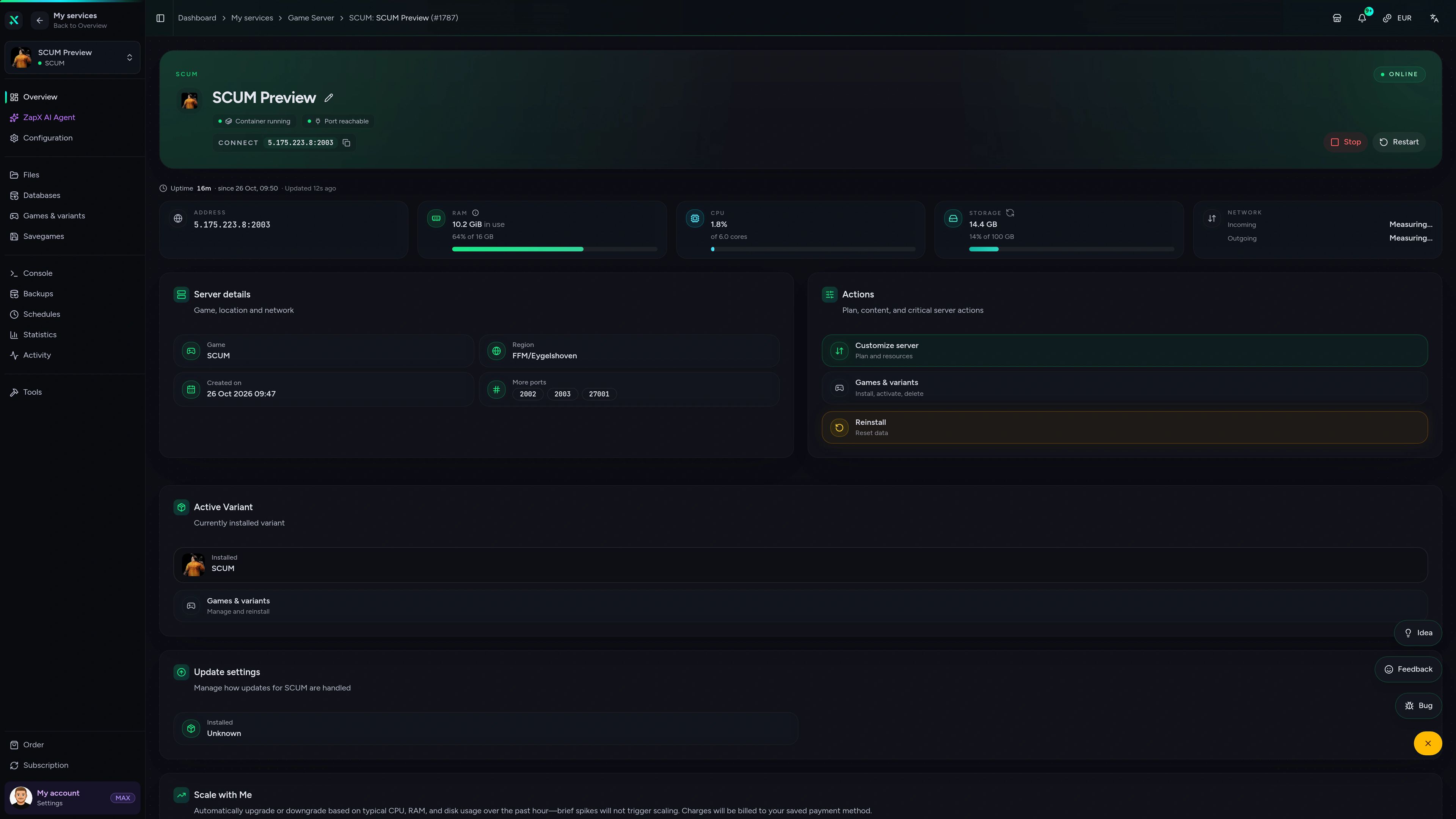
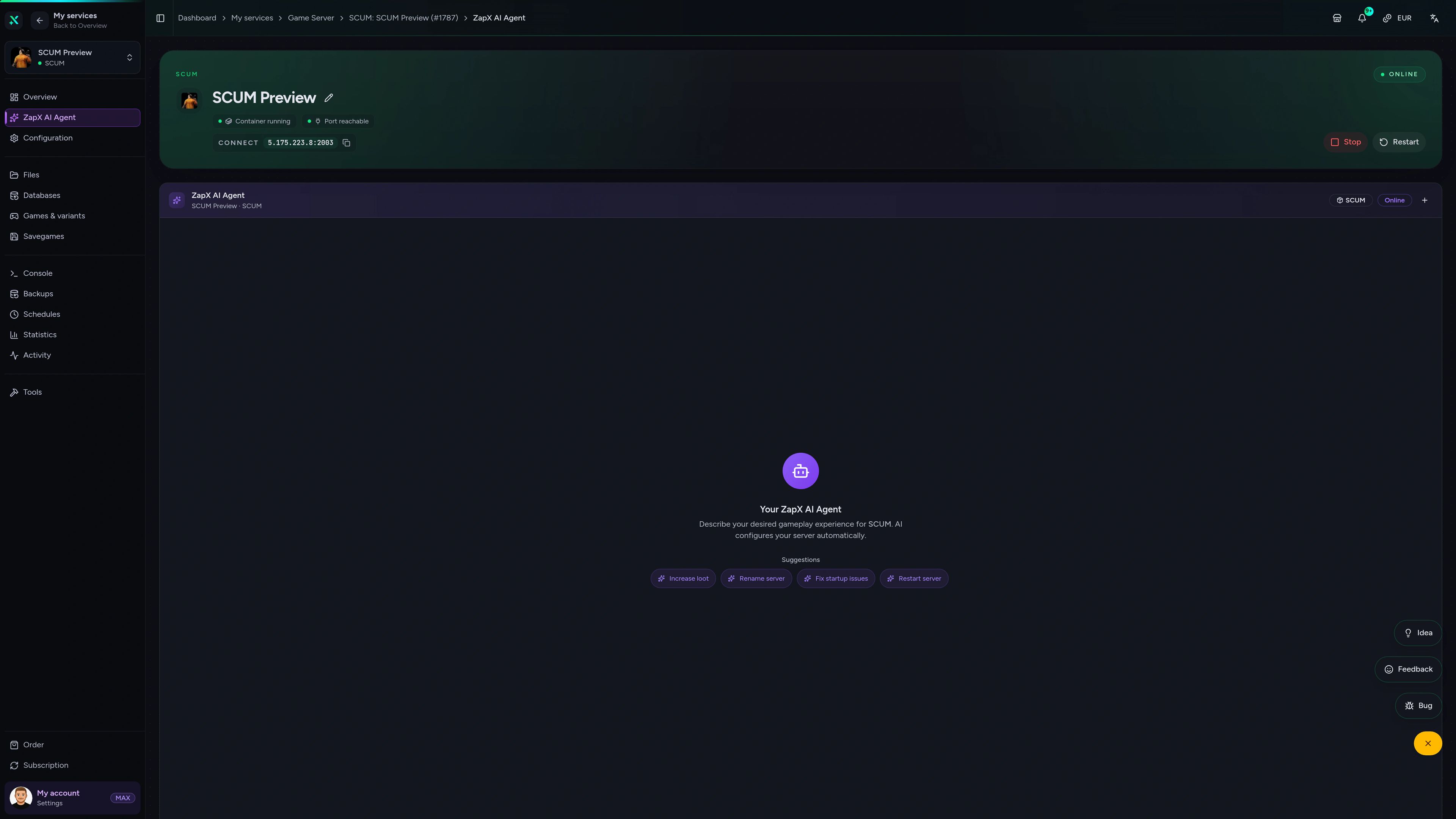
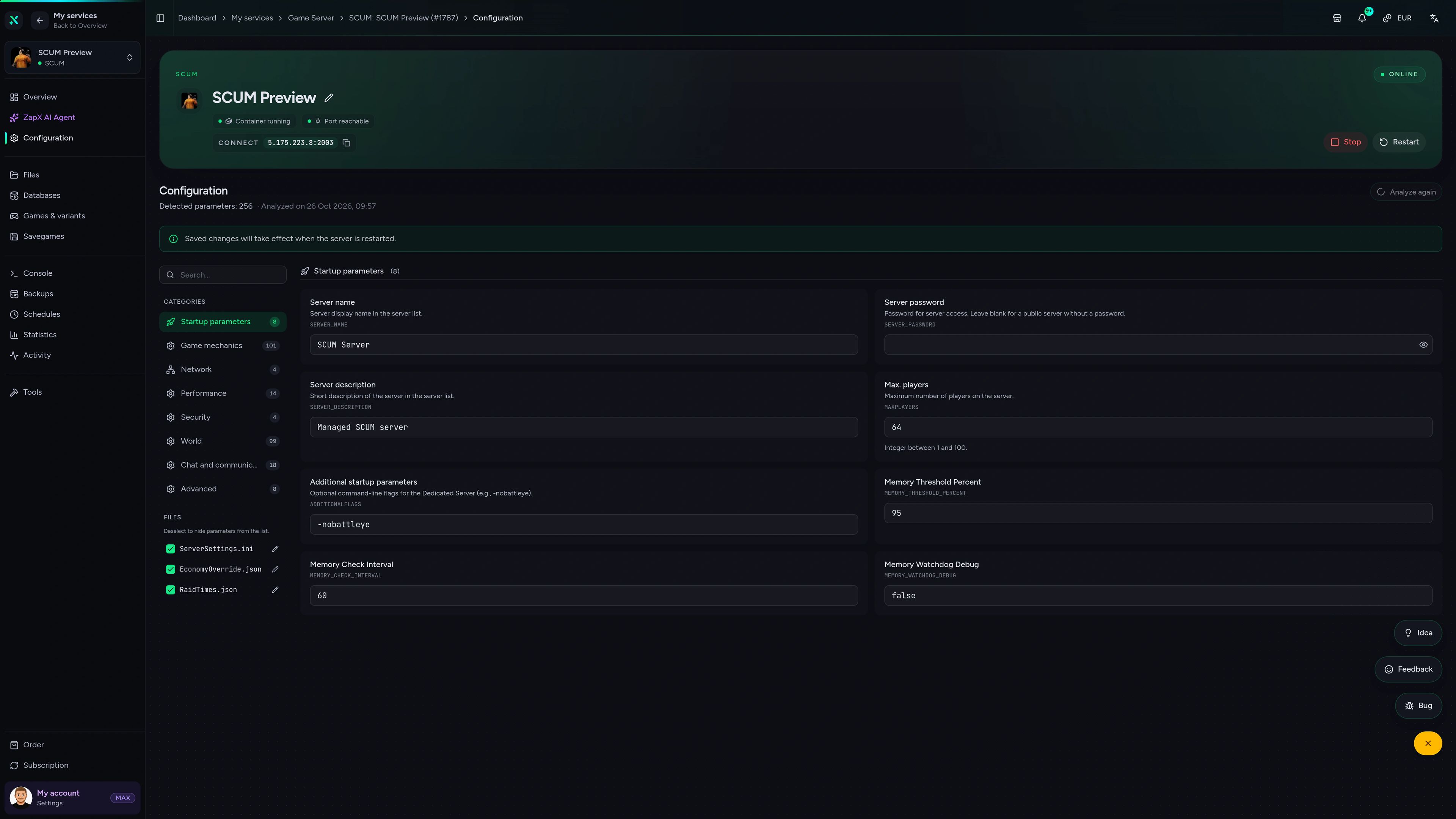
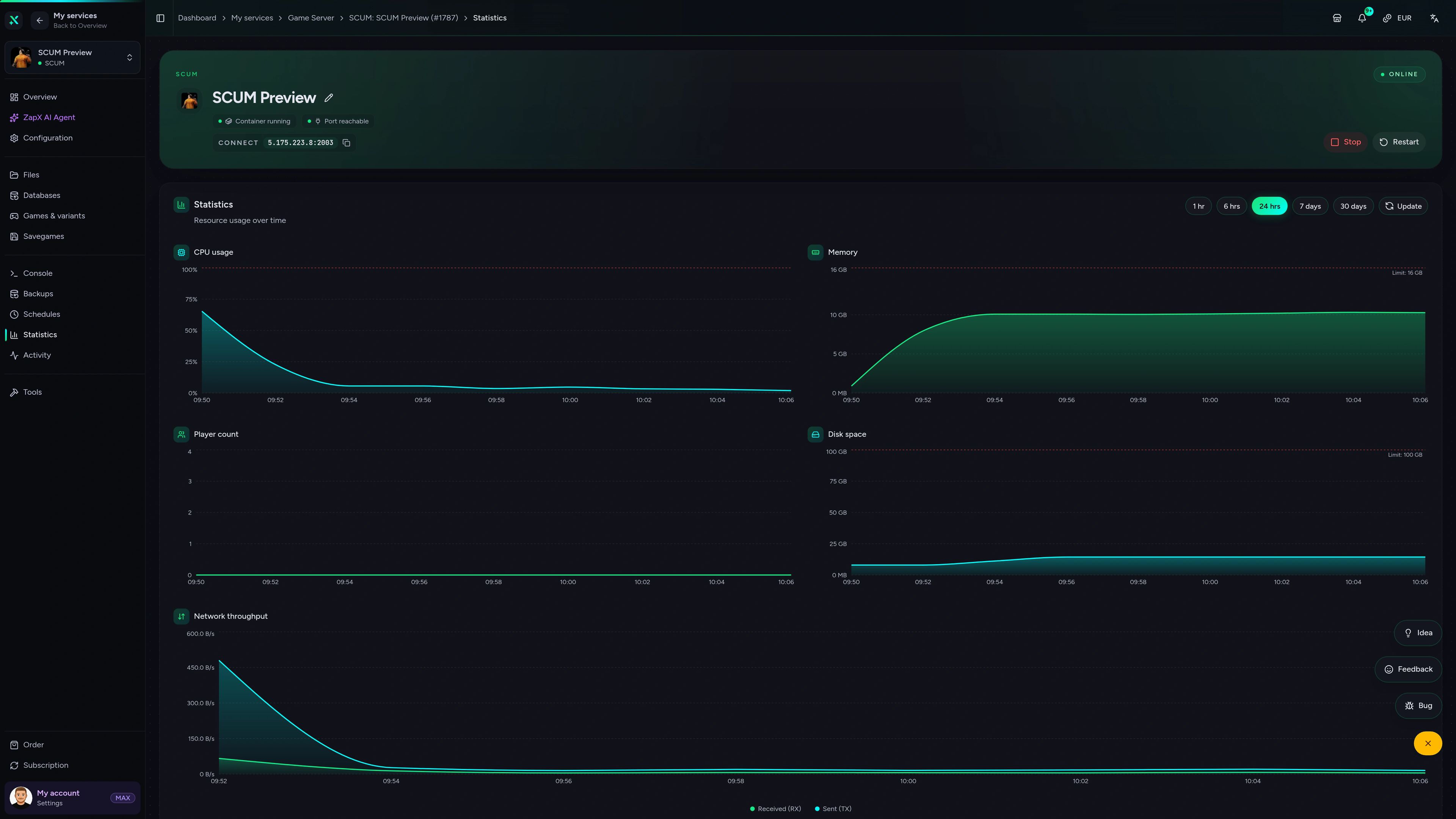
SCUM Game Server – Overview
Overview of the SCUM game server in the ZapX customer panel.
Ask for SCUM server help. Get a clear next step.
The ZapX AI Agent explains SCUM hosting choices, settings, and setup planning in the panel, so you can act faster without digging through scattered forum threads.
ZapX Pass unlocks this ZapX AI Agent across supported services, so the same guided help stays available as your setup expands.
See ZapX PassZapX AI Agent
panel.zap-hosting.com
Benchmark
Compare measured ZAP platform performance with a typical SCUM host, from CPU and storage speed to network uplink and uptime.
High-performance VPS, CPU model depends on the location
Typical VPS plans without a published host CPU
confirmed 2026-07-01
Use cases
Choose the right server style for your SCUM world.
From private survival groups to bigger PvP communities, the better fit comes from rules, region choice, and resource planning instead of slot caps.
Rent now
Start your own SCUM server with unlimited slots.
ZapX appComing soon
Manage your SCUM server from anywhere.
Check status, restart the server, and review alerts from your phone when your group is getting ready for the next session.
Discord management
Manage servers directly in Discord.
Check status, start, stop, and restart via slash command — without leaving your community Discord.


Impressionen
SCUM Screenshots
A glimpse into the game world—its atmosphere, exploration, and the moments your community will experience on the server.
SCUM
1 free tool – right in your browser, no sign-up needed.
Also available
We also offer the following games.
Switch between your games anytime for free—Minecraft, FiveM, Rust, and more.

Survival & Creative
Minecraft
Vanilla, Modded & Modpacks
Ready in ~2 min

Roleplay
FiveM
Roleplay server in seconds
One-click installation

Survival
Rust
Wipe-ready gameserver
Automatic setup
Also available
Switch between your games anytime for free—Minecraft, FiveM, Rust, and more.
98
Available games












Benefit
Unlimited Slots
We don't artificially limit player Slots. Hardware determines capacity.
Scale based on Mods, scripts, and player load instead of paying for a fixed number of Slots.
Ready to rent your SCUM server?
Rent your SCUM server now, choose the best region for your players, and your server is set up automatically after ordering.
No setup. No risk. Online in seconds.