
 Official RedM Provider · Cfx.re Partner
RedM Server Hosting.
Run your RDR2 roleplay server with unlimited slots and DDoS protection — online in 60 seconds at locations worldwide.
Or try 3 days from €0.95Pick the 3-day term at checkout · renews every 3 days · cancel anytime

Plans and pricing
Gameserver plan
ZAP Spawn
Test server and script development
- 2 GB RAM
- 2 CPU
- 15 GB NVMe
- Unlimited Slots

Gameserver plan
ZAP Scout
Western RP for your group
- 4 GB RAM
- 2 CPU
- 30 GB NVMe
- Unlimited Slots

Gameserver plan
ZAP Ranger
RP server with VORP Core
- 6 GB RAM
- 3 CPU
- 35 GB NVMe
- Unlimited Slots

Gameserver plan
ZAP Raid
Big Western RP with lots of scripts
- 8 GB RAM
- 4 CPU
- 50 GB NVMe
- Unlimited Slots

Gameserver plan
ZAP Guild
A big community with lots of scripts
- 10 GB RAM
- 4 CPU
- 60 GB NVMe
- Unlimited Slots

Gameserver plan
ZAP Vanguard
Lots of custom content with maps and clothing
- 12 GB RAM
- 5 CPU
- 75 GB NVMe
- Unlimited Slots

Gameserver plan
ZAP Legion
Big RP projects with lots of custom content
- 16 GB RAM
- 6 CPU
- 100 GB NVMe
- Unlimited Slots


Gameserver plan
ZAP Bastion
Plenty of headroom for big RP projects
- 24 GB RAM
- 8 CPU
- 150 GB NVMe
- Unlimited Slots


Gameserver plan
ZAP Nexus
The most headroom for the biggest projects
- 32 GB RAM
- 10 CPU
- 200 GB NVMe
- Unlimited Slots
Packages 1–3 of 9
 redm
Configure yourself
Your server. Your power.
No package fits? Choose your RAM, CPU and storage—you only pay for the package you put together.
Powerful CPUs
100 Gbit/s host network
DDoS protection
Daily Backups
Cancel anytime
 Visa
 Mastercard
 American Express
 PayPal
 Google Pay
 Apple Pay
 Klarna
 Amazon Pay
About RedM
What is a RedM server?
RedM is the Cfx.re multiplayer framework for Red Dead Redemption 2 on PC. Instead of Red Dead Online's fixed rules, communities build their own Wild West: roleplay towns with sheriffs, doctors and outlaws, player-run economies, hunting trips and story-driven events. Your own RedM server is where that world lives — online around the clock, with your rules, your scripts and your players.
With full control, you decide which framework runs your town — VORP, RSG Core or your own resources — who gets whitelisted and when restarts happen. Every package includes unlimited player slots, so the number of riders your server can carry depends on RAM, CPU and script load rather than a slot cap. You can also pick the location closest to your community.

Included in every package
Everything your Wild West server needs.
Unlimited slots, freedom to choose your framework and daily Backups — everything a RedM roleplay server needs comes with every package.
Official RedM provider
Your town runs with an official RedM provider and long-standing Cfx.re partner.
Unlimited player slots
Grow your posse without a slot cap — capacity follows RAM, CPU and scripts.
VORP, RSG Core & custom resources
Run VORP, RSG Core or your own resources — your town, your framework.
Online in 60 seconds
Your server is ready right after checkout — setup runs automatically.
Daily automatic Backups
A broken script update never costs your town — roll back from a daily Backup with ZapX Pass.
Live console in the browser
Restart resources and read logs live, no SSH client needed.
Only for RedM
Your shortcut to txAdmin
Open txAdmin, your RedM server's built-in web interface, straight from the panel with one click.
RedM
One-click access to txAdmin
Get straight to your server's web interface with the txAdmin shortcut in your panel.
- txAdmin
Locations worldwide
Your server. Your location.
8 data centers worldwide — choose the location closest to your community.
Europe


America


Asia-Pacific


Reviews
What customers say about ZAP-Hosting
Real feedback on support and setup.


great prices, good specs
the interface was great, migration was flawless and the interface is very user friendly. support team was very helpful aswell

 ZAP-HostingReply
I've been with them for a few years
I've been with them for a few years, and they're one of the best. The lifetime servers have really helped me, and now they've added auto-backup. 10/10!
 ZAP-HostingReply

FAQ
Frequently asked questions about RedM
Answers to the most important questions before you start.
How much does RedM server hosting cost?
Live shop prices by package, term and location, not player slots.
Prices come live from the shop and depend on the package, term and location, never on player slots. Prices can vary by location. Every package includes unlimited slots, DDoS protection and daily Backups. Pick a ready-made package or configure your own, and cancel anytime, effective at the end of the term.
- Unlimited player slots on every package
- Ready-made packages or custom config
- Cancel anytime
How fast can I start my RedM server?
Online in 60 seconds after checkout.
Setup runs automatically right after checkout, and your RedM server is online in 60 seconds. Then you add your Cfx.re license key, choose your framework and resources, and share the connection details from your panel with your players.
- Automatic setup
- Add your license key
- Connection details in the panel
Can I use VORP, RSG Core, or my own scripts?
Yes — run the framework and resources your town needs.
Yes. Install VORP, RSG Core or your own resources with the file manager, then add them to your server config. txAdmin lets you manage them in the browser. Frameworks that store character data in a database can use the MariaDB add-on. Learn more in the Help Center
- VORP and RSG Core
- Custom scripts and maps
- MariaDB add-on for databases
Can I run a private RedM server for friends or a public RP server?
Both work on the same server.
Yes. Keep it private for your friends with a password or a whitelist through txAdmin or your framework, or open it up as a public roleplay server for the whole RedM community. You can change that later without moving to a new server.
- Private server with whitelist
- Public RP server for everyone
- Switch anytime
Do I need a Cfx.re license key and a legal copy of RDR2?
Players need RDR2 on PC, and your server needs a free Cfx.re key.
Every player needs a legal PC copy of Red Dead Redemption 2 to join. RedM itself is free. Your server needs a free license key from Cfx.re, which you create once in your Cfx.re account and enter in the panel under Configuration → Start parameters → Cfx.re license key. How to add your license key
- RDR2 on PC for every player
- Free Cfx.re license key
- One-time setup
How many players can my RedM server handle?
No slot cap. Capacity depends on RAM, CPU and scripts.
Every package includes unlimited player slots. How many players your server really handles depends on RAM, CPU and how many scripts your framework loads. A small private posse runs fine on a starter package, while busy RP towns with many resources need more RAM and CPU, which you can add as you grow.
- Unlimited player slots
- Scale RAM and CPU
- Script load matters most
Are Backups included for my RedM server?
Yes. Daily automatic Backups plus manual Backups with ZapX Pass.
Yes. Your RedM server gets an automatic Backup every day. With ZapX Pass, you can create manual Backups before big script updates and restore in a few panel clicks. With the MariaDB add-on, your database is also backed up every day. How Backups work
- Daily automatic Backups
- Manual Backups with ZapX Pass
- Restore with ZapX Pass
Which server location should I choose for RedM?
Pick the location closest to most of your players.
We have locations worldwide. Pick the one closest to most of your players, because latency depends on distance. Every RedM server is DDoS-protected. Many North American communities start with Ashburn, Dallas or Los Angeles.
- Locations worldwide
- Choose closest to your players
- DDoS protection included
Any more questions?
Contact SupportZapX Panel
Run your RedM server from the browser.
Use the console, files, Backups, config and live statistics in one panel, and get help from the ZapX AI Agent when a resource acts up.
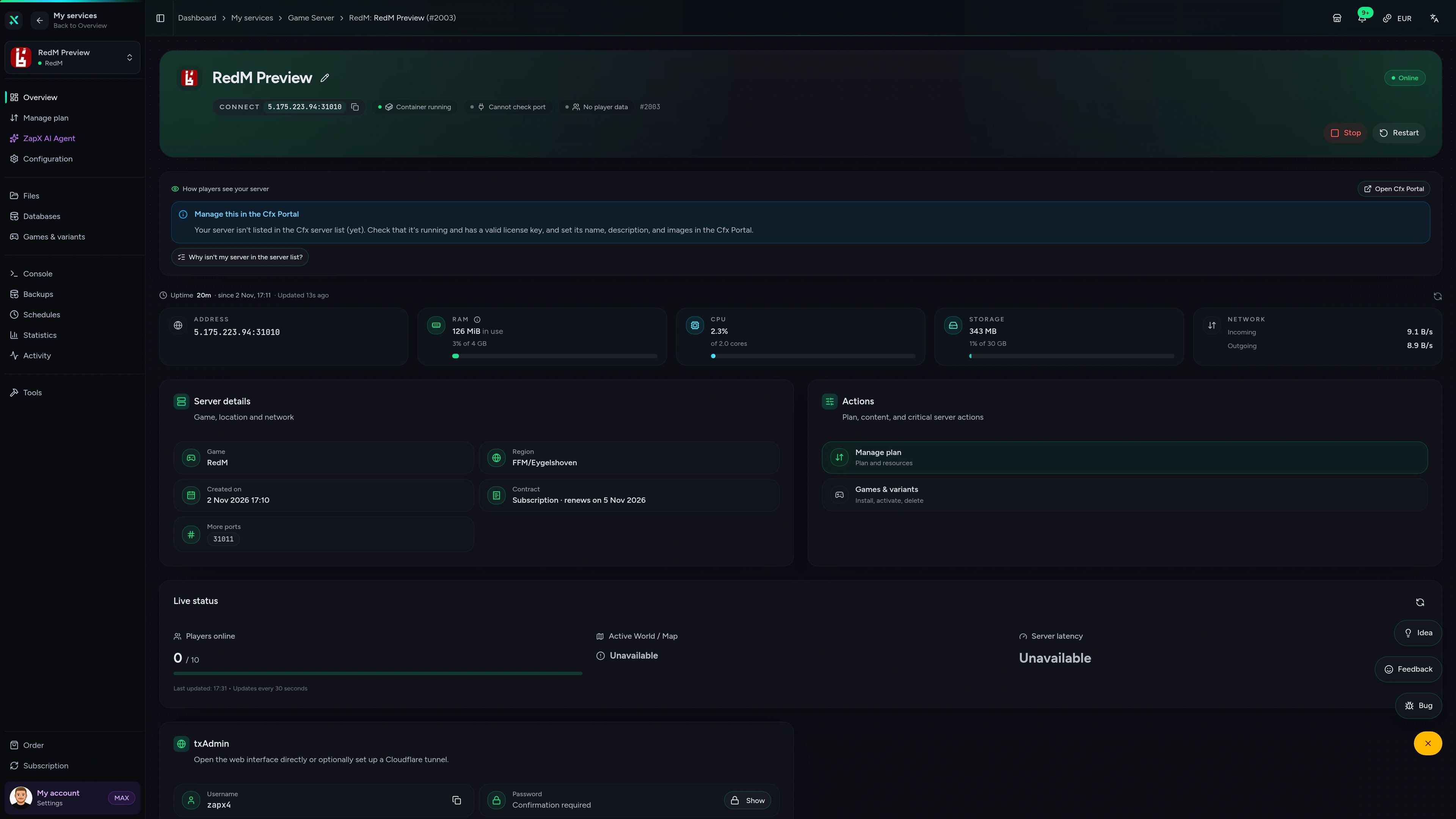
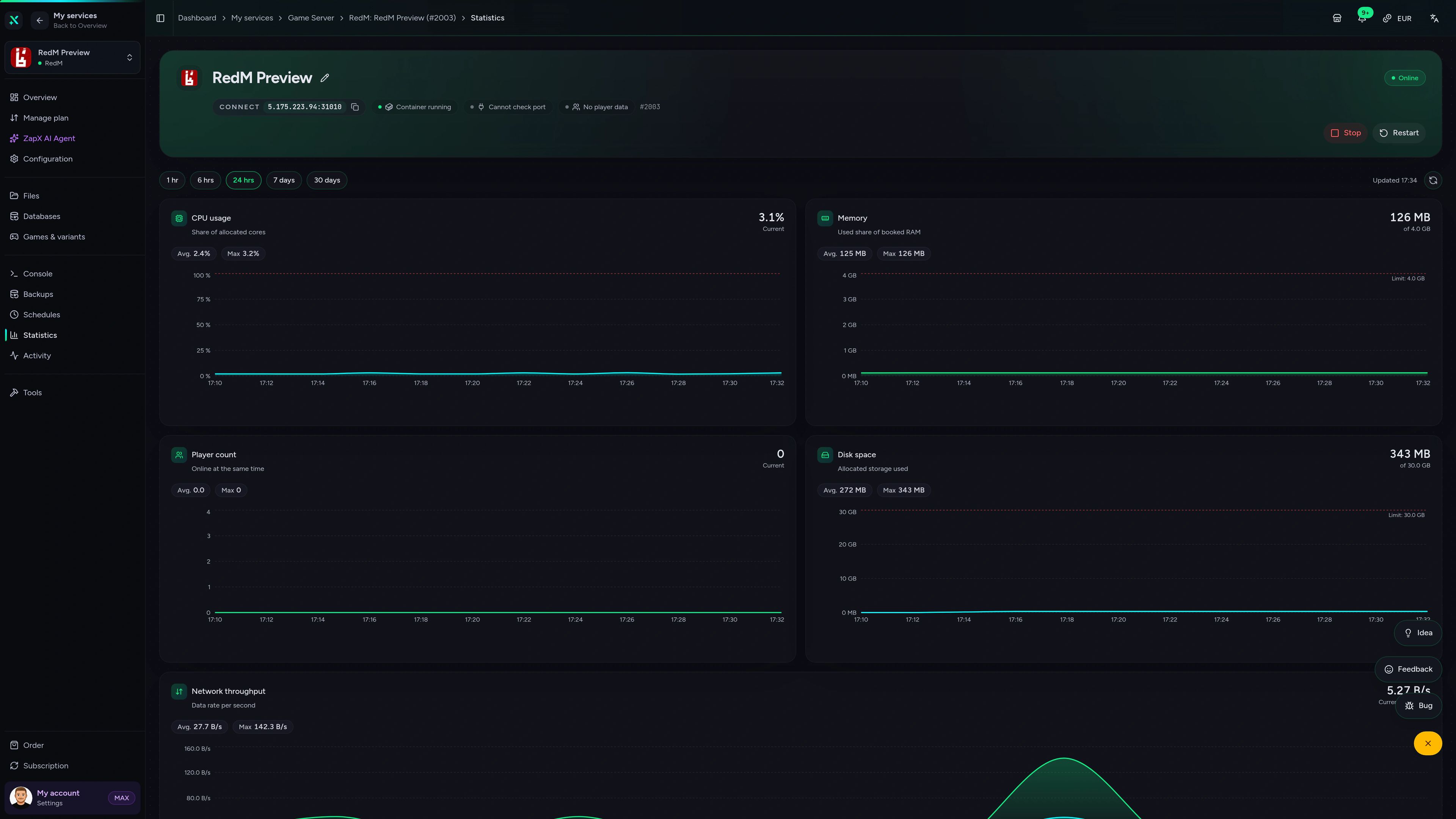
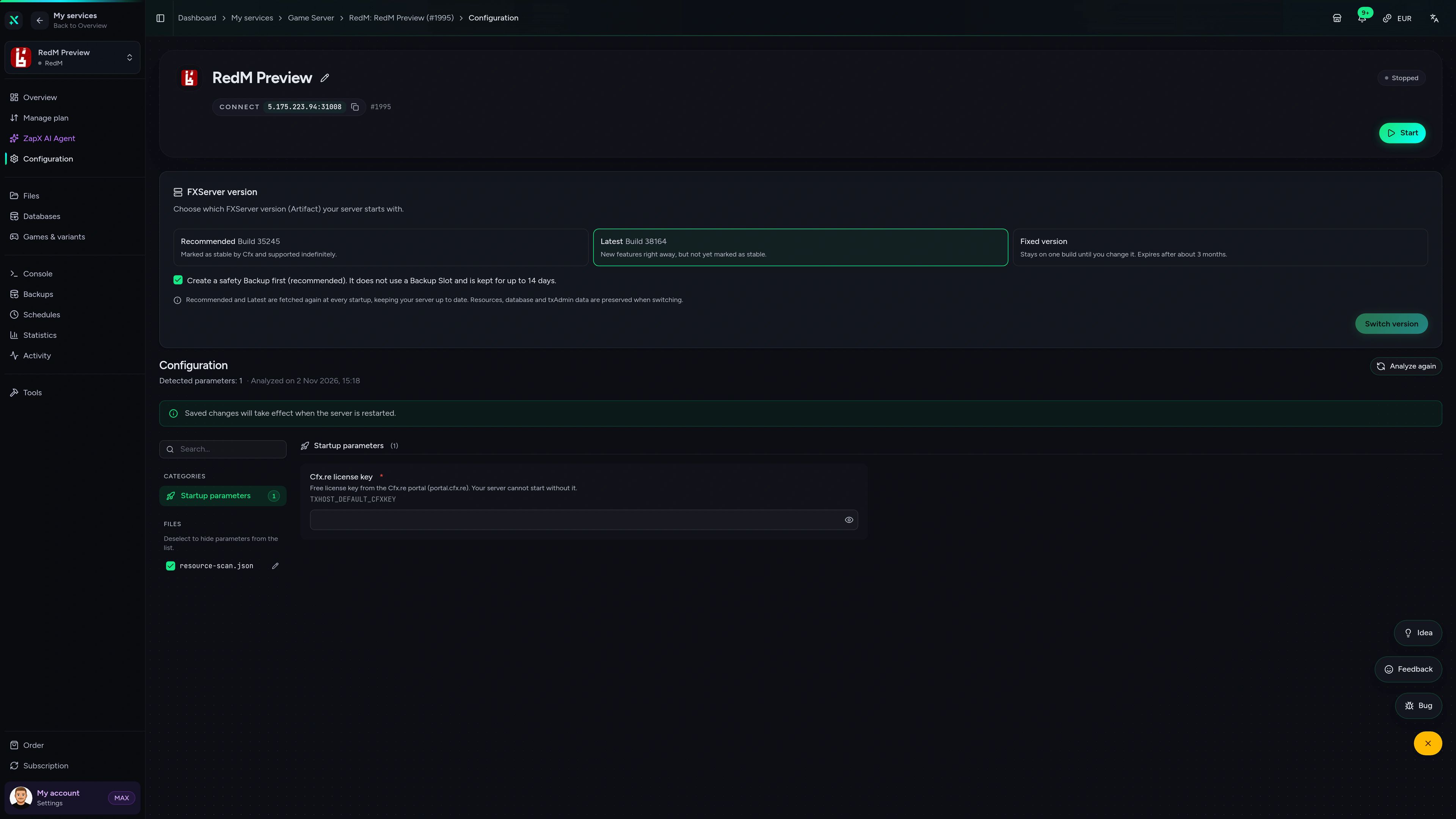
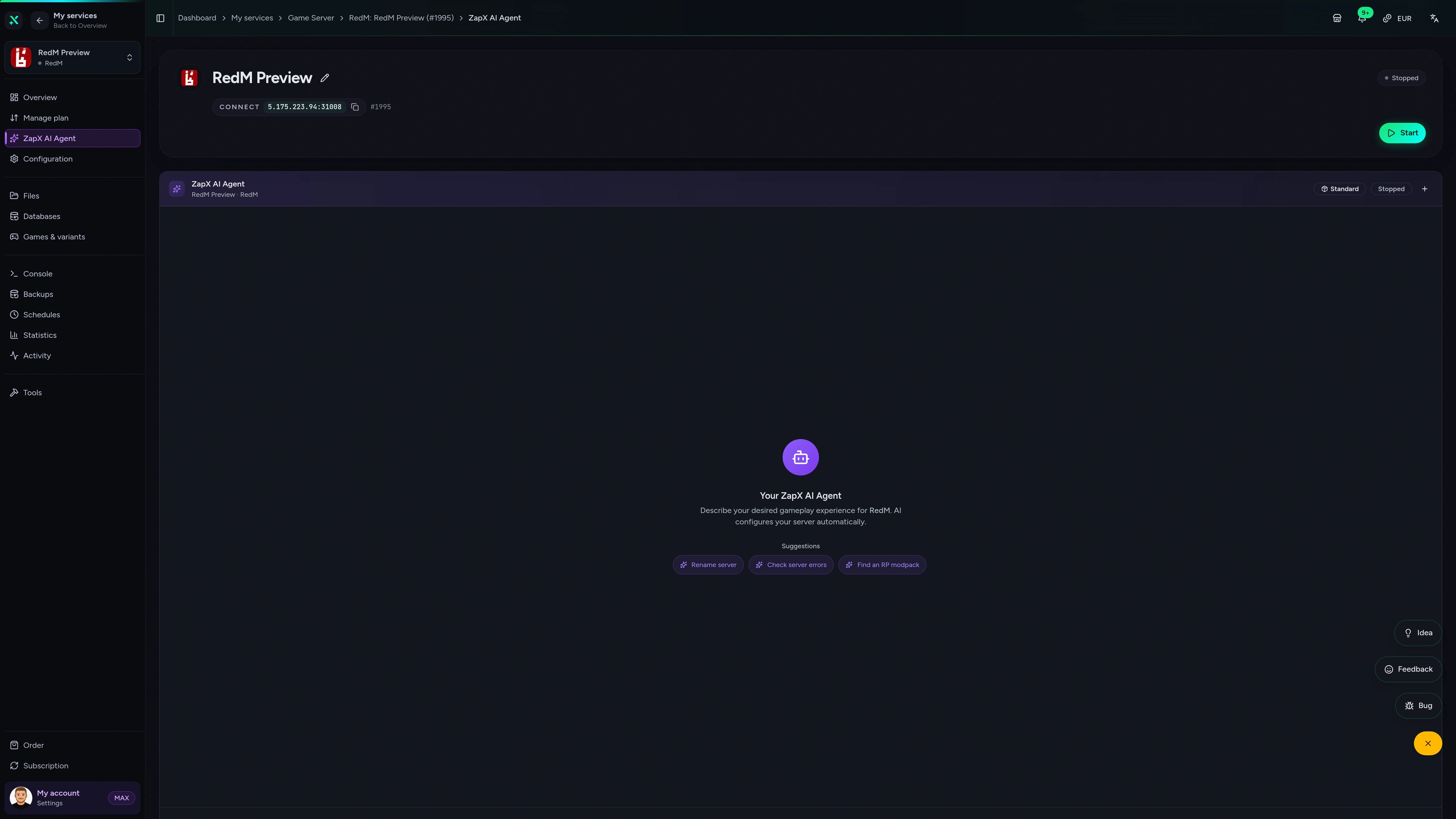
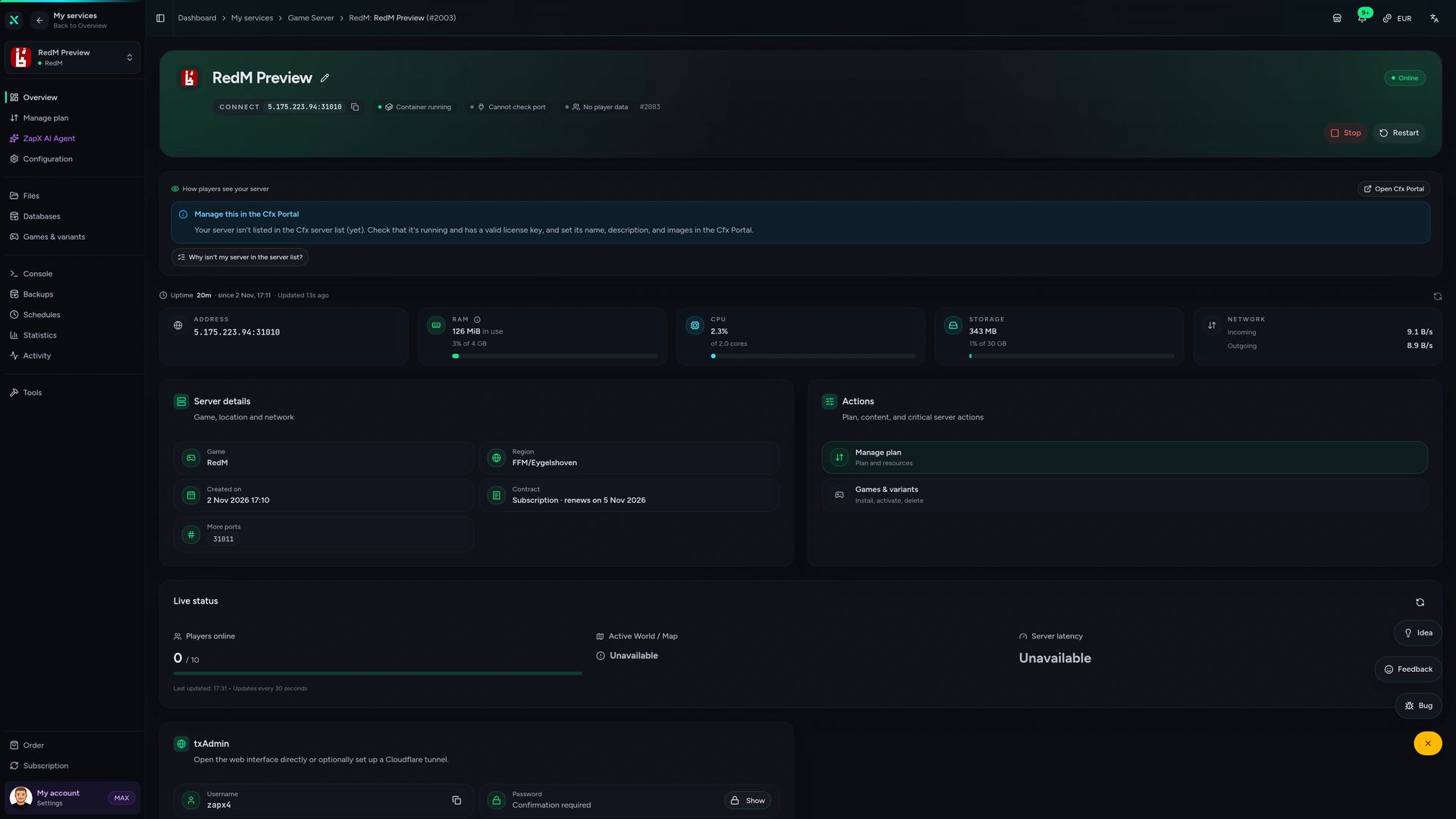
RedM Game Server – Overview
Overview of the RedM game server in the ZapX customer panel.
Ask about your RedM server. Get a clear next step.
The ZapX AI Agent helps in the panel with license keys, VORP and RSG Core questions and startup errors. It explains your logs and shows you what to check.
The ZapX AI Agent is part of ZapX Pass and works across all your supported services.
See ZapX PassZapX AI Agent
panel.zap-hosting.com
Benchmark
Comparable numbers from our own infrastructure, with methodology and measurement date. No made-up competitor figures.
High-performance VPS, CPU model depends on the location
Typical VPS plans without a published host CPU
confirmed 2026-07-01
Typical RedM scenarios
What players use their RedM server for.
Looking for the best RedM server hosting for your idea? From a private posse to a busy roleplay town, here's where frameworks, Backups and location matter.
Start your town today
Your Wild West server, online in 60 seconds.
Mobile appComing soon
Your RedM server. In your pocket.
Keep an eye on your RedM town from anywhere with the ZapX app: check status, restart the server and read logs on the go.
Discord management
Manage servers directly in Discord.
Check status, start, stop, and restart via slash command — without leaving your community Discord.


Impressionen
RedM Screenshots
A glimpse into the game world—its atmosphere, exploration, and the moments your community will experience on the server.
RedM
1 free tool – right in your browser, no sign-up needed.
Also available
We also offer the following games.
Switch between your games anytime for free—Minecraft, FiveM, Rust, and more.

Survival & Creative
Minecraft
Vanilla, Modded & Modpacks
Ready in ~2 min

Roleplay
FiveM
Roleplay server in seconds
One-click installation

Survival
Rust
Wipe-ready gameserver
Automatic setup
Also available
Switch between your games anytime for free—Minecraft, FiveM, Rust, and more.
98
Available games












Benefit
Unlimited Slots
We don't artificially limit player Slots. Hardware determines capacity.
Scale based on Mods, scripts, and player load instead of paying for a fixed number of Slots.
Your RedM server is waiting.
Host your RedM server now with unlimited player slots and DDoS protection, online in 60 seconds at locations worldwide.
No setup. No risk. Online in seconds.