
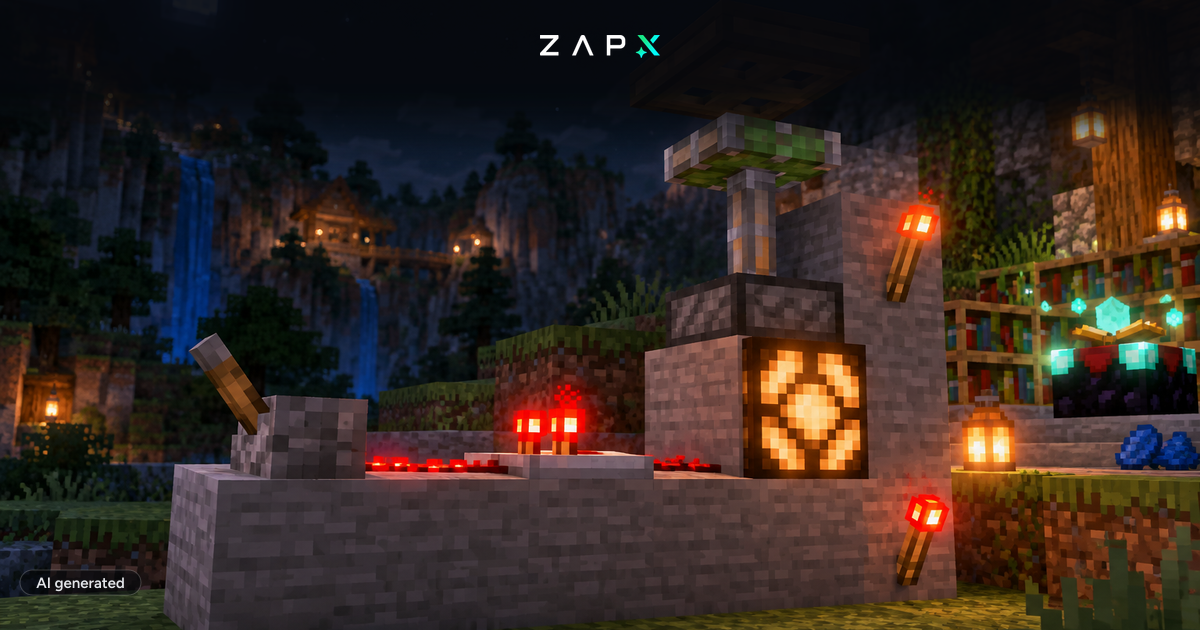
In short: Redstone is Minecraft’s wiring system. With Redstone Dust, torches, repeaters and comparators you build circuits that open doors, move pistons and automate farms. A signal starts at strength 15 and loses 1 strength per block of dust, so after 15 blocks you need a Redstone Repeater.
Updated on November 20, 2026: recipes, signal behaviour and components checked and corrected, quick-reference table and FAQ added.
If you ever thought Minecraft was getting too dull, it's time to check out Redstone and everything you can do with it. This resource or the components will help you bring automation to life. Think of Redstone as Minecraft’s version of electricity—it allows you to create circuits, power machines, and even build complex contraptions like automatic farms, secret bases, and working computers (yes, really!).
You might have encountered multiple YouTube tutorials and threads where gamers have been discussing building automatic farms and trap doors, but it all seems too complicated. It can be if you do not understand how Redstone and its components work.
Do you want to play Minecraft on your own Minecraft server? Get your own Minecraft server via the following link: Minecraft server hosting
So, here is a tutorial on everything about Redstone; what is it? How it works, and what you can build with it. Let’s get on with it below.
Redstone is one of the most interesting yet a highly important resource in the game. It acts like an energy source and allows you to create mechanized systems that would otherwise be impossible with standard building blocks.
If you want to build an automatic light system or maybe an elevator, you need Redstone. Now, working with this might get complicated, and if you have no idea how mechanics work, you are in for a challenge. In simpler terms, it is important to help you automate your everyday tasks such as farming, trap doors, and multiple other aspects.
Once you understand the concept of Redstone, you will realize it is very similar to an electrical circuit. For example, Redstone Dust = Electrical Wiring: It carries power from one point to another, Redstone Torch = Battery: It provides a continuous power source, and so on.
However, Redstone power doesn't flow infinitely—it has a range of 15 blocks before it weakens and needs a signal booster (a Redstone Repeater). You can say it is something an electrician would draw to explain how electricity works through a diagram.
You can dig up Redstone ore deep underground in Minecraft, primarily in the Overworld between Y-levels -64 and 15. It is most common at the very bottom, just above bedrock. The best places to find Redstone are deep caves and Ravines. You can use the Night Vision potion for better visibility (if you have one) and might be able to spot the glowing red stones from far away.
For every ore you mine, you get 4-5 Redstone Dust, the main component of building automatic structures using Redstone. You need at least an iron pickaxe; a stone pickaxe drops nothing. With Fortune III you get up to 8 dust per ore.
Other than caves, you can get Redstone by killing witches: since version 1.21 they always drop 4–8 Redstone Dust. Hence, you can craft a Witch farm and automatically collect the Redstone in storage boxes. However, it can take a lot of effort and time if you do not know how to make these. So, it's best to stick with caves and ravines.
This particular resource has multiple components, each playing a unique role in transmitting, modifying, or activating Redstone power. Below is a detailed breakdown of each of them.
| Component | Used for | In short |
|---|---|---|
| Redstone Dust | Wiring | Carries the signal, strength drops by 1 per block (max. 15 blocks) |
| Block of Redstone | Constant power | Always on, powers adjacent components, can be moved by pistons |
| Redstone Torch | Source / inverter | On by default, turns off when the block it is attached to is powered |
| Redstone Repeater | Refresh and delay | Resets strength to 15, 1–4 ticks (0.1–0.4 s) delay, one direction only |
| Redstone Comparator | Compare and measure | Compares signals and measures how full chests, hoppers etc. are |
| Observer | Detect block changes | Sends a short pulse when the observed block changes |
| Piston / Sticky Piston | Moving blocks | Pushes up to 12 blocks, the sticky piston pulls the block back |
Redstone Dust is a fundamental yet the most essential component in anything you build with Redstone. It acts like wires in an electrical circuit, carrying power from one point to another. So the question is how it works:
- After placing the Dust on the ground, it appears as a thin red line representing the path the signal will travel.
- When connected to any power source, such as Redstone Torch, the dust will glow bright red, meaning it's powered.
- However, if it is not powered, you can see the Dust appearing dull but dark red.
Another concept to understand about the Redstone Dust is that it can power adjacent blocks, activating pistons, doors, and dispensers. For this, the dust line has to point at the component or lie on the block in front of it. Example: Place a Redstone Dust line next to an Iron Door and power it with a Lever; the door will open.
Likewise, there is a concept of weakly powered or indirect power when Redstone Dust is powering a block next to it, but not directly touching a Redstone component. For example, a Redstone Torch placed on the side of a powered block will turn off even though the Redstone Dust is not directly connected to the torch.
Note: Redstone signal travels only 15 blocks before it loses signal strength. At strength 15, it glows the brightest, and as you move forward, it gradually loses its power and turns deep dark red with zero signal strength.
Redstone Block is considered to be a constant power source. It provides strong power to adjacent Redstone components. Unlike Redstone Dust or Torches, a Redstone Block cannot be turned off; it always stays powered unless moved or broken.
There are multiple uses for a Redstone Block. It can be used as a permanent power source to keep the Redstone Lamps lit in a base or city build. Moving on, unlike Redstone Dust or Redstone Torches, a Piston can move a Redstone Block, allowing you to create toggleable power sources.
However, for long-distance wiring, Redstone Dust and Repeaters are better since Redstone Blocks only power adjacent blocks.
This is yet another power source and one of the most used components for building in Minecraft. It provides a continuous power source and is essential for building logic gates, hidden doors, elevators, traps, and other contraptions.
One of the major features of Redstone Torch is that it is always On by default. It powers the block above it and any Redstone Dust or components directly connected to it. Unlike Redstone Block, this can be turned off when powered. For example, if the block a Redstone Torch is attached to receives power, the torch turns off. This behavior is crucial for Redstone logic circuits like inverters and pulse generators.
Let’s talk about some uses of this particular component of Redstone. This can feel a bit complicated since it involves logic gates and technical aspects; however, once you understand how it works, it becomes easier.
To build a Redstone Inverter, place a Redstone Torch on the side of a block. Then, power the block with Redstone Dust, a Lever, or any other power source. The Redstone Torch turns off when the block is powered, inverting the signal.
Another super simple circuit that can be made using the Torch and Redstone Dust is a Redstone Clock. To do this, start by placing a Redstone Torch on a block. Then, connect Redstone Dust leading away from the torch. Likewise, a repeater is placed in the circuit to control pulse speed.
There are multiple other circuits and structures you can build, such as trap doors, ladders, etc.
Another interesting fact about Torches is that they can burn out when it is rapidly turned on and off multiple times in a row. More precisely, this happens when it is turned off more than eight times within 3 seconds. The torch then stays off until a neighbouring block changes; you don’t need to break and replace it. To avoid this, avoid connecting them to circuits that cause rapid updates.
Earlier, we learned how the Redstone signal died down after 15 blocks. This is where the Repeaters come into play. It is one of the significant components in the game that will help you extend the reach of a Redstone circuit, modify the timing of signals, and let signals pass in one direction only.
As mentioned above, there are three major functions of a Repeater:
- It can extend the Redstone signal beyond the 15-block limit of Redstone Dust.
- It can delay the signal by a set number of ticks, which is great for creating timed circuits.
- It only lets the signal pass in one direction. A second repeater or a comparator pointing into its side can also lock it.
You craft a Repeater from 3 Stone, 2 Redstone Torches and 1 Redstone Dust. This component can create delayed signals, such as for explosive traps, automated farms, or piston doors. They are also helpful in controlling pulse lengths and timing for door mechanisms, traps, and alarm systems.
Now, things might get a bit more complicated. Next, we have the Redstone Comparators. They are used to measure, compare, and modify Redstone signals.
The Comparators work by comparing two Redstone signals: one coming from the back (input) and one from the side. In compare mode (front torch off), it passes the back signal on unchanged as long as it is at least as strong as the side signal. If the side signal is stronger, it outputs no signal at all. In subtract mode (front torch on, toggled with a right-click), it subtracts the side strength from the back signal.
Another way it works is by measuring the items in the container to determine the signal strength. The more items in the containers, such as chests, hoppers, or dispensers, the stronger the signal will be and vice versa. This particular function is used in building an Item Sorting system.
You can also use comparers to build clocks, measure and control farms, create logic circuits, and so much more. These are only the basic ideas about each Redstone component we have discussed. Only once you give them a go would you be able to understand their true potential and put them to use.
Let’s move over to the Observer. This is one of our favorites since it's easy to understand and also very useful. It is used to detect block updates and emit a Redstone pulse in response. It's a highly useful component for creating automatic farms, traps, etc.
An Observer has a face on one of its sides and a red dot on the opposite side. The face side is, in the literal sense, there to observe any changes, such as a crop growing, and the other red dot end signals when the change happens.
The Observer is extremely fast at detecting changes, making it ideal for creating high-speed Redstone circuits. You will need 6 Cobblestone, 2 Redstone Dust and 1 Nether Quartz to craft the Observer.
There are multiple uses of the Observer, such as detecting crop growth, which is extremely useful for automatic farms and for detecting Piston movements, making them perfect for creating automatic doors or flying machines.
Here is an example of the Observer being used in an automated farm: Start by placing the Observer facing the crop (wheat) to detect growth. When the wheat reaches full maturity, the Observer detects the block update. Then, it sends a Redstone pulse, activating a piston that harvests the wheat.
Let’s move ahead with the Redstone Lamps. They kind of function pretty similar to the glowstone block, but instead of emitting light constantly, it requires Redstone power to turn on.
Any Redstone power source, including Levers, Buttons, Redstone Torches, Redstone Blocks, and Redstone Dust, can power it. To craft this, you will need 1 Glowstone and 4 Redstone Dust. If you are creative enough, you can use this for multiple purposes, such as automatic day/night lighting, smart room lighting, alarm systems, and so much more.
You can try creating an Automatic Room Light. Here is how:
- Start by placing a Redstone Lamp on the ceiling or walls.
- Then, under the floor, place a Pressure Plate at the entrance.
- Run Redstone Dust from the Pressure Plate to the Lamp, and that’s it.
Now, whenever you step on the Pressure Plate, the lamp will turn on, and when you step off, it turns off.
These are super important and really powerful components in Minecraft. Pistons help push, pull, and move blocks, creating hidden doors, elevators, flying machines, traps, and automated farms.
Well, the Pistons have some pretty basic functions, i.e., they extend when powered by Redstone and retract when the power is removed. You can use them to move solid blocks, entities, and even some non-solid blocks like rails and Redstone dust.
To craft a Piston, you need 3 wooden planks (any type), 4 cobblestones, 1 iron ingot, and 1 redstone dust. Also, there are two types of Piston: Regular and Sticky. The major difference between both is that Sticky Piston pulls blocks back when retracting. These are used in hidden doors, elevators, etc.
There are two super useful components in Minecraft, namely Dispenser and Dropper. Now, they function exactly as their name but with a little more to it.
Dispenser can store and automatically use certain items when activated, such as shooting arrows, placing water buckets, equipping armor, or activating TNT. The function here is conditional and depends on the item in the storage. If the items in its inventory are usable, such as arrows, it will shoot them. However, if there are items that cannot be used, such as food items, the Dispenser will simply drop them. The best uses of a Dispenser in your structures are for building traps and defensive systems, automatic farms, firework launchers, etc.
Dropper is yet another storage block that moves or drops items when activated. They are perfect for moving items upwards when stacked on top of each other, in item sorting systems, trash disposal systems, and much more. If you have a storage box right in front of the Dropper, the item will be transferred to it directly when the Dropper drops any item.
Well, we have already spoken about different components of Redstone and how they can be used. We also spoke about how Redstone power and signal strength work earlier while learning about Redstone Dust, Repeaters, etc.
It's important to understand all the above terms in detail, as this will eventually help you build complex structures in the game. Here is what you should know.
A block is strongly powered when a power source powers it directly: a lever or button attached to it, a Redstone Torch below it, or a repeater or comparator pointing into it. Strong Power basically powers the blocks it is directly attached to, along with the Redstone dust attached to the block.
For example, place a solid block (e.g., Stone) and attach a Lever directly to it. Then, place a Piston next to the block and activate the Lever. The Piston extends because the block is strongly powered.
Similarly, we have Weak Power. Any block would receive a weak powered signal if it received an indirect Redstone signal. This is the case when only Redstone Dust powers the block, i.e. a dust line lies on it or points into it. Neighbouring blocks get no power from it at all. Furthermore, a weakly powered block can still activate Doors and Pistons but won’t directly power Redstone dust.
Earlier, we also learned how repeaters can delay a signal before passing it forward. The question is how it actually works.
When you make a right-click on the Repeater, you will find four delay settings to choose from: 1 Tick (0.1s, Fastest), 2 Ticks (0.2s), 3 Ticks (0.3s), and 4 Ticks (0.4s, Slowest). For example: if a Repeater with a 4-tick delay is placed in a circuit, the power takes 0.4 seconds longer to activate the next component.
(15) Redstone Dust → (14) → .. →(1) → [Add a Repeater] → (15) → (14) → .. → (1) → [Add a Repeater] → (15)
Likewise, Repeaters can extend signal strength when building long contraptions. They also prevent signal backflow, ensuring the signal moves in one direction only.
Before you can move ahead and start building your first set of structures with Redstone blocks and other components, let’s recap a bit and ensure you have everything covered.
- Redstone Dust carries power from sources such as Redstone Blocks and Torches, but the signal dies out after 15 blocks. To continue with the signal, add a repeater every 15 blocks.
- Redstone Blocks provide constant power as soon as they are placed. This makes them perfect for powering Pistons, Rails, and Repeaters continuously.
- If you place Redstone Dust on the ground, it spreads outward in all four directions. However, if you place it on top of a block, it only powers the block directly below it.
- Pistons must receive power from the side or directly behind them to activate. Both iron and wooden doors react to any Redstone signal, including weak power. The difference: iron doors cannot be opened by hand.
- Powered Rails are activated by strongly and weakly powered blocks and by Redstone Dust pointing at them. An active powered rail passes power on to up to 8 connected powered rails in each direction.
- You can also place Redstone Dust on glass, glowstone, hoppers, observers, upside-down stairs and top slabs, and in Java Edition on ice, but not on leaves. Using such blocks, you can run a signal upward like a staircase. In Java Edition they don’t pass it back down; in Bedrock Edition only glass does.
- A Piston can push up to 12 connected blocks in one direction. If you try to push a 13th block, the Piston won’t activate at all.
- Check out multiple YouTube videos to start with your first build; this will help you understand each component and learn your way through it.
How far does Redstone Dust carry a signal?
15 blocks. Signal strength starts at 15 and drops by 1 per block. A Redstone Repeater resets it to 15.
Where do you find Redstone fastest?
In deep Overworld caves between Y -64 and 15, most often at the very bottom just above bedrock. You need at least an iron pickaxe. Each ore drops 4–5 Redstone Dust, up to 8 with Fortune III. Since version 1.21, witches always drop 4–8 dust.
What is the difference between a Redstone Torch and a Block of Redstone?
The Block of Redstone is always on and cannot be switched off, only moved by a piston. The torch turns off as soon as the block it is attached to gets power, which is why you use it to build inverters.
How many blocks can a piston push?
Up to 12. If a 13th block is attached, the piston won’t extend at all.
Well, that is all from this guide. There are so many things to explore and learn about Redstone besides those mentioned here. You can learn more about how each component would react with others, such as Logic Gates, Advanced builds, automating everything at your base, etc.
Let us know what you loved about Redstone, or share your first build in the comment section below.
Do you want to play Minecraft on your own Minecraft server? Get your own Minecraft server via the following link: Minecraft server hosting