 AMS2 Server Hosting for Leagues
Automobilista 2 Server Hosting.
Your AMS2 dedicated server stays online 24/7 for race nights and leagues — DDoS-protected, unlimited slots, locations worldwide.

Plans and pricing
Packages 1–3 of 8
 racing-sims-automobilista-2
Configure yourself
Your server. Your power.
No package fits? Choose your RAM, CPU and storage—you only pay for the performance your community actually needs.
Powerful CPUs
100 Gbit/s host network
DDoS protection
Web interface
Config access
 Visa
 Mastercard
 American Express
 PayPal
 Google Pay
 Apple Pay
 Klarna
 Amazon Pay
About the game
What is an AMS2 server?
Automobilista 2 is Reiza Studios' racing simulation built on the Madness engine. It is known for detailed force feedback, dynamic weather, day-night transitions and a wide mix of Brazilian and international cars and circuits. Online racing works best when a fixed grid meets regularly, and that is what your own AMS2 server is for: a lobby that stays open around the clock with the track, cars and weather you choose.
With Automobilista 2 server hosting, you set up practice, qualifying and race sessions, lock the lobby with a password and keep it running between race nights, even when no driver is connected. Your league always meets in the same place. The official dedicated server build is installed automatically, and every setting stays within reach in the web interface and the config files.
Everything included
Everything your race server needs.
Session settings, lobby password, Backups and unlimited slots come with every AMS2 server. DDoS protection is included too.
Session settings in the browser
Set practice, qualifying and race lengths, track and weather without hunting through files.
Unlimited slots for your grid
The track's pit boxes and your setup limit your field size. Slot tiers never do.
Online in 60 seconds
Your first practice session can start right after you order. The dedicated server installs automatically.
Password-protected lobbies
Only your league can join: lock race nights and championship rounds with a lobby password.
Backups for your setup
Did a config change go wrong? With the ZapX Pass, restore a working state before the next race night.
Tracks, cars and weather per round
Change the track, vehicle class and conditions between championship rounds without reinstalling anything.
Only for Automobilista 2
The game's web interface, one click away
You can open the game's own web configuration tool in one click from your panel.
Automobilista 2
Open the game's own web interface
Open the web configuration tool straight from your panel with one click.
Locations worldwide
Your server. Your location.
8 data centers worldwide — choose the location closest to your community.
Europe


America


Asia-Pacific


Reviews
What customers say about ZAP-Hosting
Real feedback on support and setup.




FAQ
Frequently asked questions about Automobilista 2
Answers to the most important questions before you start.
How does the Automobilista 2 dedicated server work?
The official dedicated server build, running around the clock.
Your server runs the official AMS2 dedicated server build, installed via SteamCMD. A lobby hosted from a driver's PC closes when that PC goes offline. This one stays online even when nobody is connected, so your league always finds the same lobby. You set the session, track, car and weather options in the config, and drivers join through the in-game multiplayer browser.
- Official dedicated server build
- Lobby stays online without a host PC
- Settings via config and web interface
How much does an Automobilista 2 server cost?
Price by package, term and location. Slots are always unlimited.
The price depends on the package, term and location you choose, not on the number of drivers. The package section on this page loads current prices live from the shop. Terms are 3, 30, 90 or 180 days or 1 year, and longer terms come with a discount. A Lifetime option is available with ZapX Pass.
- Live prices from the shop
- Terms from 3 days to 1 year
- Lifetime with ZapX Pass
How fast is my AMS2 server online?
Within 60 seconds, because setup runs automatically.
Once your order is complete, the AMS2 dedicated server is installed and started automatically. You don't need to upload files or set up SteamCMD yourself. Within 60 seconds your server appears in the panel with its address, ready for the first practice session.
- Automatic installation
- No manual SteamCMD setup
- Ready for the first session
How many drivers can join my Automobilista 2 server?
Slots are unlimited. The track and your resources set the limit.
ZAP-Hosting gameservers have no slot limit. Your maximum grid depends on the game itself, mainly the number of pit boxes on the track you pick, and on your package's resources. Bigger fields, AI drivers and long sessions need more headroom, so choose more RAM and CPU for full league grids.
- Unlimited slots on every package
- Grid size limited by the track
- More RAM and CPU for big fields
Which server locations can I choose for my Automobilista 2 server?
Choose from locations worldwide and pick the one closest to your drivers.
You choose the data center location when you order. Pick the one closest to most of your drivers to keep ping low for the whole grid. Many North American leagues start with Ashburn, Dallas or Los Angeles, and there are more locations worldwide for groups elsewhere. Availability can vary by product and location.
- Locations worldwide
- Choose the one nearest your grid
- Picked when you order
Can I add resources or change settings later?
Yes. Change settings at any time and add resources when your grid grows.
You can change session, track and weather settings in the web interface and config files whenever you like. If your league grows, add more RAM and CPU from the panel. Your server and its configuration stay in place. See the panel overview in the Help Center
- Change settings at any time
- Upgrade RAM and CPU from the panel
- Configuration stays in place
Can I rent an Automobilista 2 server as a one-time Lifetime purchase?
Yes. Buy once with ZapX Pass.
Besides the regular terms, you can buy your Automobilista 2 server once as a Lifetime server. You buy it once instead of renting it. Lifetime requires an active ZapX Pass, and the package section on this page shows the current Lifetime price live.
- Buy once with an active ZapX Pass
- No renewals
- Requires ZapX Pass
How do I connect to my Automobilista 2 server?
Find your server by name in the in-game multiplayer browser.
After setup, the panel shows your server name and address. In Automobilista 2, open the multiplayer menu, search for your server name in the browser and join. If you set a lobby password, drivers enter it when they connect. The Help Center walks you through each step. Read the connection guide in the Help Center
- Server name shown in the panel
- Join via the multiplayer browser
- Lobby password if you set one
Any more questions?
Contact SupportZapX Panel
Your AMS2 server — managed in the browser.
In the browser you can edit the config, check the console and statistics, restore Backups with the ZapX Pass and manage files, without an FTP client or a separate tool.
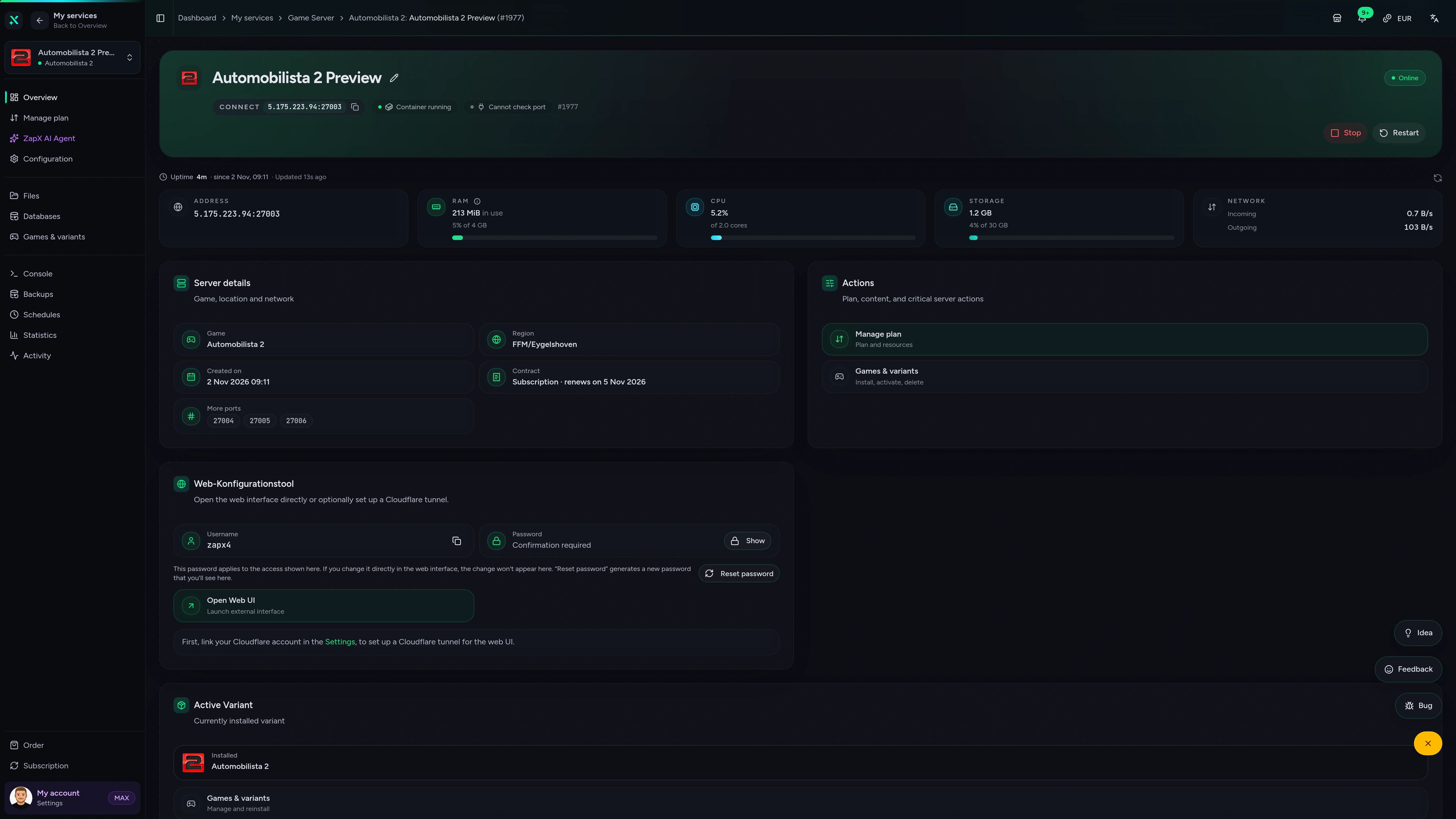
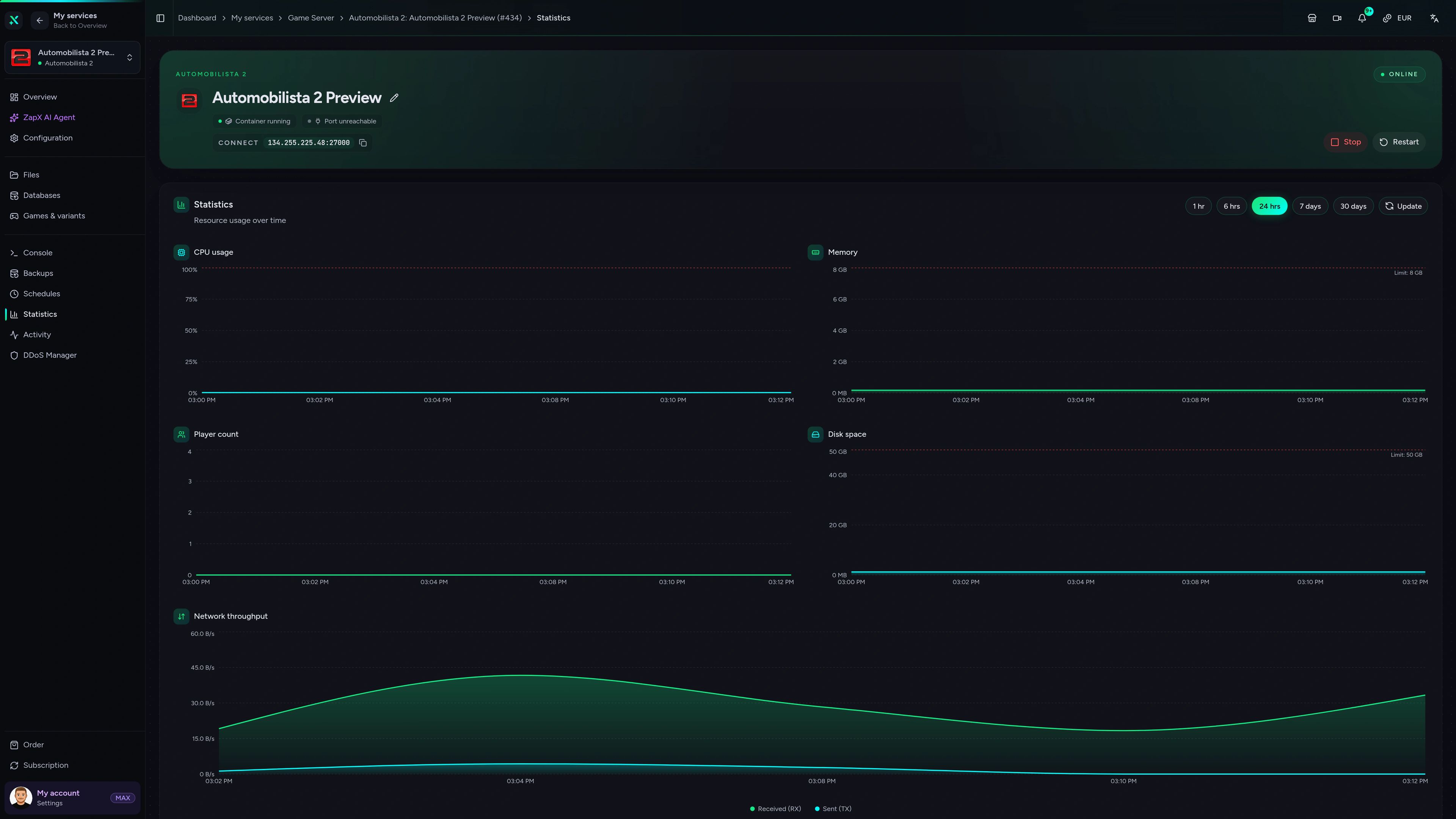
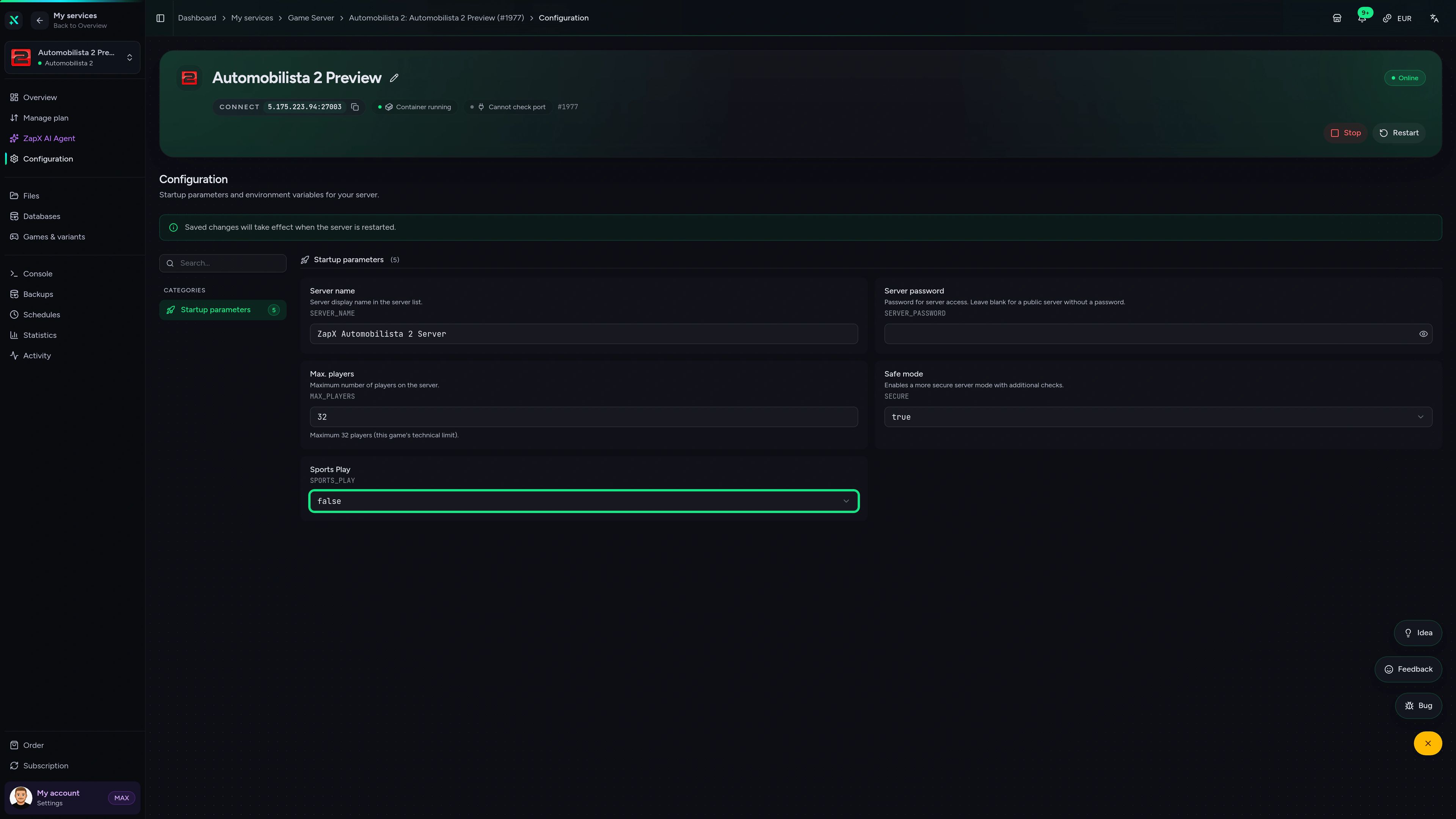
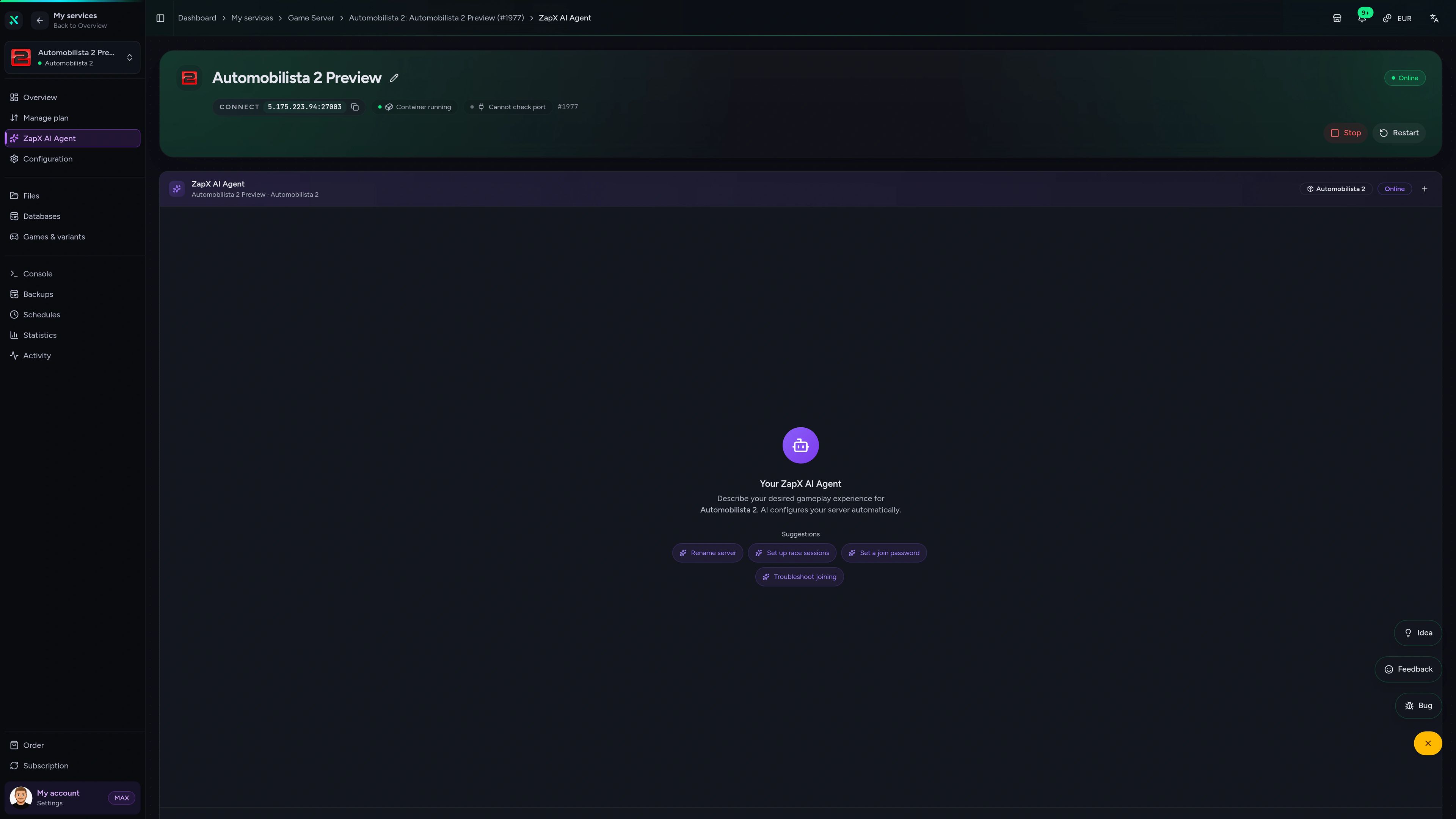
Automobilista 2 Game Server – Overview
Overview of the Automobilista 2 game server in the ZapX customer panel.
Ask about your AMS2 server. Get a clear next step.
The ZapX AI Agent explains session settings, helps you understand logs and suggests next steps when drivers can't connect. The agent can run them after you confirm, or you can apply them yourself.
The ZapX AI Agent is part of ZapX Pass and works account-wide across all supported services.
See ZapX PassZapX AI Agent
panel.zap-hosting.com
Benchmark
Comparable numbers from our own infrastructure, with methodology and measurement date. No made-up competitor figures.
High-performance VPS, CPU model depends on the location
Typical VPS plans without a published host CPU
confirmed 2026-07-01
Typical AMS2 scenarios
What drivers use their AMS2 server for.
Weekly race nights, a full championship or a private lobby for your sim club. A lobby that is always online gives every group a fixed place to meet.
Ready for race night?
Your league grid, online within 60 seconds.
Mobile AppComing soon
Your race server. In your pocket.
Check your AMS2 server's status before race night, restart it or read the logs from the ZapX app.
Discord management
Manage servers directly in Discord.
Check status, start, stop, and restart via slash command — without leaving your community Discord.


Impressionen
Automobilista 2 Screenshots
A glimpse into the game world—its atmosphere, exploration, and the moments your community will experience on the server.
All free tools
Each category has its own page with all tools for that game or topic.
302 tools in 84 categories — 100% free
Also available
We also offer the following games.
Switch between your games anytime for free—Minecraft, FiveM, Rust, and more.

Survival & Creative
Minecraft
Vanilla, Modded & Modpacks
Ready in ~2 min

Roleplay
FiveM
Roleplay server in seconds
One-click installation

Survival
Rust
Wipe-ready gameserver
Automatic setup
Also available
Switch between your games anytime for free—Minecraft, FiveM, Rust, and more.
96
Available games












Benefit
Unlimited Slots
We don't artificially limit player Slots. Hardware determines capacity.
Scale based on Mods, scripts, and player load instead of paying for a fixed number of Slots.
Your AMS2 server is ready for the grid.
Order your Automobilista 2 server now. It's set up automatically, DDoS-protected and online within 60 seconds for your next race night.
No setup. No risk. Online in seconds.