 Self-hosted Home Assistant
Home Assistant VPS hosting.
Deploy Home Assistant with one click on your own VPS with root access, DDoS protection and locations in Europe and America.
 Google
Or try 3 days from €1.31Pick the 3-day term at checkout · renews every 3 days · cancel anytime

Packages 1–3 of 9
Home AssistantConfigure yourself
Your project. Your setup.
No package fits? Choose your CPU, RAM and storage—you only pay for the package you put together.
Powerful CPUs
1 Gbit/s uplink included
up to 5 Gbit/s as an add-on
100 Gbit/s host network
Juniper Firewall
DDoS protection
 Visa
 Mastercard
 American Express
 PayPal
 Google Pay
 Apple Pay
 Klarna
 Amazon Pay
What is Home Assistant?
Home Assistant, running 24/7 on your own VPS.
Home Assistant is the open-source smart home platform that brings lights, thermostats, sensors, cameras and voice assistants into one dashboard and lets them react to each other: lights that dim at sunset, an alert when the garage stays open. A Home Assistant VPS runs that hub on an always-on server in a data center, deployed with one click through the Coolify marketplace and reachable from anywhere in your browser or the companion app.
A VPS is the strongest fit for cloud-connected devices, remote dashboards, a second instance or a central automation brain. Zigbee, Z-Wave, Thread and Bluetooth radios stay at home and connect over the network through a coordinator or a lightweight local instance. With root access you decide when to update, run MQTT, Node-RED or a database right next to Home Assistant, and keep your configuration and history on your own server.
Home Assistant features
Automations, dashboards and integrations in one hub.
Build automations visually, connect devices and services from many brands, and track your energy use, all from one Home Assistant instance on your VPS.
Visual automations
Lights, heating and alerts react on their own, built in a visual editor or YAML.
Custom dashboards
See every room at a glance on dashboards organized by device and person.
Mobile notifications
Know instantly on your phone when a door opens or a sensor trips.
Thousands of integrations
Devices and cloud services from many brands come together in one control center.
Energy dashboard
Understand where your power goes with consumption and solar stats over time.
Root & SSH access
Fix issues fast: check configs, read logs and manage containers via SSH.
Locations in Europe and America
Your server. Your location.
4 data centers in Europe and America — choose the location closest to your users.
Europe

America

Inside Home Assistant
What you can do with Home Assistant
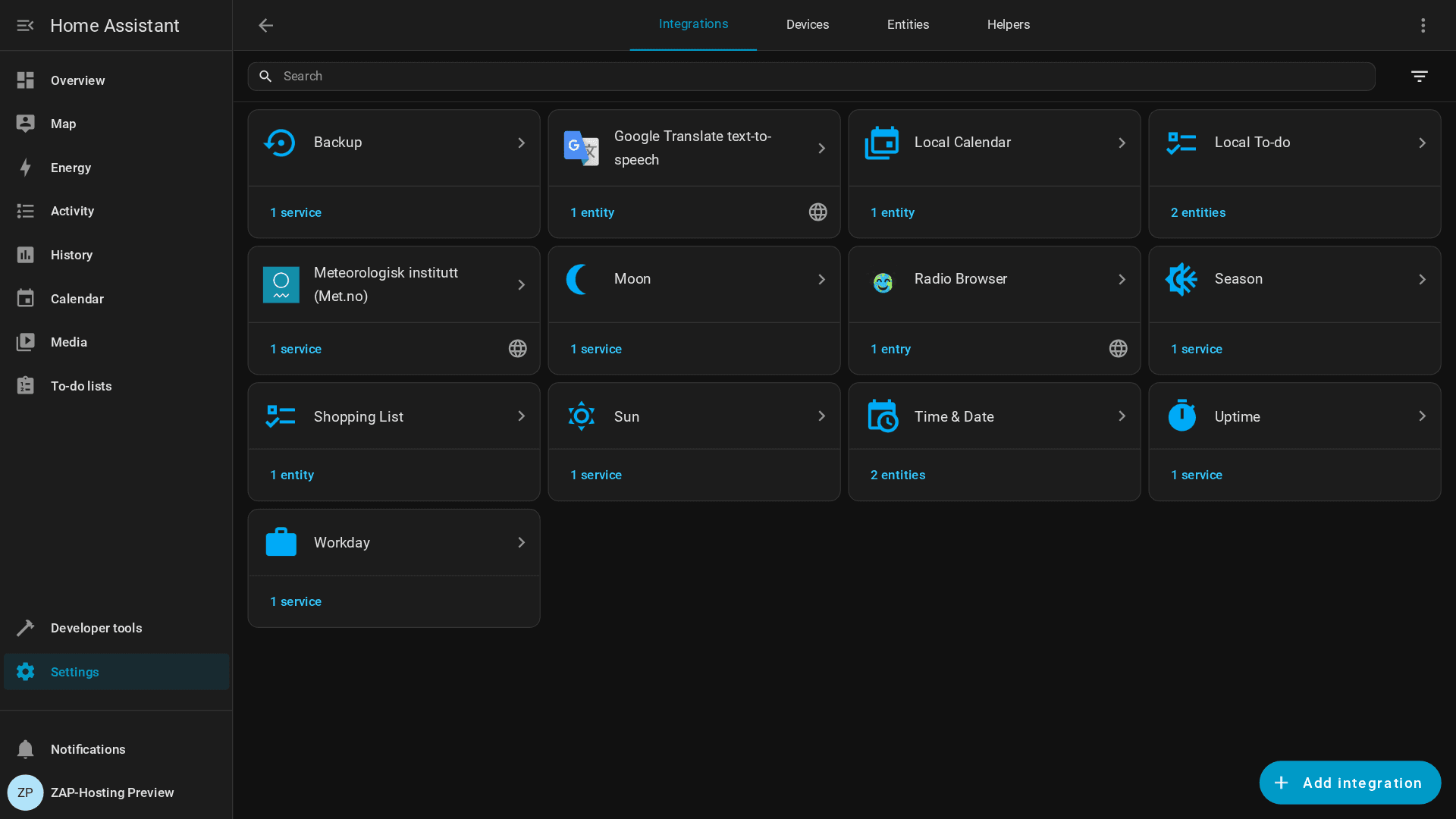
Home Assistant connects devices from many brands in one interface and turns them into automations that run on their own, with dashboards and voice control on top.
Home Assistant
Home Assistant
Integrations for every brand
Add devices and services from a searchable list. Home Assistant discovers many of them automatically, shows their status at a glance and lets you reconfigure or remove an integration in a few clicks.

Get started now
Home Assistant on your VPS in minutes — no complicated setup.
Backups & snapshots
With ZapX Pass, your VPS stays restorable.
ZapX Pass unlocks snapshots for quick rollback, Restore, manual Backups, and longer retention for daily Backups.
Backups with ZapX Pass
SECURED- Manual Backups
- Keep daily Backups longer
Snapshots with ZapX Pass
CAPTURED- Snapshot before deployment
- Jump back immediately
- Snapshot with RAM
More control with ZapX Passextra storage, restore, ZapX Pass perks, and Lifetime VPS without activity checks
Reviews
What customers say about ZAP-Hosting
Real feedback on support and setup.
Zap has been a great experience for myself thus far. Easy interface to learn and it makes sense. Having all the tools I need to run my server with short and informative documentation that helped me tremendously. As a adamant gamer, zap has made having my own server fun, easy, and affordable. Thank you Zap!

 ZAP-HostingReply


I have used ZAP-Hosting for VPS services. The ordering process is straightforward, and the support team responds to customer inquiries. I hope to continue using their services and have a smooth experience in the future.
 ZAP-HostingReply


FAQ
Frequently asked questions about Home Assistant
Answers to the most important questions before you start.
Can I run Home Assistant on a VPS instead of at home?
Best fit: cloud-connected smart homes
Yes. A Home Assistant VPS fits best when most of your devices are cloud-connected, or when you want an always-on automation hub, a remote dashboard or a second instance. Smart homes built mainly on local radios work best as a hybrid: a small device at home handles the radios, and the VPS runs everything else.
- Cloud-based integrations work from any location
- Ideal for remote dashboards and second instances
- Hybrid setups keep local radios at home
What does the one-click Home Assistant VPS include?
You get a full VPS with Home Assistant deployed as a container through the Coolify marketplace, persistent storage for your configuration and history, DDoS protection and root access via SSH. After the first boot, you finish onboarding in the browser, create your account and add your integrations. SSH access guide in the Help Center
- Home Assistant container deployed via Coolify
- Root and SSH access to the whole VPS
- Room for MQTT, Node-RED or a database
Is Home Assistant Cloud the same as Home Assistant on a VPS?
No. Home Assistant Cloud is the official subscription that adds remote access, voice assistant links and cloud Backups to an instance you already run. A Home Assistant VPS is the server that runs Home Assistant itself, with full control over the system, the services around it and where your data lives. You can combine both.
- Cloud: add-on service for an existing instance
- VPS: the server running Home Assistant itself
- Both can be used together
Do I still need hardware at home for Zigbee, Z-Wave or Thread?
Usually yes. USB radio sticks for Zigbee, Z-Wave, Thread or Bluetooth plug into hardware at your home, not into a data-center VPS. Keep the radio at home on a network coordinator or a small device running Zigbee2MQTT or Z-Wave JS, and connect it to the VPS through MQTT or a VPN. Cloud-connected devices need no extra hardware.
- Network coordinators work over the LAN or a VPN
- Zigbee2MQTT bridges radios to the VPS via MQTT
- Cloud devices connect directly
What VPS resources do I need for Home Assistant?
Home Assistant itself is lightweight, so a smaller package covers a typical home with dozens of devices. Plan more RAM and storage for long history, camera streams, a separate database or extra services like MQTT and Node-RED. Every package scales by RAM, CPU and storage, so you can move up as your setup grows.
- Smaller packages suit typical smart homes
- More RAM for databases and companion services
- More storage for long history and recordings
Can I migrate my existing Home Assistant setup to a VPS?
Yes. Create a Backup in your current installation, copy the configuration folder to the VPS via SFTP or SSH and start Home Assistant with it. Afterwards, check every integration that relies on your home network, such as local devices or USB radios, and reconnect them through a VPN or a local bridge.
- Back up your current configuration first
- Transfer files via SFTP or SSH
- Re-check integrations tied to your home LAN
How do I access Home Assistant remotely without exposing my home router?
Your VPS has its own public IP address, so you don't need to open ports on your home router. Serve Home Assistant over HTTPS behind a reverse proxy with your own domain, and link your home network to the VPS through a VPN like WireGuard when local devices must be reached. Reverse proxy guide in the Help Center
- HTTPS via reverse proxy and your own domain
- WireGuard tunnel to your home network
- No open ports on your home router
Which region should I choose for my Home Assistant VPS?
Pick the location closest to your home and to the people using the dashboard, which keeps automations and app responses snappy. ZAP-Hosting offers VPS locations in Europe and America; many North American users start with Ashburn, Dallas or Los Angeles, and every region delivers low latency for people nearby.
- Choose the location nearest to your home
- VPS locations in Europe and America
- Low latency when you pick a nearby region
Still have questions?
Contact SupportZapX Panel
Inside the ZapX panel
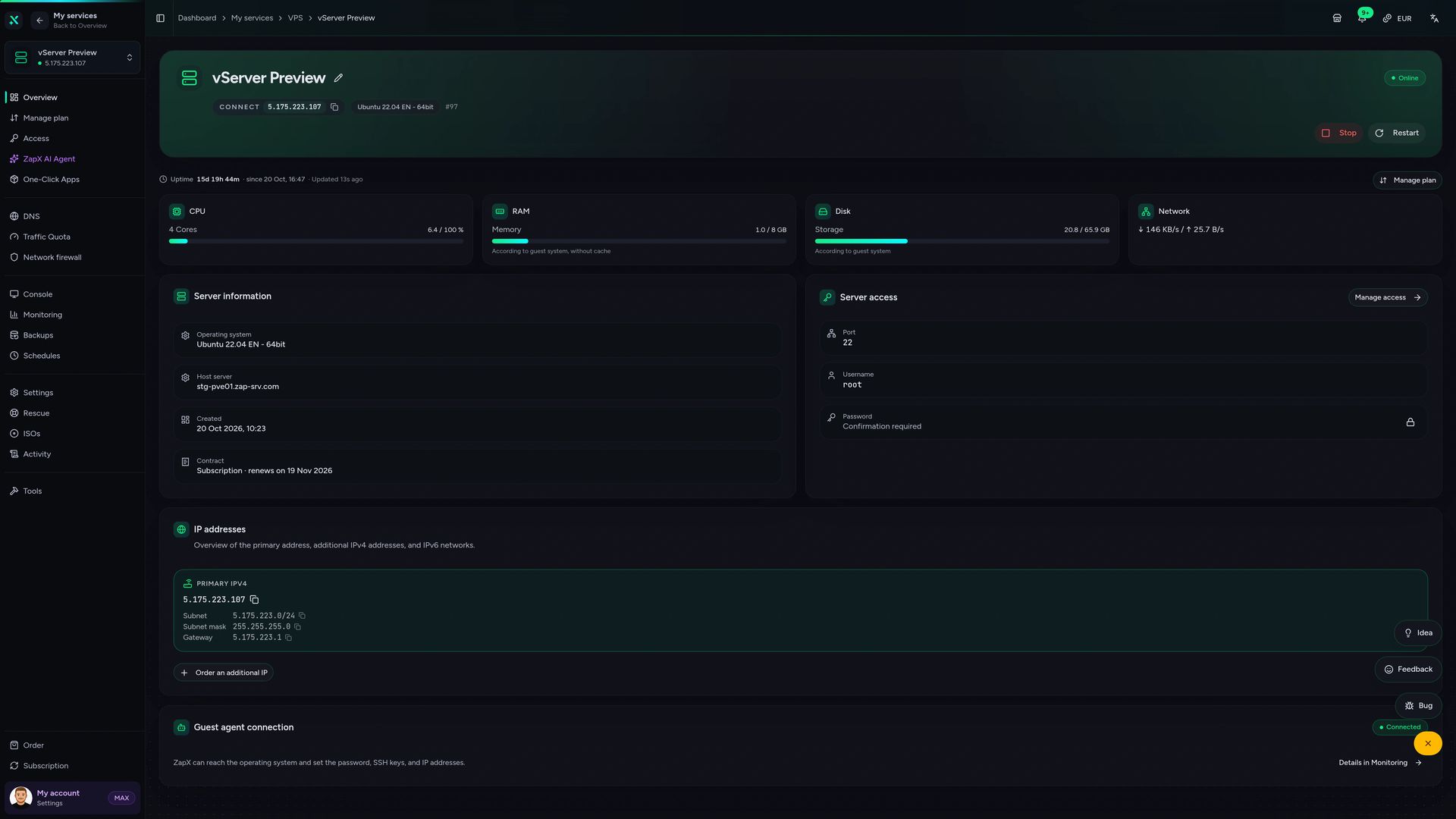
Live statistics, console and DDoS overview for your Home Assistant VPS: everything you need to keep the server healthy.
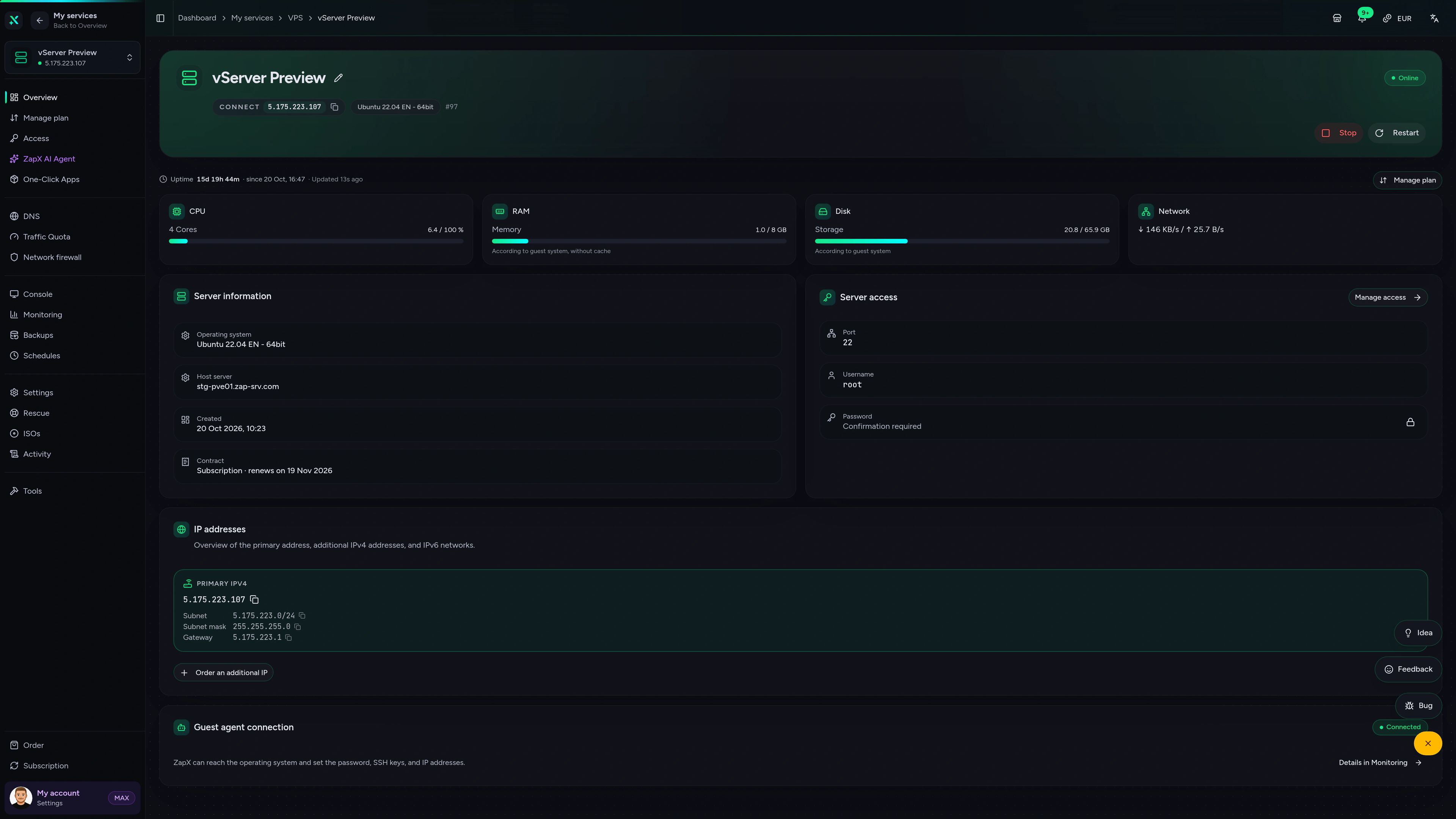
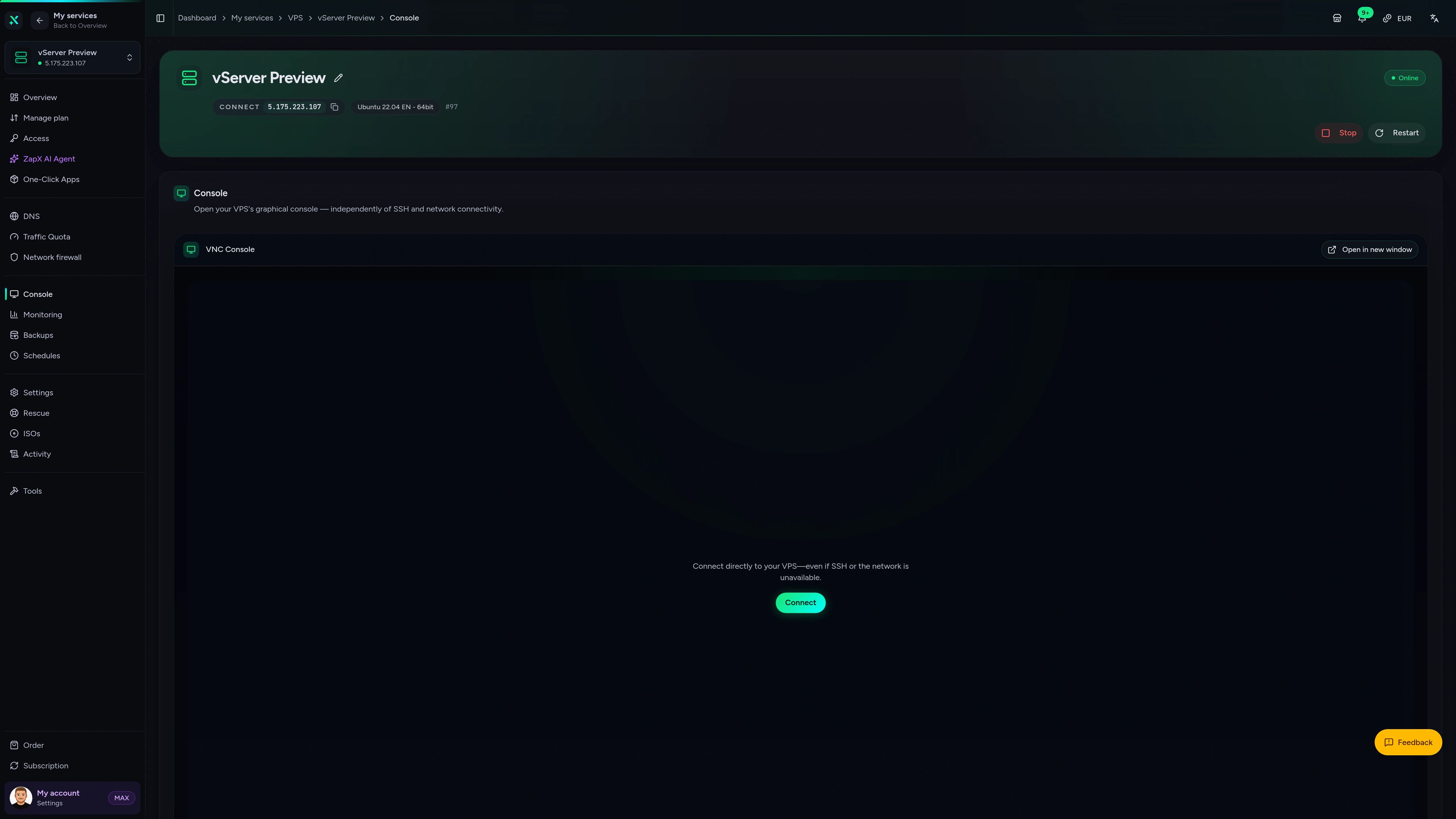
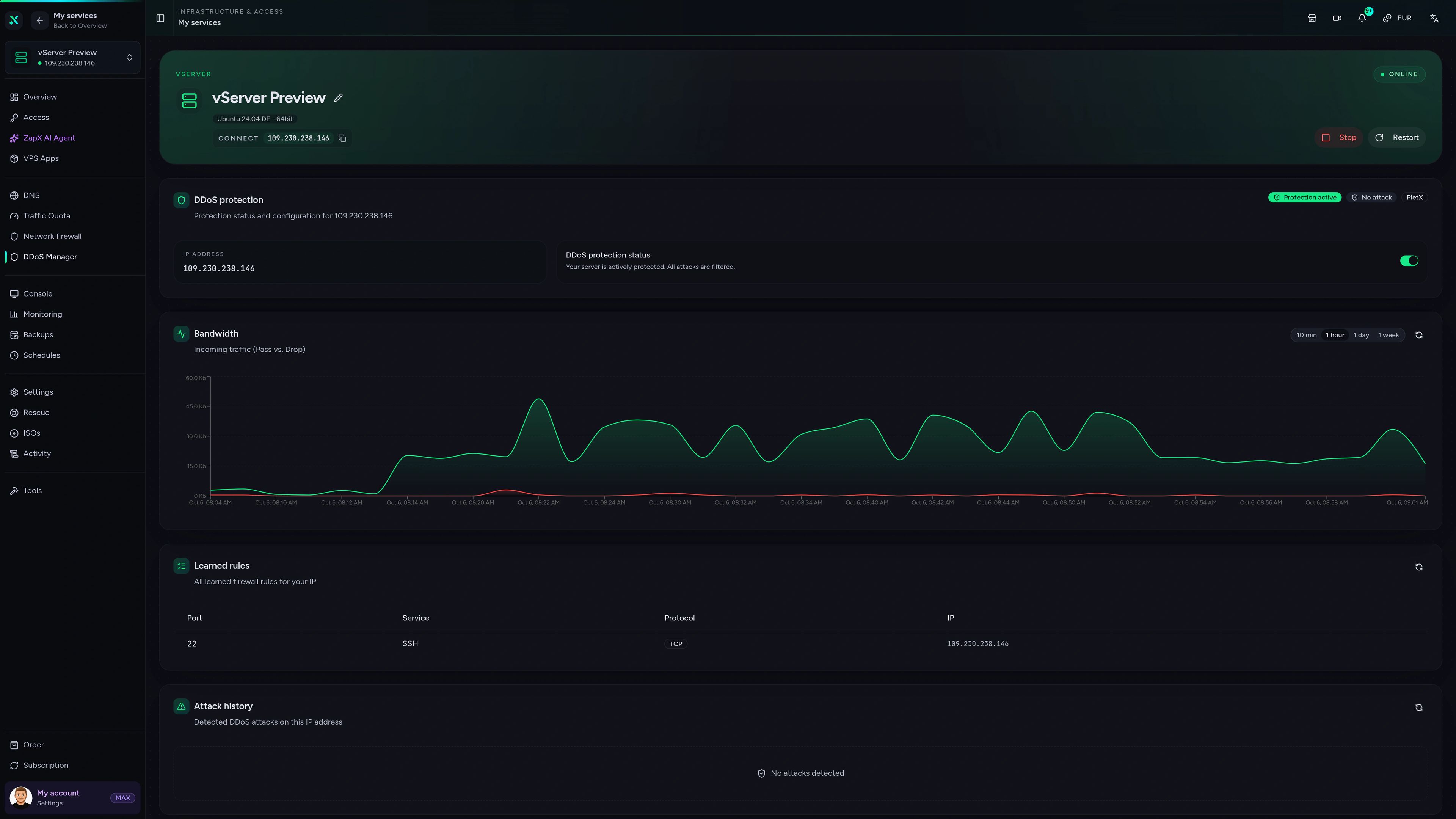
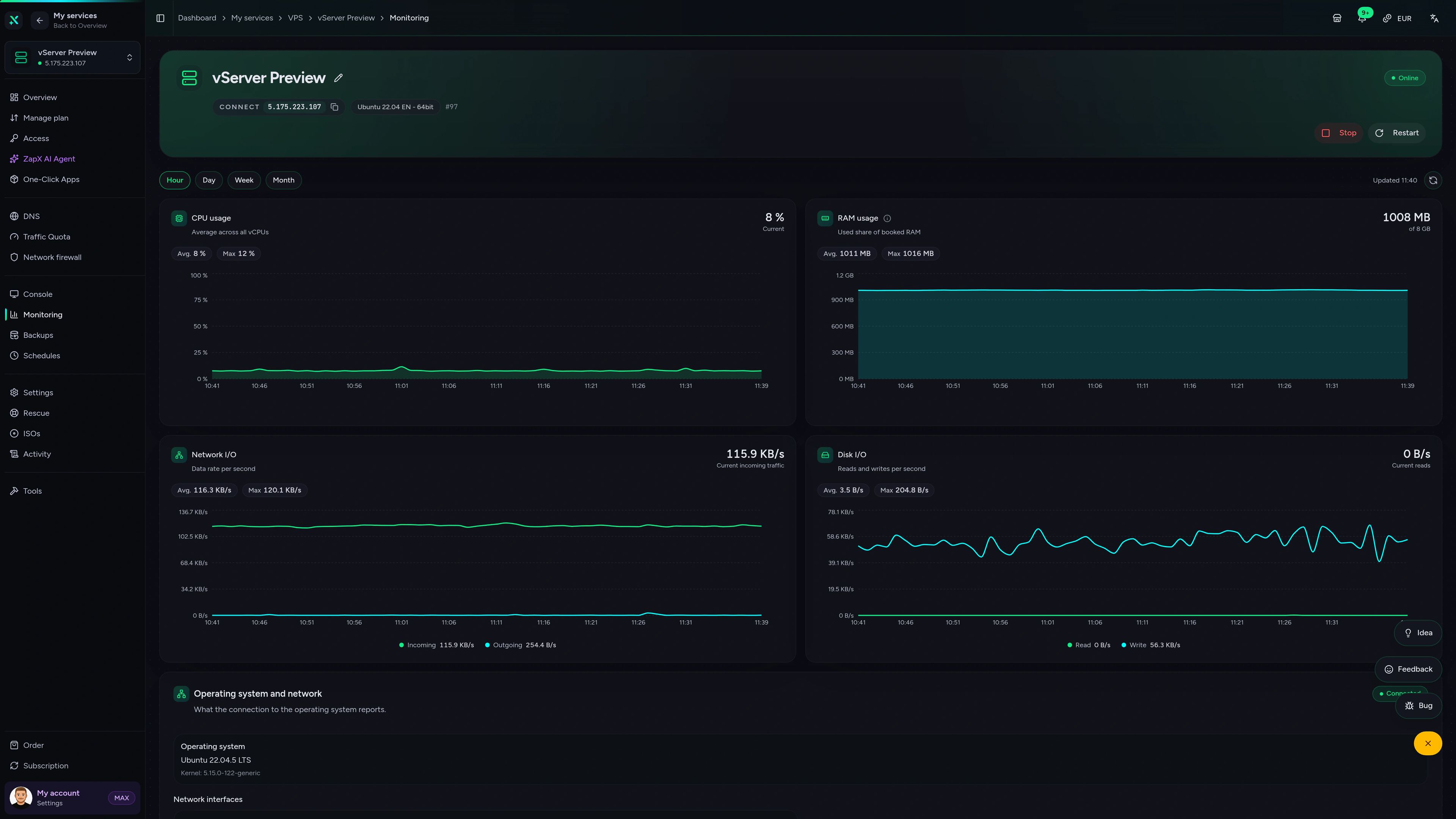
VPS – Overview
CPU, RAM, disk and network usage, server details, root access and IP addresses of your VPS at a glance.
Stuck on a Home Assistant issue? Get a concrete answer.
The ZapX AI Agent knows your VPS context and helps with Home Assistant logs, container updates, remote access and sizing, right in the panel instead of forum threads.
The ZapX AI Agent is part of ZapX Pass and applies account-wide to every supported service.
View ZapX PassZapX AI Agent
panel.zap-hosting.com
Performance
What the numbers mean in practice: dashboards that load instantly, automations that fire without delay, and room for long history plus an MQTT broker on the same VPS.
High-performance VPS, CPU model depends on the location
Typical VPS plans without a published host CPU
confirmed 2026-07-01
Use cases
What people run on a Home Assistant VPS
From an always-on automation hub to secure remote access and multi-site homes: these setups get the most out of Home Assistant on a VPS.
Ready to deploy?
Launch Home Assistant on a VPS with one click.
ZapX appComing soon
Manage your Home Assistant VPS on the go
Check status, restart the server and keep an eye on resources from the ZapX mobile app, wherever you are.

Also available
We also offer the following apps.
WireGuard, Coolify, monitoring, and more — one-click setup on your VPS.

Private Cloud
Nextcloud
Nextcloud is a self-hosted, open-source platform that provides file storage, collaboration, and communication tools for seamless data management.
Automatic setup

Automation
n8n
n8n is an extendable workflow automation tool.
Ready in ~2 min

VPN & Network
WireGuard Easy
The easiest way to run WireGuard VPN + Web-based Admin UI.
Ready in ~2 min

Media Server
Plex
Plex organizes video, music and photos from personal media libraries and streams them to smart TVs, streaming boxes and mobile devices.
Ready in ~2 min

Password Security
Vaultwarden
Vaultwarden is a password manager that allows you to securely store and manage your passwords.
No manual configuration

Website & Blog
WordPress with MariaDB
WordPress is open source software you can use to create a beautiful website, blog, or app.
Ready in ~2 min
Also available
WireGuard, Coolify, monitoring, and more — one-click setup on your VPS.
768
Available apps


Benefit
All apps included
The app marketplace is included with your VPS — no extra charge per installation.
Choose your apps in the configurator and get started in minutes.
Bring Home Assistant to your own VPS.
Deploy with one click, keep full root access and pick a location in Europe or America close to your home. Cancel anytime.
No setup. No risk. Online in 60 seconds.