
Coolify VPS Hosting
Deploy Coolify in 1 click on a KVM VPS with root access, DDoS protection, locations in Europe & America – then ship apps from Git.
 Google
Or try 3 days from €1.31Pick the 3-day term at checkout · renews every 3 days · cancel anytime
 Coolify
Configure yourself
Your project. Your setup.
No package fits? Choose your CPU, RAM and storage—you only pay for the package you put together.
1 Gbit/s uplink included
up to 5 Gbit/s as an add-on
100 Gbit/s host network
Juniper Firewall
DDoS protection
 Visa
 Mastercard
 American Express
 PayPal
 Google Pay
 Apple Pay
 Klarna
 Amazon Pay


What is Coolify?
Coolify turns your VPS into your own PaaS.
Coolify lets you push code to GitHub or GitLab and see it live on your own domain minutes later, with HTTPS, logs and rollbacks, much like Heroku, Vercel or Netlify but without per-app bills. It also runs databases and more than 280 one-click services such as n8n or Plausible. A Coolify VPS from ZAP-Hosting is a KVM VPS with root access where One-Click Apps installs this open-source, self-hosted PaaS with one click, no install script over SSH.
Because it is your server, you decide what runs on it. Root access lets you add your own Docker Compose stacks, connect extra servers, tune firewall rules or inspect containers over SSH when a build misbehaves. Your source code, environment variables and database dumps stay on infrastructure you control instead of a third-party platform, while Coolify keeps handling deployments, SSL certificates and the proxy in the background.

Coolify features
Everything you need to ship from your own server.
Push-to-deploy from Git, a container terminal in the browser and alerts when a build breaks, all in one self-hosted dashboard.
Push-to-deploy from Git
Every push goes live on its own: built, health-checked and served over HTTPS.
Many servers, one dashboard
Add servers as you grow and manage every app from one Coolify instance.
Container terminal in the browser
Run migrations or debug a container without leaving the Coolify dashboard.
Coolify ready with one click
Start deploying right away: One-Click Apps installs Coolify, no SSH install script.
Health checks for your apps
Spot an unhealthy container early, before your users notice an outage.
Alerts in your team chat
Know right away when a deploy or Backup fails, without watching the dashboard.
Locations in Europe and America
Your server. Your location.
4 data centers in Europe and America — choose the location closest to your users.
Europe

America

Inside Coolify
What you can build with Coolify
Deploy straight from Git, spin up databases and pick from 280+ one-click services. Coolify handles SSL, the proxy and logs so you can focus on shipping.
Coolify
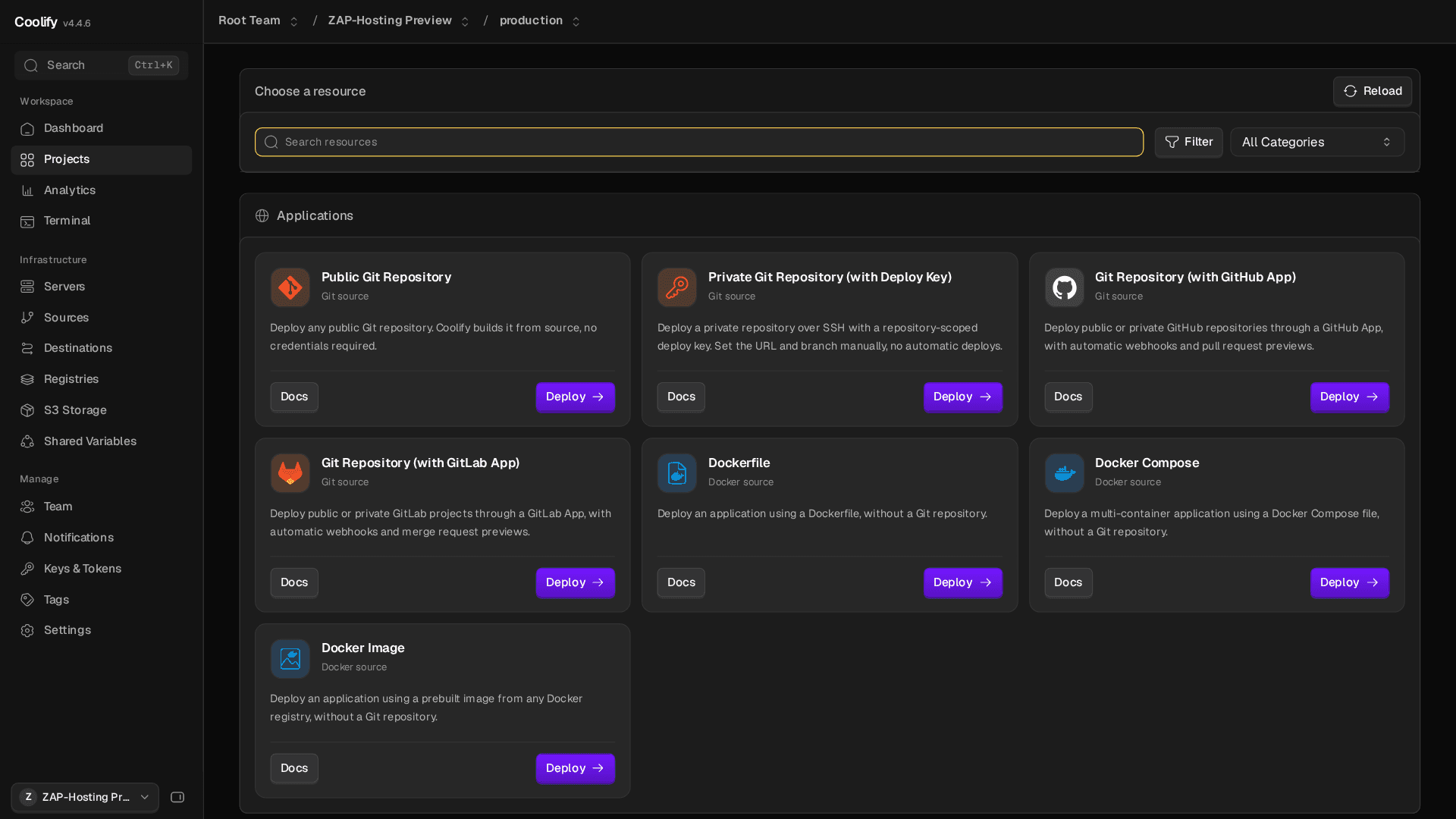
Coolify
Git Push Deployments
Connect a repository, pick a branch and Coolify deploys every push automatically. You follow the status and logs right below, so you know within seconds whether the new version is live.
Get started now
Coolify on your VPS in minutes — no complicated setup.
Backups & snapshots
With ZapX Pass, your VPS stays restorable.
ZapX Pass unlocks snapshots for quick rollback, Restore, manual Backups, and longer retention for daily Backups.
Backups with ZapX Pass
SECURED- Manual Backups
- Keep daily Backups longer
Snapshots with ZapX Pass
CAPTURED- Snapshot before deployment
- Jump back immediately
- Snapshot with RAM
More control with ZapX Passextra storage, restore, ZapX Pass perks, and Lifetime VPS without activity checks
Reviews
What customers say about ZAP-Hosting
Real feedback on support and setup.
very reliable service, simple to understand, and for a great price. really a no brainer

 ZAP-HostingReply
Zap has been a great experience for myself thus far. Easy interface to learn and it makes sense. Having all the tools I need to run my server with short and informative documentation that helped me tremendously. As a adamant gamer, zap has made having my own server fun, easy, and affordable. Thank you Zap!
 ZAP-HostingReply


I have used ZAP-Hosting for VPS services. The ordering process is straightforward, and the support team responds to customer inquiries. I hope to continue using their services and have a smooth experience in the future.
 ZAP-HostingReply


FAQ
Frequently asked questions about Coolify
Answers to the most important questions before you start.
How much does Coolify cost?
Free software: you pay only for the VPS
Coolify itself costs nothing: it is open-source software under the Apache 2.0 license, and the self-hosted version has no feature limits or per-app fees. With a Coolify VPS you only pay for the server it runs on. Package prices are shown live in the pricing section above, and you can cancel anytime, with cancellation taking effect at the end of the term.
- Coolify software: free and open source
- You pay only for your VPS package
- Flexible terms, cancel anytime
Which VPS package do I need for Coolify?
The official Coolify docs list at least 2 CPU cores, 2 GB RAM and 30 GB storage for the server running Coolify. That covers testing and a few small apps. For production apps with databases, plan more RAM. If you build Docker images on the same server or host many client projects, choose a larger package with extra cores. You can upgrade later. Coolify setup guide in the Help Center
- Testing: a package that meets the minimums
- Production: more RAM for apps and databases
- Build-heavy or agency: more cores and storage
How do I install Coolify on my ZAP-Hosting VPS?
You don't need an install script. After ordering your VPS, use “Set up One-Click Apps” in the panel to install Coolify. When it finishes, confirm your email and sign in to the Coolify dashboard with the credentials under “Access & settings” in the panel. Root SSH access stays available whenever you want to work on the server yourself. One-Click Apps guide in the Help Center
- Install Coolify via “Set up One-Click Apps”
- Sign in with the admin credentials from the panel
- Root SSH access included
Coolify Cloud vs self-hosted Coolify on a VPS — what's the difference?
Coolify Cloud is the paid, hosted version of the Coolify dashboard, run by the Coolify team. Either way, your apps still run on a server you bring yourself. With self-hosted Coolify on your VPS, the dashboard and your apps run on a machine you control, the software is free, and you decide on updates, location and resources.
- Coolify Cloud: hosted dashboard, own server still needed
- Self-hosted: dashboard and apps on your VPS
- Full control over updates and resources
Can I upgrade my Coolify VPS later?
Yes. When your projects need more RAM, CPU cores or storage, switch to a larger VPS package in the panel. Typical reasons are memory-hungry builds, extra databases or more client projects. If one server is no longer enough, Coolify can also manage additional servers over SSH from the same dashboard.
- Switch to a larger package in the panel
- Scale RAM, CPU cores and storage
- Add more servers to one Coolify instance
Which server locations can I choose for my Coolify VPS?
ZAP-Hosting offers VPS locations in Europe and America, and you pick yours when you order. Choose the data center closest to your users for low latency. Many teams in North America start with a US location, but every location on the list is available for your Coolify VPS.
- Locations in Europe and America
- Pick the location closest to your users
- Choose your location when you order
Are Backups included with my Coolify VPS?
With ZapX Pass you can create and restore VPS Backups in the panel. The number of Backup slots depends on your ZapX Pass tier. Inside Coolify you can also schedule database Backups to S3-compatible storage, so your app data gets its own copy. Backup guide in the Help Center
- Create VPS Backups in the panel with ZapX Pass
- Restores and Backup slots with ZapX Pass
- Coolify database Backups to S3 storage
Coolify vs Dokploy — which one should I run?
Both are open-source, self-hosted PaaS tools that deploy apps and databases with Docker. Coolify is the more established project, with a large one-click service catalog, multi-server support and built-in database Backups. Dokploy is younger and lighter, with a strong focus on Docker Compose and Swarm. If you want a broad catalog and a mature dashboard, Coolify is the safer place to start.
- Both open source and self-hosted
- Coolify: large catalog, multi-server, DB Backups
- Dokploy: lighter, Compose and Swarm focus
Still have questions?
Contact SupportZapX Panel
Your Coolify VPS in the ZapX panel without a terminal.
Live statistics, console access and the DDoS manager for the server behind your Coolify instance.
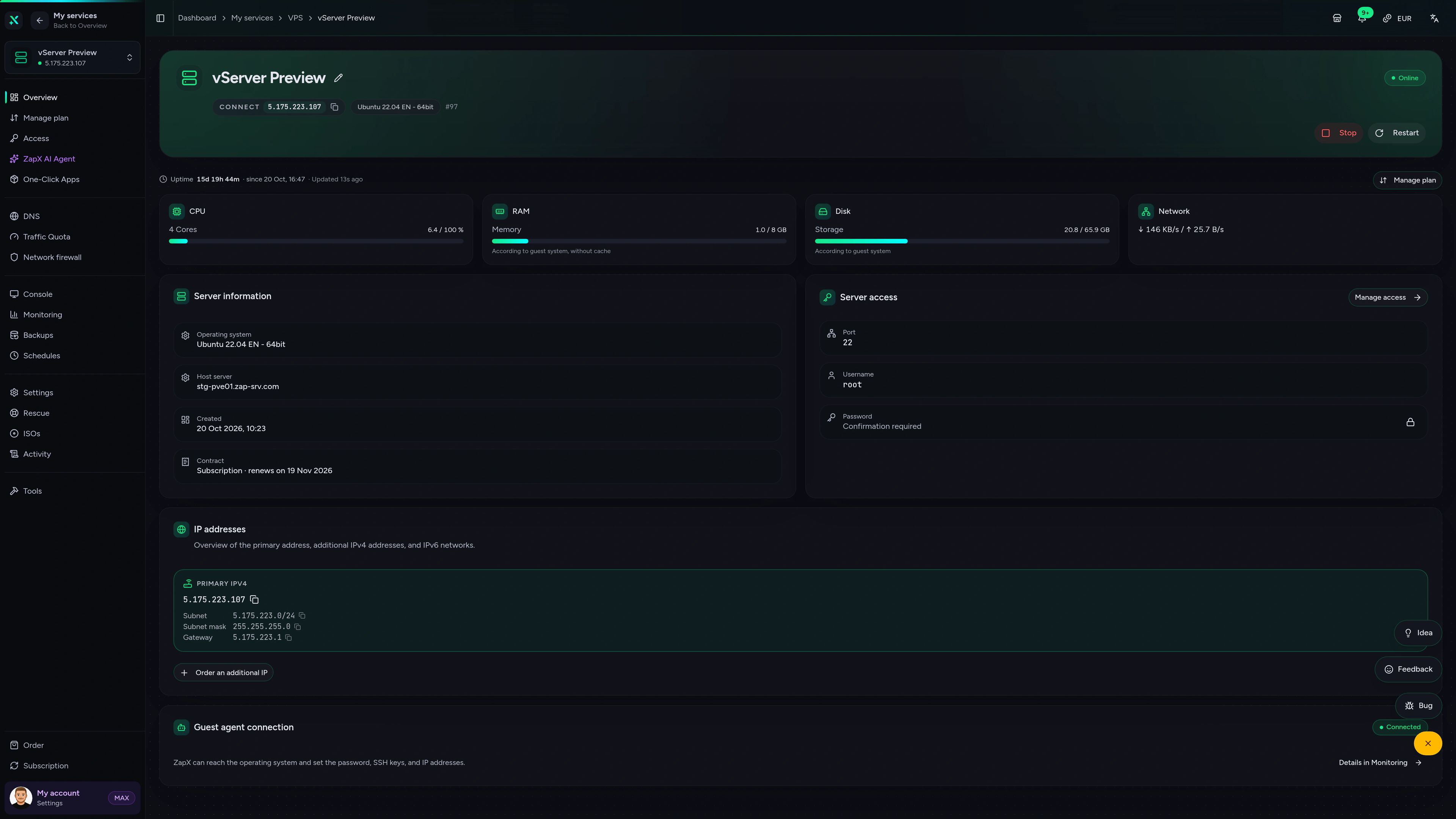
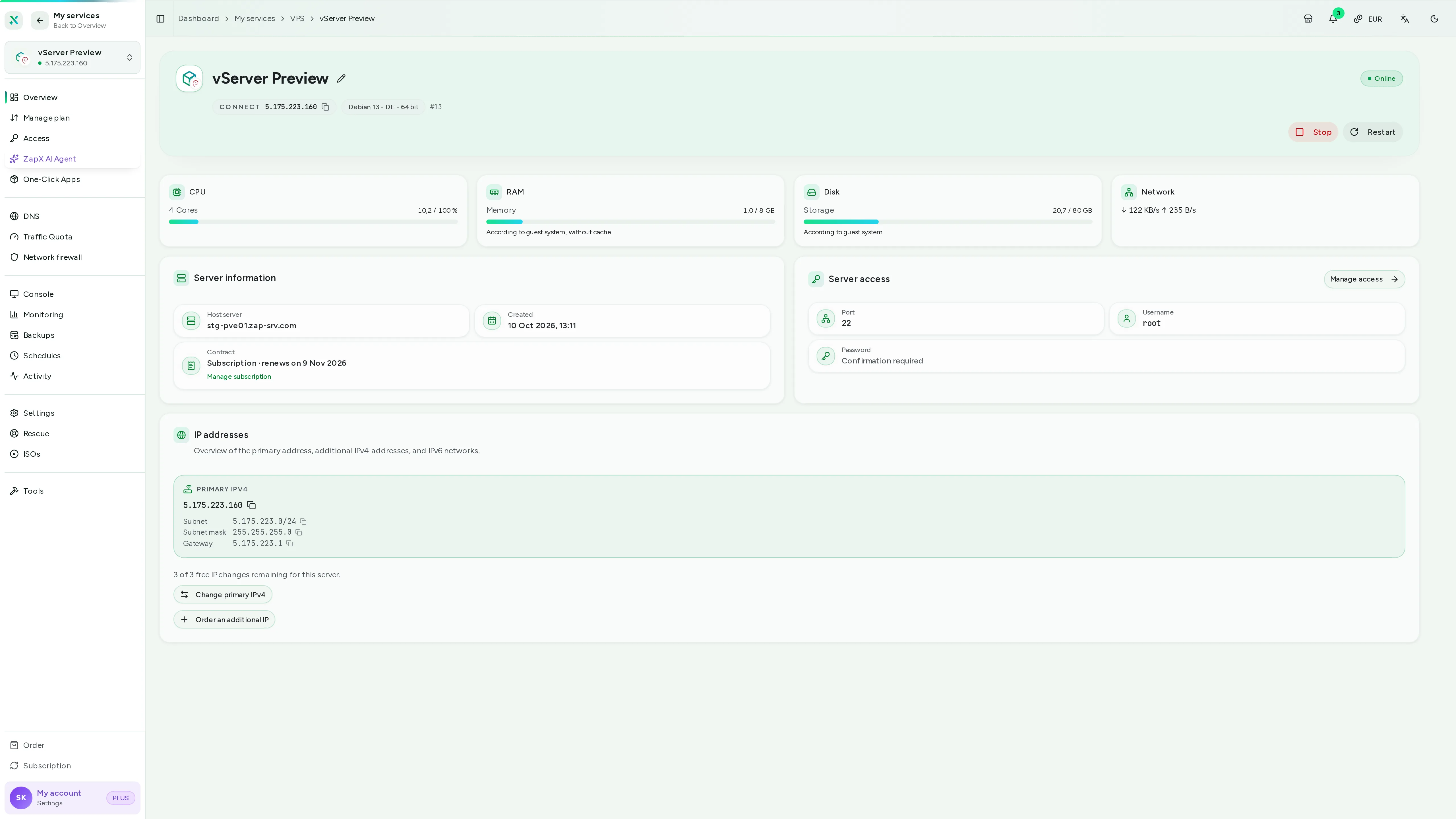
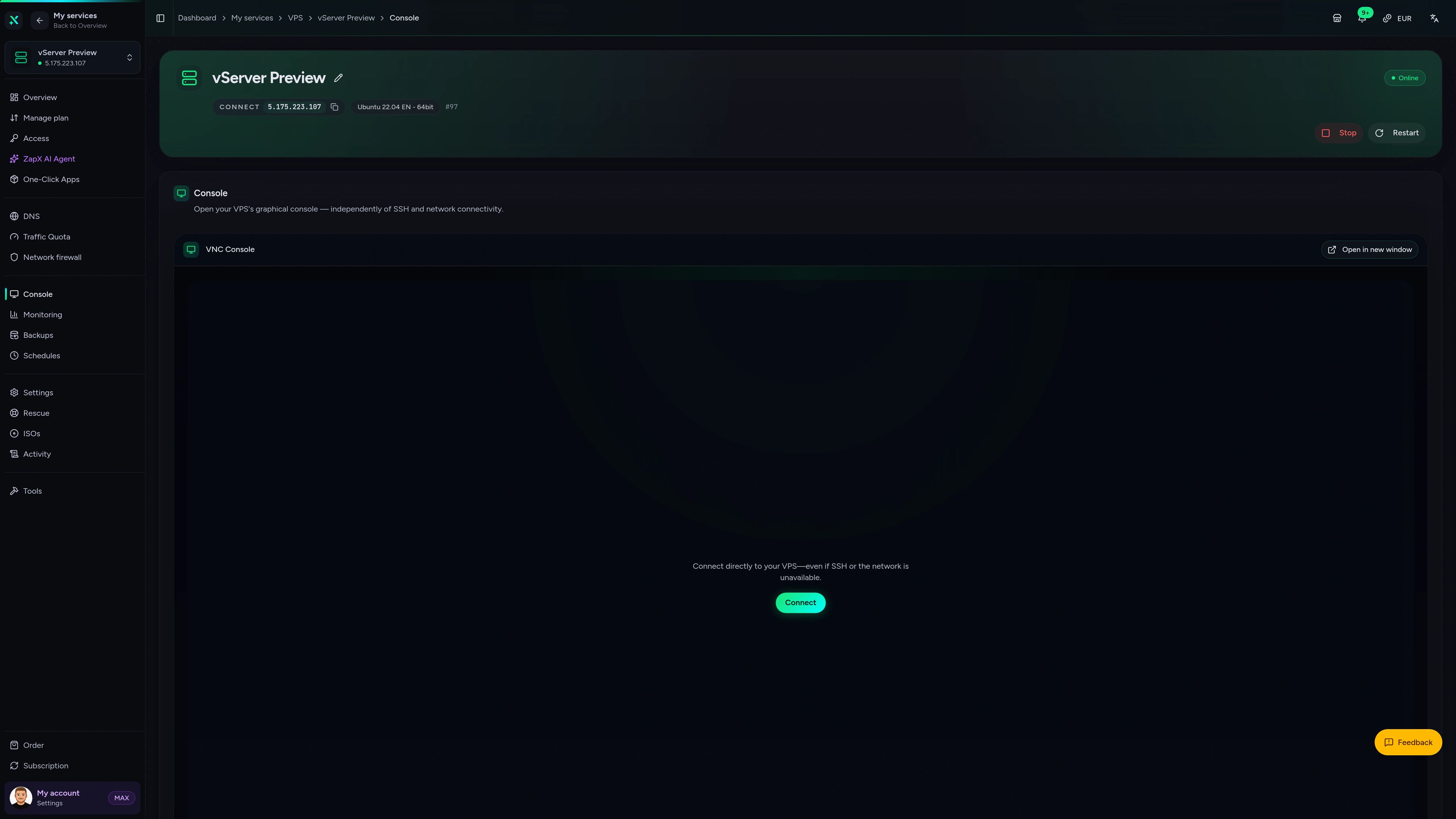
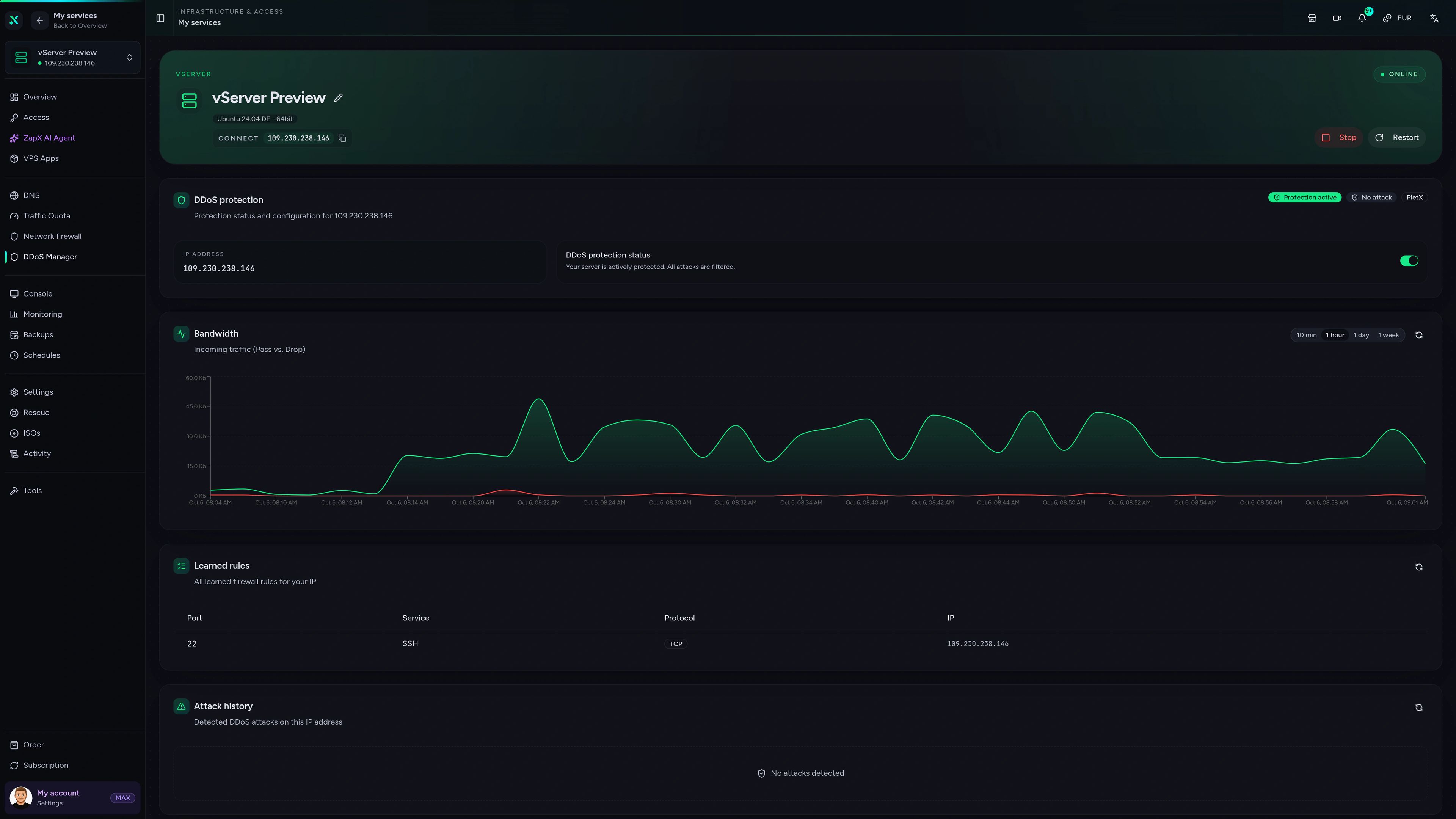
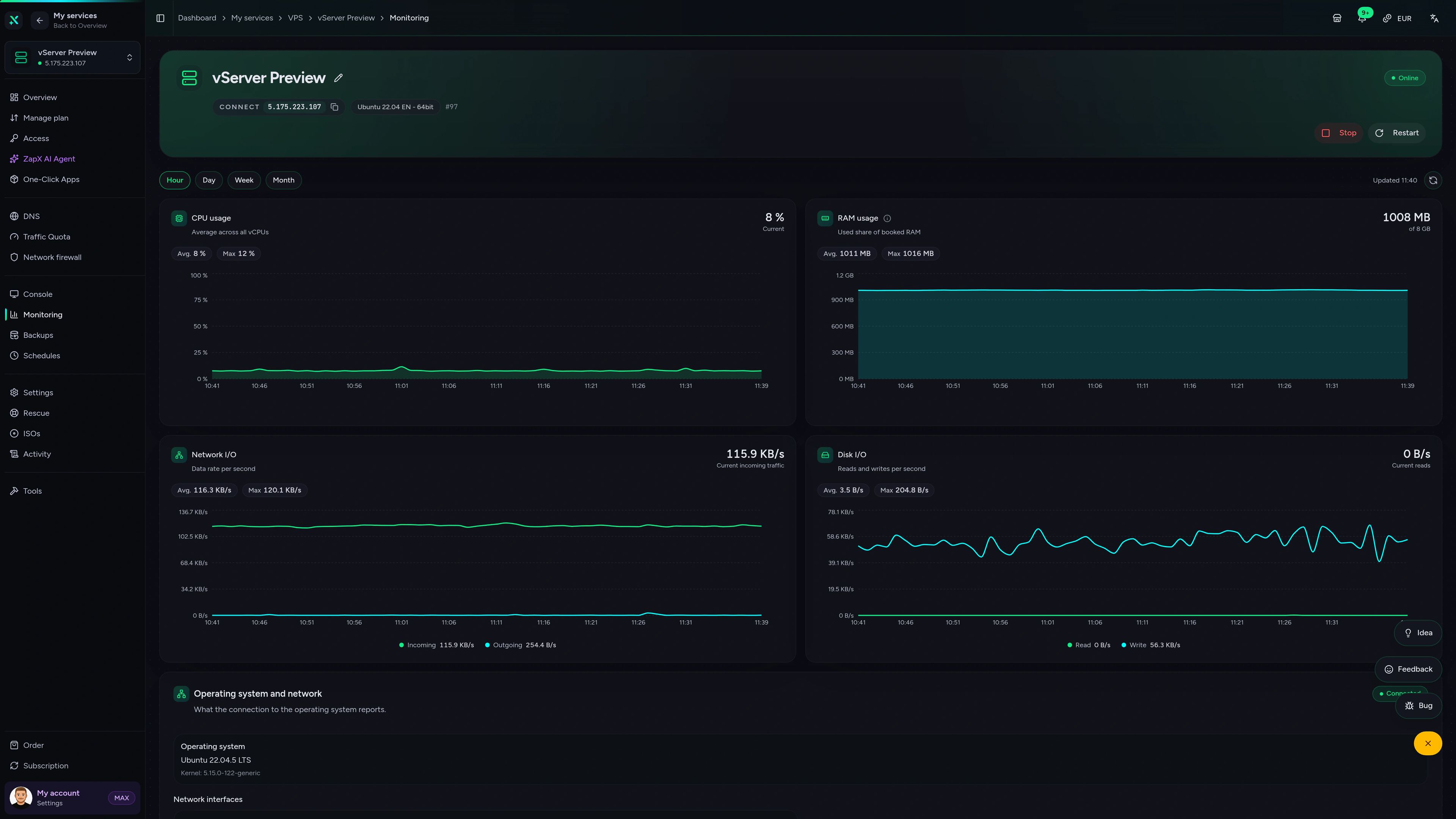
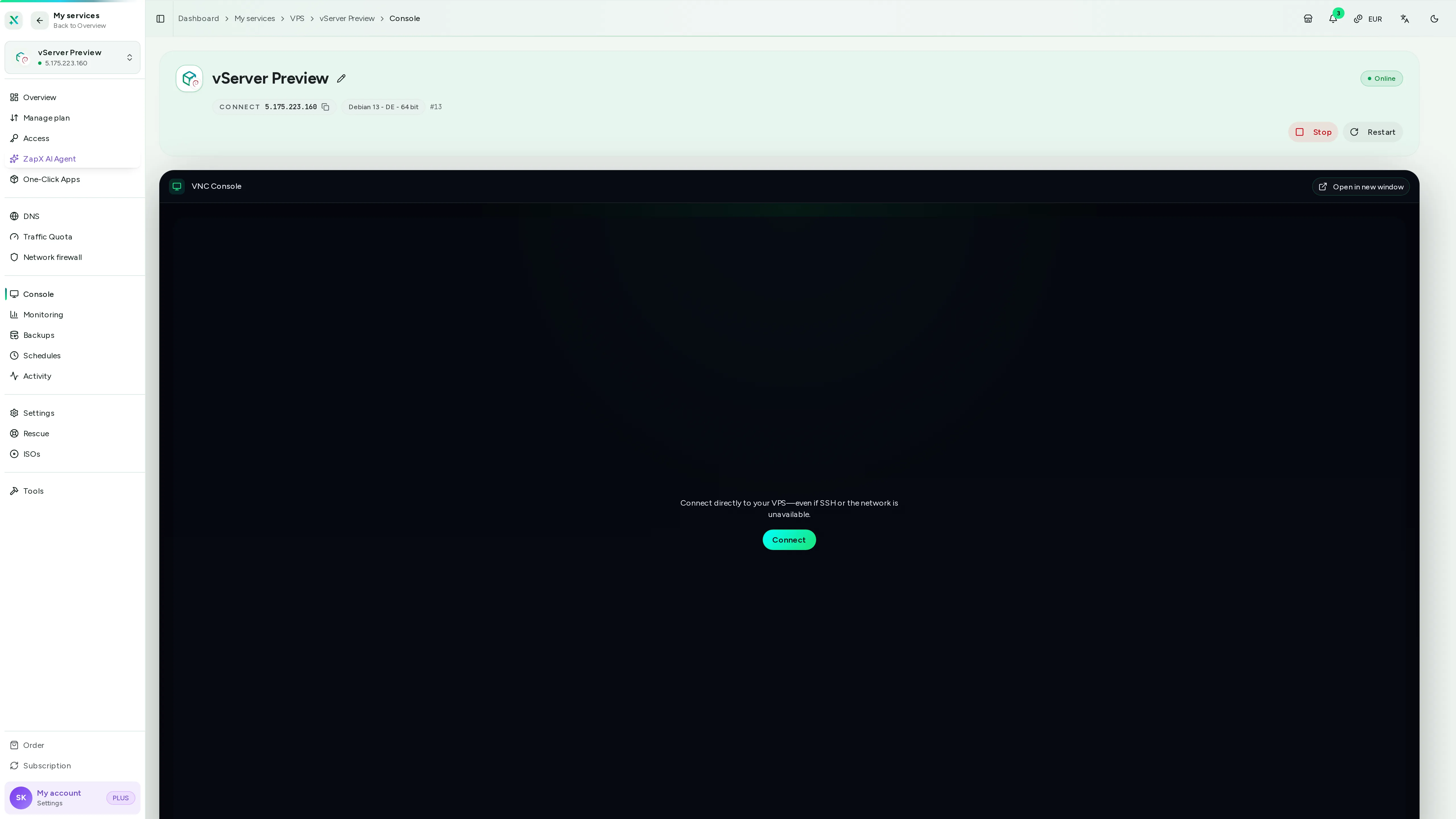
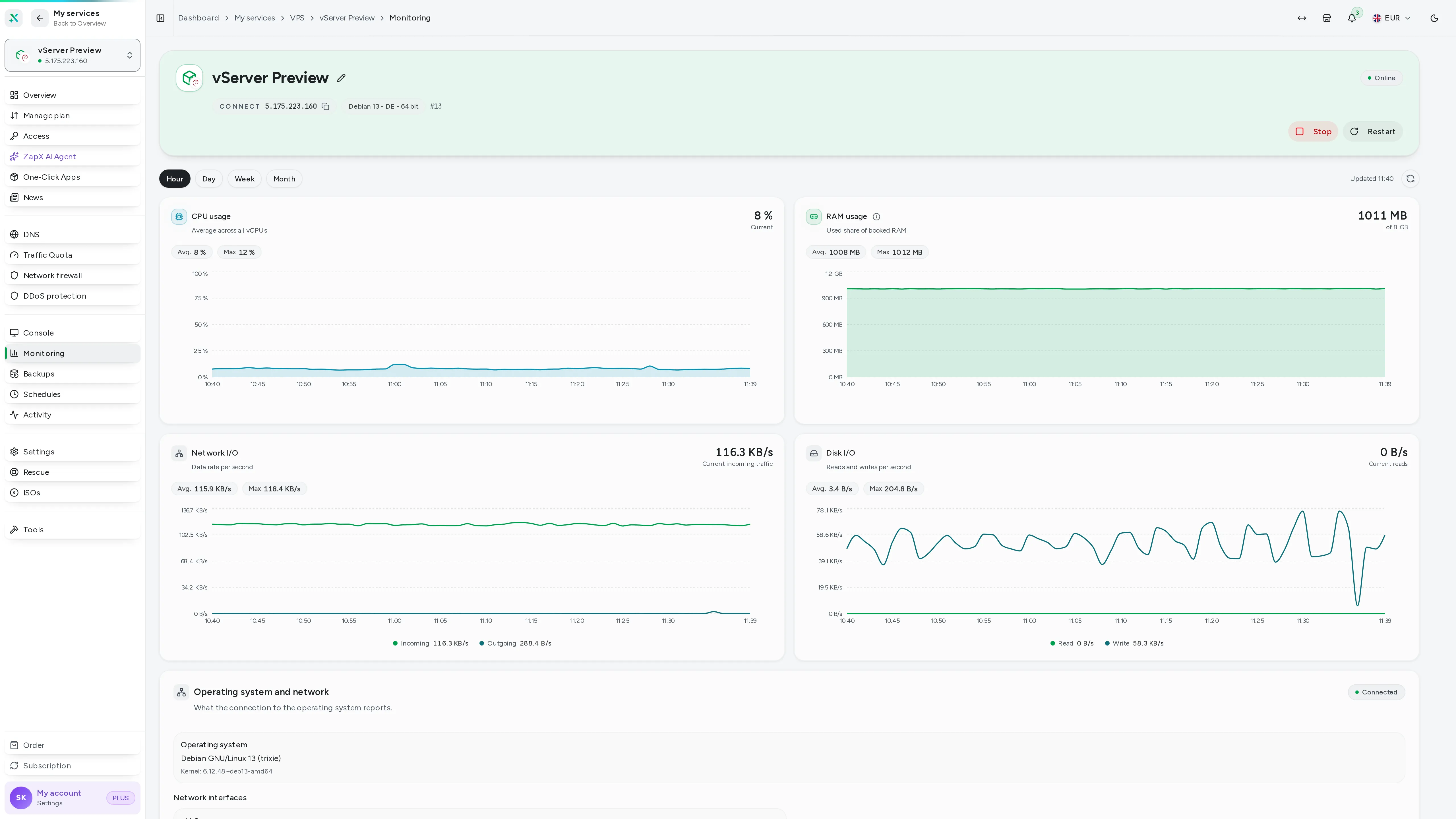
VPS – Overview
CPU, RAM, disk and network usage, server details, root access and IP addresses of your VPS at a glance.
Stuck on a Coolify deploy? Ask the ZapX AI Agent in your panel.
Ask about app status, firewall rules or resource limits right in your VPS panel. The ZapX AI Agent explains what is going on and suggests safe next steps.
The ZapX AI Agent comes with ZapX Pass. It explains, diagnoses and suggests next steps, and you stay in control of every change on your VPS.
Discover ZapX PassZapX AI Agent
panel.zap-hosting.com
Performance
These numbers show how quickly your VPS compiles Docker images, starts containers and serves your apps while Coolify runs builds in the background.
High-performance VPS, CPU model depends on the location
Typical VPS plans without a published host CPU
confirmed 2026-07-01
Use cases
What teams run on a Coolify VPS
From a solo SaaS project to an agency with dozens of client sites: Coolify keeps apps, databases and services on one server you control.
Ready to deploy?
Your own PaaS, one click away.
ZapX appComing soon
Keep an eye on your Coolify VPS from your phone.
Check your server status, restart the VPS or review resource usage in the ZapX app when a deploy goes sideways and you are away from your desk.
Also available
We also offer the following apps.
WireGuard, Coolify, monitoring, and more — one-click setup on your VPS.

Private Cloud
Nextcloud
Nextcloud is a self-hosted, open-source platform that provides file storage, collaboration, and communication tools for seamless data management.
Automatic setup

Automation
n8n
n8n is an extendable workflow automation tool.
Ready in ~2 min

VPN & Network
WireGuard Easy
The easiest way to run WireGuard VPN + Web-based Admin UI.
Ready in ~2 min

Media Server
Plex
Plex organizes video, music and photos from personal media libraries and streams them to smart TVs, streaming boxes and mobile devices.
Ready in ~2 min

Password Security
Vaultwarden
Vaultwarden is a password manager that allows you to securely store and manage your passwords.
No manual configuration

Website & Blog
WordPress with MariaDB
WordPress is open source software you can use to create a beautiful website, blog, or app.
Ready in ~2 min
Also available
WireGuard, Coolify, monitoring, and more — one-click setup on your VPS.
772
Available apps


Benefit
All apps included
The app marketplace is included with your VPS — no extra charge per installation.
Choose your apps in the configurator and get started in minutes.
Deploy your first app on your own Coolify VPS.
Install Coolify with one click, connect your Git repository and ship to your own domain, with root access, DDoS protection and locations in Europe and America.
No setup. No risk. Online in 60 seconds.