Skip to content
Free tool

Create a tournament bracket: free tournament generator

Create your tournament bracket online: Single Elimination, Double Elimination, Round Robin with fixtures and standings, a group stage or a Swiss-system tournament for 2 to 128 participants. For clubs, schools, darts, foosball, LAN parties and esports.

Built by Dimitri Heissler

Free, with no sign-up or download. Your tournament stays in your browser unless you publish a live view.

Host your next event on your own Game Server.

0 participants
Draw teams

Example result

Example: What your tournament bracket looks like

Enter participants, choose a format, and select winners or enter scores. The bracket, schedule and standings update instantly. Three examples with real generator results:

Example 1: 8 teams, Single Elimination

Input: 8 teams (the order determines seeding), “Single Elimination” format. Winners were selected by clicking; in the semifinal, Delta beats top seed Alpha.

Result

QUARTERFINALSSEMIFINALSFINALMatch 1Alpha1AlphaHotel8HotelMatch 2Delta4DeltaEcho5EchoMatch 3Bravo2BravoGolf7GolfMatch 4Charlie3CharlieFoxtrot6FoxtrotMatch 5Alpha1AlphaDelta4DeltaMatch 6Bravo2BravoCharlie3CharlieMatch 7Delta4DeltaBravo2Bravo

Bravo wins the tournament after 7 matches. The winner automatically advances to the next round after each click.

Example 2: League with 4 teams, round-robin

Input: 4 teams, “Round Robin” format with one group, wins worth 3 points and draws 1 point. Matchdays form the schedule, and goals populate the standings. Bravo beats top seed Alpha, Delta also beats Alpha, and Charlie and Delta draw 1:1.

Result

Table

TeamPWDLPts
1.Bravo33009
2.Delta31114
3.Alpha31023
4.Charlie30121

Matchday 1

Alpha01Delta
Bravo21Charlie

Matchday 2

Charlie12Alpha
Delta12Bravo

Matchday 3

Alpha12Bravo
Charlie11Delta

After 6 matches across 3 matchdays, Bravo leads with 9 points. The table is sorted by points, then goal difference and goals scored.

Example 3: Swiss Stage with 8 teams

Input: 8 teams, “Swiss Stage” format, 3 rounds. Each round is drawn only after all matches in the previous round are decided; teams with similar records face each other, and rematches are avoided.

Result

Table

Round 3 of 3

TeamW-LBuchholzStatus
1.Bravo3-05
2.Charlie2-15
3.Delta2-14
4.Alpha2-13
5.Echo1-26
6.Foxtrot1-25
7.Golf1-24
8.Hotel0-34

Swiss Stage complete

Games

Round 1

Alpha
Echo
Bravo
Foxtrot
Charlie
Golf
Delta
Hotel

Round 2

Bravo
Charlie
Delta
Echo
Alpha
Foxtrot
Golf
Hotel

Round 3

Bravo
Delta
Charlie
Echo
Alpha
Golf
Foxtrot
Hotel

After 3 rounds, Bravo leads with 3-0. If records are tied, the Buchholz score—the total wins of all previous opponents—decides.

What it looks like

The Tournament Generator in action

Two screenshots from the actual tool: the tournament bracket while entering results and the live view banner.

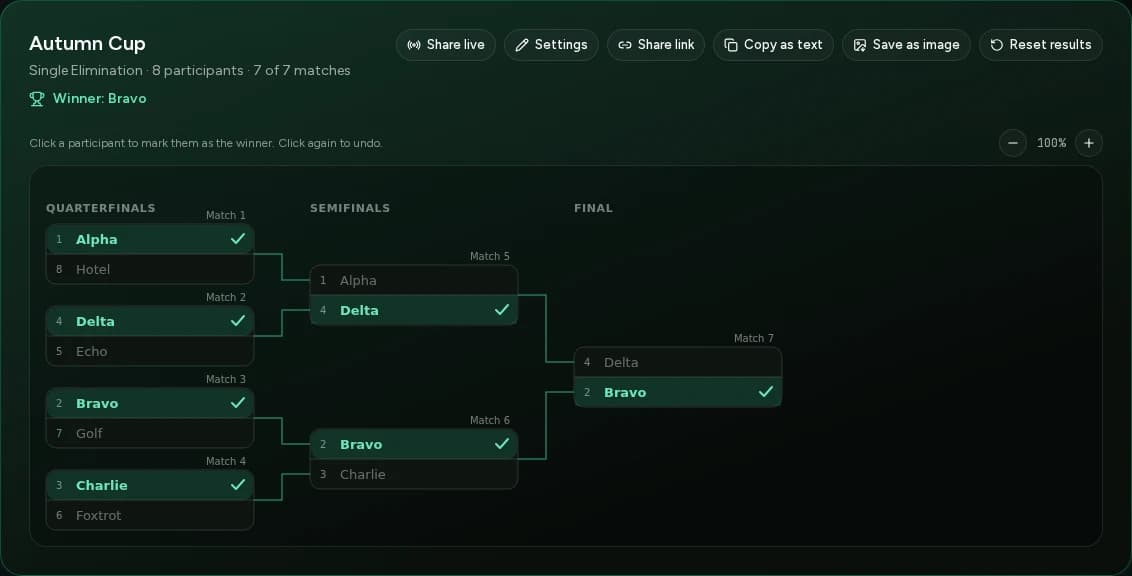
Screenshot of the Tournament Generator: a single-elimination bracket with eight teams, recorded winners, and Bravo as champion

Tournament bracket with results

Click a participant to advance them to the next round. Use the buttons above to share the link, copy the current standings or save an image.

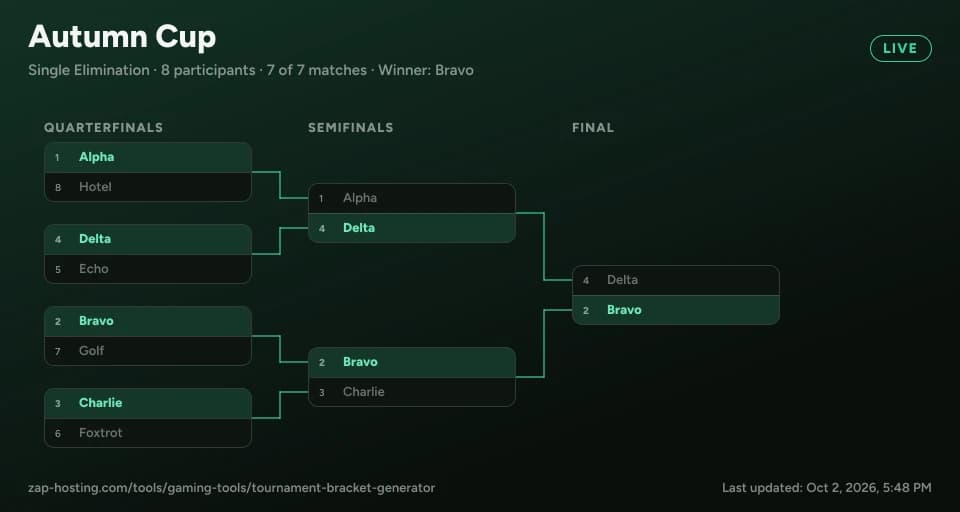
Banner image of a tournament bracket titled Autumn Cup with a LIVE label

Live view banner

The banner always shows the current bracket. You can embed it via a link in Discord or forums. Viewers cannot change anything.

Tournament formats

Which tournament format suits your tournament?

Single Elimination, Double Elimination, Round Robin or Swiss system: here’s how the tournament generator’s four formats differ.

Single Elimination

Lose a match and you're out. The bracket needs only one fewer match than the number of participants, byes go to the top seeds, and you can add a third-place match.

Ideal when you want a quick result, such as for a cup, darts night or LAN tournament.

Double Elimination

After their first loss, participants move to the Loser Bracket; only a second loss eliminates them. The winners of both brackets meet in the Grand Final, optionally with a reset if the team from the Loser Bracket wins the first final.

Ideal when one bad match shouldn’t mean elimination, such as in foosball, table tennis or esports.

Round Robin

Every team plays every other team, optionally with home and away matches. The tool distributes matches across matchdays and ranks the standings by points, goal difference and goals scored. Add multiple groups to turn it into a group stage.

Ideal for leagues, club tournaments and school sports where everyone should play the same number of matches.

Swiss system

Each round pairs participants with similar records while avoiding repeat matchups. Play a fixed number of rounds or use the Major format with 1 to 5 wins or losses. Ties are broken by Buchholz score.

Ideal for large fields where Round Robin would require too many matches.

Why this tool

Tournament bracket and standings in one tool

Key features of the tournament generator.

Four tournament formats in one tool

Single Elimination, Double Elimination with Winner and Loser Brackets, Round Robin with fixtures and standings—including a group stage—and the Swiss system with fixed rounds or a Major format.

Byes and seeding

For 2 to 128 participants, the tool automatically assigns byes to the top seeds. You set the seeding by list order or shuffle it randomly.

Results by clicks or goals

Click the winner to advance them automatically; click again to undo it. In league play, enter the scores and the standings will calculate points and goal difference.

Shareable link and live view

The full tournament state is compressed into the link, with no account required. You can also publish a live view with a banner image for spectators, which they cannot edit.

Export as image and text

Save the tournament bracket or tables as a PNG and post them on Discord, your website, or a notice board. You can also copy the standings as text.

From team generator to knockout round

Draw teams in the Team Generator and import them as participants. After the group stage, move the top teams from each group into a Single Elimination tournament with one click.

How it works

How to create a tournament bracket

Three steps to your finished tournament bracket.

Step 1

Enter participants

Enter one name per line, for 2 to 128 participants. The order determines the seeding, or you can let the tool shuffle them randomly.

Step 2

Choose tournament format

Choose single elimination, double elimination, round robin (including groups) or the Swiss system, add a third-place match or grand final reset if needed, and click “Create tournament.”

Step 3

Enter results and share

Click the winner of each match or enter the scores in league play. The bracket and standings update, then you can share the link, copy the results as text or save a PNG.

Planning guide

Tournament schedule for 4, 5, 6, or 8 teams: How many matches will you play?

In a single-elimination tournament, one team is eliminated after each game; in a league, everyone plays everyone else. The table shows how many games and matchdays your tournament needs.

TeamsSingle elimination: matchesLeague: MatchesLeague: Matchdays
4363
54105
65155
87287
109459
12116611
161512015

With an odd number of teams, one team has a bye on each matchday. Home-and-away matches double the number of matches and matchdays.

Discover more

More tools for your tournament

FAQ

Frequently asked questions about tournament brackets

Quick answers about the Tournament Generator.

Enter the participants above, one name per line (2 to 128), choose the tournament format and click “Create tournament.” The bracket or schedule is ready immediately and updates as you enter results. The tournament generator is free, requires no sign-up or download, and works for clubs, schools, darts, table football, LAN parties and esports.

Four formats: single elimination with an optional third-place match; double elimination with a winners bracket, losers bracket and grand final (with an optional bracket reset); round robin, including multiple groups and home-and-away matches; and the Swiss system. In the Swiss system, participants with similar records play each other in each round, either for a fixed number of rounds or in a Major format where each team plays until it reaches a set number of wins or losses (1 to 5, default 3).

Choose “Round Robin.” The tool assigns every match to a matchday to create the schedule. Enter the goals, and the standings automatically calculate matches played, wins, draws, losses, goals, goal difference and points. By default, a win is worth 3 points and a draw 1 point; you can change both. There is a separate option for home-and-away matches. The tool does not schedule pitches, kick-off times or referees.

In Single Elimination, the number of matches is always the number of participants minus 1: 7 matches for 8 teams. In Round Robin, each team plays every other team once: 6 matches across 3 matchdays for 4 teams, 10 across 5 matchdays for 5 teams, 15 across 5 matchdays for 6 teams, and 28 across 7 matchdays for 8 teams. With an odd number of teams, one team has a bye each matchday. The table above also lists 10, 12 and 16 teams.

Choose “Round Robin” and set the number of groups. Participants are distributed among the groups, each with its own standings. Once the matches are played, choose how many teams advance from each group and use “Prepare knockout tournament” to move them into a new knockout bracket, seeded by their standings.

In Single Elimination, each participant is eliminated after one loss. In Double Elimination, losers first move to the Loser Bracket and are eliminated only after a second loss. That’s fairer to teams having a bad day, but it takes almost twice as many matches: 2n-2 instead of n-1, plus a reset match in the Grand Final if needed.

Your list order determines the seeding, with seed 1 at the top. Alternatively, the tool can shuffle participants randomly for a draw. If the number of participants is not a power of two (such as 6 or 11), the bracket is filled to the next power of two. The empty spots become byes assigned to the highest seeds, who automatically advance to the next round.

You don't need a template to download: the generator creates the tournament bracket for your number of participants and calculates the standings. There is no Excel or PDF export. You can save the bracket as an image (PNG) to print or insert into a document, copy the current standings as text, or share the link.

With “Share link,” the tournament state is compressed into the link itself; nothing is stored on a server. Anyone who opens the link edits only their own copy. Your current tournament is stored locally in your browser. Only if you explicitly publish a live view with a banner image do we store the tournament state on our servers, until 30 days after the last change. It is then deleted automatically.

Any more questions?

Contact Support
Planning an event?

Play your tournament on your own server

A Game Server from ZAP-Hosting gives your community custom rules, Mods and Slots—with DDoS protection and setup in 60 seconds.

4.4/5 Trustpilot32,000+ Active serversSince 2010

No setup. No risk. Online in seconds.

Flexible TermCancel anytimeOnline in 60 seconds

Looking for more tools? View all team & organization tools