

Root Server Hosting with full root access.
Your root server is a KVM VPS with full root access: Linux, Windows or your own ISO, NVMe and PletX DDoS protection. Online in 60 seconds.
 Google
from €7.29 / month · cancel anytime


Affordable root server packages with fixed resources
Clear vCores, RAM and NVMe with live prices from the shop. Every package includes full root access. Need more? Put together CPU, RAM and storage yourself.
Configure yourself
Your project. Your setup.
No package fits? Choose CPU, RAM and storage freely and pay only for the package you put together.
1 Gbit/s uplink included
up to 5 Gbit/s as an add-on
100 Gbit/s host network
Juniper Firewall
DDoS protection
 Visa
 Mastercard
 American Express
 PayPal
 Google Pay
 Apple Pay
 Klarna
 Amazon Pay


Operating systems
Linux root server, Windows root server or
your own ISO
Pick your system when you order and reinstall it whenever you like. Anything without a template boots from your own ISO.
 Windows VPS
Full root access
Everything you control as root
Root server hosting means the machine is yours down to the kernel. No locked-down control panel: you install, configure and secure everything yourself, down to your own firewall rules.
Root via SSH or RDP
Log in as root via SSH (Linux) or as Administrator via Remote Desktop (Windows) and set the server up exactly the way you want.
Real KVM VM
Own kernel, with vCores, RAM and NVMe sized to your package. Docker, kernel modules and your own firewall run without limits.
Your own ISO
Import an ISO by URL and install it, for example Proxmox or BSD. The installer runs in the browser console.
Browser console
Locked out of SSH? The noVNC console in the panel gets you back in, for setup and emergencies alike.
Rescue system
Boot the rescue ISO and reset the network when an update or a bad config locks you out.
Reinstall anytime
Set up the operating system again in the panel whenever you need: Linux, Windows Server or your ISO.
Web interface
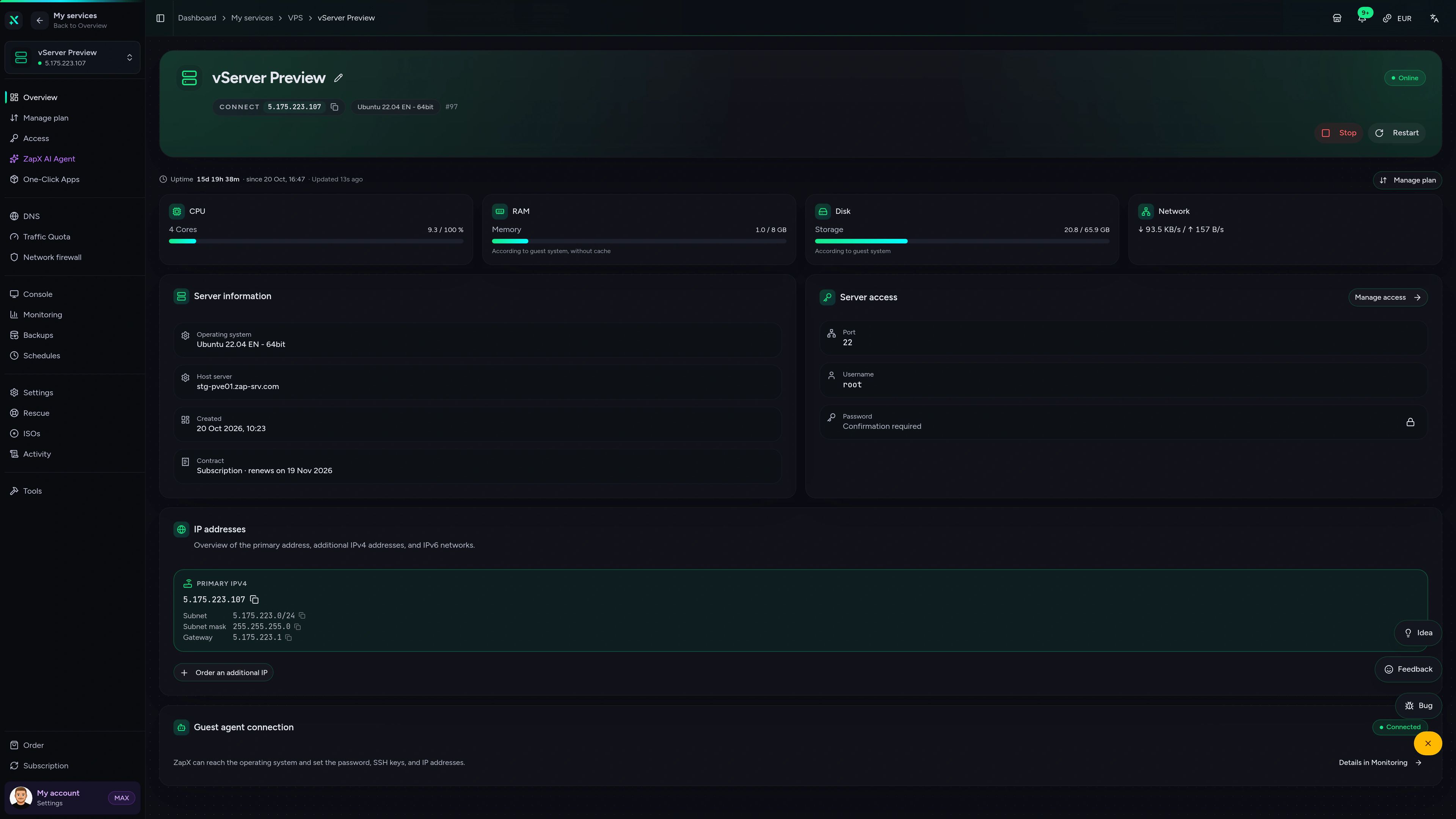
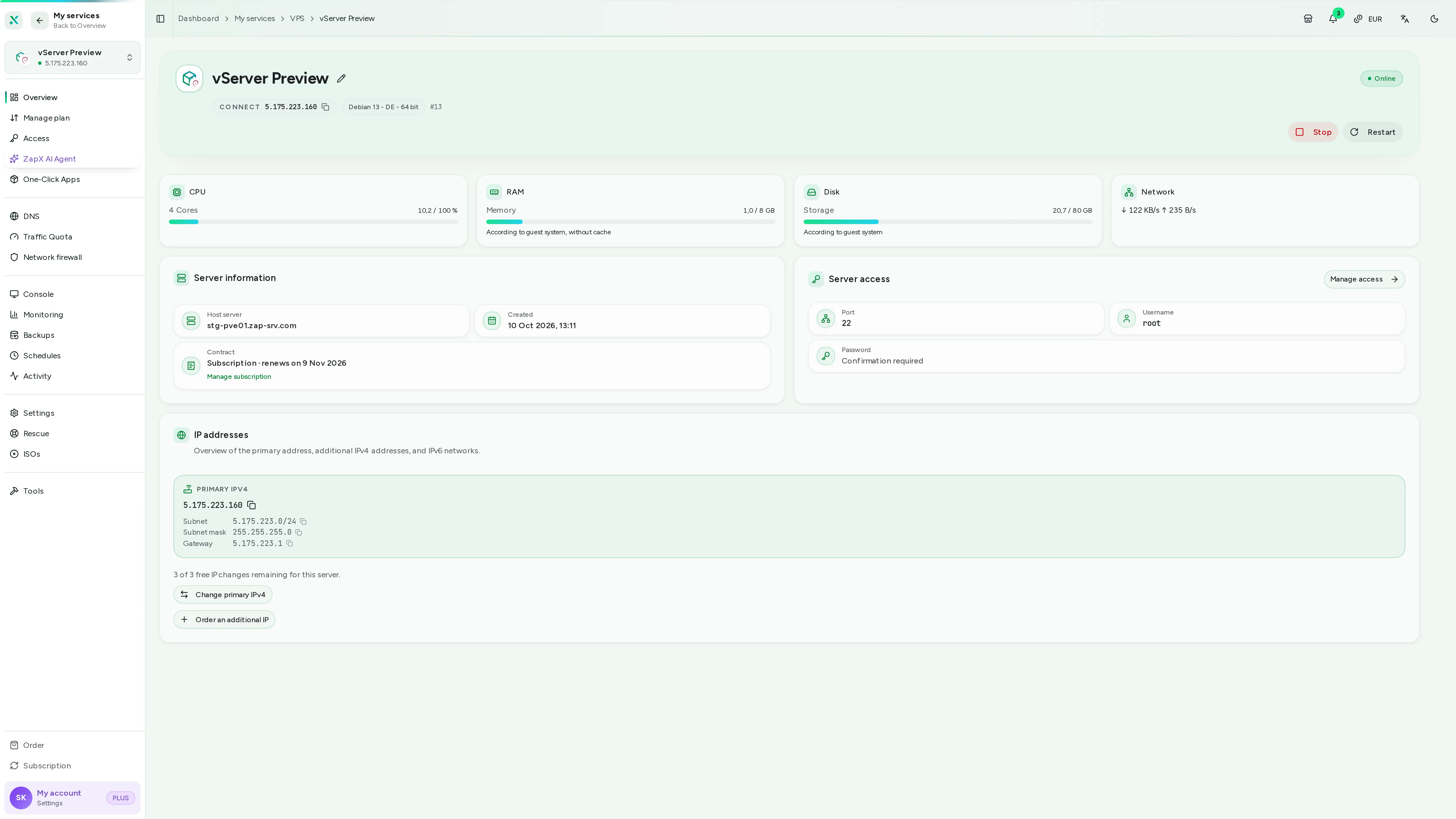
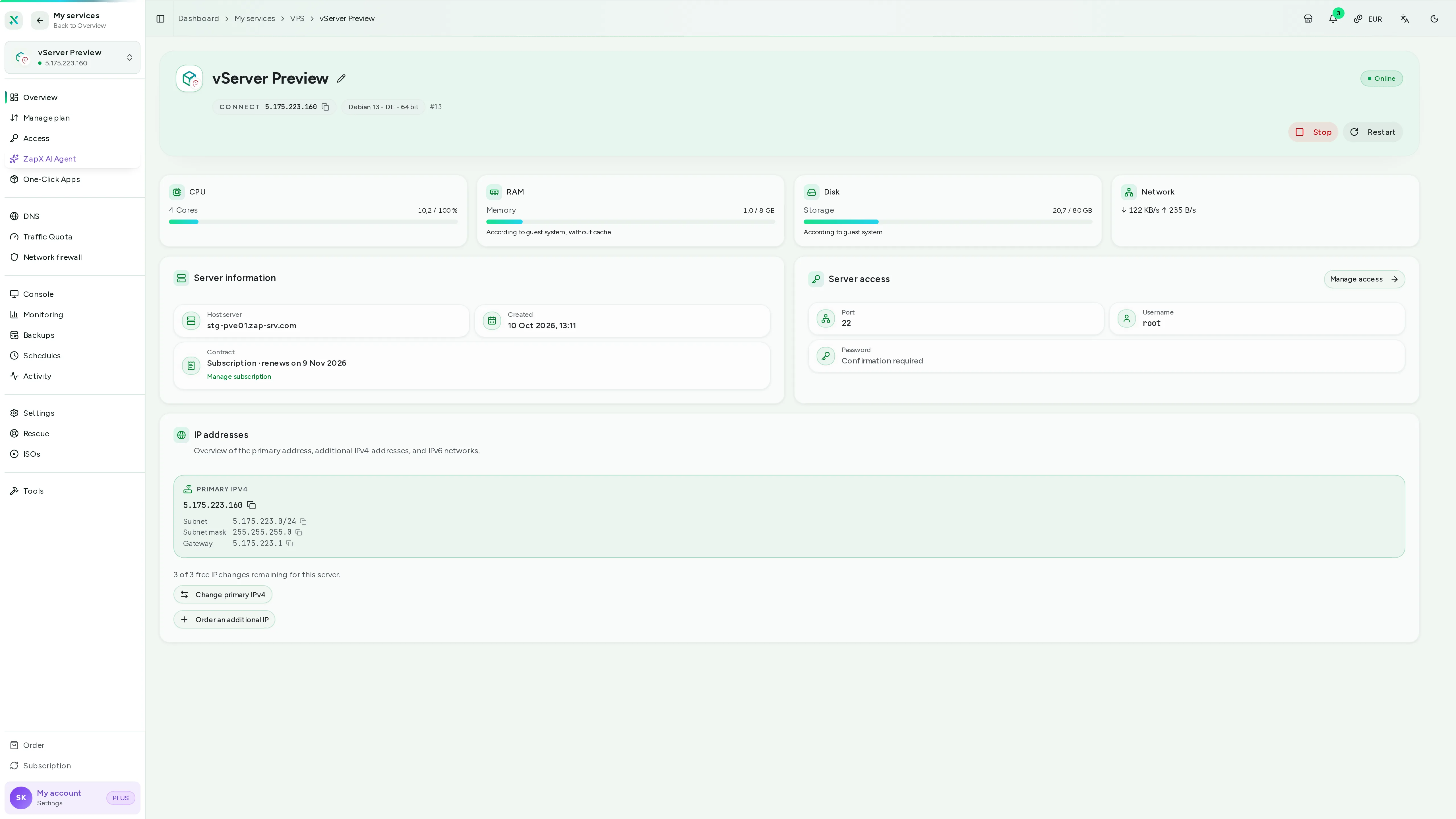
Run your root server in the ZapX panel.
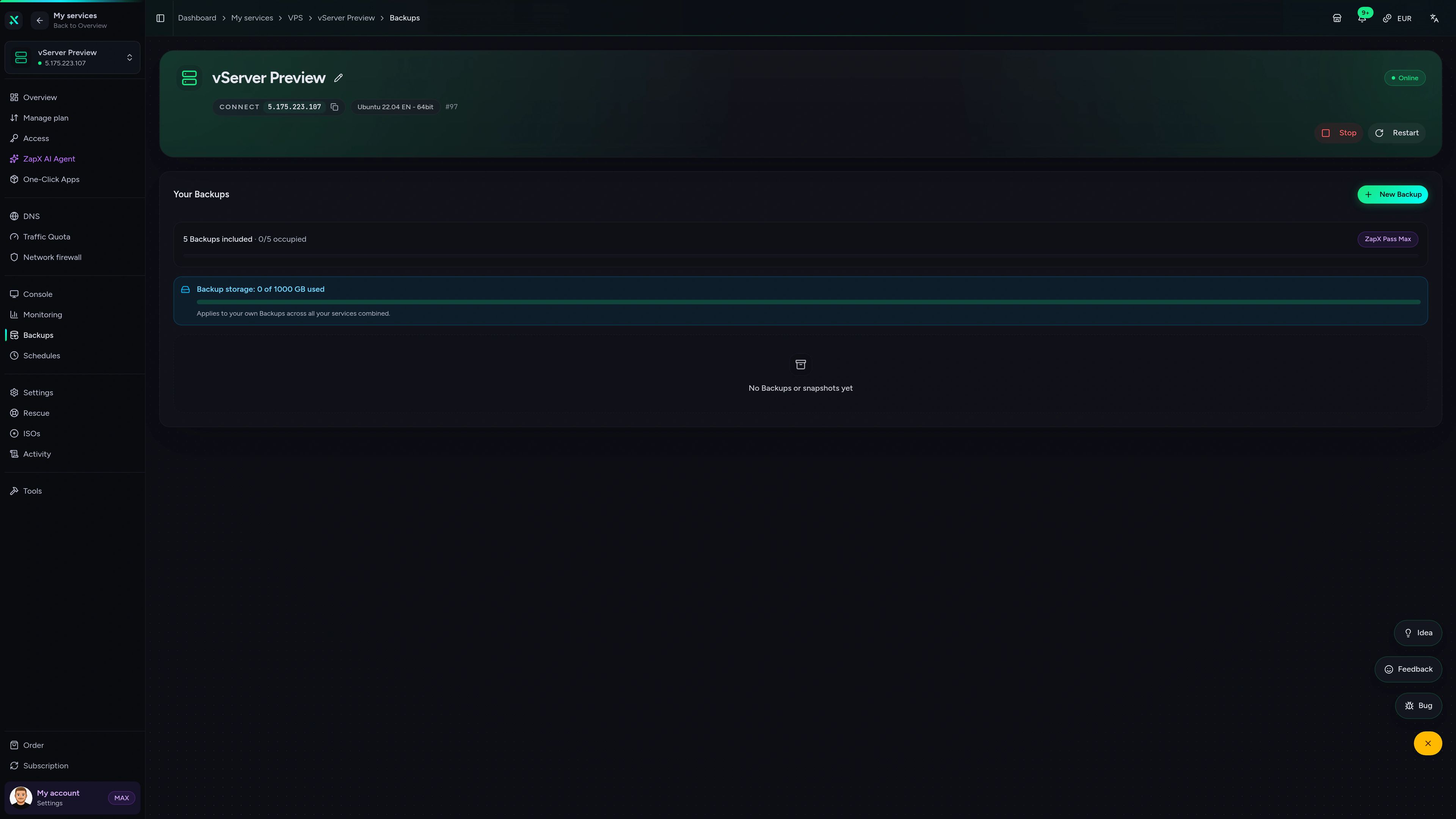
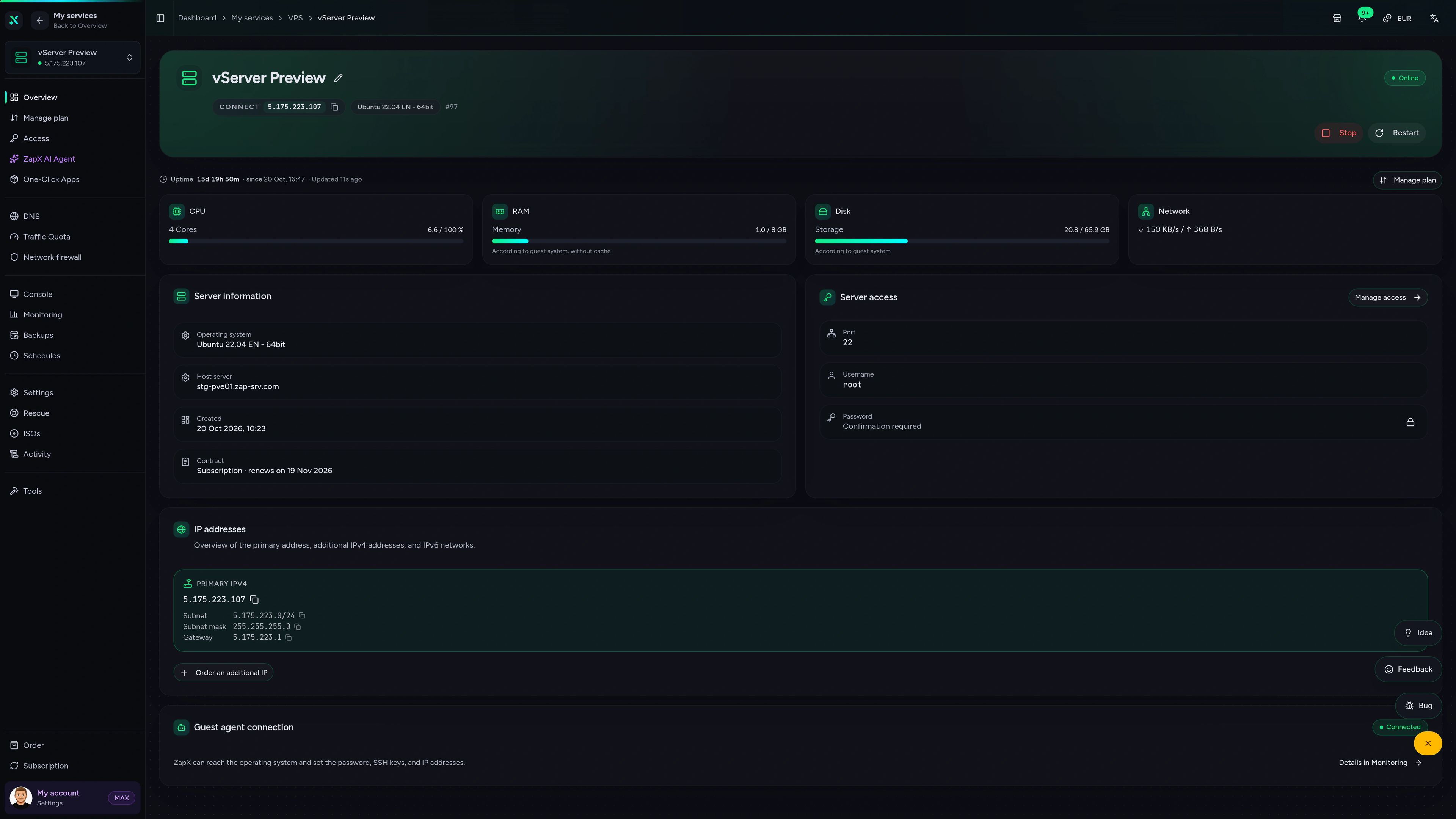
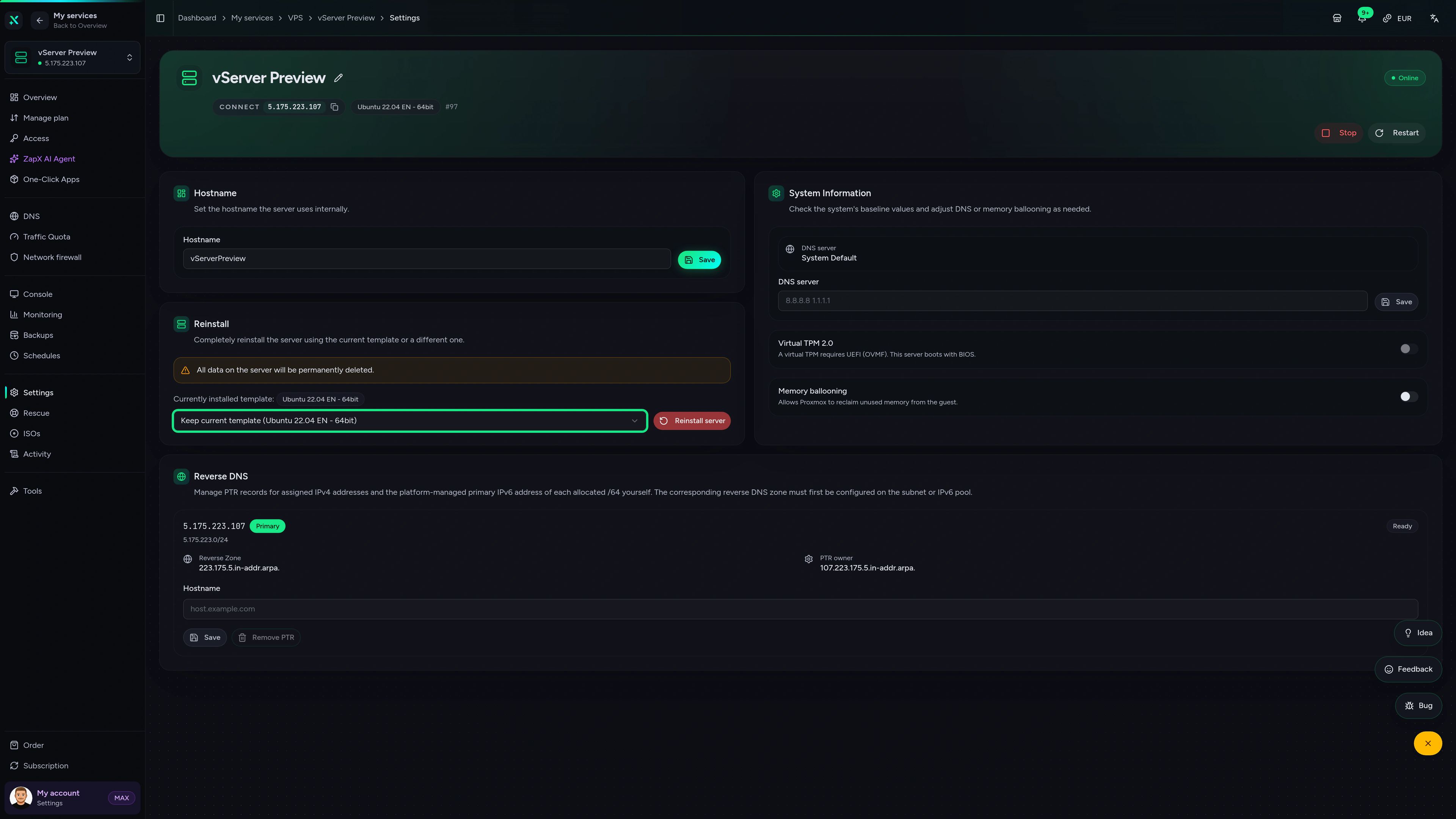
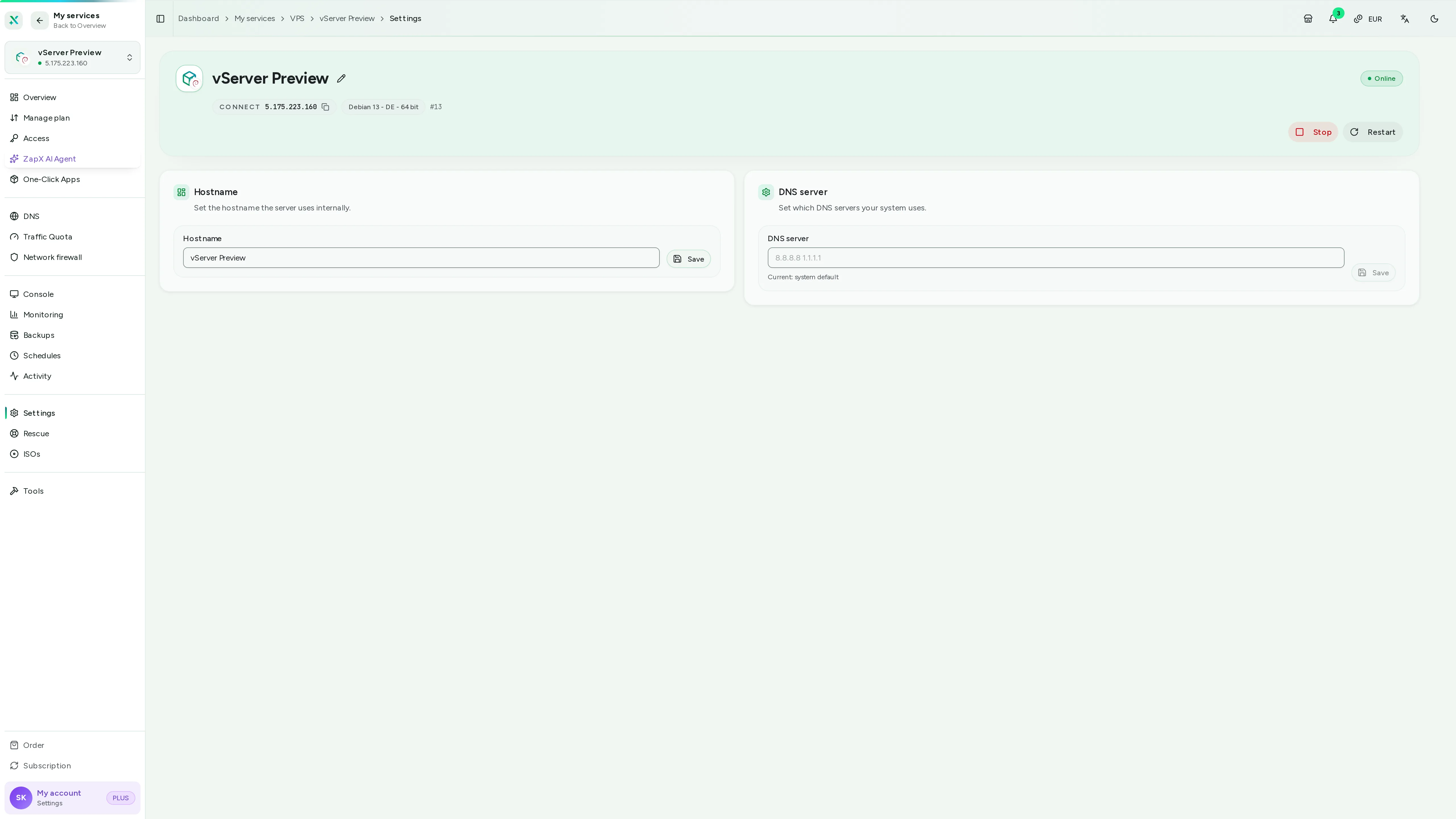
Overview, browser console, monitoring, firewall and rescue mode in one place, so you manage your root server without juggling extra tools.
ZAP VPS #42
panel.zap-hosting.com
Live overview & resources
CPU, RAM, storage and network at a glance, plus IPs and status as soon as your root server is up.
Control your root server from Claude or ChatGPT.
Connect ZAP-Hosting to Claude or ChatGPT via MCP and manage your root server right in the chat.
Works with
- ChatGPT
- Claude
- Claude Code
- Cursor
- Gemini
What should I do for your server?
Ask anything …
The AI only makes changes after you approve them.
Connect in two steps

Step 1
Connect ZapX
Opens Claude with the connector already filled in. Confirm it there and sign in with your ZAP-Hosting account.
Step 2
Start a chat
Opens a new chat with this text:
I want to rent a VPS at ZAP-Hosting. Use the ZapX connector by ZAP-Hosting: ask me what will run on it, recommend CPU, RAM and location with the price and then order it with me.
The text then sits in the message box – you still press send there.
Without a ZapX Pass you get status, start/stop and, except in ChatGPT, advice and ordering. Files, console and Backups come with a ZapX Pass. Your account is created when you connect.
One-Click Apps marketplace
Coolify One-Click Apps on your root server.
Coolify runs as a One-Click App and becomes your marketplace and deploy panel. Launch Nextcloud, n8n, WireGuard and hundreds of other apps without writing Docker Compose files by hand. Custom ZAP-Hosting apps included.
Featured apps

Nextcloud
Nextcloud is a self-hosted, open-source platform that provides file storage, collaboration, and communication tools for seamless data management.
Recommended: 1 GB RAM


























































Some app icons from selfh.st/icons (CC BY 4.0, resized and reformatted)









 DDoS protection included
PletX premium DDoS protection
for your root server.
A root server with DDoS protection built in, not sold as an add-on. PletX filters server traffic with dynamic rules that adapt to how your root server is used, at Frankfurt / Eygelshoven, Ashburn, Dallas and Los Angeles, at no extra cost.
Partner
PletX
Dynamic filter rules that follow the traffic profile of your root server.
Included
No extra cost
Active at Frankfurt / Eygelshoven, Ashburn, Dallas and Los Angeles, no add-on to book.
Capacity
Up to 4 Tbit/s
Filtering capacity via Frankfurt and Amsterdam, built for large attacks.
DDoS Manager
In the panel
In Frankfurt / Eygelshoven: attacks, bandwidth and protection status live in the ZapX panel.
Get started
Your root server is protected and ready — rent it now.
Benchmark
Your root server runs on powerful server CPUs with NVMe storage and 100G network infrastructure. Storage and network are measured against a typical root server provider, not taken from marketing sheets.
High-performance VPS, CPU model depends on the location
Typical VPS plans without a published host CPU
confirmed 2026-07-01
Backups & snapshots
With ZapX Pass, your root server stays recoverable.
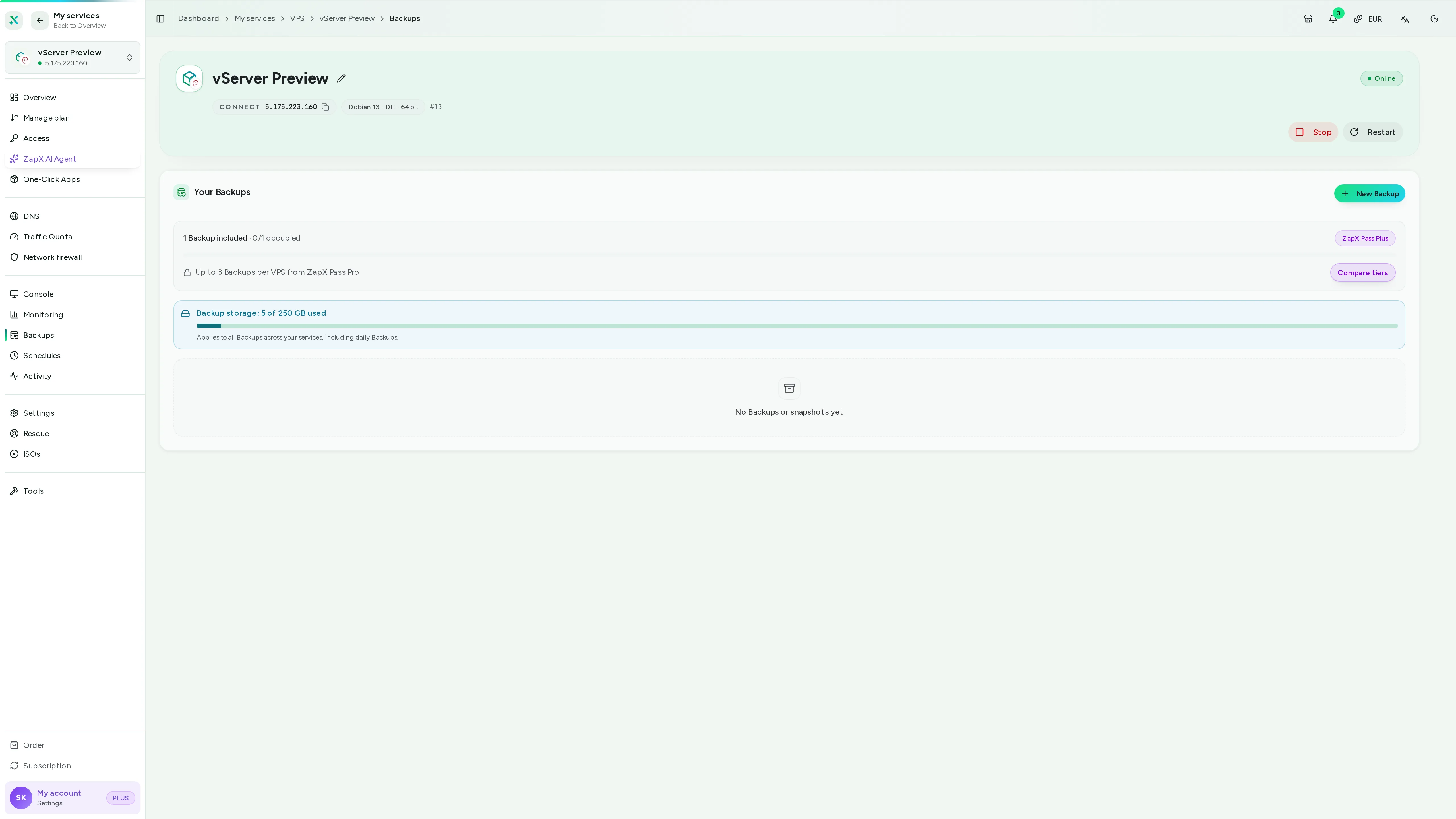
Every VPS gets an automatic daily Backup, included and without ZapX Pass. ZapX Pass unlocks snapshots, so you can take one before an update and roll back in minutes if something breaks, plus restore, manual Backups and longer retention of the daily Backups.
Daily Backup included
SECURED- Daily Backup
- Manual Backups
- Daily Backups kept longer
Snapshots with ZapX Pass
CAPTURED- Snapshot before deploy
- Jump back instantly
- Snapshot with RAM
More control with ZapX Passextra Backup storage, restore, ZapX Pass perks and Lifetime VPS without activity checks
Use cases
Root server hosting for websites, game servers & apps.
Host a website, deploy a Docker stack, keep a bot online or run a game server for your community. With full root access, your root server runs whatever you install on it.
Locations & latency
Choose your root server location close to your users
Run your root server in Germany at Frankfurt / Eygelshoven or in the US at Ashburn, Dallas or Los Angeles. Many US projects start with Ashburn, Dallas or Los Angeles; pick the location closest to your users. Availability and prices may vary by location.
Europe

America

Choose a location
Your root server runs close to your users — online in 60 seconds.
Manage your root server by chat.
The ZapX AI Agent in your panel installs apps, adjusts firewall rules, helps with domains and runs diagnostics. You describe the goal, it proposes the steps and asks before it changes anything. Requires an active ZapX Pass with AI access.
The ZapX AI Agent is part of ZapX Pass, together with your own Backups, restore and Lifetime access.
View ZapX PassZapX AI Agent
panel.zap-hosting.com
Root server or dedicated
Virtual or bare metal?
Both give you root access. The difference: a virtual root server is a KVM VM on a host you share with other VPS, a dedicated server is an entire physical machine just for you.
Best for websites, bots, Docker, VPN and self-hosting when you want root but don't need a whole machine.
Best when you need the full power of one machine, no neighbors on the host or hardware-level access.
Just want to host a game, without server admin work? Browse game servers
Reviews
What customers say about ZAP-Hosting
Real feedback on support and setup.
very reliable service, simple to understand, and for a great price. really a no brainer

 ZAP-HostingReply
Zap has been a great experience for myself thus far. Easy interface to learn and it makes sense. Having all the tools I need to run my server with short and informative documentation that helped me tremendously. As a adamant gamer, zap has made having my own server fun, easy, and affordable. Thank you Zap!
 ZAP-HostingReply


I have used ZAP-Hosting for VPS services. The ordering process is straightforward, and the support team responds to customer inquiries. I hope to continue using their services and have a smooth experience in the future.
 ZAP-HostingReply


ZapX Panel
Control your root server right in the browser.
Console, Backups, DDoS Manager and settings for your root server in one browser panel, no SSH detour needed.
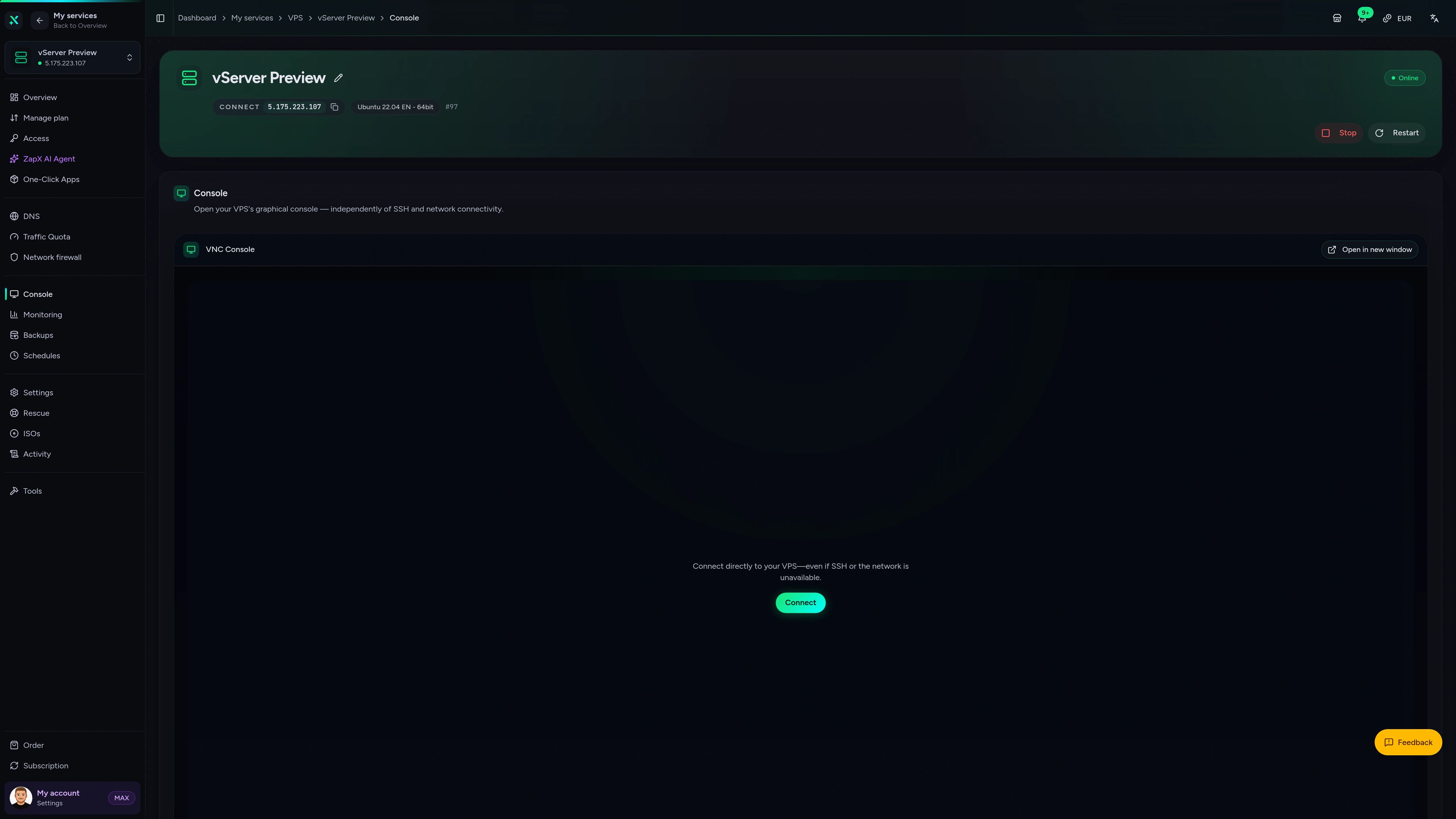
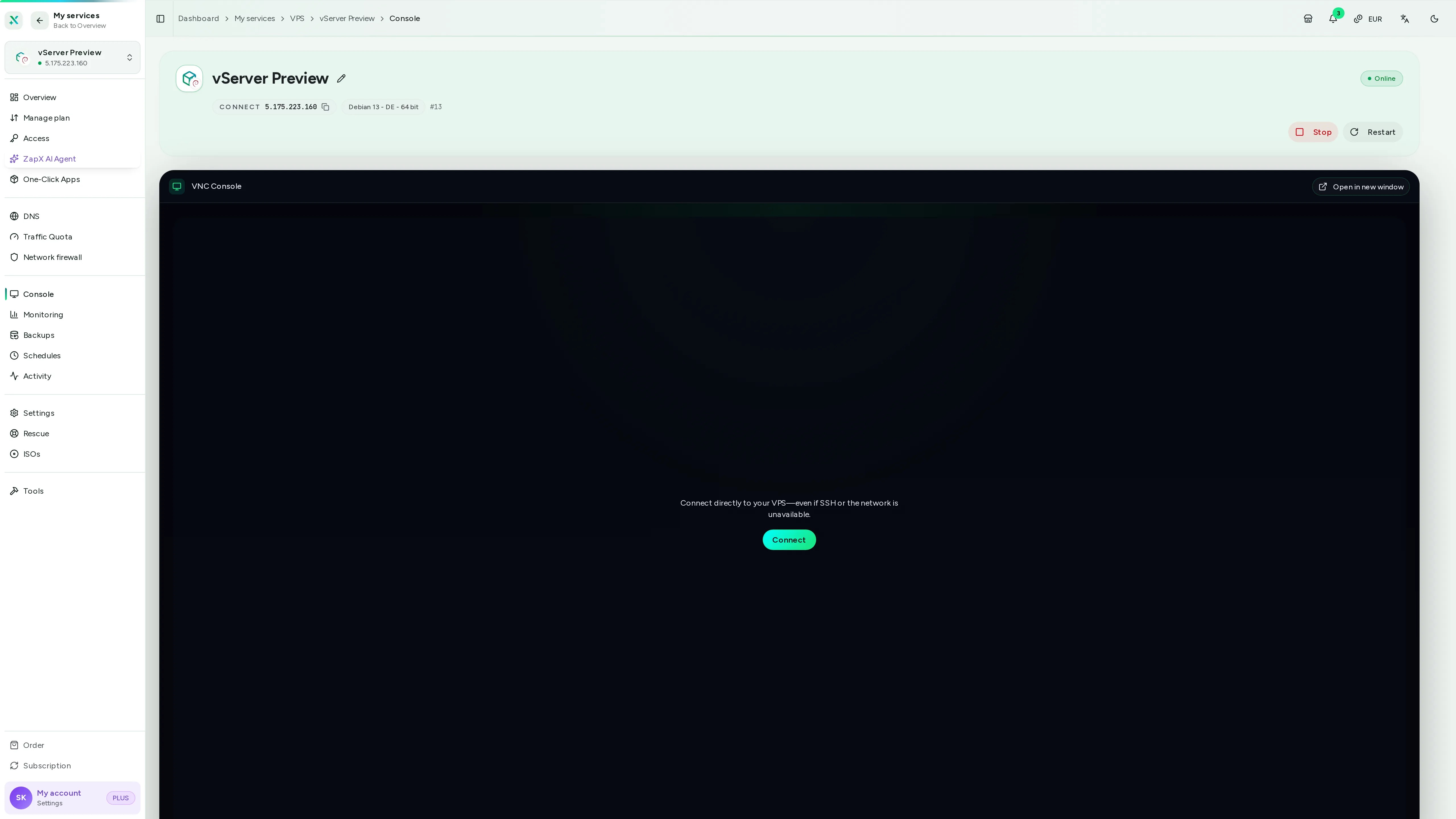
VPS – Console
Open the graphical VNC console of your VPS in the browser, even when SSH or the network is unavailable.
FAQ
Common questions about root server hosting
The key answers before you rent your root server.
What is a root server?
A server where you hold the highest rights: root on Linux, Administrator on Windows.
With root access you install and configure everything yourself, from the operating system to the firewall. At ZAP-Hosting, a root server is a KVM virtual machine with the vCores, RAM and NVMe storage included in your package. In hosting, the term has nothing to do with the DNS root servers of the internet.
Root server, VPS or dedicated server: what's the difference?
All three give you root access. The difference is whether you rent a virtual machine or an entire physical one.
At ZAP-Hosting, a VPS with root access and a virtual root server are the same product: a KVM VM with full root access. A dedicated server is a physical machine just for you, with more power and no neighbors on the host, but at a higher price. VPS hostingDedicated server hosting
Do I get full root access?
Yes: root via SSH on Linux, Administrator via Remote Desktop on Windows.
Docker, kernel modules and your own firewall run without limits. You can reinstall the system in the panel at any time.
How much does a root server cost?
Root servers start at €7.29 per 30 days. All packages with current prices are listed above.
The price depends on the package you choose, the term and the location. You rent for 3, 30, 90, 180 or 365 days, and longer terms lower the monthly price. You pay by credit card, Apple Pay, Google Pay or PayPal, depending on country and currency also with Klarna or Amazon Pay. All payment methods
How fast is my root server online?
60 seconds after your order.
Setup runs automatically: choose package, operating system and location, and your root server is online 60 seconds later. You find the access details in the panel.
Linux or Windows root server?
Linux for most projects, Windows Server when your software needs Windows.
Pick Debian or Ubuntu right when you order. Windows Server 2025 and 2022 are evaluation images with a time-limited trial license. Any other system installs from your own ISO. Guide: install Windows Server
Can I install my own operating system from an ISO?
Yes, with your own ISO.
Import the ISO by URL in the panel, boot from it and install in the browser console, for example Proxmox or BSD. Then eject the ISO and boot from disk. Guide: mount an ISO
Is it a real KVM server or a container?
A full KVM virtual machine with its own kernel.
Your root server does not share a kernel with other customers the way OpenVZ or LXC containers do. That is why Windows, custom ISOs, Docker and your own kernel modules work.
Is the root server managed?
No, you administer the system yourself with full root access.
Updates, firewall, users and software are up to you. ZAP-Hosting takes care of hardware, network and DDoS protection. If you lock yourself out, the browser console and the rescue system in the panel get you back in.
Where are the root servers located?
Your choice in Europe and America: Frankfurt / Eygelshoven, Ashburn, Dallas and Los Angeles.
Pick the location when you order, ideally close to your users. PletX Premium DDoS protection is active at all four locations at no extra cost.
How do Backups work on a root server?
Every root server gets a daily automatic Backup. Snapshots, restore and manual Backups come with ZapX Pass.
The daily automatic Backup is included. ZapX Pass unlocks snapshots, restore and manual Backups through your Backup slots and Backup storage. With root access you can also send your own Backups to another destination at any time.
Can I run a mail server on my root server?
Yes. Outgoing SMTP is unlocked as soon as your account has a verified phone number.
On newly ordered root servers, sending email over SMTP is unlocked for your whole account once you verify your phone number. After that you set up your mail server yourself with full root access, including the software, your domain's DNS records and spam protection.
Root server or game server for my game?
A game server if you just want to play, a root server if you want to set up everything yourself.
A game server comes ready to go and is controlled from the panel. On a root server you install the server, mods and tools yourself, and in return you get full control. Browse game servers
What should I look for in a root server hosting provider?
Real root access, KVM instead of containers, a free choice of OS and location, DDoS protection and Backups.
Check for full root or Administrator access, Linux and Windows plus your own ISO, and a full KVM VM rather than a container. At ZAP-Hosting you also choose from four locations in Europe and America, get PletX DDoS protection at no extra cost, a daily automatic Backup, plus snapshots, restore and manual Backups with ZapX Pass, and a support chat that is available 24/7.
Still have questions? Our support team is happy to help.
Contact SupportRelated hosting options
Discover more from ZapX
Need more power than a VPS, or a managed game server instead? Dedicated servers, game servers, TeamSpeak and more from one provider.
Configure your VPS
KVM VPS on powerful server CPUs with NVMe storage.
Dedicated servers
Exclusive hardware in Europe and the US when you outgrow a VPS.
Game server hosting
The managed alternative with automated game setup.

TeamSpeak hosting
Voice server for the community around your projects.

FiveM server hosting
From an official FiveM provider, built for roleplay communities.

Discord bot hosting
24/7 online, with templates or your own code.
Your server, your rules.
Pick a package and operating system, and your root server is online in 60 seconds.
Cancel anytime at the end of the term.