 One-Click App for GitHub traffic analytics
Ghstats VPS hosting.
Self-hosted GitHub analytics by vladkens: keep views, clones and stars beyond 14 days, on your own VPS in Europe and America.
Or try 3 days from €1.31Pick the 3-day term at checkout · renews every 3 days · cancel anytime

Ghstats VPS packages from €7.29/month Ghstats VPS
The price depends on the package you choose. A longer term lowers the monthly price, and at some locations a regional surcharge applies.
One-click Ghstats
Full root
PletX DDoS
Daily Backup
What is Ghstats?
Ghstats: keep GitHub traffic beyond 14 days beyond 14 days
Ghstats by vladkens is self-hosted GitHub traffic analytics: a lightweight Docker app with a SQLite database that pulls views, clones and stars from the GitHub API and stores them permanently. GitHub's own Insights tab only shows the last 14 days, while Ghstats keeps everything from the first sync onwards. It is a separate project from the ghstats.dev profile cards.
With a ZAP-Hosting VPS you get the server and the app from one source: the VPS is online in 60 seconds, you install Ghstats with one click from One-Click Apps in the ZapX panel and keep full root access for everything else. Pick a location in Europe or America, add your GitHub token, and your traffic history starts growing.
No more 14-day limit
Ghstats stores every sync, so your views and clones history keeps growing.
Views, clones and stars
All core GitHub traffic metrics of your repositories in one dashboard.
One-click install
Deploy Ghstats from One-Click Apps in the ZapX panel, no Docker work needed.
Your data, your VPS
The SQLite database sits on a VPS you control with full root access.
Use cases
What you run with Ghstats on your VPS Ghstats
From open-source maintainers to DevRel teams: Ghstats turns short-lived GitHub insights into a long-term record.
Long-term traffic history for maintainers
Track views and clones of every repository you maintain over months and years instead of 14 days. See which projects keep attracting visitors and which ones fade.
GitHub star history at a glance
Follow how stars grow across all your repositories in one place and spot the moment a project takes off.
Badges and cards for your README
Set PUBLIC_BADGES=true and make your instance reachable from the internet, then embed Ghstats badges and cards in READMEs, docs or a project homepage to show stars and traffic. Cards never show private repositories.
Launch and campaign reporting for DevRel
Measure how a release, blog post or conference talk changes repository traffic, and keep the numbers for your next report.
Focused dashboards with repository filters
Use the Ghstats filter settings to limit the dashboard to the repositories or organizations that matter to you.
Own reports via the Ghstats API
Pull your stored metrics from the /api/repos endpoint, authenticated with the x-api-token header, into your own scripts, spreadsheets or internal tools.
Requirements
What Ghstats needs besides the VPS besides the VPS
Ghstats runs as two containers: the app with a bundled SQLite database and a login gateway in front. The hardware values for your package are in the FAQ below.

How it works
From order to Ghstats dashboard in three steps three steps
Order your VPS
Choose a package, term and location in Europe or America. Your VPS is online in 60 seconds.
Install Ghstats from One-Click Apps
Enter your GitHub token as GITHUB_TOKEN in the app settings, then install Ghstats with one click in the One-Click Apps tab of the ZapX panel.
Sign in and open Ghstats
Sign in with the admin credentials from the panel. Ghstats fetches the last 14 days of traffic first, then syncs every hour.
Features
Everything Ghstats needs, on one VPS one VPS
Ghstats tracks your GitHub traffic, and the VPS around it keeps the history safe, reachable and under your control.
Views and clones history
Ghstats saves GitHub views and clones on every hourly sync, so your traffic history keeps growing beyond 14 days.
GitHub star history
See how stars develop for each repository and compare projects side by side in one dashboard.
Badges and cards
Set PUBLIC_BADGES=true to embed Ghstats badges and cards in your README or docs. Cards never show private repos.
SQLite data on your own VPS
All metrics live in a SQLite database on your VPS, at the location you pick in Europe or America.
One-click deploy in the ZapX panel
Install Ghstats from One-Click Apps with one click. No Docker compose files or reverse proxy setup by hand.
Full root access
Connect via SSH and run more apps or tools next to Ghstats on the same VPS.
PletX DDoS protection
At every VPS location, PletX filters attacks on your server traffic so your dashboard stays reachable.
Daily Backup included
A daily Backup runs automatically. With the ZapX Pass you create your own Backups and restore earlier states yourself.
ZAPX Dashboard
Manage your Ghstats VPS in the ZapX panel ZapX panel
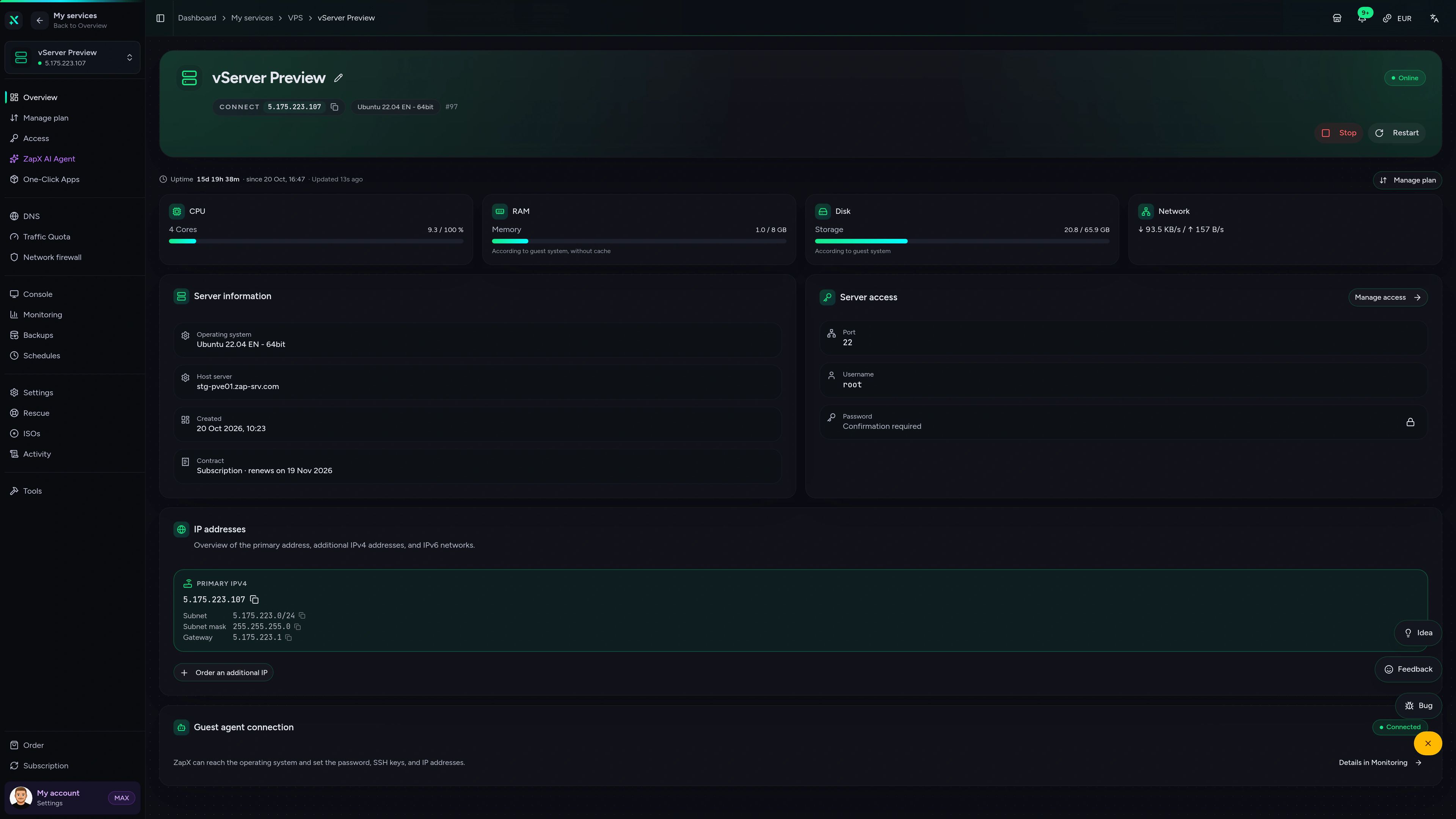
Install One-Click Apps, watch resource usage and open the console of your VPS from one interface.
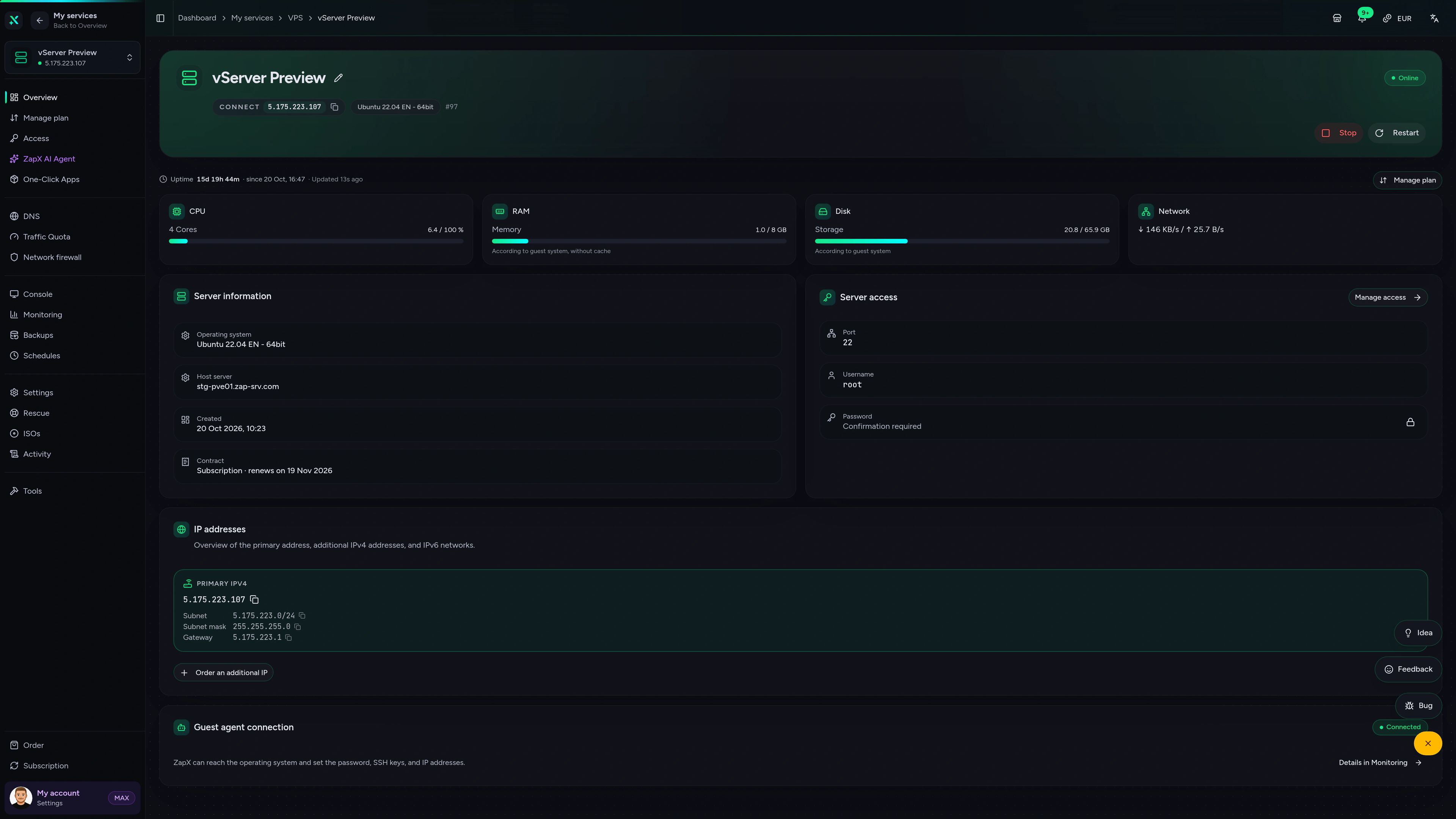
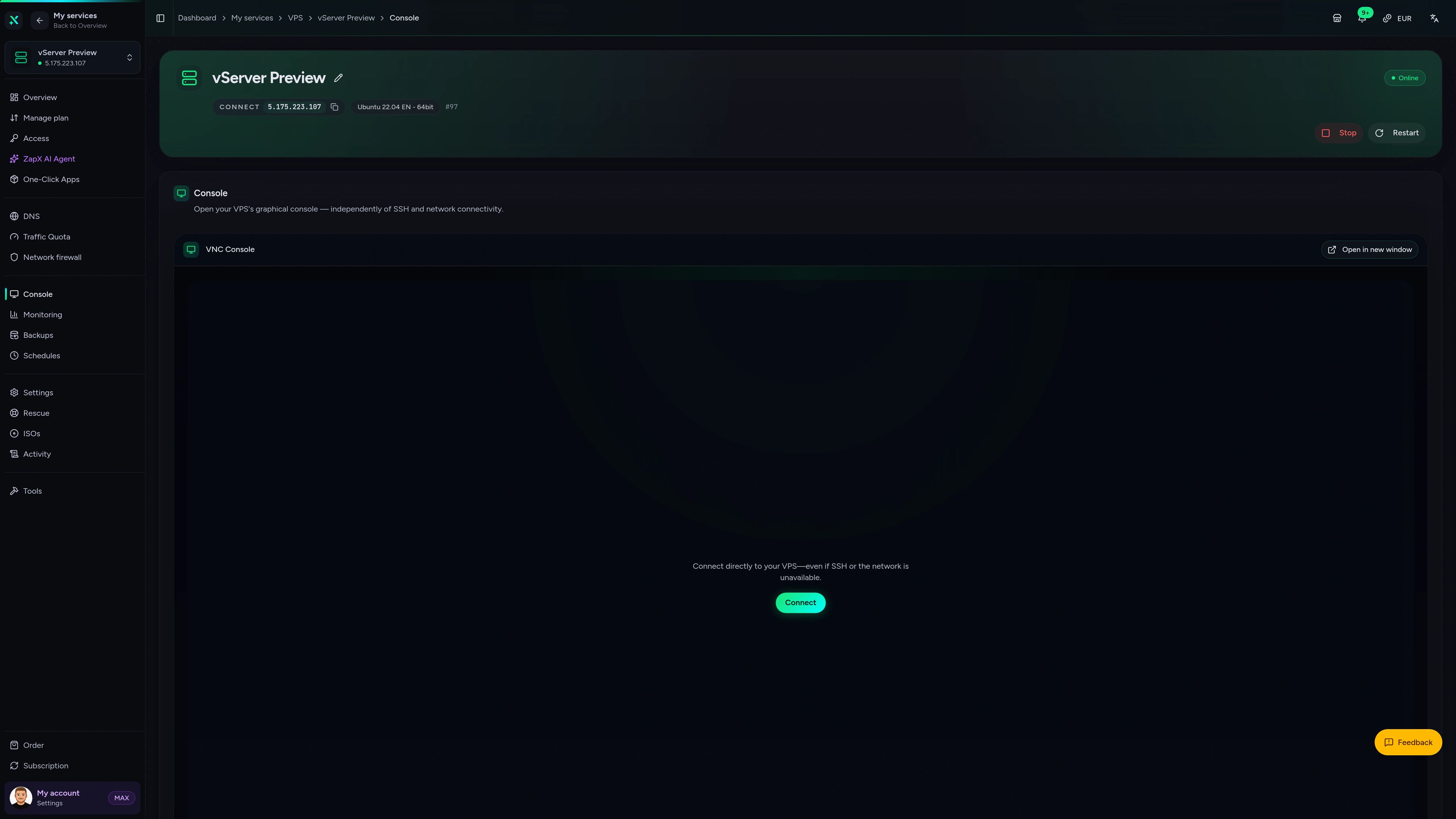
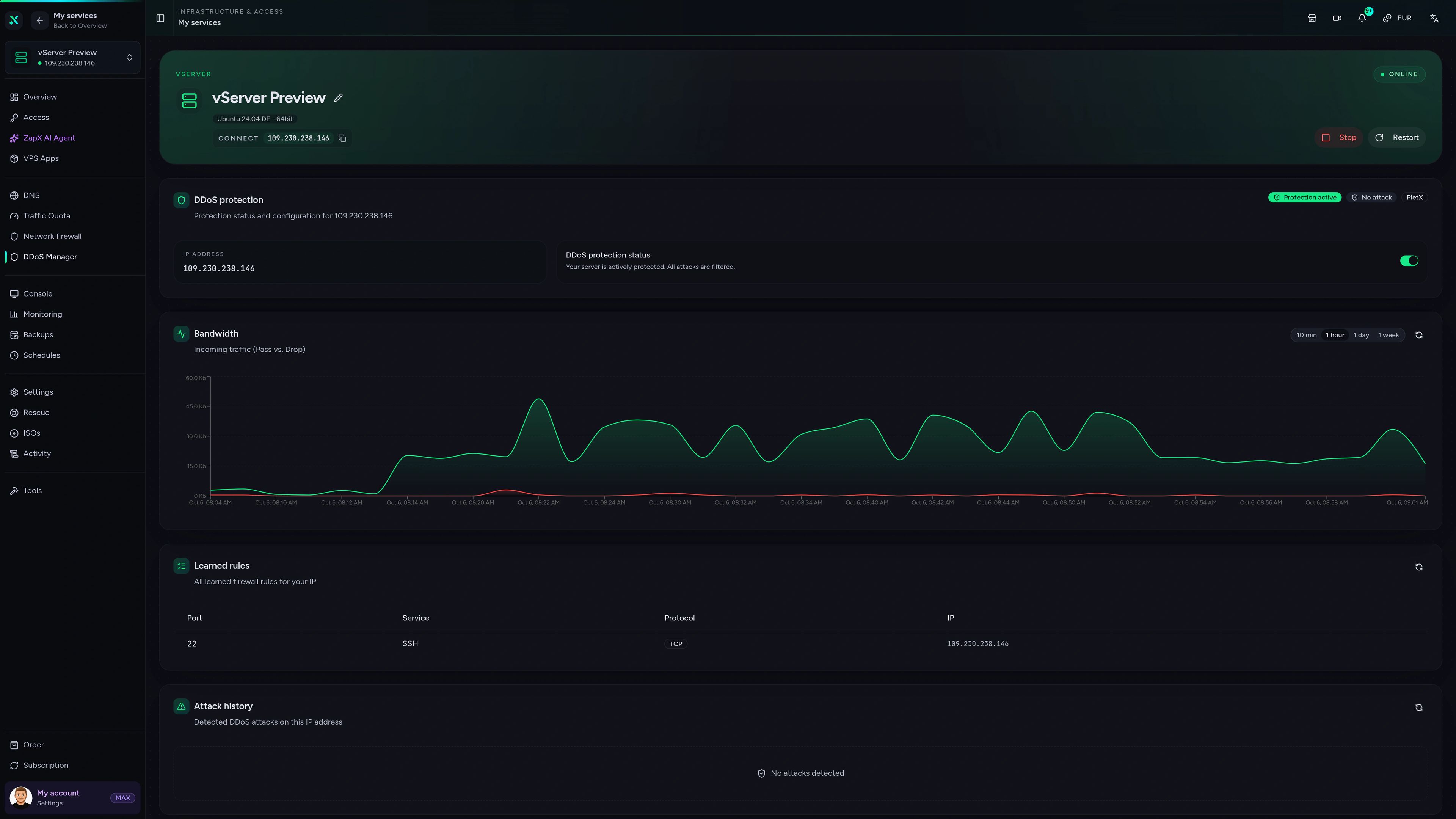
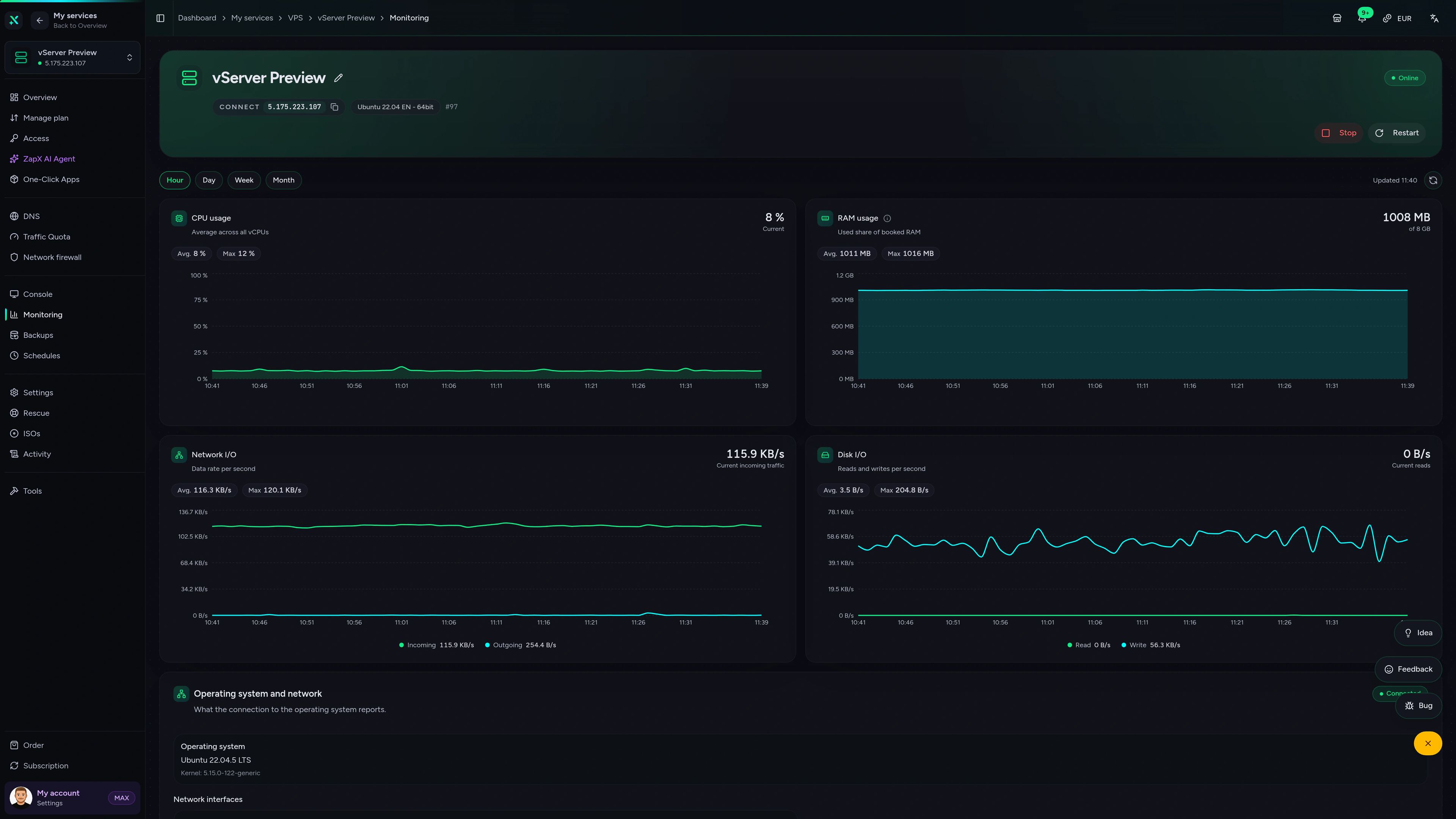
VPS – Overview
CPU, RAM, disk and network usage, server details, root access and IP addresses of your VPS at a glance.
Managed or DIY
Ghstats on a managed VPS vs. doing it yourself managed VPS
How a ZAP VPS with One-Click Apps compares to setting up Ghstats manually or running it on a third-party platform.
Performance
Measured values of our VPS hardware compared to a typical VPS on the market, so your syncs and dashboard stay fast.
High-performance VPS, CPU model depends on the location
Typical VPS plans without a published host CPU
confirmed 2026-07-01
great prices, good specs
the interface was great, migration was flawless and the interface is very user friendly. support team was very helpful aswell

 ZAP-HostingReply
I've been with them for a few years
I've been with them for a few years, and they're one of the best. The lifetime servers have really helped me, and now they've added auto-backup. 10/10!
 ZAP-HostingReply


FAQ
Frequently asked questions about Self-hosted GitHub traffic analytics with Ghstats
Ghstats by vladkens is self-hosted GitHub traffic analytics: a lightweight Docker app with a SQLite database that pulls views, clones and stars from the GitHub API and stores them permanently. GitHub's own Insights tab only shows the last 14 days, while Ghstats keeps everything from the first sync onwards. It is a separate project from the ghstats.dev profile cards.
What is Ghstats and what does it track?
Ghstats by vladkens is an open-source (MIT), self-hosted GitHub traffic analytics dashboard written in Rust with a SQLite database. Every hour it pulls views, clones, stars, forks, referrers, popular paths and release downloads from the GitHub API and keeps the full history on your VPS. It is not related to the ghstats.dev profile cards or the Ghana Statistical Service.
How do I install Ghstats on a ZAP-Hosting VPS?
Order a VPS, which is online in 60 seconds. In the One-Click Apps tab of your VPS in the ZapX panel, enter your GitHub token as GITHUB_TOKEN in the app settings and install Ghstats with one click; without a token the app does not start. The deploy takes a short extra moment. Then sign in through the login gateway with the admin credentials from the App environment tab. Root access via SSH stays available. Learn more about VPS One-Click Apps
Which VPS package and how much RAM do I need for Ghstats?
One-Click Apps need a VPS with at least 2 GB RAM, 2 CPU cores and 30 GB storage, because Coolify runs alongside the app. Ghstats itself needs at least 1 GB RAM. Your need grows with the number of tracked repositories, the length of your history and other apps you run on the same VPS. You can upgrade to a bigger package later.
What do I need from GitHub to run Ghstats?
You need a classic GitHub personal access token with the public_repo scope; for private repositories, use the repo scope and set GHS_INCLUDE_PRIVATE=true. Enter it as GITHUB_TOKEN in the app settings before the install, because Ghstats does not start without it. GitHub only returns traffic data for repositories you have write (push) access to, so only those appear in the dashboard.
Why does GitHub only keep 14 days of traffic data, and how does Ghstats solve it?
GitHub's traffic insights only show views and clones for the last 14 days; older data drops out of the Insights tab. On its first sync Ghstats fetches those 14 days, then queries the GitHub API every hour and stores every data point in its SQLite database, so your history keeps growing. Traffic that is already older than 14 days at your first sync cannot be recovered, so an early deploy pays off.
Where is my Ghstats data stored?
Your traffic history lives in a SQLite database on your own VPS, at the location you choose in Europe or America. A daily Backup of the VPS is included. With the ZapX Pass you create your own Backups and restore earlier states yourself. Read more about VPS Backups
Can I use my own domain with HTTPS for my Ghstats dashboard?
Yes. A subdomain is optional and managed by ZapX: either a platform domain or your own domain in your ZAP account that ZapX can write DNS for. ZapX creates the DNS records during the install, so you set no A or CNAME records yourself, and Coolify issues the HTTPS certificate automatically via Let's Encrypt. Without a managed subdomain, Ghstats is reachable via a default sslip.io URL over HTTP without a certificate.
- For a domain ZapX cannot manage, a manual DNS record pointing to your VPS is the fallback.
How do I keep Ghstats up to date?
In the ZapX panel, check the installed app for updates and apply an available update with one click. As a manual alternative, you can redeploy the instance in Coolify yourself. Read the Ghstats release notes before bigger version jumps. With the ZapX Pass you create your own Backup before updating and restore it if needed.
Self-hosted Ghstats or a hosted platform: what's the difference?
Ghstats is open source and built for self-hosting. On your ZAP VPS, the SQLite data stays on your server, you pay a fixed package price and decide yourself when to update, with root access for other apps. Managed platforms such as RepoCloud run Ghstats on their own infrastructure: they take care of operations, your data lives on their platform and billing follows their own pricing model.
Can I show my GitHub stats publicly with badges or cards?
Yes, but not by default: badges and cards sit behind the login gateway like the dashboard. To embed them in a README, docs site or project homepage, set PUBLIC_BADGES=true in the app settings and make your instance reachable from the internet; a subdomain with HTTPS alone does not make them public. Cards never show private repositories.
Which server locations are available for a Ghstats VPS?
Your VPS runs at locations in Europe and America: Frankfurt / Eygelshoven, Ashburn, Dallas and Los Angeles. Pick the location closest to you or your team; many North American users start with Ashburn, Dallas or Los Angeles. At every VPS location, PletX filters DDoS attacks on your server traffic. How PletX DDoS protection works
How much does a Ghstats VPS cost?
Ghstats itself is open source and free to use. You pay for the VPS, from €7.29 per month. The price depends on the package you choose; a longer term lowers the monthly price, and some locations add a regional surcharge. You pay by credit card, Apple Pay, Google Pay or PayPal, depending on country and currency also with Klarna or Amazon Pay.
Any more questions?
Contact SupportGuide
Self-hosted GitHub traffic analytics with Ghstats Ghstats
Ghstats (vladkens/ghstats) is an open-source, self-hosted GitHub traffic analytics dashboard built with Rust and SQLite that keeps views, clones and stars beyond GitHub's 14-day limit. On a ZAP-Hosting VPS you install it with one click, and the server is online in 60 seconds.
This guide covers hosting, setup and the GitHub token, and shows how Ghstats differs from ghstats.dev profile cards.
Ghstats hosting: why a VPS keeps your GitHub traffic history
Why an always-on server beats the 14-day limit
GitHub's Insights tab forgets traffic after 14 days, so Ghstats needs a server that keeps syncing around the clock.
- Views and clones beyond 14 days
- GitHub star history per repository
- SQLite database on your own VPS
- Syncs run without your laptop
One-click deploy
Install Ghstats from One-Click Apps in the ZapX panel.
Root access
Run more apps or tools next to Ghstats on the same VPS.
Daily Backup
Included on every VPS; restore it with the ZapX Pass.
Ghstats self-hosted: setup in three steps
VPS, one click and a GitHub token
From order to first sync you need a VPS, a GitHub token and one click in the panel.
- Order a VPS, online in 60 seconds
- Add your GitHub token before the install
- Install Ghstats from One-Click Apps
- Sign in with your admin credentials
GitHub token
Classic token with public_repo scope, push access to your repos.
Repository filter
Limit the dashboard to the repositories you care about.
Managed subdomain
Your own subdomain with automatic Let's Encrypt HTTPS.
GitHub repository statistics you can share with Ghstats
Badges, cards and an API for your repo stats
Ghstats turns your GitHub repo stats into badges, cards and an API; public badges need PUBLIC_BADGES=true.
- Badges for README files
- Cards for docs and project homepages
- API access with an x-api-token header
- Sorting and filtering in the dashboard
Maintainers
Show stars and traffic in your README with public badges.
DevRel teams
Measure the traffic impact of launches and posts.
Indie hackers
See which side project gets the most attention.
Benefits
Why host Ghstats at ZAP-Hosting
Server and app from one source: VPS plus one-click Ghstats install in the ZapX panel
No extra charge
Online in 60 seconds, with full root access for more apps on the same VPS
No extra charge
Locations in Europe and America: Frankfurt / Eygelshoven, Ashburn, Dallas and Los Angeles
No extra charge
PletX DDoS protection at every VPS location
No extra charge
Daily Backup included, your own Backups and restore with the ZapX Pass
No extra charge
Also available
We also offer the following apps.
WireGuard, Coolify, monitoring, and more — one-click setup on your VPS.

Private Cloud
Nextcloud
Nextcloud is a self-hosted, open-source platform that provides file storage, collaboration, and communication tools for seamless data management.
Automatic setup

Automation
n8n
n8n is an extendable workflow automation tool.
Ready in ~2 min

VPN & Network
WireGuard Easy
The easiest way to run WireGuard VPN + Web-based Admin UI.
Ready in ~2 min

Media Server
Plex
Plex organizes video, music and photos from personal media libraries and streams them to smart TVs, streaming boxes and mobile devices.
Ready in ~2 min

Password Security
Vaultwarden
Vaultwarden is a password manager that allows you to securely store and manage your passwords.
No manual configuration

Website & Blog
WordPress with MariaDB
WordPress is open source software you can use to create a beautiful website, blog, or app.
Ready in ~2 min
Also available
WireGuard, Coolify, monitoring, and more — one-click setup on your VPS.
768
Available apps


Benefit
All apps included
The app marketplace is included with your VPS — no extra charge per installation.
Choose your apps in the configurator and get started in minutes.
Start your Ghstats VPS today Ghstats VPS
Order your VPS, install Ghstats with one click and keep your GitHub traffic history from the first sync on. Cancel anytime.
No setup hassle. Deployed in minutes.