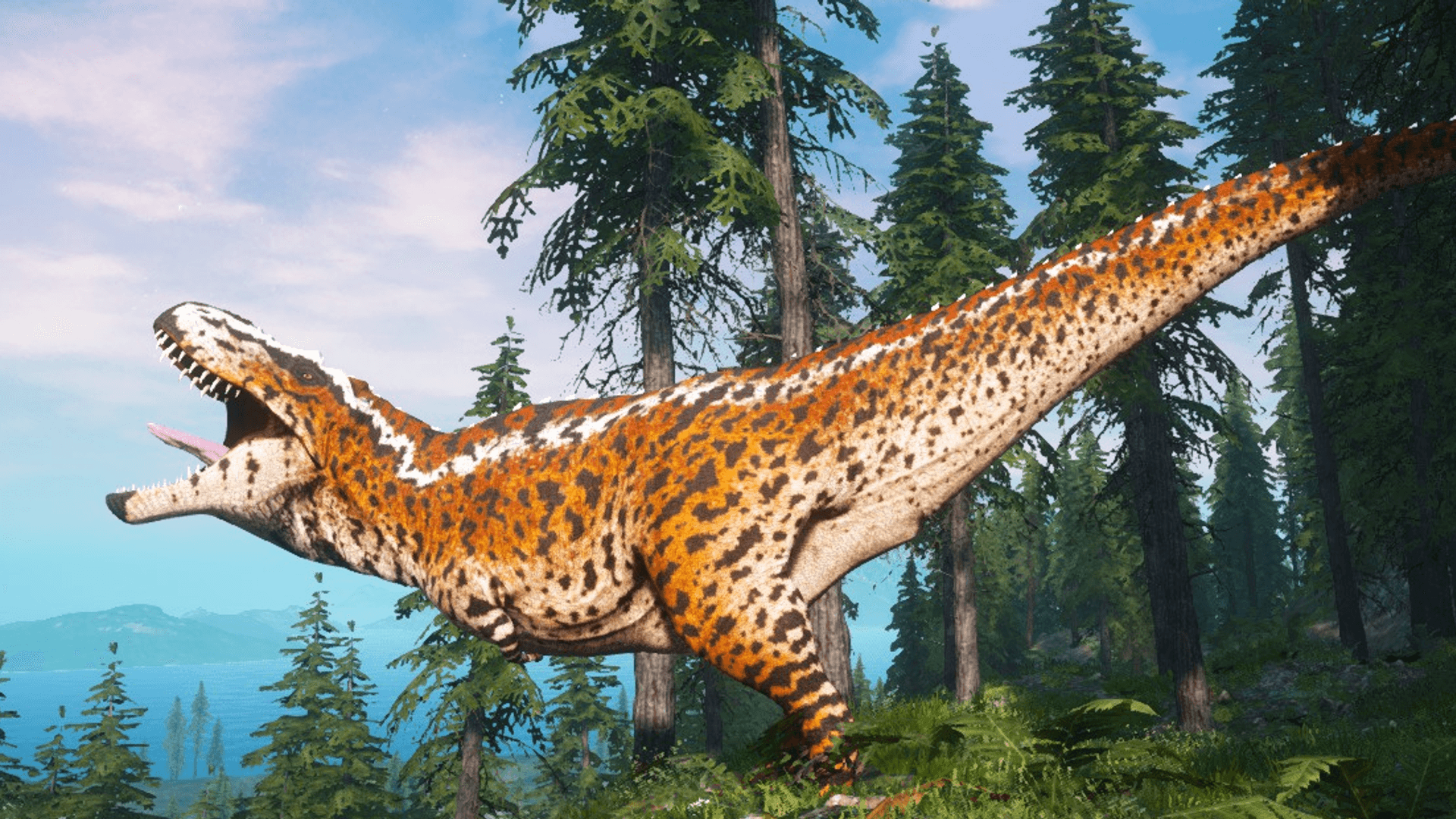
 Beasts of Bermuda
 Server Configuration Generator
The Beasts of Bermuda server config generator lets you set up your Beasts of Bermuda dedicated server without writing the Game.ini by hand: server name, passwords, map and game mode, plus growth, hunger and thirst, groups, day length, AI creatures, World Events, weather and autosave. Use the form or AI-powered Easy Mode, preview your settings live, then copy or download the file. Free, no sign-up required and available right in your browser.
Built by Florian Galz
Config ready? Rent your server and transfer it with one click.

ZapX AI Agent
Explain how you want to configure your server
Game.iniLive preview; Beasts of Bermuda — generated with the ZAP-Hosting Game Config Generator; zap-hosting.com/tools/beasts-of-bermuda/config-generator[/Script/BeastsOfBermuda.ServerGameInstance]ReservedAdminSlots=2bConsoleLocked=TruePreferredGameExperience=EGameExperience::PvPvEbDisplayDiscordLink=TrueDiscordLink=SteamGroupName=bRequireSteamGroupToJoin=FalsebDisplayIntroMessage=TrueIntroMessage=bDisableGlobalChat=FalsebDisableLocalChat=FalsebDisableUseRandomName=FalsebDisableLeaderboard=FalseGrowthRate=EGrowthRate::NormalFoodDrainDifficulty=EGameDifficulty::NormalWaterDrainDifficulty=EGameDifficulty::NormalWaterDirtinessDifficulty=EGameDifficulty::NormalFoliageSpawnSpeed=EGrowthRate::NormalMaxTalentsAllowed=-1bKillsGrantGrowth=FalsebDisableRestlessDebuff=FalsebAllowSkinCustomization=TruebUseHardGroupLimits=TruebDisableResurrections=FalsebDisableReincarnations=FalsebDisableRevengeKillProtection=FalsebPortalsDisabled=FalseDayLength=4441bDisableAISpawning=FalseAISpawnRateMultiplier=1.0AISpawnCapMultiplier=1.0CarcassRateMultiplier=1.0CarcassSpawnRatio=1.0bDisableRandomEggSpawns=FalseRandomEggSpawnChance=0.05bSpawnWorldEvents=TrueWorldEventPrepTime=30WorldEventDuration=45WorldEventSpacing=120TunnelNetworkDespawnTime=259200bSpawnForestFires=True[/Script/BeastsOfBermuda.SaveSystem]AutosaveTime=60[/Script/BeastsOfBermuda.WeatherControllerBase]bSpawnsTornados=TruebStormsCauseStress=TruebCapStormSurge=TrueStormSurgeMultiplier=1.0IntensityModifier=1.0SpeedModifier=1.0StormSpacingMultiplier=1.0RainCommonness=5FogCommonness=2OvercastCommonness=2DryLightningCommonness=1OceanHeightAdd=0.0
Show config file preview
Game.iniLive preview; Beasts of Bermuda — generated with the ZAP-Hosting Game Config Generator; zap-hosting.com/tools/beasts-of-bermuda/config-generator[/Script/BeastsOfBermuda.ServerGameInstance]ReservedAdminSlots=2bConsoleLocked=TruePreferredGameExperience=EGameExperience::PvPvEbDisplayDiscordLink=TrueDiscordLink=SteamGroupName=bRequireSteamGroupToJoin=FalsebDisplayIntroMessage=TrueIntroMessage=bDisableGlobalChat=FalsebDisableLocalChat=FalsebDisableUseRandomName=FalsebDisableLeaderboard=FalseGrowthRate=EGrowthRate::NormalFoodDrainDifficulty=EGameDifficulty::NormalWaterDrainDifficulty=EGameDifficulty::NormalWaterDirtinessDifficulty=EGameDifficulty::NormalFoliageSpawnSpeed=EGrowthRate::NormalMaxTalentsAllowed=-1bKillsGrantGrowth=FalsebDisableRestlessDebuff=FalsebAllowSkinCustomization=TruebUseHardGroupLimits=TruebDisableResurrections=FalsebDisableReincarnations=FalsebDisableRevengeKillProtection=FalsebPortalsDisabled=FalseDayLength=4441bDisableAISpawning=FalseAISpawnRateMultiplier=1.0AISpawnCapMultiplier=1.0CarcassRateMultiplier=1.0CarcassSpawnRatio=1.0bDisableRandomEggSpawns=FalseRandomEggSpawnChance=0.05bSpawnWorldEvents=TrueWorldEventPrepTime=30WorldEventDuration=45WorldEventSpacing=120TunnelNetworkDespawnTime=259200bSpawnForestFires=True[/Script/BeastsOfBermuda.SaveSystem]AutosaveTime=60[/Script/BeastsOfBermuda.WeatherControllerBase]bSpawnsTornados=TruebStormsCauseStress=TruebCapStormSurge=TrueStormSurgeMultiplier=1.0IntensityModifier=1.0SpeedModifier=1.0StormSpacingMultiplier=1.0RainCommonness=5FogCommonness=2OvercastCommonness=2DryLightningCommonness=1OceanHeightAdd=0.0
Example result
Example: the generated Game.ini
You set the options using a form or AI Easy Mode, and the generator creates the finished Game.ini for Beasts of Bermuda live. Below are the first lines of the default configuration; your file contains your values and all other settings.
Example · Default configuration
Output
; Beasts of Bermuda — generated with the ZAP-Hosting Game Config Generator; zap-hosting.com/tools/beasts-of-bermuda/config-generator [/Script/BeastsOfBermuda.ServerGameInstance]ReservedAdminSlots=2bConsoleLocked=TruePreferredGameExperience=EGameExperience::PvPvEbDisplayDiscordLink=TrueDiscordLink=SteamGroupName=bRequireSteamGroupToJoin=FalsebDisplayIntroMessage=TrueIntroMessage=bDisableGlobalChat=FalsebDisableLocalChat=False- +47 rowsYou can copy or download the complete file in the generator; the sample lines here only show the beginning.
Settings
Beasts of Bermuda server settings in the Game.ini
The Game.ini is an Unreal INI file in the server’s Saved/Config folder. The generator covers 54 settings in three sections of the file, plus five launch parameters and the admin list.
Server
Server name, passwords, map, game mode and admins from launch parameters, plus reserved admin slots, the locked console and the PvPvE, PvP or PvE player experience.
Community & chat
Discord invite, Steam group, welcome message, global and local chat, random names and leaderboard.
Growth & survival
Growth speed, hunger, thirst, water contamination, plant regrowth, talent limit, growth from kills and skins.
Groups & death
Hard group limits, revives, reincarnations, revenge kill protection and portals.
World & AI
Day length, AI creatures, carcasses, abandoned eggs, World Events, structure lifespan and autosave interval.
Weather
Wildfires, tornadoes, storm stress, storm surges, and the intensity, speed and frequency of rain, fog, cloud cover and dry thunderstorms.
Creature and growth limits, admin ranks, command permissions, chat colors, automated messages and Discord webhooks have no dedicated fields. If you import your existing Game.ini, they remain unchanged and are included in the downloaded file. Server name, passwords, map and game mode are launch parameters and are not stored in the file.
Guide
How to configure your Beasts of Bermuda dedicated server
From import to startup: how to get the Game.ini onto your Beasts of Bermuda server.
- 1
Step 1
Import existing file
If your server is already running, import its Game.ini first: paste its contents or upload the file. This preserves admins, admin ranks, creature limits and all other lists. Without an import, the generator starts with the dedicated server’s default values.
- 2
Step 2
Choose Easy Mode or the form
In Easy Mode, describe your server in your own words, such as “relaxed PvE server with fast growth and no tornadoes.” The AI suggests values, and you apply only the suggestions you select. In advanced mode, you set every field yourself.
- 3
Step 3
Set growth, world and weather
Choose growth, hunger and thirst, group rules, day length, AI creatures and World Events, then set weather ranging from wildfires to storm surges.
- 4
Step 4
Check the preview and export
The live preview shows the finished Game.ini. Copy it, download it or share a link that excludes your passwords.
- 5
Step 5
Stop the server and replace the file
Beasts of Bermuda writes the Game.ini back from memory when it shuts down. Stop the server first, then replace the file in BeastsOfBermuda/Saved/Config/LinuxServer or WindowsServer. At ZAP-Hosting, the generator transfers the values directly to your server.
- 6
Step 6
Start server
The server reads the Game.ini on startup, and your settings take effect immediately afterward.
Setup
File location & applying changes
Two ways to get the config onto a server: upload it yourself or transfer it with one click through our panel.
The manual method
Upload yourself
- 1
Download file
Download the generated Game.ini using the button above.
- 2
Upload via file manager or FTP/SFTP
Place in
LinuxServer/BeastsOfBermuda/Saved/Config/LinuxServer/Game.ini(Linux) orWindowsServer\BeastsOfBermuda\Saved\Config\WindowsServer\Game.ini(Windows). - 3
Apply changes
Beasts of Bermuda writes the Game.ini back when it shuts down. Stop the server, replace the file, then start it again for the changes to take effect.
The ZAP-Hosting way
Transfer instantly, no upload required
Rent a Beasts of Bermuda server from us and transfer your settings directly from this page with one click.
- No FTP, no file manager
- Live in seconds
- Undo anytime
More tools
More tools for your Beasts of Bermuda server
Server Configuration Generator
Describe ServerSettings.ini to ZapX AI Agent in your own words or set the options in the form — with a live preview for your Conan Exiles server.
Built by Florian Galz
Server Configuration Generator
Describe Game.ini to ZapX AI Agent in your own words or set the options in the form — with a live preview for your The Isle Evrima server.
Built by Florian Galz
Server Configuration Generator
Describe GameUserSettings.ini in your own words to ZapX AI Agent, or set the options in the form—with a live preview for your PixARK server.
Built by Florian Galz
Port Checker
Check whether specific ports are open on an IP or hostname—select a protocol or game instead of scanning all ports at once.
Built by Sebastian Rademacher
Password Generator
Generate strong, random passwords directly in your browser — nothing is stored or transmitted.
Built by Rugile Rutkauskaite
FAQ
Frequently asked questions about Beasts of Bermuda server settings
File location, stopping the server before making changes, admins, group limits, autosave and Easy Mode—briefly explained.
Where is a Beasts of Bermuda server’s Game.ini located?
In BeastsOfBermuda/Saved/Config/LinuxServer in the installation folder; on Windows, use WindowsServer instead of LinuxServer. At ZAP-Hosting, you can find it in the file manager at Saved/Config/LinuxServer/Game.ini.
Which Beasts of Bermuda server settings can I configure with the generator?
54 Game.ini settings in six groups: server, community and chat, growth and survival, groups and death, world and AI, and weather. Server name, passwords, map, game mode and admins are set as launch parameters. Lists such as creature limits, admin ranks and command permissions have no dedicated fields but are preserved when you import a file.
Why are my changes gone after a restart?
Beasts of Bermuda writes the Game.ini back from memory when it shuts down. If you replace the file while the server is running, it overwrites it with the old values when it stops. Stop the server, replace the file, then start it again.
How do I make myself an admin on my server?
Enter your SteamID64 as an admin to receive the DefaultAdmin rank. At ZAP-Hosting, the server writes the entered SteamIDs as ServerAdmins lines in the Game.ini on every startup. Keep the console locked, or any player can use admin commands.
What do hard group limits do?
They are enabled by default: groups cannot exceed the per-creature limits, and juveniles that hatch into a full group are removed from it. If you turn them off, groups can grow larger but experience increasing discomfort.
How often does the server save?
At the configured autosave interval, at least every 30 seconds. The server does not save again when it stops, so a shorter interval means less progress is lost. New ZAP-Hosting servers start with a 60-second interval.
What should I know about a Beasts of Bermuda server at ZAP-Hosting?
The server loads the server name, join password, admin password, map, game mode and admin SteamIDs from the panel on every startup. The generator transfers these values there for your server and writes all other values to the Game.ini.
Is the generator free, and do I need an account?
The generator is free to use without signing up: the form, Easy Mode, import, copy, download and sharing features all work without an account. The file is created directly in your browser. For Easy Mode suggestions, your description and current values are sent to an AI, but your passwords are not.
Any more questions?
Contact SupportGet your Beasts of Bermuda server online today
Rent your Beasts of Bermuda server now and transfer this config with one click.
No setup. No risk. Online in 60 seconds.