
 GTA San Andreas multiplayer on a VPS
open.mp VPS Hosting
Your own VPS with root access: open.mp set up with one click, DDoS-protected, online in 60 seconds, locations in Europe & America.
 Google
Or try 3 days from €1.31Pick the 3-day term at checkout · renews every 3 days · cancel anytime
Packages 1–3 of 9
 Your project. Your setup.
Configure yourself
Your project. Your setup.
No package fits? Choose your CPU, RAM and storage—you only pay for the package you put together.
Powerful CPUs
1 Gbit/s uplink included
up to 5 Gbit/s as an add-on
100 Gbit/s host network
Juniper Firewall
DDoS protection
 Visa
 Mastercard
 American Express
 PayPal
 Google Pay
 Apple Pay
 Klarna
 Amazon Pay
open.mp on your own VPS
What is an open.mp VPS?
Your community gets a server that is entirely yours: an open.mp VPS is a virtual server with full root access for running open.mp, the SA-MP-compatible GTA San Andreas multiplayer server, on powerful server CPUs with NVMe storage.
Unlike managed open.mp hosting, nothing is off limits: run your gamemode and plugins next to MySQL, a Discord bot, a UCP website or a separate test server on the same machine.
Your server is ready without terminal work: the Game Server Installer sets up open.mp on your VPS with one click, no commands needed. With ZapX Pass, the ZapX AI Agent can also explain the open.mp config and the firewall rule for UDP port 7777 in chat, and changes only happen after you confirm.

Why a VPS
Everything your open.mp server needs to grow
Root access, fast hardware and control over every file: what an open.mp community needs from its server.
Powerful server CPUs for heavy scripts
Big RP gamemodes with many timers, vehicles and NPCs stay responsive, because your VPS runs on powerful server CPUs with NVMe storage.
Online within 60 seconds
Upload your gamemode tonight: automated setup puts your VPS online within 60 seconds, and the Game Server Installer sets up open.mp with one click.
Backups with ZapX Pass before every big update
Roll back a broken script update or damaged database: a daily system Backup is included, and ZapX Pass adds your own Backups and restore.
Bring your SA-MP server along
Keep your community's accounts and progress: move gamemode, filterscripts, plugins and database to open.mp on your VPS via SFTP.
Room to grow with your community
More players or a new RP system? Add more RAM and CPU instead of rebuilding your server from scratch.
Locations in Europe and America
Players connect with lower ping when you choose the data center closest to them from ZAP-Hosting's VPS locations in Europe and America.
 Setup
Your open.mp server set up in one click.
With our Game Server Installer, you can set up your open.mp server on your VPS in one click — no commands or manual work. Prefer some help? With ZapX Pass, the ZapX AI Agent helps you in the chat.
Game Server installer
One click
Select open.mp in the installer and click Install — the server will be set up automatically.
Together with the ZapX AI Agent
ZapX PassDescribe your goal in the chat: the ZapX AI Agent supports you step by step with the setup. Available with ZapX Pass.
Prefer to set everything up manually?Guide in the Help Center
Locations in Europe and America
Your VPS. Your location.
4 data centers in Europe and America — choose the location closest to your community.
Europe

America

Reviews
What customers say about ZAP-Hosting
Real feedback on support and setup.
Zap has been a great experience for myself thus far. Easy interface to learn and it makes sense. Having all the tools I need to run my server with short and informative documentation that helped me tremendously. As a adamant gamer, zap has made having my own server fun, easy, and affordable. Thank you Zap!

 ZAP-HostingReply


I have used ZAP-Hosting for VPS services. The ordering process is straightforward, and the support team responds to customer inquiries. I hope to continue using their services and have a smooth experience in the future.
 ZAP-HostingReply


FAQ
Frequently asked questions about open.mp
Answers to the most important questions before you start.
What is an open.mp VPS and how is it different from a managed open.mp server?
An open.mp VPS is a virtual server with full root access that only you control. The Game Server Installer sets up open.mp with one click, and you add whatever your server needs: MySQL, a Discord bot, a UCP website or a test server. A managed open.mp server from ZAP-Hosting is the simpler route with a ready game panel, but without root. Choose the VPS when you want the whole system in your hands.
- Full root and SSH access to the whole system
- open.mp set up via the Game Server Installer
- Managed open.mp hosting stays the no-root alternative
Can I run my existing SA-MP gamemode on an open.mp VPS?
In most cases, yes. open.mp is built to be compatible with SA-MP clients and scripts. After the one-click install, you only move your .amx gamemode, filterscripts and plugins over via SFTP and carry your settings into the open.mp config. Recompiling with the open.mp includes helps catch outdated functions. open.mp server configuration guide
- Gamemode, filterscripts and plugins via SFTP
- Players keep using their SA-MP client
- Migrate your MySQL database separately
How much RAM does my open.mp server need?
That depends more on your scripts than on your slots. A lean freeroam or deathmatch gamemode is light, while a roleplay server with MySQL, many vehicles, objects and NPCs, plus a website on the same VPS, needs noticeably more. Start with a package that fits your current setup, watch RAM and CPU in the panel statistics and add resources when your community grows.
- Plan for MySQL, bots and web services too
- Running a test server in parallel? Add headroom
- Panel statistics show live RAM and CPU load
How much does an open.mp VPS cost?
Live prices for every package are shown in the pricing section and depend on the package and location. Choose a term of 3, 30, 90 or 180 days or 1 year; longer terms lower the monthly price. With ZapX Pass there's also a Lifetime option: buy once instead of renting. Payments run through Stripe, for example with PayPal or credit card.
- Terms from 3 days to 1 year
- Lifetime with ZapX Pass: buy once
- Payments through Stripe
How fast is my open.mp VPS ready?
Setup is automated, so your VPS is usually online within 60 seconds after checkout. The Game Server Installer then sets up open.mp with one click, and you upload your own gamemode via SFTP. If you have ZapX Pass, the ZapX AI Agent can optionally explain the config or the firewall rule for UDP port 7777 in chat; every change waits for your confirmation.
- Automated setup, online within 60 seconds
- open.mp installed with one click
- Optional guided help with ZapX Pass
Which server locations can I choose for my open.mp VPS?
ZAP-Hosting offers VPS locations in Europe and America, and you pick the one closest to your players when you order. Latency depends on that distance, so choose where most of your community plays. Many North American communities start with Ashburn, Dallas or Los Angeles; the same choice applies wherever your players are.
- Locations in Europe and America to choose from
- Pick the location closest to your players
- Location is selected during checkout
Is my open.mp VPS protected against DDoS attacks?
Yes. Your VPS is covered by always-on, game-optimized DDoS protection with PletX, built for communities that cannot afford DDoS interruptions during peak hours. On top of that, you can set your own network firewall rules, for example to allow only UDP 7777 and SSH.
- Always-on, game-optimized DDoS protection
- Own firewall rules on top
- No extra setup needed for the protection
Do I get root access and Backups with my open.mp VPS?
Yes. You get full root access via SSH and SFTP, plus a browser console in the panel that works even when SSH is unreachable. A daily automatic system Backup is included with your VPS. With ZapX Pass you can also create your own Backups and restore them, for example before a big gamemode update, and roll back if a script breaks your server. How Backups work
- Root via SSH, SFTP and browser console
- Daily automatic system Backup included
- Own Backups and restore with ZapX Pass
Still have questions?
Contact SupportZapX VPS panel
Your VPS panel at a glance
Watch CPU and RAM usage, open the browser console, check Backups and manage firewall rules for your open.mp VPS in one panel.
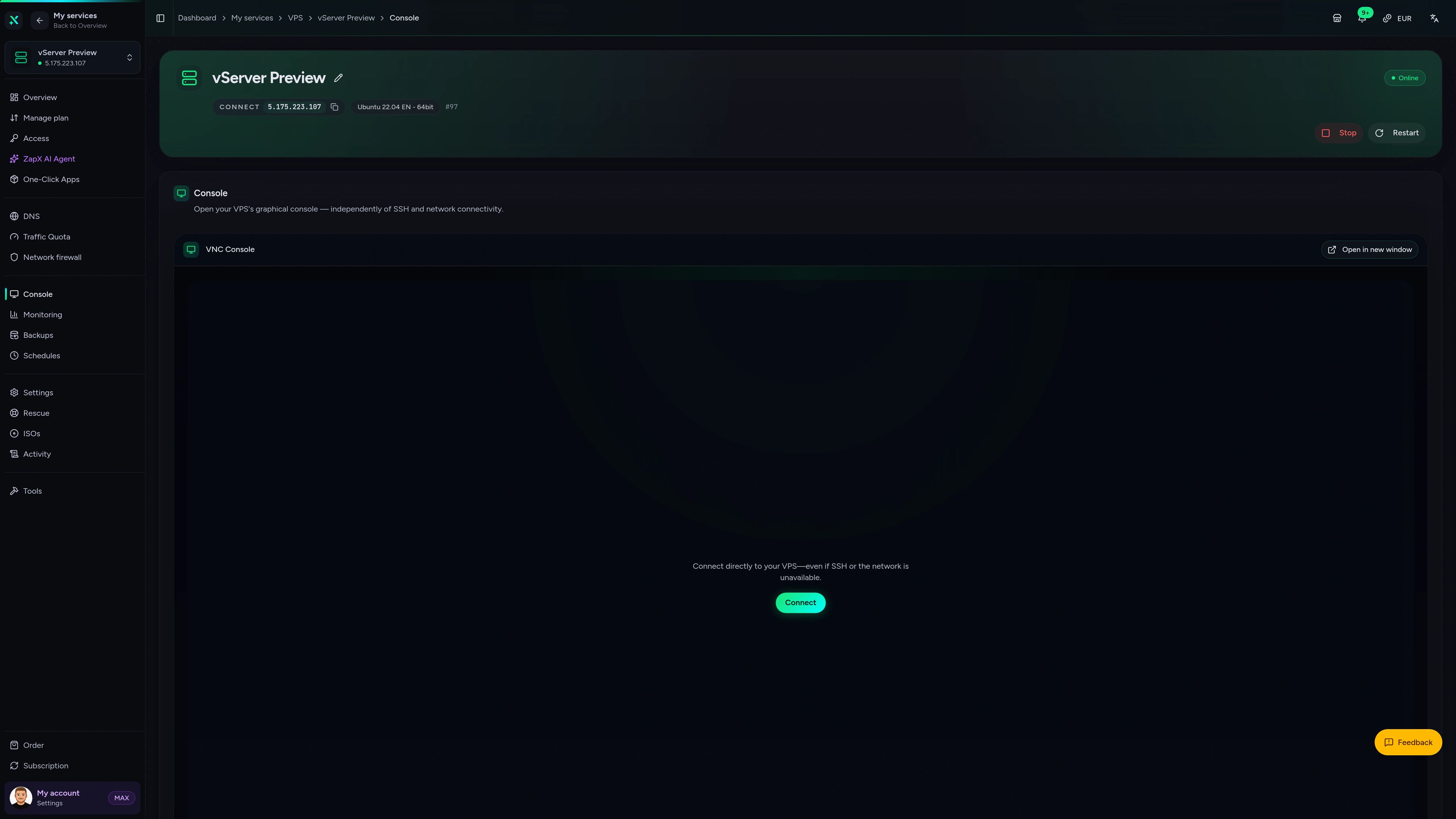
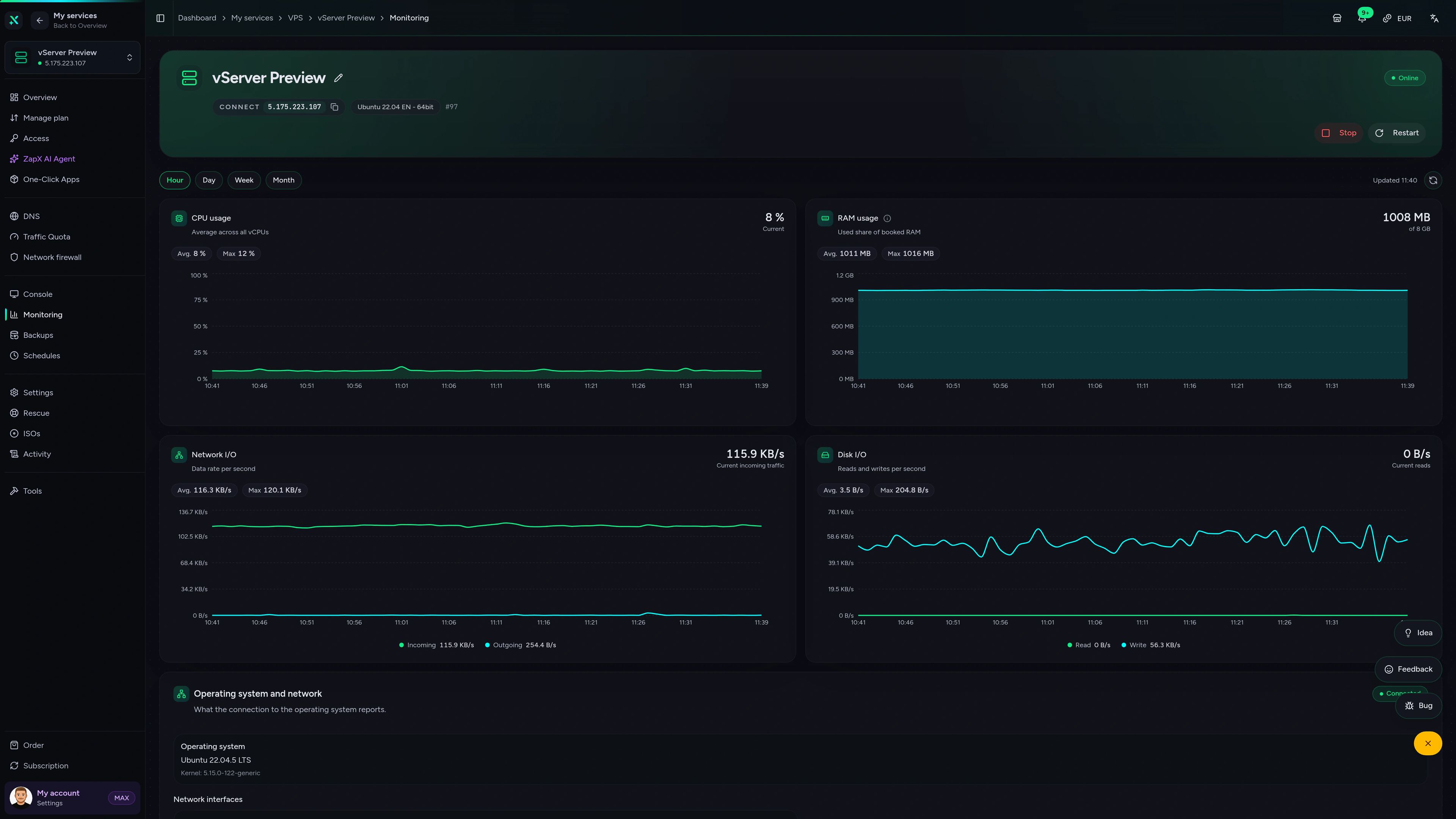
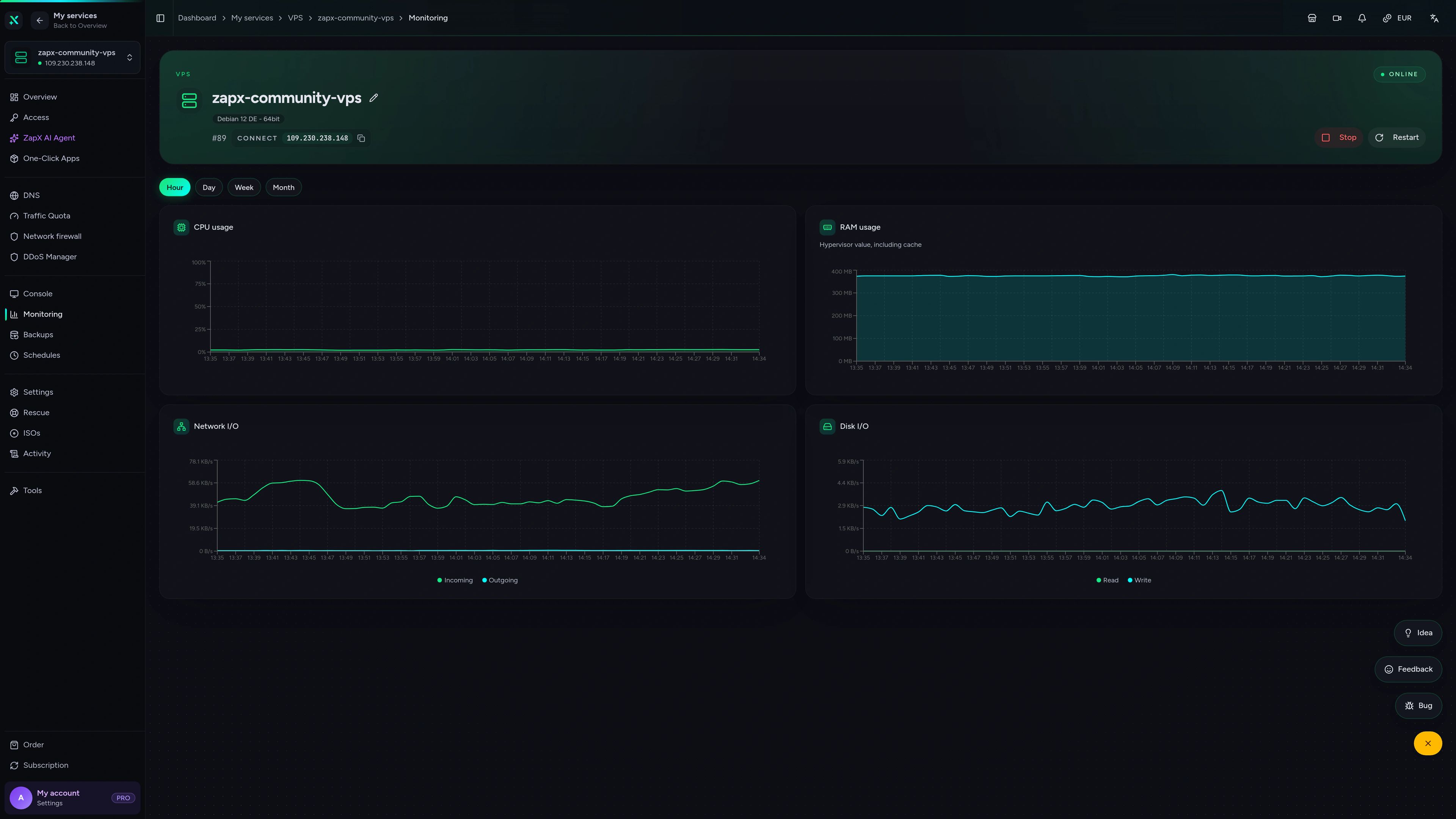
VPS – Console
Open the graphical VNC console of your VPS in the browser, even when SSH or the network is unavailable.
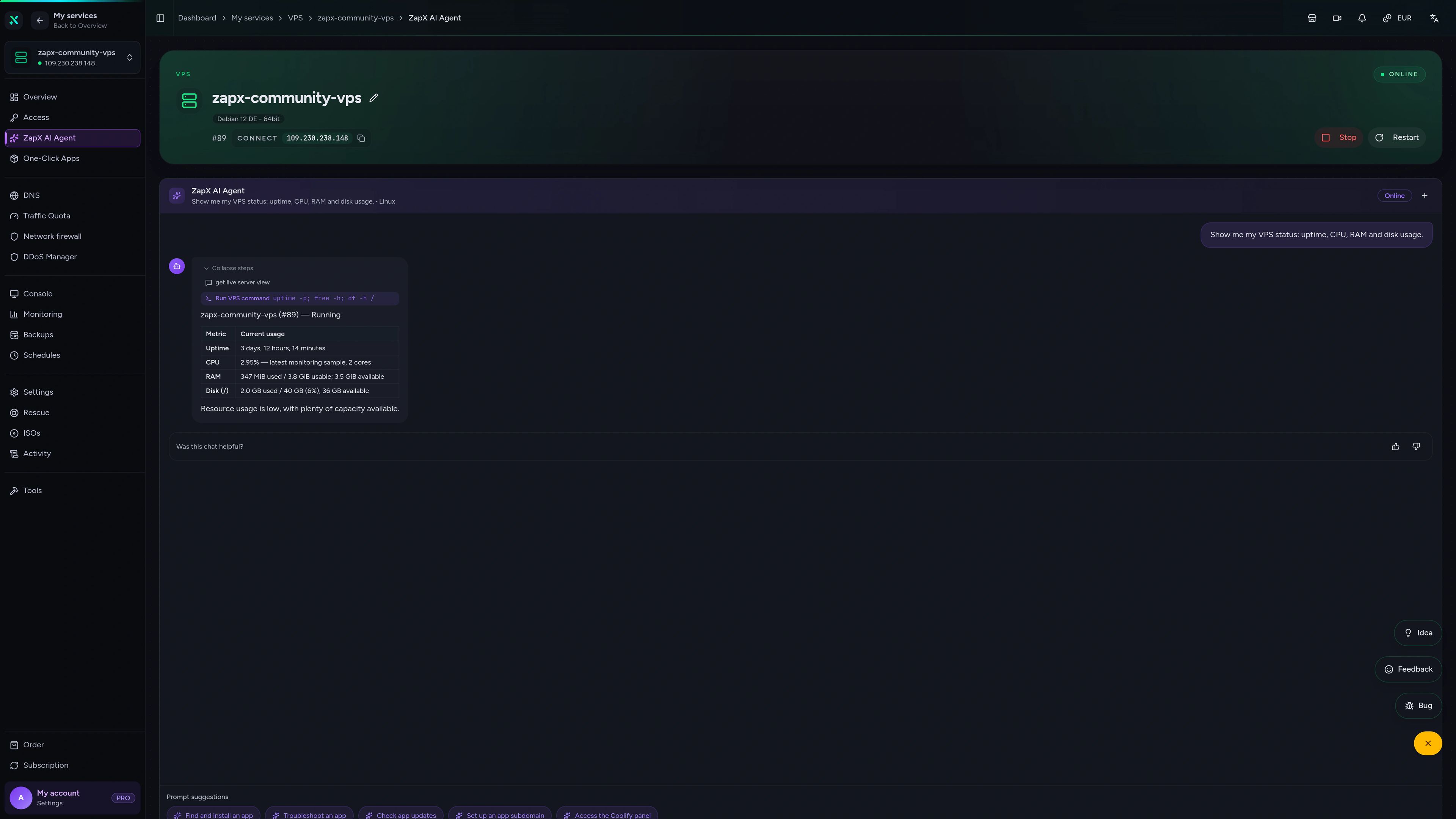
Get help with your open.mp VPS right in the chat
Ask in plain English: the ZapX AI Agent explains the open.mp setup from the Game Server Installer, reads logs and suggests firewall rules. Any change waits for your confirmation.
The ZapX AI Agent is part of ZapX Pass and works across all your ZAP-Hosting services, from your VPS to your domains.
Explore ZapX PassZapX AI Agent
panel.zap-hosting.com
Measured performance
Real measurements from our VPS hosts, compared with a typical VPS provider. The numbers below are measured, not estimated.
High-performance VPS, CPU model depends on the location
Typical VPS plans without a published host CPU
confirmed 2026-07-01
Use cases
What communities run on an open.mp VPS
From city roleplay with MySQL to deathmatch arenas and race nights: open.mp set up with one click via the Game Server Installer on your own VPS, with room for all your side services.

Ready for your community?
Start your open.mp server on your own VPS
ZapX appComing soon
Your VPS in your pocket
Check on your open.mp VPS from anywhere with the ZapX mobile app, even when you're away from your PC.
Impressionen
open.mp Screenshots
A glimpse into the game world—its atmosphere, exploration, and the moments your community will experience on the server.
Your open.mp server, your own VPS
Full root access, DDoS protection and locations in Europe and America: open.mp set up with one click via the Game Server Installer, then bring your gamemode and grow your community.
Install a Game Server with one click. No risk. Cancel anytime.