
 Lidarr · One-Click App on your VPS
Lidarr VPS hosting.
Run Lidarr 24/7 on your own VPS: online in 60 seconds, one-click deploy via Coolify, full root access for your arr stack.
Or try 3 days from €1.31Pick the 3-day term at checkout · renews every 3 days · cancel anytime

Packages 1–3 of 9
LidarrConfigure yourself
Your project. Your setup.
No package fits? Choose your CPU, RAM and storage—you only pay for the package you put together.
Powerful CPUs
1 Gbit/s uplink included
up to 5 Gbit/s as an add-on
100 Gbit/s host network
Juniper Firewall
DDoS protection
 Visa
 Mastercard
 American Express
 PayPal
 Google Pay
 Apple Pay
 Klarna
 Amazon Pay
What is Lidarr?
Lidarr on autopilot, on your own VPS.
Add an artist once and Lidarr keeps track of the rest. It watches for new albums and EPs from your favorite artists, imports your own music collection, then renames, tags and files every track into a clean, consistent library with metadata and cover art. You no longer have to check release calendars or sort folders by hand. On your own VPS, Lidarr runs around the clock, so it spots new releases even when your PC or NAS is switched off.
Full root access means the server is yours to set up. Deploy Lidarr with one click via Coolify, then run Navidrome, Jellyfin or Plex next to it to stream your own collection, along with the rest of your arr stack. You can also run your own Docker Compose files or log in via SSH to fix paths and permissions. You open the web interface in any browser, and your library, settings and logs stay on a server you control.

Lidarr features
Everything Lidarr does for your music library
Artist monitoring, tidy file naming and complete tags for your own collection, plus root access when you want to change things yourself.
Metadata and cover art
Every album gets complete tags and cover art, gathered into one consistent library.
Import your own collection
Bring your existing music to the VPS and Lidarr matches it into one organized library.
Artist monitoring
Lidarr watches your artists for new albums and EPs, so you never miss a release.
Media management rules
Your library stays tidy because the same naming and import rules apply to every track.
Instant artist and album search
Find any artist or album in seconds and add it to your library straight away.
Library notifications
Get notified on Discord or by email when an album is imported or an artist is added.
Locations in Europe and America
Your server. Your location.
4 data centers in Europe and America — choose the location closest to your users.
Europe

America

Inside Lidarr
What you can do with Lidarr
Lidarr follows the artists you care about, keeps an eye on their new releases and files your own music into a tagged, consistently named library.
Lidarr

Lidarr
Artist monitoring list
All the artists you follow in one scrollable list, each with a thumbnail and a clear monitoring status. You can add new artists or remove old ones in seconds and see what Lidarr is watching for you.

Get started now
Lidarr on your VPS in minutes — no complicated setup.
Backups & snapshots
With ZapX Pass, your VPS stays restorable.
ZapX Pass unlocks snapshots for quick rollback, Restore, manual Backups, and longer retention for daily Backups.
Backups with ZapX Pass
SECURED- Manual Backups
- Keep daily Backups longer
Snapshots with ZapX Pass
CAPTURED- Snapshot before deployment
- Jump back immediately
- Snapshot with RAM
More control with ZapX Passextra storage, restore, Pass perks, and Lifetime VPS without activity checks
Reviews
What customers say about ZAP-Hosting
Real feedback on support and setup.
Great Service & User Experience
I had applied for partnership at ZAPX and the process and user panel is absolutely fire and very much friendly. Apart from that i have been using their VPS machine for quite a while and it has been great with almost no downtime.

 ZAP-HostingReply

great prices, good specs
the interface was great, migration was flawless and the interface is very user friendly. support team was very helpful aswell
 ZAP-HostingReply
I've been with them for a few years
I've been with them for a few years, and they're one of the best. The lifetime servers have really helped me, and now they've added auto-backup. 10/10!
 ZAP-HostingReply

FAQ
Frequently asked questions about Lidarr
Answers to the most important questions before you start.
What is Lidarr used for?
Lidarr is an open-source music collection manager. You add the artists you follow, and Lidarr keeps track of their new releases, imports your own music collection, then renames, tags and sorts the files into folders, complete with metadata and cover art. With Lidarr VPS hosting at ZAP-Hosting, it runs 24/7 on your own VPS, which is online in 60 seconds, and you deploy Lidarr with one click via Coolify.
How do I install Lidarr on a ZAP-Hosting VPS?
Order your VPS; it is online in 60 seconds. In the panel, pick Lidarr from the One-Click Apps and deploy it with one click. Coolify then pulls and starts the Lidarr container, which takes a little extra time. Open the web interface, set your root folder for music and import your existing collection. Full root access via SSH is included for anything beyond the defaults. Read the VPS One-Click Apps guide
Which VPS package and how much RAM do I need for Lidarr?
VPS Apps need at least 2 GB RAM, 2 CPU cores and 30 GB storage, which is the platform minimum for Coolify and your apps. Lidarr needs more as the number of monitored artists, the size of your library and the number of other arr apps on the server grow. Your music files also take up disk space, so choose storage that fits your collection. You can add more RAM later.
Can I run Lidarr and the rest of my arr stack on the same VPS?
Yes. With full root access you can run your whole arr stack on one server: Lidarr next to Sonarr or Radarr, plus a media server such as Navidrome, Jellyfin or Plex to stream your own collection. Deploy more apps through Coolify or bring your own Docker Compose files. The more apps share the server, the more resources it needs. Start with the RAM your stack needs today and add more RAM later.
How do I access Lidarr under my own domain with HTTPS?
Yes. During setup you can pick an optional subdomain that ZapX manages, on the platform domain or on your own domain in your ZAP account where ZapX can write DNS. ZapX creates the DNS records automatically, so you set no A or CNAME records yourself, and Coolify issues the HTTPS certificate via Let's Encrypt. Without a managed subdomain, Lidarr runs at a default URL (http://<service>.<ip>.sslip.io) over HTTP without a certificate.
Should I self-host Lidarr or use a managed app service?
Lidarr has no official cloud version from its developers, so the alternative is a managed app service that runs it in a container for you. These services take care of updates and operations, while the server itself stays under their control. On your own VPS, your library and settings stay on your server, you pay one fixed price for your package no matter how many apps you run, and you install updates yourself from the panel.
How do I keep Lidarr up to date?
In the ZapX panel, check the installed Lidarr app for updates and apply an available update with one click. Before bigger version jumps, read the official Lidarr release notes. With the ZapX Pass you can create your own Backup right before the update and restore it if something goes wrong.
Are Backups included with my Lidarr VPS?
Yes. A daily automatic Backup is included with every VPS. With the ZapX Pass you can see these daily Backups and restore earlier states yourself, create your own manual Backups and snapshots, and manage your Backup slots and storage limit. You can add extra Backup storage to the ZapX Pass.
Which server locations can I choose?
You choose from locations in Europe and America: Frankfurt / Eygelshoven, Ashburn, Dallas and Los Angeles. Pick the location closest to where you use Lidarr; if you are in North America, Ashburn, Dallas or Los Angeles is often a good start. At all VPS locations, PletX filters DDoS attacks on your server traffic.
How does billing work and can I cancel?
Your Lidarr VPS starts from €7.29 per month. The price depends on the package you choose, and a longer term lowers the monthly price. You choose from five fixed terms. Cancel anytime; the cancellation takes effect at the end of the current term. You pay by credit card, Apple Pay, Google Pay or PayPal, and depending on country and currency also with Klarna or Amazon Pay.
Any more questions?
Contact SupportZAPX Dashboard
Manage your Lidarr VPS in the ZapX panel
Console, statistics and configuration for your Lidarr VPS in one place, ready the moment your server is online.
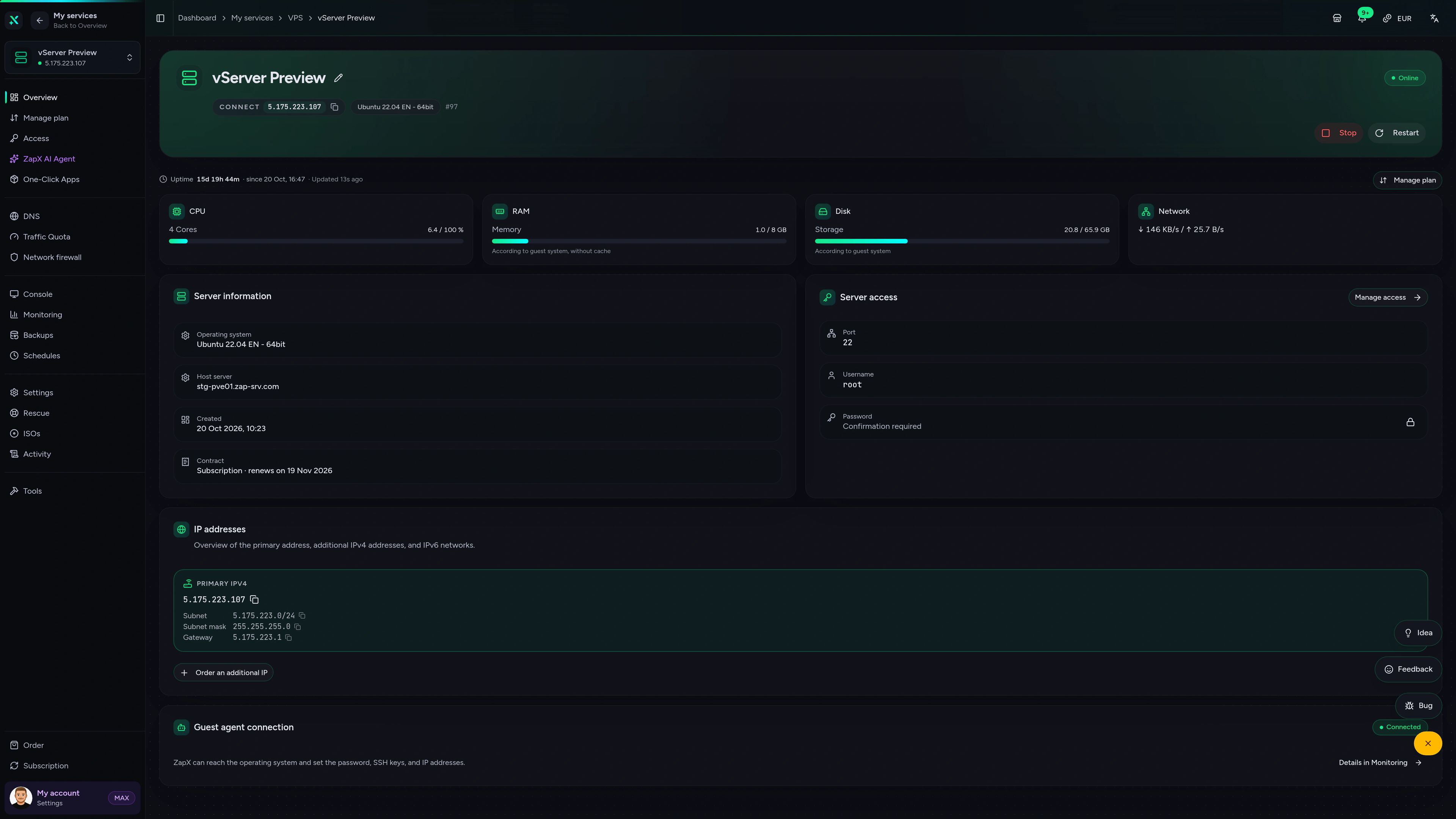
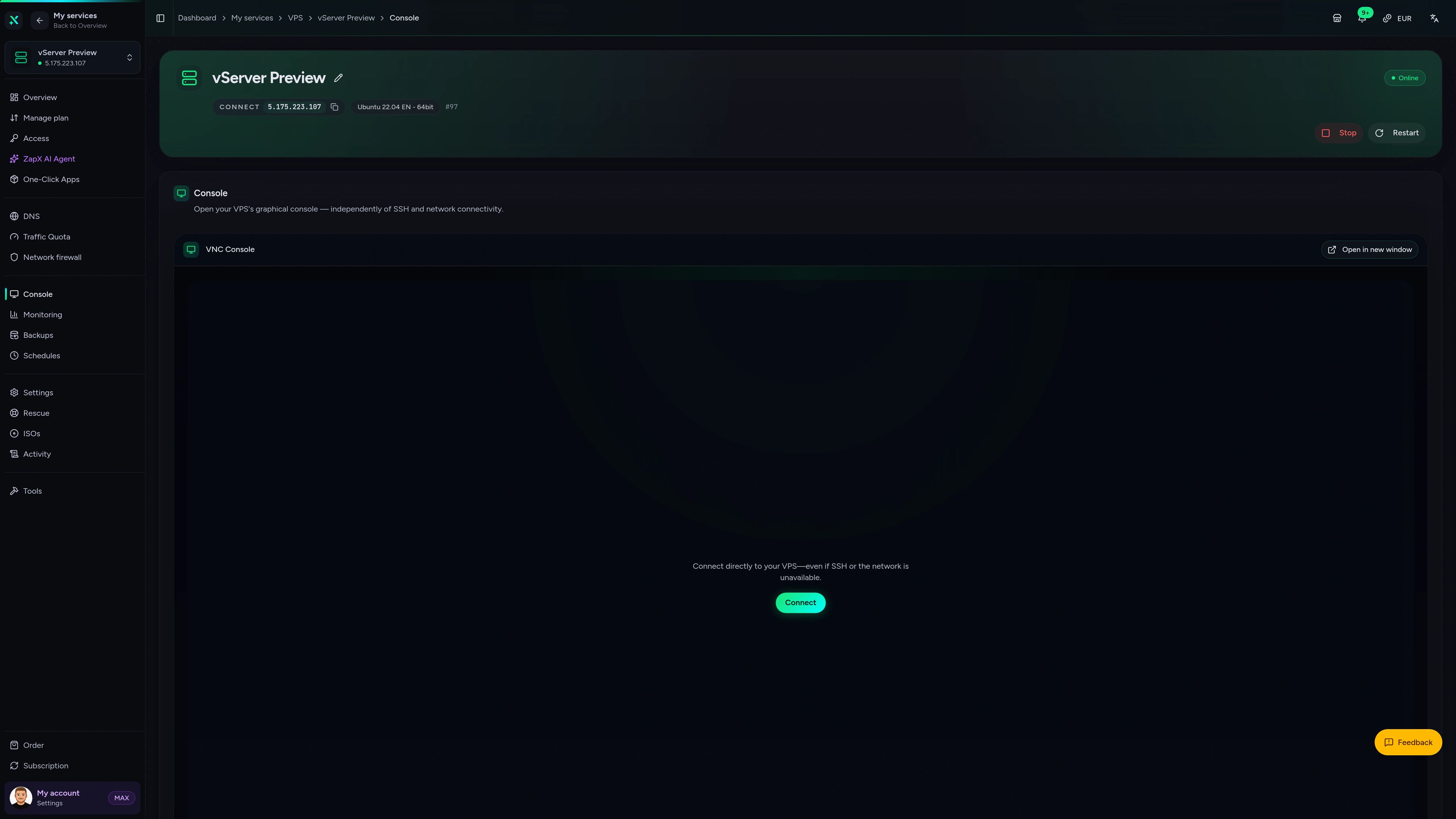
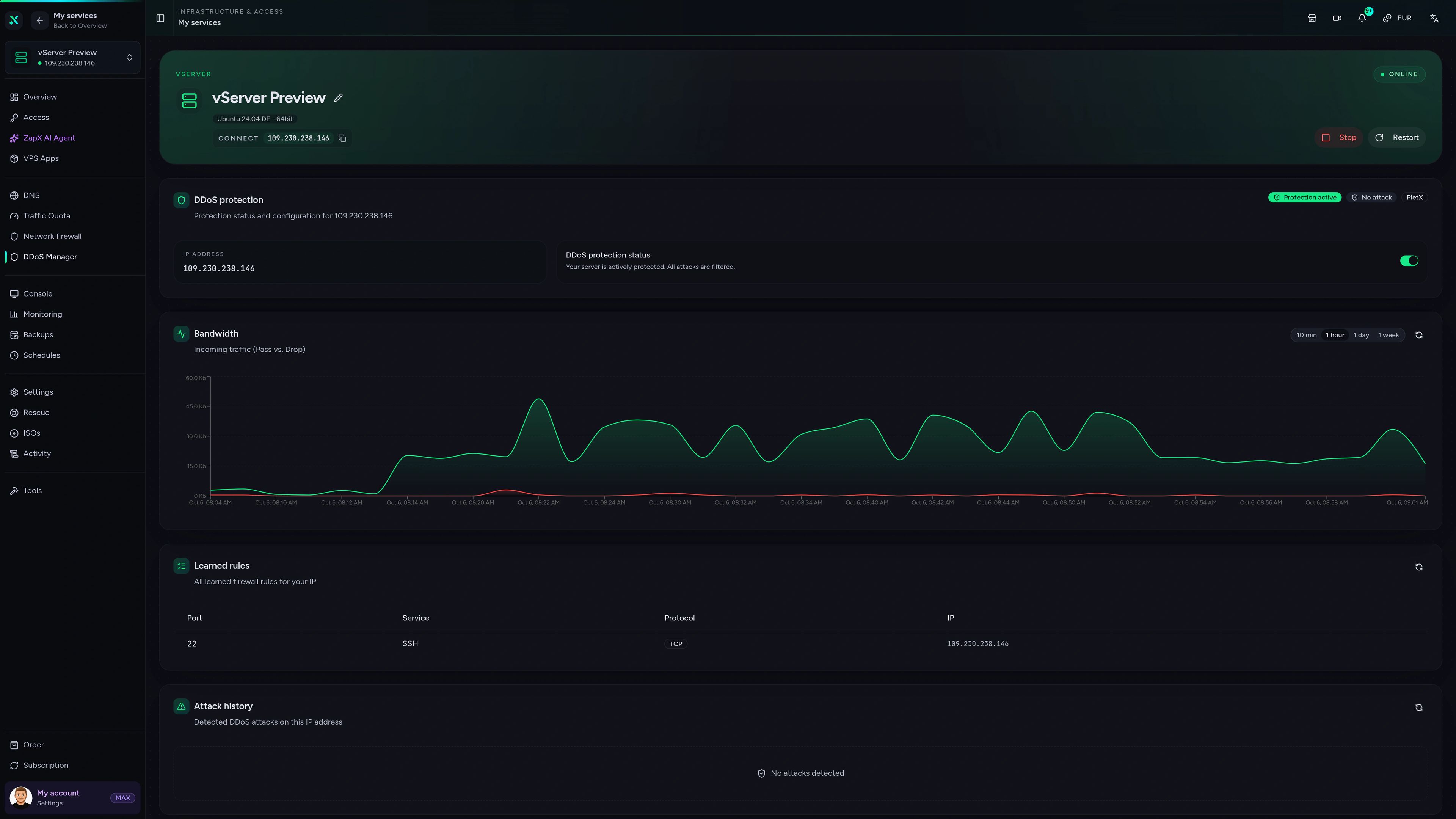
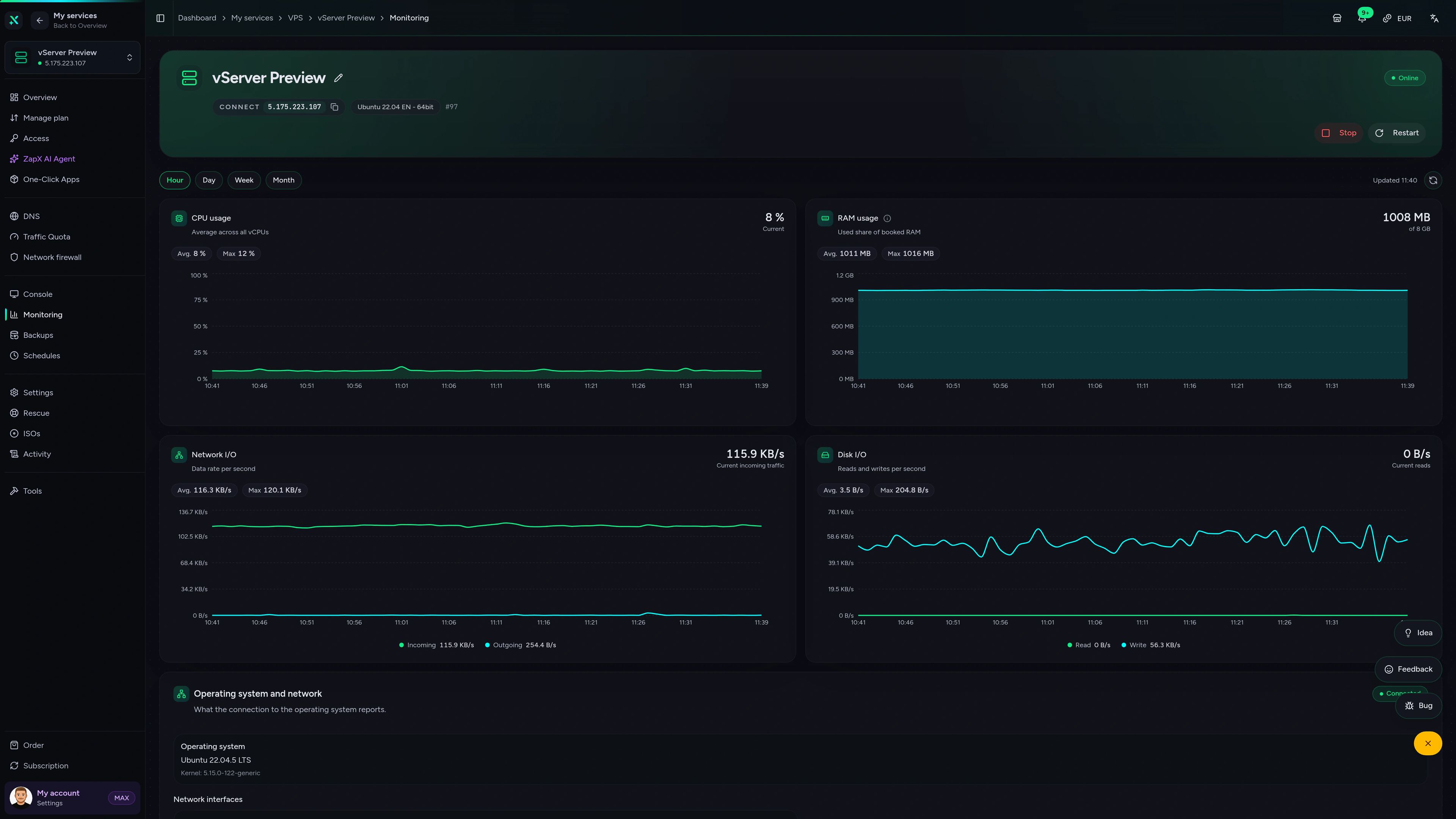
VPS – Overview
CPU, RAM, disk and network usage, server details, root access and IP addresses of your VPS at a glance.
Ask the ZapX AI Agent about your Lidarr VPS
The ZapX AI Agent explains errors, reads logs and suggests next steps for Lidarr. If you ask, it runs those steps itself once you confirm them in the chat.
The ZapX AI Agent is part of the ZapX Pass, along with your own Backups and restores for your VPS.
Discover ZapX PassZapX AI Agent
panel.zap-hosting.com
Performance
Enough headroom that Lidarr can refresh big libraries, import albums and write tags while Navidrome, Jellyfin or Plex stream your collection from the same server.
High-performance VPS, CPU model depends on the location
Typical VPS plans without a published host CPU
confirmed 2026-07-01
Use cases
How people use Lidarr VPS hosting
Three typical setups, from moving off a home NAS to running a complete arr stack on one server.
Lidarr VPS
Put your music library on autopilot.
ZapX appComing soon
Your Lidarr VPS in your pocket
Check the status of your VPS, restart it and keep an eye on its resources from the ZapX app, wherever you are.

Also available
We also offer the following apps.
WireGuard, Coolify, monitoring, and more — one-click setup on your VPS.

Private Cloud
Nextcloud
Nextcloud is a self-hosted, open-source platform that provides file storage, collaboration, and communication tools for seamless data management.
Automatic setup

Automation
n8n
n8n is an extendable workflow automation tool.
Ready in ~2 min

VPN & Network
WireGuard Easy
The easiest way to run WireGuard VPN + Web-based Admin UI.
Ready in ~2 min

Media Server
Plex
Plex organizes video, music and photos from personal media libraries and streams them to smart TVs, streaming boxes and mobile devices.
Ready in ~2 min

Password Security
Vaultwarden
Vaultwarden is a password manager that allows you to securely store and manage your passwords.
No manual configuration

Website & Blog
WordPress with MariaDB
WordPress is open source software you can use to create a beautiful website, blog, or app.
Ready in ~2 min
Also available
WireGuard, Coolify, monitoring, and more — one-click setup on your VPS.
768
Available apps


Benefit
All apps included
The app marketplace is included with your VPS — no extra charge per installation.
Choose your apps in the configurator and get started in minutes.
Start your Lidarr VPS today.
Your VPS is online in 60 seconds, you deploy Lidarr with one click via Coolify, and full root access and a daily Backup are included. Cancel anytime.
No setup. No risk. Online in 60 seconds.