
 Self-hosted secrets management
HashiCorp Vault VPS hosting.
Run HashiCorp Vault Community Edition on your own VPS: one-click deploy via Coolify, full root access and DDoS protection.

Packages 1–3 of 9
VaultConfigure yourself
Your project. Your setup.
No package fits? Choose your CPU, RAM and storage—you only pay for what your project actually needs.
Powerful CPUs
1 Gbit/s uplink included
up to 5 Gbit/s as an add-on
100 Gbit/s host network
Juniper Firewall
DDoS protection
 Visa
 Mastercard
 American Express
 PayPal
 Google Pay
 Apple Pay
 Klarna
 Amazon Pay
What is HashiCorp Vault?
Self-hosted HashiCorp Vault on your own VPS.
Instead of database passwords in .env files and API tokens pasted into CI variables, HashiCorp Vault gives every app and teammate one place to fetch secrets, with policies deciding who reads what, short-lived credentials that expire on their own and an audit log of every access. At ZAP-Hosting you run Vault Community Edition on your own VPS, deployed with one click from One-Click Apps via Coolify instead of hand-built binaries, config files and systemd units.
Because the VPS is yours, the vault stays under your control: you hold the unseal keys, pick the server location close to the workloads that read secrets and decide when to upgrade. Full root and SSH access lets you tune the Vault configuration, enable audit devices, put the UI behind a managed subdomain with HTTPS and connect CI runners, Kubernetes clusters and scripts straight to the Vault API.

Vault features
What HashiCorp Vault does on your VPS.
Store static secrets, hand out single-use and short-lived credentials and trace every request, managed through the Vault UI, CLI or API on your own server.
One-click deploy via Coolify
Vault runs without hand-built binaries, config files or systemd units, picked from One-Click Apps.
Central secret storage
Passwords, API keys and certificates live in one encrypted place instead of scattered .env files.
Web CLI in the Vault UI
Read and write secrets straight from the browser, no local Vault binary needed.
Every request traceable
Follow each secret request from login through the policy check to its audit entry.
Single-use response wrapping
Hand a secret to a new server or colleague through a token that works exactly once.
Auth methods for people and machines
Teammates and services sign in their own way, each mapped to one identity.
Locations in Europe and America
Your server. Your location.
4 data centers in Europe and America — choose the location closest to your users.
Europe

America

Inside HashiCorp Vault
What you can do with HashiCorp Vault
Vault stores static secrets, generates short-lived credentials on demand and encrypts data for your apps, controlled by policies and logged in a full audit trail.
Vault
Vault
Secret storage at a glance
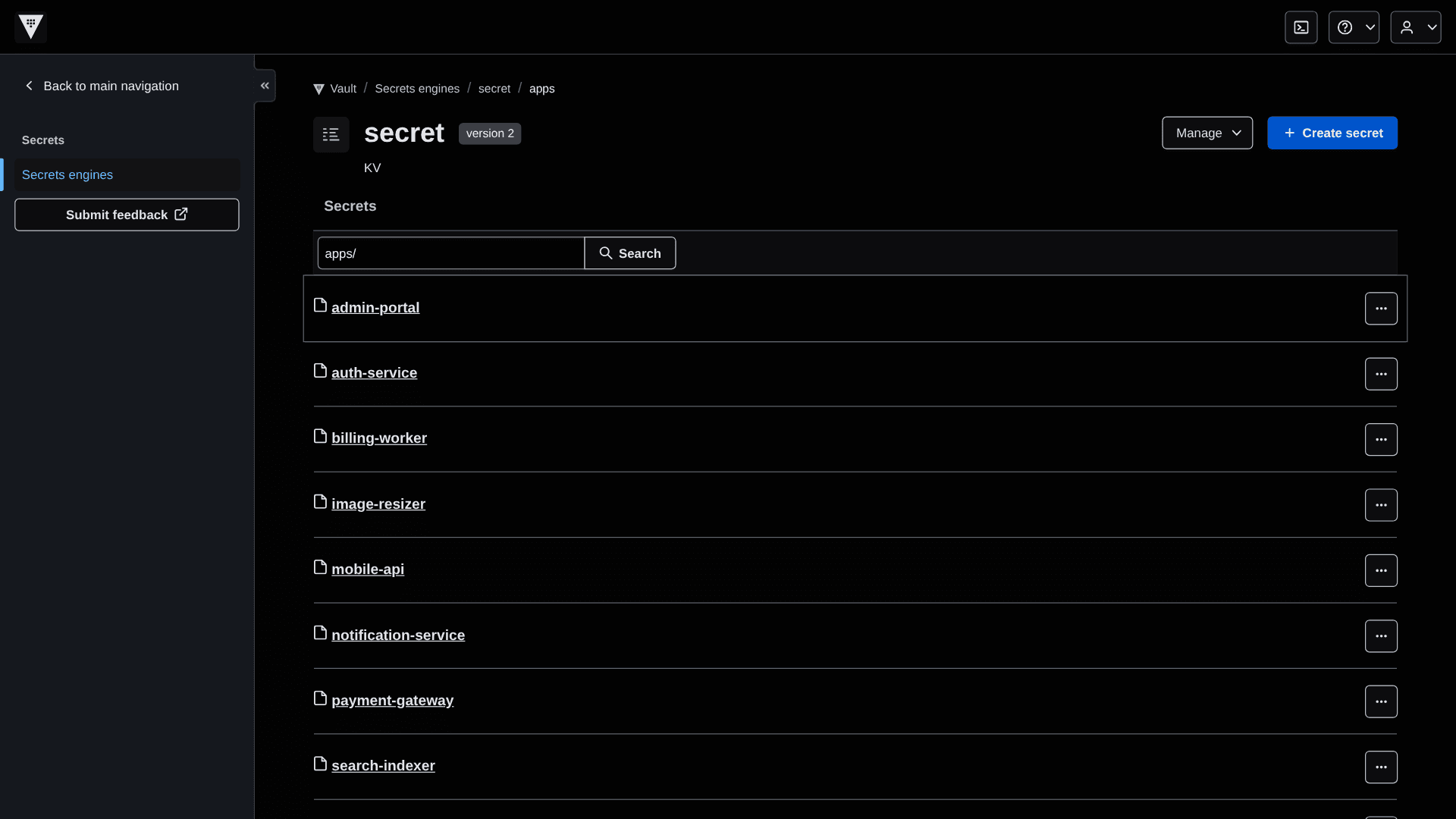
Browse every stored secret in one list with names, metadata and timestamps, and find the right path in seconds with the search bar. KV version 2 keeps older versions, so an overwritten value is never lost.

Get started now
Vault on your VPS in minutes — no complicated setup.
Backups & snapshots
With ZapX Pass, your VPS stays restorable.
ZapX Pass unlocks snapshots for quick rollback, Restore, manual Backups, and longer retention for daily Backups.
Backups with ZapX Pass
SECURED- Manual Backups
- Keep daily Backups longer
Snapshots with ZapX Pass
CAPTURED- Snapshot before deployment
- Jump back immediately
- Snapshot with RAM
More control with ZapX Passextra storage, restore, Pass perks, and Lifetime VPS without activity checks
Reviews
What customers say about ZAP-Hosting
Real feedback on support and setup.

Zap has been great for our server.
Zap has been great for our server.
 ZAP-HostingReply


FAQ
Frequently asked questions about Vault
Answers to the most important questions before you start.
How much does HashiCorp Vault hosting cost?
Vault Community Edition itself costs nothing, so your cost is the VPS: packages start from €7.29 a month. The price depends on the package you choose; a longer term lowers the monthly price and some locations add a regional surcharge. ZAP-Hosting charges no per-client or per-secret fee. HashiCorp Enterprise licenses are not part of the package.
- Pay by credit card, Apple Pay, Google Pay or PayPal; depending on country and currency also Klarna or Amazon Pay
- Cancel anytime
Can I self-host HashiCorp Vault for free?
As far as the software goes, yes: Vault Community Edition is free to download and run. HashiCorp publishes it under its Business Source License, so check HashiCorp's license terms if you plan commercial use, for example a hosted service built on Vault. You only pay ZAP-Hosting for the VPS; ZAP-Hosting provides the server, not a Vault license.
Which Vault edition runs on the VPS?
The one-click install deploys Vault Community Edition: KV and dynamic secrets, policies, auth methods, audit devices, the transit and PKI engines and the web UI. Enterprise-only features such as namespaces, disaster recovery replication or HSM support require a separate HashiCorp Enterprise license.
How do I install HashiCorp Vault on my VPS?
Order a VPS, which is online in 60 seconds, then pick HashiCorp Vault in One-Click Apps and Coolify deploys the container; that step takes a little extra time. Open the Vault UI or CLI, run the initialization and store the unseal keys and root token somewhere safe outside the server. You keep full root and SSH access if you'd rather adjust the setup by hand. Read the One-Click Apps guide
How much RAM does HashiCorp Vault need, and which VPS package fits?
One-Click Apps need at least 2 GB RAM, 2 CPU cores and 30 GB storage, the platform minimum for Coolify and your app. Demand grows with the number of clients and secrets engines, dynamic credential traffic and audit logs that keep growing on disk. Start with a package that covers your current team and upgrade it later when usage grows.
Self-hosted Vault or HCP Vault Dedicated: what's the difference?
With your own instance, secrets live on your VPS at the location you choose, and you pay a fixed price for the package no matter how many clients connect. In return you run it yourself: initialization, unsealing and updates. HCP Vault Dedicated is HashiCorp's managed version: HashiCorp runs the cluster on its cloud and handles upgrades and operations, billed under HashiCorp's own pricing model.
How do I keep HashiCorp Vault up to date?
In the ZapX panel you check the installed app for updates and apply a new version with one click. As a manual alternative, redeploy the instance in Coolify yourself. Before larger version jumps, read HashiCorp's official upgrade guide. With the ZapX Pass you create your own Backup right before the update and restore it yourself if needed. You decide when Vault gets updated; after the restart, unseal it again.
Can I use my own domain and HTTPS for the Vault UI?
Yes. During the install you can pick an optional subdomain managed by ZapX, on the platform domain or on your own domain in your ZAP account that ZapX can write DNS for. ZapX creates the DNS records automatically and Coolify issues the HTTPS certificate via Let's Encrypt. Without a managed subdomain, Vault is only reachable via a standard URL over HTTP without a certificate.
- Standard URL without subdomain: http://<service>.<ip>.sslip.io
- For secrets, use a managed subdomain with HTTPS
- Domain ZapX can't manage? A manual DNS record is the fallback
Are Backups included with my Vault VPS?
Yes. Every VPS gets a daily automatic Backup, included in every package. With the ZapX Pass you create your own Backups and snapshots and restore earlier states yourself. A restored Vault still starts sealed, so keep your unseal keys outside the server.
- Daily auto-Backup included
- Own Backups & restore with ZapX Pass
What happens to my secrets if the VPS restarts?
They stay where they are: Vault keeps its data encrypted on persistent storage on the VPS. After every restart Vault starts sealed and can't read that data until you unseal it with the required number of unseal key shares. Store the key shares with different people or in a separate password manager, never only on the same server.
Where are the VPS locations for HashiCorp Vault?
Locations in Europe and America: Frankfurt / Eygelshoven, Ashburn, Dallas and Los Angeles. Pick the location closest to the apps and CI runners that read secrets, so every lookup stays short. Many North American teams start with Ashburn, Dallas or Los Angeles. At every location, PletX filters the traffic against DDoS attacks.
Any more questions?
Contact SupportZAPX Dashboard
Manage your Vault VPS in the ZapX panel.
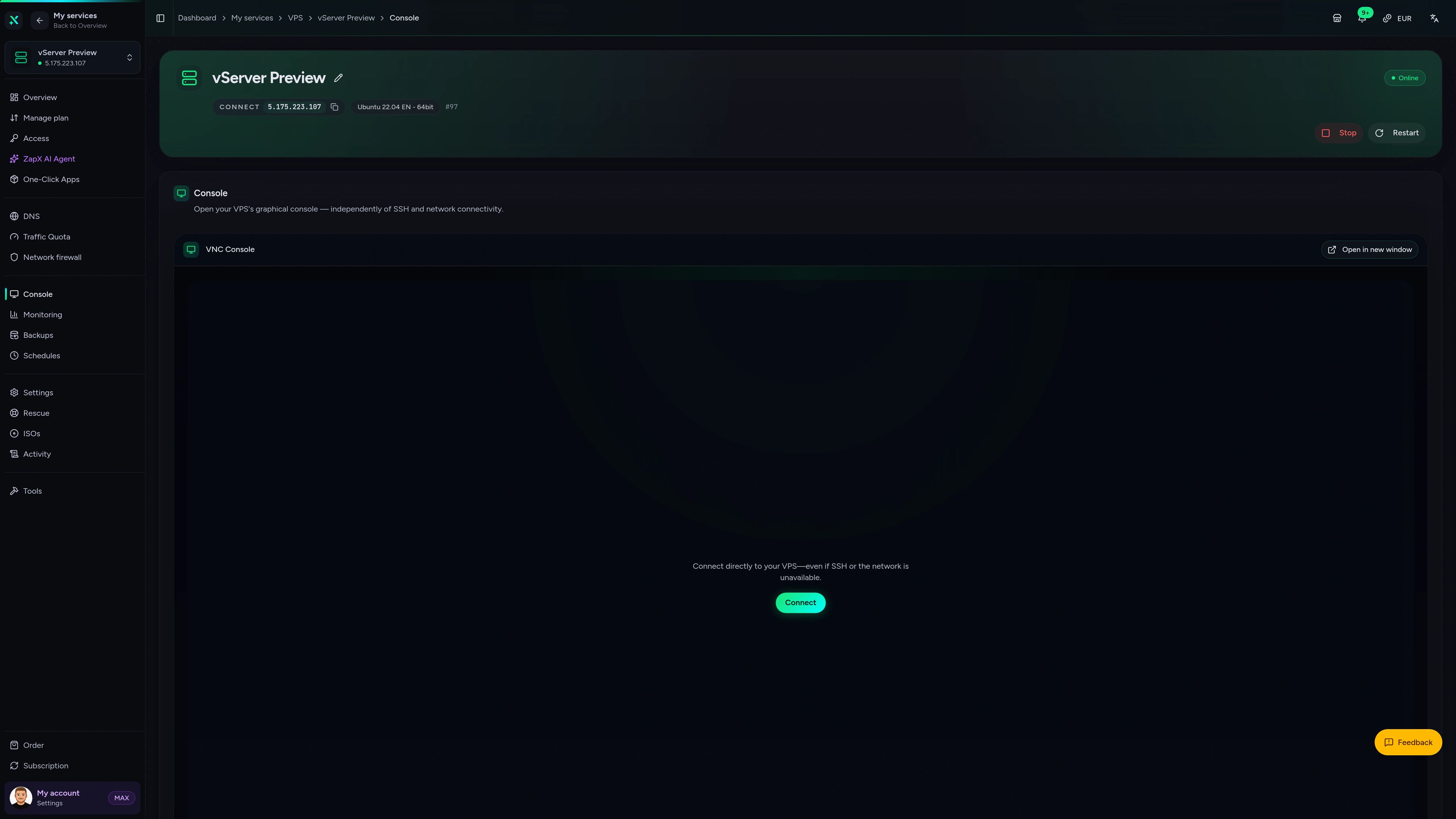
Status, console and resource usage of your VPS in one place, right next to the Vault UI you open in the browser.
VPS Console tab
VPS Console tab
Stuck on a Vault admin task?
Ask the ZapX AI Agent about unsealing, HTTPS or resource usage right in the panel. It explains the next steps and, if you want, runs them for you after you confirm in the chat.
The ZapX AI Agent is part of the ZapX Pass, together with own Backups, snapshots and restoring them yourself.
Discover ZapX PassZapX AI Agent
panel.zap-hosting.com
Benchmark
What the numbers mean for Vault: fast storage and steady CPU keep secret reads, lease renewals and audit log writes quick, even when many CI jobs request credentials at once.
High-performance VPS, CPU model depends on the location
Typical VPS plans without a published host CPU
confirmed 2026-07-01
Use cases
How teams run their own HashiCorp Vault.
From a central vault for a small company to short-lived CI credentials and separate secret spaces for several teams.
Ready to deploy?
Run your own HashiCorp Vault on a VPS.
ZapX appComing soon
Keep an eye on your Vault VPS on the go.
With the ZapX app you see the status and resource usage of your VPS and all your ZAP-Hosting services in one app, wherever you are.

Also available
We also offer the following apps.
WireGuard, Coolify, monitoring, and more — one-click setup on your VPS.

Private Cloud
Nextcloud
Nextcloud is a self-hosted, open-source platform that provides file storage, collaboration, and communication tools for seamless data management.
Automatic setup

Automation
n8n
n8n is an extendable workflow automation tool.
Ready in ~2 min

VPN & Network
WireGuard Easy
The easiest way to run WireGuard VPN + Web-based Admin UI.
Ready in ~2 min

Media Server
Plex
Plex organizes video, music and photos from personal media libraries and streams them to smart TVs, streaming boxes and mobile devices.
Ready in ~2 min

Password Security
Vaultwarden
Vaultwarden is a password manager that allows you to securely store and manage your passwords.
No manual configuration

Website & Blog
WordPress with MariaDB
WordPress is open source software you can use to create a beautiful website, blog, or app.
Ready in ~2 min
Also available
WireGuard, Coolify, monitoring, and more — one-click setup on your VPS.
767
Available apps


Benefit
All apps included
The app marketplace is included with your VPS — no extra charge per installation.
Choose your apps in the configurator and get started in minutes.
Start your self-hosted HashiCorp Vault.
Order a VPS, deploy Vault with one click via Coolify and keep secrets, tokens and keys on infrastructure you control. Cancel anytime.
No setup. No risk. Online in 60 seconds.