The ZapX app. Your servers, wherever you go.
Start, stop and monitor your servers from your phone. Apply for the beta now and try the app before anyone else.
Free for customers with at least one active service, on iPhone and Android.
Features
Everything about your servers. In one app.
The ZapX app puts the key features of your panel on your phone, built for when you're on the go.
Overview
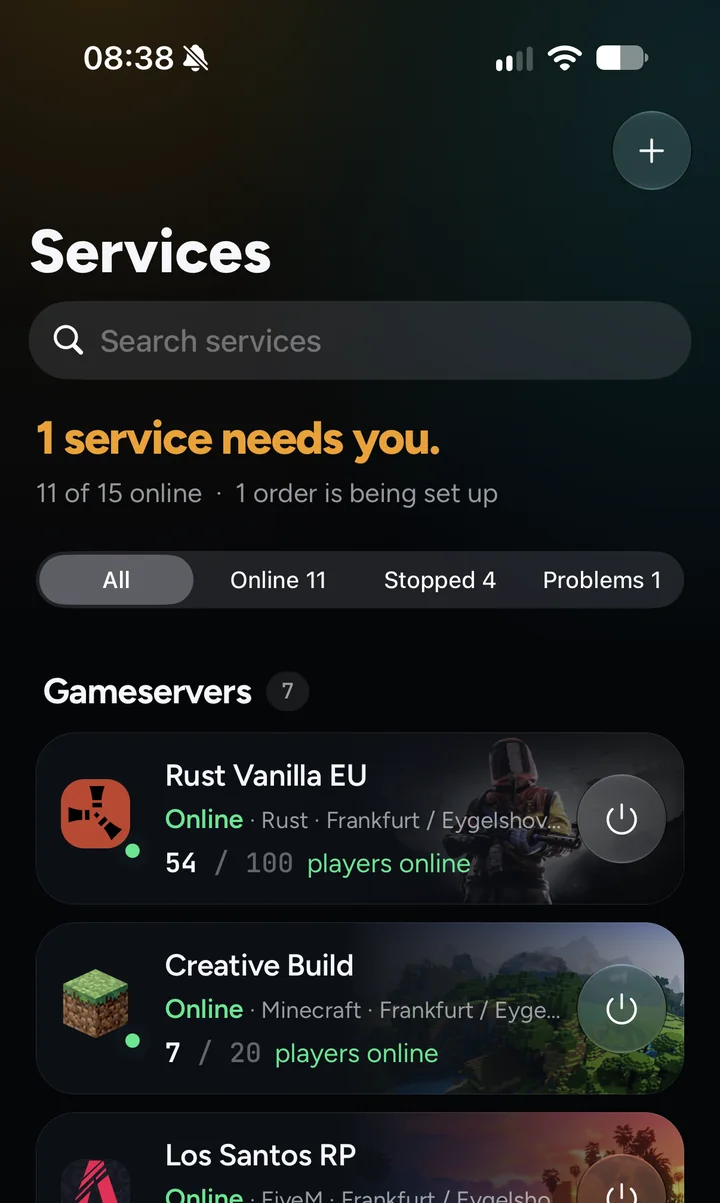
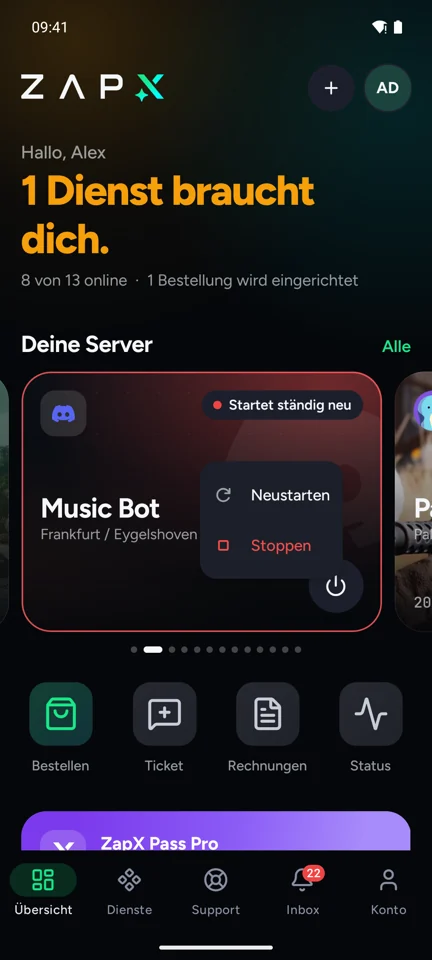
See immediately which service needs your attention
The home screen shows you at a glance what's running, what's being set up and where you need to step in. What matters most appears at the top, instead of buried in long lists.
- Game servers, VPS and Discord bots in one overview
- Status, players and location right in the list
- Quick access to orders, tickets, invoices and status
Live performance
CPU, RAM and players at a glance
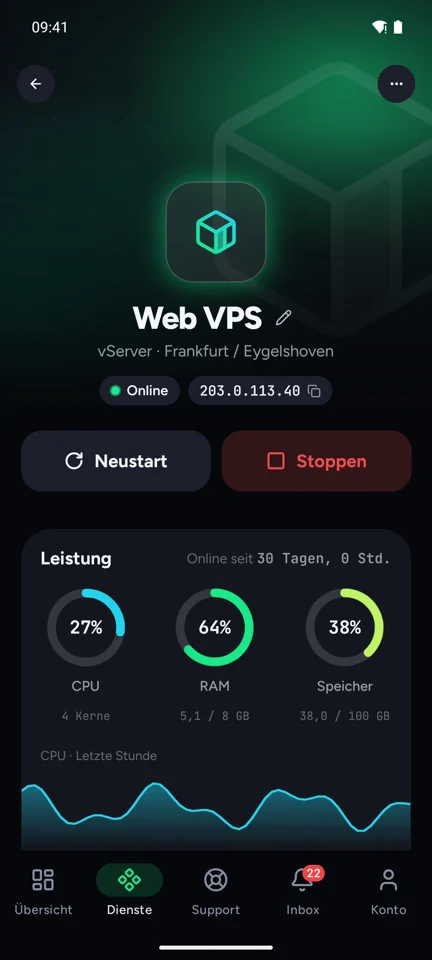
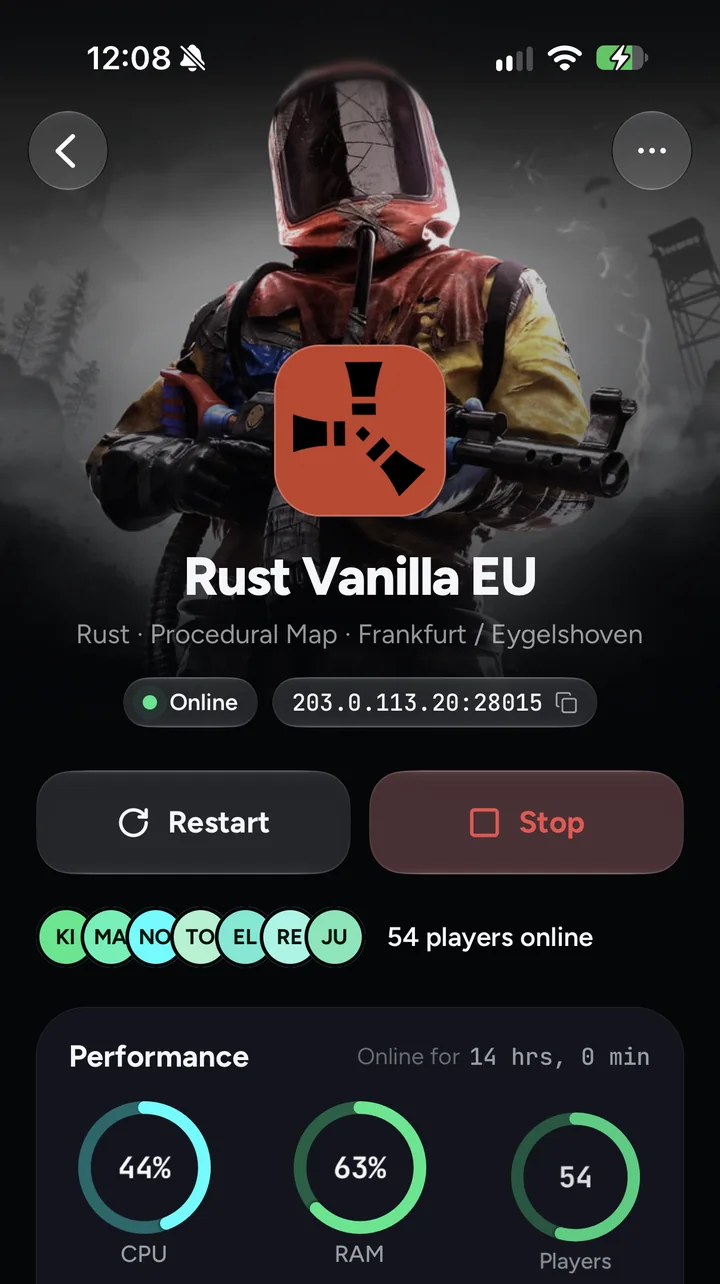
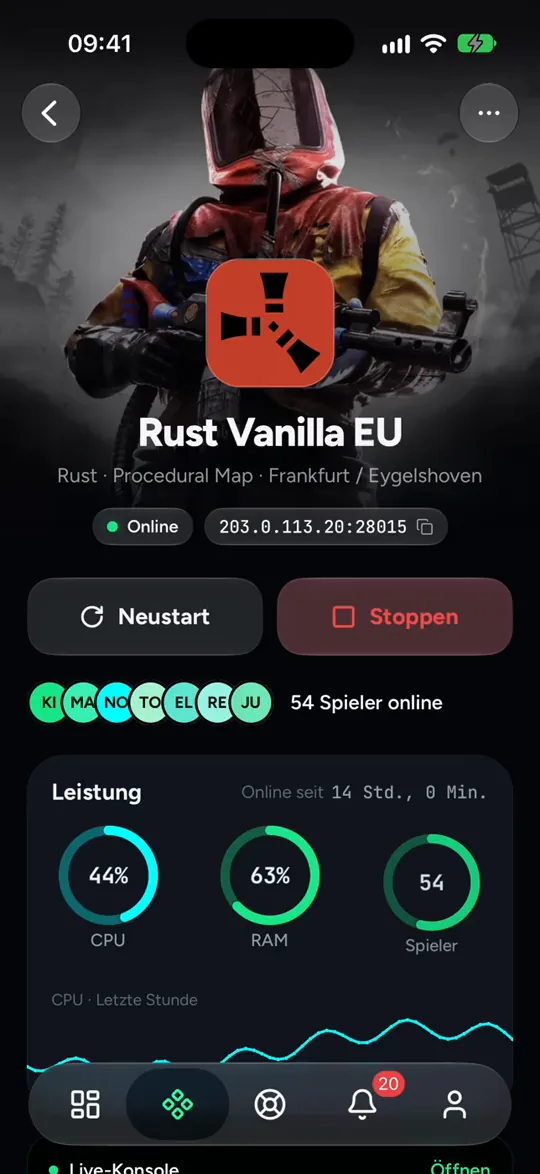
Your server page shows live usage and player count, plus the last hour's history and the live console.
- CPU and RAM usage in real time
- See who's playing on your server right now
- Live console for a quick look at the logs
Controls
Start, stop, restart. From anywhere.
Server stuck while you're away? One tap restarts it, whether it's a game server, VPS or Discord bot.
- Start, stop and restart with one tap
- Alert when a server keeps restarting
- Copy IP address and port with one tap
Monitoring
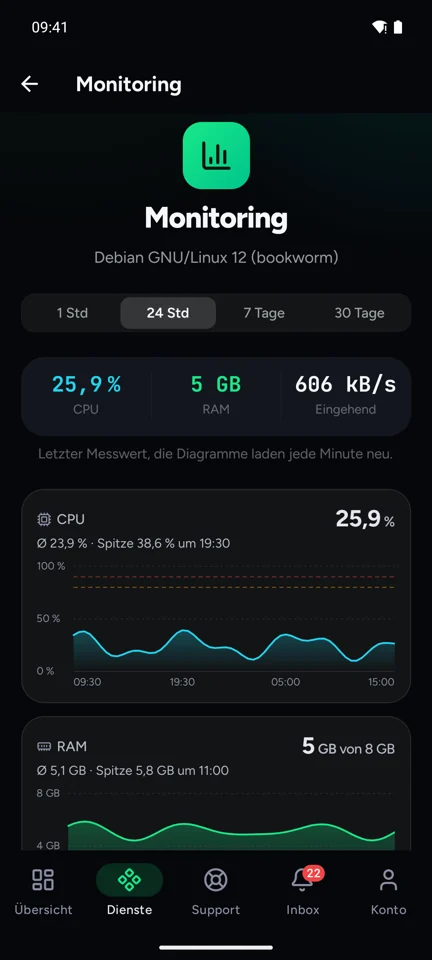
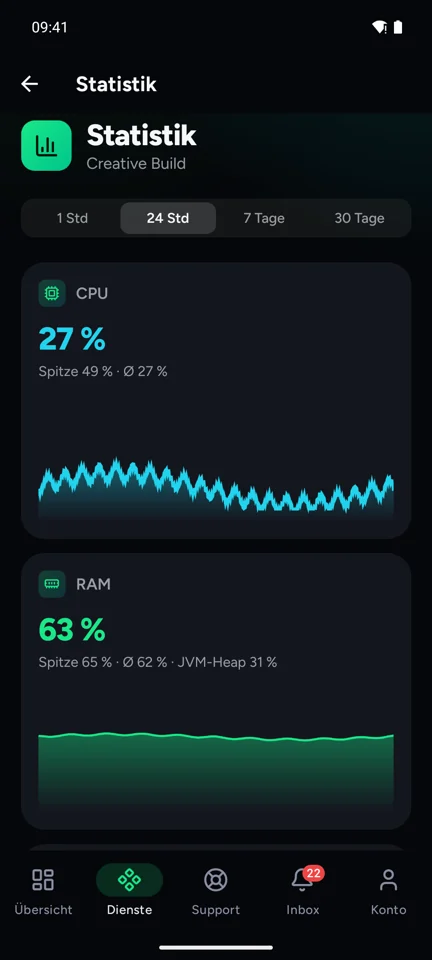
Statistics that show you what's happening
Charts covering one hour, 24 hours, 7 or 30 days show you when your server is busiest and whether it has enough resources.
- CPU, RAM and network graphs
- Peak and average values at a glance
- Switch time ranges with one tap
Support
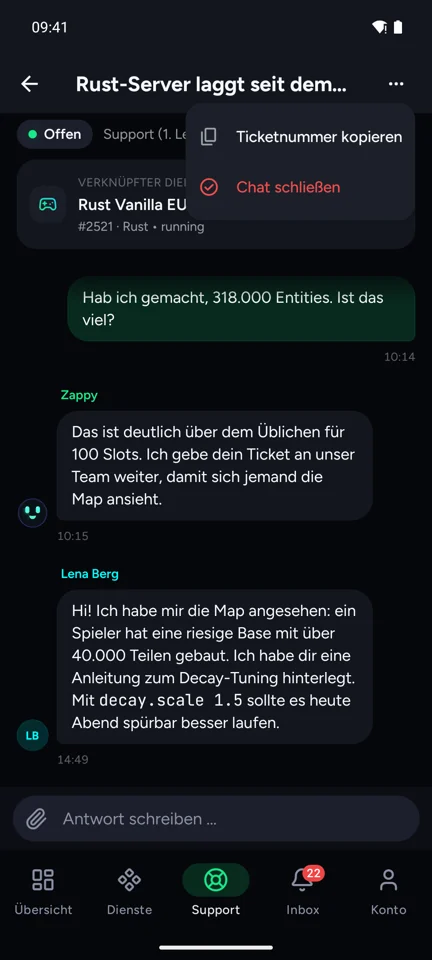
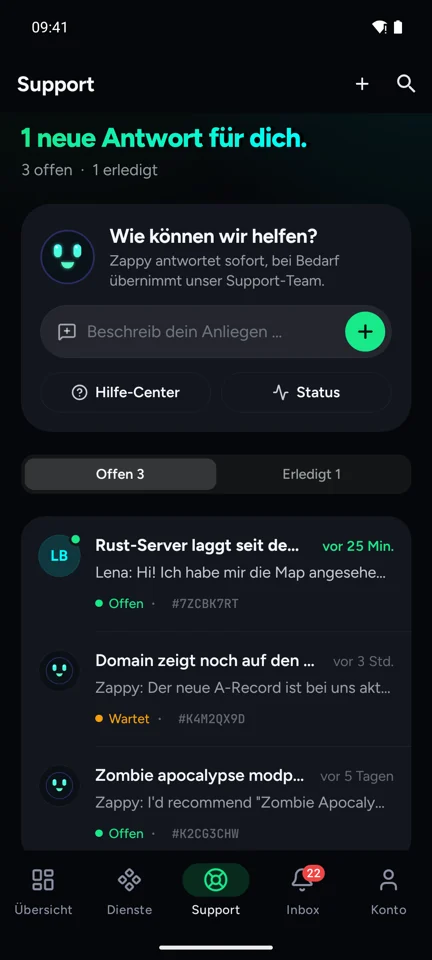
Support with Zappy, right in the app
Zappy, our AI assistant, responds immediately. If needed, our support team takes over in the same chat.
- Create tickets and read replies
- Zappy is here to help around the clock
- The affected service is linked to the ticket
Notifications
Push notifications when it matters
The app notifies you when something happens with your services, such as a server coming back online or a new reply to your ticket.
- Incident and outage alerts straight to your phone
- See new support replies right away
- All alerts in one inbox
- Rust Vanilla EUnowYour server is back online.
- Zappy2 min. agoNew reply to your ticket.
- Creative Build5 min. ago7 players are online right now.
How it works
Four steps to the beta
From applying to installing the app, with no detours.
Apply
Fill out the short form with your smartphone, device and OS version. It takes less than a minute.
Activation
We're approving applications in stages and checking that your account has an active service.
Invitation email
You'll receive an email with a link to TestFlight (iPhone) or beta access on Google Play (Android).
Install app
Install the app, sign in with your ZAP-Hosting account, and you're set. You can give feedback directly in the app.
Application
Be among the first
The ZapX app isn't in any app store yet. Apply for the beta and we'll invite you by email when it's your turn.
- ZAP-Hosting account with at least one active service
- iPhone or Android smartphone
- Free, with no commitment
Sign in and apply
The beta is for customers with at least one active service. Sign in with your ZAP-Hosting account and you'll return straight to this form.
FAQ
Questions about the app beta
Devices, costs and the beta process, explained briefly.
Which devices are supported?
iPhones and Android smartphones. On iPhone, you install the beta through Apple's TestFlight app; on Android, through a test invitation on Google Play. Enter your device and OS version in your application so we can send you the right invitation.
Does the beta cost anything?
No. The beta and the ZapX app are free. You just need a ZAP-Hosting account with at least one active service.
What do I need to participate?
A ZAP-Hosting account with at least one active service, such as a game server, VPS or Discord bot, and an iPhone or Android smartphone. For Android, you'll also need a Google account; for iPhone, you'll need the free TestFlight app.
When does it start?
We're approving applications in stages. Once you're in, you'll receive an invitation email with all the installation steps.
Does the beta use my real services?
Yes. You manage your real services in the app, and orders placed in the app are real orders. Since it's a beta, not everything may work smoothly yet. You can report bugs and share ideas directly through the feedback button in the app.
What happens after the beta?
Once the ZapX app is available to everyone on the App Store and Google Play, you can download it there as usual. Your account and services will stay as they are.
Don't see your question?
Contact Support