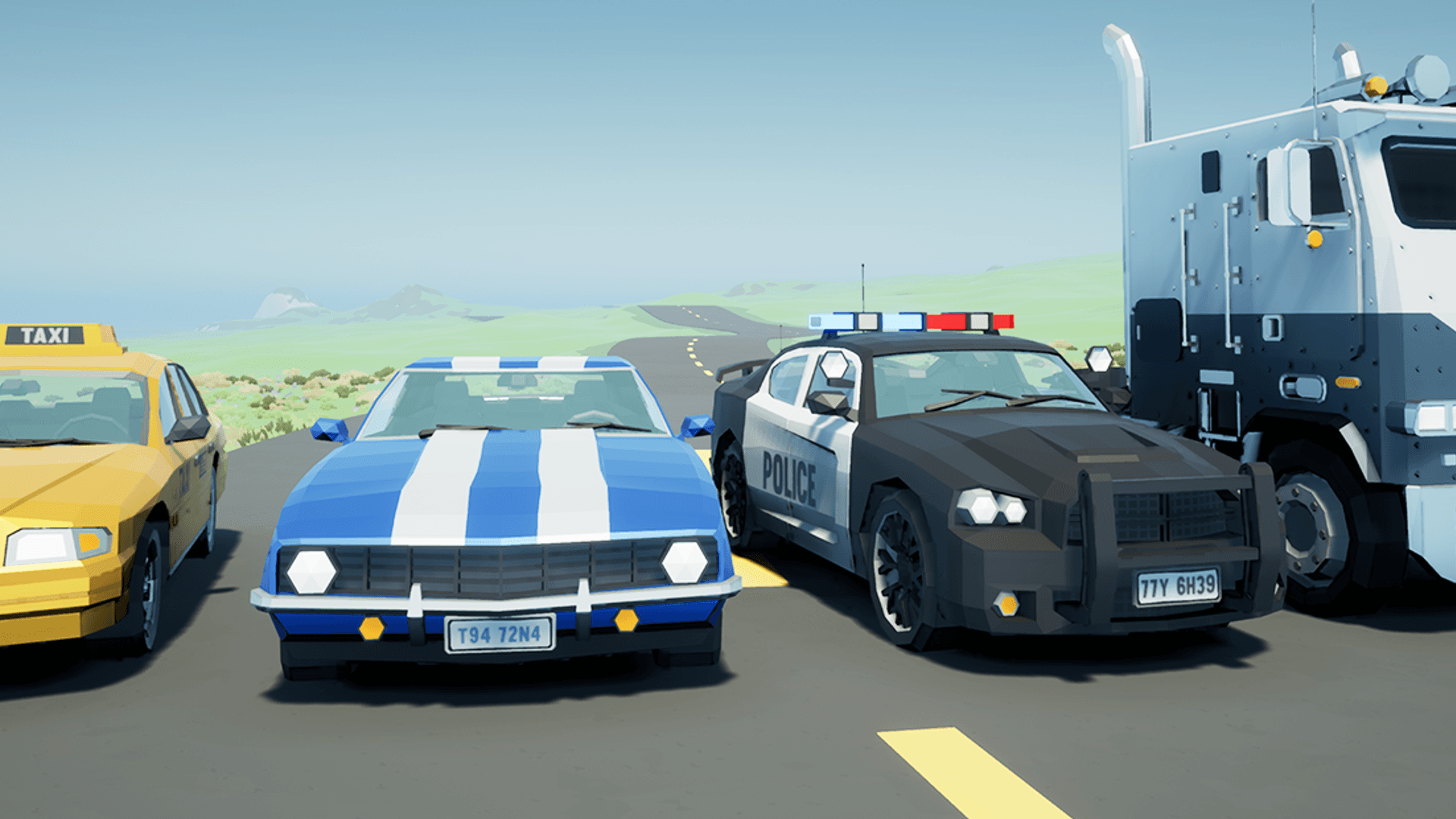
 Your own server for Motor Town crews
Motor Town: Behind The Wheel VPS Hosting
Run the official Motor Town dedicated server on your KVM VPS with admin access, DDoS protection and locations Europe & America.
 Google
Or try 3 days from €2.07Pick the 3-day term at checkout · renews every 3 days · cancel anytime
 Your project. Your setup.
Configure yourself
Your project. Your setup.
No package fits? Choose your CPU, RAM and storage—you only pay for the package you put together.
1 Gbit/s uplink included
up to 5 Gbit/s as an add-on
100 Gbit/s host network
Juniper Firewall
DDoS protection
 Visa
 Mastercard
 American Express
 PayPal
 Google Pay
 Apple Pay
 Klarna
 Amazon Pay


Motor Town on your own VPS
What is a Motor Town VPS?
A Motor Town: Behind The Wheel VPS from ZAP-Hosting is your own KVM virtual server with full administrator access. Your crew gets the official dedicated server on reserved resources instead of on a home PC.
Your crew keeps driving when you log off: no gaming PC left running and no port forwarding on your home router. You pick the operating system. Windows via your own ISO and license is the official route for the Windows-only server tool.
It's your server, not a managed game panel. You get admin rights to every config file, can run tools like a Discord bot or a stats page next to the game, and decide how your Motor Town world runs.

Built for server admins
Why crews run Motor Town on their own VPS
Full control, reserved resources and room for everything your crew needs around the game: the parts that matter when you run the dedicated server yourself.
Admin access, your rules
You decide who joins, who gets admin rights and what else runs on the box. Full administrator access on a KVM VPS puts every setting in your hands.
Reserved CPU and RAM
Busy highways and full delivery routes run smoother because your server gets its own KVM resources instead of sharing a home PC with your game.
Daily auto-backup
A daily system Backup covers your crew's progress. Restores and manual Backups come with ZapX Pass.
Scale up as your crew grows
Start small and add CPU, RAM or storage in the configurator when more drivers, denser NPC traffic or mods need extra headroom.
Locations in Europe and America
Your crew drives with less delay when the VPS sits close to them. Choose the location nearest to most of your players.
Browser console as fallback
Locked out after a config change? You can still reach your VPS from the browser console when RDP isn't responding.
 Setup
Your Motor Town: Behind The Wheel server set up in one click.
With our Game Server Installer, you can set up your Motor Town: Behind The Wheel server on your VPS in one click — no commands or manual work. Prefer some help? With ZapX Pass, the ZapX AI Agent helps you in the chat.
Game Server installer
One click
Select Motor Town: Behind The Wheel in the installer and click Install — the server will be set up automatically.
Together with the ZapX AI Agent
ZapX PassDescribe your goal in the chat: the ZapX AI Agent supports you step by step with the setup. Available with ZapX Pass.
Prefer to set everything up manually?Guide in the Help Center
Locations in Europe and America
Your VPS. Your location.
4 data centers in Europe and America — choose the location closest to your community.
Europe

America

Reviews
What customers say about ZAP-Hosting
Real feedback on support and setup.
very reliable service, simple to understand, and for a great price. really a no brainer

 ZAP-HostingReply
Zap has been a great experience for myself thus far. Easy interface to learn and it makes sense. Having all the tools I need to run my server with short and informative documentation that helped me tremendously. As a adamant gamer, zap has made having my own server fun, easy, and affordable. Thank you Zap!
 ZAP-HostingReply


I have used ZAP-Hosting for VPS services. The ordering process is straightforward, and the support team responds to customer inquiries. I hope to continue using their services and have a smooth experience in the future.
 ZAP-HostingReply


FAQ
Frequently asked questions about Motor Town: Behind The Wheel
Answers to the most important questions before you start.
How do I host a Motor Town: Behind The Wheel dedicated server on a VPS?
Pick a VPS package and a location close to your crew. Your VPS is online in under 60 seconds. Then choose the OS: Windows via your own ISO and license is the officially supported route for the Motor Town dedicated server tool. With full admin rights you put the server on your VPS and set it up your way. With ZapX Pass, the ZapX AI Agent explains ports and config files as you go.
- Administrator access from the start
- Windows via custom ISO with your own license
- ZapX AI Agent for ports and config files with ZapX Pass
Which OS does the Motor Town dedicated server need?
The official Motor Town dedicated server tool is built for Windows. On a VPS you can mount your own Windows Server ISO with your own license and run it the official way. Install Windows on your VPS
- Official route: Windows via custom ISO
- Windows Server for the official server
Why choose a VPS for Motor Town?
A VPS is for admins who want control: administrator access, extra tools next to the game and every config file open. Pick the VPS if your crew wants to run the official dedicated server its own way.
- VPS: administrator access, several services
- Game Server Installer: server set up with one click
How much RAM and CPU does a Motor Town server need on a VPS?
The developer doesn't publish official server requirements, so there's no reliable fixed number. Resource use depends on how many players are online, the NPC traffic density you set and any mods you add. Allow CPU and RAM headroom, watch CPU and RAM in the panel during a busy session and increase resources in the configurator when needed.
- Players online at the same time
- NPC traffic density setting
- Mods and extra tools on the VPS
How much does a Motor Town VPS cost?
You'll find live prices for every VPS package in the pricing section. The price depends on the package and location. Choose a term of 3, 30, 90 or 180 days or 1 year; longer terms are discounted. With ZapX Pass you can also take your VPS as Lifetime and buy once. Payments run through Stripe.
- Terms from 3 days to 1 year
- Lifetime option with ZapX Pass
Which server location should I pick for my Motor Town crew?
Pick the location closest to most of your players, because the distance has the biggest effect on latency. We run VPS locations in Europe and America, and many North American groups start with Ashburn, Dallas or Los Angeles. If your crew is spread out, choose the location with the best average ping for everyone.
- Locations in Europe and America to choose from
- Closest location to most players wins
Is my Motor Town VPS protected against DDoS attacks?
Yes. DDoS protection with PletX is included at our own locations. It filters attack traffic before it reaches your VPS, so an attack is far less likely to take your crew's server offline. No protection can stop every attack, but you don't need to book or configure anything extra.
- PletX DDoS protection included
- No extra booking or setup needed
How do Backups work on a Motor Town VPS?
Every VPS gets a daily system auto-backup. Restoring a Backup and creating manual Backups before big changes, like a game update or a new mod, require ZapX Pass. For extra safety, you can also copy your Motor Town save folder off the server yourself. Read the Backup guide
- Daily system auto-backup included
- Restore and manual Backups with ZapX Pass
Still have questions?
Contact SupportZapX VPS panel
Your VPS panel at a glance
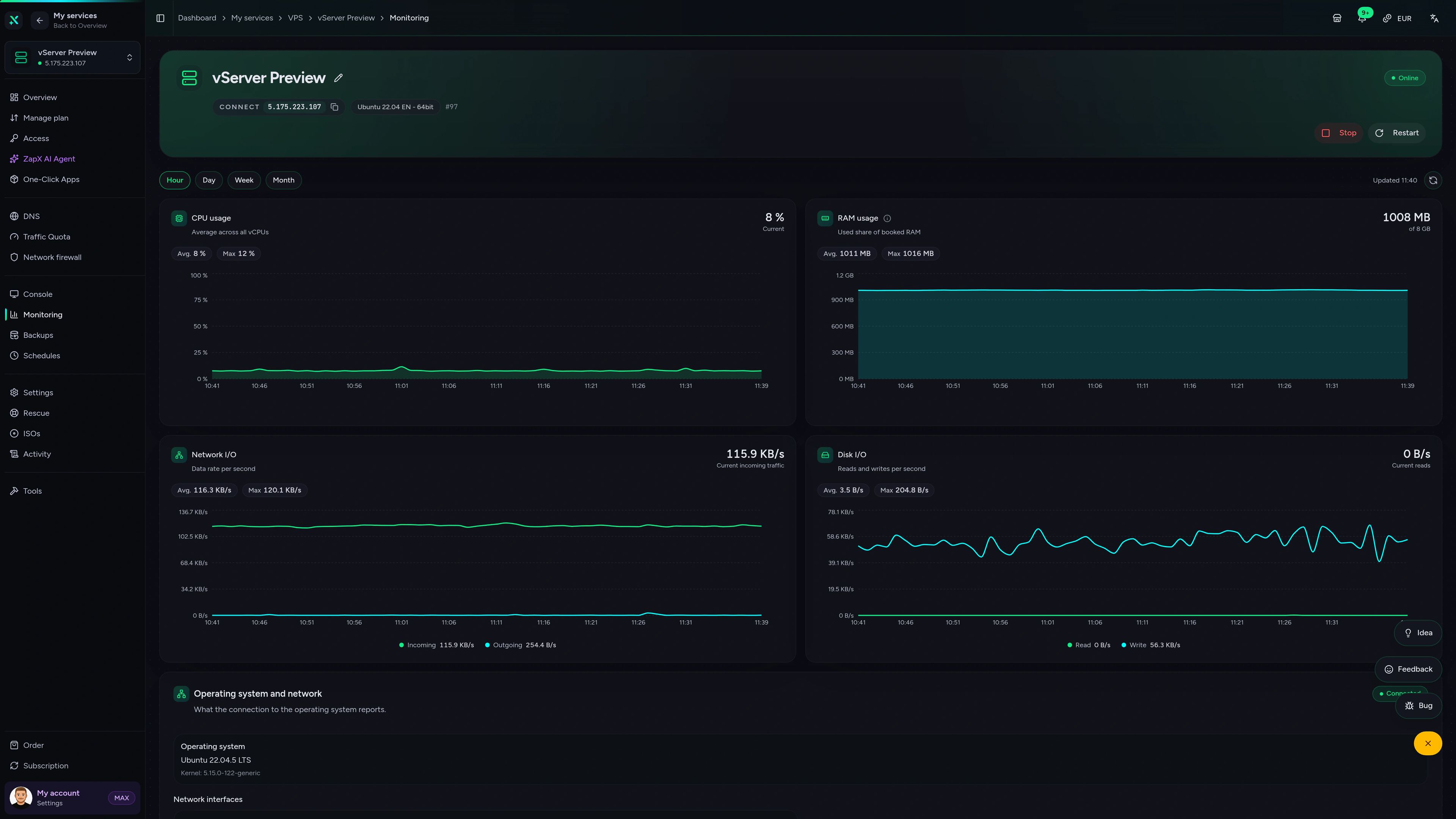
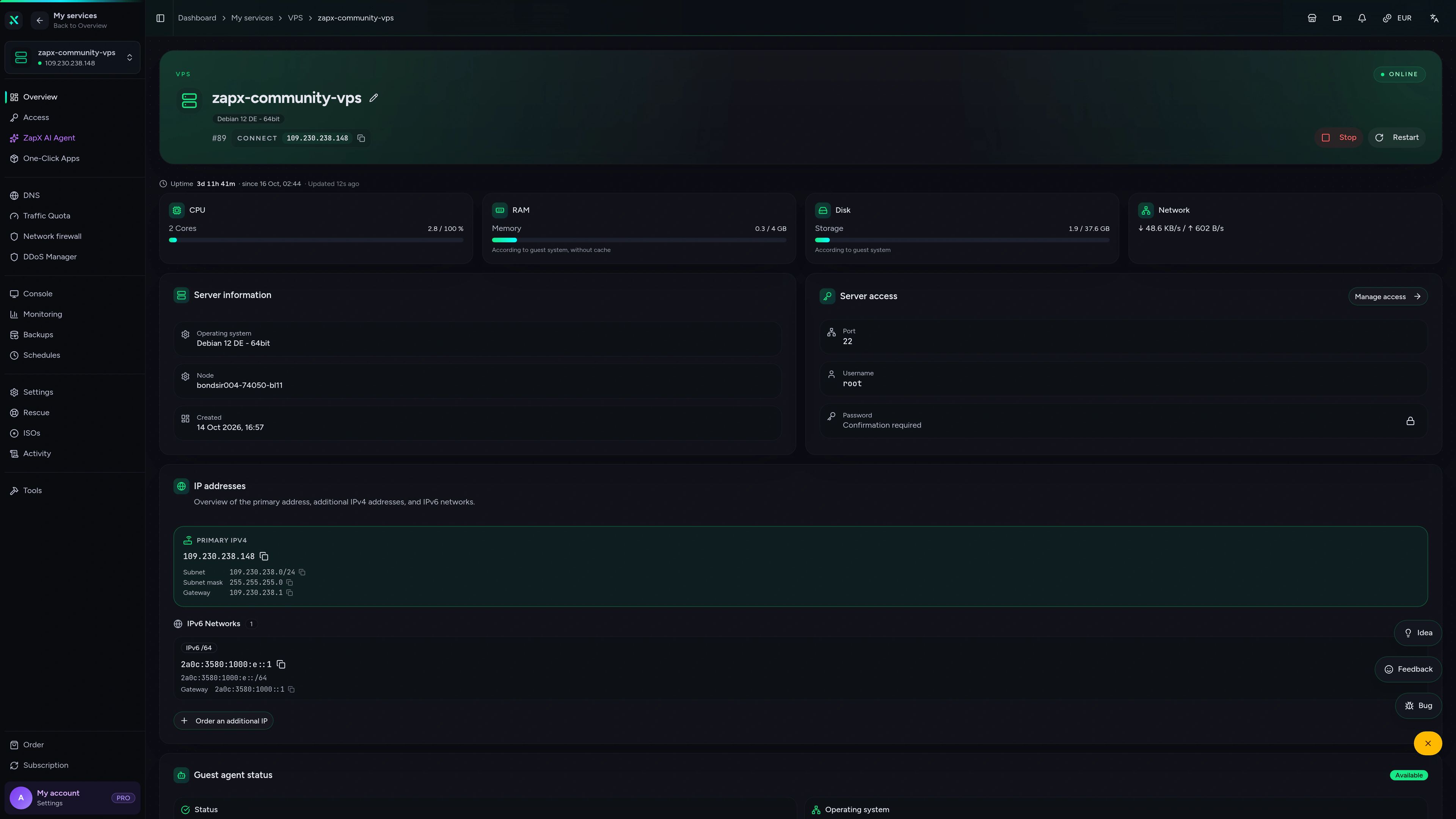
Console, Backups and live statistics for your VPS in one place. This is the panel you use to keep your Motor Town server running.
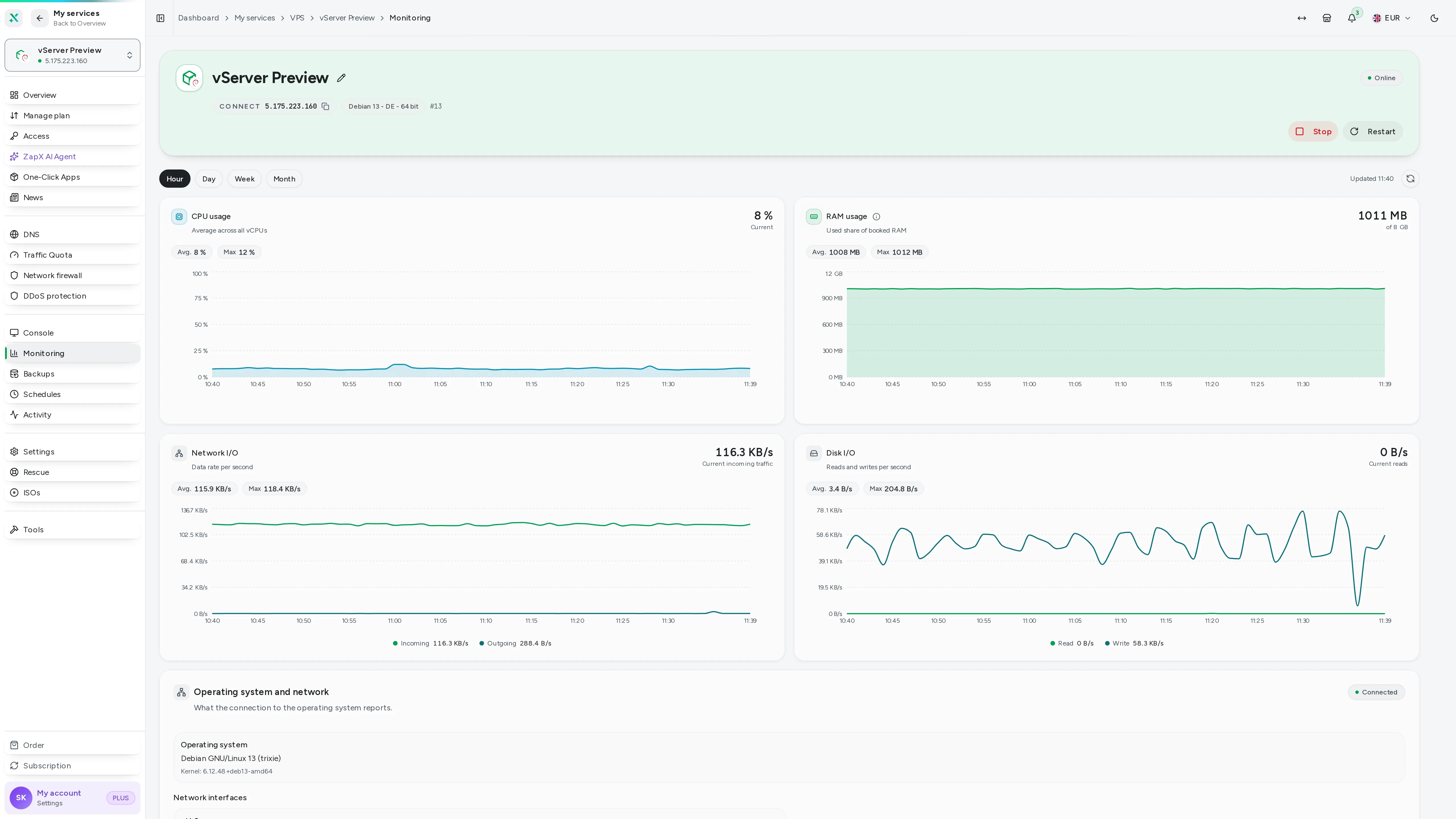
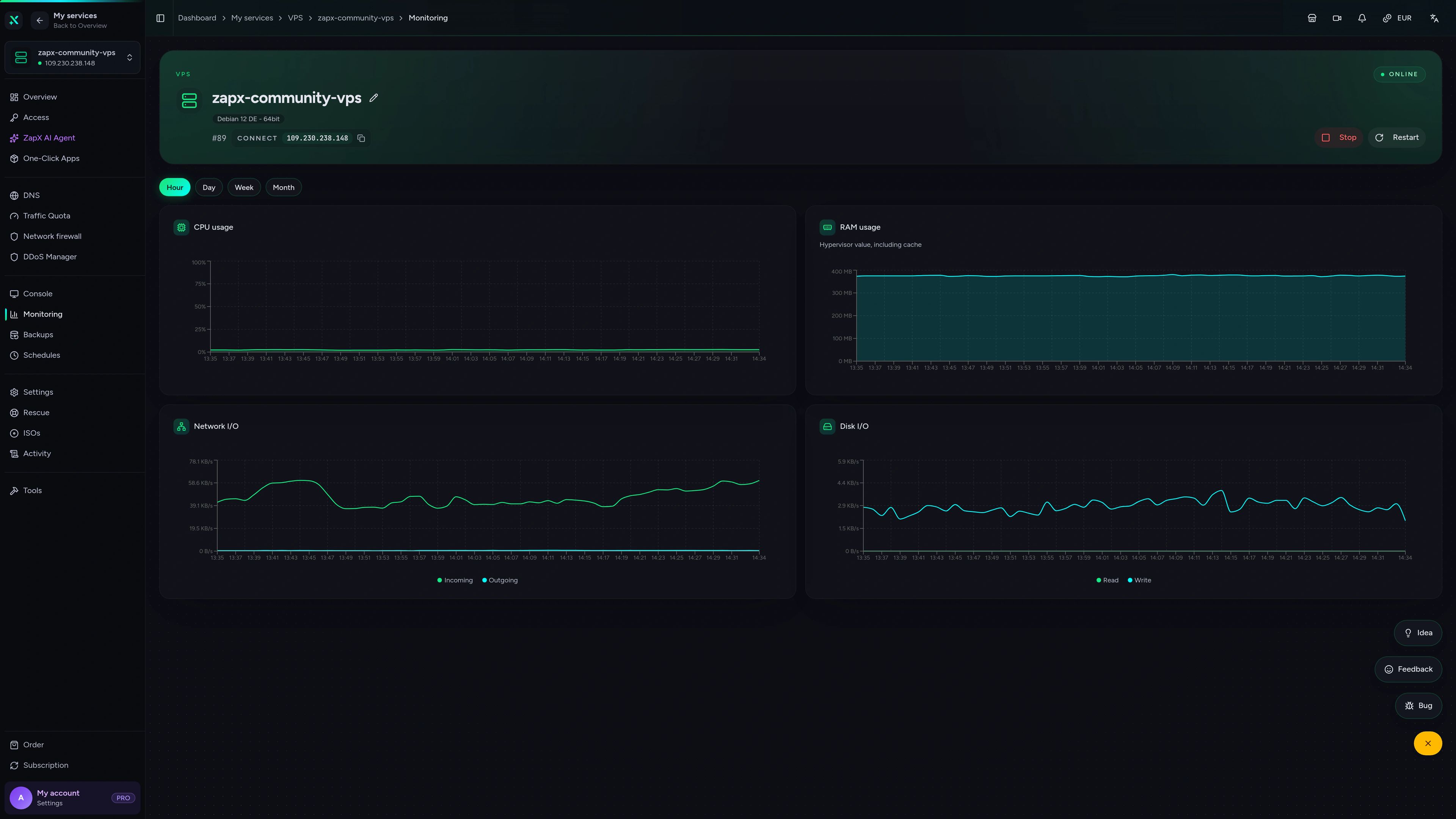
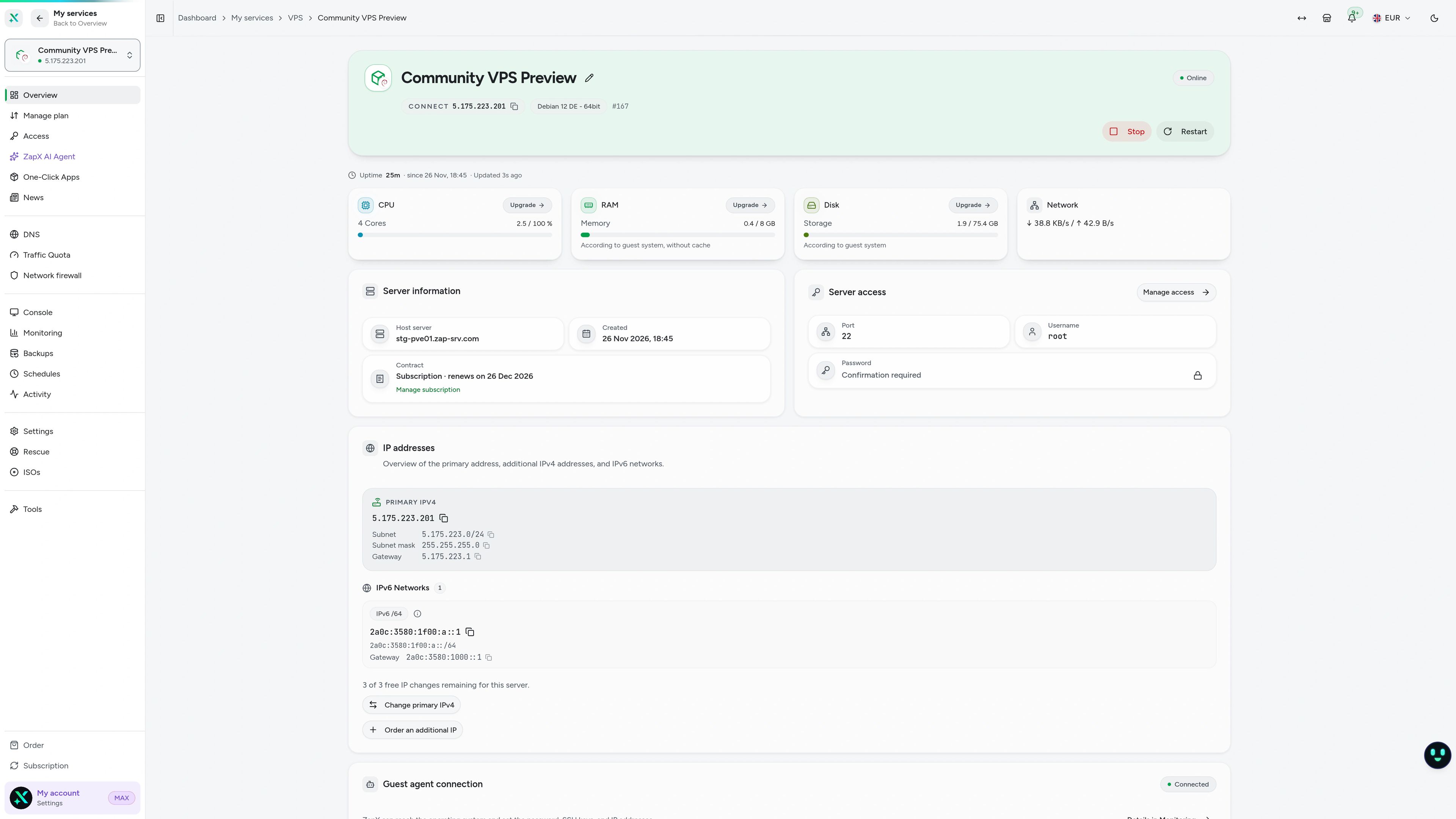
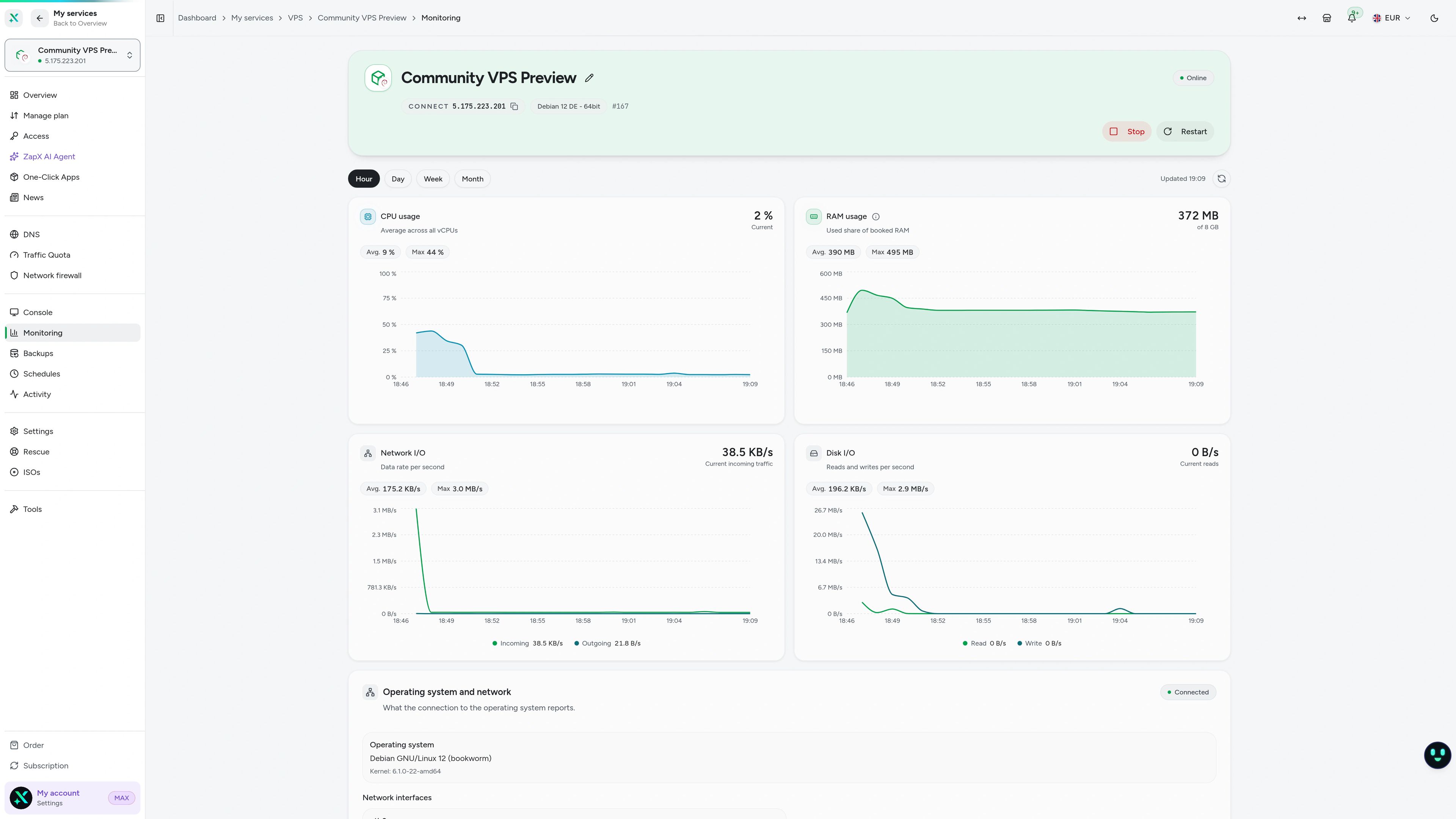
VPS – Monitoring
Live graphs for CPU, RAM, network and disk I/O of your VPS, by hour, day, week or month.
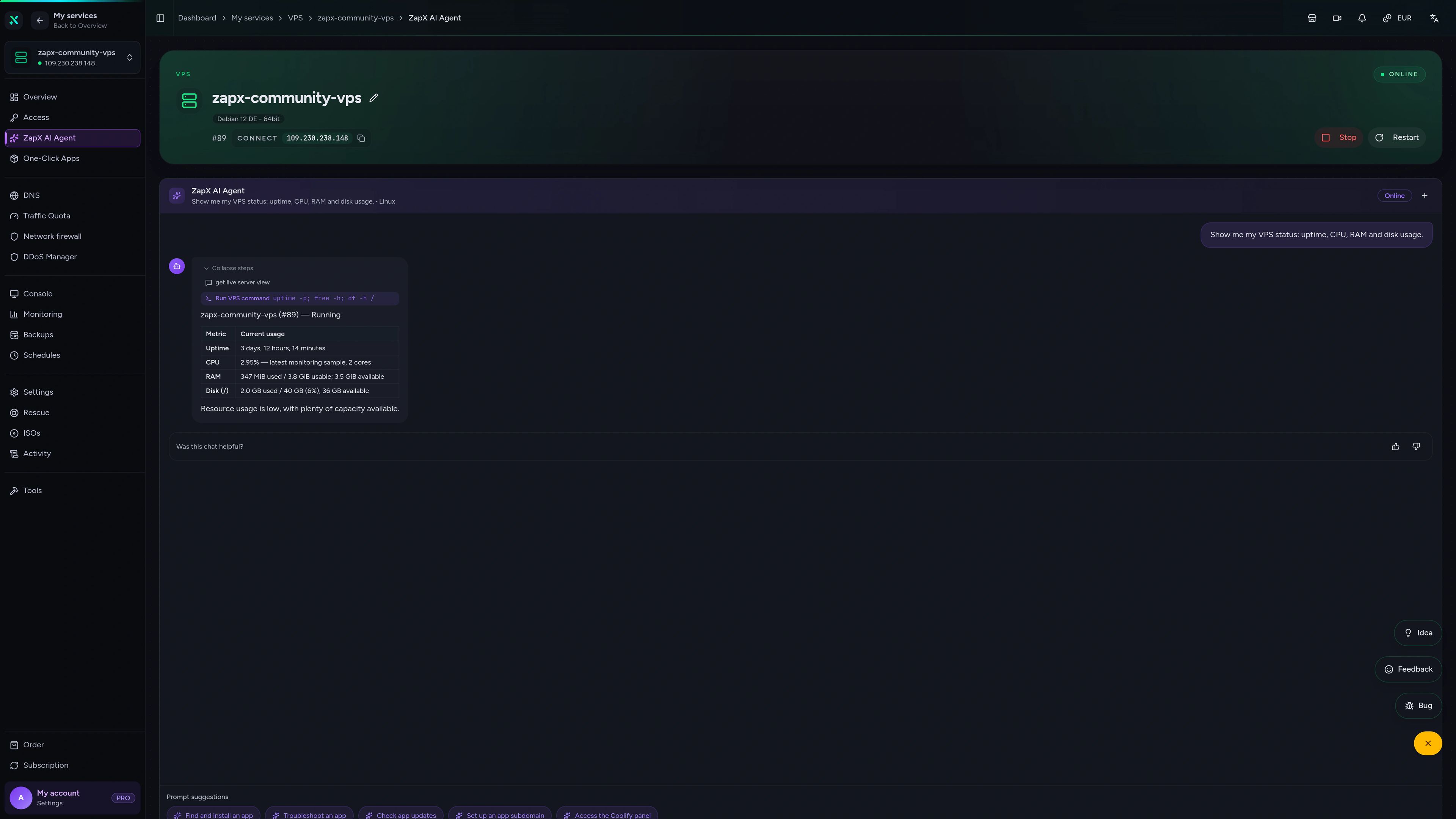
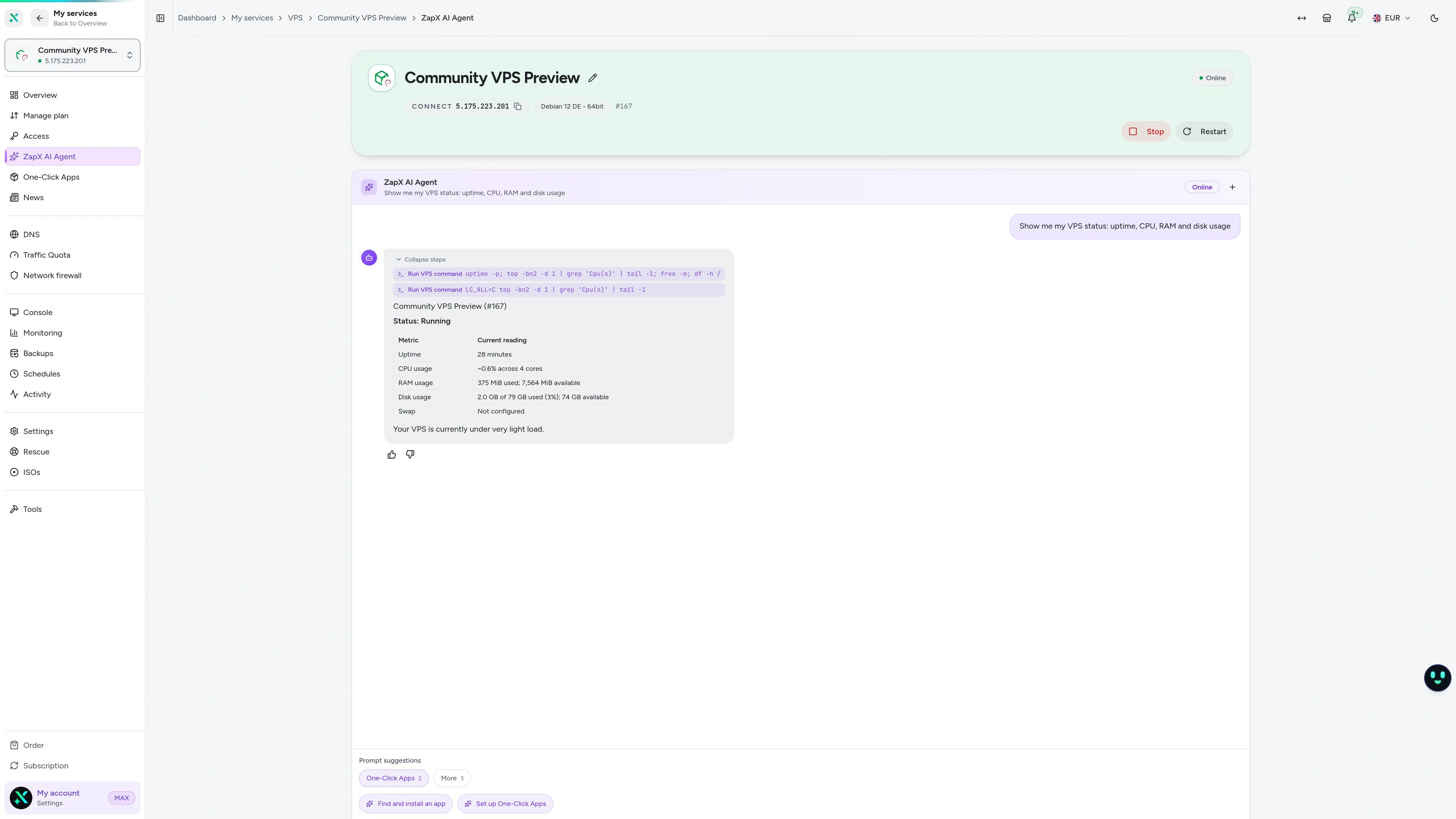
Ask about your Motor Town VPS in plain English
The ZapX AI Agent reads your VPS status, explains what it sees and suggests next steps. Changes only happen after you confirm them.
The ZapX AI Agent is part of ZapX Pass. It explains and suggests, and you stay in control of every change on your VPS.
Discover ZapX PassZapX AI Agent
panel.zap-hosting.com
Measured performance
We benchmark our VPS hardware regularly and show the real numbers next to typical market values, so you can judge the headroom for your Motor Town server.
High-performance VPS, CPU model depends on the location
Typical VPS plans without a published host CPU
confirmed 2026-07-01
Motor Town use cases
What your crew does with its own Motor Town VPS
From a weekly crew session to big convoy events, a VPS keeps your Motor Town world running when your PC is off, with full control over every setting.

Your crew, your server
Ready to run Motor Town on your own VPS?
ZapX appComing soon
Your Motor Town VPS in your pocket
Check on your VPS between deliveries. The ZapX app shows status and resource usage so you can react quickly, wherever you are.
Impressionen
Motor Town: Behind The Wheel Screenshots
A glimpse into the game world—its atmosphere, exploration, and the moments your community will experience on the server.
Give your crew its own Motor Town VPS
Full administrator access, DDoS protection and locations in Europe and America. Pick your package and run the official Motor Town dedicated server your way.
Install a Game Server with one click. No risk. Cancel anytime.