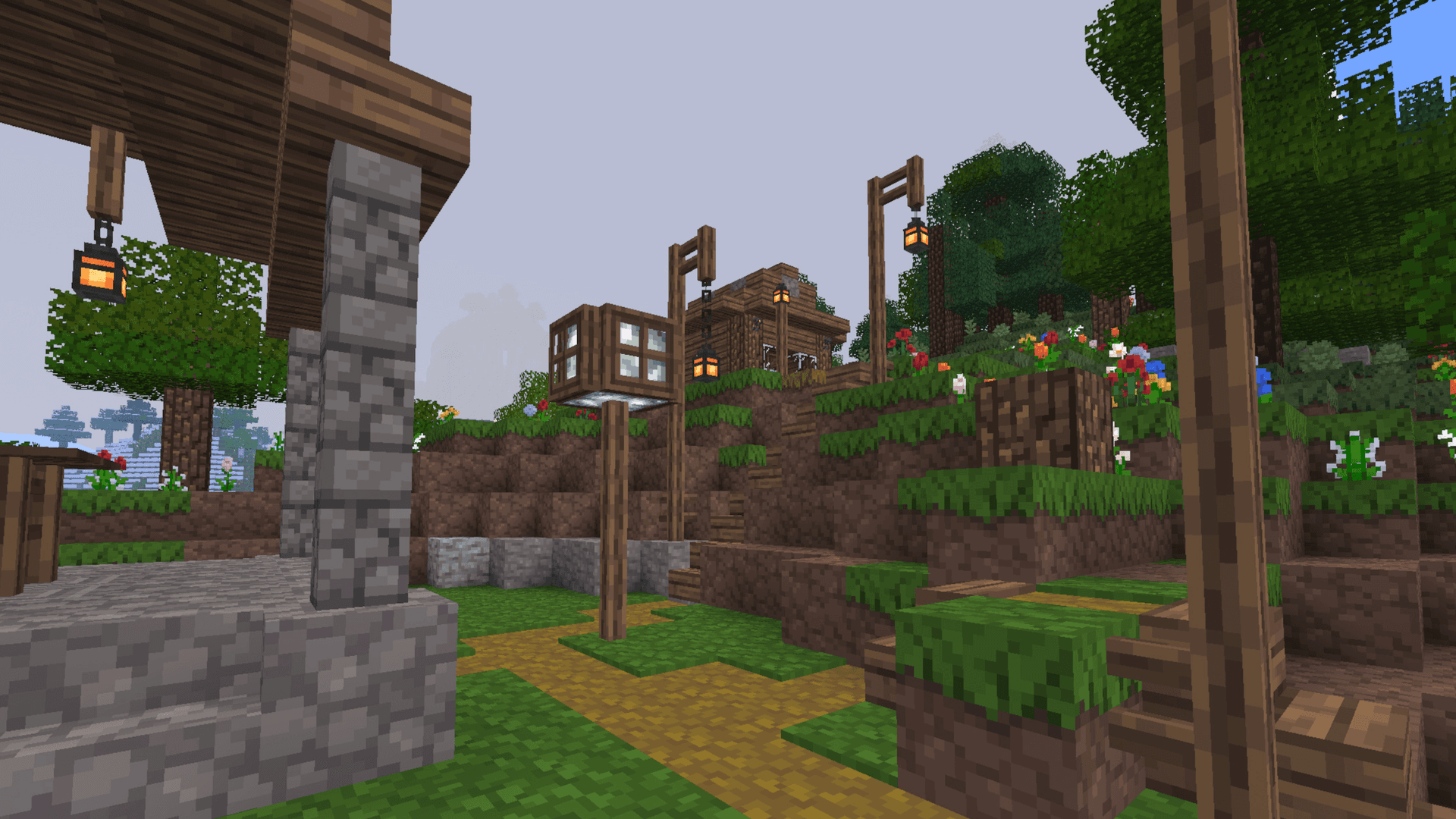
 Luanti, formerly Minetest
Luanti (Minetest) VPS Hosting
Your own KVM VPS with root access for the official Luanti server: DDoS protection and locations in Europe and America.
Or try 3 days from €1.31Pick the 3-day term at checkout · renews every 3 days · cancel anytime
Packages 1–3 of 9
 Your project. Your setup.
Configure yourself
Your project. Your setup.
No package fits? Choose your CPU, RAM and storage—you only pay for the package you put together.
Powerful CPUs
1 Gbit/s uplink included
up to 5 Gbit/s as an add-on
100 Gbit/s host network
Juniper Firewall
DDoS protection
 Visa
 Mastercard
 American Express
 PayPal
 Google Pay
 Apple Pay
 Klarna
 Amazon Pay
Luanti VPS explained
What is a Luanti (Minetest) VPS?
Your Luanti world runs on a server that answers only to you: a KVM VPS with full root access for the official Luanti dedicated server (formerly Minetest), on powerful server CPUs with DDoS protection.
Players connect straight to your VPS's own public IP on UDP port 30000, so there is no router port forwarding, no home PC left running and no tunneling needed. The Luanti documentation itself points public servers toward a VPS or dedicated server.
Root access also leaves room for extras next to the game, like a remote media server, a Discord relay or a map renderer. If you get stuck, the ZapX AI Agent with ZapX Pass explains each step on your VPS. Prefer a quick start? On a Windows VPS, our Game Server Installer sets up the Luanti server with one click.

Features
Everything your Luanti world needs to grow
Root access, solid hardware and room for several worlds, so your Luanti server can grow with your community.
Powerful server CPUs for busy Luanti worlds
Map generation, mob AI and heavy Lua mods keep up with your players, backed by NVMe storage on every VPS.
Any game from ContentDB
Run Mineclonia, VoxeLibre, Minetest Game or a niche gem: Luanti ships without a game, so you pick what your world becomes.
Creative and survival side by side
Run creative and survival in parallel, each world as its own server on its own UDP port like 30000 and 30001, within your VPS resources.
Bring your existing world along
Keep every build your group made at home: upload your world folder via SFTP and carry on where you left off, no fresh start needed.
Daily Backup as a safety net
A griefed spawn or broken mod update is easier to undo: your VPS gets a daily system Backup, and ZapX Pass adds restores and manual Backups.
Harden your server your way
Keep griefers and bots out with Luanti privileges and bans plus your own firewall rules, since root access leaves no setting locked away.
 Setup
Your Luanti (Minetest) server set up in one click.
With our Game Server Installer, you can set up your Luanti (Minetest) server on your VPS in one click — no commands or manual work. Prefer some help? With ZapX Pass, the ZapX AI Agent helps you in the chat.
Game Server installer
One click
Select Luanti (Minetest) in the installer and click Install — the server will be set up automatically.
Together with the ZapX AI Agent
ZapX PassDescribe your goal in the chat: the ZapX AI Agent supports you step by step with the setup. Available with ZapX Pass.
Prefer to set everything up manually?Guide in the Help Center
Locations in Europe and America
Your VPS. Your location.
4 data centers in Europe and America — choose the location closest to your community.
Europe

America

Reviews
What customers say about ZAP-Hosting
Real feedback on support and setup.


great prices, good specs
the interface was great, migration was flawless and the interface is very user friendly. support team was very helpful aswell

 ZAP-HostingReply
I've been with them for a few years
I've been with them for a few years, and they're one of the best. The lifetime servers have really helped me, and now they've added auto-backup. 10/10!
 ZAP-HostingReply

FAQ
Frequently asked questions about Luanti (Minetest)
Answers to the most important questions before you start.
What is a Luanti (Minetest) VPS and how is it different from a managed game server?
Your own server with root access instead of a managed game panel.
A Luanti VPS is your own KVM virtual server with full root access: you decide how the official Luanti server runs and can add extras like a map renderer or a Discord relay next to it. We provide the hardware, network, DDoS protection and Backups, not a managed game panel. Want a quick start? On a Windows VPS, our Game Server Installer sets up the Luanti server with one click.
- Root access via SSH and SFTP
- Room for extras next to the game server
- One-click setup via the Game Server Installer
How much RAM does a Luanti server need?
It depends on players, mods and map size.
Luanti itself is lightweight, so a small group on a light game can start with modest RAM. Memory use grows with the number of players online, heavy mod sets such as Mineclonia or VoxeLibre, a large explored map and every extra world you run. Start with what fits your group today and add more RAM later without starting your world over.
- Players online at the same time
- Game and mod set you run
- Explored map size and view range
Which port does a Luanti server use?
UDP 30000 by default, no router port forwarding.
Luanti uses UDP port 30000 by default. Because your VPS has its own public IP, players connect directly and you skip router port forwarding entirely. If you use the VPS network firewall, allow that UDP port and give each additional world its own port, such as 30001. With ZapX Pass, the ZapX AI Agent can review your firewall rules with you. Firewall guide in the Help Center
Can I install mods and games like Mineclonia or VoxeLibre?
Yes, any game and mod from ContentDB.
Yes. Luanti ships without a game, so you choose one: Mineclonia, VoxeLibre, Minetest Game or any other title from ContentDB, plus your mods. With root and SFTP access, the games, mods and world folders are yours to manage. The official Luanti server is available for common Linux distributions such as Ubuntu and Debian, and the ZapX AI Agent explains the setup if you get stuck.
- Games and mods from ContentDB
- Full file access via SFTP
- Ubuntu, Debian and more
Which server locations can I choose?
Locations in Europe and America, pick the one closest to your players.
You can choose from VPS locations in Europe and America. Pick the one closest to most of your players for the lowest ping; many North American groups start with Ashburn, Dallas or Los Angeles. The shop shows every location available for your package before you order.
Is my Luanti VPS protected against DDoS attacks?
Yes, DDoS protection is included with every VPS.
Yes. DDoS protection is included with every VPS. At FFM/Eygelshoven and the US locations, traffic is filtered by PletX, our own mitigation built to reduce the impact of attacks on game and server traffic. Together with your own firewall rules, this helps keep your Luanti world reachable during attacks.
How much does a Luanti VPS cost?
You pay for the VPS package, with live prices in the shop.
You pay for the VPS package, not per player or per game. Current prices for every package appear live in the pricing section and the shop, and they can differ by location. Choose a term of 3, 30, 90 or 180 days or one year, with discounts on longer terms, or go Lifetime with ZapX Pass and buy once. Payments run through Stripe, for example via PayPal or credit card.
- Terms from 3 days to 1 year
- Lifetime with ZapX Pass
- Payments through Stripe
Are Backups included?
A daily system Backup is included with every VPS.
Every VPS gets an automatic daily system Backup as a baseline. To restore Backups and create your own on demand, for example right before a big mod update, you need ZapX Pass, which adds Backup slots for your VPS. Thanks to root access, you can also run your own world Backups with tools like rsync. How Backups work
Any more questions?
Contact SupportZAPX Dashboard
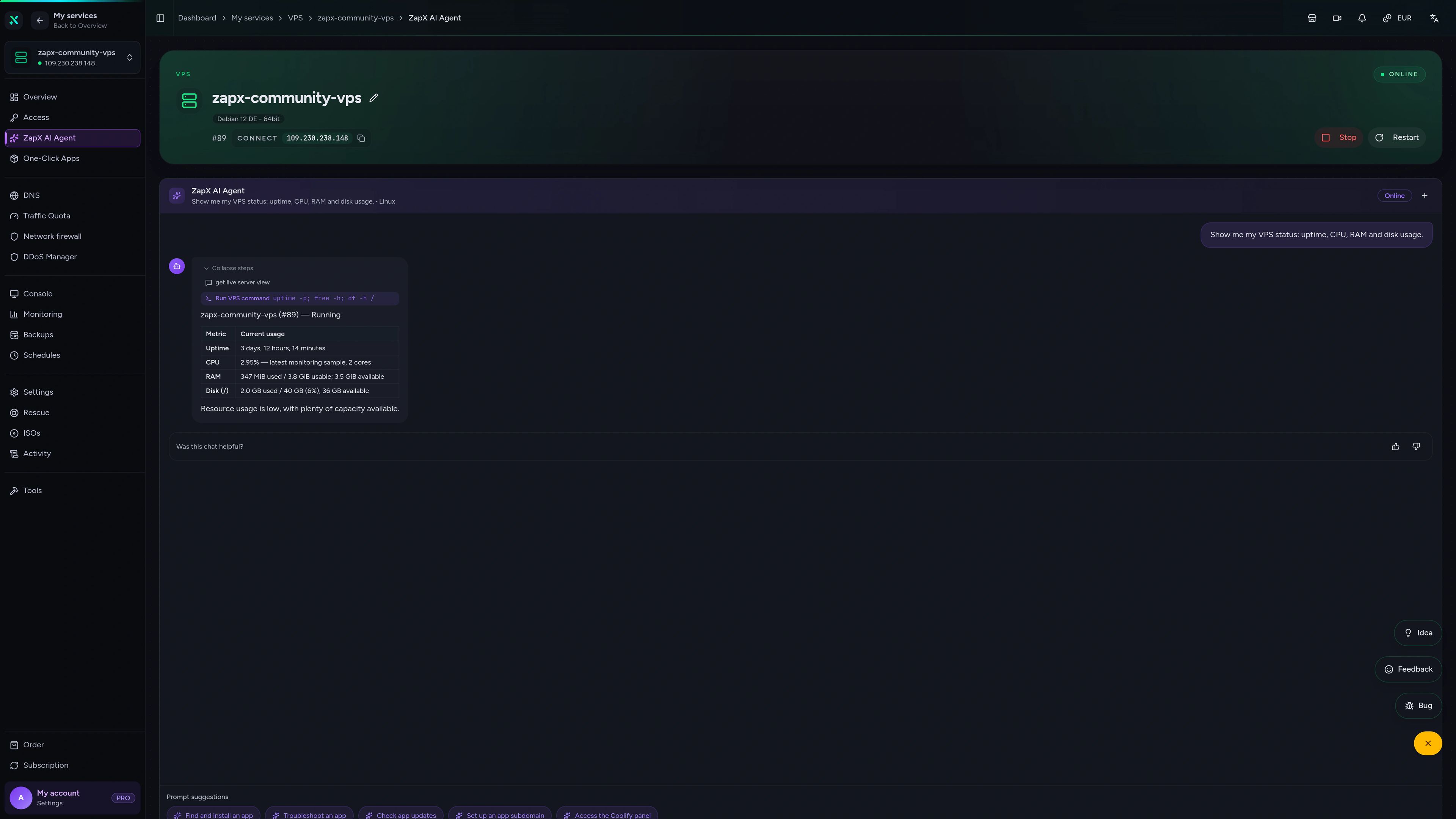
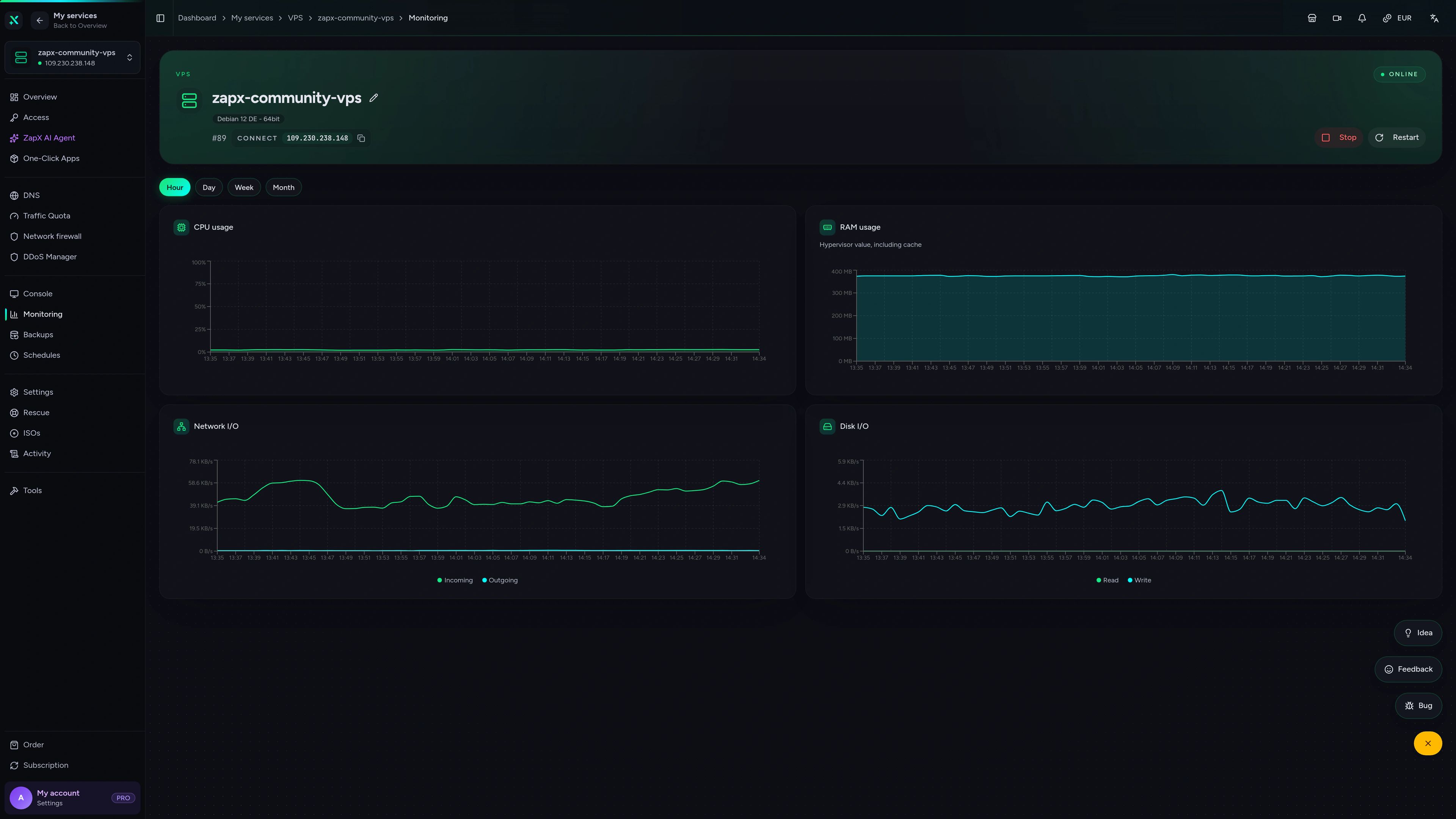
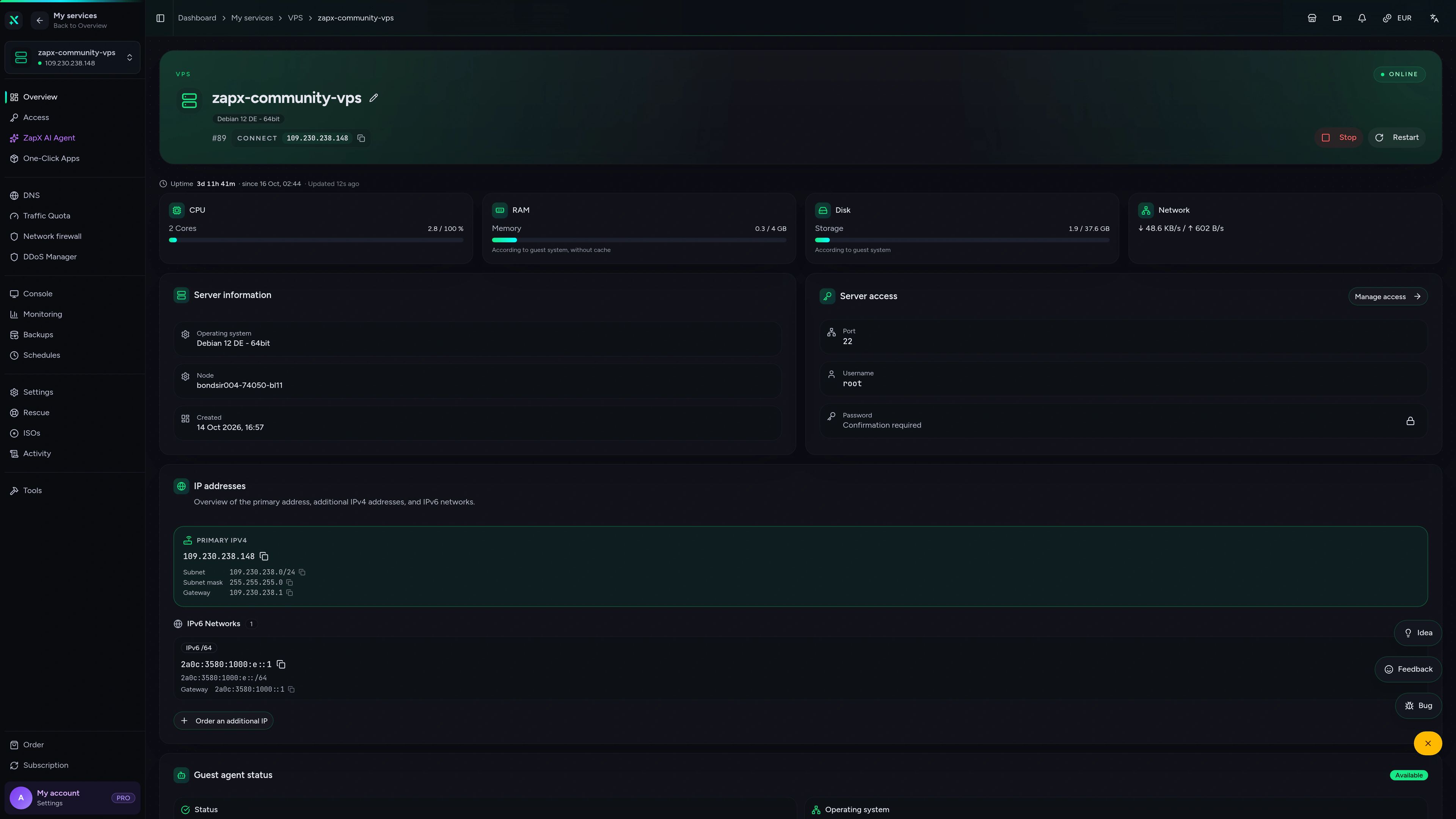
Your VPS panel at a glance
Root console, Backups and live statistics for your Luanti VPS in the ZapX panel, with no game panel layer in between.
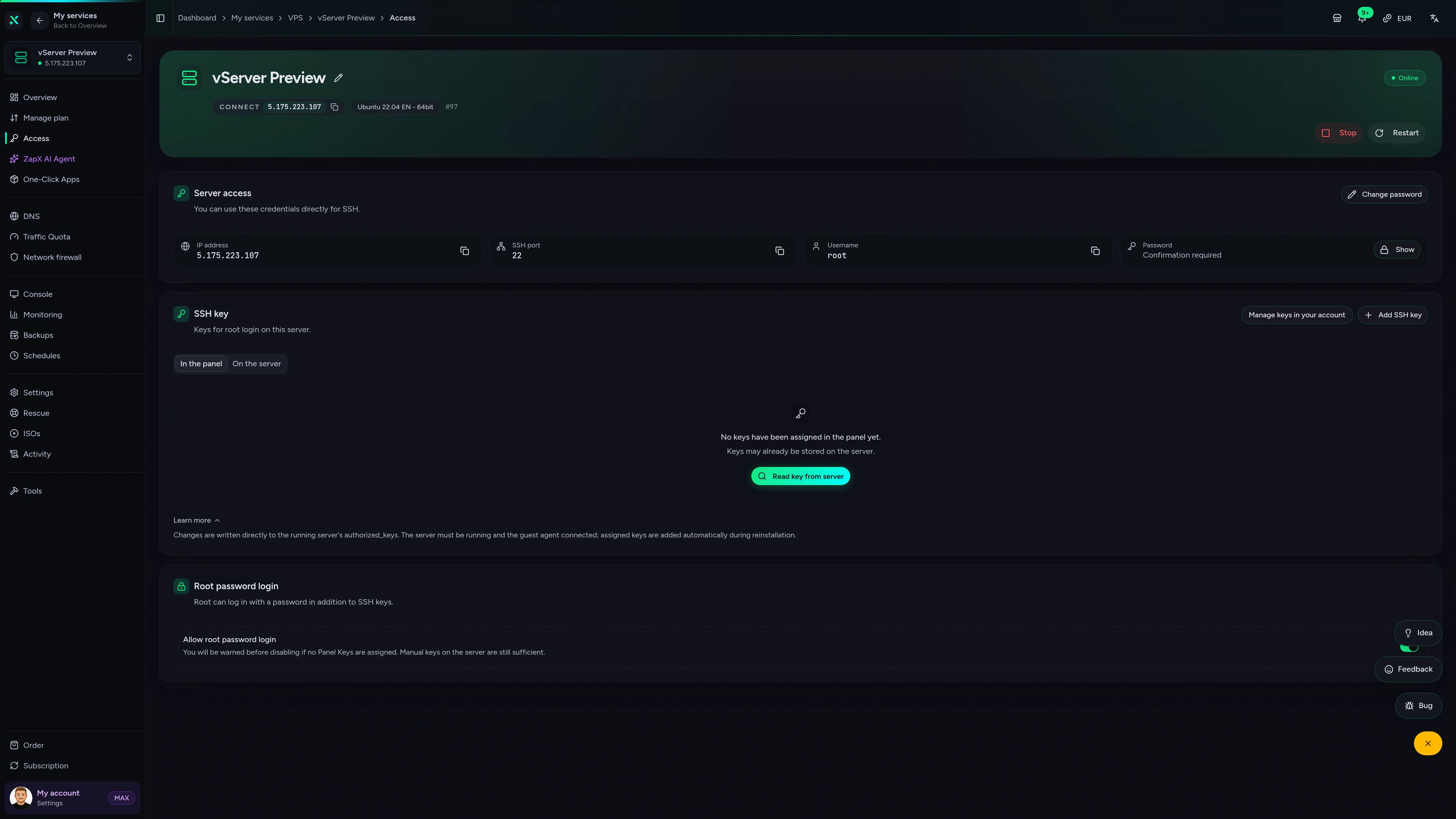
VPS – ZapX AI Agent
Ask the ZapX AI Agent about your VPS: it checks uptime, CPU, RAM and disk usage live and answers in the chat.
Get help with your Luanti VPS from the ZapX AI Agent
The ZapX AI Agent explains firewall rules, Backups and resource usage on your VPS and suggests safe next steps. Changes only happen after you confirm them.
The ZapX AI Agent is part of ZapX Pass, together with extra Backup slots for your VPS and Lifetime options.
Discover ZapX PassZapX AI Agent
panel.zap-hosting.com
Performance
Measured CPU, storage and network values from our VPS platform, the same hardware your Luanti server runs on.
High-performance VPS, CPU model depends on the location
Typical VPS plans without a published host CPU
confirmed 2026-07-01
Use cases
What will you run on your Luanti VPS?
From a private friend server to modded public communities: your own VPS adapts to how your group plays Luanti.

Ready to build?
Start your Luanti world on your own VPS
ZapX appComing soon
Your Luanti VPS in your pocket
Check on your VPS from your phone, whether you are at work, on the road or at a LAN party.
Impressionen
Luanti (Minetest) Screenshots
A glimpse into the game world—its atmosphere, exploration, and the moments your community will experience on the server.
Ready for your own Luanti VPS?
Choose a package, pick a location near your players and start building your Luanti world on a VPS that is fully yours.
Install a Game Server with one click. No risk. Cancel anytime.