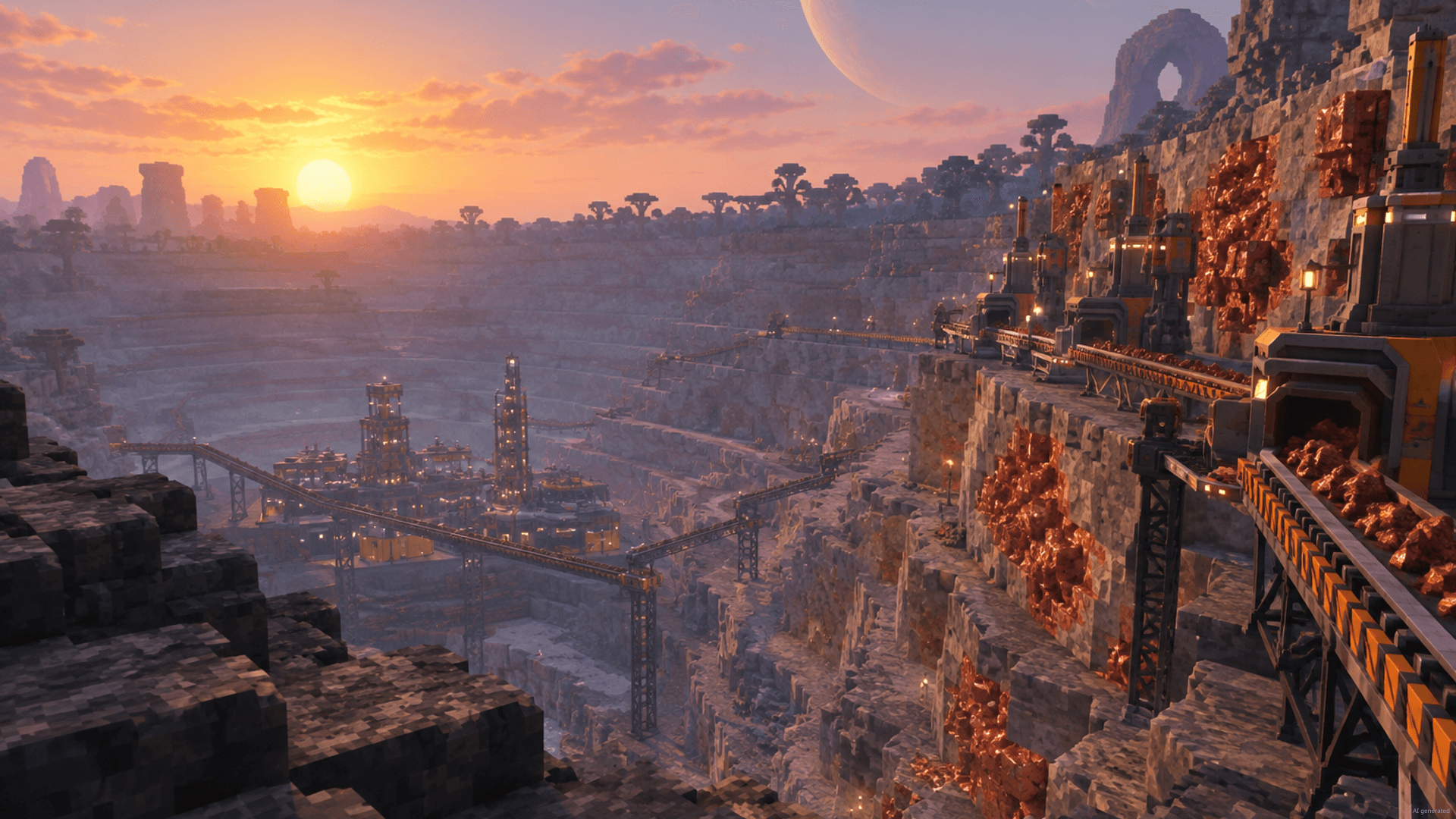
 FOUNDRY Dedicated Server Hosting
Foundry VPS Hosting.
Run the official FOUNDRY Dedicated Server on your own VPS — set up with one click via our Game Server Installer, DDoS-protected.
Or try 3 days from €1.31Pick the 3-day term at checkout · renews every 3 days · cancel anytime
Packages 1–3 of 9
 Your project. Your setup.
Configure yourself
Your project. Your setup.
No package fits? Choose your CPU, RAM and storage—you only pay for the package you put together.
Powerful CPUs
1 Gbit/s uplink included
up to 5 Gbit/s as an add-on
100 Gbit/s host network
Juniper Firewall
DDoS protection
 Visa
 Mastercard
 American Express
 PayPal
 Google Pay
 Apple Pay
 Klarna
 Amazon Pay
Basics
What is a Foundry VPS?
Foundry server hosting on your own VPS keeps your factory running 24/7, even when your PC is off. A Foundry VPS is a virtual server with full administrator access that runs the official FOUNDRY Dedicated Server for the factory-building game by Channel 3 Entertainment.
You skip the manual install: the Game Server Installer sets up your FOUNDRY server with one click. Your friends then connect with the IP and port shown in the panel, while you keep full control over configs, saves and extra services.
This page is about FOUNDRY, the voxel factory-building game — not the Foundry Virtual Tabletop.

Features
Everything your FOUNDRY server needs.
Your own VPS with admin access, one-click setup via Game Server Installer, a daily system Backup and resources that grow with your factory.
One-click setup via Game Server Installer
Your factory goes online without manual install steps: the Game Server Installer sets up the FOUNDRY server on your VPS with one click.
RAM & CPU for big factories
Sprawling conveyor lines and busy production chains run on the RAM and CPU of your KVM VPS, not on your gaming PC.
Grow with your factory
More players or a bigger base? Move to a larger VPS package with more RAM and CPU — resources set the limit, not paid player slots.
Daily system Backup included
Your progress stays protected: a daily automatic system Backup is included, own Backups and restores are available with ZapX Pass.
Bring your single-player factory
Keep what you already built: upload your existing FOUNDRY save to the VPS and continue the same factory together with friends.
Admin access, password protection
You decide who joins and what runs: full administrator access, a server password in app.cfg and your own firewall rules on the VPS.
 Setup
Your Foundry server set up in one click.
With our Game Server Installer, you can set up your Foundry server on your VPS in one click — no commands or manual work. Prefer some help? With ZapX Pass, the ZapX AI Agent helps you in the chat.
Game Server installer
One click
Select Foundry in the installer and click Install — the server will be set up automatically.
Together with the ZapX AI Agent
ZapX PassDescribe your goal in the chat: the ZapX AI Agent supports you step by step with the setup. Available with ZapX Pass.
Prefer to set everything up manually?Guide in the Help Center
Locations in Europe and America
Your VPS. Your location.
4 data centers in Europe and America — choose the location closest to your community.
Europe

America

Reviews
What customers say about ZAP-Hosting
Real feedback on support and setup.
Great Service & User Experience
I had applied for partnership at ZAPX and the process and user panel is absolutely fire and very much friendly. Apart from that i have been using their VPS machine for quite a while and it has been great with almost no downtime.

 ZAP-HostingReply

great prices, good specs
the interface was great, migration was flawless and the interface is very user friendly. support team was very helpful aswell
 ZAP-HostingReply
I've been with them for a few years
I've been with them for a few years, and they're one of the best. The lifetime servers have really helped me, and now they've added auto-backup. 10/10!
 ZAP-HostingReply

FAQ
Frequently asked questions about Foundry
Answers to the most important questions before you start.
How much does a Foundry server cost?
It depends on package, term and location — live prices are shown in the shop.
The price of a Foundry VPS depends on the package you choose, not on player slots. The current prices for every package are shown live in the shop, and you choose a term of 3, 30, 90 or 180 days or 1 year — longer terms lower the monthly price. With ZapX Pass, a Lifetime option is also available.
- Priced by package, not slots
- Terms from 3 days to 1 year
- Live prices in the shop
Which VPS package do I need for a FOUNDRY dedicated server?
Start with a smaller package and scale up as your factory grows.
A fresh co-op world with a few friends runs comfortably on a smaller package. Large late-game factories with long conveyor lines, many machines and more players need more RAM and CPU cores. The player limit itself is a setting in the server's app.cfg, so you choose your package by resources — and you can move to a larger package later.
- Small co-op: smaller package
- Big factories: more RAM and CPU
- Player limit set in app.cfg
How do I host my own FOUNDRY dedicated server?
Rent a VPS, let the Game Server Installer do the setup — done.
Order a Foundry VPS and pick a location close to your players. Your VPS is usually ready within 60 seconds, and the Game Server Installer then sets up the official FOUNDRY Dedicated Server on your Windows VPS with one click — no manual install steps. Afterwards you share the IP and port from the panel with your friends. Experienced admins can optionally set the server up by hand instead.
- VPS usually ready within 60 seconds
- One-click Game Server Installer
- Connection details in the panel
How can I host a FOUNDRY dedicated server for my friends 24/7?
Your VPS keeps the factory online — even when your PC is off.
A VPS runs around the clock in the data center, so your friends can keep building while you're offline — no home PC running all night and no port forwarding on your router. They connect with the IP and port shown in your panel, and a server password in app.cfg keeps the factory private. How to connect in the Help Center
- Online 24/7 without your PC
- No router port forwarding
- Password-protected access
Why run FOUNDRY on a VPS instead of a managed game server?
Your own server with full admin access — not a locked-down panel.
A Foundry VPS is your own virtual machine. You get administrator access via Remote Desktop (RDP) on the Windows Server image that the FOUNDRY Dedicated Server and our Game Server Installer need. That means you control configs, saves and updates yourself and can run extra services such as a Discord bot next to FOUNDRY, as long as the resources allow it.
- Full administrator access
- Windows image
- Room for extra services
Are my FOUNDRY saves backed up, and can I upload my own save?
Daily system Backup included — and your single-player save can come along.
Every VPS includes a daily automatic system Backup. Own Backups and restores whenever you want are available with ZapX Pass. To continue an existing world, upload your single-player FOUNDRY save to the server's save folder and keep building with your group. Managing Foundry saves
- Daily automatic system Backup
- Own Backups & restore with ZapX Pass
- Single-player save upload
Is my Foundry VPS protected against DDoS attacks, and where is it hosted?
DDoS protection is included — at locations in Europe and America.
Yes. DDoS protection is included with your VPS, so your public FOUNDRY server is shielded against attacks. You choose the location yourself from data centers in Europe and America — pick the one closest to your players. Many North American groups start with Ashburn, Dallas or Los Angeles.
- DDoS protection included
- Locations in Europe and America
- Pick the spot nearest your players
Is there a Lifetime option for a Foundry VPS?
Yes — buy once with ZapX Pass.
Yes. Besides terms from 3 days to 1 year, the VPS is also available as Lifetime: you buy your Foundry VPS once instead of renting it. Lifetime requires an active ZapX Pass. Rent or Lifetime explained
- Buy once with an active ZapX Pass
- Requires ZapX Pass
- Same admin access and features
Any more questions?
Contact SupportZapX VPS Panel
Your Foundry VPS, managed in the browser.
Check load, Backups and DDoS statistics of your Foundry VPS in one place — right in the ZapX panel, from any device.
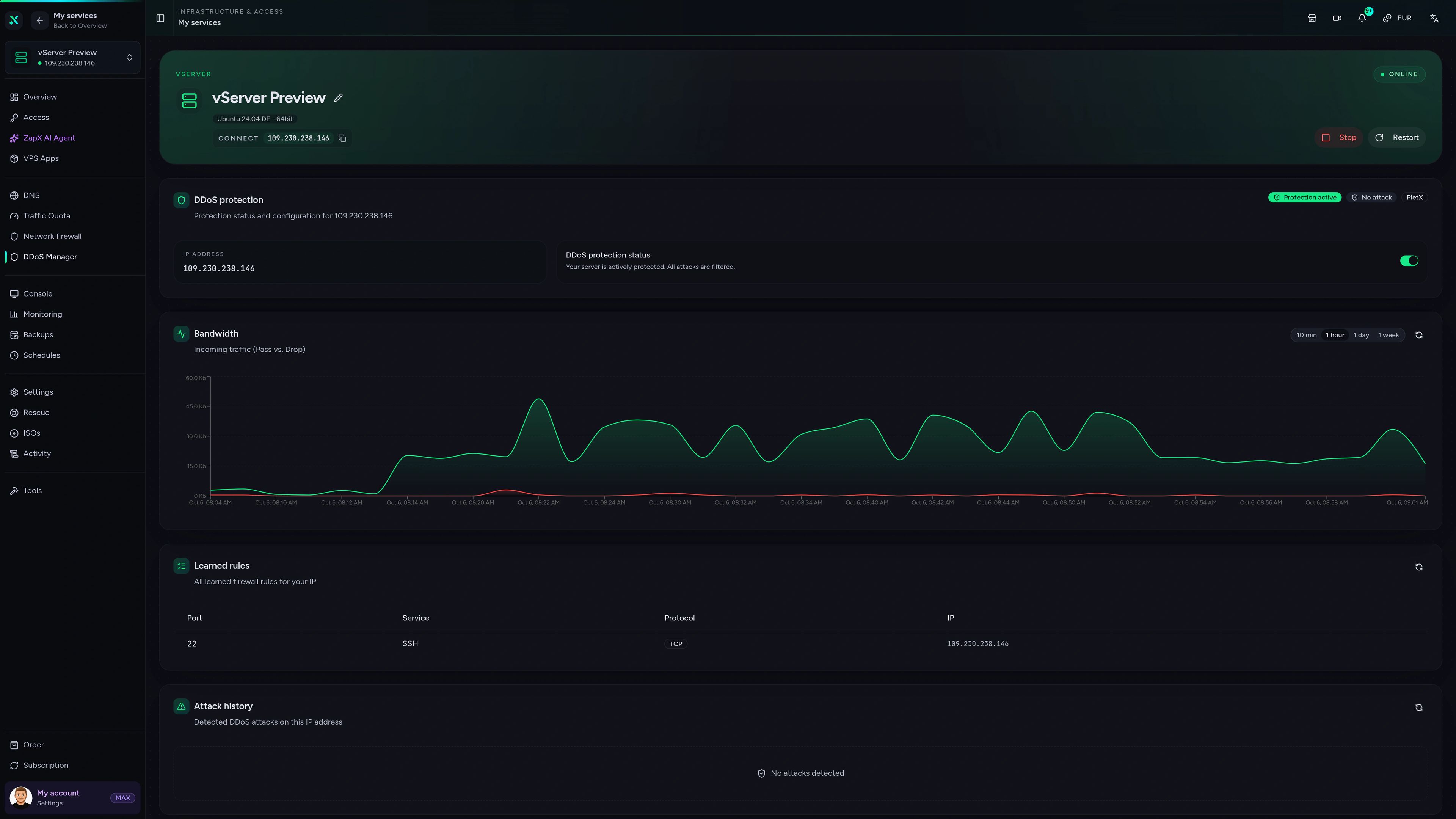
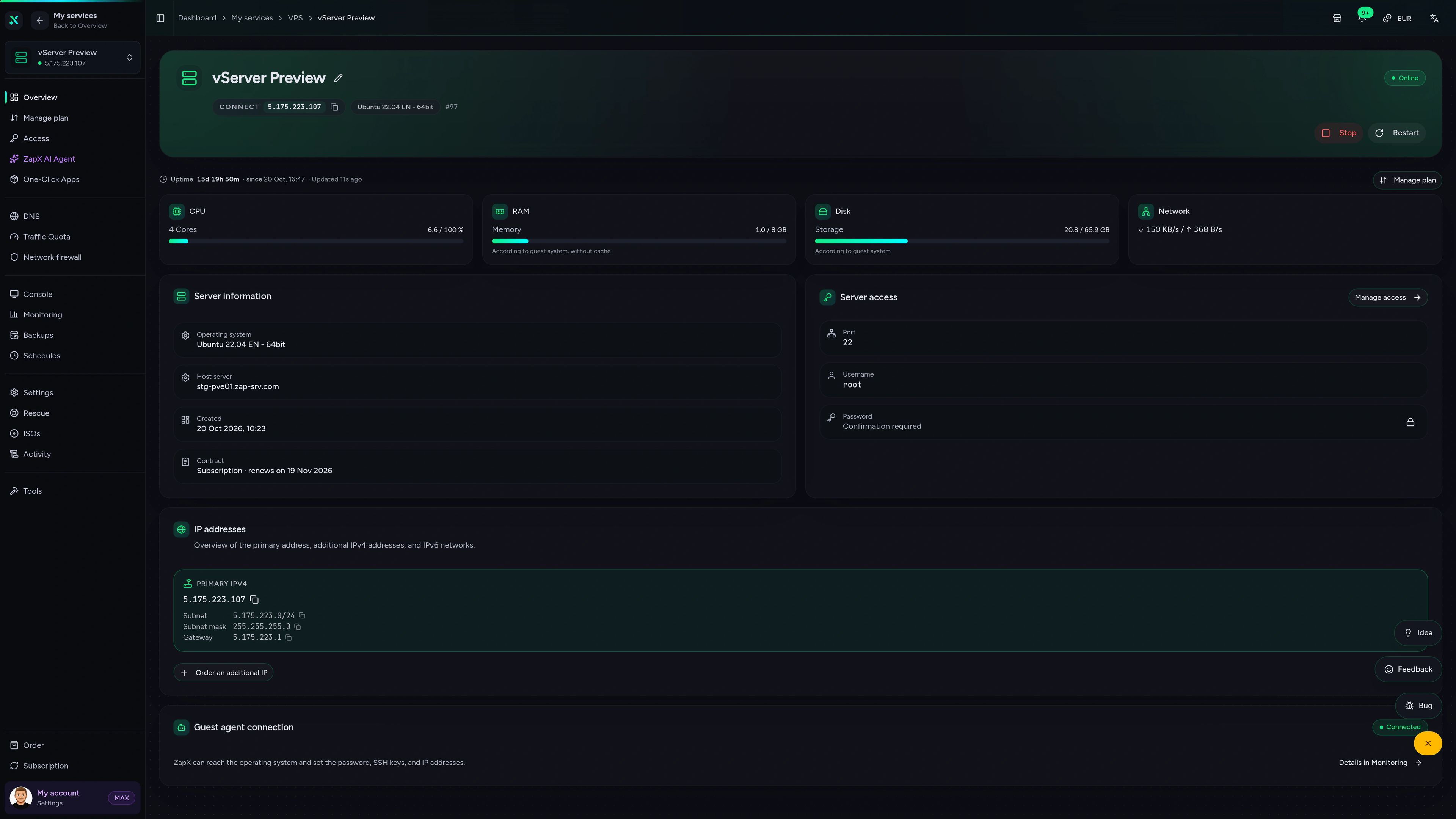
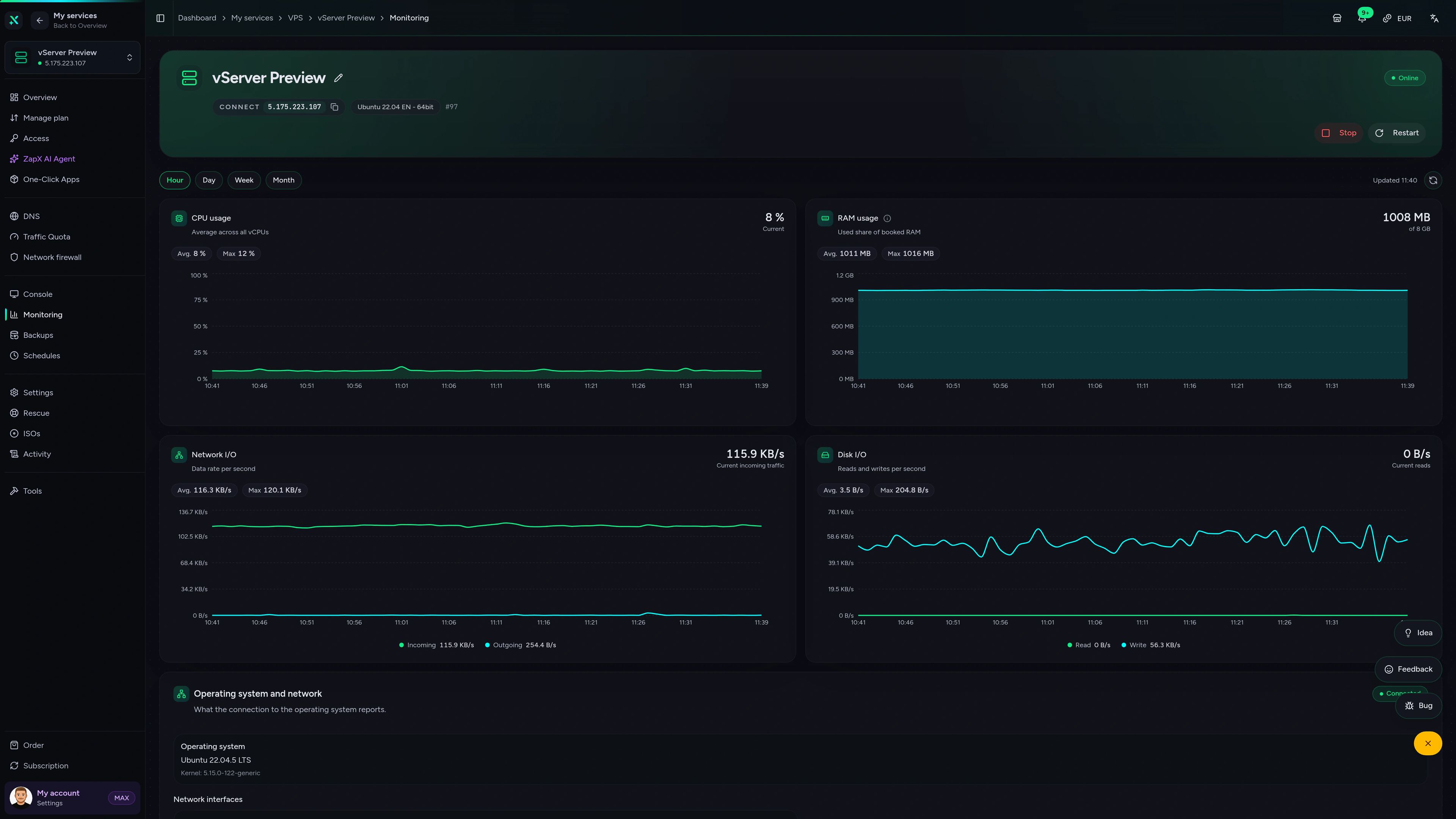
VPS – DDoS Manager
Protection status, incoming traffic (pass vs. drop), learned firewall rules and attack history for your VPS IP in one place.
Ask about your VPS. Get a clear next step.
The ZapX AI Agent explains your Foundry VPS: resource usage, Backups, logs and firewall questions — advisory answers right in the panel instead of forum threads.
The ZapX AI Agent is part of ZapX Pass and applies account-wide to all supported services.
See ZapX PassZapX AI Agent
panel.zap-hosting.com
Benchmark
Comparable numbers from our own VPS infrastructure — with methodology and measurement date, no made-up competitor figures.
High-performance VPS, CPU model depends on the location
Typical VPS plans without a published host CPU
confirmed 2026-07-01
Typical FOUNDRY setups
What players run on their Foundry VPS.
From a co-op factory with friends to a sprawling megabase: your own VPS, with the FOUNDRY server set up with one click via the Game Server Installer.

Get started now
Your factory, online 24/7 — on your own VPS.
Mobile AppComing soon
Your Foundry VPS. In your pocket.
Keep an eye on your VPS from anywhere with the ZapX app — status, restarts and alerts while you're away from your PC.
Impressionen
Foundry Screenshots
A glimpse into the game world—its atmosphere, exploration, and the moments your community will experience on the server.
Your FOUNDRY factory deserves its own VPS.
Rent a Foundry VPS, let the Game Server Installer set up your FOUNDRY server with one click and invite your friends — your factory keeps running 24/7.
Install a Game Server with one click. No risk. Cancel anytime.