Automatic backups
ACTIVEIncluded
- Daily backup
- Automatic · no setup
ZapX Pass
- Manual backups
- Custom schedules
You decide which services we may enable for analytics, personalization, and external content.
We use cookies and similar technologies on our website to personalize content, embed external media, and better understand how individual areas are used.
Necessary cookies
These entries support essential functions such as security, stability, and form processing.
Optional sections
Your data may be processed with your consent or on the basis of legitimate interests. In the cookie settings, you can reject or explicitly allow each optional category.
Some services process personal data in third countries. By consenting, you also agree to this transfer. You can find more information in our Privacy Policy.
You can reopen and change your selection at any time. · 1.0.2
TeamSpeak server hosting for clans, squads and communities: clear voice, your own channels, full control.
 Visa
 Mastercard
 American Express
 PayPal
 Google Pay
 Apple Pay
 Klarna
 Amazon Pay
Benchmark
Latency, uptime, and setup — measured against typical TeamSpeak hosting providers.
Median, dark fiber Eygelshoven → Frankfurt
Typical EU voice hosting providers
measured 2026-07-02 · mtr
Server locations
Choose from our locations worldwide, with live ping and DDoS protection. Many US groups start with Ashburn / New York, Dallas or Los Angeles.


Key features
ZAP-Hosting TeamSpeak server hosting means slot-based TeamSpeak 3 servers from €2.49 with DDoS protection, a daily auto-backup schedule and up to 3 custom TSDNS addresses. On top: the three things that matter every game night — voice, structure and files.
Backups & snapshots
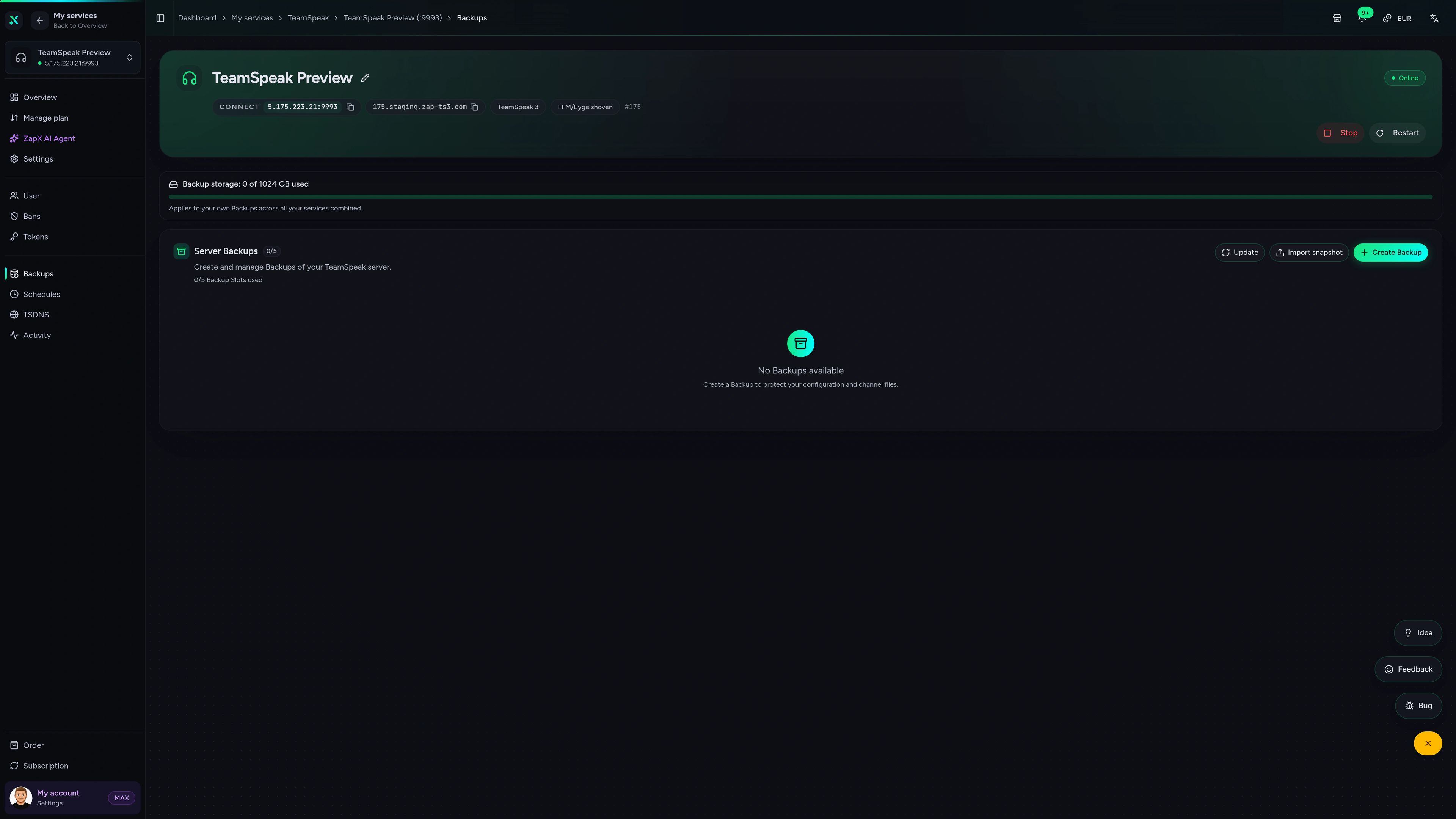
A broken plugin, a wrong permission or an accidentally deleted channel shouldn't cost you your whole setup. Backups and snapshots catch it.
More control with ZapX PassRestore, more history, Pass perks and Lifetime TeamSpeak without activity checks
Reviews
Selected reviews on support, setup speed and everyday life with rented servers.
ZapX Panel
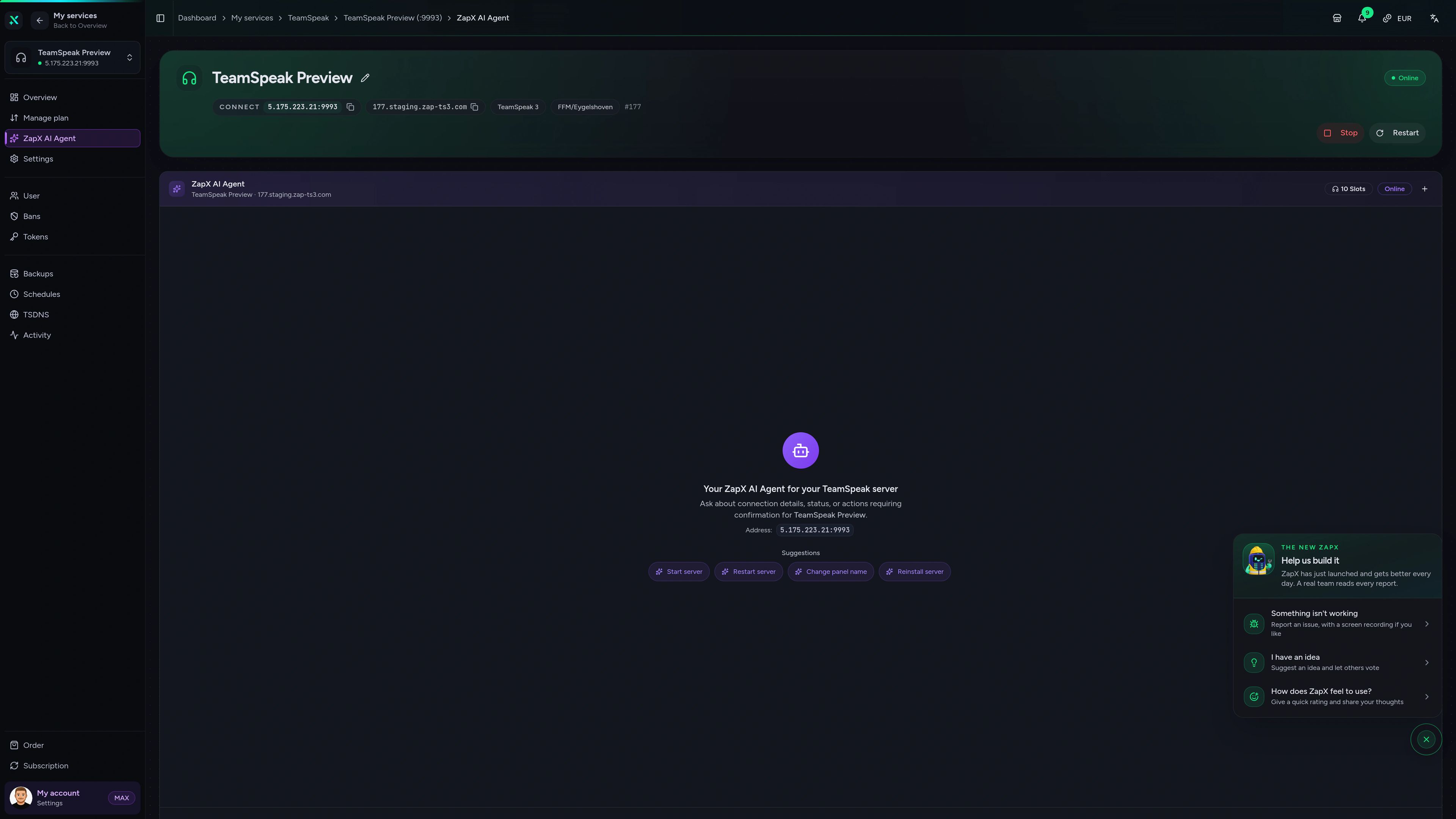
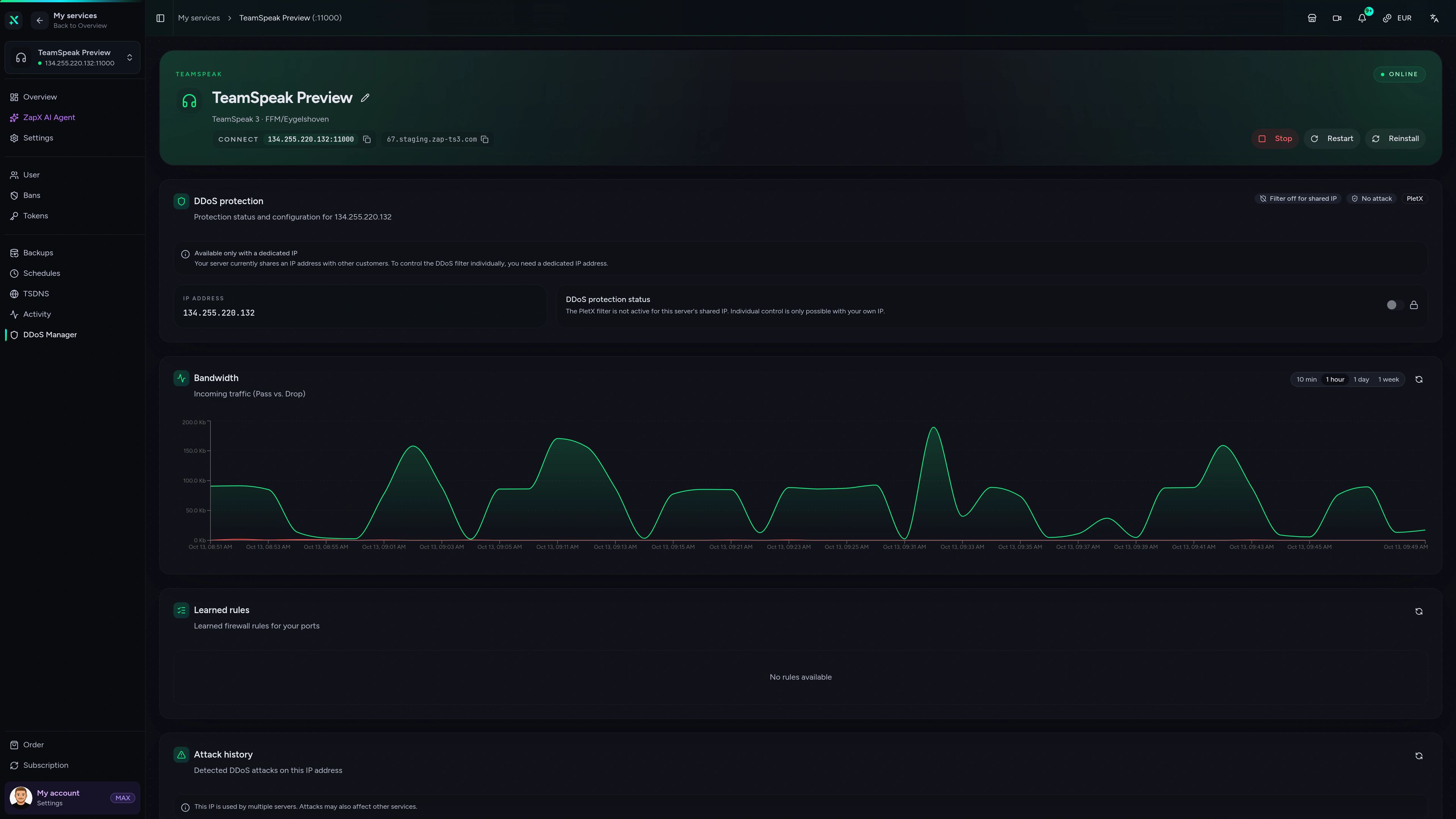
Status, ZapX AI Agent, backups, DDoS manager and settings — everything for your TeamSpeak server in one browser panel.
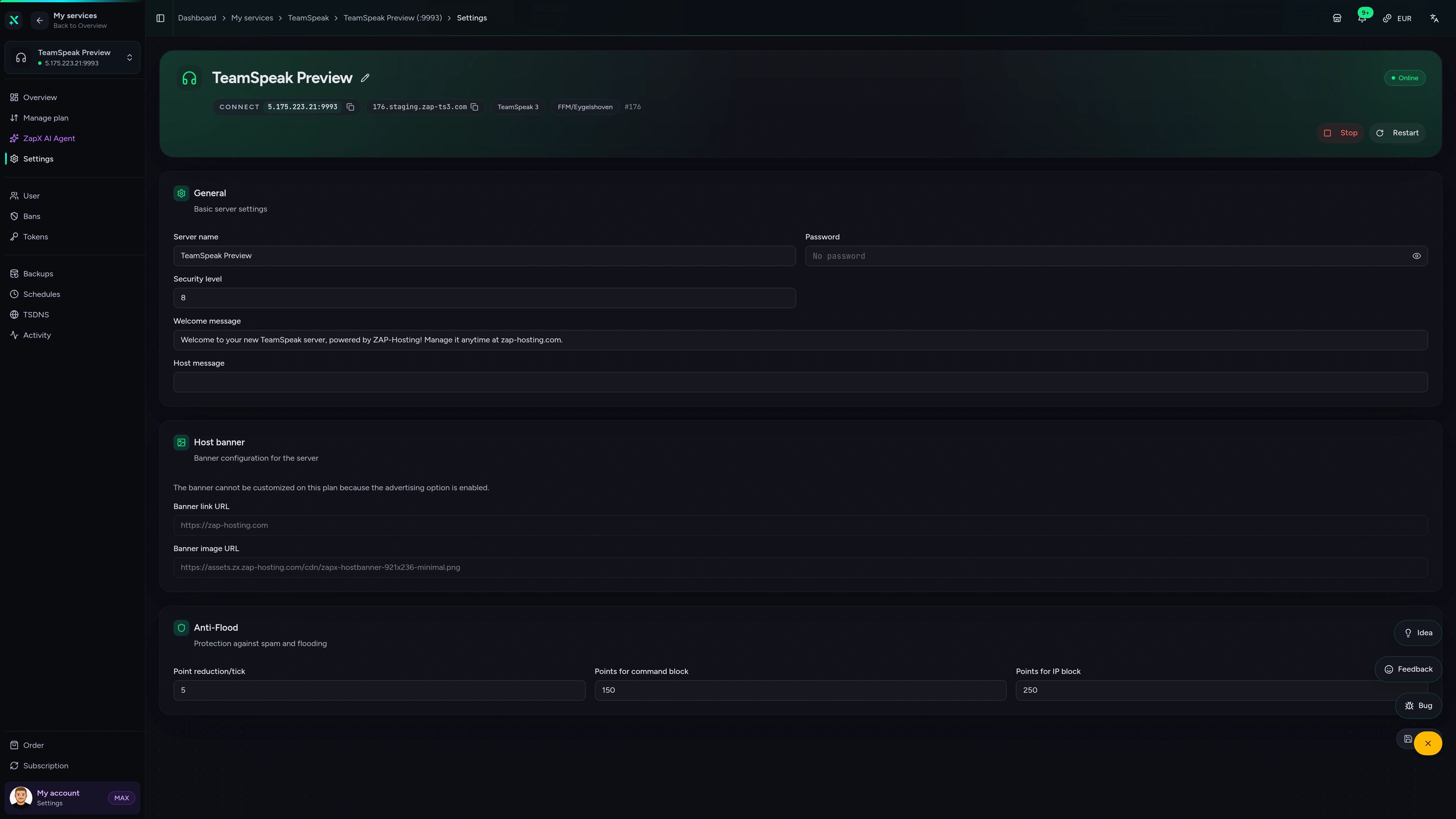
TeamSpeak Server – Settings
Settings of the TeamSpeak Server in the ZapX customer panel.
Comparison
Discord is a great community hub. TeamSpeak complements it when your group needs its own independent voice server that you manage yourself.
Online in three steps
Pick slots, pay, connect. Easy to follow, even if you've never rented a voice server before.
Start small for your friends or clan and add slots later when more people want to talk at the same time.
Choose a location and a runtime from 3 days to 1 year, or Lifetime with ZapX Pass. Setup is automated, so your voice server is online within 60 seconds of checkout.
Share the address, create channels and start talking. No hunting for a server license.
Client comparison
Works with TeamSpeak 3 and TeamSpeak 6 clients — switch between TS3 and TS6, both talk to the same rented TeamSpeak 3 server.
Same TS3 server
Address, channels and permissions stay the same. Only the look and client features change.
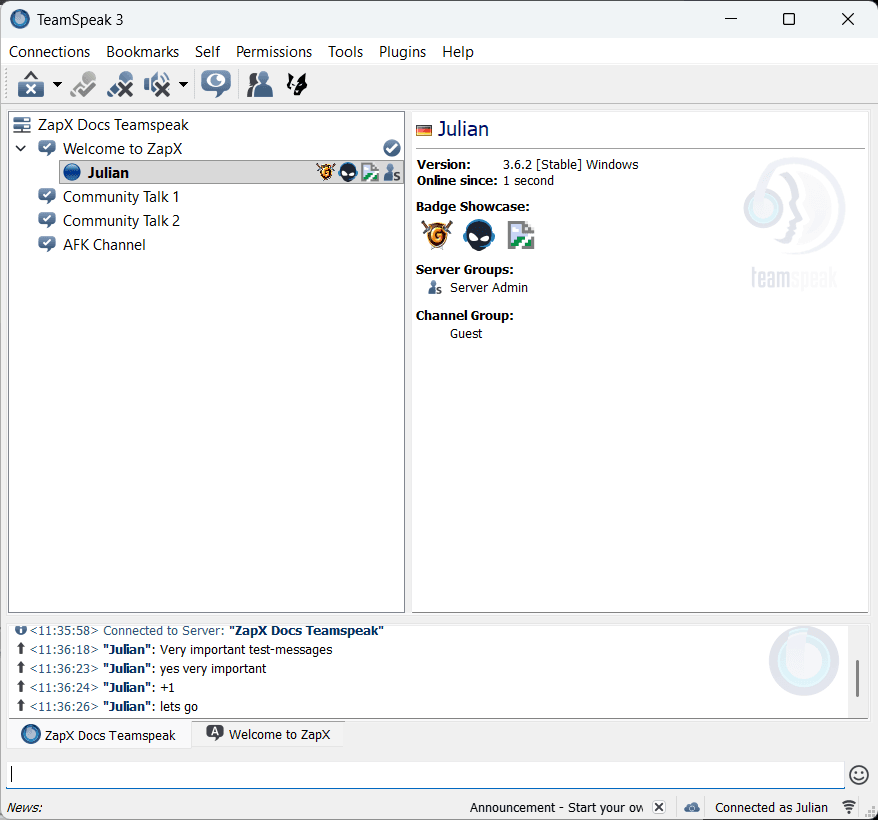
Classic
Switch to TeamSpeak 6 if you want the modern interface — same server.
Support
From a quick support chat to step-by-step guides, there's a clear way forward for every question.
Support reachable around the clockFast first answer
Clearly documented
Community + support
Solve it yourself
FAQ
Straight answers on cost, slots, runtimes, protection, management and client compatibility.
Right here — your server is online within 60 seconds of checkout.
Pick a slot package, the location closest to your group and a runtime, then check out. Setup is automated: your TeamSpeak server is provisioned right after payment, and your access details are waiting in the ZapX panel.
Yes, up to 32 slots — if you run and protect the server yourself.
The TeamSpeak server software is free to self-host for up to 32 concurrent users; above that, TeamSpeak requires a paid license. You also take care of hardware, power, port forwarding, uptime and DDoS protection yourself. A hosted server takes all of that off your plate: it runs 24/7 in the data center on a DDoS-protected network, with support included.
Count the people on voice at the same time — not your whole friends list.
For a regular group, 10 to 32 slots are often enough. Clans with several channels or public rooms usually start bigger and can upgrade later.
From €2.49 — the price depends on slots and runtime.
You choose a slot package and a runtime, and that sets your price. The license for your slots, DDoS protection and daily backups are included; with a ZapX Pass that includes backups you can switch the daily backups off. The starting price is for the version with an ad banner on the server; if you want it ad-free, add that at checkout for a surcharge. The package grid shows all current packages and prices. View packages and prices
Yes — rented servers can be upgraded or downgraded via plan change.
When your group grows or shrinks, change your slot package in the ZapX panel, so you only pay for the capacity you actually use. Lifetime servers can be upgraded, but not downgraded.
No — the license for your slot count is included.
TeamSpeak requires a paid license for more than 32 concurrent users. Your ZAP-Hosting package already covers it for the slots you book, so there's nothing extra to buy.
3, 30, 90 or 180 days, 1 year — or Lifetime with ZapX Pass.
Pick the runtime that fits your group and decide later whether to renew or switch to Lifetime. With ZapX Pass you buy your TeamSpeak 3 server once as Lifetime, and it runs as long as your Pass is active. If you cancel a rental, it keeps running until the end of the period you've already paid for.
Yes — DDoS protection is included at no extra cost.
Every TeamSpeak server at ZAP-Hosting runs on a DDoS-protected network. Attack traffic is filtered so voice chat and reachability stay stable.
Through the ZapX panel and the TeamSpeak tools you already know.
The panel lets you control the server, see your access details and manage backups. Channels, permissions and day-to-day moderation work as usual in the TeamSpeak client. TeamSpeak: ConfigurationTeamSpeak: Becoming an AdminTeamSpeak: Query Access
Yes — with up to 3 TSDNS subdomains or your own domain.
Instead of an IP and port, your group joins via an address like ts.yourclan.com. Set up to 3 ZAP subdomains in the TSDNS tab of your server, or point your own domain at your TeamSpeak server via DNS. TeamSpeak: ZAP SubdomainDomain: Setting Up TeamSpeak 3 Redirection
Snapshots save your channel setup — the daily auto-backup schedule protects the rest.
Snapshots store channels and permissions, so you can roll back quickly after an experiment. The daily auto-backup schedule protects your server state; restore access and more backup history come with ZapX Pass.
Yes — your server runs TeamSpeak 3, and the TeamSpeak 6 client connects just fine.
You rent a TeamSpeak 3 server here, and your group can join with either the TeamSpeak 3 or the current TeamSpeak 6 client. Dedicated TeamSpeak 6 server features aren't part of this offer. If you want to test the TeamSpeak 6 server beta yourself, install it on your own VPS. Set up a TeamSpeak 6 server on Linux
It depends on what you need — for pure voice chat, TeamSpeak has clear advantages.
Discord is a strong community hub with text channels, roles and bots. TeamSpeak wins on voice: full voice quality without Nitro or server boosts, joining without an account and your own voice instance that only you control. Many clans use both: Discord for the community, TeamSpeak for callouts during the match.
Still have questions?
Contact supportThe ZapX AI Agent in the panel creates invite tokens, updates your host banner and host message, switches the voice codec and backs up your server - you describe what you want, and it prepares the change for you to confirm. Requires an active ZapX Pass with AI access.
The ZapX AI Agent is part of ZapX Pass - together with your own backups, restore and Lifetime access.
View ZapX PassZapX AI Agent
panel.zap-hosting.com
Add-ons
A game server for the match, a domain for your connect address, a bot or VPS for the community — all in the same account and panel.
Game server
from €5.99 / month
Huge game selection · Locations worldwide
Game server
from €5.99 / month
Voice and game server in the same account: callouts on TeamSpeak, the match on your own server. One panel for resources, backups and permissions.
More hosting options
A game server for the match, a Discord bot for your community or a VPS for your own tools — all in the same account.
Pick your slots, DDoS protection included, Lifetime with ZapX Pass if you like: put your setup together and get your group talking.
No setup. No risk. Online in seconds.
© 2026 ZAP-Hosting GmbH
 Preferred source on Google