
Skip to content

Terraria-style creativity comes to Palworld!

Terraria-style creativity comes to Palworld!

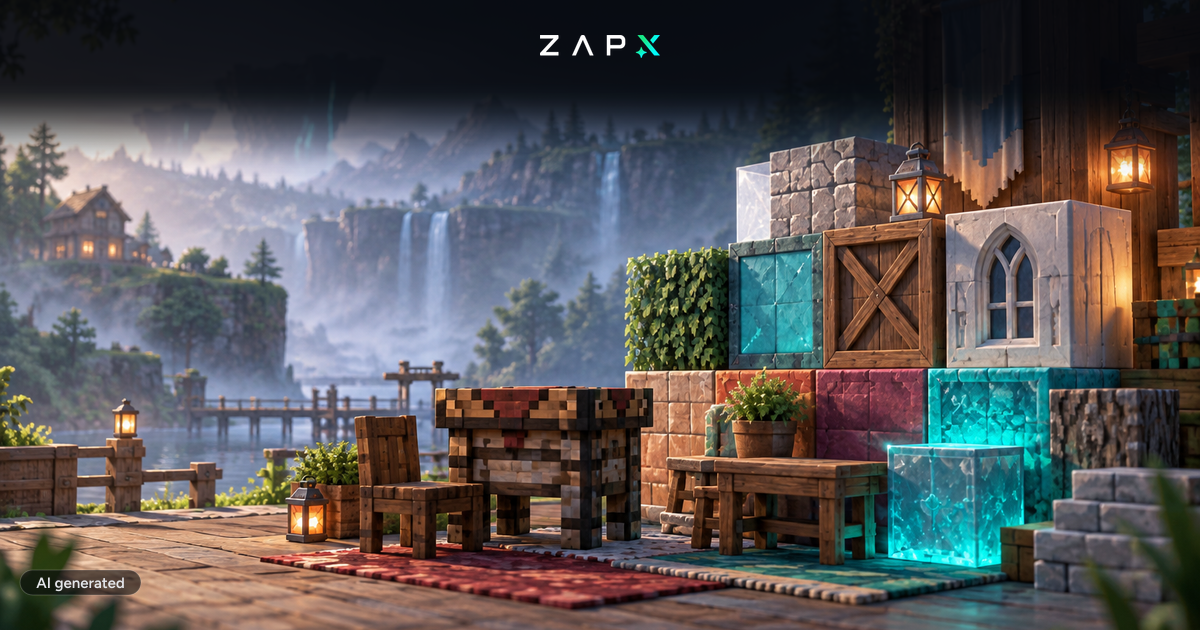
Palworld just got a big creative boost: The new Terraria Building Update adds exciting new tools, decorations, and visuals to make your base-building experience more engaging than ever. Even better – you can start building right away on your own Palworld server from ZAP-Hosting! 🚀

What’s new in the Terraria Update?

The Terraria Update brings retro charm and new depth to Palworld’s survival sandbox. Here’s what’s included:

  • 🔨 Terraria Workbench: Craft new decorative and structural items
  • 🪟 Background Walls: Finally decorate interior rooms in true Terraria style
  • 🕯️ Decorative Items: Lanterns, bookshelves, crates, paintings, and more
  • 🏠 New Building Materials: Style your own 3D Terraria-inspired fortress

Who is this update for?

Whether you're a creative builder, RPG roleplayer, or just want a cozy base for your Pals – this update gives everyone more freedom to build and personalize their world. It’s especially exciting for communities and server players who love to share, explore, and design together.

Newsletter
New articles, tutorials and server news straight to your inbox. After confirming your email — only for new addresses.
Unsubscribe anytime. No spam.

Rent your own Palworld server now

Explore the new Terraria features with friends – hosted on your own ZAP server with:

  • Quick & easy setup
  • Mod and backup support
  • Web interface & 24/7 support included

Rent your Palworld server now

How to install the update

Already running a Palworld server with us? You can enable the update anytime via the Gameswitch or by using the update function in your web interface. And if you need help, our support team is always here.

Patch Notes & Source

You can read the full changelog in the official Steam announcement here:

🔗 View official patch notes

Final Thoughts

This update makes Palworld more creative, beautiful, and customizable – perfect for players who want more freedom when building and designing. Don’t miss this opportunity to shape your world in Terraria style!

Florian

About the author

Florian

Content Management & Development

Responsible for technical content at ZAP-Hosting, from guides and documentation to product pages. Helps shape ZAP-Hosting and writes about survival, crafting, and building games.

Feedback

Was this blog post helpful?

Your feedback helps us prioritize and improve blog articles.

From category

More about News

More posts on the same topic—curated for you from our blog.

All articles in News
News2 min11 Nov 2026

New at ZAP: manage your servers with Claude and ChatGPT

Restart, read logs, create backups, change configs: with MCP Connect you can now do it in a chat with Claude, ChatGPT, Cursor or Gemini. No MCP server of your own, OAuth sign-in, and permissions you set yourself.

Read more

In this category

Explore more

More interesting articles

Discover the latest news, tutorials, and tips from other categories.

All articles
Guides4 min11 Nov 2026

Connect Claude or ChatGPT to your server: setting up the ZapX MCP connector

With the ZapX MCP connector you manage game servers, VPS, dedicated servers and TeamSpeak straight from Claude, ChatGPT or Cursor. Here is the setup step by step, including permissions.

Read more

Browse the highlights





