
VPS plan
ZAP Spark
€7.29/ 30 days
- 4 GB RAM
- 2 CPU
- 60 GB NVMe
- 1 Gbit/s Uplink
You decide which services we may enable for analytics, personalization, and external content.
We use cookies and similar technologies on our website to personalize content, embed external media, and better understand how individual areas are used.
Necessary cookies
These entries support essential functions such as security, stability, and form processing.
Optional sections
Your data may be processed with your consent or on the basis of legitimate interests. In the cookie settings, you can reject or explicitly allow each optional category.
Some services process personal data in third countries. By consenting, you also agree to this transfer. You can find more information in our Privacy Policy.
You can reopen and change your selection at any time. · 1.0.2
 Aloft dedicated server on your own VPS
Aloft server hosting on your VPS: administrator access, your own server setup and locations in Europe & America.
Packages 1–3 of 9
 Your project. Your setup.
Configure yourself
No package fits? Choose your CPU, RAM and storage—you only pay for what your project actually needs.
Powerful CPUs
100 Gbit/s host network
Juniper Firewall
DDoS protection
 Visa
 Mastercard
 American Express
 PayPal
 Google Pay
 Apple Pay
 Klarna
 Amazon Pay
Aloft dedicated server
Your Aloft world stays online for up to 8 co-op players even when your own PC is off: an Aloft VPS is a KVM virtual server with full administrator access that runs the Aloft dedicated server around the clock.
This is your own server, not a managed game server. You set up the Aloft server yourself with full administrator access, and because the VPS has its own public IP, your friends join without port forwarding on your home router.
Aloft is a cozy co-op survival sandbox on floating sky islands. With administrator access, you decide how the world files, game mode and island settings are handled.

Why an Aloft VPS
Administrator access, quick setup and Backups for an Aloft dedicated server that stays online while your crew sleeps.
Automated setup brings your VPS online within 60 seconds of your order. You then set up the Aloft server yourself.
Set up the Aloft server yourself on your VPS with full administrator access, with a guide in the Help Center to support you.
Building, sailing and crafting have room to breathe because you choose the CPU cores and RAM your islands need.
A broken save no longer costs the whole world: with ZapX Pass, back up your VPS before changes and restore it when you need to.
Keep the islands you already restored: upload your Aloft save files from your PC to the VPS and play on with your group.
Your sessions stay responsive when you pick the data center closest to your crew from our locations in Europe and America.
 Setup
Set up your Aloft server yourself on your own VPS with full administrator access. The Help Center guide shows you how. Prefer some help? With ZapX Pass, the ZapX AI Agent helps you set it up.
You install the Aloft server yourself and keep full control over files, mods and settings.
Describe your goal in the chat: the ZapX AI Agent supports you step by step with the setup. Available with ZapX Pass.
Locations in Europe and America
4 data centers in Europe and America — choose the location closest to your community.

Reviews
Real feedback on support and setup.
FAQ
Answers to the most important questions before you start.
Priced by package, not slots: live prices in the shop.
You pay for the VPS package you choose, not for player slots. The pricing section shows the live price of each package, which depends on term and location. You can book 3, 30, 90 or 180 days or 1 year, with discounts on longer terms, or choose Lifetime with ZapX Pass.
For Aloft, you get your own VPS with administrator access.
For Aloft, ZAP-Hosting offers a VPS instead of a managed game server. You get your own server with full administrator access and control the files, the operating system and the setup, installing the Aloft server yourself. The trade-off is that you look after the VPS yourself, with the panel and the Help Center to support you.
Set up Aloft yourself with full administrator access.
You set up the Aloft dedicated server yourself on your VPS with full administrator access. Check the game's current server requirements when planning your setup. A guide in the Help Center helps you get started.
Size your VPS by island count and players.
As a guide for the game server: at least 2 GB of RAM, 6 GB recommended, plus headroom for the operating system. A small crew on a fresh world needs less; larger worlds with more players or mods need more RAM. Choose your VPS package based on island count and number of players, and leave some headroom for a growing world.
Pick the location closest to your crew.
Pick the location closest to most of your players from our locations in Europe and America. Latency depends mainly on that distance. Many North American groups start with Ashburn, Dallas or Los Angeles.
Yes, full administrator access.
Yes. Your VPS comes with full administrator access on Windows Server. You connect via Remote Desktop (RDP) and manage files and firewall rules. If a connection ever fails, you can still reach the server through the browser console in the panel. How to connect via Remote Desktop (RDP)
Backups in the panel, saves via upload.
Yes. With ZapX Pass you can create, restore and download VPS Backups in the panel, so a broken save is no disaster. A daily automatic Backup is included. To continue an existing world, upload your Aloft save files from your PC to the VPS. Your friends then join the server instead of your home PC, without port forwarding. Managing Backups in the Help Center
PletX filters game and server traffic.
Yes. At our FFM/Eygelshoven and US locations, PletX, our own DDoS protection, filters game and server traffic. Attacks on your public IP are mitigated before they disrupt your Aloft sessions.
Any more questions?
Contact SupportZapX VPS Panel
Console, Backups and live statistics for your Aloft VPS in one browser panel, with no extra tools required.
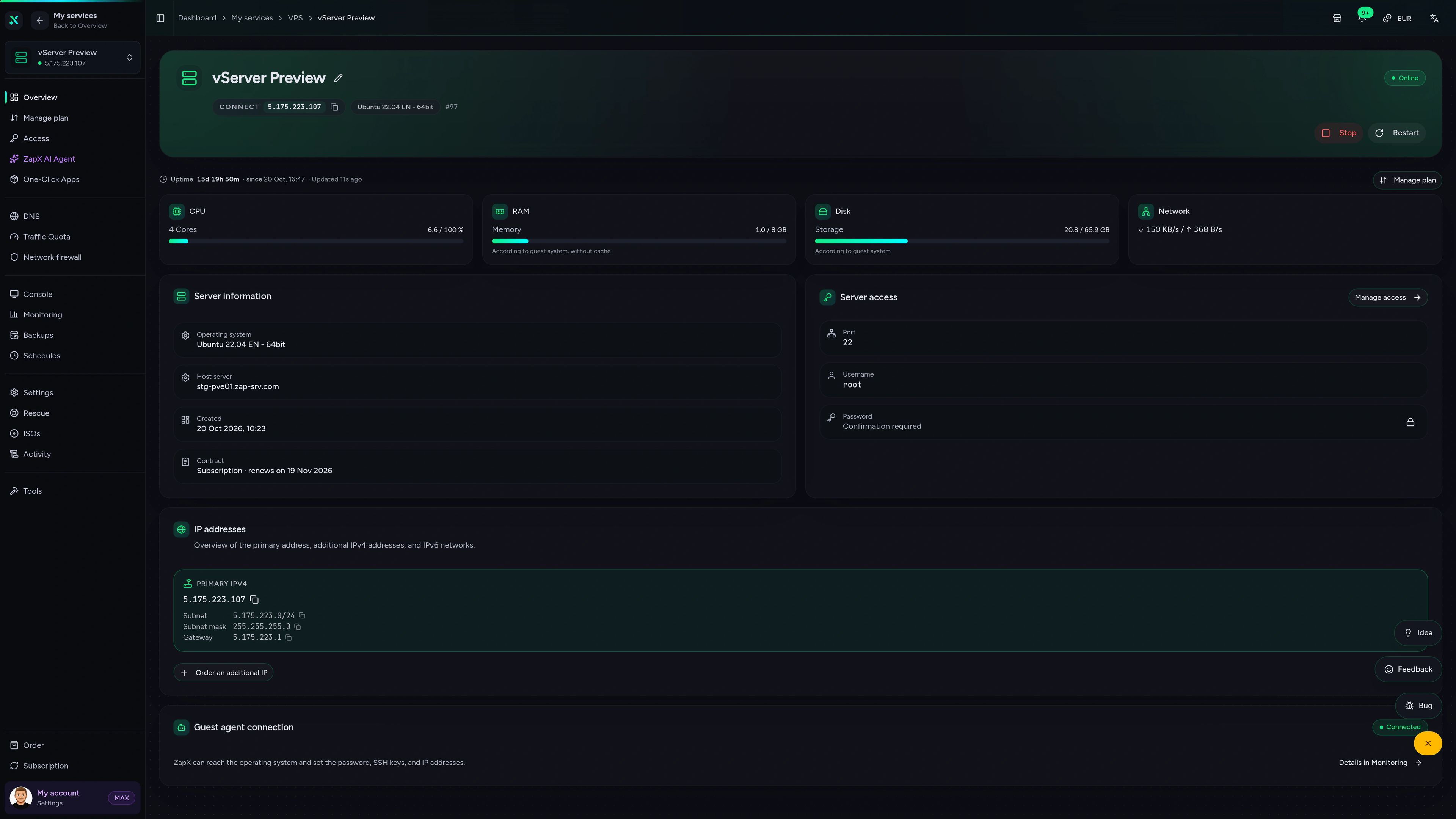
VPS DDoS Manager tab
VPS DDoS Manager tab
The ZapX AI Agent helps with server questions about your Aloft VPS: firewall ports, Backups, resource usage and logs, explained right in the panel.
The ZapX AI Agent is part of ZapX Pass and works account-wide across all supported services.
See ZapX PassZapX AI Agent
panel.zap-hosting.com
Benchmark
Measured values from our own VPS infrastructure, compared with typical market offers, so you know what your Aloft server runs on.
High-performance VPS, CPU model depends on the location
Typical VPS plans without a published host CPU
confirmed 2026-07-01
Aloft on your own VPS
From a weekend co-op crew to a long-running sky world: set up the Aloft server yourself with full administrator access and size the VPS for how you play.
Your sky world, always online
Your Aloft world, online while your PC sleeps
ZapX appComing soon
Check status, restart your VPS and keep an eye on resources from your phone, wherever your crew is.
Impressionen
A glimpse into the game world—its atmosphere, exploration, and the moments your community will experience on the server.
Get your own VPS, set up the Aloft server yourself with full administrator access and invite your crew.
Full administrator access. No risk. Cancel anytime.
© 2026 ZAP-Hosting GmbH
 Preferred source on Google