
 GTA San Andreas Multiplayer hosting
SA-MP (SAMP) Server Hosting.
Your own SAMP server, online in 60 seconds — unlimited slots, DDoS protection and locations worldwide for your community.
Or try 3 days from €0.81Pick the 3-day term at checkout · renews every 3 days · cancel anytime

Plans and pricing
Packages 1–3 of 9
 sa-mp
Configure yourself
Your server. Your power.
No package fits? Choose your RAM, CPU and storage—you only pay for the package you put together.
Powerful CPUs
100 Gbit/s host network
DDoS protection
Full file access
Daily Backups
 Visa
 Mastercard
 American Express
 PayPal
 Google Pay
 Apple Pay
 Klarna
 Amazon Pay
About the game
What is a SA-MP server?
SA-MP (San Andreas Multiplayer) is the classic multiplayer mod for GTA San Andreas. It turns the single-player map into a shared world where players run roleplay cities, freeroam stunt servers, races or deathmatch arenas, all driven by gamemodes written in Pawn. A SA-MP game server keeps that world online 24/7 with your rules, your scripts and your community, and SA-MP server hosting runs it for you on managed hardware with unlimited slots, DDoS protection and automated setup.
You decide what runs: upload your gamemode, filterscripts and plugins such as sscanf or streamer, edit server.cfg in the browser and follow server_log in the live console. Add a MariaDB database for player accounts, choose the location closest to your players from our locations worldwide, and restart from the panel or the mobile app whenever an update is ready.

Included with every server
Everything your SA-MP server needs.
File access, server.cfg editing, a live console, daily Backups and DDoS protection. Your gamemode handles the rest.
Unlimited player slots
No slot cap. How many players you can handle depends on the RAM and CPU you choose.
Online within 60 seconds
Order and play: your SA-MP server installs and starts automatically.
server.cfg in the browser
Change hostname, password, gamemode and plugins without a separate text editor.
Live console in the panel
Follow server_log and send console commands straight from your browser.
Daily automatic Backups
A broken script update won't cost you your gamemode or scriptfiles.
Move from another host
Bring your gamemode, scriptfiles and player data with you via SFTP.
Locations worldwide
Your server. Your location.
8 data centers worldwide — choose the location closest to your community.
Europe


America


Asia-Pacific


Reviews
What customers say about ZAP-Hosting
Real feedback on support and setup.
Great Service & User Experience
I had applied for partnership at ZAPX and the process and user panel is absolutely fire and very much friendly. Apart from that i have been using their VPS machine for quite a while and it has been great with almost no downtime.

 ZAP-HostingReply

great prices, good specs
the interface was great, migration was flawless and the interface is very user friendly. support team was very helpful aswell
 ZAP-HostingReply
I've been with them for a few years
I've been with them for a few years, and they're one of the best. The lifetime servers have really helped me, and now they've added auto-backup. 10/10!
 ZAP-HostingReply

FAQ
Frequently asked questions about SA:MP
Answers to the most important questions before you start.
How much does a SA-MP server cost?
Packages currently start at €4.49 per month. The price depends on package, term and location, never on slots.
The price of our samp server hosting depends on the package you choose, and every package has unlimited slots. The shop shows the live price for each package, and you choose a term from 3 days to a full year. Prices can vary by location; the shop shows the exact price for your choice. Start small for a test run and scale up once your community grows.
- Priced by package, not slots
- Live prices in the shop
- Terms from 3 days to 1 year
How do I create my own SA-MP server?
Order, upload your gamemode, connect. You're online within 60 seconds.
Order a package and choose the location closest to your players. The SA-MP server installs and starts automatically, so you don't need to forward port 7777 or leave a home PC running. Upload your compiled .amx gamemode via SFTP or the file manager, set it as the main gamemode in the server settings and restart. Then connect with the server address shown in the panel. SA:MP panel overview
- Automated installation
- Main gamemode set in the panel
- No port forwarding at home
How many players can join my SA-MP server?
Slots are unlimited. Real capacity depends on your RAM/CPU package and your gamemode.
We don't sell slot tiers. You set the player limit in the panel's “Max. players” field, which writes max_players to config.json on every start. A small freeroam or deathmatch server needs fewer resources. Roleplay gamemodes with a MariaDB database, many streamer objects and lots of players need more RAM and CPU, so check the statistics tab and add resources when usage climbs.
- Unlimited slots on every package
- Player limit set in the panel
- RP gamemodes need more resources
Can I upload my own gamemode, filterscripts and plugins?
Yes. You get full file access through the panel's file manager and SFTP.
Upload your compiled .amx gamemodes and filterscripts, plugins such as sscanf, streamer or MySQL, and your scriptfiles folder. Then set them in the panel's gamemode, side-script and plugin fields and restart. For roleplay gamemodes you can add a MySQL-compatible MariaDB database and manage it with phpMyAdmin. The same file access lets you move an existing server over from another host. File access via SFTP
- Gamemodes & filterscripts
- Plugins like sscanf & streamer
- MariaDB with phpMyAdmin
Is there free SA-MP server hosting?
There's no free plan, but a short 3-day term keeps a test run cheap.
No, we don't offer a free plan or a free trial. Free hosts can shut down without warning, and your community's server goes with them. If you want to test your gamemode first, a short 3-day term lets you try it cheaply on a real server with DDoS protection, full file access and the same panel. You can extend it once your server is ready to go live.
- Terms from 3 days
- Same features on every term
- Extend when you go live
Will my server show up in the SA-MP server browser?
Yes, if you want it to. The masterlist listing is a toggle in the server settings.
You decide. In the server settings you can switch the masterlist listing and query responses on or off. Leave both on and players can find your server in the SA-MP browser by its hostname. Turn the listing off and set a server password if you want to keep the server private for your crew.
- Masterlist listing on or off
- Query responses toggleable
- Password for private servers
Which server locations can I choose for my SA-MP server?
Locations worldwide. Pick the one closest to most of your players.
You choose your location when you order. Our own data centers are in FFM/Eygelshoven, Ashburn, Dallas and Los Angeles, and partner locations add more options depending on availability. Ping depends on distance, so pick the data center nearest to where most of your community plays. If most of your players are in North America, Ashburn, Dallas or Los Angeles are usually the best fit.
- Locations worldwide
- Own data centers in Europe and the US
- Choose freely when ordering
Can I upgrade my SA-MP server later?
Yes. Add RAM and CPU whenever your server grows.
If your roleplay city fills up or a new script needs more power, add RAM and CPU to the same server. Your gamemode, scriptfiles and database stay where they are, so there's no migration and no new IP for your players to look up. Upgrade and downgrade guide
- Same server, more resources
- Files and database stay
- Downgrade possible too
Any more questions?
Contact SupportZapX Panel
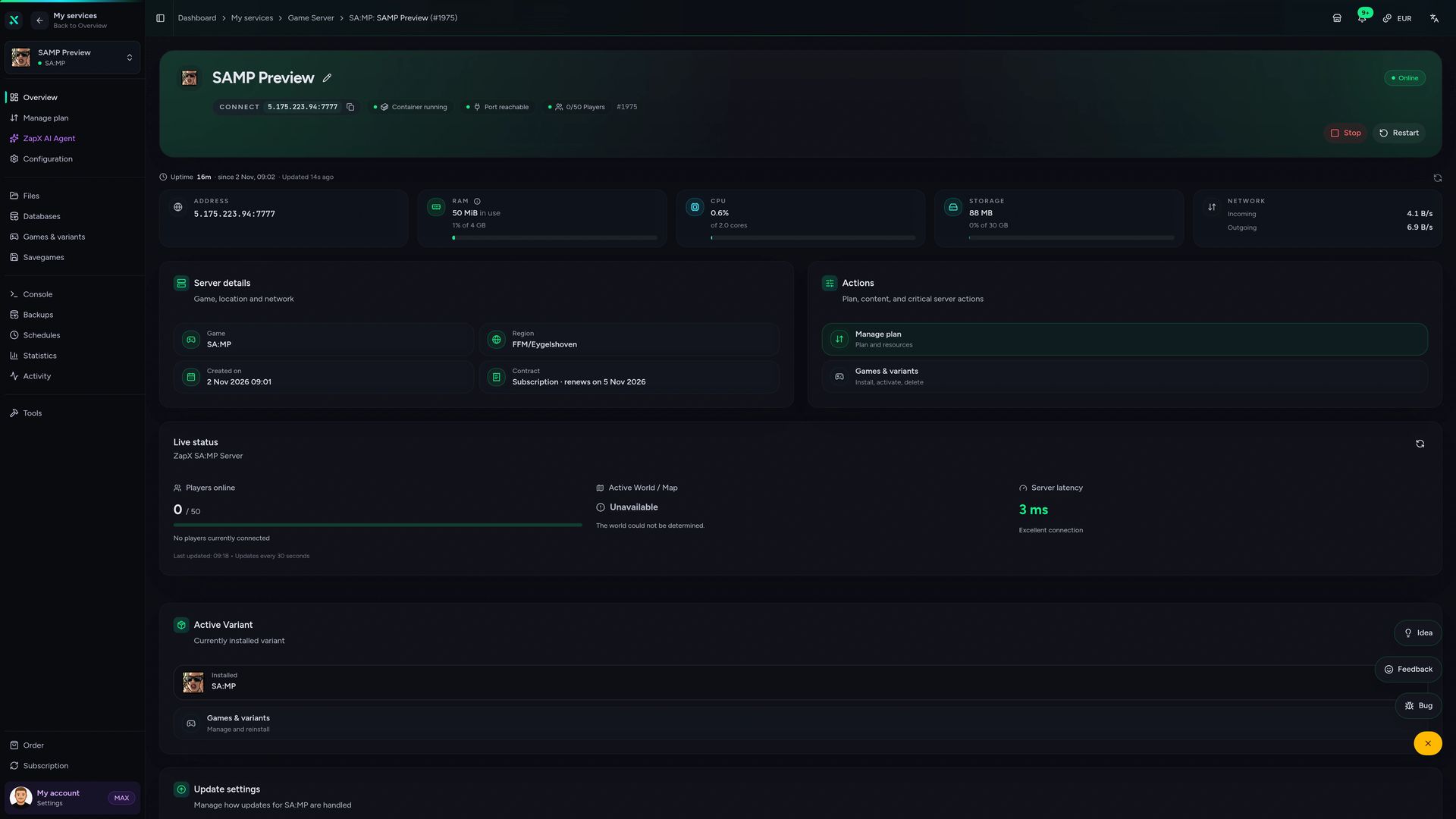
Your SAMP server, run from the browser.
Upload files, edit server.cfg, read the console and check RAM and CPU usage, all in one panel without an extra FTP client or SSH.
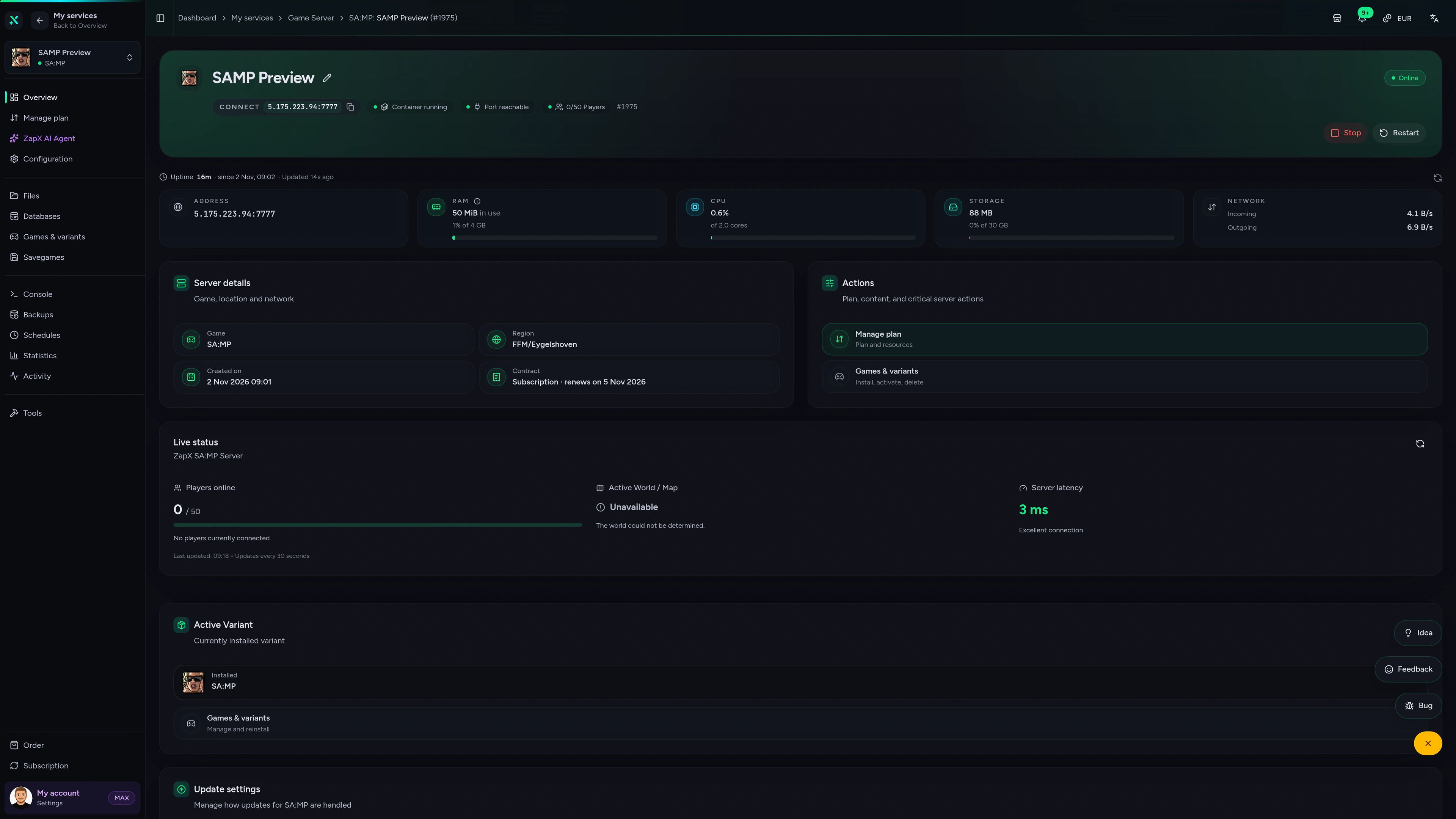
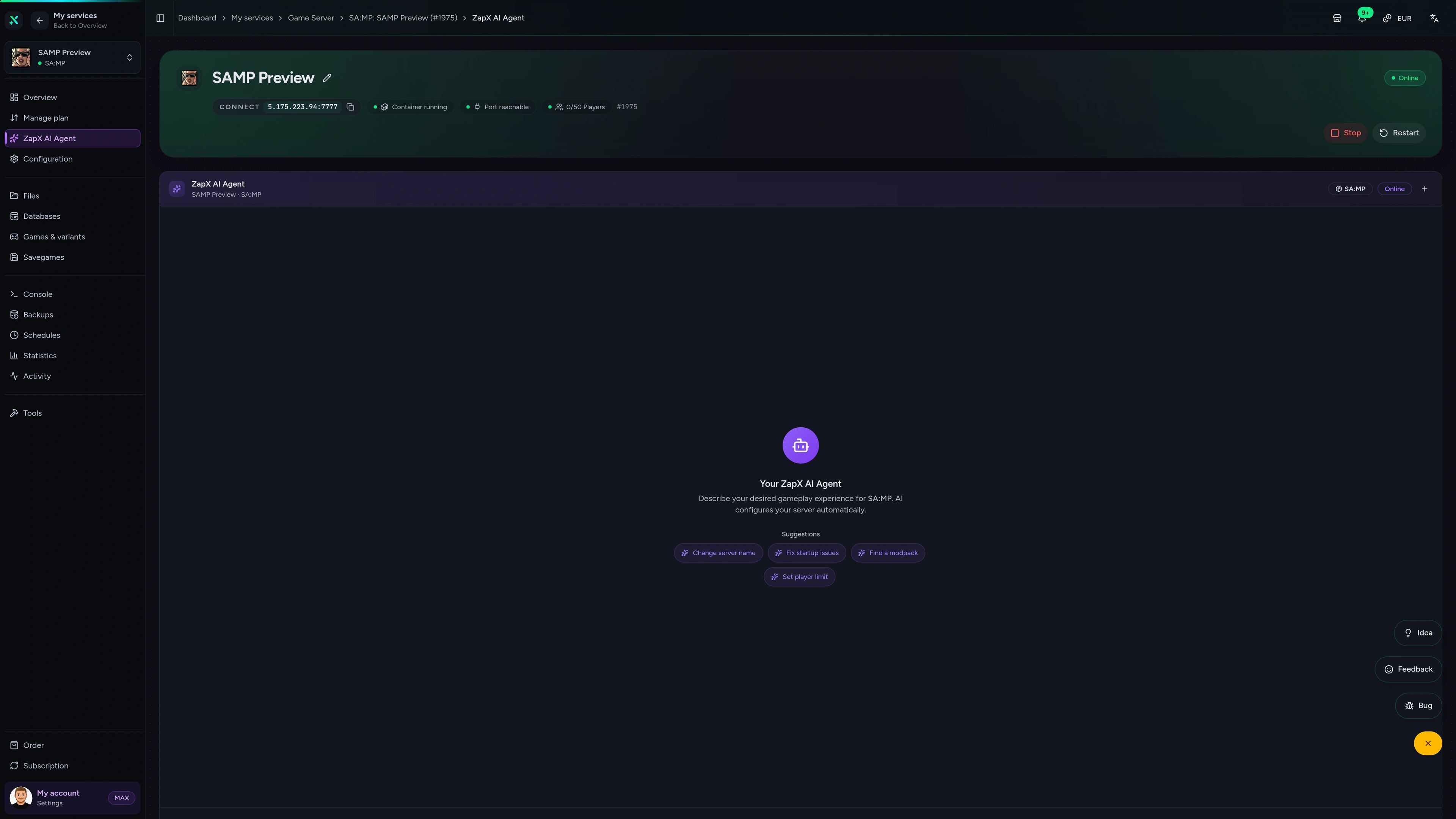
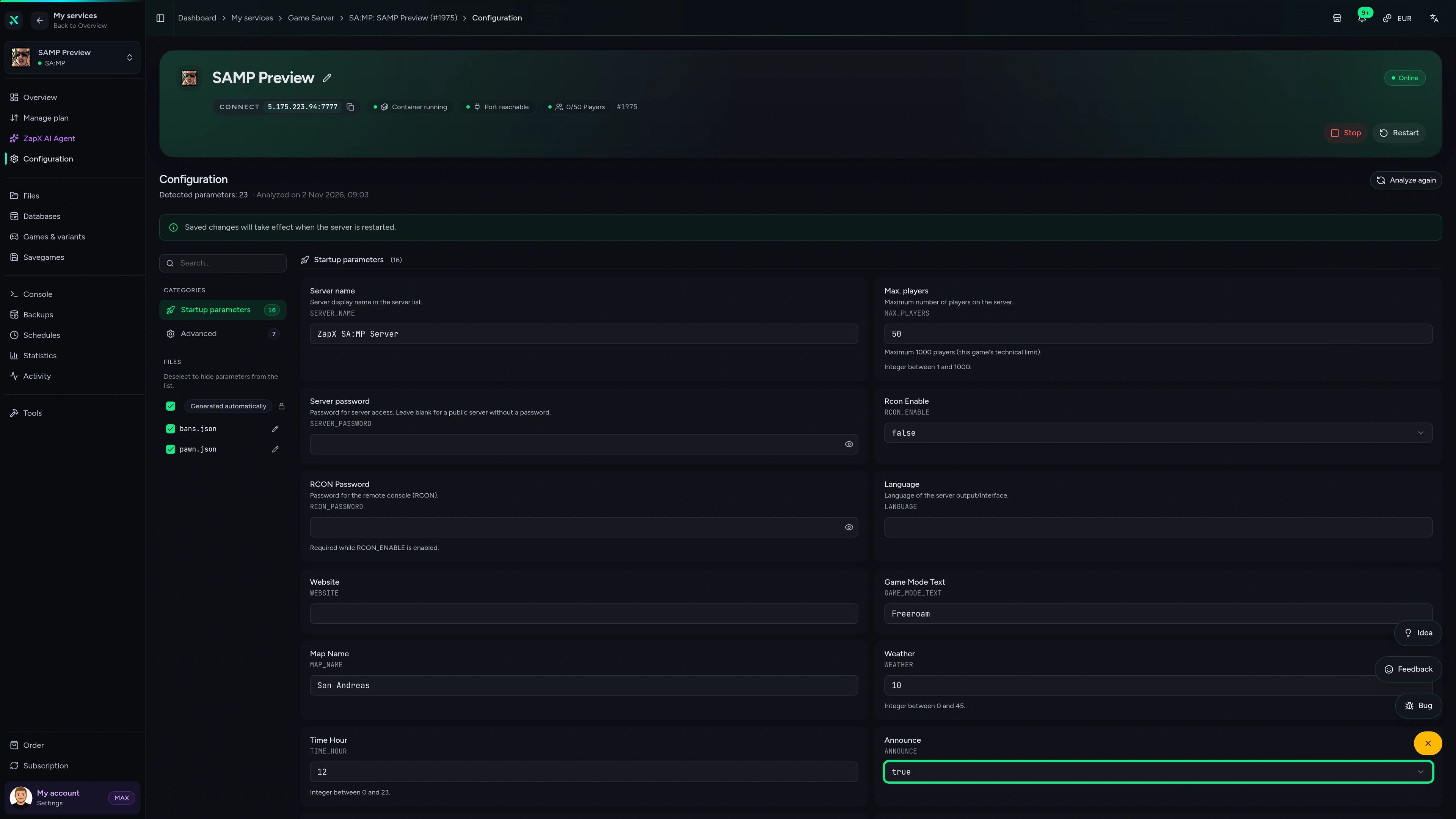
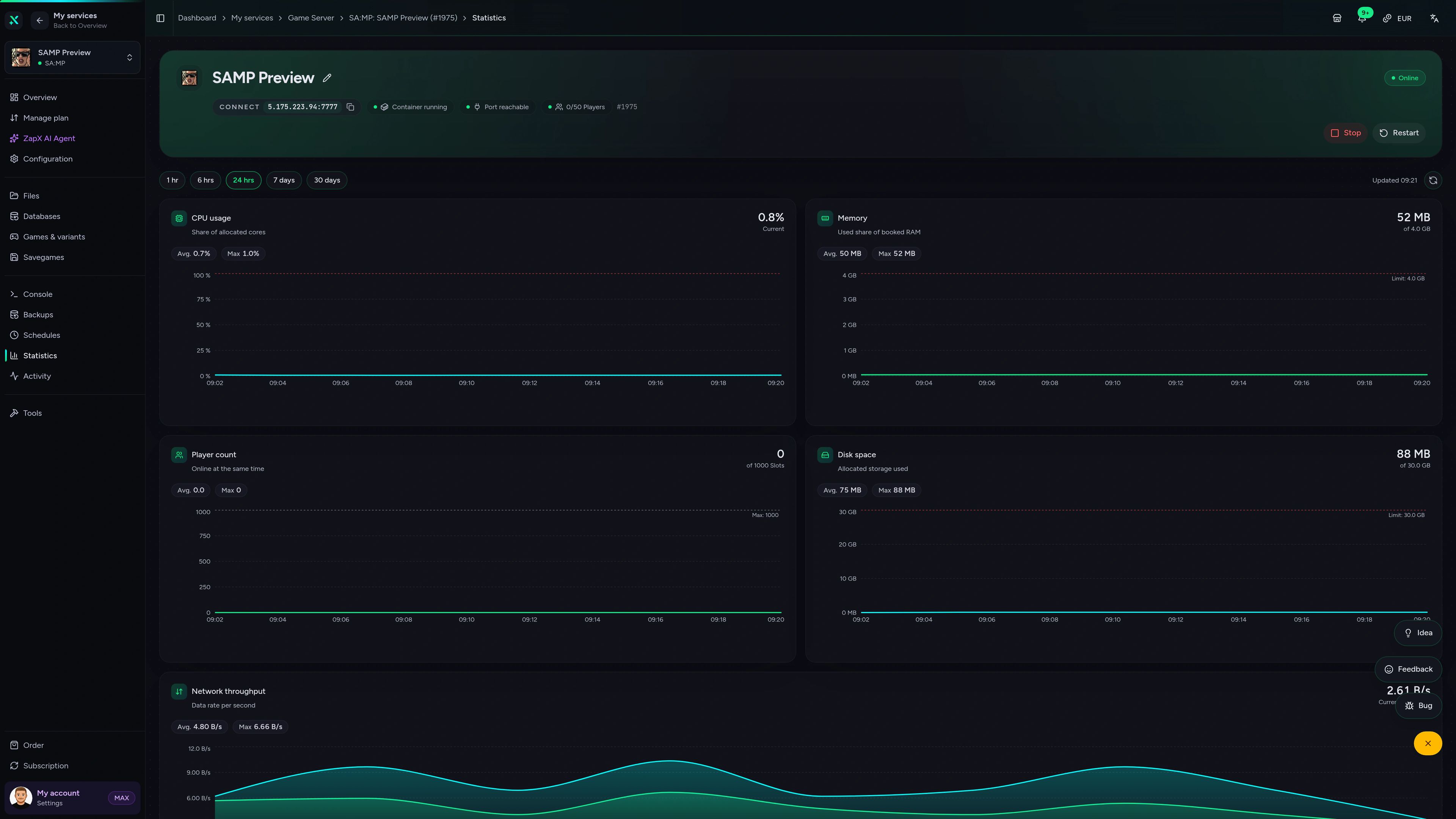
SA:MP Game Server – Overview
Overview of the SA:MP game server in the ZapX customer panel.
Ask about your SAMP server. Get a clear next step.
The ZapX AI Agent knows your server's context and explains server_log errors, server.cfg values and sizing questions right in the panel, so you don't have to dig through old forum threads.
The ZapX AI Agent is part of ZapX Pass and works account-wide across all supported services.
See ZapX PassZapX AI Agent
panel.zap-hosting.com
Benchmark
Comparable figures from our own infrastructure, with methodology and measurement date. No made-up competitor numbers.
High-performance VPS, CPU model depends on the location
Typical VPS plans without a published host CPU
confirmed 2026-07-01
Typical SA-MP setups
What admins run on their SA-MP server.
Roleplay city, deathmatch arena or freeroam hangout: these setups show where unlimited slots, full file access and DDoS protection matter most.
Ready to launch
Your gamemode, live 24/7 — no port forwarding.
Mobile AppComing soon
Your SA-MP server. In your pocket.
Check status, restart after a gamemode update and read the console from your phone with the ZapX app.
Discord management
Manage servers directly in Discord.
Check status, start, stop, and restart via slash command — without leaving your community Discord.


Impressionen
SA:MP Screenshots
A glimpse into the game world—its atmosphere, exploration, and the moments your community will experience on the server.
SA:MP
1 free tool – right in your browser, no sign-up needed.
Also available
We also offer the following games.
Switch between your games anytime for free—Minecraft, FiveM, Rust, and more.

Survival & Creative
Minecraft
Vanilla, Modded & Modpacks
Ready in ~2 min

Roleplay
FiveM
Roleplay server in seconds
One-click installation

Survival
Rust
Wipe-ready gameserver
Automatic setup
Also available
Switch between your games anytime for free—Minecraft, FiveM, Rust, and more.
98
Available games












Benefit
Unlimited Slots
We don't artificially limit player Slots. Hardware determines capacity.
Scale based on Mods, scripts, and player load instead of paying for a fixed number of Slots.
Your SAMP community starts here.
Upload your gamemode, invite your players and run your SA-MP server 24/7. Setup is automatic and you're online within 60 seconds.
No setup. No risk. Online in seconds.